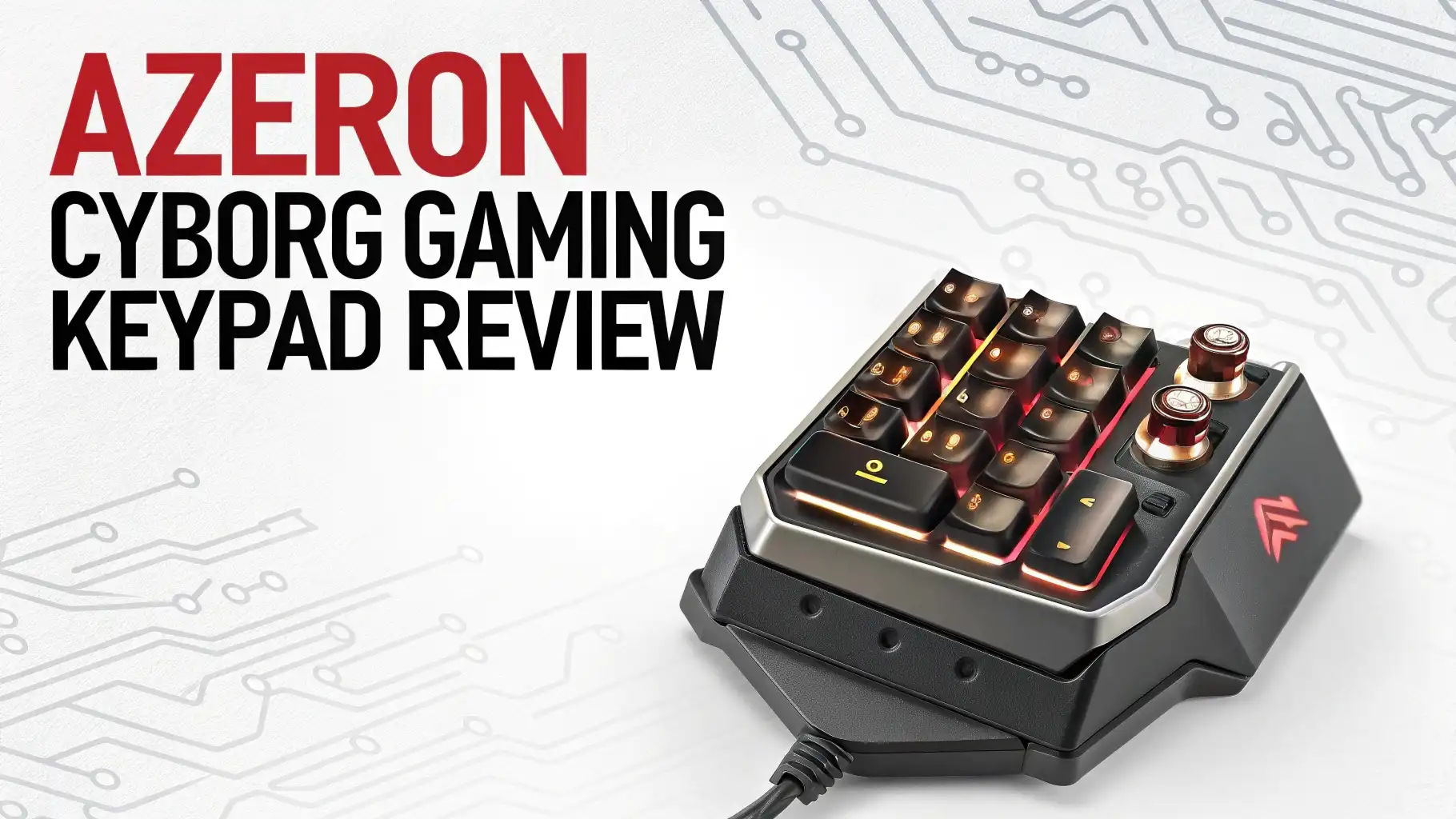
AZERON Cyborg Gaming Keypad Review 2026: The Ultimate Guide
Are you tired of stretching your fingers across a full keyboard during intense gaming sessions? Do you wish you could access all your game controls without ever moving your hand?
The AZERON Cyborg Gaming Keypad promises to solve these problems and more. This futuristic looking device has been making waves in the gaming community, and today we’re diving deep into whether it lives up to the hype.
Get ready to discover a gaming peripheral that might just replace your traditional keyboard forever.
In A Nutshell:
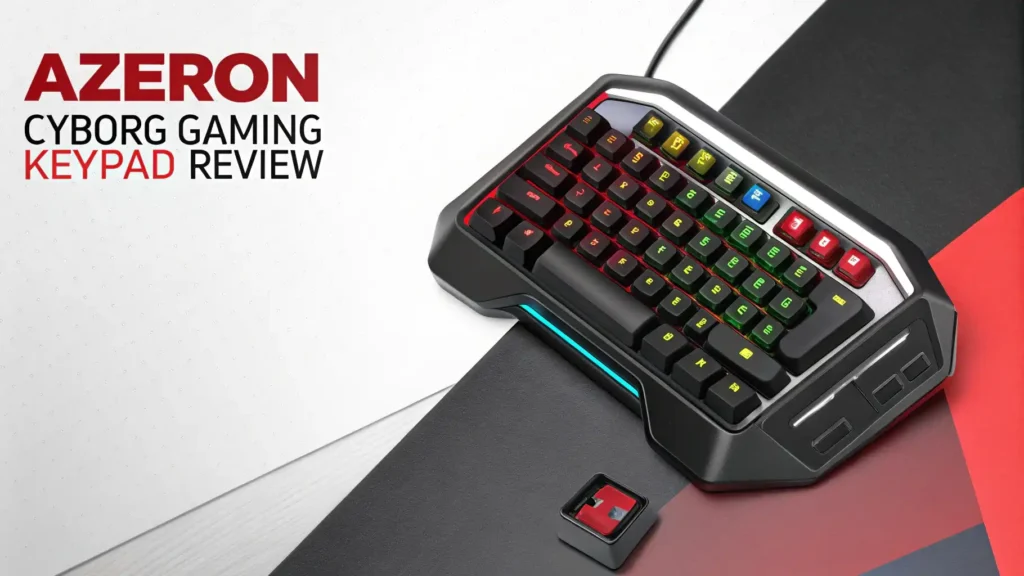
- Revolutionary Design: The AZERON Cyborg features a unique ergonomic structure that cups your hand naturally, with 30 programmable keys positioned exactly where your fingers rest. This eliminates the need to hunt for keys or stretch your hand awkwardly across a traditional keyboard.
- Hall Effect Technology: The keypad includes an advanced Hall Effect analog thumbstick that provides 360 degree movement control. This gives you smoother, more precise character movement compared to standard WASD keys, especially in games that support analog input.
- Customization Heaven: Every aspect can be adjusted to fit your hand perfectly. The towers can tilt, lift, and rotate while the palmrest adjusts for height. You can even customize the 3D printed shell in multiple colors including Galaxy Purple, Red, and classic Black.
- Game Changer For MMO Players: With six onboard profile slots and automatic profile switching through the software, you can set up different configurations for each game. MMO and MOBA players particularly benefit from having dozens of abilities accessible without moving their hand.
- Learning Curve Required: Expect to spend 2 to 4 weeks adjusting to this new control method. Your muscle memory will need time to adapt, but most users report significant performance improvements once they overcome the initial learning period.
- Premium Investment: At around $260, the AZERON Cyborg sits in the premium gaming peripheral category. This price reflects the specialized design, quality Omron switches rated for 50 million clicks, and extensive customization options that make each keypad unique.

Last update on 2026-08-04 / Affiliate links / Images from Amazon Product Advertising API Some of the links on this website are affiliate links, which means that at no additional cost to you, I earn a commission if you click through and make a purchase. I only recommend products and services that I believe will add value to my readers. Thank you for your support!
What Makes The AZERON Cyborg Different From Traditional Keyboards
The AZERON Cyborg completely reimagines how you interact with PC games. Unlike a traditional keyboard where keys are laid flat in rows, this device positions buttons vertically in towers that match your natural finger positions. Your hand rests comfortably without tension, and every button sits exactly where you need it.
The ergonomic design reduces hand fatigue significantly during long gaming sessions. Traditional keyboards force you to flatten your hand and reach for distant keys, creating strain over time. The Cyborg allows your hand to maintain a relaxed, curved position that feels natural even after hours of use.
What truly sets this keypad apart is the combination of keyboard precision and controller fluidity. The Hall Effect thumbstick gives you analog movement control like a console controller, while the mechanical switches provide the tactile feedback and speed that PC gamers love. You get the best of both worlds in one compact device.
Unboxing And First Impressions: What You Get
When your AZERON Cyborg arrives, you’ll immediately notice the unique 3D printed construction. The device feels solid despite being lightweight, thanks to its custom engineered design. Each keypad is built to order, which means yours is essentially made specifically for you.
Inside the package, you’ll find the keypad itself, a USB cable for connection, and access to downloadable software and manuals. The 3D printed material has a slightly textured surface that provides good grip without feeling cheap. The various color options like Galaxy Purple and Red give the device a distinctive gaming aesthetic.
The adjustable components move smoothly with precision. Every screw and adjustment point feels well engineered. The Omron switches click with satisfying feedback, and the thumbstick moves smoothly in all directions. Build quality impresses right out of the box, though some users note the 3D printed sections can feel slightly less premium than machined aluminum.
Technical Specifications: Under The Hood
The AZERON Cyborg II packs impressive specifications into its compact form. The device features 30 fully programmable inputs, each mapped through intuitive software. These inputs use quick fire Omron switches designed for competitive gaming, with a lifespan rated at 50 million clicks per switch.
The centerpiece is the Hall Effect analog thumbstick that provides true 360 degree movement. Unlike traditional thumbsticks, Hall Effect technology uses magnetic sensors instead of physical contact points. This means no stick drift and longer lasting performance. You can configure it to act as WASD keys or use full analog movement in compatible games.
The device connects via USB Type C cable, providing reliable plug and play functionality. The onboard memory stores up to six control profiles, letting you switch between games instantly. The redesigned main board supports firmware updates, ensuring your keypad stays current with new features and improvements.
Setting Up Your AZERON Cyborg: The Initial Configuration
Getting started with the AZERON Cyborg requires more effort than simply plugging in a keyboard. You’ll need to physically adjust the device to match your hand size and shape. This involves loosening screws, positioning towers, adjusting angles, and then tightening everything back down.
The process takes patience but pays off enormously. Start by adjusting the tower heights so your fingers rest comfortably on the top buttons. Then adjust the rotation of each tower to match your finger angles. The palmrest height needs adjustment to support your hand without forcing your wrist into an awkward position.
After physical setup, you’ll install the AZERON software to configure button mappings. The software lets you assign any keyboard key, mouse button, or macro to each input. You can create multiple profiles for different games and set up automatic profile switching that activates when you launch specific applications.
Top 3 Alternative For AZERON Cyborg


Last update on 2026-08-04 / Affiliate links / Images from Amazon Product Advertising API Some of the links on this website are affiliate links, which means that at no additional cost to you, I earn a commission if you click through and make a purchase. I only recommend products and services that I believe will add value to my readers. Thank you for your support!

Last update on 2026-08-04 / Affiliate links / Images from Amazon Product Advertising API Some of the links on this website are affiliate links, which means that at no additional cost to you, I earn a commission if you click through and make a purchase. I only recommend products and services that I believe will add value to my readers. Thank you for your support!

Last update on 2026-08-04 / Affiliate links / Images from Amazon Product Advertising API Some of the links on this website are affiliate links, which means that at no additional cost to you, I earn a commission if you click through and make a purchase. I only recommend products and services that I believe will add value to my readers. Thank you for your support!
Performance In Different Game Genres
The AZERON Cyborg truly shines in MMO and MOBA games where you need access to dozens of abilities quickly. Games like World of Warcraft, Final Fantasy XIV, and League of Legends benefit enormously from having all your skills mapped to buttons you can press without moving your hand. Players report significant performance improvements in competitive scenarios.
First person shooters provide a mixed experience. The analog thumbstick gives you smoother movement control, which helps with strafing and positioning. However, some competitive FPS players prefer the instant direction changes of WASD keys. The learning curve can temporarily hurt your performance until muscle memory develops.
Strategy and simulation games work wonderfully with the Cyborg. Having hotkeys, camera controls, and unit commands all accessible from one hand makes managing complex scenarios much easier. The thumbstick can control camera movement while your fingers execute commands, creating a smooth workflow.
Ergonomics And Comfort: Can You Game For Hours
One of the biggest advantages of the AZERON Cyborg is sustained comfort during extended gaming sessions. The natural hand position eliminates the wrist strain common with traditional keyboards. Your fingers curl naturally around the towers instead of stretching flat across rows of keys.
The adjustable design means you can fine tune everything to eliminate pressure points. If a button feels too high or at the wrong angle, you can adjust it. This level of customization ensures the keypad fits your hand rather than forcing your hand to adapt to the device.
Some users initially experience minor discomfort as their hands adjust to the new position. The pinky button occasionally causes irritation for people with smaller hands. These issues typically resolve after the adjustment period as your hand adapts to the ergonomic positioning.
Software And Customization: Making It Yours
The AZERON software provides extensive control over every aspect of your keypad. The interface is straightforward and intuitive, making it easy to assign keys, create macros, and manage profiles. You can map any keyboard key, mouse button, or complex macro sequence to any button.
Profile management is particularly powerful. You can create unlimited profiles stored on your PC and load six of them to the keypad’s onboard memory. The software can automatically switch profiles when you launch specific games or applications, eliminating manual switching.
Advanced features include activator options like hold, double tap, and triple tap for individual buttons. This effectively multiplies your available inputs. For example, one button could execute different commands based on whether you tap it once, twice, or hold it down.
Build Quality And Durability: Will It Last
The AZERON Cyborg uses 3D printed components for the main structure, which raises questions about long term durability. In practice, the material proves surprisingly robust for normal use. The printed sections handle daily gaming without issues, though they lack the premium feel of machined metal.
The Omron switches represent the most critical durability component, and these are top tier. Rated for 50 million clicks, they’ll outlast several years of heavy gaming. The tactile feedback remains consistent over time without becoming mushy or unresponsive.
The Hall Effect thumbstick is another durability highlight. Because it uses magnetic sensors instead of physical contact, it won’t develop stick drift like traditional thumbsticks. This technology significantly extends the functional lifespan compared to standard analog sticks.
Learning Curve: How Long Until You’re Proficient
Expect a genuine learning curve when switching to the AZERON Cyborg. Your muscle memory is trained for keyboard layouts, and retraining takes time. Most users report needing 2 to 4 weeks before feeling comfortable, with full proficiency developing over 1 to 2 months.
The first few days feel awkward and frustrating. You’ll press wrong buttons, fumble for controls, and likely perform worse than with your keyboard. This is completely normal. Your brain needs time to build new neural pathways for the different button positions.
Start with single player games during your adjustment period. Using the keypad in competitive multiplayer while learning will only frustrate you and your teammates. Practice in relaxed environments where mistakes don’t matter as you develop the muscle memory.
Price And Value: Is It Worth The Investment
The AZERON Cyborg II sits at approximately $260 on Amazon, placing it firmly in the premium peripheral category. This price point is significantly higher than standard gaming keyboards and even many high end mechanical keyboards. The question becomes whether the unique benefits justify the cost.
For MMO and MOBA players who spend hundreds of hours in games requiring extensive keybinds, the value proposition is strong. The ergonomic benefits and improved access to controls can genuinely enhance both performance and comfort. Many competitive players consider it an essential investment.
Casual gamers may struggle to justify the price, especially given the learning curve. If you primarily play games that work well with standard keyboards, the Cyborg offers less compelling value. The adjustment period and cost may not align with occasional gaming needs.
Comparing AZERON Cyborg To Traditional Gaming Keyboards
Traditional gaming keyboards offer familiarity and versatility. You can type documents, browse the web, and game with the same device. The standard layout means zero learning curve, and replacement is simple if something breaks. Keyboards work universally across all PC applications.
The AZERON Cyborg sacrifices versatility for specialized gaming performance. You cannot type on it, limiting functionality to gaming only. This specialization allows for ergonomic designs and button placements impossible with traditional keyboards. For pure gaming, the Cyborg offers advantages keyboards cannot match.
Key travel distance is significantly shorter on the Cyborg because buttons are positioned where your fingers naturally rest. On keyboards, you must move your fingers several inches to reach number keys or function keys. This reduced travel time translates to faster reaction speeds in fast paced games.
Who Should Buy The AZERON Cyborg Gaming Keypad
The ideal AZERON Cyborg customer is a dedicated PC gamer who spends significant time in MMOs, MOBAs, or games with complex control schemes. If you regularly experience hand fatigue from keyboard gaming or struggle to access all your keybinds comfortably, this device solves those problems.
Competitive players seeking every possible advantage will appreciate the ergonomic benefits and reduced finger travel. The ability to access 30 inputs without moving your hand provides genuine performance benefits in high level play. Many esports players and serious competitors consider it a worthwhile investment.
People with hand or wrist issues may find the ergonomic design reduces pain during gaming. The natural hand position and palm support eliminate common strain points. However, consult with a medical professional before using as a solution for existing injuries.
Common Issues And Solutions
Accidental button presses are common during the learning phase. Your fingers aren’t used to the new positions, leading to fumbles. Solution: adjust tower positions to create more space between buttons and practice deliberately pressing one button at a time during training sessions.
Thumbstick calibration problems occasionally occur. If movement feels off or the stick doesn’t center properly, recalibrate through the software. The process takes minutes and typically resolves any drift or sensitivity issues. Regular calibration ensures optimal performance.
Software not detecting the keypad frustrates some new users. Ensure you’re using the latest software version from the official website. Try different USB ports, particularly those directly on your motherboard rather than front panel or hub connections. Updating firmware often resolves detection issues.
Physical discomfort during adjustment affects most users initially. Your hand needs time to adapt to the new position. Take breaks during early sessions and make small adjustments to tower angles if you feel persistent pressure points. Most discomfort resolves within the first two weeks.
Frequently Asked Questions
How long does it take to get used to the AZERON Cyborg?
Most users need 2 to 4 weeks to feel comfortable with the AZERON Cyborg. Your muscle memory must adapt to the new button positions after years of keyboard use. Expect 1 to 2 months for full proficiency where the controls feel completely natural. Starting with single player games during the learning period helps build skills without competitive pressure. Daily practice sessions accelerate the learning process significantly.
Can I use the AZERON Cyborg for typing and everyday computer use?
No, the AZERON Cyborg is designed exclusively for gaming. It lacks the keys needed for typing documents or general computer navigation. You will need to keep a traditional keyboard connected for typing, web browsing, and non gaming tasks. The keypad only replaces your keyboard during actual gaming sessions. This specialization allows for the ergonomic gaming focused design.
Does the AZERON Cyborg work with all PC games?
The AZERON Cyborg works with virtually all PC games as it simply acts as a programmable input device. The software lets you map standard keyboard keys and mouse buttons to the keypad inputs. Any game that accepts keyboard and mouse controls will work. Games with native analog stick support get additional benefits from the Hall Effect thumbstick. Compatibility is excellent across all gaming genres.
Is the AZERON Cyborg worth it for FPS games?
The value for FPS games is debatable. The analog thumbstick provides smoother movement, which benefits positioning and strafing. However, many competitive FPS players prefer instant WASD direction changes. The learning curve can temporarily hurt performance. If you play primarily fast paced competitive shooters, consider whether the benefits outweigh the adjustment period.
How does the Hall Effect thumbstick compare to regular thumbsticks?
Hall Effect thumbsticks use magnetic sensors instead of physical contact points. This eliminates stick drift, the common problem where thumbsticks register movement when centered. The technology lasts longer because there are no rubbing parts to wear out. Movement feels smooth and precise throughout the device’s lifespan.
Can left handed players use the AZERON Cyborg?
The standard AZERON Cyborg is designed for right handed use. However, AZERON offers left handed versions of their keypads. You must specifically order the left handed model when purchasing. The company builds each keypad to order, allowing for handedness customization. Left handed gamers have the same functionality and adjustment options as right handed users.
What happens if a button breaks or the device malfunctions?
AZERON provides customer support for defective units and malfunctions. The Omron switches are rated for 50 million clicks, making failure unlikely during normal use. If issues occur during the warranty period, contact AZERON support for repair or replacement options. The modular design means some components can potentially be replaced individually rather than replacing the entire unit.
Do I need special software to use the AZERON Cyborg?
Yes, you need to download the AZERON configuration software to fully utilize the keypad. The software is free and available from the official website. It allows button mapping, profile creation, firmware updates, and thumbstick calibration. While the device has plug and play functionality with default mappings, the software unlocks the true customization potential. The interface is user friendly and regularly updated.

Hello, i’m Ivoria i am the face behind Tech Tracker Blog. I am passionate about my work and love to explore gadgets and share about my experience.