ASUS Chromebook CX34 Flip Review 2026: Worth Your Money?
Are you looking for a Chromebook that doubles as a tablet and a laptop? The ASUS Chromebook CX34 Flip has been a popular choice since its release. It packs a 14 inch touchscreen, a solid Intel processor, and a 360 degree hinge into a sleek package.
But here’s the big question. Does it still hold up in 2026? With new Chromebook models hitting the market every few months, you need to know if this machine still delivers real value.
This review covers every detail from the display and keyboard to the battery, build quality, and performance.
Key Takeaways:
- The 14 inch WUXGA (1920 x 1200) touchscreen delivers sharp visuals with a comfortable 16:10 aspect ratio, perfect for productivity and media consumption on a Chromebook.
- Powered by up to a 12th Gen Intel Core i7 processor with up to 16GB of RAM, this Chromebook handles multitasking, browser tabs, Android apps, and cloud gaming with ease.
- The 360 degree hinge lets you use the device as a laptop, tent, stand, or tablet, giving you flexible options for work, play, and presentations.
- Battery life is strong thanks to a large 63Wh battery. Expect a full day of use on a single charge for most light to moderate workloads.
- Build quality meets MIL STD 810H military grade standards, so the CX34 Flip can handle drops, bumps, and daily wear without worry.
- A garaged USI stylus comes included with select models, making it great for note taking, sketching, and precise touchscreen input without buying extra accessories.


Last update on 2026-08-31 / Affiliate links / Images from Amazon Product Advertising API Some of the links on this website are affiliate links, which means that at no additional cost to you, I earn a commission if you click through and make a purchase. I only recommend products and services that I believe will add value to my readers. Thank you for your support!
ASUS Chromebook CX34 Flip Overview
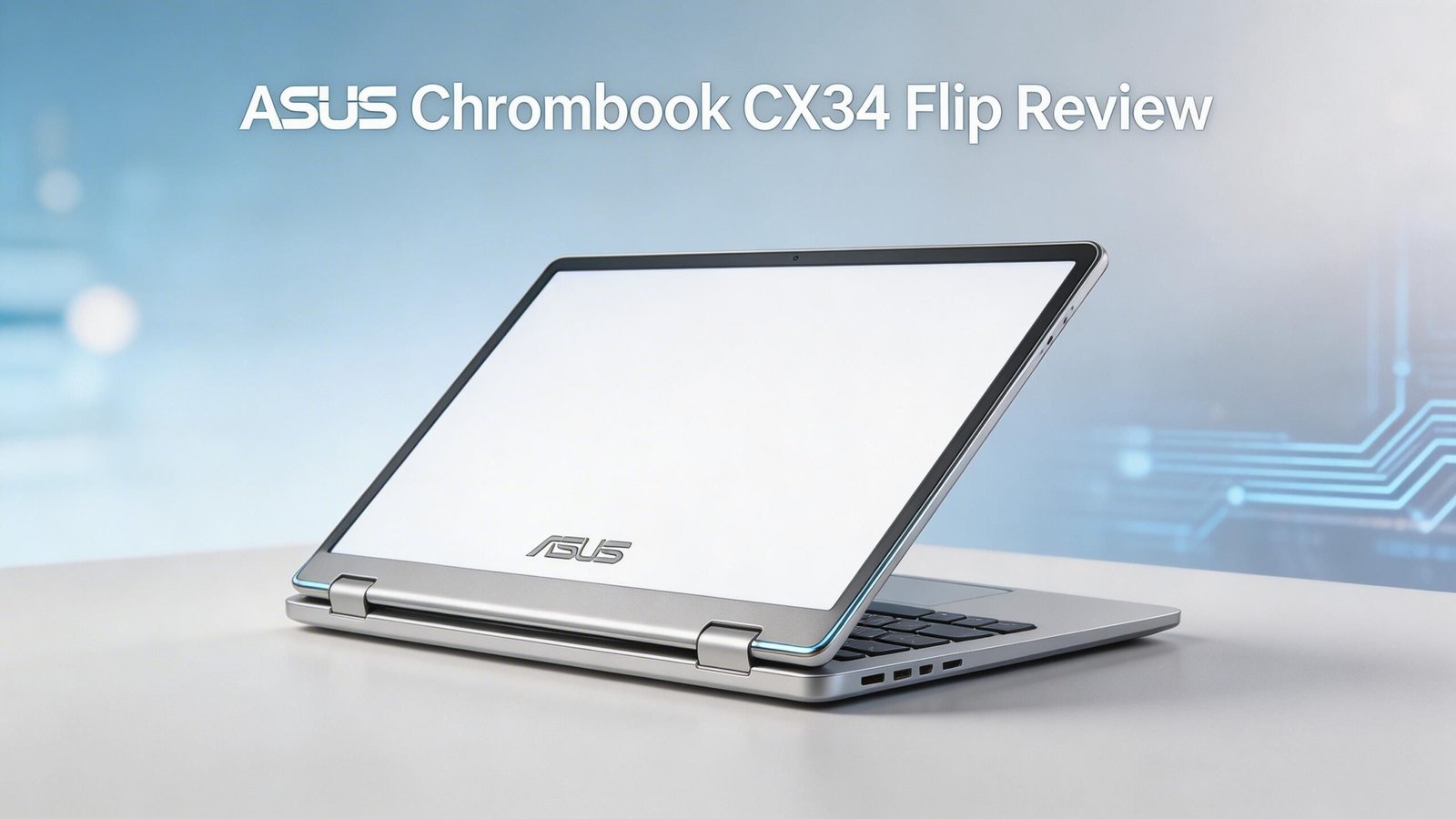
The ASUS Chromebook CX34 Flip is a 2 in 1 convertible Chromebook with a 14 inch WUXGA (1920 x 1200) display. It runs ChromeOS and supports Android apps through the Google Play Store. ASUS built this model around 12th Gen Intel processors, offering configurations with the Core i3, Core i5, or Core i7.
This Chromebook weighs about 3.99 pounds (1.81 kg) and measures just over 0.82 inches thick. It is portable enough for daily commuting. The zinc colored aluminum lid gives it a professional, clean look that fits right into an office or classroom.
ASUS positioned the CX34 Flip as a mid range to premium Chromebook. It sits between budget models and high end options. You get premium features like a backlit keyboard, Harman/Kardon speakers, and Wi Fi 6E. The price at launch placed it in a competitive bracket against devices like the Acer Chromebook Spin 714 and the HP Chromebook x360 14.
If you want a Chromebook that does more than basic browsing, this one checks a lot of boxes. It handles Google Docs, video calls, streaming, and Android apps without slowing down. It’s a well rounded machine.
Display Quality and Touchscreen Performance
The ASUS Chromebook CX34 Flip features a 14 inch WUXGA display with a resolution of 1920 x 1200 pixels. The 16:10 aspect ratio gives you extra vertical screen space compared to a standard 16:9 panel. This helps a lot with reading documents, browsing the web, and working on spreadsheets.
The panel delivers 300 nits of brightness. This is bright enough for indoor use and decent in well lit rooms. Outdoor visibility is acceptable but not ideal under direct sunlight. The glossy coating makes colors pop but can cause reflections in bright environments.
Touch response is smooth and accurate. Swiping, scrolling, and tapping feel natural. The screen also works well with the included USI stylus for handwriting and drawing. Students and professionals who take digital notes will find this feature very useful.
The NTSC color coverage sits at 45%, which is standard for Chromebooks in this price range. It won’t satisfy professional photo editors or graphic designers. But for everyday tasks, video streaming, and casual content creation, the display looks crisp and pleasant.
Overall, this is a solid panel for its class. It won’t win awards against OLED laptops, but it delivers reliable quality for work and entertainment.
Performance and Processing Power
Under the hood, the ASUS Chromebook CX34 Flip offers three processor options. The base model uses the Intel Core i3 1215U. The mid tier uses the Core i5 1235U. The top tier uses the Core i7 1255U. All three are 12th Gen Intel chips with a mix of performance and efficiency cores.
The Core i5 variant is the sweet spot for most users. It has 10 cores and can boost up to 4.4 GHz. This handles 20+ browser tabs, video calls on Google Meet, and Android apps running side by side without any lag.
RAM options include 8GB and 16GB of LPDDR4X memory. The 16GB variant is ideal for power users who run multiple apps at once. The 8GB model works fine for general browsing and light productivity.
Storage ranges from 128GB to 512GB NVMe PCIe 3.0 SSD. These drives are fast. Boot times are under 10 seconds. Apps launch quickly. File transfers feel snappy.
ChromeOS is a lightweight operating system. It does not need as much horsepower as Windows. That means the CX34 Flip feels faster than a Windows laptop with similar specs. Day to day performance is smooth, responsive, and consistent across all configurations.
Top 3 Alternatives for ASUS Chromebook CX34 Flip
Acer Chromebook Plus Spin 714

Last update on 2026-08-31 / Affiliate links / Images from Amazon Product Advertising API Some of the links on this website are affiliate links, which means that at no additional cost to you, I earn a commission if you click through and make a purchase. I only recommend products and services that I believe will add value to my readers. Thank you for your support!
HP Chromebook x360 14

Last update on 2026-08-31 / Affiliate links / Images from Amazon Product Advertising API Some of the links on this website are affiliate links, which means that at no additional cost to you, I earn a commission if you click through and make a purchase. I only recommend products and services that I believe will add value to my readers. Thank you for your support!
Lenovo IdeaPad Duet 5 Chromebook

Last update on 2026-08-31 / Affiliate links / Images from Amazon Product Advertising API Some of the links on this website are affiliate links, which means that at no additional cost to you, I earn a commission if you click through and make a purchase. I only recommend products and services that I believe will add value to my readers. Thank you for your support!
Design and Build Quality
The ASUS Chromebook CX34 Flip has a clean and professional design. The zinc colored lid has a subtle metallic finish that looks premium without being flashy. It feels solid in the hands despite the body being primarily made of plastic and aluminum.
ASUS tested this Chromebook against MIL STD 810H military grade standards. This means it passed tests for drops, shocks, vibrations, and temperature extremes. If you carry your laptop in a backpack or commute daily, this durability rating gives peace of mind.
The 360 degree hinge operates smoothly. You can flip the screen all the way around to use it as a tablet. The tent and stand modes are great for watching videos or following recipes in the kitchen. The hinge holds its position firmly at any angle.
At 3.99 pounds, the CX34 Flip is not the lightest Chromebook available. Some 14 inch competitors weigh closer to 3 pounds. But the trade off is a sturdier frame and a larger battery. Dimensions measure 12.58 x 9.25 x 0.82 inches, which keeps the footprint compact enough for most bags.
The overall fit and finish impress for a mid range Chromebook. Panel gaps are tight. Flex is minimal on the keyboard deck. ASUS clearly focused on making this device feel reliable and well assembled.
Keyboard and Trackpad Experience
The ASUS Chromebook CX34 Flip uses a backlit chiclet keyboard with 1.4mm of key travel. This key travel depth provides a satisfying typing feel. Keys are well spaced and offer good tactile feedback. Long typing sessions feel comfortable.
The keyboard is also spill resistant. If you accidentally knock over a glass of water near your laptop, the keyboard can handle small splashes. This is a practical feature for students and anyone working around beverages.
Backlighting makes the keys easy to see in low light conditions. The brightness adjusts well and adds a nice touch to the overall experience. Night owl users and late study sessions benefit from this feature.
The trackpad is large and responsive. It supports multi touch gestures like two finger scrolling, pinch to zoom, and three finger swipes. Tracking is accurate, and clicks are consistent. The surface feels smooth under your fingers.
Some users note the trackpad can feel slightly stiff compared to premium Windows laptops or MacBooks. But for a Chromebook in this price range, it performs above average. Most people will have no complaints after a short adjustment period.
Typing and navigation on the CX34 Flip are among its strengths. The combination of good key feel and a responsive trackpad makes daily use enjoyable.
Battery Life and Charging
The ASUS Chromebook CX34 Flip packs a 63Wh 3 cell lithium polymer battery. This is a large battery for a 14 inch Chromebook. ASUS claims up to 10 hours of battery life depending on usage.
In real world use, expect around 8 to 10 hours with web browsing, document editing, and light streaming. Heavier tasks like video calls and Android gaming will reduce this to about 6 to 7 hours. That’s still enough to get through a full school or work day.
Charging uses a USB C 45W adapter. The USB C port supports both charging and display output. A full charge takes roughly 2 to 2.5 hours from empty. The charger is compact and easy to carry.
One nice detail is that both USB C ports support charging. You can plug in from either side of the laptop. This small convenience matters when outlets are in awkward positions.
Battery performance on ChromeOS is generally better than Windows. The lightweight OS draws less power, which helps the CX34 Flip squeeze more life out of every charge. For a convertible Chromebook with a large display, the battery life here is impressive and dependable.
Audio Quality with Harman/Kardon Speakers
The ASUS Chromebook CX34 Flip comes with Harman/Kardon tuned speakers. This is a notable upgrade over the generic speakers found in many Chromebooks. Audio output is clear, balanced, and surprisingly full for a laptop this size.
Dialogue in videos and podcasts sounds crisp and easy to understand. Music playback is enjoyable for casual listening. The speakers produce decent mid range and treble, though bass remains thin. This is a common limitation for thin laptops, and the CX34 Flip is no exception.
Speaker placement on the bottom of the device means sound can get muffled on soft surfaces like beds or couches. On a desk or hard surface, the audio bounces back nicely and fills a small room.
The built in array microphone picks up voice well for video calls. Background noise filtering is adequate for most home and office environments. You won’t need an external microphone for standard Google Meet or Zoom calls.
For movie watching, casual music, and video conferencing, the Harman/Kardon speakers on this Chromebook deliver above average audio quality. If you need serious bass or volume, a pair of Bluetooth headphones or an external speaker will serve you better.
Connectivity and Port Selection
The ASUS Chromebook CX34 Flip offers a generous selection of ports for a Chromebook. You get two USB 3.2 Gen 2 Type C ports, one USB 3.2 Gen 2 Type A port, an HDMI 2.1 port, a micro SD card reader, and a 3.5mm audio combo jack.
The two USB C ports handle data transfer, charging, and video output. This versatility means you can connect an external monitor through USB C while charging from the other side. The Type A port lets you plug in traditional USB accessories like flash drives and mice without a dongle.
HDMI 2.1 is a standout feature. Many Chromebooks skip the HDMI port entirely. Having one built in lets you connect directly to projectors, TVs, and monitors. Presentations at work or school become plug and play.
Wireless connectivity includes Wi Fi 6E (triple band) and Bluetooth 5.4. Wi Fi 6E provides faster speeds, lower latency, and better performance in crowded networks. Bluetooth 5.4 ensures stable connections with headphones, mice, and other accessories.
The port selection on the CX34 Flip is one of its biggest advantages. Most Chromebooks at this price cut corners on ports. ASUS gave this model everything you need without requiring adapters or hubs.
Stylus Support and Creative Use
Select models of the ASUS Chromebook CX34 Flip include a garaged USI 1.0 stylus. The stylus slides into a slot on the side of the laptop. This means you always have it with you and it charges automatically inside the garage.
The stylus works well for handwriting, note taking, and basic sketching. It responds quickly to touch input. Pressure sensitivity is adequate for casual drawing. Apps like Google Cursive, Squid, and various Android drawing apps work seamlessly.
Students will find the stylus especially useful. You can annotate PDFs, mark up presentations, and take handwritten notes in class. The touchscreen and stylus combo turn the CX34 Flip into a digital notebook that replaces pen and paper.
For professional illustration or graphic design, the stylus has limits. It lacks the precision and pressure levels of a Wacom pen or Apple Pencil. But for everyday creative tasks and note taking, it performs reliably.
Having the stylus garaged inside the laptop body is a smart design choice. External styluses are easy to lose. With the built in garage, the pen is always charged, always accessible, and always protected. This is a thoughtful feature that adds real practical value.
ChromeOS Experience in 2026
ChromeOS continues to improve year after year. In 2026, it supports Google AI features, Android apps from the Play Store, and Linux applications for developers. The operating system is fast, secure, and easy to use.
On the CX34 Flip, ChromeOS boots in under 10 seconds. Updates happen automatically in the background. Virus protection is built in. You spend less time managing the system and more time getting things done.
Google’s Chromebook Plus features bring AI powered tools to the CX34 Flip. These include magic eraser for photos, AI writing assistance, and improved Google Assistant integration. These additions make the device feel more capable than older Chromebooks.
Android app support is solid on this hardware. Apps run smoothly thanks to the Intel processor and ample RAM. Popular apps like Netflix, Spotify, Microsoft Office, and various games perform well in both laptop and tablet mode.
Linux app support opens the door for developers who want to use tools like VS Code, GIMP, or terminal based applications. The CX34 Flip handles these applications without issue, especially on the i5 and i7 configurations.
ChromeOS is a smart choice for users who live in the Google ecosystem. If you use Gmail, Google Drive, Google Docs, and Google Photos daily, this operating system feels like home.
Cloud Gaming Capabilities
Last update on 2026-08-31 / Affiliate links / Images from Amazon Product Advertising API Some of the links on this website are affiliate links, which means that at no additional cost to you, I earn a commission if you click through and make a purchase. I only recommend products and services that I believe will add value to my readers. Thank you for your support!
The ASUS Chromebook CX34 Flip was partly marketed as a cloud gaming device. The Vibe variant even featured a 144Hz display and RGB keyboard for gamers. The standard CX34 Flip has a 60Hz panel but still handles cloud gaming well.
Services like NVIDIA GeForce NOW, Xbox Cloud Gaming, and Amazon Luna all work on this Chromebook. The strong Wi Fi 6E connection provides low latency streaming. Games look good on the 1920 x 1200 display. Input lag is minimal with a stable internet connection.
The Intel Core i5 and i7 processors handle the decoding needed for cloud game streaming. You won’t experience frame drops or stuttering during gameplay. The experience rivals that of a dedicated gaming laptop for cloud based titles.
Casual Android games from the Play Store also run smoothly. Titles like Asphalt 9, Alto’s Odyssey, and Minecraft play well in both laptop and tablet mode. The touchscreen adds another way to interact with games.
Cloud gaming on a Chromebook is not a replacement for a high end gaming PC. But for casual gamers who want to play AAA titles without expensive hardware, the CX34 Flip provides a solid entry point. It is one of the better Chromebooks for this purpose.
Who Should Buy the ASUS Chromebook CX34 Flip?
The ASUS Chromebook CX34 Flip fits several types of users. Students benefit from the touchscreen, stylus, long battery life, and durable build. It handles assignments, research, video lectures, and note taking without breaking a sweat.
Remote workers and professionals who rely on web based tools will appreciate the performance and connectivity options. Google Workspace runs flawlessly. Video conferencing is smooth. The HDMI port makes presentations easy.
Casual content consumers will enjoy the vibrant 14 inch display and Harman/Kardon speakers. Streaming Netflix, YouTube, and Disney Plus on this device is a pleasant experience in any of the four usage modes.
Cloud gamers looking for an affordable entry point into gaming will find this Chromebook capable. The hardware handles streaming services well, and the display quality keeps games looking sharp.
This Chromebook is not ideal for users who need heavy desktop software like Adobe Premiere Pro, AutoCAD, or advanced Excel macros. Those users should consider a Windows laptop or MacBook instead.
If you want a versatile, well built Chromebook that handles everyday tasks with ease and offers the flexibility of a 2 in 1, the ASUS Chromebook CX34 Flip remains a strong choice even in 2026.
Pros and Cons of the ASUS Chromebook CX34 Flip
Pros: The CX34 Flip brings a bright 14 inch WUXGA touchscreen with a useful 16:10 aspect ratio. Performance is strong across all processor configurations. The 63Wh battery lasts a full day for most users. Port selection is excellent with USB C, USB A, HDMI 2.1, and a micro SD slot.
Build quality meets military grade standards. The backlit, spill resistant keyboard feels good to type on. Harman/Kardon speakers deliver better audio than most Chromebooks. The garaged stylus adds real value for note takers and students.
Cons: The display brightness of 300 nits can feel dim outdoors. Color accuracy at 45% NTSC falls short for creative professionals. At 3.99 pounds, the CX34 Flip is heavier than some 14 inch competitors. The glossy screen attracts fingerprints and reflections.
The 12th Gen Intel processors are no longer the latest generation. Newer Chromebooks feature 13th Gen or Intel Core Ultra chips with improved efficiency. The LPDDR4X RAM is also a generation behind the LPDDR5 found in newer models.
Despite these drawbacks, the CX34 Flip delivers strong overall value for its current market price. The cons are minor compared to the total package it offers.
Final Verdict: Is the ASUS Chromebook CX34 Flip Worth It in 2026?
The ASUS Chromebook CX34 Flip remains a solid, dependable Chromebook in 2026. It may not have the newest processor or the flashiest display. But it delivers reliable performance, great build quality, and a flexible 2 in 1 design at a competitive price.
For students, remote workers, and everyday users, this Chromebook gets the job done and then some. The combination of a good screen, long battery life, excellent ports, and a built in stylus makes it one of the most complete Chromebook packages available.
If you find it on sale, the CX34 Flip represents outstanding value. It competes well against newer models that cost more but offer only incremental improvements. The fundamentals here are strong, and ChromeOS keeps getting better with every update.
We recommend the Core i5 / 8GB RAM / 256GB SSD configuration as the best balance of performance and price. It handles everything most Chromebook users need without overspending.
The ASUS Chromebook CX34 Flip earns a confident recommendation. It is a smart purchase for anyone who values versatility, durability, and dependable everyday performance.
FAQs
Is the ASUS Chromebook CX34 Flip good for students?
Yes, the ASUS Chromebook CX34 Flip is an excellent choice for students. It has a touchscreen with stylus support for note taking. The long battery life lasts through a full day of classes. The durable MIL STD 810H build handles daily commuting. ChromeOS is simple and distraction free, which helps students stay focused.
Can you run Windows apps on the ASUS Chromebook CX34 Flip?
No, the CX34 Flip runs ChromeOS, not Windows. You can use web based versions of Microsoft Office through the browser. You can also install Android apps from the Google Play Store. Linux app support is available for developers. But traditional Windows desktop software will not run on this device.
How long does the battery last on the ASUS Chromebook CX34 Flip?
The 63Wh battery lasts 8 to 10 hours with normal use like web browsing, document editing, and streaming. Heavier tasks like video calls and gaming reduce this to about 6 to 7 hours. Charging takes approximately 2 to 2.5 hours with the included 45W USB C adapter.
Does the ASUS Chromebook CX34 Flip have a good display?
The 14 inch WUXGA (1920 x 1200) display is good for its class. It has a 16:10 aspect ratio and 300 nits brightness. Colors look pleasant for everyday use. It is not suitable for professional color critical work, but it handles browsing, streaming, and productivity tasks very well.
Is the ASUS Chromebook CX34 Flip good for gaming?
The CX34 Flip works well for cloud gaming services like NVIDIA GeForce NOW, Xbox Cloud Gaming, and Amazon Luna. It also runs Android games from the Play Store. It is not a traditional gaming laptop and cannot run AAA PC games natively. But for cloud based gaming with a solid internet connection, it performs admirably.
What is the difference between the CX34 Flip and the Vibe CX34 Flip?
The Vibe CX34 Flip is a gaming focused variant with a 144Hz display and RGB backlit keyboard. The standard CX34 Flip has a 60Hz display and a regular backlit keyboard. Internal hardware options are similar. The Vibe model targets cloud gamers, while the standard model targets general productivity users.

Hello, i’m Ivoria i am the face behind Tech Tracker Blog. I am passionate about my work and love to explore gadgets and share about my experience.