Why Is My MagSafe Wallet Erasing Hotel Key Cards?
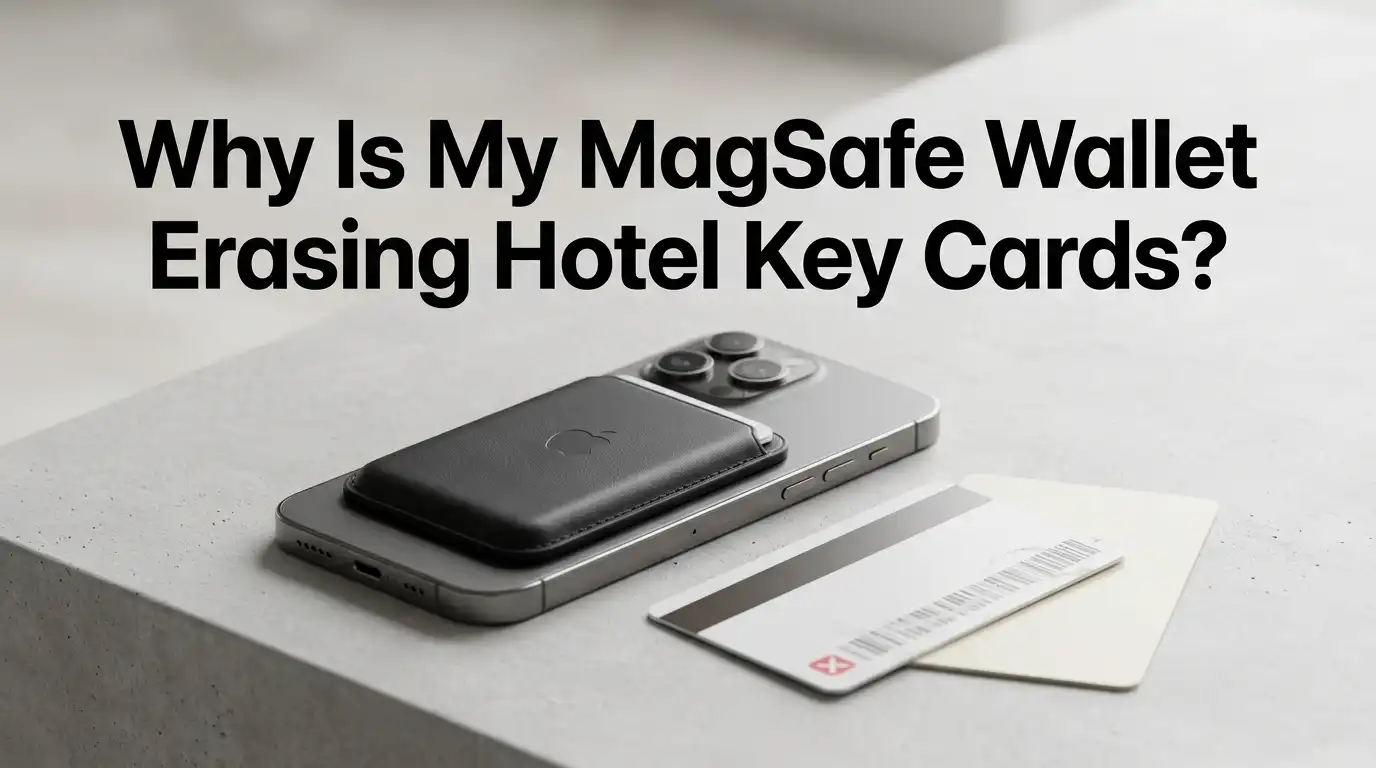
You checked into your hotel, dropped your bag, and headed back out for dinner. When you returned, the door blinked red. You tried again. Still red. Sound familiar? If you carry a MagSafe wallet on your iPhone, your phone may be the reason your hotel key card stopped working.
This problem frustrates travelers every single day. You walk back to the front desk, wait in line, get a new key, and the same thing happens hours later.
The good news is that the cause is simple and the fix is even simpler. This guide breaks down why MagSafe wallets erase hotel key cards, how to stop it, and what to do when your card already failed.
In a Nutshell:
- MagSafe wallets contain strong neodymium magnets that can wipe the magnetic stripe on traditional hotel key cards within minutes of direct contact.
- Only magstripe key cards are at risk. Modern RFID and NFC tap cards are mostly safe because they store data on a chip, not a magnetic strip.
- Distance is your friend. Keeping your hotel card just one inch away from the MagSafe wallet is usually enough to prevent damage.
- A simple paper sleeve, a separate pocket, or a small Faraday wallet stops the problem cold and costs almost nothing.
- If your card is already dead, the front desk can rewrite it in seconds, but you cannot fix a demagnetized stripe yourself.
- Apple officially warns against placing credit cards, security badges, and key fobs near MagSafe accessories, so this risk is real and documented.
What Actually Happens Inside a MagSafe Wallet
A MagSafe wallet uses a ring of neodymium magnets to snap onto the back of your iPhone. These are some of the strongest permanent magnets sold for everyday use. They hold the wallet, the case, and your cards in place with surprising grip.
Hotel key cards, on the other hand, often use a thin magnetic stripe on the back. This stripe stores data in tiny magnetic particles that point in specific directions. The card reader at your door reads those directions like a barcode.
When a strong magnet sits next to that stripe, it pushes the particles into random patterns. The reader can no longer make sense of the data. The card looks fine, feels fine, but it is essentially blank.
Why Hotel Cards Are More Vulnerable Than Credit Cards
Travelers often ask why their Visa or Mastercard survives a MagSafe wallet but their hotel key dies. The answer comes down to coercivity, which is a measure of how strongly a stripe holds its data.
Credit cards use a high coercivity stripe, usually black, that resists demagnetization. It takes a very strong field to wipe one. Most MagSafe wallets cannot do it through normal use.
Hotel key cards usually use a low coercivity stripe, often brown or tan in color. They are cheaper to produce and easy for the front desk to rewrite for each new guest. That same convenience makes them fragile around magnets.
So if your bank card works fine but your room key keeps failing, you are not unlucky. You are watching physics do its job on the weaker stripe.
How Long Does It Take MagSafe to Erase a Key Card
This is where the surprise hits most people. You do not need to leave the card stuck to your phone overnight for damage to happen. Reports from hotel staff and tech writers suggest that sustained contact of 30 minutes or more can fully erase a low coercivity stripe.
Some users report damage in even less time, especially when the card sits directly against the magnet ring. Walking around the city with the card pressed flat inside your MagSafe wallet is enough.
Brief touches are usually safe. Pulling the card out of your pocket, tapping it on the reader, and putting it back rarely causes harm. The danger comes from long, close, pressed contact, which is exactly what a MagSafe wallet creates.
This is why the problem feels random. One trip is fine, the next trip the card dies after dinner. The variable is how long the card sat against the magnets.
Magstripe vs RFID Hotel Keys: Knowing the Difference
Before you blame your wallet, check what kind of key your hotel actually uses. There are three common types and only one is truly fragile.
The first is the magstripe card, with a visible black or brown stripe across the back. These are the classic culprits and the ones MagSafe destroys.
The second is the RFID or NFC card, which you tap against the reader instead of swiping. These store data on a tiny chip with an antenna coil. Magnets generally do not affect them because the data is electronic, not magnetic.
The third is the mobile key, sent to your phone through the hotel app. These cannot be erased at all because there is no physical card.
Pros of RFID and mobile keys: immune to magnet damage, faster check in, more secure. Cons: not every hotel offers them, app keys depend on phone battery, and older properties still rely on magstripe.
Step by Step: How to Stop MagSafe From Erasing Your Card
Here is the practical playbook. Follow these steps the moment you receive your key at the front desk.
Step one, ask the front desk if the card is magstripe or RFID. If it is RFID, you can relax a little. If it is magstripe, treat it carefully.
Step two, do not slide the key into your MagSafe wallet, even briefly. Many people do this out of habit and regret it later.
Step three, place the card in a front pocket, a different jacket pocket, or a separate cardholder. Keep at least one inch between the card and your phone.
Step four, use the paper sleeve the hotel provides. It will not block magnets, but it reminds you to keep the card separate.
Step five, when you go back to your room, take the card out before you set your phone down. Phones often land near keys on nightstands.
Method 1: Use a Separate Cardholder or Pocket
The cheapest fix is also the most reliable. Just keep the hotel card physically away from your MagSafe wallet. A back pocket, a jacket pocket, or a small zippered pouch all work.
This method costs nothing, requires no new gear, and works every time. It only fails when you forget. Make it a rule: hotel keys never touch the phone.
Pros: free, simple, foolproof when followed, works for any card type. Cons: easy to forget when tired or distracted, you carry one more loose item, the card can fall out of loose pockets.
If you travel often, build the habit on day one of your trip. Put the card in the same pocket every time you leave the room. Muscle memory will protect you better than any gadget.
Method 2: Carry a RFID Blocking Sleeve or Faraday Wallet
A Faraday sleeve is a small pouch lined with metal mesh or foil. It blocks both magnetic interference and wireless signals. You drop the key inside and the sleeve absorbs the field.
These sleeves are sold widely, weigh almost nothing, and slip into any wallet or bag. Some travelers keep one permanently in their luggage just for hotel cards.
Pros: protects against MagSafe magnets, also blocks RFID skimming, reusable across trips, very lightweight. Cons: adds a small cost, you have to remember to use it, cheap sleeves vary in quality, you still need to keep it away from your phone for best results.
When buying one, look for a sleeve labeled for both magnetic shielding and RFID blocking. A simple cloth pouch will not stop a neodymium magnet. You need actual metal lining.
Method 3: Switch to Mobile Hotel Keys When Possible
Many major hotel chains now offer digital room keys through their apps. You check in on your phone, the app sends a secure key, and you tap your phone on the door to enter.
This solution removes the problem entirely. There is no physical card to erase. Your iPhone becomes the key, and the MagSafe magnets do not affect it.
Pros: no card to lose or demagnetize, faster check in, often skips the front desk line, more secure encryption. Cons: not every hotel supports it, requires the hotel app and an account, depends on phone battery and signal, some doors still need a backup card for elevator access.
Before your trip, check if the hotel offers mobile keys. If they do, set it up before you arrive. You will save time and skip the demagnetization problem completely.
Method 4: Ask for Two Key Cards and Store One Safely
This is an old traveler trick that still works. Ask the front desk for two cards at check in. Carry one with you and leave the spare in your suitcase or the room safe.
If your active card dies, you have a backup ready. You skip the trip back to the lobby and you are not locked out late at night.
Pros: free at most hotels, instant solution if a card fails, useful if you travel with a partner, no new gear needed. Cons: still does not prevent the original card from getting erased, two cards mean two things to track, some boutique hotels limit guests to one key.
Pair this trick with one of the methods above for the best protection. Two cards plus a separate pocket equals very few problems.
Why the Front Desk Sometimes Blames You Unfairly
If you have ever heard a clerk say your phone did not erase the card, you are not alone. Many hotel staff still believe phones cannot affect key cards, and for older flip phones that was true.
Modern smartphones with MagSafe accessories changed the math. The magnets in these wallets are far stronger than anything in the phone itself. Apple even publishes a warning about keeping cards and key fobs away from MagSafe chargers.
So if the front desk insists the card just failed on its own, politely accept the new key and keep it away from your phone this time. The proof is in what happens next. A protected card almost never fails twice.
You do not need to argue. You just need to change where the card lives in your bag or pocket.
What to Do When Your Card Is Already Dead
You cannot reverse demagnetization at home. Once the stripe is wiped, the data is gone. The fix has to happen at the front desk where the encoding machine lives.
Walk back to reception, explain the card stopped working, and they will rewrite it in under a minute. They do not need to issue a new card most of the time. The same plastic gets refreshed with new data.
If this is the second or third time on the same trip, mention that you carry a MagSafe wallet. A good front desk agent will hand you a paper sleeve and remind you to keep distance. Some properties even switch you to an RFID card if available.
Do not try home tricks like rubbing the stripe or warming it up. None of that restores the magnetic pattern.
Smart Travel Habits That Protect Every Card You Carry
Hotel keys are not the only cards at risk. Gym passes, transit cards, building access badges, and gift cards can all suffer the same fate near a MagSafe wallet. Building good habits protects all of them.
Keep your phone on one side of your body and your magnetic cards on the other. When charging your phone wirelessly, never lay a card on top of the charger. Treat the MagSafe ring like a small but real magnet, because that is exactly what it is.
When traveling, do a quick mental check before you leave the room. Phone in one pocket, key in another. This habit takes two seconds and saves countless trips back to the lobby.
Over time, your fingers will start to do this automatically. That is the goal.
When MagSafe Is Not the Real Problem
Sometimes the wallet gets blamed unfairly. Hotel cards fail for many reasons that have nothing to do with magnets. The system at the front desk may not have written the card properly. The door battery may be low. The lock itself may need service.
Other common causes include bending the card, leaving it in a hot car, or scratching the stripe with keys and coins. Even regular wear can wipe a low quality card after a few uses.
If you have already isolated the card from your phone and it still fails, the issue is on the hotel side. Ask the front desk to test the card on their reader before sending you back upstairs. They can confirm whether the problem is the card or the door.
Knowing the difference saves you frustration and time.
Frequently Asked Questions
Does the MagSafe wallet damage credit cards too?
Credit cards use a stronger high coercivity stripe and most chip cards rely on the embedded chip rather than the stripe. Apple states the wallet is designed to be safe with credit cards. Hotel keys are different because they use weaker stripes.
Will a magnetic phone case without MagSafe still erase keys?
Yes, if the case has built in magnets strong enough for car mounts or wallet attachments, it can demagnetize hotel cards. The risk depends on magnet strength and contact time, not on the brand name.
Can I fix a demagnetized hotel key card myself?
No. Once the stripe is wiped, only an encoder at the front desk can rewrite the data. Home remedies like rubbing or heating do not work and may damage the card further.
Are tap to enter hotel keys safe from MagSafe?
Mostly yes. RFID and NFC cards store data on a chip, which magnets do not erase. They can still fail from physical damage, but MagSafe magnets are not the threat with these cards.
How far should I keep my hotel key from my phone?
About one inch of separation is usually enough to prevent demagnetization. A different pocket, a separate compartment in your bag, or a Faraday sleeve all create that distance easily.
Why does it only happen on some trips and not others?
The damage depends on how long the card sat against the magnets. Short contact is usually safe, but a card pressed flat against the MagSafe ring for thirty minutes or more is at high risk.

Hello, i’m Ivoria i am the face behind Tech Tracker Blog. I am passionate about my work and love to explore gadgets and share about my experience.