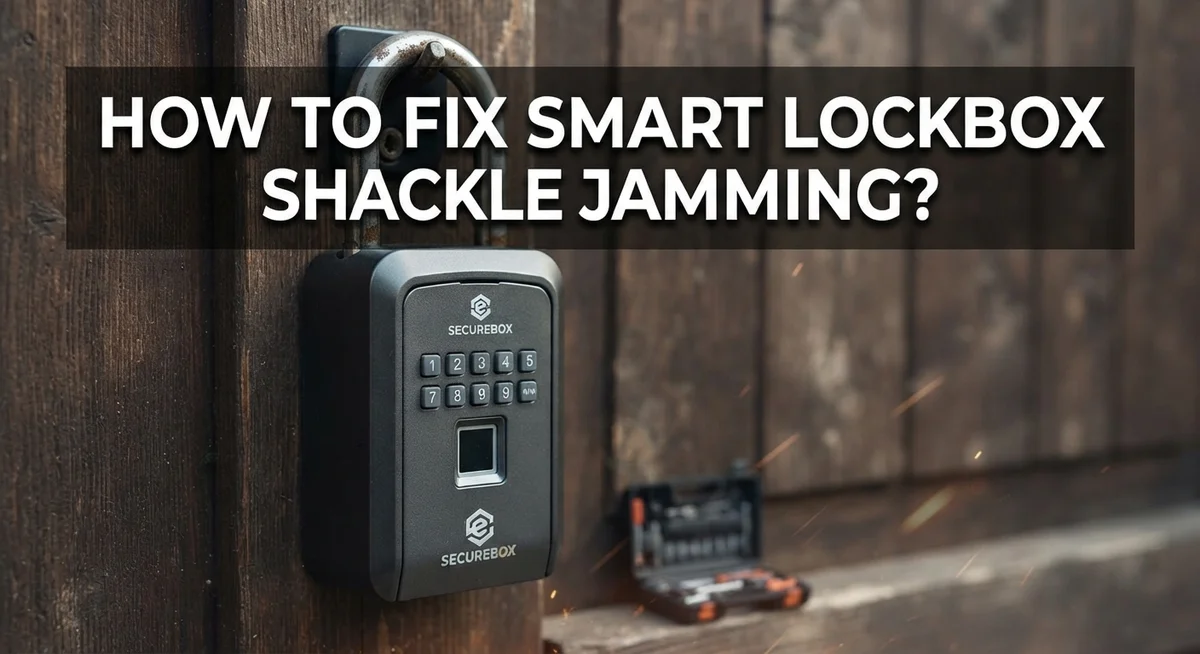
How To Fix Smart Lockbox Shackle Jamming?
A jammed lockbox shackle can turn a simple task into a frustrating puzzle. You punch in the code. You wait for that little light to turn green. But the shackle just will not budge.
This problem happens to many smart lockbox owners. Misalignment inside the device often causes this jamming. Small parts shift out of place and block the release mechanism.
The good news is that you can often fix this issue yourself. You do not need special tools or a locksmith visit. Most fixes involve a few simple steps you can do right at your door.
This article walks you through the entire process. You will learn how to use your mobile app to trigger the “Remove Shackle” function. We cover the exact hand positioning needed to hold the box steady during code entry.
In a Nutshell
- Misalignment is the top cause of shackle jamming. The internal parts shift out of place and block smooth movement.
- Always use the “Remove Shackle” button in your mobile app. You can find this under Lock Details or Manage Lock.
- Wait for the box to light up green. This signal means the lockbox is ready for shackle removal.
- Hold the box firmly shut while you enter your code. This step keeps the mechanism steady and prevents further jamming.
- After entering the code, pull the release mechanism gently. Never force it or yank it hard.
- Avoid the common mistake of forcing a jammed shackle. This action often damages the lock and makes the problem worse.
- If the code does not work and the shackle stays stuck, you may need to break the box as a last resort.
- Check your manufacturer’s video guide for extra help. These videos show the exact steps for your specific model.
Understanding Smart Lockbox Shackle Mechanisms
A smart lockbox shackle is the metal U shaped component that secures your valuables. This part connects to internal mechanisms inside the box through an electronic locking system. When you enter your code or use your mobile app, the shackle releases from the locked position.
The shackle mechanism works in several stages. First, your Bluetooth enabled box receives your unlock command. Next, internal solenoids and springs activate to retract the locking pins. Finally, the shackle becomes free to pull away from the box body.
Misalignment causes most shackle jamming problems. This happens when internal components shift slightly out of their proper positions. Even small movements of just a few millimeters can prevent smooth operation. Temperature changes, impacts, or normal wear can trigger this misalignment over time.
The release mechanism is a critical part of your lockbox design. This component physically allows the shackle to separate from the box. It connects directly to your electronic locking system through mechanical linkages. When jamming occurs, the release mechanism often cannot move freely.
Understanding how these parts work together helps you fix problems faster. Your mobile app connects wirelessly to the box’s receiver module. This receiver sends signals to activate the electronic lock. The lock then triggers the mechanical release of your shackle.
Knowing these basics prevents confusion during troubleshooting. You will recognize which parts should move and which should stay fixed. This knowledge helps you identify whether the problem is electronic or mechanical. Most jamming issues stem from mechanical misalignment rather than electronic failures. This distinction matters because it determines your best fix approach.
What Causes Shackle Jamming?
Shackle jamming happens when the metal U shaped component gets stuck and won’t open or close properly. Several factors create this frustrating situation.
Misalignment of internal parts is the most common culprit. The lockbox contains delicate mechanisms that work together to unlock the shackle. When these components shift even slightly, they prevent smooth operation. This misalignment often occurs from impact, pressure, or regular wear over time.
Dirt and debris inside the lock mechanism can also cause jamming. Dust, lint, or small particles accumulate inside your lockbox. These materials block the internal components from moving freely. Environmental exposure makes this worse, especially in outdoor storage situations.
Moisture and corrosion damage the metal parts inside your smart lockbox. When moisture enters the lock mechanism, it creates rust on internal springs and pins. Corroded parts no longer slide smoothly, causing the shackle to stick.
Improper handling during the unlock process leads to jamming too. Forcing the shackle or entering your code incorrectly can push internal parts out of alignment. This is why following the correct procedure matters so much.
Battery issues in your smart lockbox can also contribute to jamming. When the battery runs low, the electronic components may not function properly. The shackle release mechanism requires adequate power to work correctly.
Temperature changes affect metal components inside your lockbox. Extreme heat or cold causes expansion and contraction of the metal parts. These size changes can create misalignment problems.
Understanding these causes helps you prevent jamming before it starts. Regular maintenance and proper handling keep your smart lockbox functioning smoothly. Knowing what causes jamming also helps you troubleshoot problems more effectively.
Step-by-Step: Using the App’s Remove Shackle Feature
Your mobile app gives you a dedicated tool to handle shackle jamming safely. This feature removes the guesswork from the process and protects your lockbox from damage.
Start by opening your smart lockbox app on your phone. Look for the “Lock Details” or “Manage Lock” section. This is where you’ll find the “Remove Shackle” button. Tap it to begin the procedure.
Your lockbox will respond by lighting up green. This green light signals that the box is ready for shackle removal. Wait for this signal before moving forward. Proceeding too early can cause the mechanism to jam even more.
Next, position your lockbox on a flat, stable surface. Hold the box firmly shut with one hand. This step matters because it keeps internal components aligned during the release process.
Enter your security code using the app or the physical keypad. Your lockbox will recognize the correct code and prepare the release mechanism. Keep holding the box steady while this happens.
Now pull the release mechanism gently and slowly. Don’t yank or force it. A smooth, steady pull lets the shackle retract without resistance.
The shackle should slide out freely once the mechanism releases. If it moves even slightly, you’re on the right track. Complete the removal by pulling the shackle all the way out.
This app feature works because it coordinates all the internal parts at exactly the right moment. The green light confirmation ensures everything is aligned before you apply any force. This prevents the jamming that happens when people try manual removal without proper timing.
Manual Release Technique for a Jammed Shackle
When your smart lockbox shackle gets stuck, manual release techniques can help you regain access without damaging the box. The key is following the correct sequence to align all internal components properly.
Start by accessing your mobile app and locating the “Remove Shackle” button. This button sits under Lock Details or the Manage Lock section. Tap it to initiate the release sequence. Your lockbox will respond by lighting green, signaling that the mechanism is ready for removal.
Position your lockbox on a flat, stable surface before proceeding. This stability matters because it keeps internal parts aligned during the release process. Hold the box firmly in place with one hand while you work with the other.
Enter your security code using either the app interface or the physical keypad on your box. Take your time with each digit. Rushing through code entry can cause misalignment that prevents proper shackle release.
Once you’ve entered the code successfully, locate the release mechanism. This is typically a button, lever, or pull handle designed specifically for shackle removal. Pull this mechanism gently and slowly. Jerking or forcing it can jam the shackle further.
The shackle should slide out smoothly once everything aligns correctly. If it resists, stop immediately and try the process again from the beginning. Do not force a stuck shackle, as this causes internal damage.
This technique works because the app coordinates timing between the lock mechanism and the release function. The green light confirms that all internal parts are positioned correctly for safe removal. Following this exact sequence prevents additional jamming and protects your lockbox from harm.
Common Mistakes That Make Jamming Worse
Forcing a jammed shackle causes serious damage to your smart lockbox. When you pull hard on the stuck metal component, you bend the internal release mechanism. This makes the problem much worse and may prevent any future unlock attempts from working.
Entering your code multiple times without proper technique creates additional jamming. Each incorrect entry can push internal parts further out of alignment. Your lockbox mechanisms need precise positioning to work correctly. Repeated code entries without holding the box steady throw everything off balance.
Ignoring the green light signal from your app is a major mistake. This light tells you the exact moment when your shackle is ready to release. Pulling before the green light appears means internal parts haven’t aligned yet. Pulling after the light disappears means the mechanism has reset. Timing matters more than force.
Not holding your lockbox firmly during the unlock process creates misalignment. Your box needs to stay completely still while you enter your code. Any movement shifts the internal parts out of position. This is why manufacturers emphasize placing your lockbox on a flat, stable surface first.
Attempting to oil or lubricate a jammed shackle without professional guidance backfires. Some lubricants attract dust and debris. Others damage the electronic components inside your smart lockbox. Moisture from improper lubrication causes corrosion that makes jamming permanent.
Skipping the manufacturer’s video instructions leads to technique errors. These videos show the exact hand position, pressure level, and timing needed. They demonstrate how to hold your box and when to apply gentle force. Following these steps prevents you from making jamming worse and keeps your lockbox functional long term.
Troubleshooting When the Code Won’t Release the Shackle
When your smart lockbox code won’t release the shackle, the problem usually stems from internal misalignment. The electronic and mechanical parts inside need to work together perfectly. If they don’t sync up, the shackle stays locked even after you enter the correct code.
Start by checking the green light indicator on your lockbox. This light tells you whether the electronic system recognizes your code. If the light doesn’t appear, your code entry may have failed. Try entering your security code again slowly and deliberately.
Position your lockbox on a completely flat surface. Uneven placement causes internal mechanisms to shift out of alignment. Hold the box firmly with one hand while you work the release mechanism with the other. This stability prevents additional jamming.
Next, locate the physical release mechanism. This is usually a button or lever near the shackle. Apply gentle, steady pressure. Don’t yank or force it suddenly. Many people make jamming worse by using too much force.
If the shackle still won’t budge after these steps, wait a few minutes. Sometimes the electronic system needs a moment to reset. Then try the process again from the beginning.
Check your manufacturer’s instruction video. These videos show the exact technique specific to your lockbox model. Proper hand positioning and timing matter more than you might think.
If nothing works after multiple attempts, contact the manufacturer’s support team. They can walk you through advanced troubleshooting steps. In rare cases where the box remains completely stuck, you may need professional assistance or box replacement. Avoid attempting to pry or disassemble the lockbox yourself, as this causes permanent damage.
Preventing Future Shackle Jams
Preventing future shackle jams requires consistent maintenance and proper handling techniques. Regular cleaning keeps your smart lockbox functioning smoothly. Dust and debris accumulate inside the locking mechanism over time. Wipe down your lockbox exterior monthly with a dry cloth.
Check your shackle alignment before each use. A misaligned shackle is the primary cause of jamming issues. Open and close your lockbox gently several times per week to keep internal parts moving freely. This simple habit prevents mechanisms from becoming stuck.
Store your lockbox in a dry location. Moisture causes internal corrosion, which leads to jamming problems. Avoid placing your box in damp basements, garages, or outdoor areas. Keep it away from extreme temperature changes.
Test your mobile app regularly. Open the app weekly and verify that your Bluetooth connection works properly. A weak connection can cause incomplete unlock signals, creating jamming situations later. Ensure your phone’s software stays updated for optimal app performance.
Handle your lockbox with care during transport. Dropping or bumping your box can misalign internal shackle components. Secure it in a stable position during travel.
Replace your batteries according to the manufacturer’s schedule. Low battery power prevents the electronic system from functioning correctly, which contributes to jamming. Mark your calendar for battery replacement dates.
Review your manufacturer’s instruction manual every six months. Instructions contain specific maintenance recommendations for your lockbox model. Follow these guidelines exactly as written.
Practice the proper unlocking technique consistently. Use the same method each time you access your box. This consistency trains your muscle memory and reduces the chance of misalignment errors that cause jamming problems.
When to Contact Manufacturer Support
You’ve tried the basic troubleshooting steps. Your shackle still won’t budge. Now it’s time to reach out to the manufacturer’s support team. They have access to specialized tools and knowledge that go beyond what you can do at home.
Contact the manufacturer when the green light appears on your lockbox but the shackle refuses to move. This signals an internal mechanical problem. The support team can diagnose whether your issue stems from a faulty electronic component or a damaged physical mechanism.
Gather important information before you call. Write down your lockbox model number and serial number. These details are usually printed on the bottom or back of your box. Note when the jamming started. Did it happen suddenly or gradually? Describe exactly what happens when you enter your code. Does the box beep? Does the light flash? These details help support staff pinpoint the problem faster.
Document any error messages from your mobile app. Screenshots are helpful. Include information about your phone model and app version. Support teams often need this data to rule out software glitches.
Explain what troubleshooting steps you’ve already completed. Tell them if you’ve tried repositioning the box, waiting between attempts, or consulting the instruction manual. This prevents them from suggesting solutions you’ve already attempted.
Ask about warranty coverage. Many manufacturers cover jamming issues if your lockbox is still under warranty. Ask whether they can ship you a replacement or if they offer repair services.
Request a timeline for their response. Professional support teams typically provide estimated resolution dates. If your lockbox contains important items, ask about expedited support options.
Final Thoughts
Fixing a jammed shackle does not need to feel hard. Most problems come from simple misalignment. A calm approach and the right steps solve this quickly.
Remember the basics. Keep your lockbox on flat ground. Hold it steady while entering your code. Watch for the green light before you pull the release.
Patience matters more than force. Pulling or twisting a stuck shackle can damage the internal parts. This often makes the problem worse and harder to fix later.
Your mobile app remains your best tool here. The “Remove Shackle” option guides you through each step. Follow the on screen prompts closely for the best result.
Good habits prevent most jamming issues. Check your shackle alignment often. Store your lockbox somewhere dry and safe. These small actions save you time and stress later.
If your box still will not open, do not panic. Manufacturer support exists for exactly this reason. They can walk you through advanced fixes or repairs.
Sometimes breaking the box becomes the only option. This happens rarely, but it is a real possibility. Keep this in mind if all other steps fail.
A jammed shackle feels frustrating in the moment. But most cases resolve with a few clear steps. Stay calm and work through the process one step at a time.
Smart lockboxes make life easier when they work well. Learning simple fixes helps you get back on track fast. Keep your manual close and your app updated.
With the right care, your lockbox should serve you reliably for a long time. Small maintenance habits go a long way toward avoiding future jams.
Frequently Asked Questions
Why does my smart lockbox shackle get stuck?
Shackle jamming happens when the internal mechanisms fall out of alignment. This misalignment prevents the shackle from moving freely. Common causes include rough handling during transport, storing the box in humid environments, and not following the proper unlocking technique. Misalignment is the primary culprit in most jamming cases.
How do I use my mobile app to fix a jammed shackle?
Open your mobile app and navigate to Lock Details or Manage Lock. Look for the “Remove Shackle” button. Tap this button and wait for your box to display a green light. This green light signals that the box is ready for shackle removal. Hold the box firmly in place while you enter your access code, then gently pull the release mechanism.
What if the shackle still won’t move after using the app?
If the green light appears but the shackle refuses to budge, do not force it. Forcing a stuck shackle can damage internal parts permanently. Wait a few minutes and try the app procedure again. If this does not work, your best option is to contact the manufacturer’s support team with your model number and serial number ready.
Can I prevent shackle jamming in the future?
Yes. Check your shackle alignment before each use. Store your lockbox in a dry location away from moisture. Test your mobile app connection weekly to catch issues early. Handle your box gently during transport and avoid dropping it. Replace batteries on schedule and practice the proper unlocking technique consistently.

Hello, i’m Ivoria i am the face behind Tech Tracker Blog. I am passionate about my work and love to explore gadgets and share about my experience.