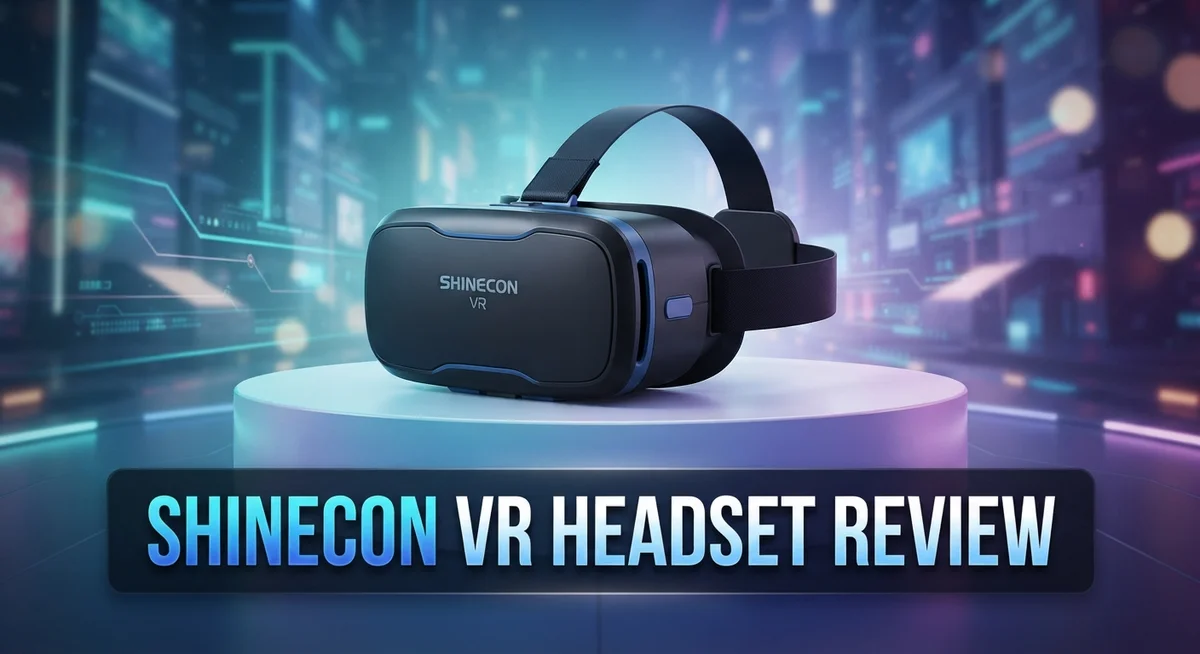
Shinecon VR Headset Review 2026: Worth the Hype?
Want to try virtual reality without much hassle? The Shinecon VR Headset promises a simple way to step into 3D worlds. It fits phones from 4.7 to 6 inches, so most Android and iPhone users can join in.
This headset works with a field of view between 70 and 110 degrees. That range depends on the model you pick. You also get adjustable pupil distance and object distance for a clearer view.
Setup takes about 10 minutes. You will feel ready to explore movies, games, and 360 videos in no time. The audio quality stands out too, with strong bass and clear mids and highs.
In a Nutshell
- Sound quality stands out. The built in audio delivers strong bass and clear mids and highs. This makes movies and games feel more immersive.
- Phone compatibility is generous. The headset fits phones from 4.7 to 6 inches. So most Android and iPhone users can join in without issues.
- Customization options exist. You can adjust pupil distance and object distance. This helps get a clearer picture for different eye types.
- Interactivity feels limited though. The headset does not offer much beyond basic viewing. Some models include a remote controller, but options stay minimal.
- Overall performance falls short. Many reviewers do not recommend this headset for serious VR fans. The experience feels basic compared to other options on the market.
- Comfort is a concern during longer sessions. This pairs with the low interactivity to create a mixed experience overall.
Optical Specifications and Field of View
The optical experience defines your VR journey. Shinecon delivers a 70 to 110 degree field of view, which covers most of your peripheral vision during gameplay. This range varies depending on which model you select.
Adjustable optics matter more than you might think. The headset lets you customize both pupil distance and object distance. This means you can fine tune the image to match your unique eye spacing and vision needs. Proper adjustment reduces eye strain and sharpens the picture quality.
The HD 3D lens system works to create depth perception in virtual environments. These lenses process light in a way that tricks your brain into seeing flat screens as three dimensional spaces. Quality optics directly impact how immersive your experience feels.
Phone placement affects what you actually see. Shinecon accepts devices from 4.7 inches up to 6 inches wide. Larger phones fill more of your visual field, which can enhance immersion. Smaller phones leave more black space around the edges of your view.
The sweet spot for FOV sits around 90 degrees. At this range, you get natural peripheral awareness without excessive distortion. Shinecon’s adjustable range lets you dial in your personal preference. Some users prefer the wider 110 degree setting for action games. Others choose the narrower 70 degree setting for reading text or watching videos.
Lens clarity directly connects to image sharpness. The HD designation suggests decent optical quality for this category. However, extended viewing sessions reveal limitations. Many users notice slight blurriness at the edges of the display.
Adjustment accessibility keeps setup simple. You don’t need tools or technical knowledge to customize your view. The physical dials and sliders respond intuitively to hand movements.
The optical design balances immersion with comfort considerations. A wider field of view creates stronger presence in virtual spaces. Yet it also demands more from your eyes during long sessions. Finding your optimal FOV setting becomes crucial for enjoyable use.

Last update on 2026-08-27 / Affiliate links / Images from Amazon Product Advertising API Some of the links on this website are affiliate links, which means that at no additional cost to you, I earn a commission if you click through and make a purchase. I only recommend products and services that I believe will add value to my readers. Thank you for your support!
Compatibility and Device Support
The Shinecon VR Headset works with phones ranging from 4.7 to 6 inches. This size range covers most modern smartphones on the market today. Whether you use an Android device or an iPhone, the headset adapts to your phone.
Your phone slides into a secure mounting bracket. The bracket holds your device steady during use. This prevents shifting or wobbling while you explore virtual environments. Larger phones fit comfortably without cramping or pressure points on the edges.
Device compatibility extends beyond just size matching. The headset requires your phone to have a functional screen and basic processing power. Most smartphones from the last five years work fine. Your phone’s operating system matters less than its physical dimensions and display quality.
The remote controller comes with select models. This controller lets you interact with VR apps and games. Not all versions include this feature, so check your specific model. The controller connects wirelessly to your phone via Bluetooth.
Screen resolution impacts your experience significantly. Higher resolution phones produce sharper images through the HD 3D lenses. Lower resolution displays may appear pixelated or blurry. Your phone’s refresh rate also plays a role in smoothness during movement.
Battery life becomes important during VR sessions. Your phone powers both the display and any processing tasks. Expect your battery to drain faster than normal use. Consider having a power bank nearby for longer sessions.
Thermal management matters too. VR apps demand more from your phone’s processor than typical apps. Your device may heat up during extended use. The headset’s design allows some airflow around your phone. Overheating can slow performance or force your phone to shut down temporarily.
Compatibility also includes app availability. Your phone’s app store must have VR applications you want to try. Android and iOS both offer VR apps, though selection varies. Some apps work exclusively on one platform or the other.
Testing compatibility takes just minutes. Install a free VR app, place your phone in the headset, and adjust the straps. You’ll immediately know if your specific phone works well with this headset.
Audio Quality and Immersion
The Shinecon VR Headset delivers strong audio performance that enhances your immersion significantly. The sound system produces powerful bass that you can feel during action scenes. Mids and highs remain clear, so dialogue and ambient sounds come through without distortion.
Audio positioning matters in VR. When sound comes from your left, you should hear it from the left side of the virtual space. The Shinecon handles this directional audio fairly well. Your brain uses these cues to understand where things are happening around you.
Bass response stands out as a strength of this headset. Gaming experiences benefit from this emphasis. Explosions, impacts, and low frequency effects feel more dramatic. Music also gains depth from the enhanced bass output.
The clarity in the mid and high ranges keeps dialogue intelligible. You won’t miss important story elements or character conversations. Environmental sounds remain distinct, which helps you navigate virtual spaces more naturally.
Immersion depends on more than just audio quality though. The combination of sound, visuals, and haptic feedback creates your full VR experience. The Shinecon’s audio component pulls its weight in this equation.
One consideration involves speaker placement. Sound travels directly into your ears from the headset’s built in speakers. This proximity can feel intense during loud sequences. Some users adjust volume levels to find their comfort zone.
The audio system works consistently across different VR apps. Whether you’re exploring games, watching 360 degree videos, or using educational applications, sound quality remains stable.
Immersion improves when audio matches visual timing precisely. Slight delays between what you see and hear break the experience. The Shinecon maintains good synchronization between audio and video feeds.
Extended listening sessions reveal the audio system’s reliability. The speakers don’t distort even at higher volume levels. This durability matters when you’re deep into longer VR experiences.
The remote controller integration enhances audio control in some models. You can adjust volume without removing the headset. This convenience supports uninterrupted immersion during your VR sessions.
Top 3 Alternatives
Meta Quest 3


Last update on 2026-08-25 / Affiliate links / Images from Amazon Product Advertising API Some of the links on this website are affiliate links, which means that at no additional cost to you, I earn a commission if you click through and make a purchase. I only recommend products and services that I believe will add value to my readers. Thank you for your support!
PlayStation VR2

Last update on 2026-08-27 / Affiliate links / Images from Amazon Product Advertising API Some of the links on this website are affiliate links, which means that at no additional cost to you, I earn a commission if you click through and make a purchase. I only recommend products and services that I believe will add value to my readers. Thank you for your support!
HTC Vive XR Elite

Last update on 2026-08-27 / Affiliate links / Images from Amazon Product Advertising API Some of the links on this website are affiliate links, which means that at no additional cost to you, I earn a commission if you click through and make a purchase. I only recommend products and services that I believe will add value to my readers. Thank you for your support!
Comfort and Wearability for Extended Sessions
Extended VR sessions demand more from your headset than short casual use. The Shinecon VR Headset presents real comfort challenges when you wear it for longer periods. Users report that discomfort increases noticeably after 30 to 45 minutes of continuous wear.
The headset’s weight distribution affects how your face feels during extended sessions. Pressure points develop around your forehead and cheeks over time. The foam padding provides initial cushioning, but it compresses as you wear the device longer. This compression reduces comfort gradually throughout your session.
Strap design plays a crucial role in wearability. The head strap needs to balance security with comfort. Too tight and you experience headaches. Too loose and the headset shifts during movement. Finding your personal sweet spot requires some trial and adjustment.
Heat buildup becomes a real issue during extended wear. Your face generates warmth inside the sealed headset chamber. Your phone also produces heat during intensive VR processing. Combined heat can make your skin feel sticky and uncomfortable after 45 minutes or more. Ventilation holes help, but they cannot eliminate this problem entirely.
Glasses wearers face additional challenges. If you use prescription glasses, the extra layers between your eyes and the lenses create more pressure. Your glasses may shift during movement. The limited space inside the headset can feel cramped with glasses on.
Eye strain emerges as another factor during prolonged sessions. The close proximity of the display to your eyes demands constant focus. Your eyes work harder than they do viewing a normal screen. Taking regular breaks every 20 to 30 minutes helps prevent fatigue.
The adjustable pupil and object distance features help customize fit, but they do not solve the fundamental comfort limitations. These adjustments improve clarity and reduce eye strain somewhat. However, they cannot address the physical pressure or heat accumulation issues.
For occasional VR users, the Shinecon works acceptably. Casual sessions under 30 minutes feel manageable. Extended gaming sessions or professional VR training require headsets specifically designed for longer comfort. Your personal tolerance for pressure and heat varies based on individual sensitivity.
Setup Process and User-Friendliness
Getting your Shinecon VR Headset ready takes just about 10 minutes. The process feels straightforward and requires minimal technical knowledge.
Start by inserting your phone into the headset’s mounting bracket. The device accommodates phones ranging from 4.7 to 6 inches, so most modern smartphones fit comfortably. Make sure your phone sits centered and secure before proceeding.
Next, adjust the pupil distance setting. This control matches the distance between your eyes. Finding your correct pupil distance eliminates blurriness and reduces eye strain. You’ll notice the image sharpens once you dial in the right measurement.
The object distance adjustment comes next. This feature focuses the image based on your eyesight. Rotate this dial slowly until the virtual environment appears crisp and clear. This customization step makes a significant difference in your overall viewing experience.
If your model includes a remote controller, pair it with your phone before your first session. The pairing process typically completes in seconds. The controller gives you hands-free navigation through VR apps and menus.
Download a VR app from your phone’s app store. Popular options include YouTube VR, Google Cardboard apps, and various games. Launch the app and insert your phone into the headset’s slot. The app will detect the VR mode automatically.
Strap the headset onto your head. The adjustable head strap should feel snug but not tight. Position it so the lenses align directly with your eyes. Proper alignment prevents discomfort during your session.
Take a moment to acclimate yourself to the virtual environment. Your eyes need roughly 10 minutes to adjust to the 3D visuals and depth perception. Avoid sudden head movements during this adaptation period.
The entire setup emphasizes user accessibility. You don’t need technical expertise or special software installations. The straightforward design lets beginners jump into VR experiences without frustration. Most users complete their first session setup within their first 15 minutes of ownership.
Pros and Cons
Pros
- Works with larger phones up to 6 inches, giving you flexibility with device choice
- Delivers strong bass response and clear mid to high range audio for immersive sound
- Gets you up and running in about 10 minutes with straightforward setup steps
- Includes a remote controller on select models to enhance your VR app control
Cons
- Becomes uncomfortable during extended wear sessions due to weight and heat buildup
- Offers limited interactivity compared to other VR systems on the market
- Shows poor overall performance quality that reviewers do not recommend
- Creates eye strain and challenges for glasses wearers despite adjustable distance settings
Who Should Buy It
The Shinecon VR Headset works best for specific types of users. Casual VR enthusiasts should consider this option. You get quick setup in about 10 minutes. The headset pairs easily with phones between 4.7 and 6 inches.
First time VR users benefit from the straightforward design. You don’t need technical skills to get started. The adjustable pupil and object distance settings let you customize the fit to your eyes. This feature helps reduce initial discomfort during your first sessions.
Mobile phone owners with larger devices find real value here. Your phone becomes the VR engine. No need for expensive external hardware or computers. Just insert your phone and start exploring.
Audio enthusiasts appreciate the sound quality. The headset delivers strong bass response and clear mid to high range audio. Your immersive experience improves when sound matches visuals.
Short session users should focus on this headset. Use it for 20 to 30 minute periods rather than extended hours. The weight distribution and heat buildup become problems during longer wear. Your face will feel uncomfortable if you push beyond this timeframe.
Budget conscious buyers find the entry point reasonable. You get HD 3D lenses and a functional remote controller on select models. Basic VR experiences work well without breaking the bank.
Who should skip this option? Serious gamers need better interactivity and performance. The limited control options frustrate users wanting complex interactions. Extended session players will experience fatigue and discomfort. Glasses wearers face extra challenges. The adjustable settings help but don’t eliminate the gap between your eyes and the lenses.
Power users expecting high performance quality should look elsewhere. Reviewers don’t recommend this headset for demanding applications. The overall performance quality falls short of professional standards.
The Shinecon VR Headset serves a clear purpose. It introduces VR to newcomers and casual users. It works perfectly for quick entertainment bursts. Just understand your usage limits before purchasing.
Final Verdict
The Shinecon VR Headset fits a specific niche in the crowded VR market. It shines for casual exploration but stumbles when pushed into demanding territory.
Think of this headset as a gateway device. It introduces you to virtual reality without overwhelming you with technical setup or steep learning curves.
The core strength lies in its simplicity. Anyone can pick this up, strap it on, and start exploring virtual worlds within minutes.
However, simplicity comes with tradeoffs. The headset cannot compete with dedicated VR systems that offer richer interaction and smoother performance.
Comfort remains the biggest hurdle for many users. If you plan marathon sessions, this device will test your patience quickly.
We recommend treating this headset as a casual companion rather than a primary VR tool. Use it for short bursts of entertainment or quick demos for friends and family.
Parents introducing children to VR concepts will find this headset useful. Kids enjoy brief sessions, and the straightforward design prevents frustration during setup.
Content creators testing VR compatible apps might also appreciate this option. It provides a quick way to check how content renders without heavy investment in premium gear.
The verdict comes down to expectations. Buyers seeking a taste of virtual reality will walk away satisfied with what this headset delivers.
Those expecting console level immersion or extended gaming sessions should look at other options in the market. This device simply was not built for that purpose.
Match your expectations to the product, and you will find genuine value here. Mismatch those expectations, and disappointment follows quickly.
In simple terms, the Shinecon VR Headset does what it promises for casual users. It opens a door to virtual reality without complicated setup or steep demands.
Serious enthusiasts need to explore other headsets that offer better build quality and interactivity. For everyone else, this remains a solid entry point into VR exploration.
Frequently Asked Questions
Does the Shinecon VR Headset work with my phone?
Yes, it works with most smartphones. The headset fits phones between 4.7 and 6 inches. Both Android and iPhone devices are compatible. You simply slide your phone into the front slot and adjust the pupil distance to match your eyes. This setup takes about 10 minutes to get right.
What’s the field of view like?
The field of view ranges from 70 to 110 degrees depending on your model. This range lets you see a decent portion of the virtual world around you. The wider your FOV, the more immersive your experience feels. Most users find this adequate for casual VR content.
Can I wear glasses while using this headset?
The headset has adjustable object distance settings. This helps glasses wearers, but it’s not perfect. Some users still experience discomfort or eye strain. Your best option is to wear contact lenses if you have a prescription. The adjustment features work better for minor vision differences.
How long can I comfortably wear this headset?
Short sessions work best. Most users feel comfortable for 20 to 30 minutes. After that, heat buildup and weight start to cause discomfort. The headset isn’t designed for marathon gaming sessions. Think of it as a casual experience rather than an all day device.
What audio quality should I expect?
The audio delivers strong bass and clear mid to high range sounds. This makes movies and music enjoyable. The speaker quality punches above its class. You get decent immersion from the audio alone, which helps make up for other limitations.

Hello, i’m Ivoria i am the face behind Tech Tracker Blog. I am passionate about my work and love to explore gadgets and share about my experience.