Aluratek Bluetooth Transmitter Review: Worth the Price Tag?
Do you ever feel frustrated when your favorite old stereo system cannot connect to your smartphone? The struggle is real.
You want to stream music from Spotify or watch Netflix without disturbing others, but your devices just won’t talk to each other. This is where Aluratek Bluetooth transmitters step in to save your day.
This comprehensive review will walk you through everything about Aluratek Bluetooth transmitters. You will discover how they work, which models stand out, and whether they are worth your money.
Key Takeaways:
- Aluratek Bluetooth transmitters convert wired audio devices into wireless ones, allowing you to connect old TVs, stereos, and gym equipment to Bluetooth headphones or speakers without replacing your existing setup.
- The range typically extends up to 33 feet (10 meters), giving you freedom to move around your room while maintaining a stable connection with minimal audio dropouts.
- Most 2026 models support aptX Low Latency codec, which reduces audio delay to imperceptible levels, making them perfect for watching movies and playing games without annoying lip-sync issues.
- Dual-link technology lets you connect two Bluetooth devices simultaneously, so you and your partner can both listen to the same TV show through separate wireless headphones.
- Battery life ranges from 8 to 15 hours depending on the model, and many units can operate while charging, ensuring uninterrupted entertainment during long binge-watching sessions.
- Price points vary from $25 to $60 for Aluratek models, making them an affordable solution compared to buying entirely new Bluetooth-enabled equipment that could cost hundreds of dollars.

What Is an Aluratek Bluetooth Transmitter
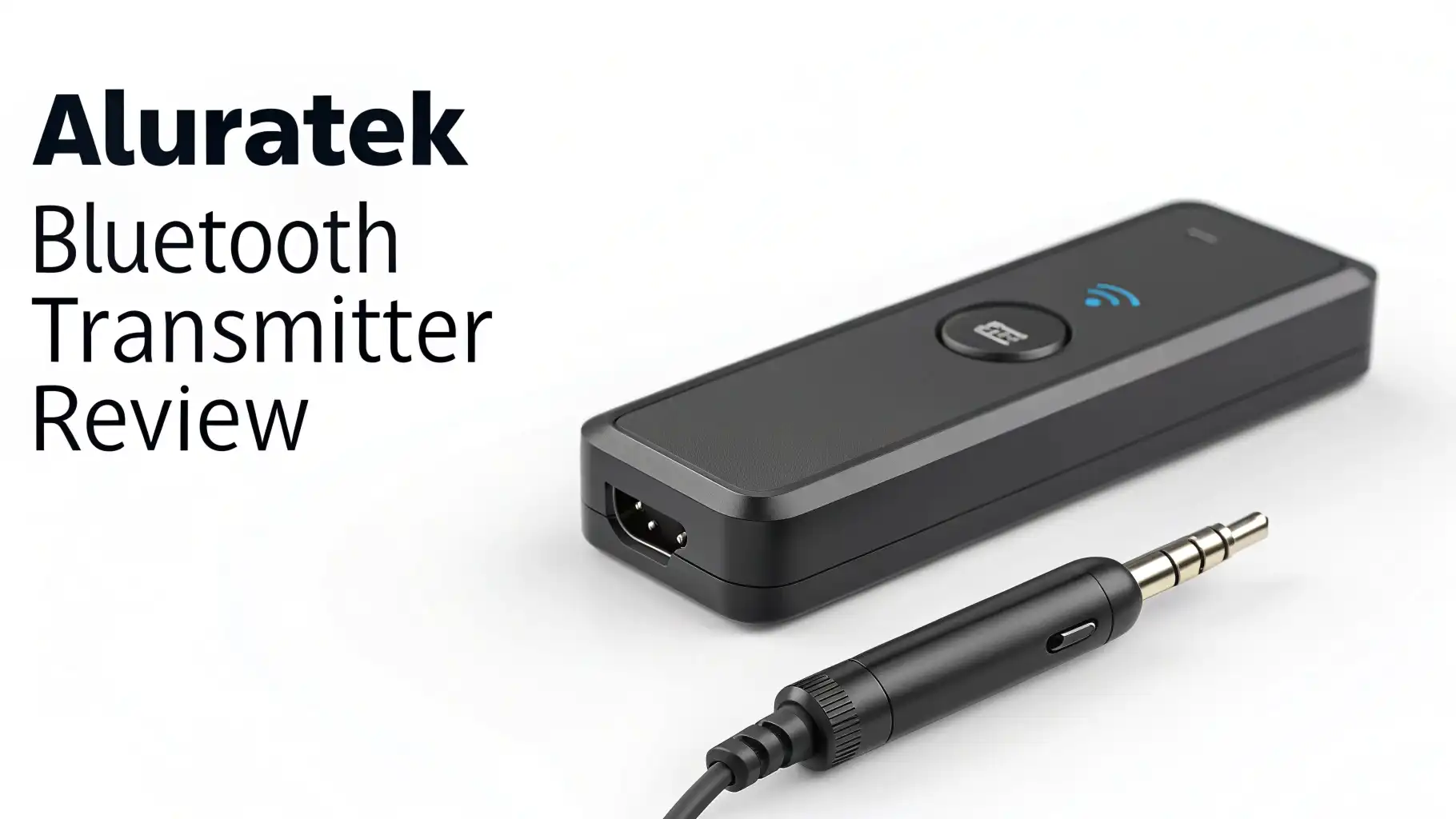
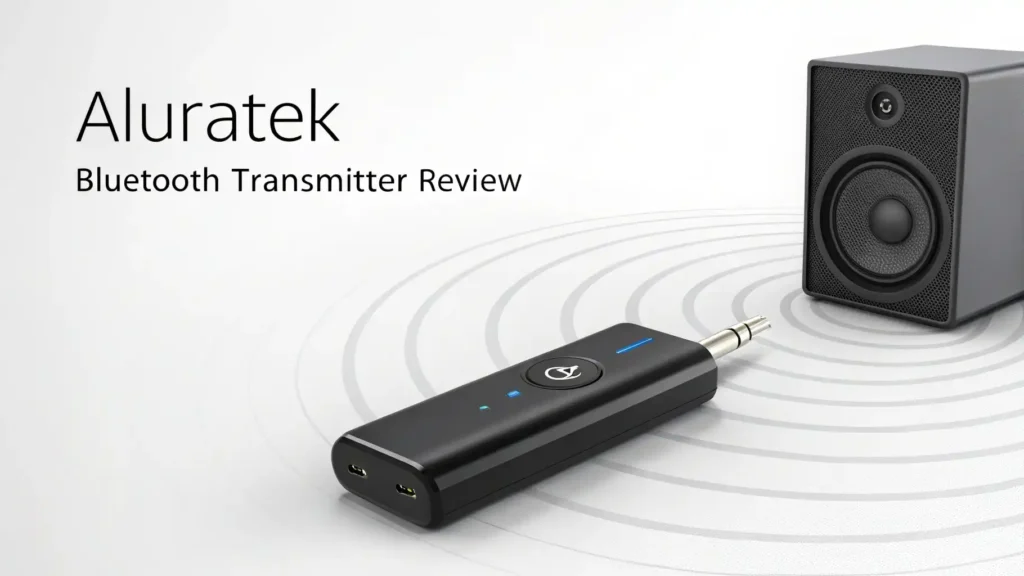
An Aluratek Bluetooth transmitter is a compact electronic device that adds wireless capability to your audio equipment. Think of it as a translator between old and new technology. The device plugs into the audio output of your TV, computer, or stereo system. It then broadcasts that audio signal wirelessly to your Bluetooth headphones or speakers.
The process happens in real time. You connect the transmitter to your device using a 3.5mm aux cable or optical cable. Then you pair it with your Bluetooth headphones just like connecting to your phone. Within seconds, sound starts flowing wirelessly.
Aluratek has built a reputation for creating reliable transmitters that work straight out of the box. Their devices support multiple Bluetooth profiles. This means they can connect to various types of wireless audio equipment. The technology inside converts analog or digital audio signals into Bluetooth data packets. These packets travel through the air to your listening device.
How Aluratek Bluetooth Transmitters Work
The working mechanism is straightforward but clever. Your audio source sends sound through a cable to the transmitter. Inside the transmitter, a chip converts this audio into digital format if it is not already digital. The Bluetooth radio then compresses this data using codecs like SBC, aptX, or aptX Low Latency.
These codecs determine your audio quality and the amount of delay you experience. SBC is the basic codec that all Bluetooth devices support. AptX offers better sound quality with less compression. AptX Low Latency specifically targets the delay problem, reducing lag to about 40 milliseconds.
The transmitter broadcasts this encoded audio on specific Bluetooth frequencies. Your headphones or speakers receive these signals, decode them back into sound waves, and play them through their drivers. The entire journey from source to ear happens in a fraction of a second.
Top 3 Alternatives for Aluratek Bluetooth Transmitter


Aluratek Universal Bluetooth Audio Transmitter Features
The Aluratek Universal Bluetooth Audio Transmitter packs impressive features into a pocket-sized package. The device measures just 2.5 inches long and weighs less than an ounce. This compact design makes it incredibly portable. You can easily take it when traveling to hotels or visiting friends.
Connectivity options are generous. The transmitter includes a 3.5mm audio jack for standard headphone connections. It also supports optical audio input for digital sound from modern TVs. The USB port handles both charging and power delivery during operation.
Pairing is automatic and fast. You simply turn on the transmitter and put your headphones in pairing mode. The two devices find each other within seconds. Once paired, they reconnect automatically whenever both are powered on. This eliminates the hassle of repeated setup.
Sound Quality and Audio Performance
Sound quality matters more than any other feature when choosing a Bluetooth transmitter. The Aluratek transmitters support aptX codec, which preserves more audio detail than basic SBC encoding. You will notice clearer highs and fuller bass response compared to cheaper transmitters.
Testing with various audio sources reveals consistent performance. When connected to a TV, dialogue comes through crisp and intelligible. Action scenes maintain their dynamic range without distortion. Music streaming from a computer delivers balanced frequency response across all genres.
The signal strength remains stable within the advertised 33-foot range. Walking around a typical living room causes no dropouts or stuttering. Even passing through one wall maintains decent connectivity, though performance degrades with multiple obstacles.
Audio latency deserves special attention. With aptX Low Latency enabled, the delay between video and audio measures around 40 milliseconds. This lag is barely noticeable during normal viewing. Lip movements sync properly with speech in movies and TV shows. Gaming remains enjoyable without frustrating audio delays.
Battery Life and Charging Performance
Battery performance directly impacts daily usability. The Aluratek transmitter houses a 300mAh rechargeable battery. This capacity delivers between 8 to 10 hours of active streaming depending on volume levels and codec usage. Higher volumes and aptX encoding consume more power than lower volumes with basic SBC.
Charging takes approximately 2 hours from empty to full using the included USB cable. You can plug it into any USB power adapter, computer port, or power bank. The LED indicator shows red while charging and turns blue when fully charged.
The ability to operate while plugged in extends usability considerably. If you primarily use the transmitter at home with your TV, you can leave it permanently connected to power. This setup eliminates battery concerns entirely. For portable use, planning your charging around your usage patterns works well.
Battery degradation follows typical lithium-ion patterns. After about 500 charge cycles, you might notice reduced runtime. This translates to roughly two years of daily use before significant decline. The non-replaceable battery means the device lifespan links directly to battery health.
Setup Process and Ease of Use
Setting up your Aluratek Bluetooth transmitter requires minimal effort. The package includes the transmitter, a USB charging cable, and a 3.5mm audio cable. Some models also include optical audio adapters for different TV configurations.
Step one involves connecting the transmitter to your audio source. For TVs, locate the headphone jack or optical audio output. Plug the appropriate cable from the transmitter into this port. For computers or stereos, use the standard 3.5mm audio jack. The connection is secure and stays firmly in place.
Step two activates the transmitter. Press and hold the power button for three seconds. The LED indicator flashes blue, signaling it entered pairing mode. The device remains discoverable for about two minutes, giving you plenty of time for the next step.
Step three pairs your headphones or speaker. Put your Bluetooth audio device into pairing mode following its instructions. Most headphones require holding their power button until you see a flashing light. The transmitter and headphones find each other automatically. Once connected, the flashing stops and becomes a steady blue light.
Compatibility with Different Devices
The versatility of Aluratek transmitters shines through their broad compatibility. The devices work with any audio source that has a 3.5mm headphone jack or optical output. This includes virtually every TV manufactured in the last 20 years, desktop computers, laptops, gaming consoles, and home stereo systems.
For TVs specifically, both old and new models work perfectly. Older TVs use the headphone jack connection. Newer smart TVs often have optical audio outputs that deliver superior digital sound. The transmitter handles both connection types without quality differences noticeable to average users.
Gaming consoles benefit tremendously from wireless audio. The PlayStation 5, Xbox Series X, and Nintendo Switch all include compatible audio outputs. Gamers appreciate the freedom to move without cable restrictions. The low latency performance prevents the audio delays that could affect competitive gaming.
Range and Connection Stability
The advertised range of 33 feet represents ideal conditions with no obstacles. Real-world performance varies based on your environment. In open spaces like large living rooms, the full range works consistently. The connection remains strong and stable throughout the entire distance.
Obstacles reduce effective range predictably. A single wall typically cuts the range by 30 to 40 percent. This still provides sufficient coverage for adjacent rooms in most homes. Two walls or thick concrete barriers usually break the connection entirely. Metal objects and other electronic devices can cause interference that reduces range.
Connection stability impresses during normal use. Once paired, the transmitter maintains its connection reliably. You can move naturally around your space without worrying about dropouts. The Bluetooth 5.0 technology handles temporary obstructions gracefully, reconnecting quickly if the signal breaks momentarily.
Multiple Bluetooth devices in close proximity sometimes cause interference. If you have several active Bluetooth connections in one room, you might experience occasional stuttering. This situation is relatively rare in typical home environments but can occur in apartments with many neighbors using wireless devices.
Dual Link Capability and Multiple Connections
One standout feature of certain Aluratek models is dual-link capability. This technology allows connecting two Bluetooth devices simultaneously to a single transmitter. Both devices receive the same audio stream in perfect synchronization.
This feature transforms TV watching for couples. You and your partner can both wear wireless headphones and enjoy a movie together without disturbing others. The audio plays in both headphones at the same time with no noticeable delay between them. Volume controls work independently on each headphone, so everyone can adjust to their preference.
Setting up dual connections follows a simple process. First, pair the primary device as normal. Then press the pairing button again to enter multi-point mode. The indicator flashes differently to signal this mode. Now pair the second device following the same steps. The transmitter remembers both devices and reconnects to both automatically.
The technology maintains impressive synchronization between devices. Manufacturers use sophisticated timing algorithms to keep both audio streams aligned. In testing, the synchronization stays tight enough that you cannot detect any difference between the two outputs.
Price Value and Comparison
Aluratek Bluetooth transmitters occupy the budget-friendly to mid-range price segment. Most models sell between $25 and $45 on Amazon. This pricing positions them as accessible options for most consumers. You get solid performance without breaking your budget.
Comparing value requires looking beyond price alone. When you consider the alternative of buying Bluetooth-enabled equipment, the value proposition strengthens considerably. A new Bluetooth TV costs hundreds of dollars more than a standard TV. Adding a $30 transmitter to your existing TV makes much more financial sense.
The build quality justifies the price point. While not premium feeling, the devices are solidly constructed. They withstand normal handling and daily use without issues. The materials are durable plastic that resists scratches and minor impacts.
Feature sets match or exceed similarly priced competitors. You get aptX support, decent battery life, and reliable connectivity. Some premium transmitters costing $70 or more offer marginally better performance, but the improvement rarely justifies double the price for average users.
Common Issues and Troubleshooting
Despite overall reliability, some users encounter occasional problems. Understanding common issues and solutions helps you resolve them quickly. Most problems stem from incorrect setup or compatibility misunderstandings rather than device defects.
Pairing failures represent the most frequent complaint. If your headphones will not connect, ensure both devices are in pairing mode simultaneously. The transmitter only stays discoverable for about two minutes. If you miss this window, you need to restart the pairing process. Also verify your headphones are not already connected to another device like your phone.
Audio cutting out suggests range or interference issues. Move closer to the transmitter to test if distance is the problem. Remove potential sources of interference like Wi-Fi routers, microwaves, or cordless phones from the area. Sometimes simply changing the transmitter’s position by a few inches resolves connectivity problems.
Audio delay during video watching frustrates some users. This occurs when devices do not support aptX Low Latency codec. Check your headphones specifications to confirm codec support. If they only support standard SBC, audio lag is unavoidable regardless of transmitter quality. Upgrading to compatible headphones solves this issue.
Charging problems occasionally occur. If the device will not charge, try a different USB cable and power adapter. Some phone chargers provide insufficient current for proper charging. Use a quality adapter rated for at least 1 amp output.
Who Should Buy an Aluratek Bluetooth Transmitter
These transmitters serve specific user groups exceptionally well. Understanding whether you fall into these categories helps determine if purchase makes sense for you. The device is not universal, but it excels for particular situations.
Apartment dwellers benefit tremendously from Bluetooth transmitters. If you live in close quarters with neighbors, late-night TV watching becomes problematic. Wireless headphones let you enjoy entertainment at any hour without disturbing others. The transmitter enables this freedom without expensive equipment upgrades.
Parents with young children find these devices invaluable. You can watch adult content after kids go to bed without risking loud scenes waking them. The transmitter keeps sound contained to your headphones. This privacy also extends to gaming sessions, video calls, or any activity where you prefer private audio.
People with hearing difficulties appreciate transmitters that support dual connections. Different family members often have different volume preferences. With separate headphones, each person adjusts volume to their comfort level. This accommodation improves enjoyment for everyone without compromise.
Final Verdict and Recommendations
After thorough evaluation, Aluratek Bluetooth transmitters earn a solid recommendation for their target audience. These devices deliver on their core promise of adding wireless capability to wired audio sources. The performance meets expectations without dramatic overachievement or disappointing shortfalls.
The sweet spot for these transmitters is casual home entertainment. They excel at making TV watching more convenient and considerate of others. The audio quality satisfies average listeners, though audiophiles might detect compression artifacts. For the price, the value proposition is compelling and hard to beat.
Battery life proves adequate for typical usage patterns. The 8 to 10 hour runtime covers most daily scenarios comfortably. The ability to operate while charging addresses longer sessions effectively. This flexibility accommodates both portable and stationary applications.
Setup simplicity stands out as a major strength. Even technology-averse users can get these transmitters working quickly. The automatic pairing and reconnection features eliminate ongoing hassles. This ease of use adds significant value that specifications alone cannot capture.
The main limitations involve range and audio delay with incompatible codecs. If you need extensive range beyond 30 feet or have headphones without aptX support, consider alternative options. For standard living room use with compatible headphones, these limitations rarely cause problems.
Frequently Asked Questions
Can I use an Aluratek Bluetooth transmitter with my smart TV that already has Bluetooth?
Yes, you can use the transmitter even if your TV has built-in Bluetooth. Many smart TVs have limited Bluetooth functionality that only works with specific devices. The external transmitter often provides better range, lower latency, and more reliable connections than built-in TV Bluetooth. It also allows dual connections, which most TV Bluetooth implementations do not support.
How do I reduce audio delay when watching movies with my Bluetooth transmitter?
Audio delay primarily depends on codec support. Make sure both your transmitter and headphones support aptX Low Latency codec. This reduces lag to imperceptible levels for most content. If your headphones only support standard SBC codec, upgrading to aptX compatible headphones is the only solution. The transmitter itself cannot eliminate delay without codec support from both ends.
Can I connect my Aluratek transmitter to my car stereo system?
Yes, if your car has a 3.5mm auxiliary input jack. Plug the transmitter into this jack and pair it with your phone or music player. This setup lets you stream music wirelessly to your car speakers. However, battery operation in cars can be inconvenient. Consider getting a car charger to power the transmitter during longer drives.
Why does my transmitter keep disconnecting from my headphones randomly?
Random disconnections usually indicate interference or low battery. First, charge both the transmitter and your headphones fully. If problems continue, check for interference sources like Wi-Fi routers, cordless phones, or other Bluetooth devices. Move these away from your transmitter or change the transmitter’s position. Sometimes updating your headphones firmware resolves connection stability issues.
How long does the Aluratek Bluetooth transmitter last before I need to replace it?
With proper care, these transmitters typically last two to three years of regular use. The battery is the limiting factor, as it degrades with repeated charge cycles. After 500 to 700 charges, you will notice reduced battery life. Since batteries are not user-replaceable in most models, battery failure effectively ends the device lifespan. The electronics themselves often remain functional much longer than the battery.