Arlo Video Doorbell 2nd Generation Review 2026: Worth Buying?
Are you looking for a smart video doorbell that gives you a clear view of your front door without breaking the bank? The Arlo Video Doorbell 2nd Generation has been a popular choice since its launch, and it continues to hold its ground in 2026.
This doorbell camera combines 2K video quality, a 180-degree field of view, and a wire-free design into one compact package. But does it still deliver enough value to earn your hard-earned money?
In this detailed review, we break down every feature, from video performance to battery life. We test how well it handles motion detection, night vision, and smart home integration.
Key Takeaways:
- The Arlo Video Doorbell 2nd Gen offers 2K video resolution with a square 1:1 aspect ratio, giving you a full head-to-toe view of anyone standing at your door. The HD version captures at 1,536 x 1,536 pixels, while the 2K version shoots at 1,944 x 1,944 pixels.
- Battery life lasts up to six months on a single charge, and you can also hardwire the doorbell for continuous power using a standard 8 to 24 volt transformer. Charging is done through a convenient USB-C port.
- Smart detection features require an Arlo Secure subscription, which starts at $4.99 per month for a single camera. This plan unlocks person, vehicle, animal, and package detection along with 30 days of cloud video storage.
- Installation takes just minutes with no professional help needed. The doorbell mounts to your door frame with included screws, and setup happens through the Arlo Secure app on iOS or Android.
- It works with Amazon Alexa, Google Home, IFTTT, and Samsung SmartThings, but it does not support Apple HomeKit. This makes it a strong choice for most smart home ecosystems.
- The retail price sits at $129.99 for the 2K version and $79.99 for the HD version, making it one of the most affordable 2K doorbell cameras on the market right now.

Arlo Video Doorbell 2nd Generation Overview
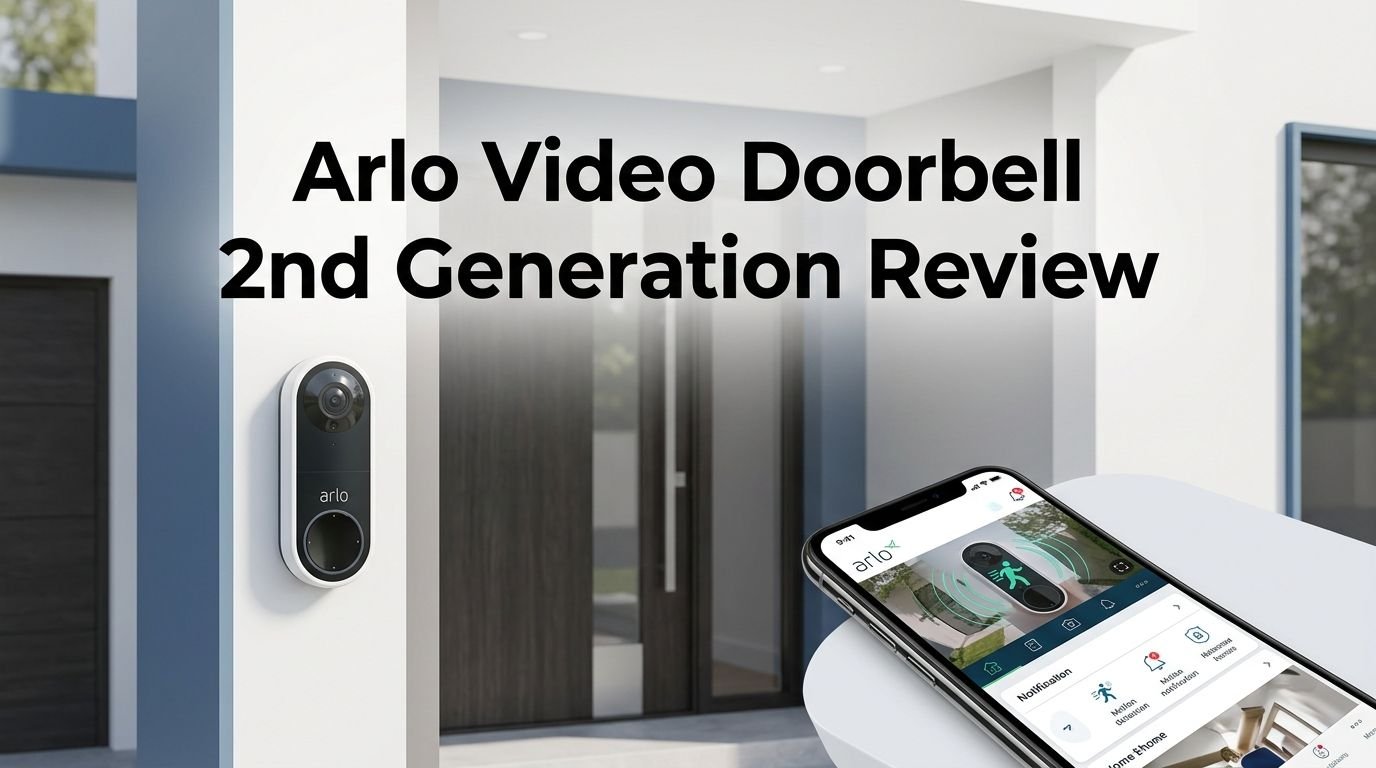
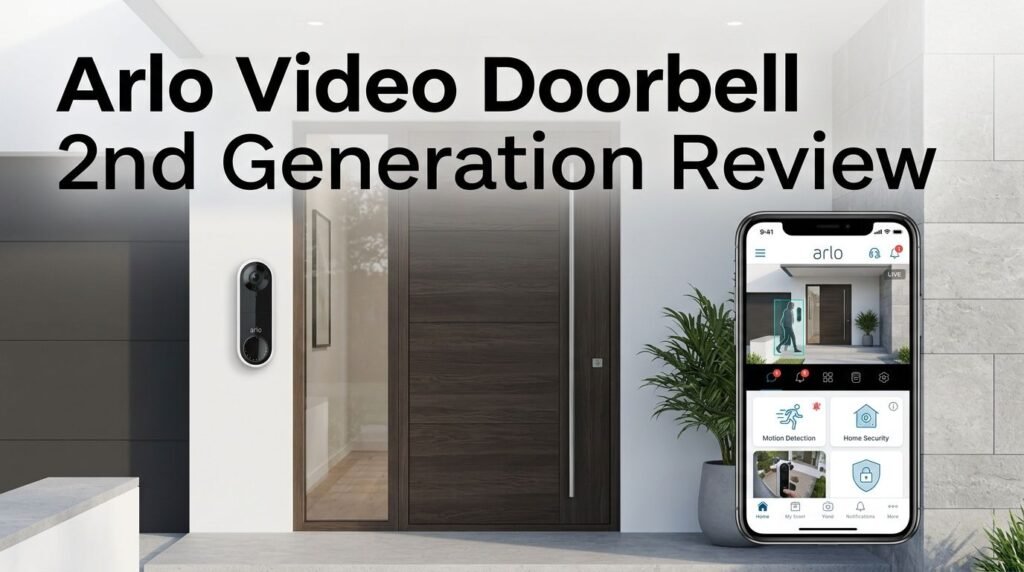
The Arlo Video Doorbell 2nd Generation arrived as a meaningful upgrade over its predecessor. It packs sharper video, a wider field of view, and improved smart features into a slim white casing. The doorbell measures 5.2 by 1.8 by 1.2 inches, which keeps it compact enough to fit on most door frames.
Arlo designed this doorbell to work both on battery power and with a wired connection. This flexibility sets it apart from many competitors that force you to pick one or the other. The glossy black face holds the camera lens, a backlit doorbell button, a microphone, a motion sensor, and an infrared LED.
One thing to know upfront is that Arlo leans heavily on its subscription model. You can view live video for free, but recorded clips and smart alerts require a paid plan. This is a common trend in the doorbell camera market, but it is still worth noting before you purchase.
The device connects through 2.4GHz Wi-Fi and does not need a separate hub or base station. It pairs directly with your home router, which simplifies the setup process. For most users, this plug-and-play approach makes the Arlo doorbell an easy addition to their home security setup.
Design and Build Quality
The Arlo Video Doorbell 2nd Gen has a clean, modern design that blends well with most home exteriors. The white body and black face create a subtle contrast that looks professional without drawing too much attention. It is weather-resistant, so rain, snow, and heat will not damage the device.
The build feels solid in hand. Arlo used durable materials that can handle daily exposure to outdoor elements. The backlit doorbell button glows softly, making it easy for visitors to find even at night. This small detail improves the user experience for guests.
On the back of the device, you will find the USB-C charging port, a pairing button, and two wiring terminals hidden behind the mounting plate. The USB-C port is a welcome upgrade from older micro-USB designs. It charges faster and uses a cable most people already own.
The mounting plate attaches with screws included in the box. It clips securely to the plate, so you do not have to worry about theft or the unit falling off. The overall design earns high marks for both function and appearance.
Video Quality and Field of View
Video quality is where the Arlo Video Doorbell 2nd Gen truly shines. The 2K version records at 1,944 x 1,944 pixels, which provides sharp and detailed footage. Colors appear rich and accurate during daytime recording, and faces are easy to identify.
The 180-degree diagonal field of view is one of the best in this price range. It captures a full head-to-toe image of visitors, so you can see packages on the ground and faces at the same time. This square aspect ratio eliminates the need to tilt or pan the camera.
The camera also includes 12x digital zoom, which lets you zoom into specific areas of the frame after recording. This is helpful if you need to read a delivery label or identify someone standing farther away from the door.
Night vision uses infrared LEDs and produces clear black-and-white footage up to about 25 feet. It does not offer color night vision, which some higher-priced competitors provide. For most situations, the infrared night vision captures enough detail to identify people and objects clearly.
Top 3 Alternatives for Arlo Video Doorbell 2nd Generation
If the Arlo Video Doorbell 2nd Gen does not check all your boxes, here are three strong alternatives worth considering.


The Ring Battery Doorbell Plus (B09WZBPX7K) offers HD+ video, color night vision, and deep integration with the Amazon ecosystem. The Google Nest Doorbell Wired 2nd Gen (B0BBSLG6PC) provides intelligent alerts powered by Google’s AI and works seamlessly with Google Home. The eufy Security Video Doorbell E340 (B0CD7NT4Y9) stands out with dual cameras, 2K resolution, and no monthly subscription fees for local storage.
Each of these options brings something different to the table. Ring is ideal for Alexa-focused homes. Google Nest is perfect for users who want advanced AI detection. And eufy appeals to anyone who wants to avoid recurring subscription costs entirely. Your best pick depends on your smart home setup and budget.
Installation and Setup Process
Setting up the Arlo Video Doorbell 2nd Gen is remarkably simple. You do not need professional help or any special tools. The entire process takes about 10 to 15 minutes from start to finish.
First, download the Arlo Secure app on your iPhone or Android phone. Create an account if you are new to Arlo, or sign in to your existing account. Tap the plus icon, select “Add a Device,” and choose “Video Doorbell 2nd Generation.”
The app guides you through each step with clear on-screen instructions. You press the pairing button on the back of the doorbell using the included release pin. The LED blinks blue to confirm pairing mode. Then you connect the doorbell to your Wi-Fi network by selecting your SSID and entering your password.
After a quick firmware update, you take the doorbell outside and mount it using the included hardware. Attach the mounting plate to your door frame with screws, then snap the doorbell onto the plate. If you want to hardwire it, connect the wiring terminals to your existing doorbell wires before mounting.
The entire experience feels polished and user-friendly. Arlo clearly invested effort into making this process smooth for first-time users and experienced smart home owners alike.
Arlo Secure App Experience
The Arlo Secure app serves as your command center for the doorbell and any other Arlo devices you own. It is available on both iOS and Android and runs smoothly on most modern smartphones.
The Dashboard screen shows all your connected devices with quick-access mode buttons. You can toggle between Arm Away, Arm Home, and Standby modes with a single tap. Each mode controls how the doorbell handles motion detection and recording, so you can customize behavior based on whether you are home or away.
Tapping the doorbell panel opens a live video stream. From here, you can switch to landscape mode, take a snapshot, record a manual clip, or start a two-way conversation. The interface is clean and responsive with very little lag between actions.
The settings menu lets you adjust video quality, configure activity zones, enable voicemail for visitors, and link the doorbell to an Arlo chime. You can also activate Silent Mode to disable incoming calls and chimes during specific hours. This is great for nighttime use when you do not want the doorbell to wake up the household.
Motion Detection and Smart Alerts
Motion detection on the Arlo Video Doorbell 2nd Gen works well out of the box. The sensor picks up movement accurately and sends instant push notifications to your phone. In testing, alerts arrive within seconds of the event.
With an Arlo Secure subscription, the doorbell can tell the difference between people, vehicles, animals, and packages. This smart object detection reduces false alerts caused by passing cars, stray cats, or moving shadows. You only get notified about the events that actually matter.
The app also supports animated preview notifications. Instead of opening the full app, you can see a short animated clip right from the notification. This saves time and helps you decide quickly whether the alert requires your attention.
Activity zones let you draw custom areas on the camera’s field of view. The doorbell will only trigger alerts for motion within those zones. This is especially useful if your doorbell faces a busy sidewalk or street. You can exclude high-traffic areas to focus alerts on your porch and walkway.
Two-Way Audio and Video Calling
The Arlo Video Doorbell 2nd Gen includes a built-in microphone and speaker for clear two-way communication. When someone presses the doorbell button, it sends a video call to your phone. You can answer the call just like a regular phone call.
Audio quality is solid on both ends. Voices sound natural and clear, with minimal echo or distortion. The speaker on the doorbell is loud enough for outdoor use, so visitors can hear you even in noisy environments.
If you cannot answer the door, the doorbell offers pre-recorded quick reply messages. You can choose from options like “We will be right there” or “Please leave the package at the door.” This feature is handy when you are busy or away from your phone.
The voicemail feature lets visitors leave a message if you do not pick up. You can review these messages later through the app. This adds a layer of convenience that many competing doorbells do not provide. It turns the doorbell into a true communication tool rather than just a camera.
Night Vision Performance
Night vision on the Arlo Video Doorbell 2nd Gen relies on infrared LEDs to illuminate the area in front of your door. The footage appears in black and white, which is standard for most doorbells in this price range.
In practice, the night vision works well up to about 25 feet. Faces remain identifiable, and objects like packages and vehicles are clearly visible. The image quality does drop slightly compared to daytime footage, but this is expected with infrared technology.
One limitation is the lack of color night vision. Competitors like the Ring Battery Doorbell Plus and some eufy models offer color night vision that uses a spotlight. If identifying colors at night is important to you, this could be a deciding factor.
For most homeowners, the black-and-white infrared night vision will be sufficient. It captures enough detail to identify visitors and detect potential security threats. The infrared LEDs activate automatically when light levels drop, so you do not need to toggle anything manually.
Battery Life and Power Options
The Arlo Video Doorbell 2nd Gen runs on a built-in rechargeable battery that Arlo rates for up to six months between charges. Actual battery life depends on usage, motion frequency, and video streaming habits.
Charging happens through the USB-C port on the back of the device. You remove the doorbell from its mount, plug it in, and wait for a full charge. This process takes a few hours, during which your doorbell will be offline unless you have a second unit.
For a more permanent solution, you can hardwire the doorbell to your existing doorbell wiring. This uses a standard 8 to 24 volt transformer and provides a continuous trickle charge to the battery. With this setup, you never need to worry about removing the doorbell to charge it.
The flexibility to choose between battery and wired power is a major advantage. Renters who cannot modify wiring can use the battery option. Homeowners with existing doorbell wiring can hardwire it for worry-free operation. This dual approach makes the Arlo doorbell suitable for a wide range of living situations.
Subscription Plans and Pricing
The Arlo Video Doorbell 2nd Gen costs $129.99 for the 2K version and $79.99 for the HD version at retail. Arlo frequently runs sales that drop the price even further, sometimes as low as $49.99 during holiday promotions.
Without a subscription, you can view live video, receive basic motion alerts, and use two-way audio. However, you cannot access recorded video clips or smart detection features. This limits the doorbell’s usefulness significantly.
The Arlo Secure plan starts at $7.99 per month for a single camera. It includes 30 days of cloud video storage, smart object detection for people, vehicles, animals, and packages, and animated alert previews. The unlimited camera plan costs $17.99 per month, which is a better value if you own multiple Arlo devices.
For maximum protection, the Arlo Secure Premium plan costs $24.99 per month. It adds 24/7 professional monitoring, emergency response features, and cellular backup. This plan turns your Arlo system into a full home security solution with one-touch access to fire, police, and medical services.
Smart Home Integration
Smart home compatibility is a strong point for the Arlo Video Doorbell 2nd Gen. It works with Amazon Alexa, Google Home, IFTTT, and Samsung SmartThings. This broad support means it fits into most smart home setups without issues.
With Alexa, you can stream the doorbell feed to an Echo Show or Fire TV. You can also create routines that trigger other smart devices when the doorbell button is pressed. For example, you could have a smart light turn on whenever someone rings the doorbell.
Google Home integration allows similar streaming and automation features. You can view the doorbell feed on a Nest Hub display and create automated actions using Google’s smart home platform.
IFTTT and SmartThings support opens the door to even more advanced automations. You can connect the doorbell to devices from other brands and create custom triggers based on motion or doorbell presses.
The one notable absence is Apple HomeKit. If you use an Apple-focused smart home with HomePod speakers and the Home app, this doorbell will not integrate natively. This could be a dealbreaker for dedicated Apple users.
Pros and Cons of the Arlo Video Doorbell 2nd Gen
The strengths of this doorbell are clear. It delivers excellent 2K video quality at an affordable price. The 180-degree field of view covers your entire doorstep from head to toe. Battery and wired power options give you flexibility. Setup takes minutes, and the app is intuitive.
Smart home integration covers most major platforms. The two-way audio is clear and reliable. Activity zones reduce false alerts. The weather-resistant design handles outdoor conditions without problems.
On the downside, the subscription requirement for recorded video and smart alerts is a drawback. Many competitors offer at least some free cloud storage or local storage options. The lack of color night vision puts it behind some rivals in low-light performance.
The non-removable battery means you must take the entire doorbell off the mount to charge it. A removable battery design would have been more convenient. Also, there is no local storage option, so you depend entirely on cloud storage through a paid plan.
Who Should Buy the Arlo Video Doorbell 2nd Gen?
This doorbell is an excellent choice for homeowners and renters who want quality video monitoring at their front door without spending a fortune. The battery-powered design means anyone can install it regardless of existing wiring.
It is a great fit for Amazon Alexa and Google Home users who want tight smart home integration. If you already own other Arlo devices, adding this doorbell to your ecosystem is seamless and makes managing everything through one app very convenient.
Budget-conscious buyers will appreciate the competitive pricing, especially during sales. The 2K video quality at this price point is hard to beat. If you are okay with paying a monthly subscription for full features, this doorbell offers strong value.
However, Apple HomeKit users should look elsewhere. Those who want subscription-free recording might prefer the eufy Video Doorbell E340 instead. And if color night vision is a priority, the Ring Battery Doorbell Plus is a better option.
Final Verdict: Is the Arlo Video Doorbell 2nd Gen Worth It in 2026?
The Arlo Video Doorbell 2nd Generation remains a solid pick in 2026. It offers sharp 2K video, a wide field of view, flexible power options, and broad smart home support. The installation is effortless, and the app experience is polished.
The subscription model is the biggest downside. You need to pay monthly to unlock the full potential of this doorbell. But if you are willing to invest in an Arlo Secure plan, the features you unlock are genuinely useful and well-implemented.
For the price, the Arlo Video Doorbell 2nd Gen delivers strong value. It earned PCMag’s Editors’ Choice award and continues to rank among the best affordable video doorbells on the market. If you need a reliable, high-quality doorbell camera that works with most smart home platforms, this one deserves a spot on your shortlist.
Frequently Asked Questions
Does the Arlo Video Doorbell 2nd Gen work without a subscription?
Yes, you can use the doorbell without a subscription. You get live video streaming, basic motion alerts, and two-way audio for free. However, you will not be able to view recorded video clips or use smart detection features like person, package, or vehicle alerts without an Arlo Secure plan.
How long does the battery last on the Arlo Video Doorbell 2nd Gen?
Arlo rates the battery for up to six months between charges. Real-world battery life depends on how often the doorbell detects motion, how frequently you stream live video, and your video quality settings. High-traffic areas will drain the battery faster than quieter locations.
Can I hardwire the Arlo Video Doorbell 2nd Gen?
Yes, you can hardwire it using a standard 8 to 24 volt doorbell transformer. Hardwiring provides a continuous trickle charge to the battery, so you never need to remove the doorbell for charging. The device still runs on battery power but stays topped up through the wired connection.
Does the Arlo Video Doorbell 2nd Gen support Apple HomeKit?
No, this doorbell does not support Apple HomeKit. It works with Amazon Alexa, Google Home, Samsung SmartThings, and IFTTT. Apple users who need HomeKit compatibility should consider alternatives like the Logitech Circle View Doorbell.
Is the Arlo Video Doorbell 2nd Gen weatherproof?
Yes, the doorbell has a weather-resistant design that handles rain, snow, and extreme temperatures. It is built for year-round outdoor use. You do not need to add any extra protection or covers to keep it safe from the elements.
What is the difference between the HD and 2K versions?
The HD version records at 1,536 x 1,536 pixels and costs $79.99. The 2K version records at 1,944 x 1,944 pixels and costs $129.99. Both versions share the same design, field of view, and feature set. The only difference is video resolution, with the 2K model offering noticeably sharper and more detailed footage.