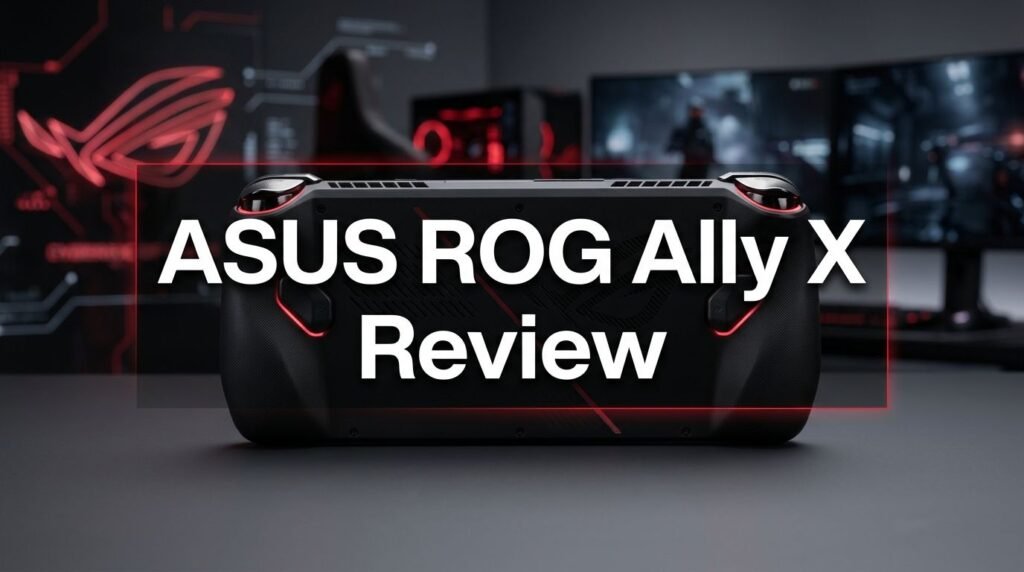
ASUS ROG Ally X Review 2026: Is It Worth Buying?
Are you searching for a gaming handheld that plays AAA titles anywhere you go? The ASUS ROG Ally X has been one of the most talked about portable gaming devices since its debut.
It packs serious hardware into a compact form factor. With 24GB of LPDDR5X RAM, an 80Wh battery, and a 1TB SSD, this device promises a lot.
But does it actually deliver in 2026? The handheld gaming market has grown fast. New competitors pop up every few months. Steam Deck, Lenovo Legion Go, and MSI Claw all fight for the same customer. So where does the ASUS ROG Ally X stand today?
Key Takeaways:
- The ASUS ROG Ally X uses the AMD Ryzen Z1 Extreme (2024 model) or the AMD Ryzen AI Z2 Extreme (2025 Xbox Ally X model). Both processors deliver strong 1080p gaming performance on a 7-inch screen. You can run most AAA titles at 30 to 60 fps with medium to high settings.
- The 80Wh battery is a huge upgrade over the original ROG Ally. It doubles the battery capacity. Expect around 2 to 3 hours of heavy gaming and up to 14 hours of video playback. This is one of the largest batteries you will find in any gaming handheld today.
- 24GB of LPDDR5X RAM eliminates the memory bottleneck that affected the original 16GB model. Games load faster. Frame drops are less common. Multitasking between Windows apps and games is smoother.
- The 7-inch 1080p IPS display runs at 120Hz with FreeSync Premium. Colors look accurate with 100% sRGB coverage and 500 nits of brightness. The screen stays visible even outdoors.
- The price is a concern for some buyers. The ROG Ally X launched at $799 and has seen price adjustments in 2026 due to rising component costs. You should compare it against alternatives before making a final decision.
- Windows 11 still creates friction. While the hardware is excellent, Windows remains a challenge on handheld devices. Sleep/wake bugs and software updates can interrupt your gaming sessions.

ASUS ROG Ally X: Design and Build Quality
The ASUS ROG Ally X looks sleek in its all-black finish. It stands out from the original white ROG Ally. The matte black body resists fingerprints well and gives the device a more premium feel.
ASUS redesigned the grips for better comfort. The handles are slightly larger and more curved. They fit naturally into your palms during long sessions. The device weighs 715 grams (1.58 lbs), which is reasonable for its size and battery capacity.
The overall dimensions are 29.0 x 12.1 x 2.75 cm. It feels similar to holding a wide Xbox controller. Most adults will find the button layout easy to reach without straining.
Build materials feel solid. There is no flex or creaking. ASUS used Gorilla Glass Victus on the display, which adds good scratch and drop protection. The buttons and triggers have a satisfying click and resistance.
Display and Visual Experience
The ASUS ROG Ally X features a 7-inch Full HD (1920 x 1080) IPS display. The resolution gives sharp visuals at this screen size. Text, icons, and game details all look clear without visible pixelation.
The 120Hz refresh rate makes gameplay feel fluid. You notice the difference immediately compared to 60Hz handhelds. Fast-paced shooters and racing games benefit the most. AMD FreeSync Premium support reduces screen tearing and stuttering.
Brightness reaches 500 nits. This is bright enough for outdoor use under most conditions. The display covers 100% of the sRGB color space, so colors appear vibrant and accurate. Movies, games, and even basic browsing all look great.
The glossy finish does reflect light. In very bright environments, you might notice some glare. A matte screen protector can solve this if it bothers you.
Touch input supports 10-point multi-touch. It responds well for navigating Windows, typing, and using menus. The touch experience adds convenience outside of gaming.
Performance: AMD Ryzen Z1 Extreme and Z2 Extreme
Performance is the heart of any gaming handheld. The 2024 ROG Ally X runs the AMD Ryzen Z1 Extreme processor. It has 8 cores, 16 threads, and boosts up to 5.1 GHz. The 2025 ROG Xbox Ally X upgrades to the AMD Ryzen AI Z2 Extreme, which adds an NPU with up to 50 TOPS for AI workloads.
Both chips use AMD Radeon integrated graphics. They handle 1080p gaming at medium to high settings in most modern titles. Expect 40 to 60 fps in games like Cyberpunk 2077, Elden Ring, and Doom Eternal with tuned settings.
The 24GB of LPDDR5X RAM (running at 7500 MHz or 8000 MHz depending on the model) makes a real difference. It removes the memory bottleneck that limits other handhelds. Frame dips are smoother and less frequent across all TDP modes.
In Turbo mode at 25W, you get maximum performance. Performance mode at 15W gives a good balance between power and battery life. Silent mode at 9W is best for lighter games and indie titles.
Top 3 Alternatives for ASUS ROG Ally X
If the ROG Ally X does not fit your budget or preferences, these three alternatives are worth a look.
1. Valve Steam Deck OLED 1TB

The Steam Deck OLED remains a fan favorite. It runs SteamOS, which many users prefer over Windows for handheld gaming. The OLED display is gorgeous with deep blacks and vivid colors. It costs less than the ROG Ally X but also has less raw power. If you play mostly Steam games, this is a strong pick.
2. Lenovo Legion Go

The Lenovo Legion Go offers a larger 8.8-inch display at 2560 x 1600 resolution with a 144Hz refresh rate. It features detachable controllers and a built-in kickstand. The bigger screen and higher resolution set it apart. However, battery life is shorter due to the larger display.
3. MSI Claw 8 AI+

The MSI Claw 8 AI+ uses an Intel Core Ultra 7 258V processor and an 8-inch FHD+ display at 120Hz. It comes with 32GB of RAM and Thunderbolt 4 support. It is a solid Windows-based alternative with strong multitasking power. The Intel platform offers a different performance profile than AMD.
Battery Life: 80Wh Powerhouse
Battery life is often the biggest weakness of handheld PCs. The ASUS ROG Ally X changes that conversation with its 80Wh battery. This is double the 40Wh battery in the original ROG Ally.
In real-world gaming at 15W Performance mode, you can expect around 2.5 to 3 hours of AAA gaming. That is impressive for a Windows handheld running demanding titles at 1080p.
Lower the TDP to 9W Silent mode, and you can stretch playtime to 4 to 5 hours with lighter games. For video streaming on apps like Netflix or YouTube, ASUS claims up to 14.5 hours. Real-world results are close to that number.
The 65W USB-C charger fills the battery reasonably fast. You can go from empty to around 50% in about 40 minutes. Full charge takes roughly 90 minutes while the device is in sleep mode.
The large battery does add some weight. But most users agree the trade-off is worth it. Nobody wants their gaming session cut short by a dead battery.
Controls and Input
The ASUS ROG Ally X uses an Xbox-style button layout. You get A, B, X, Y face buttons, a D-pad, two full-size analog sticks, and L/R bumpers with Hall Effect analog triggers. The Hall Effect triggers resist drift over time. This is a big plus for long-term durability.
Two assignable grip buttons sit on the back of the device. You can map these to any function you want through Armoury Crate. They are useful for in-game shortcuts or quick actions.
The 6-axis gyroscope adds motion control. It works well for aiming in shooters and steering in racing games. Many users find gyro aiming more precise than stick aiming alone.
HD haptics provide good feedback. You feel impacts, explosions, and terrain changes through subtle vibrations. The haptic motors are not as advanced as the Steam Deck’s, but they get the job done.
The View and Menu buttons mirror the Xbox controller layout. The dedicated Command Center and Armoury Crate buttons give quick access to system settings and performance profiles.
Storage and Expandability
The ASUS ROG Ally X ships with a 1TB PCIe 4.0 NVMe M.2 SSD (2280). This is a welcome upgrade from the original Ally’s 512GB storage. Game install sizes keep growing, so 1TB gives you more room to work with.
Load times are fast. Most games launch in seconds. The PCIe 4.0 interface provides read speeds well above 3,000 MB/s. You will not experience bottlenecks during gameplay or asset streaming.
The device also includes a UHS-II microSD card reader. It supports SD, SDXC, and SDHC cards. You can use a microSD card for storing games, media, or backups. This adds flexible storage expansion without opening the device.
The SSD is user-replaceable. ASUS uses standard M.2 2280 form factor. If you need more space, you can swap in a 2TB drive. iFixit has noted that the device is surprisingly easy to disassemble with no glued components.
Audio Quality
The ASUS ROG Ally X packs a 2-speaker system with Smart Amplifier Technology. Sound output is loud and clear for a device this size. The speakers handle mid and high frequencies well.
Dolby Atmos support adds spatial audio. With compatible games and media, sound feels wider and more immersive. Positional audio in games like Valorant and Call of Duty helps you locate enemies by sound direction.
The device carries a Hi-Res audio certification for wired headphones. If you plug in a good pair of headphones through the 3.5mm combo audio jack, you get excellent sound quality. Bass response improves significantly with headphones.
AI noise-canceling technology works for the built-in array microphone. It filters out background noise during voice chat. Teammates can hear you clearly even in noisy environments.
Bluetooth 5.2 lets you connect wireless earbuds and headphones. Latency with modern Bluetooth codecs is low enough for casual gaming. For competitive play, wired headphones are still the better choice.
Connectivity and Ports
The ASUS ROG Ally X offers a strong port selection for a handheld. It includes two USB Type-C ports. One is USB 3.2 Gen 2 with DisplayPort output and power delivery. The other supports USB4 (Thunderbolt 4 compliance) with DisplayPort 1.4 and Power Delivery 3.0.
This dual USB-C setup is a big improvement over the original Ally’s single port. You can charge the device and connect an external display at the same time. This was a common complaint with the first model.
Wi-Fi 6E (802.11ax) with triple band support keeps your wireless connection fast and stable. Online gaming, cloud streaming, and large downloads all benefit from Wi-Fi 6E speeds.
Bluetooth 5.2 handles wireless peripherals. You can connect controllers, keyboards, mice, and audio devices without issues.
The UHS-II microSD card reader sits on the top edge. It gives you an extra storage option without needing a dock or adapter. Card swap is quick and easy.
Windows 11 Experience on the ROG Ally X
Windows 11 is both a strength and a weakness on the ROG Ally X. On the positive side, you get access to the full Windows game library. Steam, Epic Games Store, GOG, Xbox Game Pass, and every other PC launcher works here. No game compatibility layer is needed.
However, Windows was not built for handheld gaming. The interface feels clunky without a mouse and keyboard. ASUS includes Armoury Crate SE to bridge this gap. It provides a game launcher, performance tuning, and quick settings. It works, but it is not as polished as SteamOS.
Sleep and wake behavior can be inconsistent. Some users report games crashing after waking the device from sleep. ASUS has improved this with firmware updates, but issues still appear occasionally.
The 2025 ROG Xbox Ally X model adds the Xbox Full Screen Experience. This overlay makes the device feel more like a console. It surfaces Xbox Game Pass content and simplifies navigation. It is a step in the right direction, though it does not replace a full console-style OS.
Windows updates sometimes happen at inconvenient times. You can schedule them, but surprise restarts during gaming are still possible.
Software: Armoury Crate and Xbox Integration
Armoury Crate SE is the main software hub on the ROG Ally X. It gives you quick access to your game library, performance modes, fan curves, and display settings. The dedicated Armoury Crate button on the device opens it instantly.
The Command Center pops up as an overlay. You can adjust TDP, screen brightness, resolution, and refresh rate without leaving your game. It is one of the most useful features on the device. Quick changes to power settings help you balance performance and battery life on the fly.
The 2025 model adds deeper Xbox Game Pass integration. You get 3 months of Xbox Game Pass Premium included. This gives you access to hundreds of games right out of the box. For new buyers, this adds significant value.
ASUS regularly releases BIOS and firmware updates. These updates improve stability, fix bugs, and sometimes boost performance. The update process is straightforward through the MyASUS app.
Third-party tools like Handheld Companion and Lossless Scaling also work well on the device. Many users install these to get better controller mapping and frame generation features.
Gaming Performance in 2026: What Can You Play?
The ROG Ally X handles a wide range of games in 2026. AAA titles from 2023 and 2024 run well at medium to high settings. Games released in 2025 and early 2026 may need lower settings, but they remain playable.
Cyberpunk 2077 runs at around 35 to 45 fps on medium settings at 1080p in Turbo mode. Elden Ring averages about 40 to 50 fps. Doom Eternal pushes past 80 fps on high settings. These are solid numbers for handheld play.
Indie games and older titles run at full 120 fps with no issues. Games like Hades, Hollow Knight, and Stardew Valley are perfect for the 120Hz display. They drain very little battery and look great.
FSR (FidelityFX Super Resolution) and Lossless Scaling help newer games run better. These upscaling tools boost frame rates with minimal visual quality loss. Many users rely on them for the best gaming experience.
Emulation is another strength. The ROG Ally X can emulate PS2, GameCube, Wii, and Switch titles without problems. PS3 and Wii U emulation also work well for many games, thanks to the strong CPU.
Who Should Buy the ASUS ROG Ally X?
The ASUS ROG Ally X is best for gamers who want a full PC gaming experience in a portable form. If you already own a large Steam or Xbox Game Pass library, this device lets you carry it with you.
It suits frequent travelers and commuters. The 80Wh battery means you can game on flights and train rides without constantly looking for an outlet. The compact size fits in most backpacks and bags.
PC enthusiasts who want to tinker will enjoy the ROG Ally X. You can install SteamOS, adjust TDP settings, swap the SSD, and customize everything. The flexibility of Windows gives you total control over your device.
Casual gamers might find it overkill. If you only play mobile games or light indie titles, a cheaper handheld may serve you better. The ROG Ally X is built for people who want to play demanding games on the go.
If you dislike Windows on a handheld, consider the Steam Deck OLED instead. The ROG Ally X hardware is superior, but the software experience depends on your tolerance for Windows quirks.
ASUS ROG Ally X: Pros and Cons
Let’s break down the strengths and weaknesses clearly. Understanding both sides helps you make a smarter purchase decision.
The biggest pros include the 80Wh battery, 24GB RAM, 1TB storage, USB4 port, and strong gaming performance. The display is bright, color-accurate, and smooth at 120Hz. The redesigned ergonomics make long sessions comfortable. Hall Effect triggers prevent stick drift.
On the con side, the price is steep at $799 to $999 depending on the model and region. Windows 11 still has handheld usability issues. The display is IPS, not OLED, so blacks are not as deep as the Steam Deck OLED. The device can get warm during extended Turbo mode gaming. Fan noise is noticeable under heavy load, though not excessively loud.
The glossy display attracts glare in bright lighting. No built-in kickstand means you need an accessory for tabletop play. And while Armoury Crate works, it is not as smooth as a dedicated gaming OS.
Price and Value in 2026
The ASUS ROG Ally X launched at $799 for the Z1 Extreme model. The 2025 ROG Xbox Ally X with the Z2 Extreme processor costs around $999. ASUS announced price hikes in January 2026 due to rising component costs. Prices may vary by region, with Japan already seeing a 21% increase.
Is it worth the money? For the hardware you get, the price is competitive. No other handheld offers 24GB RAM, an 80Wh battery, USB4, and 1TB storage in one package at this level. The closest competitors either match on some specs but fall short on others.
Watch for sales. The 2024 model often drops to $600 to $700 during promotional events. If you do not need the Z2 Extreme processor, the 2024 version offers excellent value at a lower price.
Consider the total cost of ownership too. Xbox Game Pass Premium (included for 3 months) saves you money on games. You also save on buying a separate portable console and a gaming laptop.
Final Verdict: ASUS ROG Ally X Review 2026
The ASUS ROG Ally X remains one of the best Windows gaming handhelds you can buy in 2026. Its combination of a massive battery, generous RAM, fast storage, and capable processors makes it a strong all-around device.
It is not perfect. Windows 11 still creates friction for handheld use. The price sits at the premium end of the market. And the IPS display, while excellent, does not match an OLED.
But if you want a device that plays nearly every PC game on the go, the ROG Ally X delivers. The hardware is solid, the ergonomics are comfortable, and ASUS continues to improve the software experience through updates.
For budget buyers, the 2024 model at a discounted price is a smart pick. For those who want the latest processor and best performance, the 2025 ROG Xbox Ally X justifies its premium. Either way, the ROG Ally X earns its place at the top of the handheld gaming market.
Frequently Asked Questions
Is the ASUS ROG Ally X worth buying in 2026?
Yes, the ROG Ally X is still worth buying in 2026. The 24GB RAM, 80Wh battery, and strong AMD processor keep it competitive. The 2024 model is a great deal at discounted prices. The 2025 model adds a faster Z2 Extreme chip. If you want a full PC gaming handheld, this device remains a top choice. Just be aware of the Windows software experience and decide if that works for you.
How long does the ROG Ally X battery last while gaming?
Expect about 2.5 to 3 hours of heavy AAA gaming at 15W to 25W TDP settings. Lighter games at 9W can give you 4 to 5 hours. Video streaming lasts up to 14 hours. Your results depend on game settings, screen brightness, and whether you use Wi-Fi. The 80Wh battery is one of the largest in any gaming handheld today.
Can the ASUS ROG Ally X run AAA games smoothly?
Yes, the ROG Ally X runs most AAA games at 30 to 60 fps on medium to high settings at 1080p. Titles like Cyberpunk 2077, Elden Ring, and Doom Eternal are all playable. Using FSR or Lossless Scaling can improve frame rates further. Older AAA games run even better, often hitting the full 120 fps cap.
What is the difference between the 2024 ROG Ally X and the 2025 ROG Xbox Ally X?
The 2024 model uses the AMD Ryzen Z1 Extreme processor. The 2025 ROG Xbox Ally X upgrades to the AMD Ryzen AI Z2 Extreme with an integrated NPU. The newer model also includes Xbox branding, deeper Game Pass integration, and the Xbox Full Screen Experience overlay. Battery, RAM, display, and storage specs remain largely the same at 80Wh, 24GB, 7-inch 1080p 120Hz, and 1TB.
Does the ASUS ROG Ally X support SteamOS?
SteamOS is not officially pre-installed, but users have successfully installed it on the ROG Ally X. Valve has been working on broader SteamOS support for non-Steam Deck hardware. Many community guides exist for dual-booting Windows and SteamOS on the device. Performance and game compatibility are generally good under SteamOS.
Is the ROG Ally X better than the Steam Deck OLED?
It depends on your priorities. The ROG Ally X has more RAM (24GB vs 16GB), a bigger battery (80Wh vs 50Wh), and more storage (1TB vs 1TB). It also runs Windows, which gives access to all PC game launchers. The Steam Deck OLED has a better display (OLED vs IPS), smoother software experience with SteamOS, and a lower price. Choose the ROG Ally X for raw power and flexibility. Choose the Steam Deck OLED for a polished, console-like experience.