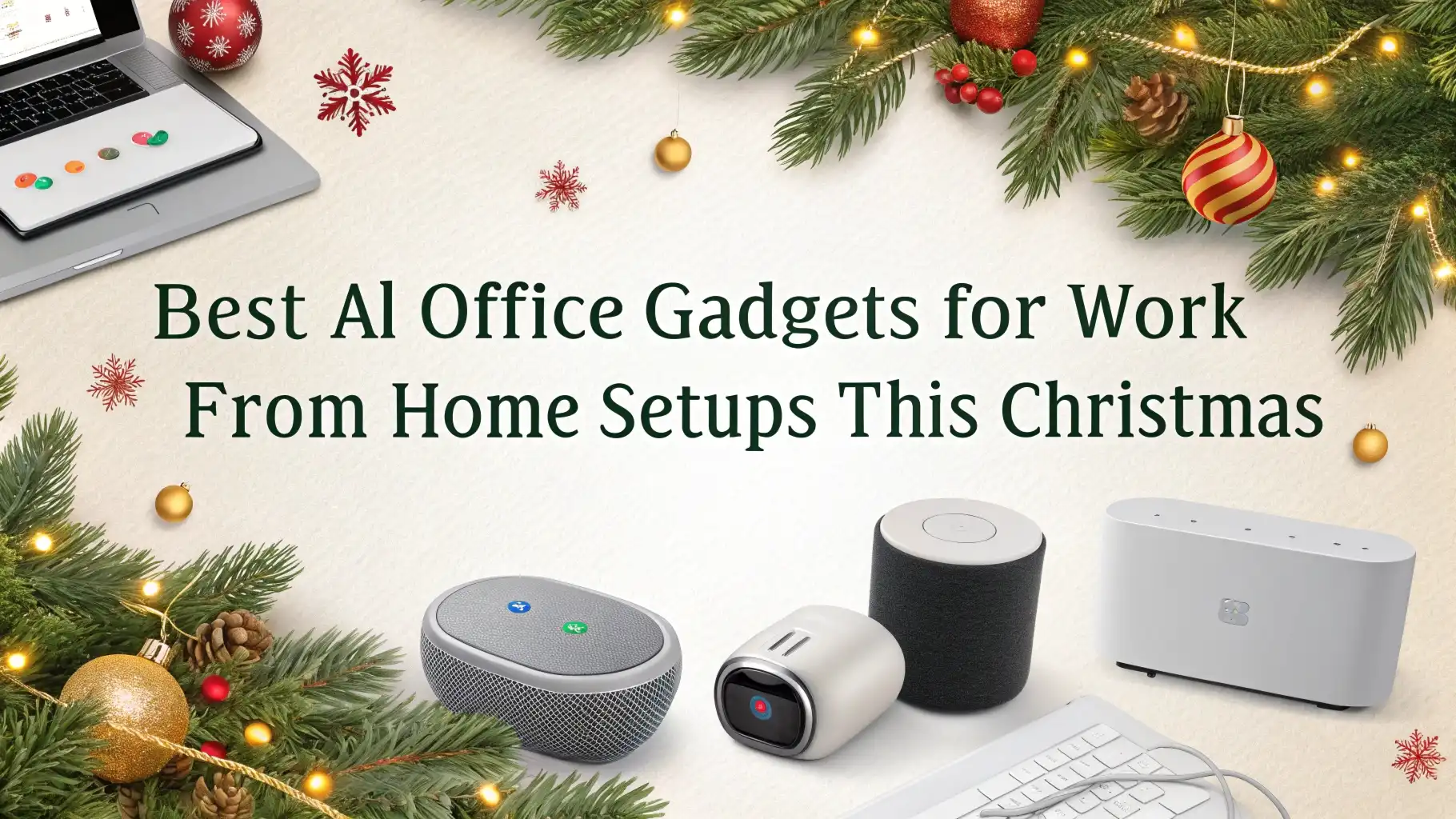
9 Best AI Office Gadgets for Work From Home Setups This Christmas
Working from home has become the new normal for millions of people. Your home office setup can make or break your productivity.
This Christmas, why not upgrade your workspace with smart AI gadgets that actually help you work better? These devices use smart technology to make your daily tasks easier and more efficient.
This guide brings you the best AI powered office gadgets available on Amazon right now. Each product has been selected based on real user reviews, practical features, and actual value for money.
Key Takeaways:
- Smart webcams with AI tracking eliminate the need for constant camera adjustments during video calls. These cameras follow your movement automatically and keep you centered in the frame.
- AI powered noise cancelling headphones block out household distractions and create a focused work environment. They learn your listening patterns and adjust sound quality based on your environment.
- Smart displays with voice assistants handle multiple tasks at once including managing calendars, setting reminders, and controlling other smart devices. They serve as command centers for your entire home office.
- Intelligent desk lamps adjust brightness automatically based on time of day and ambient light. Many include wireless charging pads to reduce cable clutter on your desk.
- Smart air purifiers monitor air quality in real time and adjust filtration automatically. They help you breathe cleaner air during long work sessions and can be controlled remotely.
Angetube 4K Webcam with AI Tracking Technology

The Angetube 4K Webcam brings professional quality video to your home office. This camera uses AI tracking technology that follows your movements during calls.
You stay centered in the frame even when you move around your desk. The 4K resolution delivers crystal clear video quality that makes you look professional in every meeting.
Dual noise cancelling microphones pick up your voice clearly while blocking background sounds. Your colleagues hear you perfectly even when your household gets noisy.
The 10X digital zoom feature lets you adjust the frame precisely. You can show documents or products during presentations without buying extra equipment.
Pros:
AI auto tracking keeps you in frame automatically
4K resolution provides exceptional video clarity
Dual microphones with noise cancellation improve audio quality
10X digital zoom offers flexibility for presentations
Remote control adds convenience for recording
Compatible with all major video platforms
Cons:
Higher price point than basic webcams
Requires USB 3.0 for best performance
May need good lighting for optimal 4K quality
Amazon Echo Show 5 Smart Display with Alexa

The Echo Show 5 serves as your AI powered personal assistant for work and life. This compact smart display fits perfectly on any desk without taking up too much space.
Alexa responds to voice commands and handles countless tasks while you focus on work. The display shows your calendar, weather, reminders, and important notifications at a glance.
The latest model features improved audio with twice the bass of previous versions. Sound quality matters during video calls and when listening to music during breaks.
The 5.5 inch screen provides clear visibility from across your desk. You can watch quick tutorials, check emails, or follow recipes during lunch without touching your work computer.
Pros:
Alexa voice control handles multiple tasks hands free
Improved audio quality with enhanced bass
Compact size fits any desk space
Smart home device integration
Built in camera with privacy shutter
Shows calendar, weather, and notifications
Cons:
Screen size may be small for detailed viewing
Requires stable WiFi connection
Some features need subscription services
Soundcore Q20i Hybrid Active Noise Cancelling Headphones

The Soundcore Q20i headphones deliver professional grade noise cancellation at an affordable price. These over ear headphones use hybrid active noise cancelling technology to block out distractions.
You can focus completely on your work even in noisy environments. The 40 hour battery life means you charge them once and use them all week.
Hi Res Audio certification ensures excellent sound quality for calls and music. The big bass feature adds depth to your audio without overwhelming other frequencies. You hear every word clearly during conference calls.
The transparency mode lets outside sounds in when you need to hear your surroundings. Perfect for when family members need your attention.
Pros:
40 hour battery life lasts an entire work week
Hybrid ANC effectively blocks distractions
Hi Res Audio provides excellent sound quality
Comfortable for extended wear
Customizable app controls
Affordable compared to premium brands
Cons:
Not as premium feeling as expensive alternatives
ANC not quite as strong as flagship models
May feel warm during extended summer use
LEVOIT Smart WiFi Air Purifier for Home Office

The LEVOIT Core 200S brings clean air to your home office workspace. This smart air purifier connects to WiFi and works with Alexa for voice control.
You can monitor and adjust air quality from your phone even when away from your desk. The AHAM verified 3 in 1 filter system removes allergens, pollutants, smoke, and dust particles.
Sleep mode operates quietly so you barely notice it running during focused work sessions. The air purifier automatically adjusts its speed based on detected air quality. You breathe cleaner air without thinking about it. The compact design fits under desks or in corners without taking up valuable workspace.
Smart scheduling features let you run the purifier during work hours only. This saves energy and extends filter life. The filter replacement indicator tells you exactly when to order new filters. No guessing or checking manually.
Pros:
WiFi connectivity enables remote control
Works with Alexa voice commands
AHAM verified filtration performance
Quiet sleep mode for focused work
Smart scheduling saves energy
Compact size fits small spaces
Cons:
Replacement filters add ongoing costs
Coverage limited to smaller rooms
WiFi required for smart features
Smart LED Desk Lamp with Wireless Charging

The Poukaran LED Desk Lamp combines multiple functions into one sleek device. This smart lamp includes wireless charging, USB ports, and a full featured LED light. You reduce desk clutter by replacing several devices with one. The wireless charging pad works with all Qi compatible phones including iPhone and Samsung models.
Clock, alarm, date, and temperature display provide useful information at a glance. You stay on schedule without checking your phone constantly. The LED lighting offers multiple brightness levels and color temperatures.
Adjust the light based on time of day and task requirements. Warm light relaxes your eyes during evening work while cool light energizes morning sessions.
Pros:
Multiple functions reduce desk clutter
Wireless charging for compatible phones
Adjustable brightness and color temperature
Clock and temperature display
USB ports for additional charging
Touch controls are intuitive
Cons:
Charging speed may be slower than wired
Display brightness cannot be adjusted
May be too many features for minimalists
AI Translation Earbuds for Global Communication

These AI Translation Earbuds break down language barriers in real time. They translate 144 languages instantly during conversations or video calls. Perfect for remote workers who collaborate with international teams.
The open ear comfort design lets you wear them all day without discomfort. You hear your surroundings while staying connected to calls.
Bluetooth 5.4 connectivity ensures stable connection without dropouts during important conversations. The earbuds deliver Hi Fi music quality when you take breaks from work.
Smart touch controls let you manage calls and music without reaching for your phone. The dedicated app makes language selection and settings adjustment simple.
Pros:
144 language real time translation
Open ear design for all day comfort
Bluetooth 5.4 for stable connection
Hi Fi audio quality
Two way translation for calls
Smart touch controls
Cons:
Translation accuracy varies by language
Requires app and internet connection
Battery life shorter with continuous translation
Smart Power Strip Tower with Wireless Charging
![KOOSLA Power Strip Tower, [15W] Wireless Charger Surge Protector - 12 AC Multiple Outlets & 6 USB Ports, 6.5ft Extension Cord Charging Station for Office Supplies, Desk Accessories, Dorm Essentials](https://techtracker.blog/wp-content/plugins/aawp/public/image.php?url=YUhSMGNITTZMeTl0TG0xbFpHbGhMV0Z0WVhwdmJpNWpiMjB2YVcxaFoyVnpMMGt2TkRFM2RuaFpObEJvY0V3dVgxTk1NVFl3WHk1cWNHYz18MTc3NDMxNDczMQ=)
The KOOSLA Power Strip Tower revolutionizes desk power management. This vertical design saves space while providing 12 AC outlets and 6 USB ports. You can power all your devices from one central location. The built in 15W wireless charging pad keeps your phone powered throughout the day.
Surge protection safeguards expensive equipment from power spikes and electrical issues. The 6.5 foot extension cord reaches from any outlet to your desk easily. The tower design prevents outlets from blocking each other unlike traditional power strips. You can plug in large adapters without losing access to other outlets.
Pros:
12 outlets plus 6 USB ports
15W wireless charging pad included
Surge protection for equipment safety
Tower design saves space
6.5 foot cord provides flexibility
Smart charging optimizes speed
Cons:
Large footprint may not suit tiny desks
Wireless charging limited to 15W
Tower may tip if not positioned carefully
Video Conference Lighting with Remote Control

The yAyusi Dual Lamp Video Conference Lighting transforms your video call appearance. These LED streaming lights attach easily to your monitor or laptop. You look professional and well lit during every video meeting. The dual lamp design eliminates harsh shadows and provides even lighting across your face.
Remote and touch control options give you flexibility in adjusting settings. Change brightness and color temperature without stopping your meeting. The lights remember your preferred settings for different times of day. Warm light works great for casual calls while cool light suits professional presentations.
Pros:
Dual lamp design eliminates shadows
Remote and touch control options
Adjustable brightness and color temperature
Easy monitor or laptop mounting
USB powered requires no extra outlets
Memory function saves preferences
Cons:
May not suit ultra wide monitors
USB cable length may limit placement
Lights visible in some webcam angles
Straight Plus AI Posture Corrector Trainer

The Straight Plus AI Posture Corrector helps you maintain healthy posture during long work sessions. This smart device uses AI technology to monitor your posture in real time. It vibrates gently when you slouch or lean forward incorrectly. You develop better habits without constant conscious effort.
Wearable necklace design makes it comfortable and discreet. You wear it under your shirt and nobody knows it is there.
The device connects to a smartphone app that tracks your posture progress over time. You see improvements and identify times when your posture suffers most. The trainer helps prevent back pain and neck strain common with desk work.
Pros:
AI technology monitors posture in real time
Gentle vibration provides instant feedback
Discreet wearable necklace design
App tracks progress over time
Personalized learning adjusts to your body
Helps prevent back and neck pain
Cons:
Higher price than traditional posture aids
Requires regular charging
May take time to adjust to feedback
Understanding AI Office Gadgets and Smart Technology
AI office gadgets use artificial intelligence to make work easier and more efficient. These devices learn from your behavior and adapt to your needs automatically. Traditional office equipment requires manual adjustment and constant attention. Smart gadgets handle routine tasks in the background while you focus on important work.
The technology behind these products includes sensors, machine learning algorithms, and connectivity features. Sensors detect environmental conditions like air quality, lighting levels, and sound. Machine learning helps devices understand patterns in your usage. Connectivity lets gadgets communicate with each other and with your smartphone.
Voice assistants like Alexa represent one of the most practical AI applications for home offices. You control multiple devices using simple voice commands. Set timers, check calendars, and manage tasks without touching anything. This hands free operation keeps you in work flow without interruptions.
How Smart Gadgets Improve Work From Home Productivity
Smart gadgets boost productivity by removing friction from your daily routine. Every time you adjust lighting manually or search for a charging cable, you lose focus. AI powered devices handle these small tasks automatically. You stay in flow state longer and accomplish more meaningful work.
Automation eliminates repetitive decisions that drain mental energy. Your smart lamp adjusts brightness based on time of day. Your air purifier responds to air quality changes. Your webcam keeps you properly framed. These tiny decisions add up to significant mental load over a full work day. Smart gadgets carry that load for you.
Integration between devices creates powerful workflows. Your voice assistant can turn on lights, start your focus music, and set a work timer with one command.
Setting Up Your Smart Home Office Ecosystem
Creating a smart home office starts with identifying your biggest pain points. Do you struggle with poor lighting during video calls? Start with smart lighting solutions. Does household noise break your concentration? Invest in quality noise cancelling headphones. Target your specific challenges rather than buying gadgets randomly.
Start small and expand gradually. Buy one or two essential devices first. Learn how they work and integrate them into your routine. Add more devices once you have mastered the basics. This approach prevents overwhelming yourself with too many new technologies at once. You also avoid wasting money on gadgets you will not use.
Choosing the Right AI Gadgets for Your Budget
AI office gadgets span a wide price range from affordable to premium. You do not need to spend thousands to build a smart home office. Focus on devices that solve your specific problems first. A $50 smart display may improve your productivity more than a $500 webcam if scheduling is your challenge.
Compare features carefully before making purchase decisions. Two similar products may have very different capabilities. Read customer reviews to understand real world performance. Pay attention to complaints about connectivity issues or poor customer support. These problems can turn a good deal into a frustrating experience.
Consider total cost of ownership beyond the initial purchase price. Some devices require subscription services for full functionality.
Others need regular filter or battery replacements. Smart bulbs save energy but cost more upfront than regular bulbs. Calculate these ongoing costs when comparing products. The cheapest option today may cost more over time.
FAQs
Do AI office gadgets really improve productivity or are they just expensive toys?
Quality AI office gadgets genuinely improve productivity when chosen thoughtfully. They automate routine tasks and eliminate small frustrations that break your focus throughout the day. A smart webcam prevents constant position adjustments during calls. Noise cancelling headphones create silence in chaotic homes. These benefits add up to measurable time savings.
Are smart office devices difficult to set up for non technical people?
Most modern smart devices prioritize easy setup for average users. Companies know that complicated installation frustrates customers and generates returns. You typically download an app, plug in the device, and follow simple on screen instructions. Voice assistants like Alexa guide you through setup verbally. Many devices connect automatically once you enter your WiFi password. The biggest challenge usually involves remembering passwords rather than technical complexity.
Can I control all my smart office gadgets from one app or device?
Some smart home platforms like Alexa, Google Home, and Apple HomeKit let you control multiple compatible devices through one interface. Check product descriptions for supported platforms before purchasing. Devices that work with your chosen platform integrate smoothly. However, some gadgets require their own dedicated apps and cannot integrate with larger ecosystems. This limitation reduces convenience but does not make the devices useless.
Are AI powered office gadgets secure or do they create privacy risks?
Smart devices do create potential security risks that require awareness and precaution. Devices with cameras and microphones could theoretically be hacked. Choose products from reputable manufacturers who prioritize security. Look for features like physical camera shutters and microphone mute buttons. Keep device firmware updated to patch security vulnerabilities. Use strong unique WiFi passwords and consider separating smart devices on a guest network.
How much can I expect to spend building a complete smart home office?
A basic smart home office setup costs between 200 and 500 dollars for essential devices. This includes a quality webcam, noise cancelling headphones, smart lighting, and a voice assistant. Mid range setups with better devices and more automation run 500 to 1000 dollars. Premium configurations with top tier products exceed 1000 dollars easily. You do not need everything at once. Start with devices that address your biggest challenges then expand over time.
Do I need fast internet for smart office gadgets to work properly?
Most smart office gadgets need reliable internet but not necessarily ultra fast speeds. Voice assistants, smart displays, and app controlled devices work fine on standard broadband connections. Video conferencing with 4K webcams benefits from faster upload speeds. Multiple devices streaming simultaneously may strain slower connections. A connection of 25 Mbps or higher handles most home office needs comfortably. Focus on connection stability rather than maximum speed.
Will these gadgets become outdated quickly and stop working?
Reputable manufacturers provide software updates that extend device lifespans significantly. Smart devices typically remain functional for several years even as newer models launch. The core features continue working indefinitely. Advanced features may require newer hardware eventually. Companies support popular products longer because large user bases justify update costs. Buying from established brands like Amazon, Logitech, and LEVOIT reduces obsolescence risks. These companies maintain products for years after release.
Can smart office gadgets help reduce energy costs?
Smart devices can reduce energy consumption through automation and monitoring. Smart lights turn off automatically when you leave your office. Smart power strips prevent vampire power drain from idle devices. Programmable thermostats optimize heating and cooling based on occupancy. Air purifiers run only when needed rather than continuously. These small savings accumulate over time.