DJI Mavic Air 2 Review 2026: Read This Before Buying
You want a drone that shoots sharp 4K video, flies for over 30 minutes, and fits inside a small backpack. The DJI Mavic Air 2 checked all those boxes back in 2020.
But here we are in 2026. The question on every buyer’s mind is simple. Does the Mavic Air 2 still deliver enough value to earn your money today?
The short answer might surprise you. This drone continues to attract hobbyists, content creators, and even some professionals. Its 48MP camera, 34-minute flight time, and OcuSync 2.0 transmission system hold up well against many newer mid-range options.

Key Takeaways:
- The 48MP camera with a 1/2-inch CMOS sensor still produces clean, detailed photos in daylight. Low-light shots show some noise, but the results remain usable for social media and web projects.
- 4K video at 60fps gives you smooth, cinematic footage. The H.265 codec at up to 120 Mbps keeps file sizes manageable without losing too much detail.
- Battery life stands at 34 minutes maximum flight time, which is still competitive in 2026. Most sub-$500 drones today average between 25 and 35 minutes.
- OcuSync 2.0 delivers a stable video feed up to 10 km away. You get reliable real-time footage with minimal lag during flights.
- The price has dropped significantly since launch. You can now find the Mavic Air 2 and its Fly More Combo at budget-friendly prices, making it one of the best value drones on the market today.
- Obstacle sensing is limited to three directions (forward, backward, and downward). This is a clear drawback compared to newer drones that offer omnidirectional sensing.

DJI Mavic Air 2 Overview and First Impressions
The DJI Mavic Air 2 arrived in April 2020 as a major upgrade over the original Mavic Air. It brought a bigger sensor, longer battery life, and smarter flight features to the consumer drone market. Six years later, the drone still feels solid in your hands.
The build quality is excellent. DJI used a sturdy plastic composite for the body. The folding arms click into place with a satisfying snap. The gimbal protector keeps the camera safe during transport. Everything about the physical design says this drone was built to last.
The package includes the drone, one battery, a remote controller, charging cables, spare propellers, and a gimbal protector. The Fly More Combo adds two extra batteries, ND filters, a charging hub, and a carrying bag. That combo gives you over 90 minutes of total flight time across all three batteries.
First-time users will appreciate the quick setup process. You download the DJI Fly app, connect the controller, calibrate the compass, and you are ready to fly. The whole process takes about five minutes. The remote controller feels comfortable and offers physical sticks for precise control.
Design and Build Quality
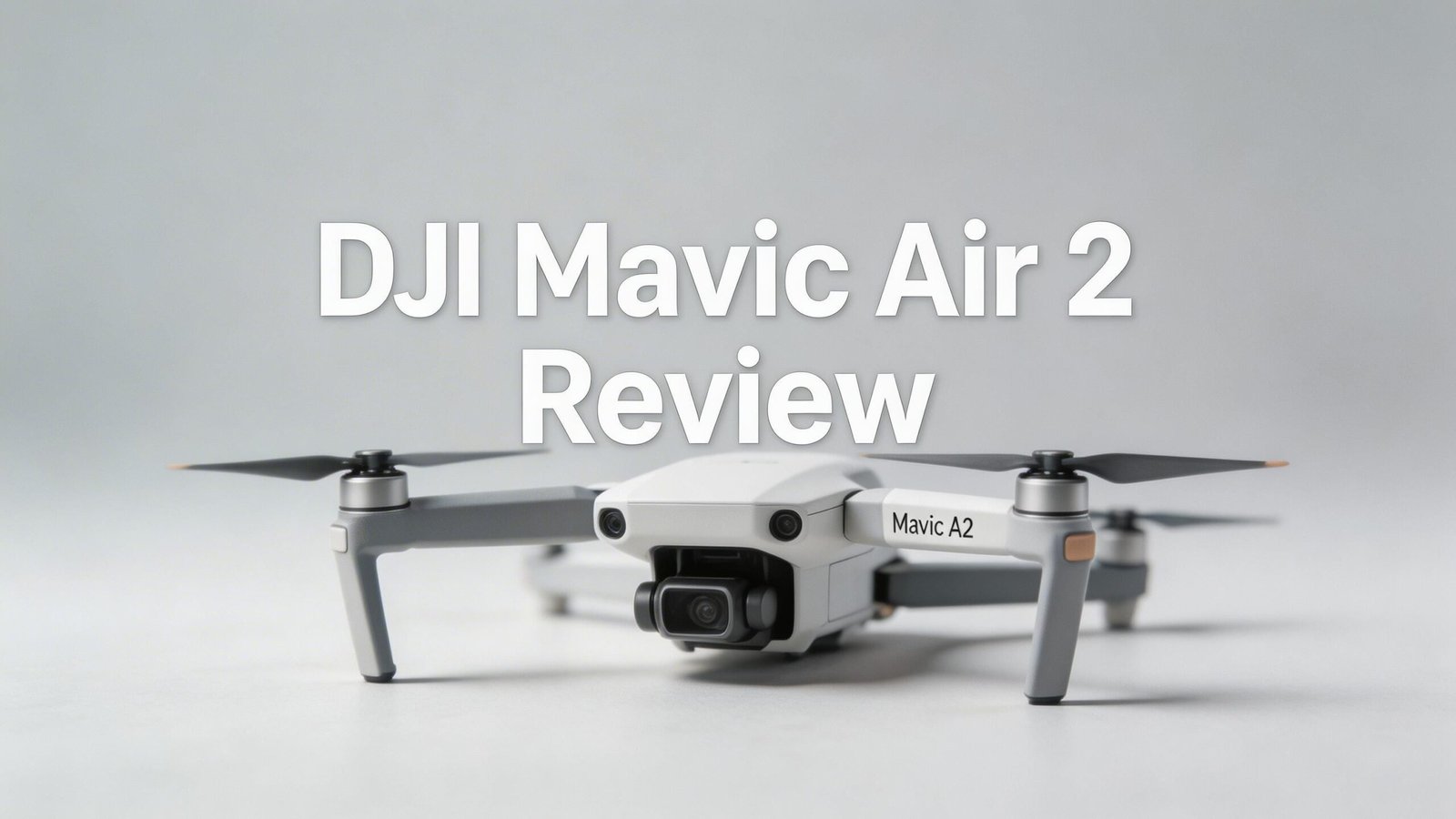
The Mavic Air 2 weighs 570 grams and measures 180 x 97 x 84 mm when folded. It fits easily inside a jacket pocket or small camera bag. The foldable design makes it one of the most portable drones in its class.
DJI used a matte gray finish on the body. The surface resists fingerprints and minor scratches. The propeller arms fold smoothly and lock securely. There is no wobble or loose movement in the joints, even after years of use.
The gimbal mount sits at the front and holds the camera on a 3-axis stabilization system. This design keeps footage smooth during windy conditions and fast movements. The rubber dampeners below the gimbal absorb vibrations from the motors.
On the back, you will find the battery compartment. The battery slides in and locks with a click. Two LED indicators on the battery show the remaining charge level. The bottom of the drone has downward vision sensors and an auxiliary light for low-altitude flights.
The remote controller connects via OcuSync 2.0. It holds your smartphone in a clamp at the top. The sticks are removable and store inside the controller body for easy transport.
Camera Performance and Image Quality
The Mavic Air 2 carries a 1/2-inch CMOS sensor that captures 48MP photos and 4K video at 60fps. This sensor was impressive in 2020. In 2026, it still performs well for hobbyists and social media creators.
Photos in daylight look sharp with good color accuracy. The 48MP mode captures fine details in landscapes, buildings, and nature shots. The HDR mode blends multiple exposures to produce balanced images with rich shadows and highlights. You can also shoot in RAW format for more editing flexibility.
Low-light photography is where the sensor shows its age. Images above ISO 800 start to show visible grain. Night shots are acceptable for casual use but fall behind newer drones with 1-inch sensors. If you primarily fly during golden hour or daylight, this camera will serve you very well.
Video quality is a strong point. The 4K/60fps mode produces smooth, detailed footage that looks great on large screens. The H.265 codec at 120 Mbps keeps compression artifacts low. Slow-motion fans can shoot 1080p at 240fps for dramatic effect.
Top 3 Alternatives for DJI Mavic Air 2


Battery Life and Flight Time
The Mavic Air 2 ships with a 3,500 mAh intelligent flight battery. DJI rates this battery at 34 minutes of maximum flight time. In real-world use, expect about 28 to 31 minutes depending on wind, temperature, and flight style.
That number holds up very well in 2026. Many current drones in the $300 to $500 range still average around 25 to 35 minutes. The Fly More Combo with three batteries gives you roughly 85 to 93 minutes of total airtime. That is enough for a full day of casual flying.
Charging takes about 80 to 90 minutes per battery using the included charger. The Fly More Combo’s charging hub charges all three batteries in sequence, which saves outlet space but does require patience. Each battery also features an auto-discharge function that drops the charge to a safe level after 10 days of inactivity.
Intelligent Flight Modes
DJI packed the Mavic Air 2 with several smart flight features. These modes help beginners capture professional-looking shots without manual piloting skills.
ActiveTrack 3.0 locks onto a moving subject and follows it automatically. The drone adjusts its position and speed to keep the subject centered in the frame. It works well with people, cars, bikes, and boats. The tracking accuracy holds up in most situations, though it can lose subjects behind obstacles.
FocusTrack combines three tools: ActiveTrack, Spotlight, and Point of Interest. Spotlight keeps the camera pointed at your subject while you fly freely. Point of Interest circles a fixed location at your chosen radius and speed. These three options cover most common tracking needs.
QuickShots offers six automated flight patterns: Dronie, Rocket, Circle, Helix, Boomerang, and Asteroid. Each one creates a cinematic clip in seconds. Asteroid is a crowd favorite because it starts close to the subject and pulls back into a tiny planet panorama.
Remote Controller and Transmission Range
The Mavic Air 2 comes with DJI’s dedicated remote controller. It features a clean layout with two control sticks, a shutter button, a record button, and a function dial. The ergonomic grip makes it comfortable to hold during long flights.
The controller connects to your smartphone via a USB cable. Your phone serves as the live view monitor through the DJI Fly app. The phone clamp at the top adjusts to fit most devices. You can also use the optional DJI Smart Controller for a built-in screen experience.
OcuSync 2.0 powers the video transmission system. It delivers a 1080p live feed at up to 10 km range in open areas. In practice, most users get reliable connectivity at 4 to 6 km with minimal interference. The system automatically switches between 2.4 GHz and 5.8 GHz frequencies for the best signal.
Latency stays low at around 120 to 130 ms. This means the live view on your phone stays close to real-time. You see what the drone sees with almost no delay. This is important for precise framing and obstacle avoidance during manual flights.
Obstacle Avoidance and Safety Features
The Mavic Air 2 has obstacle sensors in three directions: forward, backward, and downward. Forward and backward sensors detect objects up to 18 to 20 meters away. The downward sensors help with precision landing and low-altitude stability.
APAS 3.0 uses these sensors to reroute the drone around obstacles during normal flight. The system works best in forward and backward directions. It cannot detect objects on the sides or above the drone. This is the biggest limitation of the Mavic Air 2 compared to 2026 models that offer omnidirectional sensing.
DJI AirSense is another safety feature. It receives ADS-B signals from nearby manned aircraft and alerts you on the app screen. This adds an extra layer of awareness in areas with helicopter or airplane traffic. AirSense is available on models sold in specific regions.
DJI Fly App Experience
The DJI Fly app is your command center for the Mavic Air 2. It handles everything from live view and camera settings to flight planning and media editing. The app runs on both iOS and Android devices.
The interface is clean and easy to use. The main screen shows the live camera feed with a map overlay in the corner. Quick access buttons for camera modes, settings, and intelligent flight features line the edges of the screen. New users can learn the layout within a single flight session.
A built-in flight tutorial walks you through the basics. It covers takeoff, landing, basic maneuvers, and camera controls. DJI also offers a flight simulator inside the app so you can practice without risking the actual drone.
The media editor lets you trim video clips, adjust colors, add music, and export finished projects directly to social media. The editing tools are basic but functional. They work well for quick edits on the go. For advanced editing, you will still want to use a desktop application.
Portability and Travel-Friendliness
The Mavic Air 2 excels as a travel drone. Its folded size of 180 x 97 x 84 mm fits inside most camera bags, backpacks, and even large jacket pockets. The 570-gram weight adds minimal bulk to your travel gear.
The Fly More Combo’s shoulder bag holds everything you need. It fits the drone, three batteries, the controller, cables, ND filters, and spare propellers. The bag is compact enough to attach to a larger backpack or carry separately.
Airline travel with the Mavic Air 2 is straightforward. The batteries fall within the carry-on limits set by most airlines. You should always carry drone batteries in your cabin luggage, never in checked bags. Each battery at 3,500 mAh (40.42 Wh) stays well under the 100 Wh limit.
For hikers and outdoor adventurers, the Mavic Air 2 strikes a good balance between capability and weight. You get a high-quality 4K drone without carrying excessive gear. The setup and takeoff process takes under two minutes, so you can capture shots quickly at scenic viewpoints.
Travel photographers will appreciate the ND filter set included in the Fly More Combo. These filters (ND16, ND32, ND64) help control exposure during bright daylight shooting. They allow you to use slower shutter speeds for smooth, cinematic video.
Who Should Buy the DJI Mavic Air 2 in 2026?
This drone is a great fit for several types of buyers. Let’s break down who benefits most from this purchase.
Budget-conscious beginners will love the Mavic Air 2. The price has dropped well below its original $799 launch cost. You get professional-level features at a beginner-friendly price. The DJI Fly app and intelligent flight modes make learning easy and fun.
Content creators focused on social media will find the camera more than enough. The 4K/60fps video and 48MP photos look stunning on Instagram, YouTube, and TikTok. The QuickShots modes produce share-ready clips in seconds.
Travelers and hikers benefit from the compact size and long battery life. You can pack the Fly More Combo in a small bag and have nearly 90 minutes of flight time available. The foldable design takes up minimal space.
Real estate photographers on a budget can use the Mavic Air 2 for property tours and aerial shots. The camera quality is more than enough for listing photos and social media marketing. The Hyperlapse and panorama modes add creative options to your portfolio.
DJI Mavic Air 2 Fly More Combo: Is It Worth the Extra Cost?
The Fly More Combo adds two extra batteries, a charging hub, ND filters (ND16/32/64), and a shoulder bag to the standard package. This bundle costs more upfront but delivers significant long-term value.
Three batteries give you roughly 85 to 93 minutes of total flight time. That is enough for a full morning or afternoon session without needing a power source. For travelers and outdoor users, this extra airtime makes a big difference.
The ND filters alone would cost $30 to $50 if purchased separately. They are essential for shooting smooth video in bright sunlight. Without ND filters, you often end up with harsh, jittery footage because the shutter speed is too high.
The charging hub keeps your gear organized and simplifies the charging process. It charges one battery at a time in priority order and stores excess energy from partially used batteries into less-charged ones. The shoulder bag protects all your gear during transport.
If you plan to use the Mavic Air 2 more than a few times, the Fly More Combo is the smarter purchase. A single battery limits you to about 28 minutes of real-world flying. That is barely enough for one location. The combo gives you the freedom to explore and experiment without constantly watching the battery indicator.
Pros and Cons of the DJI Mavic Air 2 in 2026
What We Like:
The 48MP camera produces detailed photos and the 4K/60fps video still looks great on modern screens. Battery life at 34 minutes remains competitive. The compact, foldable design makes this an ideal travel companion. Intelligent flight modes like ActiveTrack 3.0, QuickShots, and Hyperlapse deliver impressive results with minimal effort. The price drop since launch makes it one of the best value drones available today. OcuSync 2.0 provides a strong, reliable connection.
What We Don’t Like:
Obstacle sensing only covers three directions. Side and top sensors are missing. Low-light camera performance shows noticeable grain above ISO 800. The 1/2-inch sensor is smaller than the 1-inch sensors found in newer competitors. No omnidirectional sensing means you must fly more carefully in tight spaces. DJI Fly app updates have slowed down. No internal storage means you must always carry a microSD card.
Final Verdict: Should You Buy the DJI Mavic Air 2 in 2026?
The DJI Mavic Air 2 remains a solid drone in 2026. It delivers great camera quality, long battery life, smart flight modes, and a portable design at a price that newer drones struggle to match. For hobbyists, travelers, and budget-minded creators, it still offers excellent value.
The main reasons to pass are the limited obstacle sensing and the smaller image sensor. If you fly in complex environments or need the best possible image quality, you should consider the DJI Air 2S, Air 3S, or Mini 4 Pro instead.
But if your priority is a reliable, affordable drone that shoots beautiful 4K footage and fits in a small bag, the Mavic Air 2 earns a strong recommendation. It proves that a well-built product can stay relevant long after its release date. For the current asking price, it is very hard to beat.
Frequently Asked Questions
Is the DJI Mavic Air 2 still good in 2026?
Yes. The Mavic Air 2 still delivers solid 4K/60fps video, 48MP photos, and 34-minute flight times. Its camera and flight performance hold up well for hobbyists and content creators. The biggest drawback compared to 2026 models is the limited three-direction obstacle sensing.
How far can the DJI Mavic Air 2 fly?
The OcuSync 2.0 system supports a maximum transmission range of 10 km in open, unobstructed areas. Real-world range typically falls between 4 and 6 km depending on interference, terrain, and local regulations. Always fly within visual line of sight as required by law.
Does the DJI Mavic Air 2 have obstacle avoidance?
The Mavic Air 2 has obstacle sensors in three directions: forward, backward, and downward. It uses APAS 3.0 to reroute around detected objects. It does not have side or upward sensors, so you need to watch for obstacles in those directions during flight.
Can the DJI Mavic Air 2 shoot in RAW format?
Yes. The Mavic Air 2 supports RAW (DNG) photo capture alongside JPEG. RAW files give you more flexibility during post-processing. You can adjust exposure, white balance, and color grading without losing image quality.
Is the Mavic Air 2 Fly More Combo worth buying?
The Fly More Combo adds two extra batteries, ND filters, a charging hub, and a shoulder bag. If you plan to fly regularly or take the drone on trips, the combo offers much better value than buying these accessories separately. Three batteries give you about 90 minutes of total flight time.
Does the DJI Mavic Air 2 require FAA registration?
Yes. The Mavic Air 2 weighs 570 grams, which is above the 250-gram threshold for FAA registration in the United States. You must register the drone and display your registration number on the aircraft before flying. Check your local regulations if you are outside the US.
What microSD card works best with the DJI Mavic Air 2?
DJI recommends a UHS-I Speed Grade 3 or higher microSD card for best performance. Cards with a capacity of 64GB to 256GB work well. Popular choices include the SanDisk Extreme and Samsung EVO Select. A fast card ensures smooth 4K video recording without dropped frames.