DJI Neo Mini Drone Review: A Comprehensive Guide
Are you tired of missing yourself in those epic vacation shots? Do you wish you could capture stunning aerial footage without spending hundreds of dollars on expensive equipment or learning complicated controls?
The DJI Neo might just be the answer to your prayers. This tiny powerhouse weighs less than a smartphone but packs features that were once reserved for professional drones costing thousands of dollars.
But here’s the real question: Can a $199 drone that fits in your palm really deliver the quality and performance you need? Stick around, because what I discovered about this mini marvel might surprise you.
Key Takeaways:
- Ultra-portable design: Weighing only 135 grams, the DJI Neo is lighter than most smartphones and doesn’t require FAA registration in the United States. You can carry it anywhere without hassle.
- Controller-free operation: This drone takes off and lands directly from your palm. No remote needed for basic flights, making it perfect for beginners and spontaneous adventures.
- 4K UHD camera with stabilization: Despite its tiny size, the Neo shoots 4K video at 30fps with single-axis gimbal stabilization, ensuring smooth and professional-looking footage.
- Multiple control options: Choose from palm control, voice commands, smartphone app, or traditional RC controller. The flexibility is unmatched in this price range.
- Budget-friendly pricing: Starting at just $199 for the drone only, it’s the most affordable DJI drone ever released. The Fly More Combo with extra batteries and accessories costs $349.
- Intelligent flight modes: Built-in QuickShots including Dronie, Circle, Rocket, Helix, Boomerang, and Asteroid make creating cinematic content effortless even for complete beginners.

DJI Neo: A Game Changer in Mini Drone Technology
The DJI Neo represents a significant shift in how we think about drones. Traditional drones require setup time, careful handling, and usually a dedicated controller. The Neo throws that rulebook out the window.
This mini drone is designed for the Instagram generation who want great content without the learning curve. With its palm takeoff feature, you simply place it on your hand, press the button, and watch it hover steadily while you frame your shot.
The built-in propeller guards mean you won’t accidentally injure yourself or damage the drone during takeoff and landing.
What makes this drone truly special is how DJI managed to pack serious technology into such a compact form. The Neo uses advanced visual positioning systems to maintain stability, even indoors where GPS signals don’t reach.
The single-axis gimbal stabilization works surprisingly well for such a small drone, producing footage that looks far more expensive than the $199 price tag suggests.
Unboxing and First Impressions: What’s Inside
When you open the DJI Neo box, you’ll find the drone comes with everything you need to start flying immediately. The package includes the Neo drone itself, one intelligent flight battery, a USB-C charging cable, propeller guards already installed, and a quick start guide.
The drone feels solid in your hand despite its light weight. The build quality is typical DJI excellence with no creaky plastic or loose parts.
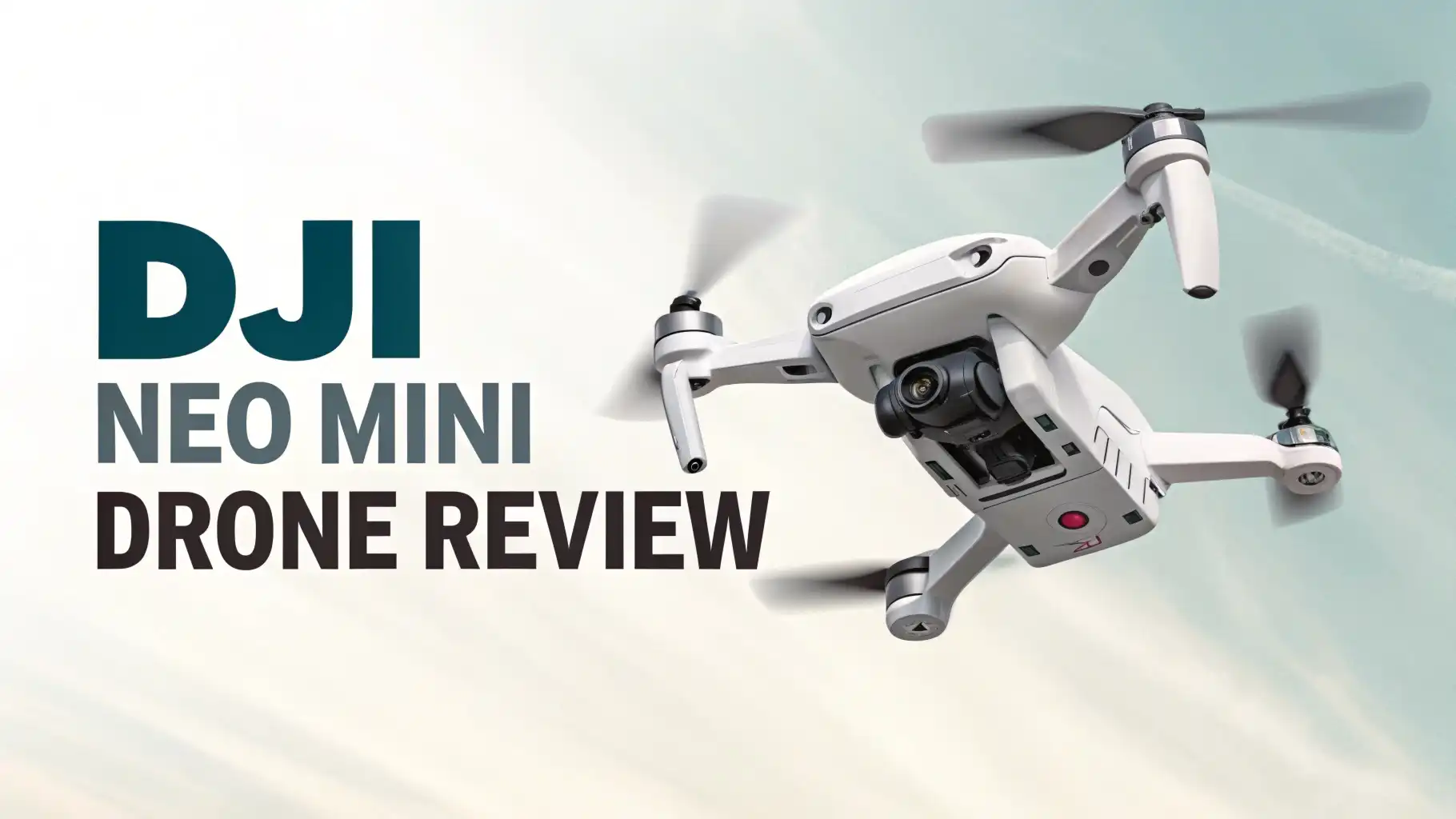
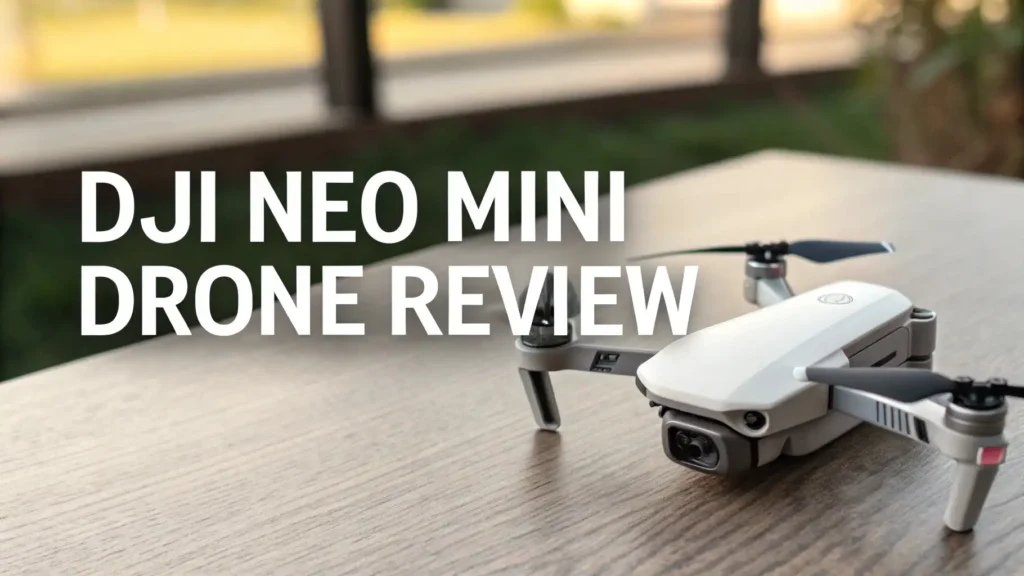
The Neo’s design is refreshingly simple. There’s a single button on top for mode switching and power, LED indicators on the front and rear, and the camera module protected by a clear cover.
The propeller guards aren’t removable on the base model, which adds safety but also means you can’t reduce weight for slightly longer flight times. The overall aesthetic is clean and modern, available in a sleek gray color that looks professional.
Camera Performance: 4K Video Quality You Can Actually Use

Let’s talk about what matters most: the camera. The DJI Neo features a 1/2-inch sensor capable of shooting 4K video at 30fps and capturing 12-megapixel still photos.
While these specs might not blow away professional photographers, they’re more than adequate for social media content and personal memories.
The single-axis gimbal stabilization works on the vertical axis, smoothing out most of the jitters you’d expect from such a small drone.
In good lighting conditions, the Neo produces crisp, colorful footage with decent dynamic range. Colors appear natural without oversaturation, and details remain sharp. The camera struggles somewhat in low light situations, which is expected given the small sensor size.
You’ll notice more noise and less detail in evening shots or shadowy areas. However, for daytime outdoor filming, the quality easily matches or exceeds what most people shoot on their smartphones.
One limitation to note: the camera doesn’t have a 3-axis gimbal like more expensive DJI drones, so you might notice some horizontal wobble in windy conditions.
The electronic image stabilization helps compensate, but it’s not perfect. Still, for $199, the video quality is genuinely impressive.
Flight Performance: Smooth, Stable, and Surprisingly Capable
The DJI Neo offers a maximum flight time of approximately 18 minutes on a single charge, though real-world usage typically yields about 12-15 minutes depending on wind conditions and flight mode.
That’s actually excellent for a drone this size. The Neo handles level 4 wind resistance, meaning it can maintain stable flight in breezes up to 8 m/s or about 18 mph. For casual recreational flying, this is perfectly adequate.
When controlled via smartphone, the Neo’s range is limited to about 30-50 meters due to Wi-Fi connectivity.
However, pair it with the optional RC-N3 controller, and you can extend that range significantly using DJI’s O4 transmission system. The drone can reach speeds up to 16 m/s in manual mode, which feels plenty fast for this size class.
The visual positioning system works remarkably well for maintaining hover stability, even indoors. I tested the Neo in various environments, and it consistently held position within centimeters.
The obstacle sensing is limited compared to larger DJI drones, so you’ll need to fly carefully, but the propeller guards provide good protection against minor bumps.
Top 3 Alternatives for DJI Neo


Palm Control and QuickShots: Flying Made Easy
The palm takeoff and landing feature is genuinely magical. Place the Neo on your flat palm, press the mode button, and it gently lifts off and hovers at eye level.
To land, simply hold your palm beneath it and it descends smoothly. This makes the Neo incredibly accessible for beginners who might be intimidated by traditional drone controls.
QuickShots are where the Neo really shines. These are pre-programmed flight patterns that capture cinematic footage automatically.
The available modes include Dronie (flying backward and upward), Circle (orbiting around you), Rocket (ascending straight up), Helix (spiraling upward), Boomerang (flying in an oval pattern), and Asteroid (capturing a spherical panorama). Each mode produces professional-looking results without requiring any piloting skill.
The Follow mode uses visual tracking to keep you in frame as you move. It works well on flat terrain with good lighting, though it can lose track if you move too quickly or into cluttered environments. Voice control supports basic commands in English and Chinese, adding another layer of hands-free convenience.
Battery Life and Charging: What to Expect

The DJI Neo includes one 1435mAh intelligent flight battery that provides about 17-18 minutes of maximum flight time with propeller guards attached, or about 18 minutes without guards.
In practical use with active recording and intelligent flight modes, expect 10-12 minutes per battery. The battery charges via USB-C in approximately 45-60 minutes depending on your power adapter.
For serious use, I strongly recommend the Three-Battery Combo or Fly More Combo, which includes three batteries, a charging hub, and carrying case. The charging hub can charge three batteries simultaneously in about 60 minutes with a 65W USB-C charger.
This gives you enough flight time for extended shooting sessions without constantly waiting for batteries to charge.
The intelligent battery management system protects against overcharging and provides accurate remaining time estimates. The batteries also have a self-discharge feature that automatically brings them to optimal storage voltage if left unused for several days, extending their overall lifespan.
Control Options: From Beginner to Advanced
One of the Neo’s strongest features is its multiple control methods:
Palm Control: Perfect for quick selfies and basic shots. No additional equipment required. Limited to pre-programmed flight modes but incredibly convenient.
Voice Control: Issue simple commands like “take off,” “land,” or activate QuickShots modes. Works well in quiet environments but can be unreliable in noisy settings.
Smartphone Control: The DJI Fly app provides more control options and real-time video preview. Range is limited to 30-50 meters via Wi-Fi, but it’s free and doesn’t require additional purchases.
RC Controller: Pair with the RC-N3 (sold separately for about $150 in the Fly More Combo) for maximum range and precision control. This unlocks manual flight modes and extends range to several kilometers.
FPV Goggles: For advanced users, the Neo is compatible with DJI FPV Goggles, turning it into an FPV racing drone.
Indoor and Outdoor Flying: Versatility at Its Best

The DJI Neo excels at indoor flying thanks to its downward-facing visual positioning sensors. Unlike GPS-dependent drones, the Neo maintains steady hover inside buildings, making it perfect for interior shots, party coverage, or exploring your home from a new perspective. The propeller guards provide peace of mind when navigating tight spaces.
For outdoor use, the Neo performs admirably in calm to moderate conditions. On windless days, it produces stable, smooth footage comparable to much larger drones. However, strong winds do affect the Neo more than heavier drones.
The level 4 wind resistance rating means it can handle typical breezes, but gusty conditions will challenge its stability and drain the battery faster.
The built-in 22GB of internal storage is a thoughtful addition, ensuring you never miss a shot because you forgot a memory card. You can transfer footage via USB-C or download directly through the DJI Fly app.
Build Quality and Durability: Tougher Than It Looks
Despite weighing only 135 grams, the DJI Neo feels surprisingly robust. The plastic construction uses high-quality materials that resist flex and creaking. The integrated propeller guards have saved my Neo multiple times from collisions with walls, branches, and even my own face during learning flights.
The propellers are easy to replace if damaged, and DJI sells spare parts at reasonable prices. The camera lens cover protects the sensor during transport, and the overall design shows DJI’s experience in making durable consumer drones.
I’ve seen reports of Neos surviving drops from significant heights and even brief water submersion, though these aren’t situations you should deliberately test.
The motor quality is excellent with smooth, consistent power delivery. After dozens of flights, I’ve noticed no degradation in performance or unusual noises. The battery compartment seals securely, and the USB-C port includes a protective cover.
Who Should Buy the DJI Neo?
The DJI Neo is ideal for several user groups:
Social media content creators who need quick, easy aerial shots for Instagram, TikTok, or YouTube without complicated setups.
Travel enthusiasts who want to capture their adventures from unique angles without carrying bulky equipment.
First-time drone users intimidated by traditional controllers who want to ease into aerial photography.
Family documentarians capturing kids’ sports, vacations, and special moments with cinematic flair.
Casual users who want drone capabilities without the investment or learning curve of prosumer models.
However, the Neo isn’t for everyone. Professional videographers need more manual control and better image quality. Racing enthusiasts will find it underpowered. Those living in consistently windy areas might struggle with its limited wind resistance.
Software and App Experience: User-Friendly Interface

The DJI Fly app is straightforward and intuitive. The interface presents essential information clearly without overwhelming new users. Real-time video preview quality is good over Wi-Fi, though there’s noticeable latency compared to using a proper controller with the O4 transmission system.
The app includes basic editing tools for trimming clips, adding music, and creating quick social media posts.
QuickShots automatically generate polished videos complete with music and transitions, perfect for sharing immediately. You can also access manual camera settings when using the app for control, adjusting exposure, white balance, and other parameters.
Firmware updates are handled through the app and typically install quickly. DJI has been good about releasing updates that improve performance and add features. The app also includes flight tutorials and safety guidelines to help new pilots learn best practices.
Pros and Cons: The Complete Picture
Advantages:
The incredibly affordable $199 starting price makes drone ownership accessible to everyone. Palm takeoff and landing eliminate the biggest barrier for beginners. The 4K camera quality exceeds expectations for this price point.
Multiple control options accommodate different skill levels and use cases. Intelligent flight modes produce professional results automatically. The compact size and light weight make it truly portable. Built-in propeller guards add safety and durability.
Disadvantages:
The limited range with smartphone control restricts creative possibilities. Battery life of 12-15 minutes requires buying extras for extended sessions. No obstacle avoidance means you must fly carefully to avoid crashes.
The single-axis gimbal doesn’t match 3-axis stability of premium drones. Wind resistance is adequate but not exceptional. Camera performance in low light shows the limits of the small sensor.
Is the DJI Neo Worth Your Money?
For $199, the DJI Neo delivers extraordinary value. It successfully democratizes aerial photography by removing technical barriers while maintaining respectable image quality. The palm control and QuickShots features mean anyone can capture impressive footage within minutes of opening the box.
However, understand its limitations. This isn’t a replacement for prosumer drones like the DJI Mini 4 Pro or Air 3.
It’s a specialized tool for casual aerial content creation, best suited for social media and personal memories. If you need professional-grade footage, extended range, or all-weather capability, you’ll need to spend more.
For its intended audience, travelers, content creators, and families wanting to add aerial perspectives to their memories, the DJI Neo is an excellent purchase. The combination of affordability, ease of use, and decent quality makes it a standout product in the budget drone category.
Frequently Asked Questions
Does the DJI Neo require FAA registration?
No, the DJI Neo weighs only 135 grams, which is below the 250-gram threshold requiring FAA registration in the United States. You can fly it recreationally without registration, though you still must follow standard drone regulations regarding altitude, airspace, and privacy.
How far can the DJI Neo fly from the controller?
When using smartphone control via Wi-Fi, the range is limited to approximately 30-50 meters. With the optional RC-N3 controller using the O4 transmission system, the theoretical range extends to several kilometers, though battery life becomes the limiting factor before you reach maximum distance.
Can I fly the DJI Neo indoors?
Yes, the DJI Neo is excellent for indoor flying. Its downward visual positioning sensors allow stable hovering without GPS, and the built-in propeller guards protect against collisions with walls and furniture. Just ensure you have adequate space and lighting for the visual sensors to work properly.
What video quality does the DJI Neo shoot?
The DJI Neo captures 4K UHD video at 30 frames per second and takes 12-megapixel still photos. The camera uses a 1/2-inch sensor with single-axis gimbal stabilization and electronic image stabilization for smooth footage.
How long does it take to charge the DJI Neo battery?
A single DJI Neo battery takes approximately 45-60 minutes to fully charge using a USB-C cable. The optional three-battery charging hub can charge three batteries simultaneously in about 60 minutes when paired with a 65W USB-C power adapter.
Can beginners fly the DJI Neo easily?
Absolutely. The DJI Neo is specifically designed for beginners. Palm takeoff and landing eliminate the need for controller skills, and QuickShots modes produce professional results automatically. The built-in propeller guards add safety, and the lightweight design minimizes damage risk from crashes. It’s one of the most beginner-friendly drones available.