Even G1 Smart Glasses Review: Really Worth The Hype?
Picture this. You walk into a meeting wearing glasses that look completely normal. Nobody notices anything different about them. But you have directions floating in front of your eyes.
You can translate conversations in real time. You can take notes without touching your phone. Welcome to the world of Even G1 smart glasses.
This review will show you everything these smart glasses can do. You will learn if they are worth your money. You will discover the best alternatives available on Amazon right now.
Key Takeaways:
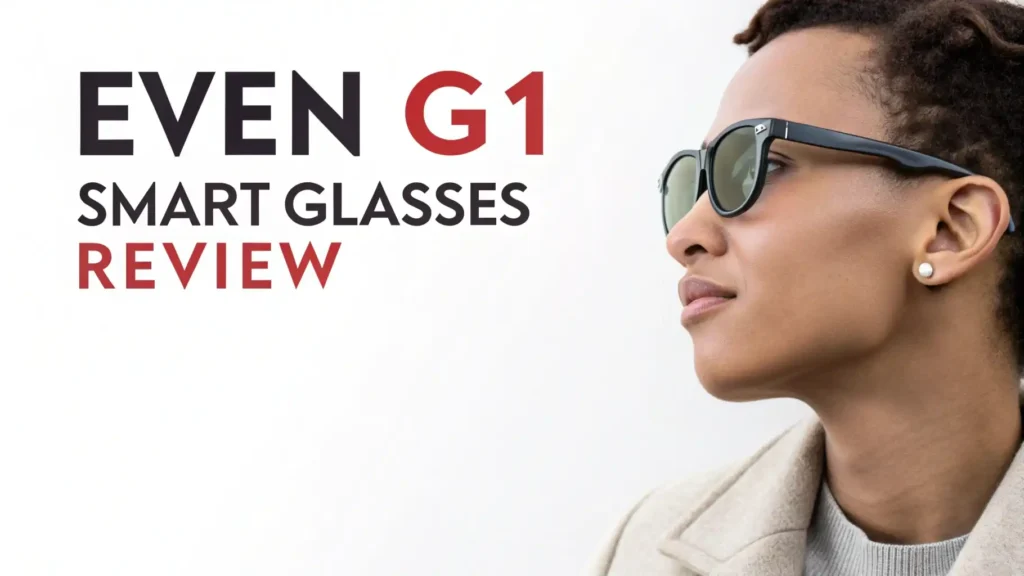
- Sleek Design That Turns Heads: The Even G1 glasses weigh almost nothing. You can wear them all day without feeling tired. They come in two frame styles (rectangular and oval). You can add prescription lenses for an extra cost. Nobody will know you are wearing smart glasses.
- Impressive Battery Performance: Each charge lasts up to 1.5 days with regular use. The charging case holds enough power for 2.5 additional charges. You can go several days without plugging into a wall outlet. The glasses charge fully in just 2 to 3 hours.
- Smart Features That Actually Work: Built in AI assistant powered by Perplexity. Real time translation for 13 languages. Turn by turn navigation without looking at your phone. Voice activated note taking that syncs to your calendar. Teleprompter mode for presentations and meetings.
- Display Quality Has Limits: Green monochrome OLED screens (not full color). Resolution of 640 x 200 pixels. Brightness reaches 1,000 nits for outdoor visibility. You cannot watch videos or play games. The display shows text, shapes, and basic information only.
- Price Point Consideration: Base model starts at $599. Adding prescription lenses costs an extra $129. The charging case and basic accessories come included. This puts them in the premium category for smart glasses.

Understanding Even G1 Smart Glasses Technology
The Even Realities company created something special with the G1 model. These glasses use Micro OLED displays built into each lens. The technology is called HAOS (Holistic Adaptive Optical System). This system projects information directly into your field of vision.
The displays do not cover your entire view. They sit in the upper portion of your vision. You can glance up to see information. You can look straight ahead to see the world normally. This design keeps you safe while walking or driving.
Each temple arm contains a battery, antenna, and control buttons. The right arm has a touch sensitive area for quick notes. The left arm has a button for activating the AI assistant. These controls feel natural after a few days of practice.
The glasses connect to your smartphone via Bluetooth. An app controls all the features and settings. The app works with both iPhone and Android devices. You can customize what information appears on your display.
Design and Comfort: Wearing Smart Glasses All Day Long
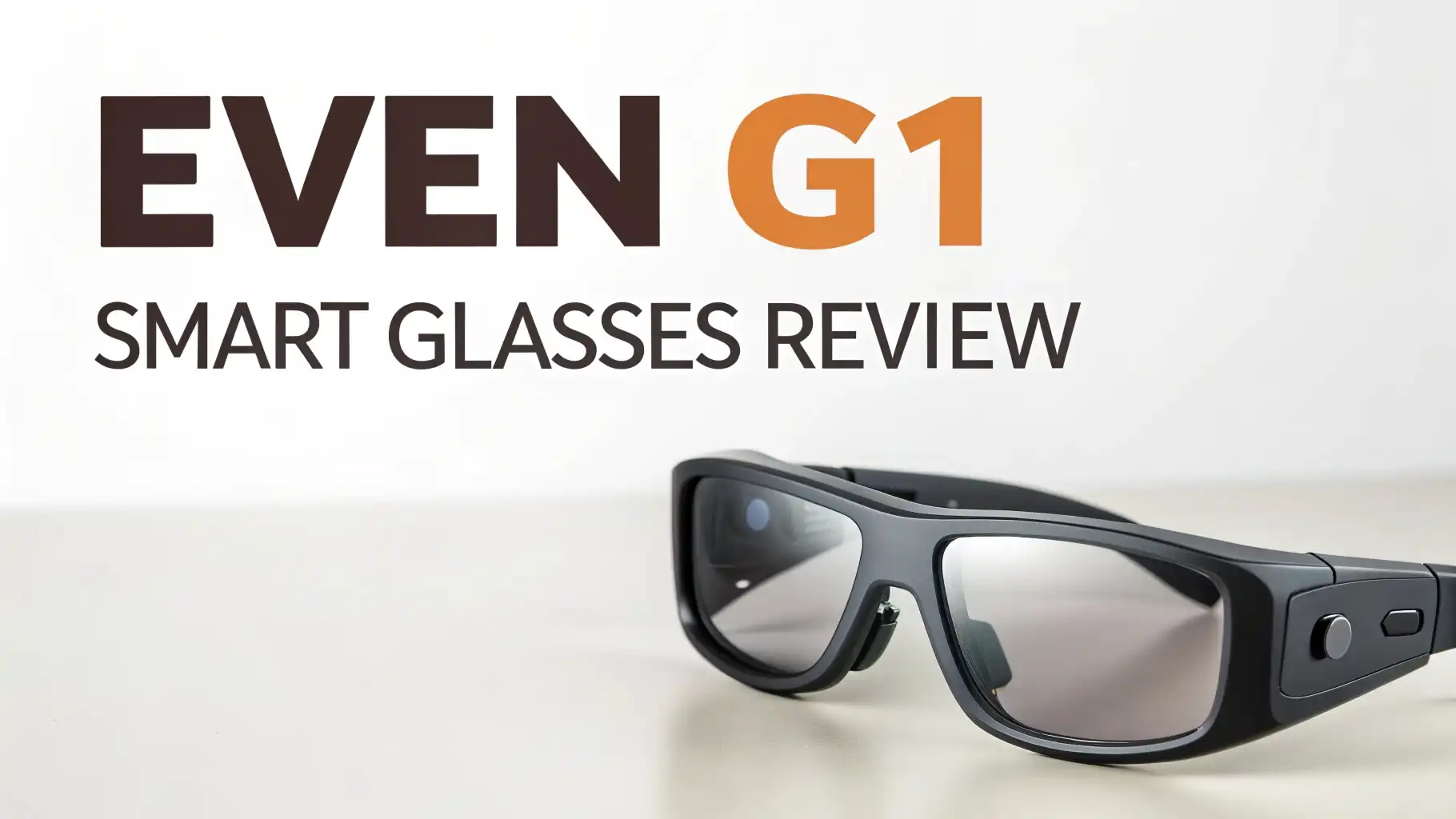
Even Realities worked with luxury eyewear designers to create these frames. The result is a pair of glasses you will actually want to wear. They use a screwless hinge design that reduces bulk. The frames balance perfectly on your face.
The weight distribution feels incredibly natural. You forget you are wearing smart glasses after the first hour. The nose pads adjust for different face shapes. The temple arms bend slightly for a custom fit.
You can choose between two frame styles. The Panto frame has a rounded, classic look. The rectangular frame offers a more modern appearance. Both styles come in multiple colors. You pick what matches your personal style.
The rubbery sections on the temple tips contain all the technology. These sections hide behind your ears and under your hair. Most people will not notice them during normal conversations. The glasses look like premium designer eyewear.
Display Quality: What You See Through Even G1 Lenses
The display technology sets Even G1 apart from regular glasses. Two Micro LED projectors create virtual screens in front of each eye. The screens show information in bright green text. The color choice helps with visibility and battery life.
You get a resolution of 640 by 200 pixels per eye. This resolution works perfectly for text and simple graphics. You can read messages clearly. Navigation arrows appear sharp and easy to follow. The refresh rate of 20Hz keeps everything smooth.
Brightness reaches 1,000 nits at maximum. This level of brightness works well even in direct sunlight. The glasses automatically adjust brightness based on ambient light. You never have to manually change settings while outdoors.
The field of view stays narrow and focused. This design choice prevents information overload. You see about four lines of text at once. Maps and navigation graphics fit comfortably in your vision. The narrow view helps you stay aware of your surroundings.
Top 3 Alternatives for Even G1 Smart Glasses


AI Assistant Features: Your Personal Helper in Glasses Form
The built in AI assistant runs on Perplexity technology. You activate it by pressing and holding the left control button. The glasses listen to your question through dual microphones. The answer appears on your display within seconds.
You can ask for quick facts during conversations. You can convert measurements on the fly. You can search for restaurant recommendations. The assistant handles all kinds of general knowledge questions. The responses are concise and easy to read.
Response time varies based on your internet connection. Sometimes answers appear almost instantly. Other times you might wait five to ten seconds. This delay can feel frustrating during time sensitive situations. Future software updates may improve response speeds.
The microphone quality impresses during voice commands. The glasses pick up your voice clearly even in noisy environments. You do not need to shout or speak unnaturally. Normal conversation volume works perfectly fine.
Quick Notes and Voice Recording Capabilities
The Quick Notes feature changes how you capture ideas. You pinch a small touch area on the right temple. The glasses start recording immediately. Your spoken words appear as text on the display.
The transcription accuracy rates very high for clear speech. The system understands different accents reasonably well. You might need to repeat complicated technical terms. Overall, the transcription works better than most smartphone voice to text.
The really clever part is calendar integration. If you say a date, time, or location, the AI adds it to your calendar automatically. You can say “meeting with John on Tuesday at 3 PM” and the event gets created. This feature saves tremendous time throughout your day.
All notes sync to the companion app on your phone. You can edit, organize, and share them later. The notes stay organized by date and time. You can search through your voice notes easily.
Translation Features for Global Communication

The translation feature supports 13 languages including Mandarin, Japanese, Korean, Spanish, and French. You select your source language and target language in the app. Then you activate translation mode.
When someone speaks in the selected language, the glasses listen and translate in real time. The translated text appears on your display. You can read what the person said in your preferred language. This works great for one on one conversations.
The system struggles with rapid fire conversations involving multiple people. It needs clear audio to translate accurately. Background noise can interfere with translation quality. The feature works best in quieter settings like restaurants or small meetings.
You cannot translate written text like menus or street signs. The glasses lack a camera for visual translation. This limitation means you still need your smartphone for reading foreign text.
Navigation and Directions Without Looking at Your Phone
Turn by turn navigation might be the most practical feature of the Even G1 glasses. You enter your destination in the smartphone app. The glasses show you directions in your display.
You see arrows pointing which way to turn. A small map shows your route overview. The display tells you how far until your next turn. All this information appears without looking down at your phone.
The navigation updates automatically as you move. GPS tracking stays accurate in urban areas. The system works for walking, biking, and driving. You can focus on your surroundings instead of your screen.
One concern involves display size during navigation. The map and directions can fill a large portion of your vision. This might distract you while driving in heavy traffic. Using the feature while walking feels much more comfortable and safe.
Teleprompter Mode for Professional Presentations

The teleprompter feature serves business professionals and content creators perfectly. You upload your script or presentation notes to the app. The text appears on your display during your presentation.
The system follows your speech automatically. As you speak, the glasses bold the words you are saying. This helps you track your place in the script. You never lose your spot when you pause or look at your audience.
You see about four lines of text at once. The text scrolls smoothly as you speak. The scrolling speed adjusts to match your speaking pace. This creates a natural reading experience.
Public speakers love this feature. YouTubers use it for recording videos. Business professionals use it for meetings and presentations. The glasses let you maintain eye contact while reading your script. Your audience never knows you are using a teleprompter.
Battery Life and Charging Experience
Battery performance exceeds expectations for such small glasses. The 160mAh battery in each temple provides up to 1.5 days of normal use. Normal use includes checking notifications, taking a few notes, and using navigation occasionally.
Heavy use of translation or AI assistant drains the battery faster. You might get closer to one full day with constant feature use. The battery indicator on your display keeps you informed about remaining power.
The charging case holds a 2,000mAh battery. This provides 2.5 full recharges for your glasses. You can go almost a week between charging the case itself. The case charges via USB C cable.
Placing the glasses in the case starts charging automatically. The glasses charge from empty to full in about two hours. A quick 30 minute charge provides several hours of use. The magnetic connection in the case holds the glasses securely.
Smartphone App and User Interface

The Even Realities app controls all features and settings. The interface looks clean and modern. All features are clearly labeled and easy to find. You can customize what information appears on your default display.
The home screen shows battery level, upcoming calendar events, and current time. You can enable or disable different notification types. Social media alerts, text messages, and phone calls can all appear on your display. You cannot respond to messages through the glasses though.
Settings let you adjust brightness, display timeout, and button functions. You can choose which AI assistant features stay active. The app updates regularly with bug fixes and new features. Even Realities actively develops new capabilities.
Pairing the glasses takes less than a minute. The Bluetooth connection stays stable throughout the day. The glasses automatically reconnect when you put them on. Battery status syncs between the glasses and app constantly.
Prescription Lens Options and Customization
Even G1 glasses support prescription lenses from the manufacturer. You provide your prescription information during ordering. Even Realities creates custom lenses that fit perfectly in the frames. This costs an additional $129 on top of the base price.
The prescription lenses maintain the same slim profile. You do not need clip on additions or special attachments. The smart technology works identically with prescription lenses. The display quality remains just as clear.
You can also take the frames to some opticians. They might be able to install prescription lenses locally. This depends on the optician’s equipment and willingness to work with smart glasses. Going through Even Realities guarantees perfect fit and function.
The lenses use standard lens materials. You can add coatings like anti glare or blue light filtering. UV protection comes standard in all lens options. The lenses clean easily with standard eyeglass cloths.
Real World Performance and Limitations

After extended testing, several patterns emerge. The Even G1 excels at subtle information delivery. Checking calendar events, reading notifications, and following navigation all work brilliantly. These glasses enhance daily activities without overwhelming you.
The monochrome display becomes a limitation for complex tasks. You cannot view photos, watch videos, or play games. The glasses serve as an information overlay, not a multimedia device. This focus keeps the design slim but restricts functionality.
AI assistant response times vary considerably. With strong internet, answers appear quickly. Weak connections create frustrating delays. The glasses need your smartphone nearby for most features. They cannot work independently.
The lack of speakers means no audio feedback. Everything communicates through visual display. This silence feels strange at first. You eventually adapt to reading everything. Built in speakers would add bulk and weight though.
Who Should Buy Even G1 Smart Glasses
These glasses suit specific user groups perfectly. Business professionals who attend many meetings benefit from teleprompter and note taking features. International travelers appreciate the translation capabilities. Urban commuters love the hands free navigation.
Tech enthusiasts who want the latest wearable technology will enjoy these glasses. People who value discreet design over flashy features make great candidates. Anyone tired of constantly checking their smartphone finds value here.
The glasses do not suit everyone. Gamers need different devices with full color displays. Movie watchers should look at video focused AR glasses. People on tight budgets might find the price too high. Those needing waterproof devices should wait for future models.
Comparing Even G1 to Ray-Ban Meta Smart Glasses
Ray-Ban Meta smart glasses offer different strengths. They include built in speakers and a camera. You can take photos and videos. You can listen to music. The audio experience surpasses Even G1.
However, Ray-Ban Meta glasses lack a display. You cannot see information in your vision. Everything happens through audio and your connected phone. The Even G1 trades multimedia capabilities for visual information display.
Ray-Ban Meta costs less at the entry level. Even G1 costs more but provides the unique display technology. Your choice depends on priorities. Want to capture moments and enjoy audio? Choose Ray-Ban Meta. Want visual information overlay? Choose Even G1.
How Do Even G1 Smart Glasses Compare to Budget Alternatives on Amazon
Several budget smart glasses on Amazon cost less than $100. These typically offer Bluetooth audio and sometimes basic cameras. They lack the sophisticated display technology of Even G1. The build quality usually feels cheaper.
Budget options work fine for listening to music while looking stylish. They serve as decent Bluetooth headphones in glasses form. They cannot match the AI features or display capabilities of premium glasses.
The Even G1 represents a different product category. It competes with high end wearable technology rather than audio glasses. The price reflects advanced display technology and software development. You pay for features that budget glasses simply cannot provide.
Frequently Asked Questions
How long does the Even G1 battery last on a single charge?
The Even G1 smart glasses battery lasts approximately 1.5 days with normal use. Normal use includes checking notifications periodically, using navigation occasionally, and taking voice notes. Heavy use of features like translation and AI assistant can reduce battery life to about one full day. The included charging case provides 2.5 additional full charges, extending total usage to nearly a week between charging the case.
Can I get prescription lenses for Even G1 smart glasses?
Yes, Even Realities offers prescription lens options for the G1 smart glasses. You provide your prescription information when ordering, and they create custom lenses that fit perfectly in the frames. This service costs an additional $129 on top of the base price of $599. The prescription lenses maintain the slim profile and all smart features work identically with custom lenses installed.
What languages does the Even G1 translation feature support?
The Even G1 translation feature supports 13 languages including English, Spanish, French, German, Italian, Portuguese, Mandarin Chinese, Japanese, Korean, and several others. You select your source language and target language in the smartphone app. The glasses then listen to speech in the selected language and display translated text in real time on your display. The feature works best in one on one conversations in relatively quiet environments.
Do Even G1 smart glasses work with both iPhone and Android?
Yes, Even G1 smart glasses work with both iPhone and Android smartphones. The Even Realities app is available for both iOS and Android operating systems. The glasses connect via Bluetooth to your smartphone and require the app for initial setup and accessing most features. All features work equally well regardless of which smartphone platform you use.
Can you watch videos or movies on Even G1 smart glasses?
No, you cannot watch videos or movies on Even G1 smart glasses. The displays use monochrome green Micro LED technology with a resolution of 640 x 200 pixels. These displays are designed specifically for showing text, simple graphics, navigation arrows, and basic shapes. The glasses focus on providing information overlay rather than multimedia entertainment. For video watching, you would need different AR glasses designed for that purpose.
What makes Even G1 different from regular Bluetooth audio smart glasses?
Even G1 smart glasses differ significantly from regular Bluetooth audio glasses. The key difference is the built in Micro LED displays that project information into your field of vision. Regular audio glasses only provide speakers for listening to music or calls. Even G1 offers AI assistant capabilities, real time translation, navigation with visual directions, voice note transcription, and teleprompter features. However, Even G1 lacks built in speakers, while audio focused smart glasses typically do not have displays.
How visible are the smart features to other people when you wear Even G1?
The smart features of Even G1 remain almost completely invisible to other people. The glasses look like standard designer eyewear from the outside. The Micro LED displays only project images toward your eyes, so others cannot see what appears on your screen. The only slightly noticeable elements are the small rubbery sections on the temple tips that contain the batteries and controls. These sections hide behind your ears and under your hair, making the glasses appear like normal prescription or fashion glasses to observers.