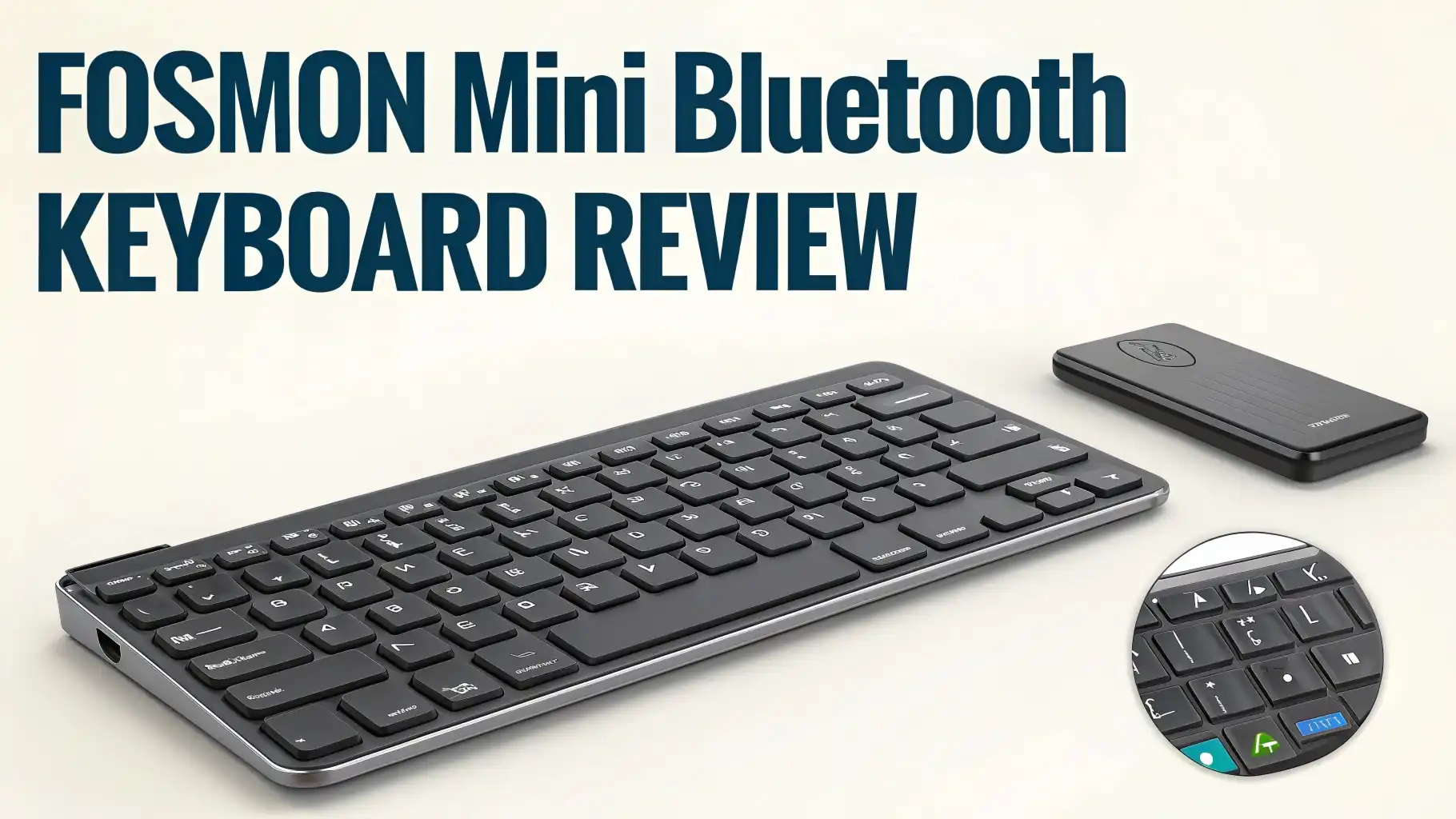
Fosmon Mini Bluetooth Keyboard Review: An Honest Deep Dive
Are you tired of fumbling with your TV remote trying to type in search queries? Do you wish you had a compact solution for controlling your gaming console or streaming device?
The Fosmon Mini Bluetooth Keyboard might just be the answer you’ve been looking for. This tiny powerhouse has captured the attention of thousands of users who need a portable, versatile keyboard that doesn’t compromise on functionality.
Imagine having a full QWERTY keyboard, touchpad, and media controls all in the palm of your hand.
Key Takeaways:
- Exceptional Battery Life: This keyboard comes with a built-in rechargeable lithium-ion battery that delivers up to 10 days of continuous working time and an impressive 50 days of standby time. You won’t have to worry about constantly recharging this device.
- Versatile Connectivity: With Bluetooth 3.0 technology, you can connect this keyboard to virtually any device including smartphones, tablets, smart TVs, gaming consoles, and computers. The wireless range extends up to 33 feet, giving you plenty of freedom to control your devices from across the room.
- Built-in Touchpad for Easy Navigation: The integrated touchpad eliminates the need for a separate mouse, making this a true all-in-one solution. You can scroll, click, and navigate just like you would on a laptop.
- Backlit Keys for Dark Environments: The convenient backlight feature means you can type comfortably even when watching movies in a darkened room. No more squinting at keys or turning on the lights.
- Ultra-Portable Design: Weighing just a few ounces and measuring small enough to fit in your bag or even a large pocket, this keyboard is perfect for travel, couch computing, or minimalist setups.
- Wide Device Compatibility: Works seamlessly with Apple TV, Amazon Fire Stick, PS4, PS4 Pro, PS5, HTPC/IPTV systems, VR glasses, and various smartphones across iOS, Android, and Windows platforms.

Fosmon Mini Bluetooth Keyboard: The Complete Package
The Fosmon Mini Bluetooth Keyboard represents a clever marriage of portability and functionality. At first glance, you might wonder how such a small device can replace your full-sized keyboard, but don’t let the compact size fool you. This keyboard packs an impressive array of features into its lightweight frame.
The QWERTY layout ensures you can type naturally without having to learn a new key arrangement. Each key is responsive and provides adequate tactile feedback for accurate typing.
While the smaller keys do require a brief adjustment period, most users report becoming comfortable within a few hours of use. The keyboard measures approximately 6 inches in length, making it incredibly portable while still maintaining usable key spacing.
The device connects via Bluetooth 3.0, which provides a stable connection with minimal lag. The 33-foot wireless range means you can control your TV, gaming console, or computer from the comfort of your couch without worrying about signal dropouts.
Battery Life That Actually Lasts
One of the standout features of the Fosmon Mini Bluetooth Keyboard is its exceptional battery performance.
The built-in rechargeable lithium-ion battery delivers real-world performance that matches the manufacturer’s claims. Users consistently report getting 10 days of continuous use on a single charge, which translates to several weeks of typical usage for most people.
The 50-day standby time means you can leave the keyboard unused for over a month and still pick it up with enough charge to use immediately.
This is perfect for those who only need a keyboard occasionally for their streaming device or gaming console. The included USB charging cable makes it easy to top up the battery, and a full charge typically takes just two to three hours.
The keyboard also features intelligent power management that automatically puts the device into sleep mode after a period of inactivity. A simple tap on any key instantly wakes it up, so you’re never waiting for the keyboard to reconnect.
Touchpad Integration: Mouse Freedom
The integrated touchpad is where the Fosmon Mini Bluetooth Keyboard truly shines. Located centrally on the device, the touchpad provides smooth cursor control that feels natural and responsive. You can perform all standard mouse functions including left-click, right-click, and scrolling gestures.
The touchpad supports multi-finger gestures on compatible devices, allowing you to zoom, scroll, and navigate with ease.
The sensitivity is adjustable, so you can customize the tracking speed to match your preferences. Some users prefer faster cursor movement for quickly navigating across large TV screens, while others opt for slower, more precise control.
The left and right mouse buttons are positioned just above the touchpad, making them easy to reach without looking down. The buttons provide satisfying tactile feedback with each click, so you always know when you’ve registered an input.
Backlit Keys for Every Environment
The backlight feature is more than just a cosmetic addition. When you’re using your keyboard in a dimly lit room, perhaps watching a movie or playing a game, the backlight becomes essential.
The Fosmon keyboard features white LED backlighting that illuminates all keys evenly without being overly bright or distracting.
You can toggle the backlight on or off with a simple function key combination, allowing you to conserve battery when you don’t need it. The backlight intensity is well-calibrated to provide visibility without causing glare or washing out your TV screen.
The LEDs are positioned to illuminate the key legends clearly, making it easy to see what you’re typing even in complete darkness.
Top 3 Alternatives for Fosmon Mini Bluetooth Keyboard


Perfect Device Compatibility
The Fosmon Mini Bluetooth Keyboard truly excels in its wide-ranging compatibility. This universal keyboard works with virtually every major platform and device type. For Apple TV users, this keyboard transforms the typing experience from painful to pleasant. Entering search terms, passwords, and URLs becomes quick and effortless.
Amazon Fire Stick and Fire TV users will find this keyboard invaluable. Navigating apps, searching for content, and entering login credentials no longer requires tedious on-screen keyboard navigation. The touchpad makes browsing streaming services feel more like using a computer than a TV remote.
Gaming console compatibility extends across PS4, PS4 Pro, and PS5. Gamers appreciate the keyboard for sending messages, entering codes, and navigating the PlayStation store. The compact size means it fits perfectly on a lap or gaming table without getting in the way of your controller.
The keyboard also works excellently with HTPC/IPTV setups, providing full computer control from your couch. VR glasses users report that the compact size and Bluetooth connectivity make it perfect for typing in virtual environments. The keyboard pairs seamlessly with smartphones and tablets across iOS, Android, and Windows platforms, essentially giving your mobile device laptop-like functionality.
Real World Performance and Typing Experience
The typing experience on the Fosmon Mini Bluetooth Keyboard is surprisingly good considering its compact size.
The keys offer decent travel distance and tactile feedback, though they are naturally smaller than standard keyboard keys. Touch typists will need a brief adjustment period, but most users report becoming proficient within a few days.
The key layout follows standard QWERTY conventions, so you won’t waste time searching for common keys. Special function keys provide quick access to media controls, volume adjustment, and other frequently used commands. The keyboard includes dedicated keys for Android and iOS functions, making it truly cross-platform compatible.
Input lag is minimal thanks to the Bluetooth 3.0 connection. Text appears on screen virtually instantly as you type, making the experience feel responsive and natural. The keyboard maintains a stable connection even when you’re 30 feet away from the paired device, which is impressive for a device in this price range.
Build Quality and Durability
The Fosmon Mini Bluetooth Keyboard features a solid plastic construction that feels durable without adding unnecessary weight. The matte finish resists fingerprints and provides a comfortable grip. The device doesn’t feel cheap or flimsy, which is sometimes a concern with miniature peripherals.
The keys are well-secured and show minimal wobble or flex during typing. After months of regular use, owners report that the keys maintain their responsiveness without developing mushiness or sticking. The touchpad surface is smooth and responsive, with no dead zones or tracking issues reported by most users.
The USB charging port is positioned on the side of the keyboard for easy access. The port feels secure and shows no signs of loosening even after many charge cycles. The keyboard comes with a USB charging cable, though it uses a standard micro-USB connection, so you can use any compatible cable if needed.
One minor concern some users mention is that the keys can collect dust and debris between them over time. Regular cleaning with compressed air helps maintain optimal performance and appearance. Overall, the build quality exceeds expectations for a keyboard in this price range.
Setup Process and Pairing
Getting started with the Fosmon Mini Bluetooth Keyboard is refreshingly simple. The pairing process takes just a few seconds for most devices. First, you turn on the keyboard using the power switch. The Bluetooth indicator light illuminates for approximately five seconds to confirm the device is powered on.
Press the dedicated connect button, and the Bluetooth indicator begins blinking, signaling that the keyboard is in pairing mode. On your device, open Bluetooth settings and scan for available devices. The Fosmon keyboard appears in the list as an available device. Select it, and the connection establishes within seconds.
Some devices may require you to enter a pairing code displayed on screen. Simply type the code on the keyboard and press enter to complete the pairing. Once paired, the keyboard automatically reconnects to the last used device whenever you turn it on, eliminating the need to re-pair each time.
The keyboard can remember multiple paired devices, allowing you to quickly switch between your TV, tablet, and smartphone without going through the pairing process repeatedly. This multi-device capability makes it perfect for households with multiple smart devices.
Value for Money Analysis
At approximately $29.99, the Fosmon Mini Bluetooth Keyboard represents excellent value for money. When you consider that it replaces both a keyboard and mouse while offering extensive device compatibility, the price becomes even more attractive. Comparable keyboards often cost $40 to $60 or more, especially those with backlighting and touchpad integration.
The rechargeable battery design saves money over time compared to keyboards that require frequent battery replacements. The durable construction means you won’t need to replace the keyboard every few months like some budget alternatives. Users consistently report that their Fosmon keyboards continue working perfectly after a year or more of regular use.
The versatility of being able to use one keyboard across multiple devices also provides value. Rather than buying separate keyboards for your TV, tablet, and gaming console, this single device handles all those needs. The compact size means it takes up minimal storage space when not in use.
When compared to official manufacturer keyboards like Apple’s Magic Keyboard or gaming console wireless keyboards, the Fosmon offers similar functionality at a fraction of the cost. While it may not have the premium materials or brand recognition, it delivers the essential features most users actually need.
Ideal Use Cases and Applications
The Fosmon Mini Bluetooth Keyboard excels in several specific scenarios. Home theater enthusiasts find it perfect for controlling HTPC setups and smart TV interfaces. The ability to type search queries, enter URLs, and navigate streaming apps from the comfort of your couch transforms the TV viewing experience.
Travelers appreciate the ultra-portable design that fits easily in a laptop bag or backpack. Pair it with a tablet or smartphone, and you have a surprisingly capable mobile computing setup. The long battery life means you don’t need to pack a charger for short trips.
College students use it as a secondary keyboard for dorm room entertainment setups. It’s perfect for controlling a TV or monitor connected to a laptop while lounging in bed or on a couch. The affordable price makes it accessible for students on tight budgets.
VR users have discovered that this keyboard works excellently within virtual environments. Its small size and wireless connection make it easy to use while wearing a headset. You can type URLs, send messages, and navigate menus without removing your VR headset.
Raspberry Pi and maker projects benefit from this keyboard’s compact size and Bluetooth connectivity. It’s perfect for controlling headless systems or embedded projects where a full-sized keyboard would be impractical.
Limitations and Considerations
While the Fosmon Mini Bluetooth Keyboard offers excellent value, it does have some limitations worth noting. The compact size means the keys are smaller than standard keyboards, which can make touch typing more challenging initially. People with larger hands may find extended typing sessions less comfortable than using a full-sized keyboard.
The touchpad sensitivity requires some adjustment for optimal performance. Some users report needing to tweak the sensitivity settings on their device to get cursor movement that feels natural. The touchpad is smaller than laptop touchpads, which can take some getting used to.
Gaming performance may not meet the needs of competitive gamers who require ultra-low latency and dedicated gaming features. While the keyboard works fine for casual gaming and navigating game menus, serious gamers might prefer a dedicated gaming keyboard.
The backlight is white only, which some users find less appealing than RGB backlighting options available on competing keyboards. If you want colorful lighting effects, you’ll need to look at alternatives like the Rii X8 model.
Bluetooth 3.0 is slightly older technology compared to Bluetooth 5.0 found in newer devices. However, this rarely causes practical issues, and the connection remains stable and reliable for most users.
Maintenance and Care Tips
Keeping your Fosmon Mini Bluetooth Keyboard in top condition requires minimal effort. Regularly wipe the surface with a slightly damp microfiber cloth to remove oils and dirt. Avoid using harsh chemicals or excessive moisture that could damage the internal electronics.
Use compressed air to blow out dust and debris from between the keys. This prevents buildup that can affect key responsiveness over time. Hold the keyboard at an angle while using compressed air to ensure debris falls away rather than being pushed deeper into the mechanism.
Store the keyboard in a protective case or pouch when traveling to prevent scratches and damage. Keep it away from extreme temperatures and direct sunlight, which can degrade the plastic and affect battery performance.
Charge the battery regularly even if you don’t use the keyboard frequently. Allowing lithium-ion batteries to completely discharge for extended periods can reduce their overall lifespan. A quick charge every few weeks keeps the battery healthy and ready for use.
Customer Reviews and User Experiences
With over 13,000 customer reviews on Amazon and a 4.0-star rating, the Fosmon Mini Bluetooth Keyboard has established a solid reputation. Users consistently praise the exceptional battery life, with many reporting that the 10-day continuous use claim is accurate or even conservative. The convenience of not constantly recharging the device is a frequently mentioned benefit.
The backlight functionality receives overwhelmingly positive feedback. Users love being able to type in dark rooms without fumbling for keys. Movie watchers and late-night gamers particularly appreciate this feature.
Portability is another consistently praised aspect. Many reviewers mention taking the keyboard on trips, using it in coffee shops with tablets, or keeping it in their living room for quick TV control. The compact size makes it easy to store when not in use.
Some critical reviews mention the learning curve associated with the smaller keys. Several users note that it takes a few days to adjust to the compact layout, especially if you’re accustomed to full-sized keyboards. However, most reviewers say the adjustment period is worth it for the portability benefits.
A few users report occasional connectivity issues, though these appear to be relatively rare. Most connectivity problems can be resolved by re-pairing the device or ensuring there are no obstacles blocking the Bluetooth signal.
Frequently Asked Questions
How do I pair the Fosmon Mini Bluetooth Keyboard with my device?
Pairing is simple and takes just a few seconds. Turn on the keyboard using the power switch, then press the connect button located on the back. The Bluetooth indicator will start blinking, signaling pairing mode. Open Bluetooth settings on your device, scan for new devices, and select the Fosmon keyboard from the list. Some devices may require you to enter a pairing code that appears on screen. Type the code on the keyboard and press enter to complete pairing.
How long does the battery last on a full charge?
The built-in rechargeable lithium-ion battery provides up to 10 days of continuous working time and up to 50 days of standby time on a full charge. Real-world battery life varies depending on how frequently you use the backlight feature and how often you use the keyboard. Most users report getting at least a week of regular use between charges.
Can I use this keyboard with my smart TV?
Yes, the Fosmon Mini Bluetooth Keyboard works excellently with most smart TVs that support Bluetooth connectivity. It’s compatible with Android TV, Amazon Fire Stick, Apple TV, Roku devices, and many built-in smart TV platforms. The keyboard makes entering search queries, URLs, and login credentials much easier than using an on-screen keyboard with your TV remote.
Does the touchpad work like a laptop touchpad?
The integrated touchpad functions similarly to a laptop touchpad and supports standard mouse functions including left-click, right-click, and scrolling. You can adjust the sensitivity in your device’s settings to customize cursor speed. While it may not be quite as large or responsive as premium laptop touchpads, it works well for navigation and eliminates the need for a separate mouse.
Is the keyboard compatible with gaming consoles?
Yes, the Fosmon Mini Bluetooth Keyboard is compatible with PS4, PS4 Pro, and PS5 gaming consoles. It’s perfect for sending messages, entering codes, navigating the PlayStation store, and browsing the web on your console. However, it’s designed primarily for navigation and typing rather than intense gaming, so competitive gamers might prefer a dedicated gaming keyboard.
Can I connect the keyboard to multiple devices?
The keyboard can remember multiple paired devices, allowing you to switch between devices without needing to re-pair each time. However, it can only actively connect to one device at a time. To switch devices, you typically need to disconnect from the current device and connect to the new one through that device’s Bluetooth settings.
How do I turn the backlight on or off?
The backlight can be toggled on or off using a function key combination. Press and hold the “Fn” key and then press the designated backlight key to turn the illumination on or off. This allows you to conserve battery when you don’t need the backlight and enables it when typing in dark environments.