Meta Quest 2 VR Headset Review 2026: Is This Worth Your Money?
Virtual reality has changed how we play games, watch movies, and explore digital worlds. The Meta Quest 2 remains a popular choice for people who want to experience VR without spending a fortune.
This headset brings advanced technology to your living room without needing expensive computers or complicated setup processes.
Many people wonder if the Meta Quest 2 is still a good purchase in 2026. The answer depends on what you need from a VR headset.

Key Takeaways
- Standalone Operation: The Meta Quest 2 works without connecting to a computer or phone. You just charge it, turn it on, and start playing. This independence makes setup incredibly simple compared to other VR headsets.
- Sharp Display Quality: The headset features 1832 x 1920 pixels per eye resolution on fast switch LCD screens. This provides clear, detailed images that make virtual worlds feel real and immersive.
- Impressive Refresh Rate: The device supports refresh rates up to 120Hz, which creates smooth motion during gameplay. Higher refresh rates reduce motion sickness and make fast paced games feel more natural.
- Two Storage Options: You can choose between 128GB or 256GB models. The 128GB version works well for most users, while the 256GB option suits people who download many large games.
- Affordable Price Point: The Meta Quest 2 costs significantly less than premium VR headsets. You get quality VR experiences without the premium price tag that comes with newer models.
- Extensive Game Library: Access to thousands of VR games and experiences through the Meta store. Popular titles include Beat Saber, Resident Evil 4 VR, and Superhot VR.

What Is The Meta Quest 2
The Meta Quest 2 is an all in one virtual reality headset from Meta, formerly known as Facebook. This device represents the second generation of the Quest line. The headset packs all necessary components inside its compact design. You do not need external sensors, a gaming PC, or a smartphone to use it.
The device creates immersive 3D environments that surround you completely. When you put on the headset, you enter virtual worlds that respond to your movements. The built in cameras track your position in real space. This tracking system lets you walk around safely while staying inside your play area.
Meta designed this headset for both casual users and serious gamers. The device runs on a Qualcomm Snapdragon XR2 processor with 6GB of RAM. This hardware delivers smooth performance across most VR applications. The headset weighs approximately 503 grams, making it light enough for extended gaming sessions.
Display And Visual Quality
The Meta Quest 2 uses fast switch LCD technology for its displays. Each eye sees 1832 x 1920 pixels, which adds up to nearly 4 million pixels total. This resolution creates sharp images where you can read text clearly and see fine details in virtual environments.
The LCD panels support multiple refresh rates. You can run the display at 60Hz, 72Hz, 90Hz, or 120Hz. Most modern games run at 90Hz or 120Hz, which produces fluid motion and reduces the screen door effect. Higher refresh rates also help minimize motion sickness for sensitive users.
The field of view measures approximately 90 degrees. This viewing angle provides good peripheral vision without feeling restrictive. The lenses are adjustable to accommodate different eye distances. You can set the IPD (interpupillary distance) to 58mm, 63mm, or 68mm positions.
Colors appear vibrant and contrast levels work well for gaming. The LCD technology sacrifices some black levels compared to OLED screens. However, the improved clarity and reduced screen door effect make this trade off worthwhile for most content.
Audio System And Sound Quality
The Meta Quest 2 includes built in spatial audio speakers. These speakers sit near your ears without touching them. The open design lets you hear sounds from the virtual world while remaining aware of your real surroundings. This feature proves useful when someone needs to get your attention.
The 3D positional audio system tracks sound sources in virtual space. You can hear footsteps approaching from behind or helicopters flying overhead. This directional audio adds another layer of immersion to games and movies. The effect works particularly well in horror games and action titles.
Sound quality from the built in speakers works adequately for casual use. The speakers produce clear dialogue and decent midrange frequencies. However, bass response remains limited due to the small speaker size. The volume can reach loud levels without significant distortion.
For better audio quality, you can connect headphones using the 3.5mm jack on the left side of the headset. Many users prefer this option for competitive gaming or when watching movies. The jack supports most standard headphones and earbuds without compatibility issues.
Top 3 Alternatives For Meta Quest 2


Comfort And Design Features
The Meta Quest 2 comes with a basic cloth head strap in the box. This strap uses velcro adjustments to fit different head sizes. The design keeps costs down but sacrifices some comfort during long sessions. Many users report the standard strap puts pressure on the front of their face.
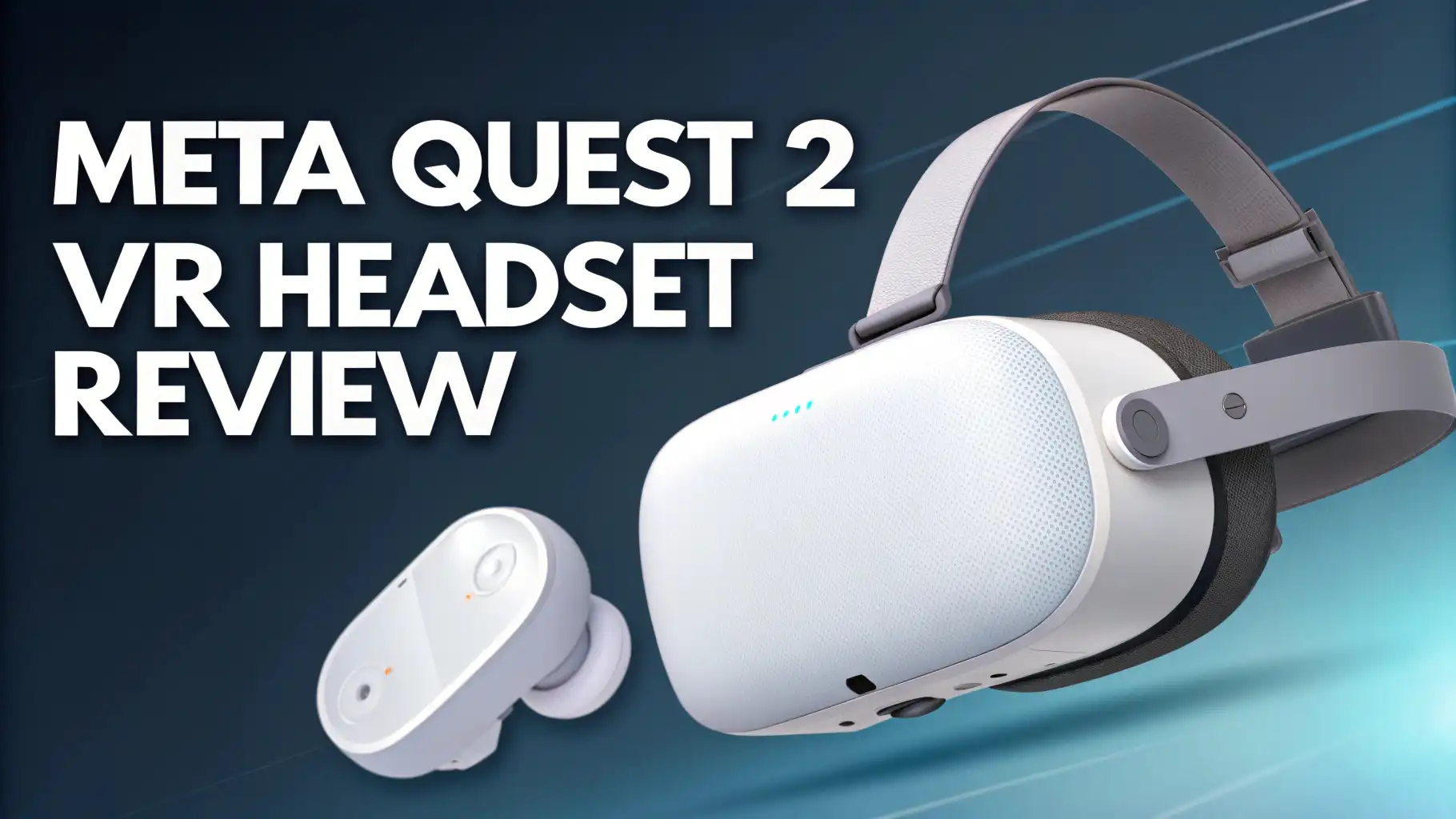
The white plastic exterior gives the headset a clean, modern appearance. The color choice helps keep the device cooler than black headsets when used in bright environments. The front panel houses the tracking cameras and sensors that monitor your movements.
The facial interface uses soft foam padding that rests against your face. This foam creates a seal that blocks outside light. However, the standard foam can absorb sweat during intense gaming sessions. Replacement interfaces made from different materials are available for purchase.
Weight distribution presents the main comfort challenge. The front heavy design can cause neck strain after an hour or two of continuous use. Many users upgrade to third party head straps that include rear battery packs. These straps balance the weight and extend battery life simultaneously.
Gaming Performance And Experience
The Meta Quest 2 handles most VR games smoothly. The Snapdragon XR2 processor provides enough power for graphically impressive titles. Popular games like Beat Saber, Population One, and The Walking Dead: Saints & Sinners run at steady frame rates. You can play for hours without experiencing slowdown or stuttering.
The hand tracking feature lets you interact with menus using just your hands. No controllers are needed for basic navigation. This technology works impressively well in good lighting conditions. You can pinch, grab, and point at virtual objects naturally. Some games and apps support full hand tracking gameplay.
The wireless nature of the Quest 2 gives you freedom to move naturally. You can duck, dodge, and turn 360 degrees without tripping over cables. This wireless freedom makes active games more enjoyable. You can set up your play space in any room with enough space.
The Guardian system creates virtual boundaries to keep you safe. You draw your play area during initial setup. The headset shows warning grids when you approach these boundaries. This safety feature prevents you from walking into furniture or walls while immersed in VR.
Battery Life And Charging
The internal battery typically lasts 2 to 3 hours on a full charge. Battery life varies depending on what you are doing. Simple apps and video watching drain less power than graphically intensive games. Brightness settings also affect how long the battery lasts between charges.
Charging takes approximately 2.5 to 3 hours using the included adapter. The headset uses a USB C charging port located on the left side. You can play while charging if you have a long enough cable. Some users keep a power bank nearby for extended gaming sessions.
The controllers use AA batteries that last considerably longer than the headset battery. Meta claims up to four times longer battery life compared to the original Quest controllers. Most users report getting several weeks of regular use before needing to replace controller batteries.
Battery degradation occurs naturally over time. After several years of use, the maximum battery capacity will decrease. This normal wear means older units may only provide 1.5 to 2 hours of playtime. Replacement batteries are not user serviceable, which may concern long term owners.
Storage Options And Management
The Meta Quest 2 comes in two storage configurations. The 128GB model provides enough space for 15 to 30 games depending on their size. Large titles like Red Matter 2 or Asgard’s Wrath can take up several gigabytes each. Smaller indie games might only use a few hundred megabytes.
The 256GB version costs more but offers peace of mind. This extra storage lets you keep your entire game library installed. You do not need to constantly delete games to make room for new ones. Power users and people who download many apps should consider this option.
The operating system and pre installed apps use approximately 15 to 20GB of storage. This means the 128GB model actually provides around 110GB of usable space. The 256GB model offers about 240GB after accounting for system files. You cannot expand storage using memory cards.
Game saves and user data sync to the cloud automatically when connected to WiFi. This feature protects your progress even if you need to factory reset the device. You can also uninstall games without losing save data. Downloaded games can be reinstalled anytime from your library.
Setup Process And User Interface
Setting up the Meta Quest 2 takes about 10 to 15 minutes. You need a smartphone with the Meta Quest app for initial configuration. The app guides you through connecting to WiFi, creating boundaries, and adjusting settings. After the first setup, you do not need your phone anymore.
The user interface appears as floating panels in a virtual home environment. You can choose different home environments from the settings menu. Navigation feels intuitive using the controller’s thumbsticks and trigger buttons. Everything responds quickly without noticeable lag.
The main menu provides easy access to your game library, store, and social features. You can see which friends are online and join them in multiplayer games. The interface also shows notifications, battery levels, and available storage space. Voice commands work for some functions if you prefer hands free control.
Software updates download and install automatically when the headset is in sleep mode. Meta releases regular updates that add features and improve performance. These updates have added 120Hz support, Air Link PC VR streaming, and various quality of life improvements since launch.
Game Library And Content
The Meta Quest store hosts thousands of VR games and experiences. You can find everything from action shooters to puzzle games to fitness apps. Popular titles include Beat Saber, Superhot VR, Resident Evil 4 VR, and Walkabout Mini Golf. New games release regularly, keeping the library fresh.
Many games cost between $10 and $40. Premium AAA titles might reach $40 to $50. The store frequently runs sales where you can grab games at significant discounts. Meta also offers a subscription service called Meta Horizon+ that provides access to rotating game selections.
The headset supports backward compatibility with original Quest games. This large back catalog means you have plenty of content available from day one. Cross buy support lets you get both Quest and Rift versions of some games for a single price.
You can also connect the Quest 2 to a gaming PC using Air Link or a USB cable. This feature unlocks the SteamVR library and Oculus Rift games. PC VR games often have better graphics and more complex gameplay. However, this requires a VR ready gaming computer with strong specifications.
Social Features And Multiplayer
The Meta Quest 2 emphasizes social connection in virtual reality. You can create an avatar that represents you in VR spaces. These customizable avatars appear in multiplayer games and social apps. You can adjust facial features, clothing, and accessories to express your personality.
Meta Horizon Worlds provides a social VR platform where people gather, play games, and create content. Think of it as a virtual hangout space where you can meet friends or make new ones. The platform includes various mini games and experiences created by users.
Voice chat works seamlessly in multiplayer games. The built in microphone captures your voice clearly. Other players can hear you without echo or distortion in most situations. You can mute yourself or adjust voice chat volume through quick settings.
Party systems let you create private groups before joining games. You can invite friends to party chat and then move together into different apps. This feature makes coordinating multiplayer sessions much easier. Some games support cross play with PC VR users.
Fitness And Exercise Applications
VR fitness has become increasingly popular, and the Quest 2 excels in this category. Apps like Supernatural, FitXR, and Les Mills Body Combat provide intense workouts disguised as games. You can burn significant calories while having fun in virtual environments.
The wireless design makes fitness apps particularly effective. You can punch, squat, and move freely without cables getting in your way. The headset tracks your movements and provides feedback on your form. Many apps include leaderboards and progress tracking to keep you motivated.
Beat Saber serves double duty as both an entertaining rhythm game and a cardio workout. Slashing through blocks to music gets your heart rate up quickly. A 30 minute session can burn as many calories as moderate jogging. The game difficulty scales from beginner to expert levels.
Boxing and dancing games work especially well for exercise. Thrill of the Fight delivers an authentic boxing workout that will leave you sweating. Dance Central and Dance Collider get you moving to popular music. These apps make working out feel less like a chore.
Should You Buy The Meta Quest 2 In 2026
The Meta Quest 2 remains an excellent entry point into virtual reality. The device offers strong performance at an affordable price. While newer headsets like the Meta Quest 3 provide improvements, the Quest 2 still delivers satisfying VR experiences. The huge game library ensures you will find plenty to play.
Budget conscious buyers should seriously consider this headset. You get quality VR without spending $500 or more on premium options. The money you save can go toward games, accessories, or both. For first time VR users, starting with the Quest 2 makes perfect sense.
The headset does show its age in some areas. The LCD displays cannot match the contrast of OLED screens. The basic head strap needs upgrading for serious comfort. Battery life could be longer for marathon gaming sessions. However, none of these issues prevent the device from providing fun VR experiences.
Long term VR enthusiasts might want to look at newer models. The Quest 3 offers better optics, more powerful hardware, and color passthrough cameras. However, the Quest 2 will continue receiving software updates and new game releases for years to come. Your investment remains protected.
Frequently Asked Questions
Can you use the Meta Quest 2 without a Facebook account?
You need a Meta account to use the Quest 2. Meta has separated VR accounts from Facebook profiles. You can create a Meta account without linking it to Facebook. This change addressed privacy concerns from earlier models that required Facebook integration.
How much space do you need to use the Meta Quest 2?
You need enough room to extend your arms fully in all directions. A space measuring 6.5 feet by 6.5 feet works well for most games. Some stationary experiences work fine sitting or standing in place. The Guardian system helps you stay within your designated play area.
Can you watch movies and TV shows on the Meta Quest 2?
Yes, the headset works great for video content. You can watch Netflix, YouTube, and other streaming services on virtual big screens. The device supports 360 degree videos that surround you completely. Some users prefer watching movies in VR over traditional screens.
Is the Meta Quest 2 good for kids?
Meta recommends the Quest 2 for ages 13 and up. The headset might not fit smaller heads properly. Parents should supervise younger users and limit session length. Many educational and creative apps work well for children. The Guardian system helps keep kids safe during play.
Does the Meta Quest 2 work with glasses?
Yes, the headset accommodates most glasses frames. The device includes a glasses spacer that creates extra room between your face and the lenses. Some users prefer prescription lens inserts that attach directly to the headset. These inserts eliminate the need to wear glasses in VR.
Can you play Steam games on the Meta Quest 2?
You can access Steam VR games by connecting the Quest 2 to a gaming PC. This requires either a USB C cable or wireless Air Link connection. Your PC must meet minimum VR specifications. Once connected, you can launch and play games from your Steam library.