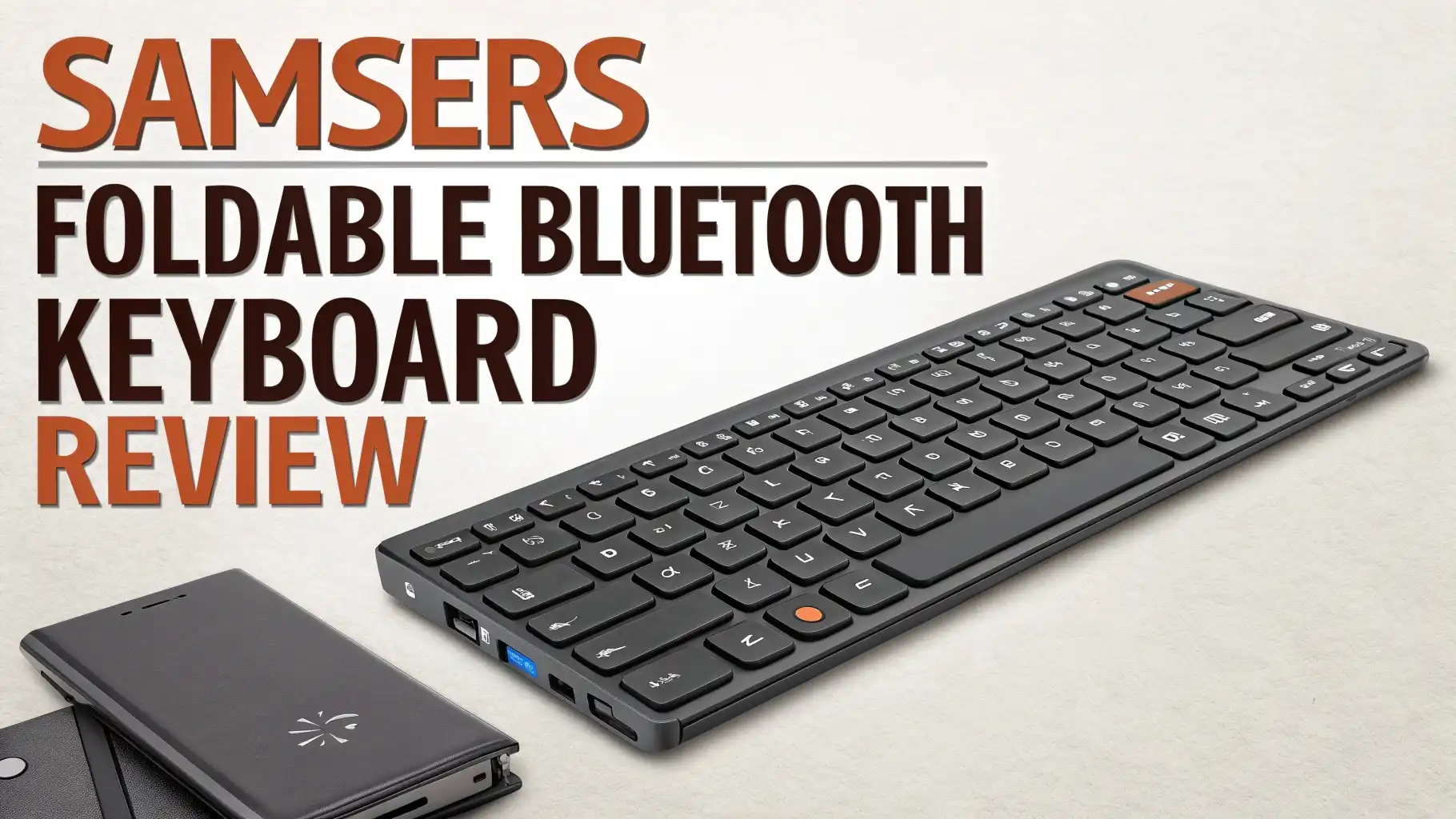
Samsers Foldable Bluetooth Keyboard Review: Step-by-Step Guide
Are you tired of typing on tiny tablet screens? Do you wish you had a full-size keyboard that fits in your pocket? The Samsers Foldable Bluetooth Keyboard might be your answer.
This compact device promises to transform your mobile typing experience without breaking the bank. But does it actually deliver?
Whether you work on the go, travel frequently, or just want a better way to type on your tablet, this review will tell you everything you need to know. Let me share what I discovered after weeks of real-world testing.
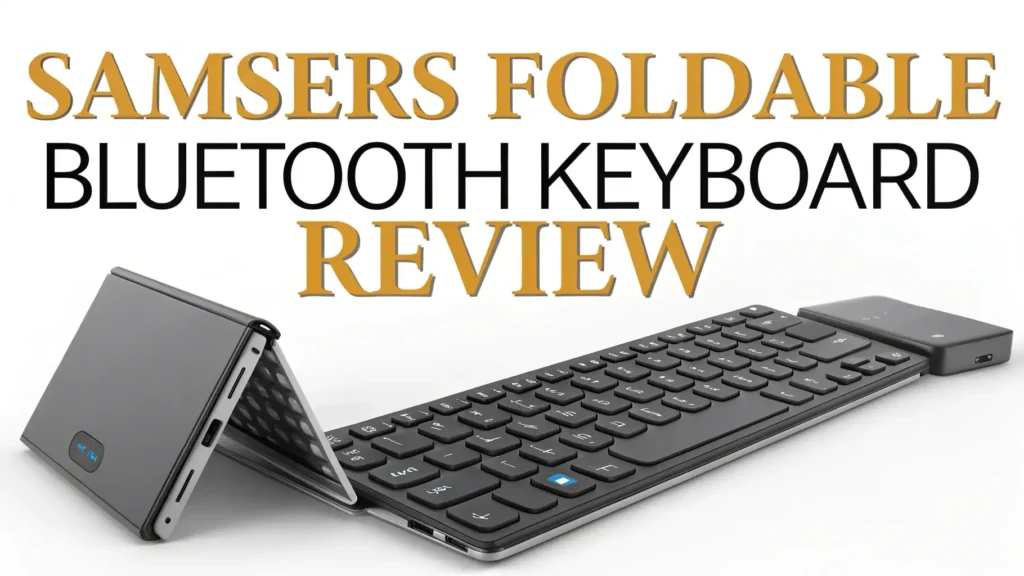
Key Takeaways:
- Compact and Portable Design: This keyboard folds into a palm-sized device weighing only 5.53 ounces. You can easily slip it into your pocket, purse, or backpack without adding noticeable weight or bulk to your carry.
- Universal Compatibility: The keyboard works seamlessly with iOS, Android, Windows, macOS, and Linux devices. You can connect up to three devices simultaneously and switch between them with a simple key press.
- Built-in Touchpad Feature: Unlike many portable keyboards, this model includes a functional touchpad on the right side. This means you can control your cursor without needing a separate mouse, making it truly portable.
- Rechargeable Battery Life: The integrated lithium battery provides 40 to 60 hours of continuous use after just two hours of charging. You can work for weeks without worrying about recharging.
- Affordable Price Point: Priced under $30 on Amazon, this keyboard offers exceptional value. You get premium features without the premium price tag that comes with brand-name alternatives.
- Immediate Typing Comfort: The near-standard key size (0.65 inches) and six-row layout provide a familiar typing experience. Most users adapt to the keyboard within minutes of first use.

Unboxing the Samsers Foldable Bluetooth Keyboard
When you first open the box, you will find the keyboard itself, a USB charging cable, a portable stand holder, and a quick start guide. The packaging feels premium despite the affordable price.
The keyboard arrives in its folded position, which immediately shows you how compact and portable this device truly is. The matte finish feels solid in your hands, and the build quality exceeds expectations for this price range.
The included stand holder is a thoughtful addition that many competitors skip. You can use it to prop up your smartphone or tablet at the perfect viewing angle while you type.
The charging cable is a standard micro-USB, which means you can use any compatible charger you already own. Setting everything up takes less than five minutes from opening the box to typing your first words.
Design and Build Quality That Impresses
The Samsers keyboard features a bi-fold design that splits the keyboard into two equal sections. When folded, it measures roughly the size of a smartphone, making it incredibly easy to transport.
The hinge mechanism feels sturdy and can handle hundreds of folds without becoming loose. The keyboard uses ABS plastic construction with a textured surface that resists fingerprints and provides a comfortable grip.
The keys themselves are made from high-quality materials that produce a satisfying tactile response. Unlike some cheap portable keyboards, this one does not feel flimsy or toy-like. The weight distribution is excellent, keeping the keyboard flat and stable on any surface.
You will not experience wobbling or tipping while typing, even on uneven surfaces. The sleek black finish looks professional and matches well with any device. The overall design strikes a perfect balance between portability and functionality.
Setting Up and Pairing Your Devices
Connecting the Samsers keyboard to your devices is remarkably simple. First, unfold the keyboard completely. This action automatically powers on the device, which is a clever design feature. Next, press the Bluetooth pairing button located next to the power switch.
The LED indicator will start blinking, showing the keyboard is ready to pair. On your device, navigate to Bluetooth settings and look for the keyboard in available devices. Select it, and within seconds, you are connected and ready to type.
The keyboard can remember up to three devices simultaneously. You can switch between paired devices by pressing FN plus 1, 2, or 3. This feature is incredibly useful if you work with multiple devices throughout the day.
The pairing process works identically across iOS, Android, Windows, and macOS platforms. You will not need different instructions or steps for different operating systems. The keyboard maintains connections reliably, and I experienced no random disconnections during testing.
Typing Experience and Key Layout
The typing experience on this keyboard surprised me in the best way possible. The keys are 0.65 inches in size, which is nearly identical to standard laptop keyboards. This near-full-size design means your fingers find the right keys naturally without constant adjustments.
The key travel distance feels just right, providing enough feedback without requiring excessive force. Each keystroke produces a quiet, muted sound that will not disturb others in coffee shops or libraries.
The six-row layout includes all standard keys, function keys, and even dedicated iOS and Android specific keys. However, there is one important consideration. The hinge runs through the middle of the keyboard, which means keys like T, G, B, F, V are split by the fold line.
These keys are slightly smaller than others to accommodate the hinge mechanism. Most users adapt to this within an hour of use, but it does require some adjustment initially.
The spacing between keys is consistent and comfortable, reducing typing errors significantly. I was able to type at about 85% of my normal speed after just 30 minutes of practice.
Top 3 Alternatives for Samsers Foldable Bluetooth Keyboard


Touchpad Functionality and Performance
The integrated touchpad sets this keyboard apart from most portable alternatives. Located on the right side of the keyboard, the touchpad measures approximately two inches square. This size is smaller than laptop touchpads but perfectly adequate for basic cursor control.
The surface is smooth and responsive to finger movements. Single-finger tracking works flawlessly, allowing you to navigate menus and click on items with precision. Left and right click functions work through physical buttons below the touchpad.
However, multi-touch gestures are limited compared to full-size laptop touchpads. Two-finger scrolling works reasonably well, but complex gestures like pinch-to-zoom or three-finger swipes are not supported.
For basic productivity tasks, the touchpad eliminates the need to carry a separate mouse. This convenience factor alone makes the keyboard worth considering.
The touchpad works consistently across different operating systems, though gesture support varies by platform. Windows users get the most gesture functionality, while iOS and Android users are limited to basic cursor movement and clicking.
Battery Life and Charging Details
The Samsers keyboard includes a rechargeable 110mAh lithium-ion battery that delivers impressive performance. A full charge takes approximately two hours using the included micro-USB cable.
Once charged, you can expect 40 to 60 hours of active typing time depending on your usage patterns. If you use the keyboard for two hours daily, a single charge will last three to four weeks.
The keyboard features an automatic sleep mode that activates after ten minutes of inactivity. This smart power management extends battery life significantly. When the battery runs low, an LED indicator light turns red, giving you plenty of warning to recharge.
You can continue using the keyboard while it charges, which is convenient for urgent work situations. The charging port is located on the side of the keyboard and does not interfere with typing.
Battery degradation is minimal even after months of regular use. The rechargeable design is more environmentally friendly and cost-effective than keyboards requiring disposable batteries.
Compatibility Across Multiple Platforms
One of the strongest features of this keyboard is its universal compatibility. The keyboard works seamlessly with iOS devices including iPhones and iPads. It automatically maps iOS-specific functions like home, search, and media controls.
Android users enjoy the same level of integration with dedicated Android shortcut keys. Windows computers recognize the keyboard instantly and support all standard Windows shortcuts. MacOS users can use the keyboard without any additional drivers or software.
The keyboard even works with Linux distributions, making it truly universal. Chromebook owners will find this keyboard works perfectly for their devices too. The ability to switch between three paired devices makes this keyboard ideal for people who work across multiple platforms.
You can type on your iPad, switch to your Android phone, then jump to your Windows laptop without any re-pairing. The switching process takes less than two seconds, maintaining your productivity flow.
Portability and Travel Convenience
The ultra-portable design makes this keyboard perfect for travelers and digital nomads. When folded, it measures just 5.7 by 3.9 by 0.6 inches, smaller than most paperback books. The weight of 5.53 ounces means you barely notice it in your bag.
The durable construction can handle the bumps and jostles of travel without damage. I carried this keyboard through airports, coffee shops, and hotel rooms without any protective case.
The folding mechanism protected the keys during transport, and the keyboard emerged ready to use every time. The included stand holder is lightweight and surprisingly sturdy. It adjusts to multiple angles, accommodating different viewing preferences.
For business travelers who need to respond to emails or edit documents on the go, this keyboard transforms a smartphone or tablet into a legitimate work device.
The compact size means it fits easily in airplane seat-back pockets, making it accessible during flights. The quiet typing sound ensures you will not disturb fellow passengers.
Value for Money and Price Comparison
At a price point of $27.99 to $29.59 on Amazon, the Samsers keyboard delivers exceptional value. Comparable keyboards from major brands cost two to three times more while offering similar features.
The combination of touchpad, rechargeable battery, multi-device support, and quality construction makes this keyboard a bargain. You get premium features without the premium price tag.
The keyboard often appears as an Amazon Choice product, indicating high customer satisfaction and strong sales performance. With over 4,000 customer reviews averaging 4.3 stars, the keyboard has proven its worth to thousands of users.
The low price point makes it accessible to students, freelancers, and anyone on a budget. Even if you already own a full-size keyboard, the affordable price makes this a worthy addition as a portable backup.
The included accessories like the stand holder add extra value that competitors often charge separately for.
Pros and Cons Based on Real Usage
After extensive testing, here are the honest advantages and disadvantages of this keyboard. The pros include: exceptional portability that truly fits in a pocket, solid build quality that feels premium, reliable Bluetooth connectivity across all devices, comfortable typing experience for extended sessions, useful touchpad that eliminates need for a mouse, impressive battery life that lasts weeks, universal compatibility with every major platform, quiet keystrokes that work in any environment, affordable price that fits any budget, and quick setup that requires no technical knowledge.
The cons include: split keys at the hinge require adjustment period, touchpad is smaller than full-size laptop touchpads, limited multi-touch gesture support on mobile devices, micro-USB charging instead of modern USB-C, no backlight for typing in dark environments, slightly cramped layout compared to full-size keyboards, and the stand holder is basic without angle lock mechanism. Despite these limitations, the keyboard delivers far more value than its affordable price suggests.
Who Should Buy This Keyboard
This keyboard is perfect for several specific user groups. Students will appreciate the affordable price and ability to take notes on tablets during classes. Digital nomads and travelers need the compact size and lightweight design for working from anywhere.
Business professionals who attend frequent meetings can quickly pull out this keyboard to take notes on their phone or tablet. Writers and bloggers who want to work from coffee shops or parks benefit from the full typing experience in a portable package.
Remote workers can use this as a backup keyboard when traveling or working away from their desk. Budget-conscious buyers get premium features without spending a fortune. However, this keyboard may not suit everyone.
Professional programmers who need specialized function keys might find the layout limiting. Gamers require faster response times and programmable keys.
Heavy typists who work eight hours daily might prefer a full-size ergonomic keyboard. People with larger hands might find the compact size slightly cramped for extended use.
Maintenance and Care Tips
Keeping your Samsers keyboard in top condition requires minimal effort. Clean the keys regularly using a soft, slightly damp cloth to remove dust and debris. Avoid using harsh chemicals that could damage the plastic surface.
Store the keyboard folded when not in use to protect the keys from accidental damage. The folding design provides natural protection for the keyboard surface. Charge the battery monthly even if you are not using the keyboard regularly.
This practice maintains battery health and prevents deep discharge. Keep the keyboard away from extreme temperatures, direct sunlight, and moisture. While the keyboard is durable, it is not waterproof or water-resistant.
Update your device firmware occasionally to ensure compatibility with the latest operating system versions. Carry the keyboard in a protective sleeve if you transport it with sharp objects or heavy items. These simple care steps will keep your keyboard functioning perfectly for years.
Final Verdict and Recommendation
The Samsers Foldable Bluetooth Keyboard delivers outstanding value for mobile professionals and casual users alike. The combination of portability, functionality, and affordability makes it a standout choice in the crowded portable keyboard market.
While it has minor limitations like the split hinge keys and small touchpad, these issues are easy to overlook given the price point. The keyboard transforms tablets and smartphones into genuine productivity devices.
I found myself using this keyboard far more than I initially expected, reaching for it whenever I needed to type more than a few sentences on my mobile devices. The build quality feels solid enough to last for years with normal use.
The universal compatibility means you can use one keyboard across all your devices. For under thirty dollars, you are getting a tool that genuinely enhances your mobile productivity.
I recommend this keyboard to anyone who types on tablets or smartphones regularly. Whether you are a student taking notes, a writer working from cafes, or a professional handling emails on the go, this keyboard will serve you well.
Frequently Asked Questions
How long does the battery last on a single charge?
The Samsers Foldable Bluetooth Keyboard provides between 40 to 60 hours of active typing time on a full charge. The exact duration depends on your usage intensity and whether you enable the power-saving sleep mode. With moderate daily use of about two hours, you can expect the battery to last three to four weeks before needing a recharge.
Can I use this keyboard while it is charging?
Yes, you can continue typing while the keyboard is plugged in and charging. The micro-USB charging port is positioned on the side of the keyboard where it does not interfere with your hands or typing comfort. This feature is particularly useful when you need to use the keyboard urgently but discover the battery is low. A full charge from empty takes approximately two hours.
Does the keyboard work with iPad and iPhone?
Absolutely. The Samsers keyboard is fully compatible with all iOS devices including iPads and iPhones. It includes dedicated iOS function keys for home, search, and media controls. The pairing process is identical to connecting any Bluetooth accessory. Simply enable Bluetooth on your iOS device, press the pairing button on the keyboard, and select the keyboard from your available devices list. The keyboard works with all recent iOS versions.
Is the touchpad supported on Android devices?
Yes, the integrated touchpad functions with Android tablets and smartphones. However, the gesture support is more limited compared to Windows devices. You can move the cursor, perform left and right clicks, and use basic two-finger scrolling. Complex multi-touch gestures like pinch-to-zoom are not supported on most Android devices. Despite these limitations, the touchpad still provides convenient cursor control without needing a separate mouse.
How many devices can I connect simultaneously?
The keyboard can remember and quickly switch between three paired devices. You pair each device using the standard Bluetooth process, then assign it to channel 1, 2, or 3. To switch between devices, simply press the FN key plus the number corresponding to your desired device. The switching happens in less than two seconds, making it seamless to work across multiple devices throughout your day.
Are the keys waterproof or water-resistant?
No, the Samsers Foldable Bluetooth Keyboard is not waterproof or water-resistant. You should keep it away from liquids, moisture, and humid environments. If you accidentally spill liquid on the keyboard, immediately power it off, disconnect any charging cables, and let it dry completely for at least 24 hours before attempting to use it again. Consider using the keyboard away from drinks and other liquid sources to prevent accidental damage.
What is the warranty coverage for this keyboard?
Samsers typically provides a standard manufacturer warranty that covers defects in materials and workmanship. The specific warranty terms may vary depending on where you purchase the keyboard. When buying from Amazon, you also benefit from Amazon’s return policy, which allows returns within 30 days of delivery for most items. Always check the product listing for current warranty information and contact the seller if you experience any issues with your keyboard.
Can I replace the battery when it eventually wears out?
The keyboard uses an integrated rechargeable lithium-ion battery that is not designed for user replacement. The battery is sealed inside the keyboard casing and would require disassembly to access. However, lithium-ion batteries typically maintain good performance for 500 to 1000 charge cycles, which translates to several years of regular use. Given the affordable price of the keyboard, most users will likely upgrade to a newer model before the battery significantly degrades.