SteelSeries QcK Gaming Mouse Pad Review 2026: Worth It?
Are you searching for a reliable, affordable gaming mouse pad that performs like a champ in every game you play? The SteelSeries QcK has been a household name in the gaming community for years. Pro players swear by it. Casual gamers love it. But does it still hold up in 2026?
In this review, we break down everything about the SteelSeries QcK Gaming Mouse Pad. We cover its surface quality, tracking performance, durability, size options, and value for money.
Whether you play fast-paced shooters or slow strategy games, this pad promises smooth and consistent mouse control. We tested it across multiple game genres, mouse sensors, and desk setups.
Key Takeaways:
- The SteelSeries QcK uses a micro-woven cloth surface that delivers smooth, consistent tracking across all modern gaming sensors. It remains one of the most sensor-friendly pads available today.
- Multiple size options give you real flexibility. You can pick from Medium, Large, XXL, and even 3XL sizes. Each one keeps the same surface quality and feel, so you scale up without losing performance.
- The non-slip rubber base holds firm on wood, glass, and laminate desks. You won’t deal with annoying pad shifts during intense gaming sessions.
- Durability is strong for the price point. The QcK holds its texture and glide for several months of daily use. The edges may show wear over time, but overall build quality stays solid.
- Price-to-performance ratio is hard to beat. The SteelSeries QcK costs less than most competing cloth pads and still matches or beats them in real-world tracking tests.
- Pro gamers still use this pad in 2026. According to ProSettings data, the SteelSeries QcK Heavy remains one of the most popular mouse pads among professional FPS players worldwide.


Last update on 2026-09-19 / Affiliate links / Images from Amazon Product Advertising API Some of the links on this website are affiliate links, which means that at no additional cost to you, I earn a commission if you click through and make a purchase. I only recommend products and services that I believe will add value to my readers. Thank you for your support!
SteelSeries QcK Gaming Mouse Pad: Full Overview
The SteelSeries QcK is a cloth gaming mouse pad made with a micro-woven surface and a silicone rubber base. SteelSeries first released this pad over a decade ago. It quickly became one of the best-selling gaming accessories in the world.
The QcK line includes several versions. The original QcK comes in a standard thickness of about 2mm. The QcK Heavy bumps that up to 6mm for extra cushion and stability. SteelSeries also launched the QcK Performance series in 2025, which offers Speed, Balance, and Control surface options for different play styles.
The pad’s surface works well with both optical and laser sensors. It provides consistent X and Y axis tracking with minimal jitter. This matters a lot in competitive gaming where small aim differences can change outcomes.
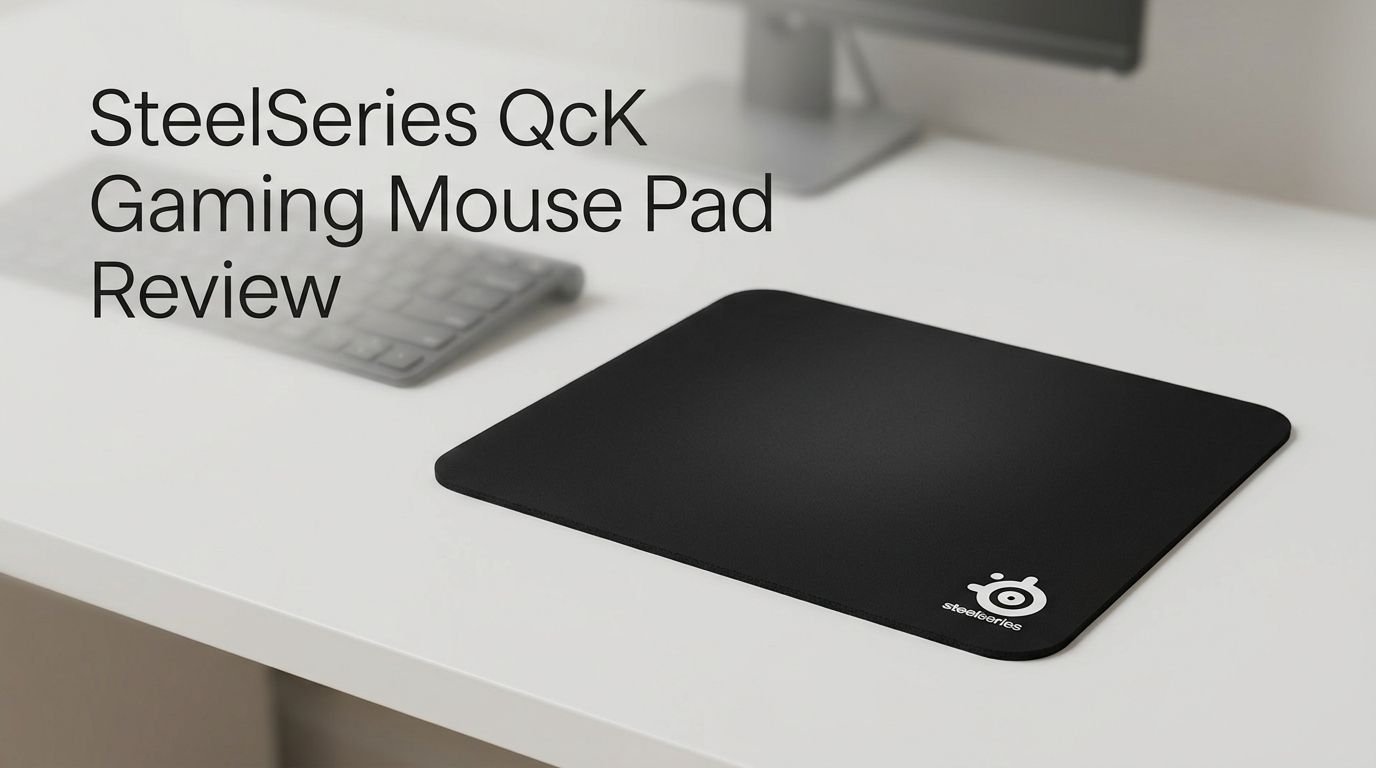
SteelSeries keeps the design simple. The pad is solid black with a small SteelSeries logo. It lays flat right out of the box. There is no break-in period. You unroll it, place it on your desk, and start playing.
Surface Quality and Texture
The QcK’s cloth surface has a tight, micro-woven texture that feels smooth under your fingertips. It does not feel rough or scratchy. Your mouse glides across it with low to moderate friction.
This surface strikes a balance between speed and control. It is not the fastest cloth pad on the market. Pads like the Razer Acari offer less friction. But the QcK gives you enough stopping power to make precise micro-adjustments in games like Valorant and Counter-Strike 2.
The weave pattern is consistent across the entire surface. You will not find uneven spots or bumps. This consistency matters because it means your mouse behaves the same way no matter where it sits on the pad.
One thing to note is that the surface does slow down slightly over months of heavy use. Sweat, dust, and oil from your hands build up over time. A quick hand wash with mild soap restores the original glide. Many users report the pad feels brand new after a wash.
The cloth also stays cool during long sessions. It does not trap heat the way some synthetic or hybrid surfaces do. Your wrist and forearm stay comfortable even after hours of gameplay.
Tracking Performance and Sensor Compatibility
Tracking is where the SteelSeries QcK truly shines. SteelSeries designed this pad to work with all major gaming sensors. It delivers accurate tracking on mice from Logitech, Razer, Zowie, Endgame Gear, and others.
The surface provides zero spin-out issues on modern optical sensors like the PixArt PAW3950 or Razer Focus Pro. Even at high DPI settings above 1600, the cursor stays locked to your hand movements. There is no drift or acceleration.
Low-DPI players benefit the most from this pad. If you play at 400 to 800 DPI with large sweeping motions, the QcK gives you a smooth and predictable glide. Your crosshair moves exactly where you want it. That level of control is essential in tactical shooters.
SteelSeries also optimized the pad for both high and low CPI tracking. The micro-woven cloth provides enough texture for sensors to read surface details accurately. This prevents the tracking errors that sometimes happen on ultra-smooth or hard surfaces.
Multiple professional players and esports organizations continue to use the QcK in tournament settings. That real-world endorsement speaks louder than any lab test.
Top 3 Alternatives for SteelSeries QcK Gaming Mouse Pad
1. Razer Gigantus V2 Large

Last update on 2026-09-19 / Affiliate links / Images from Amazon Product Advertising API Some of the links on this website are affiliate links, which means that at no additional cost to you, I earn a commission if you click through and make a purchase. I only recommend products and services that I believe will add value to my readers. Thank you for your support!
2. Logitech G640 Large Cloth Gaming Mouse Pad

Last update on 2026-09-19 / Affiliate links / Images from Amazon Product Advertising API Some of the links on this website are affiliate links, which means that at no additional cost to you, I earn a commission if you click through and make a purchase. I only recommend products and services that I believe will add value to my readers. Thank you for your support!
3. Corsair MM350 PRO Extended XL

Last update on 2026-09-19 / Affiliate links / Images from Amazon Product Advertising API Some of the links on this website are affiliate links, which means that at no additional cost to you, I earn a commission if you click through and make a purchase. I only recommend products and services that I believe will add value to my readers. Thank you for your support!
Size Options: Which QcK Is Right for You?
The SteelSeries QcK comes in multiple sizes to fit different desk setups and play styles. Here is a quick breakdown of what each size offers.
The QcK Medium measures 320mm x 270mm. This size fits small desks and high-DPI gamers who do not need a lot of surface area. It is compact and easy to travel with.
The QcK Large measures 490mm x 420mm. This is the sweet spot for most gamers. It gives you plenty of room for wide mouse swipes. Low-sensitivity players will find this size comfortable for most FPS games.
The QcK XXL measures 900mm x 400mm. This extends under your keyboard and mouse. It gives your desk a clean, unified look. It also prevents your keyboard from scratching the desk surface.
The QcK 3XL goes even bigger at roughly 1220mm x 590mm. This covers nearly an entire desk. It is great for streamers or users who want full desk protection.
Every size uses the same cloth surface and rubber base. The gaming experience stays consistent regardless of which size you pick. The only difference is how much room you have to move.
Build Quality and Durability

Last update on 2026-09-19 / Affiliate links / Images from Amazon Product Advertising API Some of the links on this website are affiliate links, which means that at no additional cost to you, I earn a commission if you click through and make a purchase. I only recommend products and services that I believe will add value to my readers. Thank you for your support!
The SteelSeries QcK uses high-quality materials for its price range. The cloth top layer resists pilling and fraying under normal use. The rubber base maintains its grip for months.
The standard QcK does not have stitched edges. This keeps the profile low and prevents the edge from catching your wrist. However, the lack of stitching means the edges can start to fray after 6 to 12 months of daily use.
If edge durability matters to you, SteelSeries offers the QcK Edge and the newer QcK Performance versions. These models feature stitched borders that hold up much longer.
The rubber base deserves special mention. It uses a dense silicone rubber that grips hard surfaces firmly. The pad does not slide or bunch up during fast flick shots. This base also prevents the pad from curling at the corners over time.
Washing extends the life of the pad significantly. You can hand wash it every few weeks with cold water and mild soap. Avoid machine washing or hot water. Let it air dry flat. This simple routine keeps the surface texture fresh and responsive.
Comfort During Long Gaming Sessions
Comfort matters when you game for several hours at a time. The standard QcK is 2mm thick, which provides a flat and stable platform. It does not add much cushion. Your wrist rests mostly on the desk surface.
If you want extra padding, the QcK Heavy version increases thickness to 6mm. That extra cushion reduces pressure on your wrist and forearm. Many users say the Heavy version feels significantly more comfortable during extended sessions.
The cloth surface stays cool to the touch. It breathes well and does not cause excessive sweating. This is a clear advantage over hard mouse pads and some coated cloth pads that feel warm and sticky after long use.
The flat profile also means your mouse sensor sits at a consistent height above the base. This reduces the chance of lift-off distance issues that some thicker or uneven pads can cause.
For gamers who play 4 or more hours daily, the QcK Heavy is the better choice. For quick gaming sessions or desktop use, the standard QcK provides enough comfort.
Gaming Performance: FPS, MOBA, and RTS
The SteelSeries QcK performs well across multiple game genres. Its balanced friction profile makes it versatile.
In FPS games like Valorant, Counter-Strike 2, and Apex Legends, the QcK delivers precise aim control. You can make quick flick shots and still stop your crosshair exactly where you need it. The surface gives you enough friction to control micro-adjustments without slowing down large sweeps.
In MOBA games like League of Legends and Dota 2, the pad’s smooth glide helps with fast cursor movements across the map. You do not need extreme precision here. The QcK lets your mouse flow freely for quick ability casting and camera panning.
In RTS and strategy games like Age of Empires IV or Civilization, the pad works fine. These games demand less from a mouse pad. The QcK provides a clean, consistent surface for hours of clicking and scrolling.
The QcK Performance series adds more specialization. The Speed variant is ideal for fast-paced shooters. The Control variant suits tactical and precision games. The Balance variant sits in the middle. This gives gamers the option to match their pad to their specific play style.
SteelSeries QcK vs QcK Heavy: What’s the Difference?
This is one of the most common questions buyers ask. The QcK and QcK Heavy share the same cloth surface. They use identical micro-woven material. The tracking performance is the same.
The main difference is thickness. The standard QcK is 2mm thick. The QcK Heavy is 6mm thick. That extra 4mm of rubber padding makes the Heavy version feel softer and more cushioned under your wrist.
The QcK Heavy also weighs more. It sits more firmly on your desk because of the added mass. This extra weight reduces any chance of the pad shifting during intense gaming. The standard QcK is lighter and easier to transport.
Price-wise, the QcK Heavy costs a few dollars more. The difference is small enough that most gamers should consider the Heavy version if desk comfort is important to them.
Both versions lack stitched edges in their classic models. Both are washable. Both perform identically in terms of mouse tracking. Your choice comes down to comfort preference and portability needs.
SteelSeries QcK Performance Series: The 2025 Upgrade
SteelSeries launched the QcK Performance series in early 2025. This lineup refreshes the legendary QcK with modern features. It comes in three surface types and two sizes.
The Speed variant uses an ultra-smooth surface with low friction. Mice glide fast across it. This version suits players who rely on quick flick shots and rapid aim adjustments. Competitive FPS players will appreciate this option.
The Balance variant offers medium friction with a classic QcK feel. It sits between Speed and Control. This is the safest choice for gamers who play multiple genres.
The Control variant has higher friction. It slows your mouse down for precise, deliberate movements. Tactical shooter players and snipers will benefit from this extra stopping power.
All QcK Performance pads feature stitched edges, a 3.5mm neoprene base, and a nylon surface. The stitched edges fix the biggest weakness of the original QcK. The neoprene base adds comfort without making the pad too thick.
These pads come in Large (490mm x 420mm) and Extra Large (900mm x 400mm) sizes. Prices start around $40 for Large and $50 for Extra Large. That is a fair price for the quality and features you get.
How to Clean and Maintain Your SteelSeries QcK
Keeping your QcK clean is simple and important. A dirty pad loses its smooth glide over time. Regular cleaning keeps performance consistent.
Step one: Fill a sink or basin with cold or lukewarm water. Add a small amount of mild liquid soap. Avoid harsh detergents or bleach.
Step two: Submerge the pad and gently rub the surface with your hands. Focus on areas where your mouse sits most often. These areas collect the most oil and dust.
Step three: Rinse the pad thoroughly with clean water. Make sure all soap is removed. Soap residue can affect the surface texture.
Step four: Lay the pad flat on a clean towel and let it air dry. Do not wring it out. Do not use a hair dryer or direct heat. Heat can damage the rubber base and warp the pad.
Clean your QcK every 2 to 4 weeks for best results. If you eat near your desk or game in a warm environment, you may need to clean it more often. A well-maintained QcK can last over a year before the surface shows real signs of wear.
Who Should Buy the SteelSeries QcK?
The SteelSeries QcK is a great fit for a wide range of gamers. But it suits some users better than others.
Budget-conscious gamers will love the QcK. It costs less than most competing cloth pads. The Medium size often sells for under $10. That is incredible value for a pad that tracks this well.
FPS players who need consistent tracking and moderate friction will find the QcK reliable. It has earned trust from professional players across multiple esports titles.
New gamers who are building their first setup should consider the QcK. It works with every mouse sensor. It requires zero setup. You cannot go wrong with this pad as your first gaming surface.
Gamers who want premium features might prefer the QcK Performance series instead. The stitched edges, multiple surface types, and neoprene base offer a noticeable upgrade over the classic QcK.
Users who prefer hard or glass surfaces should look elsewhere. The QcK is a cloth pad. If you want the ultra-fast glide of a hard surface, pads like the Razer Atlas or Skypad 3.0 are better options.
Pros and Cons of the SteelSeries QcK
Every product has strengths and weaknesses. Here is an honest look at the SteelSeries QcK in 2026.
The pros are strong. The surface delivers consistent and accurate tracking. The rubber base grips well. The price is very affordable. Multiple size options fit every desk. The pad works perfectly with all gaming mouse sensors. It also feels comfortable during long sessions, especially in the Heavy version.
The cons are minor but real. The classic QcK lacks stitched edges. This leads to fraying over months of use. The 2mm standard thickness may feel too thin for some users. The surface does slow down with use and needs regular washing. The design is plain black with no RGB or aesthetic flair.
These cons are small compared to the overall value. For the price you pay, the SteelSeries QcK delivers far more than you would expect. That is why it remains one of the top-selling gaming mouse pads year after year.
Final Verdict: Is the SteelSeries QcK Worth It in 2026?
Yes. The SteelSeries QcK remains one of the best gaming mouse pads you can buy in 2026. It offers exceptional tracking, a comfortable surface, solid build quality, and a price that undercuts most competitors.
The classic QcK is perfect for gamers on a budget. The QcK Heavy adds comfort for long sessions. The QcK Performance series brings modern upgrades like stitched edges and specialized surfaces for different play styles.
This pad has stood the test of time for good reason. It does what a mouse pad should do, and it does it well. There are no gimmicks. No unnecessary features. Just a clean, reliable surface that helps you game better.
If you want a safe, proven choice for your desk, the SteelSeries QcK is hard to beat. Pick the size and version that match your needs, and you will have a pad that serves you well for months to come.

Last update on 2026-09-19 / Affiliate links / Images from Amazon Product Advertising API Some of the links on this website are affiliate links, which means that at no additional cost to you, I earn a commission if you click through and make a purchase. I only recommend products and services that I believe will add value to my readers. Thank you for your support!
Frequently Asked Questions
Is the SteelSeries QcK good for low DPI gaming?
Yes, the SteelSeries QcK is excellent for low DPI gaming. Its micro-woven cloth surface provides smooth, consistent friction that allows wide, sweeping arm movements. Low DPI players typically use the Large or XXL size for enough surface area to support big mouse swipes without running out of space.
Can you wash the SteelSeries QcK mouse pad?
Absolutely. You can hand wash the QcK with cold water and mild soap. Gently rub the surface to remove oils and dust. Rinse it thoroughly and let it air dry flat. Avoid machine washing, hot water, or direct heat. Regular cleaning keeps the surface smooth and extends the pad’s lifespan.
How long does the SteelSeries QcK last?
With regular cleaning, the SteelSeries QcK lasts 6 to 18 months of daily use. The surface gradually slows down as cloth fibers wear. The edges may fray on versions without stitched borders. The QcK Performance models with stitched edges tend to last longer.
What is the difference between SteelSeries QcK and QcK Heavy?
The main difference is thickness. The standard QcK is 2mm thick. The QcK Heavy is 6mm thick. Both use the same micro-woven cloth surface and offer identical tracking performance. The Heavy version provides more wrist cushion and sits more firmly on your desk due to its extra weight.
Does the SteelSeries QcK work with all gaming mice?
Yes. The QcK is optimized for all modern gaming sensors. It works flawlessly with optical and laser mice from every major brand. Whether you use a Logitech G Pro, Razer DeathAdder, or Zowie EC series mouse, the QcK provides accurate, jitter-free tracking.
Is the SteelSeries QcK Performance series worth the upgrade?
The QcK Performance series costs more but offers stitched edges, a 3.5mm neoprene base, and three surface options (Speed, Balance, Control). If you want a specialized surface for your play style and better edge durability, the upgrade is worth it. If you just need a solid basic pad, the classic QcK still does the job well.

Hello, i’m Ivoria i am the face behind Tech Tracker Blog. I am passionate about my work and love to explore gadgets and share about my experience.