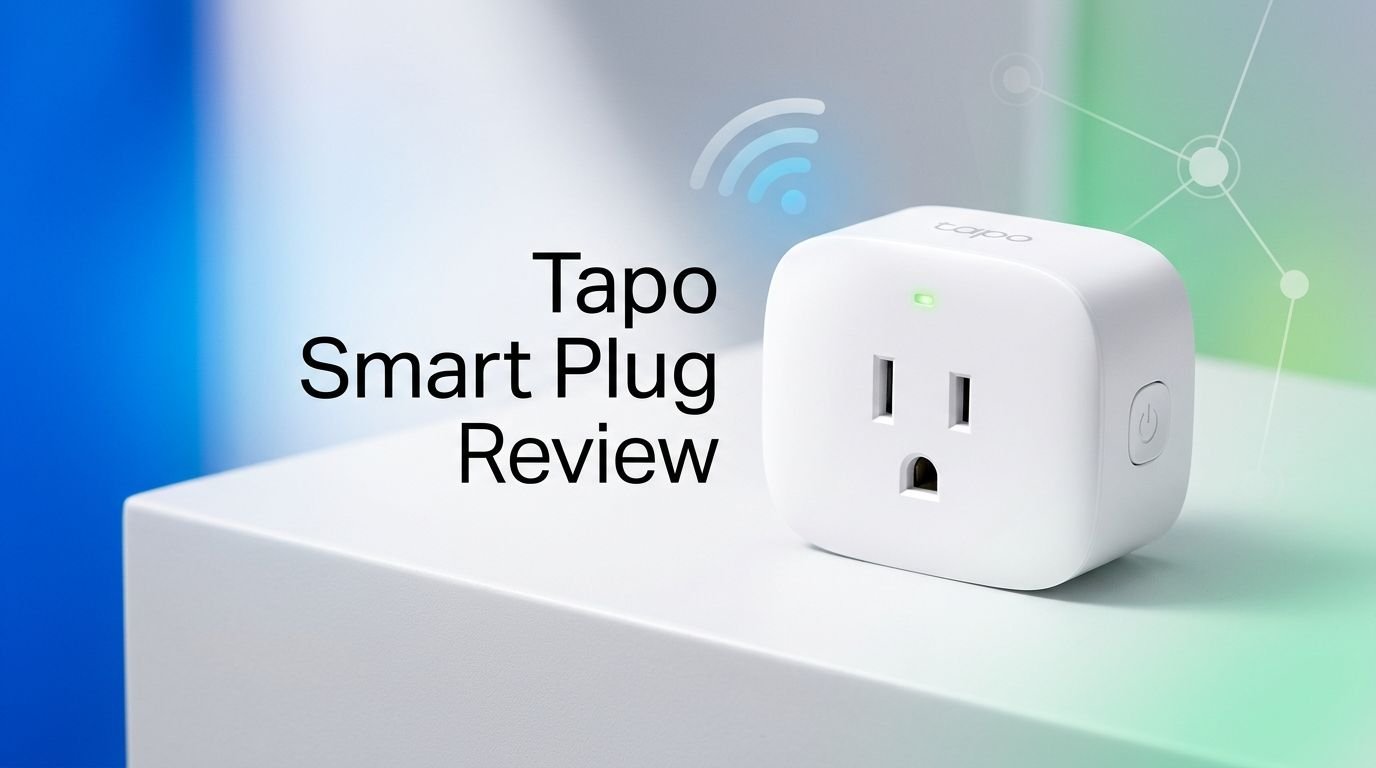
Tapo Smart Plug Review 2026: Live Up To The Hype?
Are you looking for a reliable, affordable smart plug that works with every major voice assistant and smart home platform?
The Tapo Smart Plug by TP-Link has been making waves in the smart home space. It promises energy monitoring, Matter compatibility, and hands-free voice control at a price that undercuts most competitors.
But does it really deliver on all those promises? In this detailed Tapo Smart Plug review for 2026, we break down everything you need to know before buying.
Key Takeaways:
- Matter compatibility makes the Tapo Smart Plug work with Apple Home, Amazon Alexa, Google Home, and Samsung SmartThings. You are not locked into one ecosystem.
- Energy monitoring tracks your real-time and historical power usage down to 0.001 kWh. You can enter your electricity rate to estimate your monthly costs directly inside the Tapo app.
- Compact mini design measures just 1.5 by 2.4 by 1.3 inches. It does not block the second outlet on a standard wall receptacle, so you can use both sockets at the same time.
- The setup takes under two minutes. The plug pairs through Bluetooth and connects to your 2.4GHz Wi-Fi network. No separate hub or bridge is required to get started.
- Scheduling and automation features let you set timers, create on/off schedules, and use an Away mode that randomly toggles the plug to simulate someone being home.
- The price is hard to beat. The Tapo P110M comes in at roughly $29.99 for a two-pack, making it one of the most affordable Matter-compatible smart plugs with energy monitoring on the market in 2026.

What Is the Tapo Smart Plug?
The Tapo Smart Plug is a compact Wi-Fi smart plug made by TP-Link under their Tapo product line. It gives you remote control over any device plugged into it. You can turn lamps, fans, coffee makers, and other small appliances on or off from your phone.
The plug connects to your home Wi-Fi network and works through the free Tapo app. It also supports voice commands through Alexa, Google Assistant, and Siri. The latest models in the Tapo lineup include the P125M and the P110M.
The Tapo P110M adds energy monitoring on top of the standard smart plug features. It shows you how much power a connected device draws in real time. The P125M skips energy tracking but costs a few dollars less.
Both models support Matter, the universal smart home standard. This means they work across Apple Home, Google Home, Amazon Alexa, and Samsung SmartThings without any extra bridges or workarounds. TP-Link designed these plugs to fit into any smart home setup with minimal effort.
Tapo Smart Plug Design and Build Quality
The Tapo Smart Plug has a clean, white rectangular body that blends in with standard wall outlets. It feels solid in hand despite its small size. The plastic shell is smooth and well-finished.
At just 1.5 by 2.4 by 1.3 inches, this is one of the smallest smart plugs available today. Its compact shape means it sits flush against the wall. It does not hang down or stick out in an awkward way.
The front houses a standard three-prong outlet. The back has a three-prong plug that fits snugly into your wall receptacle. On the left side, you will find a backlit power button. This button flashes blue and orange during setup, glows solid blue when the plug is on, and stays dark when the plug is off.
The small LED indicator is a nice touch. It gives you a quick visual status check without being bright enough to disturb you at night. The overall build quality matches or exceeds what you would expect at this price point.
How to Set Up the Tapo Smart Plug
Setting up the Tapo Smart Plug is one of the easiest experiences in the smart plug category. You start by downloading the Tapo app on your iPhone or Android phone. The app is free and walks you through each step.
Open the app, tap the plus button on the Home screen, and select your plug model from the list. Plug the device into a wall outlet and confirm the LED is flashing orange and blue. The app finds the plug through Bluetooth in just a few seconds.
Next, select your 2.4GHz Wi-Fi network, enter your password, and give the plug a name and location. The entire process takes less than two minutes from start to finish. No hub, bridge, or extra hardware is required.
If you want to add the plug to Apple Home, power up your Apple HomePod or Apple TV hub. Open the Apple Home app, tap the plus icon, select Add Accessory, and scan the Matter QR code printed on the side of the plug. The plug appears on your Apple Home screen with its own set of controls. Adding it to Google Home or SmartThings follows a similar process.
Top 3 Alternatives for Tapo Smart Plug
1. TP-Link Kasa Smart Plug KP125M

2. Wyze Plug (2-Pack)

3. Amazon Smart Plug

Tapo Smart Plug Energy Monitoring Feature

Energy monitoring is the standout feature of the Tapo P110M model. The plug tracks exactly how much electricity a connected device uses. It records this data down to 0.001 kWh for precise tracking.
Inside the Tapo app, you can view daily, weekly, and monthly energy usage charts. The app also shows runtime hours and current power draw in watts. This is very helpful if you want to identify which appliances cost you the most money.
You can enter your local electricity rate directly into the app. The plug then estimates how much a specific device adds to your monthly bill. This turns the Tapo P110M into a practical budgeting tool for your household.
There is also a charge guard feature. It automatically shuts off the plug when a connected device reaches full charge. This prevents overcharging of phones, tablets, and other battery-powered gadgets. You can also set a low power threshold that turns off the plug after a device enters standby mode for a set period of time.
PCMag gave the Tapo P110M an Editors’ Choice award in 2026, praising its energy reports and affordable price. The energy monitoring accuracy is solid based on user and reviewer feedback.
Voice Control and Smart Assistant Support
The Tapo Smart Plug supports three major voice assistants: Amazon Alexa, Google Assistant, and Apple Siri. You can turn the plug on or off, check its status, and include it in routines using just your voice.
With Alexa, you can say things like “Alexa, turn on the living room lamp.” The plug responds instantly. You can also add it to Alexa Routines. For example, you can set the plug to turn on automatically when a Ring camera detects motion.
Google Assistant works the same way. Say “Hey Google, turn off the coffee maker” and the plug responds without delay. You can group it with other Google Home devices for room-based control.
Siri voice commands work through the Apple Home integration. Say “Hey Siri, turn on my desk fan” and the plug reacts immediately. You can also include it in HomeKit automations and scenes for more advanced control.
Because the plug uses Matter, it communicates smoothly with all platforms at the same time. You do not need to choose just one assistant. Everyone in your household can use their preferred voice assistant to control the same plug.
Tapo App Experience and Features
The Tapo app serves as the central control hub for the smart plug. It is available on iOS and Android. The interface is clean, organized, and easy to use even for first-time smart home users.
Each plug gets its own panel on the Home screen. The panel shows a large on/off button with a blue background when the plug is active and gray when it is off. Tap the panel to open detailed controls including energy usage statistics, runtime data, and current power draw.
The app offers several useful automation tools. You can create on/off schedules to turn devices on or off at specific times. A timer function lets you set a countdown for the plug to switch off after a set duration.
Away Mode is a clever security feature. It toggles the plug on and off at random intervals to simulate someone being home. This is useful during vacations or late work nights.
The Smart Actions feature lets the plug interact with other Tapo devices. You can set the plug to turn on at sunrise, turn off at sunset, or activate when you arrive home based on your phone’s location. The app also supports IFTTT applets, opening the door to hundreds of additional third-party integrations.
Matter Compatibility Explained
Matter is a universal smart home connectivity standard. It was developed by Apple, Google, Amazon, and Samsung together. It allows devices from different brands to work with each other without extra hubs or complex setup steps.
The Tapo Smart Plug is fully Matter-certified. This means it integrates directly with Apple Home, Google Home, Amazon Alexa, and Samsung SmartThings. You can control the plug from any of these platforms simultaneously.
Why does this matter for you? It means no ecosystem lock-in. If you switch from an iPhone to an Android phone, or from Alexa to Google Home, your Tapo Smart Plug still works. You do not need to buy new devices or start from scratch.
Matter also improves reliability. Devices communicate locally over your home network instead of relying solely on cloud servers. This results in faster response times and fewer connectivity drops.
The plug pairs with a Matter-enabled controller during setup. This can be an Apple HomePod, an Amazon Echo, a Google Nest Hub, or a SmartThings hub. Once paired, the plug appears across all your connected platforms automatically.
Tapo Smart Plug Scheduling and Automation
Scheduling is one of the most practical features of any smart plug. The Tapo Smart Plug lets you create detailed on/off schedules directly inside the Tapo app. You can choose specific days and exact times for the plug to turn on or off.
For example, you can schedule your coffee maker to turn on at 6:30 AM every weekday. Or you can set your living room lamp to turn off at 11:00 PM every night. The plug follows these schedules reliably without any manual input from you.
The timer function is great for one-time use. Set a countdown and the plug automatically turns off after the specified duration. This works well for curling irons, space heaters, or any device you might forget to switch off.
Sunrise and sunset automation adjusts the plug based on your local daylight hours. Your porch light can turn on automatically at dusk and turn off at dawn. The timing updates throughout the year as days get longer or shorter.
The geofencing feature uses your phone’s GPS. The plug can turn on when you arrive home and turn off when you leave. This creates a hands-free experience that fits naturally into your daily routine.
Who Should Buy the Tapo Smart Plug?
The Tapo Smart Plug is a great fit for smart home beginners. Its setup process is simple. The Tapo app guides you through every step. You do not need any technical knowledge to get started.
It is also ideal for budget-conscious buyers. The Tapo P110M two-pack costs around $29.99. That price includes Matter support and energy monitoring. Most competitors charge significantly more for the same feature set.
Renters will appreciate this plug because it requires no permanent installation. You just plug it into a wall outlet. When you move, you take it with you. No wiring changes. No holes in the wall.
Families with mixed smart home platforms benefit from Matter compatibility. If one person uses Alexa and another uses Google, the plug works for both. Everyone gets voice control without any compromise.
People who want to track their electricity usage will love the energy monitoring feature. It helps you understand which appliances use the most power. Over time, this knowledge can lead to real savings on your energy bill.
If you need outdoor functionality, the Tapo P400M outdoor smart plug is a related option worth exploring.
Tapo Smart Plug Pros and Cons
Every product has strengths and weaknesses. The Tapo Smart Plug delivers a lot for its price, but it is not perfect. Here is an honest breakdown.
On the positive side, the plug offers Matter compatibility across all four major platforms. The energy monitoring is accurate and detailed. The compact size prevents outlet blocking. The Tapo app is polished and feature-rich. And the price undercuts most competitors with similar features.
The voice control works flawlessly with Alexa, Google, and Siri. Response times are near instant. The plug handles schedules, timers, and automations without any noticeable hiccups.
On the downside, the plug only supports 2.4GHz Wi-Fi. If your router broadcasts a combined 2.4GHz and 5GHz network, you may need to separate them or use a guest network during setup. This is common with most smart plugs but still worth noting.
The plug does not have a physical on/off toggle that maintains its state after a power outage by default. You need to configure the default power state in the app. Also, energy monitoring is only available on the P110M model. If you buy the cheaper P125M, you lose that feature.
IFTTT integration requires a separate IFTTT account, and some advanced IFTTT features need a paid subscription.
How Does the Tapo Smart Plug Compare to Competitors?
The smart plug market in 2026 is crowded. The Tapo P110M competes directly with the Kasa KP125M, Wyze Plug, and Amazon Smart Plug. Here is how it stacks up.
The Kasa KP125M is made by the same parent company, TP-Link. It offers Matter support and energy monitoring, just like the Tapo P110M. However, the Kasa plug costs more per unit. The Tapo P110M two-pack at $29.99 offers better per-plug value than the Kasa equivalent.
The Wyze Plug is one of the cheapest smart plugs available. It works well with Alexa and Google Assistant. But it lacks Matter support and does not offer energy monitoring. If cross-platform compatibility matters to you, the Tapo P110M is the stronger choice.
The Amazon Smart Plug is compact and integrates perfectly with Alexa. But it only works with Alexa. There is no Google Home, Apple Home, or SmartThings support. It also has no energy monitoring. The Tapo P110M is more flexible.
For buyers who want the best combination of price, features, and platform support, the Tapo P110M is hard to beat in 2026. PCMag awarded it an Editors’ Choice for good reason.
Is the Tapo Smart Plug Worth It in 2026?
Yes. The Tapo Smart Plug, especially the P110M model, offers exceptional value in 2026. It checks every box that most buyers care about. It has Matter support, energy monitoring, voice control, scheduling, and a user-friendly app.
The price point is one of its biggest advantages. At roughly $15 per plug in a two-pack, you get features that cost $20 to $30 per plug from other brands. This makes it easy to outfit multiple rooms without breaking the bank.
Reliability is strong. Reviewers and users consistently report fast response times, stable Wi-Fi connections, and accurate energy readings. The plug performs well in daily use without random disconnects or app crashes.
The Matter certification future-proofs your purchase. As more devices adopt Matter, your Tapo plugs will remain compatible with new products and platforms for years to come.
If you want a smart plug that works with everything, tracks your energy usage, and costs less than a fast-food meal per plug, the Tapo Smart Plug is a solid investment.
Final Verdict: Tapo Smart Plug Review 2026
The Tapo Smart Plug has earned its place as one of the best budget smart plugs of 2026. TP-Link delivered a product that balances affordability with a feature set usually reserved for premium devices.
Matter compatibility ensures it works across Apple, Google, Amazon, and Samsung platforms. Energy monitoring gives you real insight into your electricity usage. The Tapo app is intuitive and packed with useful automation tools. And the compact design fits neatly into any outlet.
The minor drawbacks like 2.4GHz-only Wi-Fi and the lack of energy monitoring on the base P125M model are small trade-offs. They do not diminish the overall value of this product.
Whether you are automating your first lamp or adding smart controls to an entire house, the Tapo Smart Plug delivers reliable performance at an unbeatable price. We recommend it with confidence.
Frequently Asked Questions
Does the Tapo Smart Plug work with Apple HomeKit?
Yes. The Tapo P125M and P110M both support Matter, which enables full Apple HomeKit compatibility. You can control the plug through the Apple Home app and use Siri voice commands. You will need an Apple Home hub like a HomePod or Apple TV for the initial Matter setup.
Can I monitor energy usage with the Tapo Smart Plug?
Energy monitoring is available on the Tapo P110M model. It tracks real-time power draw, daily and monthly usage, and lets you enter your electricity rate for bill estimates. The base P125M model does not include energy monitoring.
Does the Tapo Smart Plug need a hub?
No. The Tapo Smart Plug connects directly to your 2.4GHz Wi-Fi network. You do not need a separate hub for basic operation through the Tapo app. However, you do need a Matter-enabled controller (like an Echo, HomePod, or Nest Hub) to use the plug across multiple smart home platforms.
Is the Tapo Smart Plug safe to leave on all the time?
Yes. The Tapo Smart Plug is UL certified and rated for 15A/1800W. It includes built-in safety features like the charge guard and auto-off timer. It is designed for continuous daily use with small appliances, lamps, and fans.
Can I use the Tapo Smart Plug outdoors?
No. The standard Tapo P110M and P125M are designed for indoor use only. If you need a smart plug for outdoor devices, TP-Link offers the Tapo P400M, which has an IP64 weather resistance rating and two individually controlled outlets.
How many Tapo Smart Plugs can I connect at once?
There is no hard limit set by the Tapo app. You can add dozens of plugs to a single account and organize them by room. The practical limit depends on your Wi-Fi router’s capacity to handle multiple connected devices. Most modern routers support 30 or more devices without issues.