VITURE Luma Pro XR Glasses Review: Does It Really Work?
Picture this. You are sitting on a plane, in your living room, or waiting at a coffee shop. You slip on a pair of sleek glasses.
Suddenly, you are watching a massive 152 inch screen floating right in front of your eyes. Nobody else can see what you are watching. This is not science fiction anymore. This is the VITURE Luma Pro XR Glasses experience.
The world of XR glasses has exploded in recent months. Many brands compete for your attention. But VITURE has created something special with the Luma Pro.
Key Takeaways
- ✓ Ultra Sharp Display Quality – The VITURE Luma Pro delivers a stunning 1200p resolution on a virtual 152 inch screen with Sony micro OLED technology, making every detail pop with clarity and vibrant colors
- ✓ Industry Leading Brightness – With 1000 nits of perceived brightness, these glasses work perfectly even in well lit environments, eliminating the need to constantly adjust electrochromic dimming
- ✓ Built In Myopia Support – Adjust focus up to minus 4.0 diopters directly on the glasses, saving you money on expensive prescription lens inserts while enjoying crystal clear visuals
- ✓ Wide Compatibility – Works seamlessly with iPhone, Android phones, MacBooks, Windows PCs, Steam Deck, Nintendo Switch, and gaming consoles through simple USB C connection
- ✓ Premium Audio Experience – Integrated directional speakers deliver immersive sound quality without blocking your ears, keeping you aware of your surroundings while enjoying rich audio
- ✓ Comfortable Extended Wear – The redesigned frame with adjustable temples ensures all day comfort whether you are binge watching shows or working on multiple virtual screens

What Makes VITURE Luma Pro Stand Out
The XR glasses market feels crowded right now. Every tech company wants a piece of this growing industry. VITURE carved out its space by focusing on what matters most. Display quality. Brightness. Comfort. User friendly features.
The Luma Pro sits in the middle of VITURE’s latest lineup. Below it, you find the standard Luma model at a lower price. Above it sits the Luma Ultra with more advanced features.
The Luma Pro hits the sweet spot for most users. You get premium display technology without paying for features you might not use.
The secret sauce lies in those Sony micro OLED panels. These displays deliver brightness that puts most competitors to shame. Colors look vibrant and accurate. Blacks appear truly black, not washed out gray. The 120Hz refresh rate keeps motion smooth whether you are gaming or watching action movies.
Display Technology That Delivers
Let’s talk numbers. The VITURE Luma Pro projects what looks like a 152 inch screen viewed from about 10 feet away. The resolution hits 1920 by 1200 pixels.
That is sharper than standard Full HD. The 52 degree field of view creates an immersive experience without making you feel disconnected from your surroundings.
Brightness reaches 1000 nits of perceived brightness. This number matters more than you might think. Many XR glasses struggle in bright rooms.
You end up darkening the electrochromic lenses just to see your content clearly. The Luma Pro stays visible even with the lenses transparent. You can use these glasses outdoors on a sunny day.
Top 3 Alternative for VITURE Luma Pro


Design And Build Quality
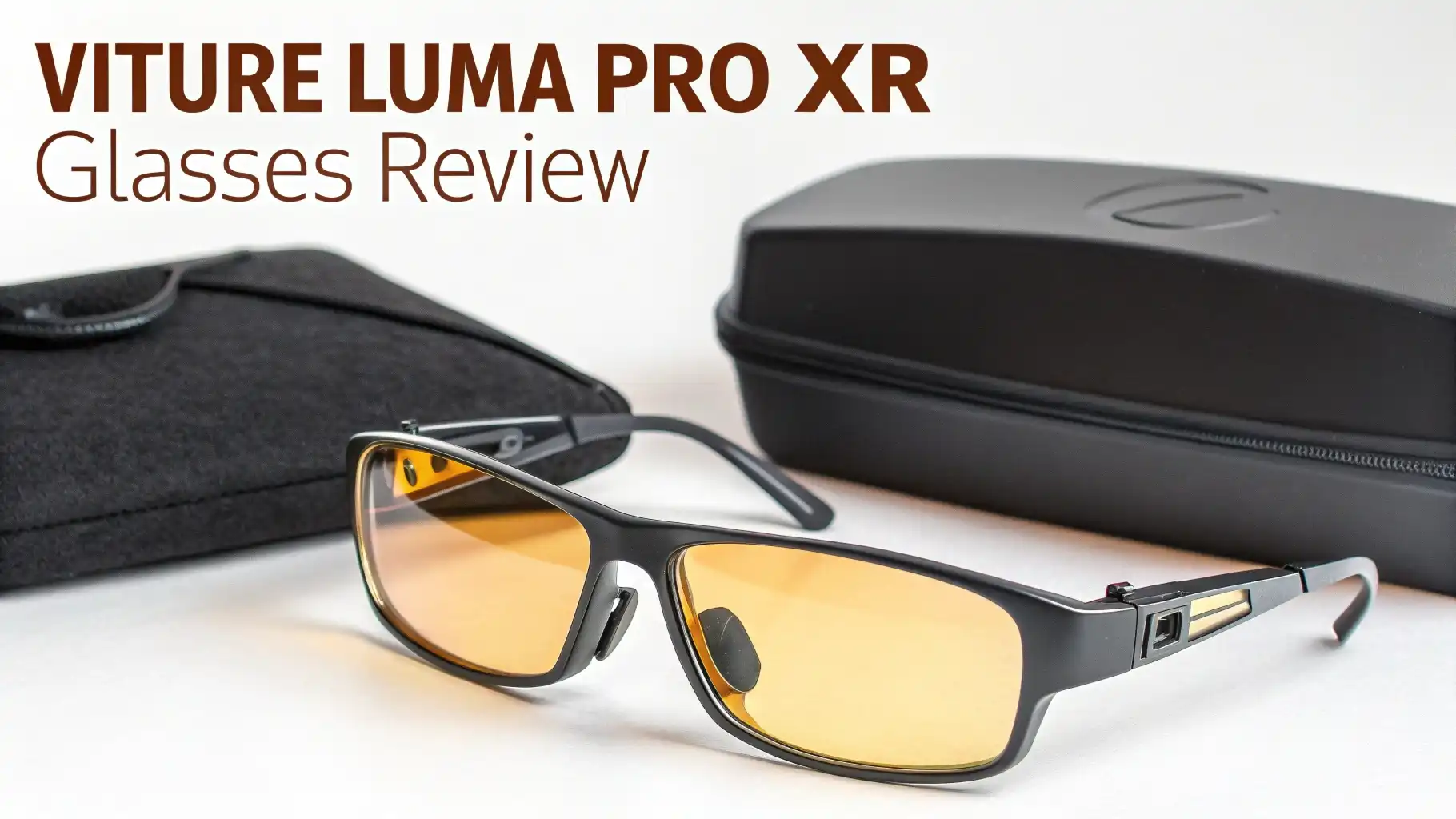
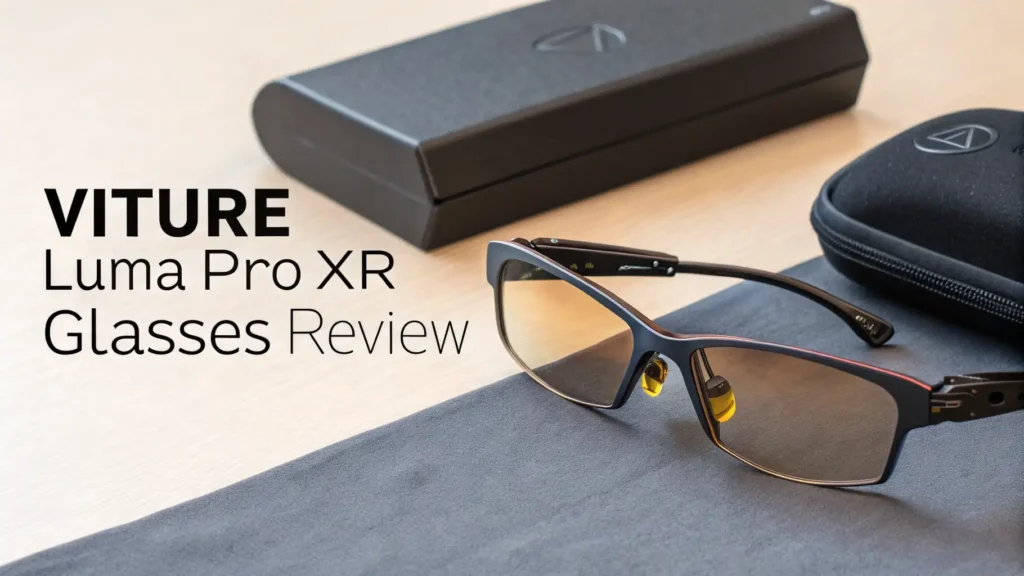
VITURE designed the Luma Pro to look like regular sunglasses at first glance. The frames use translucent dark plastic. The material appears black until light hits it. Then you can see the circuitry and components inside. This gives the glasses a futuristic but subtle appearance.
The temples feature orange LED accent lights. These lights glow when you connect a device. They flash when you adjust settings. The effect looks cool without being obnoxious. The lights turn off while you wear the glasses, so they don’t distract you or draw attention in public.
Comfort matters when you plan to wear glasses for hours. The Luma Pro comes in two sizes. Regular and Large. Each size accommodates different interpupillary distances. The regular size fits IPD ranges from 58 to 70mm. The large size handles 62 to 74mm. This ensures most people find a comfortable fit.
Audio Performance
Sound quality often gets overlooked in XR glasses reviews. The VITURE Luma Pro features directional speakers built into the temples. These speakers sit near your ears without touching them. The audio technology creates a personal sound bubble. You hear clear dialogue and immersive effects without disturbing people nearby.
The sound profile leans toward clarity over bass. Voices come through crisp and natural. Music sounds balanced across the frequency range. You won’t get the deep rumbling bass of over ear headphones. But for watching videos and playing games, the audio quality satisfies.
Volume gets loud enough for most environments. On a quiet train or in your home, maximum volume might even be too loud. In noisy settings like airplanes or busy cafes, you might struggle to hear quieter content. The open ear design means ambient noise competes with your audio.
Myopia Adjustment Feature
This feature deserves its own section. The diopter adjustment wheels on the Luma Pro change the game for nearsighted users. Each lens has an independent focus wheel on top of the frame. You can adjust each eye separately for precise correction.
The adjustment range goes up to minus 4.0 diopters. This covers mild to moderate nearsightedness. The previous VITURE Pro model went to minus 5.0. The Rokid Max 2 reaches minus 6.0. If your prescription falls beyond minus 4.0, you might need to consider other options or use contact lenses.
Using the adjustment wheels feels intuitive. You simply turn the dials while looking at content. You keep adjusting until the image looks sharp. The process takes seconds. You can readjust anytime if your vision changes or you share the glasses with someone else.
Electrochromic Film Technology
The VITURE Luma Pro includes electrochromic lenses. This technology lets you control how much light passes through the lenses. At minimum darkness, the lenses look like lightly tinted sunglasses. At maximum darkness, they block up to 99.5% of external light.
The adjustment happens instantly. You press a button on the right temple. The lenses darken or lighten in less than a second. No mechanical shutters. No separate clip on shades. The transition feels smooth and effortless.
Why does this matter? In bright environments, external light can wash out your display. Even with 1000 nits of brightness, direct sunlight creates challenges. Darkening the lenses helps your content stay visible and vibrant. In dim environments, you can keep the lenses clear to maintain awareness of your surroundings.
Compatibility And Connections
The VITURE Luma Pro works with almost everything. The USB C connection makes it simple to plug into modern devices. iPhones with USB C ports connect directly. Android phones work out of the box. MacBooks, Windows laptops, iPads, and Chromebooks all function with the glasses.
Gaming devices receive full support too. The Nintendo Switch works great, giving you a huge screen for handheld gaming. Steam Deck users get an incredible upgrade over the built in display. PlayStation 5 and Xbox Series consoles connect through VITURE’s mobile dock accessory.
The glasses act as a standard display device. Your phone or computer sees them as an external monitor. This means compatibility extends beyond just video playback. You can work on documents, browse the web, edit photos, or run any application your device supports. The glasses simply provide the screen.
Software And Features
Unlike some competitors, the VITURE Luma Pro keeps software features minimal on the glasses themselves. You get five picture modes. Cold, Film, True Color, Vivid, and Warm. You can adjust brightness and volume with the onboard controls. You can toggle the electrochromic dimming. That covers the built in features.
For advanced functionality, VITURE provides the SpaceWalker software. This application runs on Windows, Mac, Android, and iOS. SpaceWalker enables head tracking and creates a virtual workspace. On mobile devices, it provides an AR interface with web browsing and media apps. On computers, it lets you set up multiple virtual monitors.
The catch is SpaceWalker requires significant processing power. VITURE recommends at least an Intel Core i7 13620H CPU and an Nvidia GeForce 1060 GPU for Windows. The software can stress your system. Running intensive games through SpaceWalker is not recommended. This limits its practical use for many users.
Head tracking feels basic compared to competitors like the XREAL One Pro. The XREAL glasses handle 3DOF tracking natively without software. They don’t tax your device’s resources. VITURE’s solution works but feels less polished. You can live without SpaceWalker and still enjoy the Luma Pro as a wearable display.
Real World Performance
How do the VITURE Luma Pro glasses perform in daily use? Let’s break down different scenarios. For watching movies and shows, these glasses excel. The large field of view creates an immersive theater experience. The brightness and contrast make content pop. The colors look natural and engaging.
Binge watching a series feels comfortable. The adjustable temples and balanced weight mean you can wear them for hours. The directional audio keeps you in the story without completely isolating you. You can pause, grab a snack, and resume without fumbling with controls.
Gaming brings mixed results. Console and PC gaming through direct connection works wonderfully. The smooth 120Hz display and low latency create an engaging experience. Single player games shine. Competitive multiplayer works but feels odd without peripheral vision. The field of view cuts off some UI elements at the edges.
Battery Considerations
The VITURE Luma Pro has no internal battery. This design choice creates trade offs. On the positive side, the glasses stay lighter. You never need to charge them separately. They work immediately whenever you plug them in.
The downside hits your connected device. Streaming video through the glasses drains your phone or laptop battery quickly. The display draws significant power. You might get two to three hours of video playback from a phone. Laptops last longer but still drain faster than normal use.
For long sessions, you need external power. A USB C power bank keeps your phone charged while using the glasses. Many portable gaming devices support passthrough charging. You can plug the charger into the device and the glasses into the device simultaneously. This solves the battery concern for stationary use.
Price And Value Analysis
The VITURE Luma Pro retails for $424 on Amazon. This positions it in the mid range of the XR glasses market. The standard VITURE Luma costs $359 with a slightly smaller field of view. The VITURE Luma Ultra jumps to $599 with additional features. The upcoming VITURE Beast targets $549.
Compared to competitors, the price feels competitive. The XREAL One Pro costs $599 with built in 3DOF tracking and a 57 degree field of view. The Rokid Max 2 comes in at $309 but lacks the brightness and features of the Luma Pro. The XREAL Air 3S Pro drops to $299 as a budget option.
What do you get for $424? Premium Sony micro OLED displays. Industry leading brightness. Built in myopia adjustment. Electrochromic dimming. A wide 52 degree field of view. Quality audio. A protective carrying case. The necessary USB C cable. Five picture modes. Solid build quality.
Comparison With VITURE Luma Models
VITURE offers four models in the Luma series. Understanding the differences helps you choose the right one. The standard Luma costs $359 and provides a 50 degree field of view. It projects a 146 inch virtual screen. It supports myopia adjustment up to minus 6.0 diopters. This stronger correction range benefits users with worse vision.
The Luma Pro adds the wider 52 degree field of view for a 152 inch screen. It reduces myopia adjustment to minus 4.0. It includes the camera for future 6DOF tracking. It features the LED accent lighting. For $65 more, you get a more immersive viewing experience and future proofing.
The Luma Ultra costs $599 and includes everything the Pro has. It adds full 6DOF tracking that works now. It supports AR hand gestures. It delivers 1500 nits of perceived brightness instead of 1000. It can convert 2D content to 3D in real time. For users who want the most advanced features, the Ultra justifies its premium.
The Luma Beast launches soon at $549. It boasts a record breaking 58 degree field of view for the most immersive experience. It includes features not found on other models. Details remain limited until release. Early interest suggests strong demand.
Strengths And Limitations
Let’s be honest about what the VITURE Luma Pro does well and where it falls short. The display quality ranks among the best in the XR glasses market. The brightness allows use in bright environments without constantly fiddling with dimming. The myopia adjustment saves money and hassle for nearsighted users.
The design looks sleek and feels comfortable for extended wear. The build quality inspires confidence. The electrochromic lenses adapt to different lighting conditions seamlessly. The audio quality exceeds expectations for integrated speakers. Compatibility covers nearly every device you might own.
Where does the Luma Pro stumble? The software experience lags behind competitors like XREAL. The SpaceWalker app requires too much from your devices. The head tracking feels like an afterthought rather than a core feature. The camera sits unused waiting for a future update.
The myopia adjustment only goes to minus 4.0. Users with stronger prescriptions need alternatives or contact lenses. The lack of internal battery means constant device drain. Extended use requires external power sources. The field of view, while improved, still gets beaten by the XREAL One Pro and upcoming competitors.
User Experience Insights
What do actual users say after living with the VITURE Luma Pro? Reviews on Amazon and Reddit paint a mostly positive picture.
Users praise the display brightness and quality consistently. The ability to watch content in bright rooms gets mentioned frequently. The comfort level impresses users coming from other XR glasses.
The myopia adjustment receives high marks from nearsighted users. The convenience of adjusting focus on the fly without prescription inserts creates happy customers. The quick setup process gets appreciated. Plug in the cable, adjust the focus wheels, and start watching. No complicated pairing or software installation required.
Common complaints center on the software limitations. Users expect more from the SpaceWalker app. The basic head tracking disappoints those coming from XREAL glasses. The camera not working at launch frustrates early adopters. The battery drain on connected devices catches some users off guard.
Some users mention light leakage around the nose bridge. Ambient light can sneak in and reduce immersion. The fit varies by face shape. A few users find the temples too tight or too loose even with adjustment. The audio volume is insufficient in very noisy environments according to some reviews.
Best Use Cases
The VITURE Luma Pro shines in specific scenarios. Understanding these helps you decide if they fit your lifestyle. Traveling ranks as the number one use case. Long flights become entertainment marathons instead of boring slogs. Train and bus rides transform into productive work sessions or binge watching opportunities.
Working remotely in shared spaces benefits from the privacy these glasses provide. Coffee shops, libraries, and coworking spaces become viable offices. Your screen content stays completely private. Nobody can see what you’re watching or reading. This opens up options for where and when you work.
Gaming on portable devices gets dramatically enhanced. Steam Deck, ROG Ally, and Nintendo Switch jump from small screens to massive displays. The improvement in immersion makes games more engaging. Single player adventures feel epic. Handheld gaming never looked so good.
Media consumption at home provides a relaxing experience. Lay back on your couch or bed. Watch movies on a huge screen without taking up wall space or dealing with TV placement. Your partner can watch different content on the actual TV. Everyone gets their preferred entertainment.
Maintenance And Care
Keeping your VITURE Luma Pro in good condition requires minimal effort. The included case protects the glasses during transport. Always store them in the case when not in use. The hard shell design prevents crushing or scratching.
Clean the lenses with the provided microfiber cloth. Avoid using paper towels or rough materials. These can scratch the coating on the lenses. If needed, slightly dampen the cloth with water or lens cleaner. Never spray cleaner directly on the glasses. The liquid can seep into the electronics.
The USB C cable deserves care too. Avoid yanking or pulling on it. The connector plugs into the temple tip. Gentle insertion and removal prevents damage to the port. The magnetic pogo connector makes this easier. Wrap the cable loosely when storing. Sharp bends can break internal wires over time.
Frequently Asked Questions
Can I use VITURE Luma Pro with my iPhone?
Yes, the VITURE Luma Pro works with iPhones that have USB C ports. This includes iPhone 15 models and newer. You plug the included cable directly into your iPhone. The phone powers the glasses and sends video through the same connection. Older iPhones with Lightning ports require an adapter or the VITURE Mobile Dock accessory.
Do these glasses work for watching Netflix and YouTube?
Absolutely. The VITURE Luma Pro displays anything your connected device can show. Open Netflix, YouTube, Disney Plus, or any streaming app on your phone or computer. The glasses show the content just like an external monitor. You get full access to all your subscriptions and content libraries without restrictions.
How long can I wear these glasses comfortably?
Most users report wearing the VITURE Luma Pro for two to three hours without discomfort. Some users go longer depending on their sensitivity and the glasses’ fit. The balanced weight distribution and soft ear hooks reduce fatigue. Taking short breaks every hour helps maintain comfort during marathon sessions. Individual tolerance varies based on face shape and personal sensitivity.
Can people around me see what I’m watching?
No, the display only appears visible to you when wearing the glasses. People nearby cannot see your screen content. This privacy makes the glasses perfect for watching content in public spaces. However, they can hear the audio from the directional speakers if they are very close and your environment is quiet. Using headphones provides complete privacy.
Do I need prescription lenses if I wear glasses?
It depends on your vision needs. For nearsightedness up to minus 4.0 diopters, the built in adjustment wheels eliminate the need for prescription lenses. For farsightedness, astigmatism, or stronger nearsightedness, you might need prescription inserts or to wear contact lenses. The glasses are designed to be worn instead of your regular glasses, not over them.
Will these glasses give me motion sickness?
Most users experience no motion sickness with the VITURE Luma Pro when using them as a basic display. Motion sickness becomes more likely when using head tracking features in SpaceWalker. The 120Hz refresh rate and low latency help reduce nausea triggers. If you are prone to VR sickness, start with short sessions and gradually increase usage time.
Can I use these glasses while lying down?
Yes, the VITURE Luma Pro works perfectly while lying down on your back. The display remains stable regardless of your head position when not using SpaceWalker. This makes them ideal for bed time viewing. The comfort level when lying on your side varies by person. The glasses might press into your pillow awkwardly in some positions.
What is the return policy if they don’t work for me?
Amazon offers standard return policies for the VITURE Luma Pro. You typically have 30 days to return them if unsatisfied. Check the specific listing for exact terms. VITURE also offers a 30 day return policy through their official website. This gives you time to test the glasses thoroughly and ensure they meet your expectations without risk.