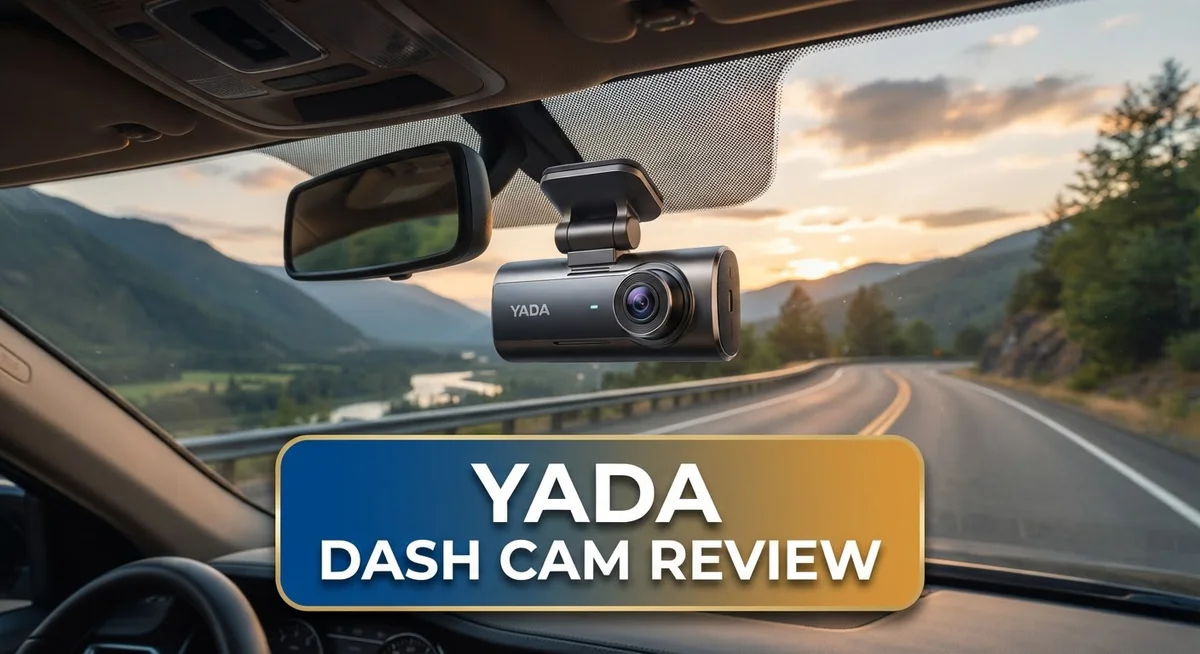
YADA Dash Cam Review: Dual-Camera Recording and 4K Performance
Do you want a clear witness on the road? A YADA dash cam could be your answer. Car troubles and road disputes happen fast. You need proof you can trust. This is where a dash cam becomes your best friend.
YADA offers dash cams with 1080p HD and 4K UHD options. You can pick the resolution that fits your needs. Both options capture sharp, clear footage.
In this review, we break down what makes YADA dash cams stand out. We look at their features, performance, and how they compare to competitors like Rexing and Thinkware.
In a Nutshell
- Smart Protection: The G-Sensor detects sudden impacts and locks that footage. This keeps crucial evidence safe from accidental overwrites.
- Always Watching: Park mode lets your camera record even when you step away. This can catch hit-and-runs or break-ins in a parking lot.
- Loop Recording: Old footage clears out automatically once your 16GB SD card fills up. You never have to worry about manual deletion.
- Flexible Views: With dual or triple camera setups, you get both road and cabin coverage. This helps document rideshare trips or family drives.
- Compact Display: The 2.2 inch LCD screen lets you review clips right on the device. No need to pull out your phone every time.
- Stacks Up Well: Compared to brands like Rexing and Thinkware, YADA holds its own with solid features. It brings a lot of value to the table for everyday drivers.
Video Resolution and Recording Quality
When you turn on a YADA dash cam, video quality is what you notice first. The camera captures what happens on the road with clarity that matters when you need evidence.
YADA offers two main resolution options: 1080p HD and 4K UHD. The 1080p models deliver sharp, detailed footage for most driving situations. The 4K models take things further by capturing even more detail in every frame. This extra resolution helps when you need to read license plates or spot small details from accidents.
The 2.2 inch LCD screen on YADA dash cams lets you watch recordings right on the device. You can review clips before they save to your SD card. The screen size is compact but clear enough to see what your camera caught.
Recording happens continuously with loop recording technology. Once your 16GB SD card fills up, the oldest footage gets replaced automatically. This means your camera keeps running without you needing to swap cards or delete files manually. You always have the most recent drive time saved.
YADA dash cams shine with dual and triple camera setups. The front camera captures the road ahead in full detail. Interior cabin cameras record what happens inside your vehicle. This dual view gives you complete coverage during incidents. You see both the external threat and passenger reactions in one system.
The G-Sensor technology works alongside video quality to protect important footage. When the sensor detects sudden impact or hard braking, it locks that video file. Even with loop recording running, the locked footage stays safe from being overwritten.
Park mode recording adds another layer to video protection. Your YADA camera can record even when your car sits parked and off. This captures hit and runs or vandalism attempts when you are away.
Wi-Fi connectivity means you can review footage on your phone app without removing the SD card. This makes checking video quality quick and simple. You spot problems early and verify that your camera is working as it should.
Camera Setup and Coverage
Setting up your YADA dash cam takes just a few minutes. The device comes ready to go with a 16GB SD card already included. You won’t need to buy extra storage right away.
The front camera captures the road ahead in sharp detail. You get a clear view of traffic, road signs, and other vehicles. This footage becomes crucial if an accident happens or a dispute arises on the road.
Many YADA models feature dual or triple camera setups. The interior cabin camera records passengers and the driver. This gives you complete coverage inside your vehicle. Some models add a rear camera for what’s happening behind you.
Placement matters for best results. Mount the front camera on your windshield near the center. This angle catches the most road activity. The cabin camera typically sits on your dashboard pointing inward. Rear cameras mount on the back window if your model includes one.
The 2.2 inch LCD screen lets you adjust camera angles right there. You can see exactly what each lens captures before you drive. This prevents blind spots and ensures proper coverage.
YADA dash cams use loop recording technology. This means old footage automatically deletes when your SD card gets full. New recordings keep taking over old ones. You never run out of storage space during your drive.
The G-Sensor works with your camera placement too. It detects sudden impacts and locks that footage automatically. Even if loop recording would normally delete it, the G-Sensor saves it separately.
Park mode activates when you turn off your engine. Your camera keeps recording if motion or impact happens nearby. This protects your vehicle while parked at work or home.
Wi-Fi connectivity makes setup even easier. Connect to your YADA app on your phone. You can view live footage or check recordings without touching the SD card. This wireless feature saves time when you need quick access to video evidence.
Proper camera setup means you capture what matters most. YADA’s multiple camera options let you choose the coverage that fits your needs.
Key Features and Technology
YADA dash cams pack several standout features that make them practical for daily driving. Let’s explore what sets them apart from the crowd.
Resolution options give you flexibility in how you capture the road. You can choose between 1080p HD for standard clarity or jump to 4K UHD when you want maximum detail. Both options record continuously, so you never miss a moment.
The Wi-Fi app connectivity lets you review footage straight from your phone. You don’t need to pull out the SD card or fiddle with cables. This makes checking recordings quick and simple, whether you’re at home or on the go.
Multiple camera setups are a major strength here. YADA offers dual camera options that capture both the front road and your cabin interior. Some models even include triple cameras for complete coverage. This dual angle approach means you have protection from multiple perspectives during an incident.
The G-Sensor technology automatically detects sudden impacts and locks your footage. When your dash cam senses a hard collision or sudden braking, it protects that video file from being overwritten. This happens automatically without any action from you.
Park mode recording keeps your camera active even after you leave your vehicle. If someone bumps your car while you’re away, the dash cam captures it. This feature adds real security for parked situations.
Loop recording manages your storage smartly. Your YADA comes with a 16GB SD card included. Once it fills up, the system overwrites the oldest footage automatically. This means your dash cam keeps recording without you running out of space.
The 2.2 inch LCD screen lets you preview and adjust your camera angles right on the device. You can fine tune positioning without needing a computer or app. This hands on approach makes setup straightforward.
Combining these features, YADA dash cams deliver practical protection for your daily drives. The mix of multiple cameras, smart sensors, and app connectivity creates a system that works hard to keep your journey documented.
Top 3 Alternatives
VIOFO A119 Mini

Last update on 2026-11-18 / Affiliate links / Images from Amazon Product Advertising API Some of the links on this website are affiliate links, which means that at no additional cost to you, I earn a commission if you click through and make a purchase. I only recommend products and services that I believe will add value to my readers. Thank you for your support!
The VIOFO A119 Mini offers compact design without sacrificing video quality. This camera records in 1600p at 30fps, giving you clear footage of the road ahead. The small form factor makes it easy to hide behind your rearview mirror. Owners praise its reliability and straightforward operation. You get excellent night vision performance and a wide 170-degree lens. The device stores footage on a microSD card, and loop recording prevents you from running out of space.
Thinkware U1000

Last update on 2026-11-18 / Affiliate links / Images from Amazon Product Advertising API Some of the links on this website are affiliate links, which means that at no additional cost to you, I earn a commission if you click through and make a purchase. I only recommend products and services that I believe will add value to my readers. Thank you for your support!
Thinkware U1000 brings dual-channel recording to your vehicle. This system captures both front and interior views simultaneously, which many drivers find valuable for security. The 4K front camera delivers sharp, detailed images. Cloud connectivity lets you access footage remotely through your smartphone. The device includes intelligent parking mode, so it keeps recording even when your car is parked. GPS integration tracks your route and speed automatically.
70mai Dash Cam Pro


Last update on 2026-11-18 / Affiliate links / Images from Amazon Product Advertising API Some of the links on this website are affiliate links, which means that at no additional cost to you, I earn a commission if you click through and make a purchase. I only recommend products and services that I believe will add value to my readers. Thank you for your support!
The 70mai Dash Cam Pro combines affordability with solid performance. It records in 1440p resolution and features a 140-degree field of view. Night vision capability ensures you capture clear footage in low-light conditions. The camera includes built-in GPS and WiFi connectivity for easy file transfers. Simple setup means you can install it yourself without technical knowledge. Loop recording and motion detection come standard on this model.
Each option serves different needs. Choose the VIOFO for compact reliability, pick Thinkware for comprehensive dual coverage, or select 70mai for budget-conscious buyers who want decent features.
Display, Controls, and User Interface
The YADA dash cam puts control right in your hands with a straightforward interface. You don’t need tech skills to operate this device. Everything feels intuitive from the moment you power it on.
The 2.2 inch LCD screen serves as your command center. It shows you what your cameras capture in real time. You can preview footage directly on the device without needing a computer. The screen size strikes a good balance. It’s large enough to see details but small enough to fit discreetly on your dashboard.
Navigation through menus happens quickly and smoothly. Button placement makes sense. You won’t fumble around looking for basic functions. Adjusting camera angles becomes simple with the screen right there. You can position your front camera and cabin camera exactly where you need them. This hands on approach beats guessing where to aim your lenses.
The Wi-Fi app connectivity opens up a second control layer. Connect your phone to your YADA dash cam wirelessly. Review footage on your phone screen instead of the small LCD display. This feature matters when you want to check details or share clips with insurance companies. The app lets you access recordings without removing your SD card from the device.
Loop recording runs automatically in the background. You don’t need to manage it manually. The system overwrites old footage when your SD card fills up. This keeps your camera rolling without interruption. You focus on driving while the dash cam handles storage management.
The G-Sensor detection also works without your input. When impact happens, the camera automatically locks that footage. You can’t accidentally delete important evidence. This passive protection runs silently in the background.
Setup takes only minutes. Insert the included 16GB SD card, connect to Wi-Fi, and you’re ready. The interface guides you through initial configuration. No confusing steps or missing instructions. YADA designed this system for regular drivers, not tech experts. The controls feel responsive and reliable during daily use.
Installation and Connectivity
Getting your YADA dash cam up and running is straightforward. The device arrives with everything you need to start recording within minutes. Installation takes minimal effort, making it perfect for anyone who wants quick setup without complications.
Start by choosing your mounting location. The front windshield works best for capturing the road ahead. If your YADA model includes a cabin camera, position that facing the interior. The 2.2 inch LCD screen helps you adjust angles on the spot. You can preview what each camera sees right there on the device before you finalize placement.
The included 16GB SD card comes ready to use. Simply insert it into the slot, and your YADA dash cam recognizes it automatically. Loop recording starts immediately, so you never worry about running out of storage space. Old footage overwrites itself as new video comes in.
Connectivity opens up new possibilities. Wi-Fi connectivity lets you link your YADA dash cam to the mobile app on your phone. This means you can review footage, adjust settings, and download important clips without touching the SD card. The app connection happens quickly during initial setup.
Power connection matters too. Run the cable along your headliner and down the side of your windshield for a clean look. Most users hardwire their YADA dash cam to their vehicle’s electrical system. This keeps the camera active in park mode even when your engine is off.
The G-Sensor activates automatically once installation is complete. You do not need to configure it manually. When sudden impacts occur, the sensor locks your footage so it never gets overwritten.
Test everything before you drive. Check that both cameras are recording smoothly. Verify that Wi-Fi connection works with your phone app. Make sure the LCD screen displays clearly from your driving position. Once you confirm these basics, your YADA dash cam is ready to protect your journeys. Setup truly takes just a few minutes, and you gain complete peace of mind on the road.
Pros and Cons
Pros
- Captures both front road and interior cabin views simultaneously with dual or triple camera options
- Offers 1080p HD and 4K UHD resolution choices so you pick the quality level you need
- G-Sensor automatically detects hard impacts and locks footage to prevent accidental deletion
- Park mode keeps recording active after you turn off your engine to monitor your vehicle
- Wi-Fi app lets you review and download footage directly from your smartphone
Cons
- Detailed specifications beyond the basics remain limited in available product information
- Storage management depends on your SD card size since the included card is 16GB
- No built-in GPS data mentioned for location and speed tracking features
Who Should Buy It
The YADA dash cam works best for drivers who want dual or triple camera coverage without dealing with complicated setup processes. If you spend time on the road and need both front and cabin recording, this camera system fits your needs perfectly.
You should consider this dash cam if you drive a rideshare or delivery vehicle. The interior cabin view captures what happens inside your car. This protects you from passenger disputes or false claims about your driving.
Parents who want to monitor their teen drivers will appreciate the cabin recording feature. You can check what happens during drives without being in the vehicle yourself. The Wi-Fi app lets you review footage directly from your phone.
Fleet managers benefit from the multiple camera options available. You can equip vehicles with consistent recording setups across your entire operation. The G-Sensor technology protects important footage automatically when impacts occur.
Drivers in areas with frequent accidents or traffic incidents should look at this camera. The loop recording function keeps your camera active continuously. You always capture what matters most without manually managing files.
If you prefer simple installation over complex setups, the YADA works for you. The included 16GB SD card means no extra purchases before you start recording. Getting the camera operational takes only minutes.
You’ll want this dash cam if you value having resolution options. The 1080p HD and 4K UHD models let you choose based on your storage preferences and quality needs. Higher resolution uses more space, but you control that choice.
The park mode feature appeals to drivers who leave their vehicles unattended. Your camera stays active even after you turn off the engine. This catches vandalism or break-in attempts while you’re away.
Skip this dash cam if you need advanced AI features or sophisticated analytics. The YADA focuses on straightforward recording and storage management. It delivers solid performance for standard dash cam needs without extra bells and whistles.
Final Verdict
The YADA dash cam earns its place among solid options for everyday drivers. It combines dual camera coverage with simple controls. This makes it a smart pick for anyone who wants reliable protection on the road.
Compared to brands like Rexing or Thinkware, YADA holds its own. It may lack some advanced features found in premium models. But it delivers what most drivers actually need.
The G-Sensor and park mode work together to protect your footage. You get peace of mind without extra effort. These features run quietly in the background while you focus on driving.
We think this camera suits most household vehicles well. Families, commuters, and small business owners will find it useful. The interior view feature adds real value for anyone who shares their car with others.
Some drivers might want more detailed technical specs before buying. The available information covers the basics well. Advanced users may need to research further for niche questions.
Wi-Fi connectivity stands out as a genuine convenience. You can check footage without pulling out cables or cards. This small feature saves time during busy days.
Overall, the YADA dash cam performs its core job well. It records clearly, saves footage safely, and connects easily to your phone. These three things matter most for daily use.
We recommend this camera for drivers who want straightforward protection. You do not need to be tech savvy to use it well. The setup process stays simple from start to finish.
If you compare it against Nexar or other 4K dual-camera options, YADA remains competitive. It focuses on the features that matter for everyday safety. This makes it a practical choice for most car owners.
In short, the YADA dash cam does what it promises. It gives you clear video, smart protection, and easy access to your recordings. That combination makes it worth your consideration.
Frequently Asked Questions
Does the YADA dash cam record both the road and inside the cabin?
Yes. YADA offers dual and triple camera options. You can record the front road view and the interior cabin at the same time. This setup works great for rideshare drivers, delivery workers, and parents monitoring teen drivers. The cabin view captures what happens inside your vehicle while the front camera records traffic and road incidents.
What happens if I get into an accident?
The G-Sensor detects hard impacts automatically. When a collision occurs, the G-Sensor locks your footage so it won’t get deleted during loop recording. This protection keeps your evidence safe. You can then download the video through the Wi-Fi app on your phone to share with insurance companies or authorities.
Can I watch my dash cam footage on my phone?
Yes. YADA dash cams connect to Wi-Fi. The mobile app lets you review and download videos directly to your smartphone. You don’t need a computer. This makes it simple to check footage anytime, anywhere.
What resolution options does YADA offer?
YADA sells both 1080p HD and 4K UHD models. You pick the resolution level that fits your needs. Higher resolution captures more detail, while 1080p uses less storage space. The choice depends on how much detail you want and how much video you plan to store.
Does the YADA dash cam work when my car is parked?
Yes. Park mode keeps your dash cam recording after you turn off the engine. This monitors your vehicle while you’re away. The camera will capture anyone approaching or hitting your parked car. Combined with the G-Sensor, park mode provides round-the-clock protection for your vehicle.

Hello, i’m Ivoria i am the face behind Tech Tracker Blog. I am passionate about my work and love to explore gadgets and share about my experience.