FOPETT Keyboard Review 2026: Live Up To The Hype?
You want a wireless keyboard that looks great, types quietly, and costs less than a dinner for two. The FOPETT keyboard has been making waves on Amazon with thousands of glowing reviews and a price tag that seems almost too good to be true.
I spent weeks testing the FOPETT Wireless Keyboard and Mouse Combo, putting it through daily work sessions, casual browsing, and everything in between.
This review covers every detail you need before you hit that “Add to Cart” button. From build quality and typing feel to battery life and wireless range, I break it all down right here.
Key Takeaways:
- The FOPETT keyboard uses 2.4GHz wireless technology that provides a stable connection up to 28 feet away from your device. This means you can sit on your couch and still control your PC without any lag or dropped inputs.
- It features 104 full size keys with retro round keycaps that give it a vintage typewriter look. The keys are low profile and quiet, making it ideal for shared spaces, offices, or late night work sessions.
- Battery life is impressive for the price point. The keyboard runs on 2 AA batteries and can last up to 12 months thanks to an auto sleep power saving mode that kicks in after periods of inactivity.
- Setup is plug and play with a single USB receiver. You plug the tiny nano receiver into any USB port, and both the keyboard and mouse connect instantly. No software downloads or driver installations are needed.
- Compatibility spans across Windows, Mac, Chrome OS, and Linux systems. It also works with smart TVs and gaming consoles, making it a flexible option for multiple devices around your home.
- FOPETT offers a lifetime warranty on this combo, which is unusual for a product at this price range. Their customer support team is available if you run into any issues after your purchase.

Last update on 2026-08-31 / Affiliate links / Images from Amazon Product Advertising API Some of the links on this website are affiliate links, which means that at no additional cost to you, I earn a commission if you click through and make a purchase. I only recommend products and services that I believe will add value to my readers. Thank you for your support!
FOPETT Wireless Keyboard and Mouse Combo Overview
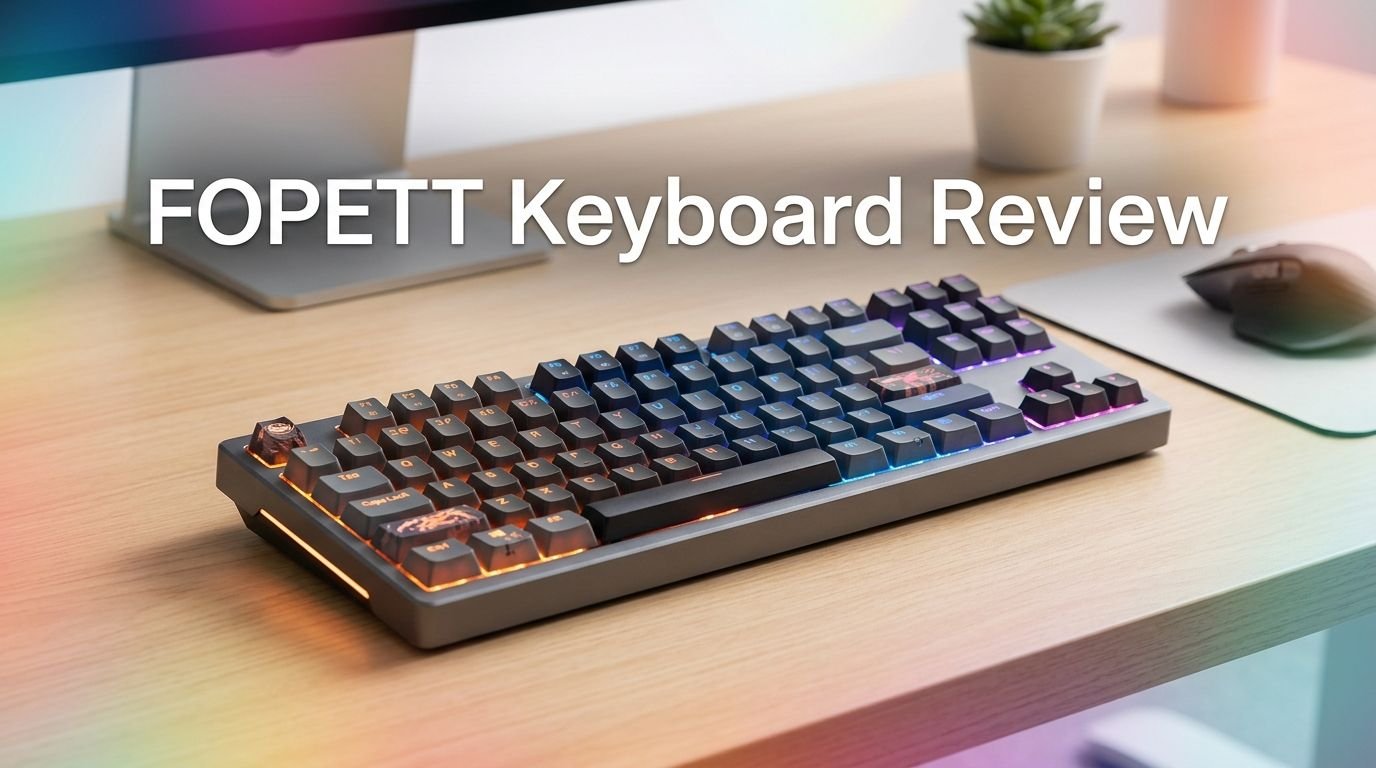
The FOPETT Wireless Keyboard and Mouse Combo is a full size wireless set that pairs a 104 key keyboard with a matching ergonomic mouse. It connects through a single 2.4GHz nano USB receiver that handles both devices at once. The keyboard measures 13.53 x 4.2 x 1.17 inches, which is standard for a full size layout.
This combo comes in multiple colorful options including white, pink, blue, green, and black. The retro round keycaps give it a distinctive typewriter inspired appearance that sets it apart from typical flat keyboards. Each color option features a slightly different gradient pattern on the keys.
FOPETT positions this product for everyday office use, home computing, and general productivity tasks. It is not a gaming keyboard and does not feature mechanical switches or RGB backlighting. The focus here is on comfort, aesthetics, and quiet operation at an affordable price.
The included mouse features an ergonomic rounded shape and operates at reduced noise levels. FOPETT claims an 80% noise reduction compared to standard mice. Both devices share the same USB receiver, so you only use one USB port for the entire combo.
Build Quality and Design
The FOPETT keyboard body is made from ABS environment friendly plastic. It feels lightweight but solid enough for daily desk use. The keyboard will not slide around your desk thanks to small rubber feet on the bottom.
The round keycaps are the standout design element. They are slightly concave, which helps your fingers find the center of each key. The colorful gradient pattern across the keys gives the keyboard a playful, modern look. It is one of the most visually appealing budget keyboards available today.
The mouse matches the keyboard in color and design language. It has a smooth matte finish that resists fingerprints well. The scroll wheel clicks clearly and the side profile fits naturally into a right handed grip. Left handed users may find the mouse shape less comfortable.
One thing to note is that the plastic does feel like a budget product. You will not mistake this for a premium keyboard from Logitech or Corsair. However, for the price you pay, the build quality exceeds expectations. There is no creaking or flexing in the keyboard frame during normal typing.
Typing Experience and Key Feel
The FOPETT keyboard uses membrane switches with a short keystroke travel distance. This means the keys press down quickly and bounce back fast. The typing feel is soft and quiet, which many people will appreciate.
Each key produces minimal sound during typing. If you work in a shared office or type late at night, this keyboard will not disturb anyone around you. The sound profile is closer to a laptop keyboard than a traditional desktop keyboard. This quiet operation is one of the best features of the FOPETT.
The round keycap shape takes a little getting used to if you have always typed on standard square keys. Your fingers may hit the edges of adjacent keys during the first few days. After a short adjustment period, most users report that the round keys actually feel more comfortable for extended typing sessions.
The key spacing is standard, so touch typists should adapt quickly. The keys require minimal force to activate, which reduces finger fatigue during long work sessions. There is no backlighting on the keys, so typing in dark rooms may be challenging for those who look at their keyboard.
Top 3 Alternatives for FOPETT Wireless Keyboard and Mouse Combo
1. Logitech MK270 Wireless Keyboard and Mouse Combo


Last update on 2026-08-31 / Affiliate links / Images from Amazon Product Advertising API Some of the links on this website are affiliate links, which means that at no additional cost to you, I earn a commission if you click through and make a purchase. I only recommend products and services that I believe will add value to my readers. Thank you for your support!
2. Logitech MK850 Performance Wireless Keyboard and Mouse Combo

Last update on 2026-08-31 / Affiliate links / Images from Amazon Product Advertising API Some of the links on this website are affiliate links, which means that at no additional cost to you, I earn a commission if you click through and make a purchase. I only recommend products and services that I believe will add value to my readers. Thank you for your support!
3. iClever GK08 Wireless Keyboard and Mouse Combo

Last update on 2026-06-28 / Affiliate links / Images from Amazon Product Advertising API Some of the links on this website are affiliate links, which means that at no additional cost to you, I earn a commission if you click through and make a purchase. I only recommend products and services that I believe will add value to my readers. Thank you for your support!
Wireless Connectivity and Range
The FOPETT combo uses 2.4GHz wireless technology to connect to your computer. This frequency band provides a solid, low latency connection that works well for typing and mouse movement. It is not Bluetooth, so you do need a free USB port on your device.
The stated range is up to 28 feet. In real world testing, the connection stays strong up to about 20 to 25 feet with clear line of sight. Walls and other obstacles may reduce this range slightly. For most desk setups, the range is more than enough.
The nano USB receiver is very small and barely sticks out from your USB port. You can leave it plugged in at all times without worrying about it catching on anything. If you lose the receiver, you will need a replacement because the keyboard cannot pair with a generic receiver.
One minor downside is the lack of Bluetooth connectivity. You cannot connect this keyboard to tablets, phones, or devices without USB ports unless you use an adapter. This limits its use with certain devices that rely only on Bluetooth.
Battery Life and Power Management
The FOPETT keyboard runs on 2 AA batteries (not included in the box). The mouse also runs on AA batteries. This means no rechargeable battery and no USB C charging, which some buyers may consider a downside.
However, the battery life is remarkably good. FOPETT claims up to 12 months of keyboard use from a single set of batteries. This is possible thanks to the auto sleep mode that activates after a period of inactivity. You simply press any key to wake the keyboard back up.
The mouse also features a power saving sleep mode. A physical on/off switch on the bottom of the mouse lets you manually turn it off to conserve even more battery. This is a thoughtful addition that helps extend the battery life between replacements.
For most users, you will only need to replace batteries once or twice a year. That makes the ongoing cost of ownership very low. A pack of AA batteries costs just a few dollars and keeps this combo running for months.
Compatibility and Device Support
The FOPETT keyboard works with Windows 7, 8, 10, and 11 out of the box. It also supports Mac OS, Chrome OS, and Linux systems. The plug and play setup means no special drivers are needed on any platform.
The 12 multimedia hotkeys at the top of the keyboard work fully on Windows systems. On Mac, some hotkeys may not function as expected. This is a common issue with budget keyboards and something Mac users should keep in mind.
The combo also works with smart TVs that have USB ports. This makes it useful as a living room keyboard for browsing apps, searching for content, or typing messages on your TV. The wireless range is perfect for this kind of setup.
Gaming consoles with USB support can also use this keyboard and mouse. However, since this is not a gaming focused product, the response time and feature set may not satisfy serious gamers. It works fine for casual console navigation and text input.
Ergonomics and Comfort
The FOPETT keyboard has a low profile design that keeps your wrists at a natural angle while typing. There are small tilt legs on the back that let you adjust the keyboard angle to two positions. This helps reduce wrist strain during long sessions.
The round keycaps provide a slightly different ergonomic experience compared to standard flat keys. Your fingertips rest in the center of each key thanks to the concave shape. Many users report that this reduces accidental key presses and improves typing accuracy over time.
The included mouse has a rounded, symmetrical design that fits comfortably in medium sized hands. The surface has a smooth matte texture that does not cause sweating during extended use. The click buttons require minimal force, which reduces finger fatigue.
One missing feature is a dedicated wrist rest. At this price point, that is expected. If you type for many hours each day, you may want to purchase a separate gel wrist rest to pair with this keyboard. It will significantly improve long term comfort.
Multimedia Keys and Shortcuts
The FOPETT keyboard includes 12 function keys that double as multimedia shortcuts. These keys let you control volume, play and pause media, skip tracks, and open your email client with a single press.
The Fn key in the bottom row activates the secondary function of each F key. This is standard across most keyboards and should feel familiar to anyone who has used a laptop. The shortcut labels are printed clearly on each key in a smaller font.
Additional shortcuts include a calculator key, browser launch key, and screen lock button. These add genuine productivity value to a budget keyboard. You can adjust your music volume or lock your screen without touching your mouse.
Keep in mind that some multimedia keys may behave differently on Mac or Linux. The volume and media playback controls generally work across all platforms. The more system specific shortcuts like email and calculator may require key remapping software on non Windows machines.
Mouse Performance and Features
The included FOPETT mouse uses an optical sensor that tracks accurately on most surfaces. It works on wood, fabric, and plastic mouse pads without issues. Glass surfaces may cause tracking problems, as is typical with optical mice.
The DPI is set at a standard level that suits everyday use. There is no adjustable DPI button on the mouse, so you cannot switch between sensitivity levels on the fly. For office work and web browsing, the default sensitivity works well.
The noise reduction feature is noticeable right away. The left and right click buttons produce a muffled, soft sound instead of a sharp click. This makes the mouse comfortable to use in quiet environments like libraries or shared offices.
The mouse is lightweight and moves smoothly across surfaces. The scroll wheel has clear steps and does not spin freely. For basic productivity tasks, the mouse performs exactly as you would expect from a combo set. It will not replace a dedicated gaming or precision mouse, but it handles daily tasks reliably.
Who Should Buy the FOPETT Keyboard?
The FOPETT keyboard is perfect for students who need an affordable, good looking wireless setup for their dorm room or study space. The colorful design adds personality to a desk, and the quiet keys prevent disturbance during study sessions.
Remote workers on a budget will also find this combo useful. It handles document editing, email, and web browsing with ease. The multimedia keys add convenience, and the wireless connection keeps your desk clean and organized.
Parents looking for a fun keyboard for their kids will appreciate the colorful design and easy setup. Children tend to enjoy the round keys and vibrant colors. The durability is adequate for everyday family computer use.
This keyboard is not ideal for gamers, programmers who need mechanical switches, or professionals who require advanced features like programmable macros, Bluetooth multi device pairing, or USB C charging. If you fall into those categories, you should look at higher priced options.
What Could Be Better?
The lack of backlighting is the most common complaint among FOPETT keyboard users. If you work in dimly lit environments, you will struggle to see the key labels. Adding even a single color backlight would greatly improve the user experience.
No Bluetooth support limits the devices you can use this keyboard with. Many modern tablets and phones rely on Bluetooth. Adding dual mode connectivity (2.4GHz plus Bluetooth) would make this combo far more versatile.
The batteries not being rechargeable feels like a missed opportunity. Many competitors at this price point now include built in rechargeable batteries with USB C charging. Having to buy and replace AA batteries adds a small ongoing cost and environmental impact.
The Mac compatibility could be better. While the keyboard connects and types on Mac, several hotkeys do not work as labeled. A dedicated Mac mode or alternate key labeling would help Mac users get more value from this product. FOPETT could also improve the mouse by adding an adjustable DPI button.
FOPETT Keyboard vs. Logitech MK270
The Logitech MK270 is the most direct competitor to the FOPETT combo. Both products target the budget wireless keyboard market and share similar price points. However, there are notable differences between the two.
The Logitech MK270 offers a more traditional design with standard flat keycaps. It does not have the retro round key look that makes the FOPETT stand out visually. If aesthetics matter to you, the FOPETT wins in this category.
In terms of reliability, Logitech has a stronger track record and better brand recognition. The MK270 uses Logitech’s proven wireless technology and has been a best seller for years. The FOPETT is a newer brand with less long term data on durability.
Both keyboards offer similar battery life and plug and play setup. The Logitech MK270 includes 8 multimedia shortcut keys compared to the FOPETT’s 12. The FOPETT also offers a wider range of color options. If you want a basic, proven wireless combo, the MK270 is the safe choice. If you want style and color, the FOPETT delivers more personality.
Is the FOPETT Keyboard Worth the Price?
The FOPETT Wireless Keyboard and Mouse Combo delivers impressive value for its price. You get a full size keyboard, a matching mouse, and a nano receiver for less than what many brands charge for a keyboard alone. The combo regularly sells for under $25 on Amazon.
The lifetime warranty adds extra confidence to the purchase. Very few budget brands offer this level of after sales support. If anything goes wrong with your keyboard or mouse, FOPETT will help you resolve the issue.
For what it costs, the FOPETT combo provides a reliable daily typing experience with a unique visual design. You should not expect premium build quality, mechanical switches, or advanced features. But if your expectations align with the price, this keyboard will serve you well.
The answer is yes, the FOPETT keyboard is worth the price for budget conscious buyers. It does exactly what it promises at a cost that is hard to beat. Just make sure you are okay with the limitations like no backlight and no Bluetooth before you order.
Last update on 2026-08-31 / Affiliate links / Images from Amazon Product Advertising API Some of the links on this website are affiliate links, which means that at no additional cost to you, I earn a commission if you click through and make a purchase. I only recommend products and services that I believe will add value to my readers. Thank you for your support!
How to Set Up Your FOPETT Keyboard
Setting up the FOPETT keyboard takes less than 30 seconds. Open the battery compartment on the back of the keyboard and insert 2 AA batteries. Do the same for the mouse with its own AA batteries.
Next, remove the nano USB receiver from the storage slot inside the mouse or keyboard battery compartment. Plug it into any available USB port on your computer. Your system should detect the keyboard and mouse within a few seconds.
There is no software to install and no pairing button to press. The receiver comes pre paired with both the keyboard and mouse. Once the receiver is plugged in, you can start typing and clicking right away.
If the keyboard does not respond after inserting batteries, check that the power switch is turned on. Some FOPETT models have a small on/off switch on the side or bottom. Also make sure the batteries are inserted in the correct orientation. If problems persist, try a different USB port.
Customer Reviews and Feedback
The FOPETT keyboard has earned a strong average rating on Amazon, with thousands of verified buyer reviews. Most positive reviews highlight the cute design, quiet typing, and excellent value for money.
Common praise includes the easy setup process, comfortable round keys, and impressive battery life. Many reviewers mention that the keyboard looks much better in person than in photos. The colorful options are especially popular among younger buyers and content creators.
Negative reviews tend to focus on a few recurring issues. Some users report that certain keys stop working after several months. Others mention the lack of backlighting as a deal breaker. A small number of Mac users have expressed frustration with limited hotkey compatibility.
Overall, the customer sentiment is overwhelmingly positive for a budget product. Most buyers feel they got more than what they paid for. The lifetime warranty also reassures buyers that FOPETT stands behind their product.
Final Verdict on the FOPETT Keyboard
The FOPETT Wireless Keyboard and Mouse Combo is a solid budget pick for 2026. It offers a unique retro design, quiet typing, reliable wireless connectivity, and excellent battery life at a price that almost anyone can afford.
Its weaknesses are clear. No backlight, no Bluetooth, no rechargeable battery, and limited Mac hotkey support. These are real trade offs that you should consider based on your specific needs.
If you want a fun, colorful, and affordable wireless keyboard for everyday tasks, the FOPETT is hard to beat. It looks good on any desk, types comfortably, and lasts for months on basic AA batteries. The included mouse is a decent bonus that handles daily clicking and scrolling without fuss.
I recommend the FOPETT keyboard to budget shoppers, students, and anyone who values style alongside basic functionality. For power users, gamers, or Mac focused workflows, spending a bit more on a higher tier product will give you a better experience.
Frequently Asked Questions
Is the FOPETT Keyboard Good for Gaming?
The FOPETT keyboard is not designed for gaming. It uses membrane switches with no anti ghosting features. Serious gamers will notice input limitations during fast paced gameplay. It works fine for casual gaming and basic console navigation, but competitive gamers should choose a dedicated gaming keyboard with mechanical switches and faster response times.
How Do I Connect My FOPETT Keyboard to My Computer?
You connect the FOPETT keyboard by plugging the included nano USB receiver into your computer’s USB port. The keyboard and mouse are pre paired with the receiver. No software or drivers are needed. Just insert AA batteries, plug in the receiver, and start typing. The connection happens automatically within seconds.
Does the FOPETT Keyboard Work with Mac?
Yes, the FOPETT keyboard works with Mac OS systems. Basic typing and most standard keys function correctly. However, some of the 12 multimedia hotkeys may not work as labeled on Mac. Volume controls and media playback keys generally work fine. System specific shortcuts like the calculator or email key may need remapping.
How Long Do the Batteries Last in the FOPETT Keyboard?
The FOPETT keyboard batteries can last up to 12 months with regular use. This is possible because of the auto sleep power saving mode. The keyboard enters sleep mode after a period of inactivity and wakes up when you press any key. Actual battery life depends on your daily usage hours and typing volume.
Can I Replace the USB Receiver If I Lose It?
Losing the USB receiver is a problem because the FOPETT keyboard cannot pair with a generic receiver. You will need to contact FOPETT customer support to request a replacement receiver. The lifetime warranty may cover this situation. It is a good idea to store the receiver in a safe place when not in use.
Does the FOPETT Keyboard Have Backlit Keys?
No, the FOPETT keyboard does not have any backlighting. The keys are not illuminated, which makes typing in dark or dimly lit rooms difficult. If you need a backlit keyboard, you should consider other options. This is one of the most commonly requested features that FOPETT does not currently offer on this model.

Hello, i’m Ivoria i am the face behind Tech Tracker Blog. I am passionate about my work and love to explore gadgets and share about my experience.