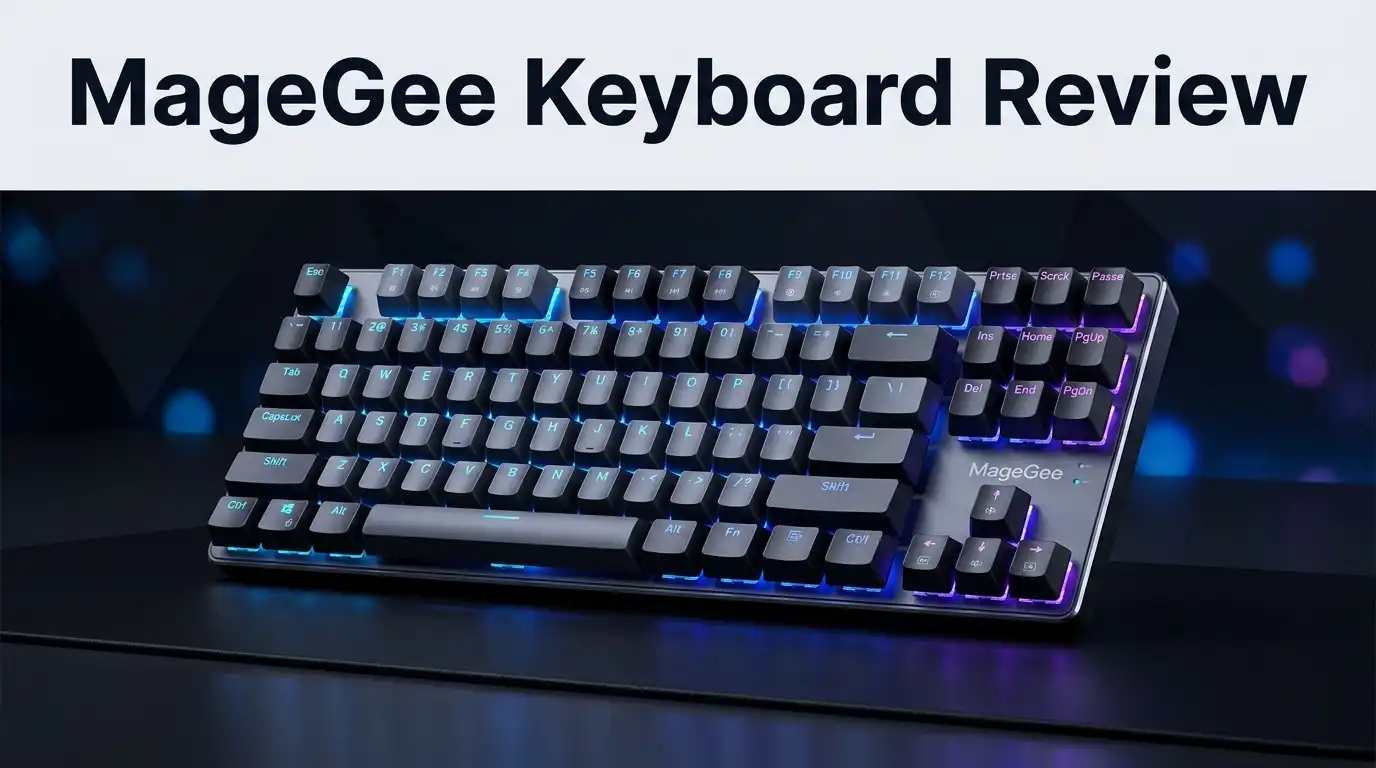
MageGee Keyboard Review 2026: Worth Buying?
MageGee sells some of the cheapest mechanical keyboards on Amazon. You have probably seen them in a gaming setup video, sitting under a pile of RGB light. The price looks too low to be real, and that makes most buyers pause.
I spent weeks typing on MageGee boards, playing games on them, and pulling keycaps off to see what hides underneath.
This review covers the good parts, the annoying parts, and the parts nobody mentions in the product listing. By the end, you will know if a MageGee keyboard fits your desk or wastes your money.
In a Nutshell:
- MageGee keyboards cost between $20 and $40, which places them at the very bottom of the mechanical keyboard market. You get a working keyboard with RGB lighting, extra keycaps, and a key puller for the price of two pizzas.
- The typing feel is genuinely fun for the money. Blue switches click loudly, red switches glide smoothly, and both feel far better than any membrane office board your workplace hands out.
- The build quality shows its price in small ways. Keycap legends glow unevenly, some letters look faded, and the plastic case flexes if you twist it hard.
- Most MageGee models do not support hot swap sockets or software. You cannot swap switches, record macros, or remap keys through an app, so what you buy is what you keep.
- The 60% and 65% layouts remove keys you may miss. Function keys, Print Screen, and Delete hide behind the Fn layer, and learning that layer takes about a week.
- Buy a MageGee if this is your first mechanical keyboard or a spare for a travel bag. Skip it if you already own a decent board and want a real upgrade.
MageGee MK Box 60% Mechanical Gaming Keyboard

Last update on 2026-10-07 / Affiliate links / Images from Amazon Product Advertising API Some of the links on this website are affiliate links, which means that at no additional cost to you, I earn a commission if you click through and make a purchase. I only recommend products and services that I believe will add value to my readers. Thank you for your support!
The MK Box is the model most people mean when they say MageGee. It packs 68 keys into a frame that measures roughly 12.1 inches wide and 4 inches deep. That size leaves half your desk free for mouse swings.
Despite the 60% label in the listing, this is really a 65% keyboard. It keeps dedicated arrow keys on the bottom right, which matters a lot for daily work.
The case is a single moulded shell in black, white, or pink. It weighs about 1.26 pounds, so it stays planted while you type fast.
Switch options include blue clicky and brown tactile, and MageGee sometimes lists red linear versions too. Blue switches make a sharp click at the actuation point and reward fast typists.
Connection runs through a detachable USB Type C cable that plugs into the top left edge of the case. The cable measures about six feet, which reaches most tower PCs without an extension.
Backlighting works without any software. You press Fn plus Insert to cycle through the lighting modes, and separate shortcuts control brightness and animation speed.
Two folding kickstands sit under the front edge and give you two typing angles. They grip the desk with rubber pads and stay locked when opened.
Inside the box you get extra red and black keycaps, a wire keycap puller, and a manual. The included keycaps let you mark WASD and the arrow cluster in a contrast colour.
The board reports itself to Windows, macOS, and Linux as a standard USB gaming keyboard. No driver install, no account, no launcher.
The Unboxing Experience
The packaging feels honest about what it is. A thin cardboard box arrives with the MageGee logo on the front, a printed keyboard outline on the back, and Chinese and English text listing the specs.
There is no foam cradle inside, just a plastic bag and some padding. My unit arrived with zero damage, though the box corners took a beating in shipping.
Lifting the keyboard out is the first pleasant surprise. It has real weight in the hand, and it does not creak or rattle when you shake it.
The smell of fresh plastic hits you immediately, which is standard for budget boards made in Dongguan factories. It fades after a day on the desk.
Under the keyboard sits a small paper envelope. Mine held sixteen spare keycaps, a wire puller, and the USB Type C cable coiled with a twist tie.
The spare keycaps are a nice touch at this price. You get red WASD keys, red arrow keys, and a few black accent caps for Escape, Shift, and Enter.
One odd detail: some units ship with keycaps that do not match the layout, such as a numpad Enter or plus key. It looks like the factory uses one keycap bag across several models.
Setup takes under a minute. You plug the cable into the keyboard, plug the other end into a USB port, and the lights turn on straight away.
There is no manual for the shortcut layer printed clearly on the keycaps of every model. I had to look up the Fn combinations online, which is the first small frustration of the ownership experience.
MageGee TS91 Mini 60% Gaming Keyboard

Last update on 2026-10-07 / Affiliate links / Images from Amazon Product Advertising API Some of the links on this website are affiliate links, which means that at no additional cost to you, I earn a commission if you click through and make a purchase. I only recommend products and services that I believe will add value to my readers. Thank you for your support!
The TS91 confuses a lot of buyers, so let me clear it up. This model is not a mechanical keyboard. MageGee describes it as mechanical feeling, which means membrane switches tuned to feel firmer than usual.
It carries 61 keys in a true 60% layout with no dedicated arrow keys. The arrows live on the Fn layer under the I, J, K, and L cluster.
The upside is a very low price, often under $20 during sales. The RGB lighting is bright, colourful, and honestly better looking than the lighting on the mechanical MK Box.
Typing on the TS91 feels soft and quiet. Keys travel down with a mushy landing, and there is no click or tactile bump to tell you when a keypress registers.
That quietness helps in shared rooms, dorms, and offices. It also means the board never gives you the satisfying sound most people want from a gaming keyboard.
Build quality is decent for the price. The case is plastic, the keycaps are ABS, and the whole unit weighs less than a pound.
Anti ghosting works on the keys that matter for gaming. WASD, Shift, Ctrl, and Space register together without dropped inputs in my testing.
The board claims water resistance thanks to drain holes in the base. I splashed a small amount of water on mine, tipped it out, and it survived, though I would not trust it with a full mug of coffee.
Who should buy the TS91? Someone who wants colourful lighting, a tiny footprint, and silence on a very small budget.
Who should skip it? Anyone shopping for a real mechanical typing experience, since the MK Box costs only a little more and delivers actual switches.
Top 3 Alternatives for MageGee Keyboards


Last update on 2026-10-07 / Affiliate links / Images from Amazon Product Advertising API Some of the links on this website are affiliate links, which means that at no additional cost to you, I earn a commission if you click through and make a purchase. I only recommend products and services that I believe will add value to my readers. Thank you for your support!
Redragon K552 Mechanical Gaming Keyboard

Last update on 2026-10-07 / Affiliate links / Images from Amazon Product Advertising API Some of the links on this website are affiliate links, which means that at no additional cost to you, I earn a commission if you click through and make a purchase. I only recommend products and services that I believe will add value to my readers. Thank you for your support!
RK ROYAL KLUDGE RK61 Wireless Mechanical Keyboard

Last update on 2026-10-07 / Affiliate links / Images from Amazon Product Advertising API Some of the links on this website are affiliate links, which means that at no additional cost to you, I earn a commission if you click through and make a purchase. I only recommend products and services that I believe will add value to my readers. Thank you for your support!
MageGee MK STAR 75% Mechanical Gaming Keyboard
Switch Feel and Typing Sound
The blue switches in the MK Box are the loudest part of the experience. Each press produces a crisp click that carries across a quiet room.
MageGee does not name the switch manufacturer. They are generic clones inspired by Cherry MX Blue, with an actuation force around 55 to 60 grams.
Some units feel scratchy on the upstroke. You notice it most on the space bar and the longer keys like Shift and Enter, where the stabilisers rattle.
A drop of thin lubricant on the stabiliser wires fixes most of that rattle. It takes ten minutes and turns a noisy board into a much nicer one.
The brown tactile version is my pick for shared spaces. You still feel a small bump at the actuation point, but the noise drops to a soft thock instead of a sharp click.
Red linear switches appear on some MageGee models and suit gamers who tap keys quickly. They offer no bump and no click, just smooth travel.
Typing speed improved for me after about three days of use. My test average moved from 78 words per minute on a laptop keyboard to 92 words per minute on the MK Box.
Accuracy took longer to recover. The compressed right side of the layout puts Enter, Shift, and the apostrophe key closer together than a full size board.
Sound signature is high pitched because the case is hollow plastic. Adding a strip of foam under the plate deepens the tone noticeably, and many owners do this as a first mod.
RGB Backlighting and Lighting Modes
Lighting is where MageGee spends its money. The MK Box and TS91 both ship with bright LEDs under every key.
Cheaper MK Box variants use single colour blue or white LEDs. The RGB versions cycle through rainbow waves, ripples, breathing effects, and a reactive mode that lights each key as you press it.
You control everything from the keyboard itself. Fn plus Insert cycles the modes, arrow keys adjust brightness and speed, and there is no software to install.
That approach has a clear benefit. The lighting settings live in the keyboard, so they follow you to any computer.
The downside is limited customisation. You cannot set individual key colours, save profiles, or sync lighting with your other gear.
Legend brightness is uneven across the board. Some keycap letters glow clearly while others look dim, and the secondary symbols barely light at all.
The comma key on my unit looks like a period because of poor legend printing. This is a small thing, though it shows the quality control gaps at this price.
Lighting on the white and pink models looks softer and cleaner than on the black version. The lighter plastic spreads the glow around each key.
Battery life is not a concern here since the standard models are wired. Wireless MageGee boards exist and typically run one to two weeks per charge with lighting off.
Gaming Performance Tested
I ran the MK Box through Valorant, Counter Strike 2, and Elden Ring across two weeks. Response felt immediate in every session.
The keyboard polls at 1000 Hz over USB, which is the standard rate for gaming boards. Nothing about the input speed held me back.
Anti ghosting handles the key combinations that matter. I held W, Shift, Ctrl, and Space at once with no dropped inputs during movement tests.
Full N key rollover is not advertised, and the board is not designed for rhythm games that need many simultaneous presses. Casual and competitive shooters work fine.
The compact size is a real advantage for low sensitivity players. Removing the numpad frees several inches of mouse space, which helps with wide flick shots.
Blue switches add a small delay in feel because of the click mechanism. Competitive players usually prefer the linear red option for rapid tapping.
The keycaps develop a shine after a few weeks of heavy use. ABS plastic wears down faster than the PBT plastic found on pricier boards.
Space bar performance was the weakest point. Pressing the far left or right edge sometimes required a firmer push than pressing the centre.
For casual gaming and long sessions, the board holds up well. For tournament play, you would want a board with better stabilisers and switch consistency.
What MageGee Keyboards Do Not Do Well
Honest reviews name the flaws, so here they are without softening. MageGee cuts corners in places that matter to keyboard enthusiasts.
No hot swap sockets appear on the mainstream models. Switches are soldered to the board, so a dead switch means a dead key unless you own a soldering iron.
There is no configuration software worth using. You cannot remap keys, record macros, or create lighting profiles, which rules the board out for productivity power users.
Keycap quality is the weakest area. The ABS caps feel thin, the legends print unevenly, and shine appears within a month or two of daily typing.
Stabilisers rattle out of the box on Space, Enter, Shift, and Backspace. This is fixable with lubricant, though a new buyer should not need to fix a new product.
Quality control varies between units. Some owners report a dead key on arrival, a stuck LED, or a Caps Lock indicator that lights when Caps Lock is off.
Warranty support runs through Amazon rather than a strong direct channel. Returns work smoothly, but repairs are not really an option.
The marketing language is inconsistent. Listings label the same 65% board as 60%, and the TS91 is called mechanical when it uses membrane switches.
Documentation is thin. Shortcut keys are engraved on the side of the keycaps in small text that is hard to read under desk lighting.
None of this makes the keyboard bad at its price. It does mean you should buy with clear expectations.
Pros and Cons
Here is the balanced summary in list form.
Pros
- Very low price, usually between $20 and $40, which makes it the cheapest way into mechanical keyboards.
- Compact layouts free up desk space and fit easily into a backpack or laptop bag.
- Detachable USB Type C cable makes travel and cable replacement simple.
- Bright RGB lighting with many modes, all controlled from the keyboard without software.
- Extra keycaps and a key puller included in the box at no extra cost.
- Solid case weight keeps the board from sliding during fast gameplay.
- Works instantly on Windows, macOS, Linux, and most consoles with USB input.
Cons
- No hot swap sockets on the main models, so switches cannot be changed.
- Thin ABS keycaps shine and fade with regular use.
- Rattling stabilisers on the longer keys need manual lubrication.
- No software for macros, key remapping, or lighting profiles.
- Uneven legend printing makes some symbols hard to read when backlit.
- Quality control varies, and a small number of units arrive with a faulty key or LED.
- The TS91 model is membrane despite mechanical wording in the listing.
Price and Value in 2026
Budget keyboards have improved sharply over the past two years. Brands like Royal Kludge, Redragon, and Aula now sell hot swap boards with gasket mounting for under $50.
That competition puts pressure on MageGee. Its main defence is price, and it holds that position well.
A MageGee MK Box often sells around $25. At that number, no other real mechanical keyboard beats it on value.
Push your budget to $40 and the picture changes. You gain hot swap sockets, better stabilisers, and PBT keycaps from competing brands.
Think of MageGee as an entry ticket rather than a destination. It teaches you which switch type you like before you spend real money.
Resale value is basically zero, so treat the purchase as disposable. That is fine when the cost matches a couple of coffee runs.
Sales events drop prices further. Prime Day and holiday discounts push some models below $20, which is genuinely hard to argue with.
For students, second desks, travel setups, and gifts for younger gamers, the value case is strong. For anyone building a keyboard they plan to keep for years, spend more.
Who Should Buy a MageGee Keyboard
This board fits a specific buyer, and it fits that buyer well. First time mechanical keyboard owners get the most out of it.
You learn whether you like clicky or tactile switches without risking $100. That information alone justifies the spend.
Students living in small rooms benefit from the compact footprint. The board leaves space for notebooks and a mouse pad on a tiny desk.
Travellers and commuters can drop it in a bag with the cable detached. It survives a backpack better than a thin wireless board.
Parents buying a first gaming keyboard for a teenager will like the price and the light show. If it gets damaged, replacing it costs very little.
Office workers who want a better feel than their standard issue keyboard can use the brown switch model. Blue switches will annoy your neighbours, so avoid them at work.
Skip MageGee if you type professionally for eight hours a day. Your hands deserve better stabilisers and thicker keycaps.
Also skip it if you want to build a custom board over time. Without hot swap sockets, the upgrade path stops at keycaps.
Console players should check compatibility first. The board works on PlayStation and Xbox for text entry, though game support varies by title.
Care, Cleaning, and Long Term Durability
MageGee boards last longer with light maintenance. The switches carry a rated lifespan around 50 million presses, though real world results depend on build luck.
Pull the keycaps every few months with the included wire puller. Dust and crumbs collect fast in a compact case.
Use compressed air or a soft brush between the switches. Avoid soaking the board, even the models with drain holes.
Wipe keycaps with a damp cloth and a drop of dish soap. Dry them fully before putting them back on the stems.
Replacing keycaps is the best upgrade you can make. A $25 PBT set transforms the sound and removes the shine problem permanently.
Check that any keycap set uses a standard bottom row. Compact layouts sometimes use nonstandard Shift or Space sizes.
Store the board flat in a bag rather than loose in a case. The kickstands can snap if the board takes a hard knock at an angle.
My test unit has run daily for months without a failed key. Other owners report failures within weeks, so buy from a seller with an easy return window.
Treat the keyboard well and you will get a couple of solid years from it. That is a fair return on a $25 purchase.
Final Verdict
MageGee makes keyboards that punch above their price and stumble in predictable ways. You get real mechanical switches, bright lighting, and a compact case for roughly $25.
You also get thin keycaps, rattling stabilisers, and no software. Those flaws are real, and pretending otherwise would waste your time.
My honest recommendation is simple. Buy the MK Box with brown or red switches as your first mechanical keyboard or as a travel spare.
Do not buy it expecting an enthusiast experience. Do not buy the TS91 if you specifically want mechanical switches.
If you can stretch your budget past $50, better options exist with hot swap sockets and stronger keycaps. If $25 is your ceiling, MageGee remains one of the safest picks on Amazon.
Frequently Asked Questions
Is MageGee a good keyboard brand?
MageGee is a budget brand that delivers working mechanical keyboards at very low prices. Quality control varies between units, so buy from a seller that accepts easy returns.
Are MageGee keyboards actually mechanical?
Most models like the MK Box and MK STAR use real mechanical switches. The TS91 uses membrane switches described as mechanical feeling, so read the listing carefully.
Can you change the switches on a MageGee keyboard?
No, the mainstream models have soldered switches with no hot swap sockets. You would need soldering skills to replace a faulty switch.
How do you change the RGB colours on a MageGee keyboard?
Press Fn plus Insert to cycle through lighting modes. Fn plus the arrow keys adjusts brightness and animation speed.
Does the MageGee MK Box work with Mac and Linux?
Yes, it works as a standard USB keyboard on Windows, macOS, and Linux. No drivers are needed on any of them.
Are MageGee keyboards good for gaming?
They handle casual and competitive shooters well thanks to 1000 Hz polling and anti ghosting on the main gaming keys. Serious tournament players should choose a board with better switch consistency.
How long do MageGee keyboards last?
Expect roughly two years of daily use with basic cleaning. The switches are rated for 50 million presses, though keycaps shine much sooner.
Which MageGee model should I buy?
Choose the MK Box for a true mechanical feel and arrow keys. Choose the MK STAR 75% if you want function keys, and pick the TS91 only if silence and price matter most.

Hello, i’m Ivoria i am the face behind Tech Tracker Blog. I am passionate about my work and love to explore gadgets and share about my experience.