Kasa Smart Plug Mini EP25 Review: Is It Worth Buying?
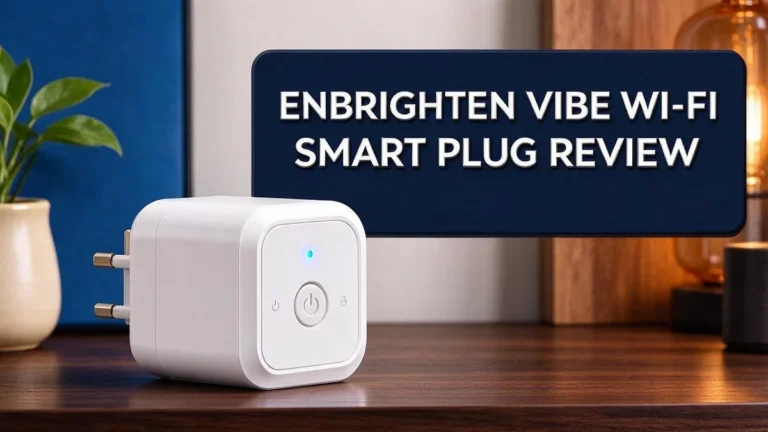
Want to control your lamps and fans from your phone? The Kasa Smart Plug Mini EP25 makes it easy. It turns any basic outlet into a smart outlet in minutes.
This small plug from TP-Link works with the Kasa Smart app on iOS and Android. You do not need a hub. Just connect it to your home WiFi and start setting it up. Voice control works with Alexa, Google Assistant, and Siri.
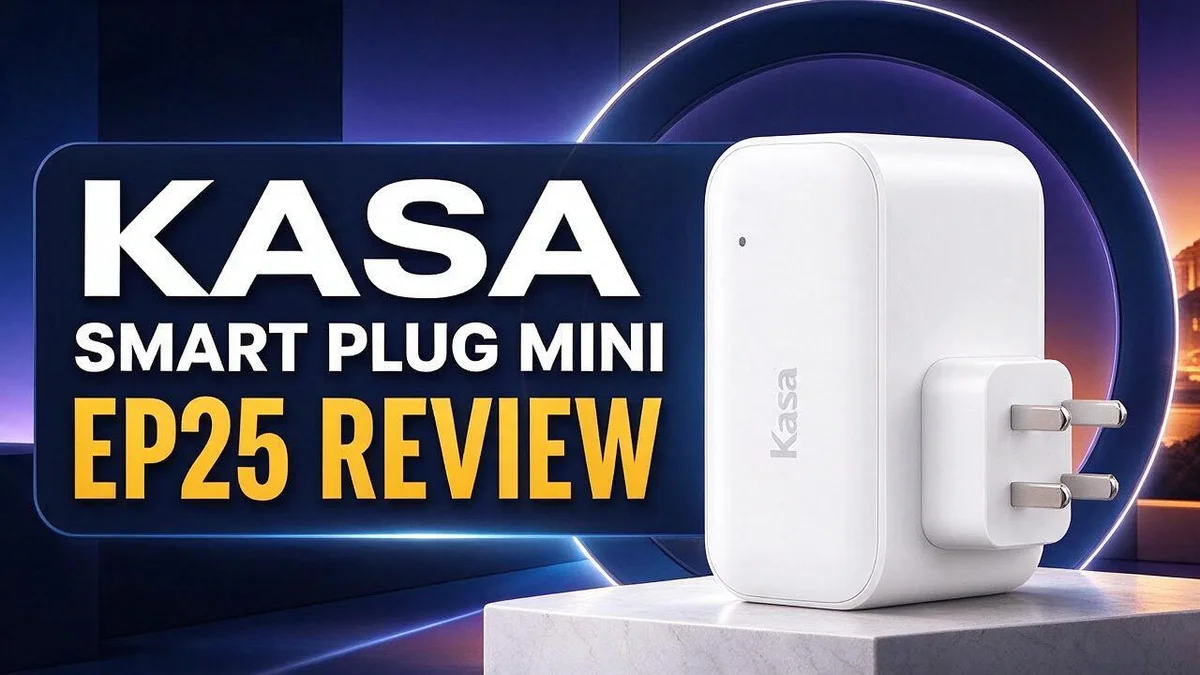
Its compact design leaves the next outlet free. That helps when you use bulky chargers or power strips. You can also set schedules, so your lights turn on before you walk through the door.
Smart plugs can save time and make daily routines simpler. But is this model right for your home? In this review, we cover setup, features, user feedback, and how it compares with other options. Let’s find out if the EP25 earns a spot in your home.
In a Nutshell
-
No hub needed. This plug connects straight to your home wireless network. You do not need a separate bridge device. Setup stays simple from start to finish.
-
Voice control works well. Alexa, Google Assistant, and Siri can switch it on or off. Just ask, and the plug responds right away.
-
Schedules run on their own. Set timers in the app for daily devices. Your routine then runs without any extra effort from you.
-
Safety ratings look solid. The plug carries a UL certification and a 15A rating. That helps with many everyday appliances and gadgets.
-
Check your energy monitor first. Sense energy monitors detect some hardware versions but not others. Version 2.6 may not show up, so check your model before you set up.
-
Reliability reports vary. Some owners say the capacitors fail over time, so the plug may work great until it suddenly stops. Tapo plugs with Matter support are another option.
Setup and App Experience


Last update on 2026-11-06 / Affiliate links / Images from Amazon Product Advertising API Some of the links on this website are affiliate links, which means that at no additional cost to you, I earn a commission if you click through and make a purchase. I only recommend products and services that I believe will add value to my readers. Thank you for your support!
Setting up the plug takes only a few minutes. Plug it into a wall outlet and open the app. The app guides you through each screen.
Most people finish the process in one sitting. The app asks you to create an account first. Then it scans for nearby devices and adds the plug to your list.
Make sure your phone joins the same home network before you start. The app uses this link to send your settings to the plug. Keep your phone close during the process.
Naming the plug is a small step that helps a lot. Call it Desk Lamp or Living Room Fan. Clear names make voice commands feel natural later.
Think about where you place the plug before setup. Choose a spot that gets a steady wireless signal. A weak signal can slow down app responses. Test the signal by checking the app from another room.
If the plug goes offline, the app shows a warning. Check your home network first. Then restart the plug and wait a moment.
The home screen shows each plug as a tile. Tap the tile to turn the plug on or off. A quick press gives you instant control from anywhere.
Renaming and grouping also help. Group plugs by room in the app. Then you can switch several devices at once with one tap.
Family members can join your setup too. Share access from the settings menu. Everyone then controls the same plugs from their own phones.
Firmware updates arrive through the app. Check the device settings now and then. Updates can fix bugs and add new features over time.
Good app habits keep the experience smooth. Rename plugs after you move them. Remove old devices you no longer use. Keep the app updated on your phone.
Overall, the setup feels quick and friendly. Beginners can manage it without outside help. The app layout stays simple, so you rarely feel lost.
Voice Control and Scheduling
Voice commands work best when they stay short. Try saying “turn on the fan” instead of a long sentence. Short phrases help your assistant find the right plug quickly.
Clear names matter for voice control. A name like Desk Lamp is easy to say. Avoid names that sound alike, because your assistant may pick the wrong plug.
Grouping plugs helps with bulk commands. You can say “turn on the bedroom lights” and every plug in that group responds. This saves time during your evening routine.
Schedules and voice commands work side by side. A schedule handles the daily routine while you are away. Your voice handles the changes when your plans shift.
Schedules need a little planning. Think about when you leave home and when you return. Set a lamp or fan to turn off after you leave, so it does not run all day.
Daylight changes can shift your timing. Check your schedule each season. A quick review keeps your lamp on time when the evenings get shorter.
Test every command after setup. Say each command once and watch the plug respond. If the reply seems slow, check your home network connection.
Voice assistants need the plug online to respond. If the plug loses its connection, voice commands fail too. Watch for the warning in the app so you can fix the problem fast.
Mix voice and app control for the best results. Use your voice when your hands are full. Open the app when you want to check the plug’s status or edit a schedule.
A voice reply confirms each action. Listen for your assistant to say that the device is on or off. This quick check tells you that your commands match your plug names.
Guests may not know your plug names. Tell them two or three common phrases. This small step keeps your space easy for everyone.
Keep voice habits simple for the whole family. Write your favorite phrases on a card near the speaker. Everyone then knows exactly what to say.
Safety, Power Rating and Reliability
Safety matters most with any smart plug. Follow a few simple habits, and this plug will serve you well.
A 15A rating means the plug handles up to 15 amps. That limit equals about 1,800 watts on a standard 120 volt outlet. Stay below that number for every device.
Add up the wattage of everything on the plug before you use it. Check the label on each device. Space heaters, hair dryers, and kettles draw a lot of power, so skip them.
Heavy loads can make the plug warm over time. A slightly warm plug is normal. A hot plug, a burning smell, or discoloration means you should unplug it right away.
Avoid power strips and extension cords. Extra connections add more load and more heat. Plug the smart plug straight into a wall outlet instead.
Keep the plug dry and away from sinks, tubs, and damp basements. Use it only in dry indoor spaces.
Give the plug room to breathe. Do not cover it with rugs, curtains, or piles of paper. Good airflow keeps the housing cool and helps the plug last longer.
Inspect the plug every few weeks. Look for cracks, loose prongs, or scorch marks around the outlet. Replace any plug that shows damage.
Reliability works best with a backup plan. Plugs can fail, so never connect a sump pump, medical equipment, or a security system. Use those devices with a direct wall outlet or a separate backup system.
Keep your purchase records handy. Save the receipt and the box details. If the plug fails early, contact the seller or the manufacturer’s support team. Good records make claims faster.
Test the plug once a month. Turn it on and off through the app and watch for delays or odd behavior. This quick check helps you spot trouble before it causes a problem.
Smoke alarms and carbon monoxide detectors should never depend on a smart plug. Give them their own outlets. Strong habits keep your home and family safe.
Top 3 Alternatives
If you want other options, these three smart plugs are worth a look. Each one offers simple control and easy setup for everyday devices.
TP-Link Tapo P100

Last update on 2026-11-06 / Affiliate links / Images from Amazon Product Advertising API Some of the links on this website are affiliate links, which means that at no additional cost to you, I earn a commission if you click through and make a purchase. I only recommend products and services that I believe will add value to my readers. Thank you for your support!
The TP-Link Tapo P100 is a small Wi-Fi plug that you control from your phone. You can set schedules so lamps, fans, and holiday lights turn on and off without any extra effort. It also works with voice assistants like Alexa and Google Assistant. Most people finish setup in just a few minutes using the Tapo app.
Wyze Plug

Last update on 2026-11-06 / Affiliate links / Images from Amazon Product Advertising API Some of the links on this website are affiliate links, which means that at no additional cost to you, I earn a commission if you click through and make a purchase. I only recommend products and services that I believe will add value to my readers. Thank you for your support!
The Wyze Plug is a straightforward choice for anyone who wants easy daily control. It connects directly to your home Wi-Fi, so you do not need a separate hub. You can create routines that run automatically, and you can use voice commands with common assistants. Its compact shape also fits behind most furniture.
Meross Smart Plug Mini

Last update on 2026-11-06 / Affiliate links / Images from Amazon Product Advertising API Some of the links on this website are affiliate links, which means that at no additional cost to you, I earn a commission if you click through and make a purchase. I only recommend products and services that I believe will add value to my readers. Thank you for your support!
The Meross Smart Plug Mini is a tiny plug that fits almost any wall outlet. It works with popular voice assistants and lets you set timers right from the app. Many users like its clean design and the option to share access with family members. It is a good pick for small rooms, desks, and bedside lamps.
Energy Monitoring and Hardware Compatibility
Energy tracking is a useful extra. Many people want to see how much power a lamp or fan uses. This plug can help, but only in certain setups.
The key detail is the hardware version. Sense energy monitors detect version 1.0 of the EP25, but they do not detect version 2.6. Your results depend on which version you own.
Check the version before you rely on the data. Look at the label on the bottom or side of the plug. Write the version number down so you can compare it with your monitor’s device list.
If your plug is version 1.0, the Sense monitor can pick it up. You can then see the plug as a separate device in the energy app. This gives you a clear view of usage on that outlet.
If your plug is version 2.6, expect a different result. The Sense monitor will not detect it. You can still use the plug for voice control and schedules. You just will not see its readings in that monitor.
Compatibility matters for your other tools, too. Think about which app or monitor you use to track power. Then confirm that tool supports the plug before you count on its numbers.
Keep your expectations realistic. A smart plug measures only the load that passes through it. It does not measure everything in your home. Treat the numbers as a helpful guide, not an exact record.
Reliability is another reason to watch the data. Some owners report capacitor failures over time. They describe the plug as working great until it does not. A sudden drop in readings or a plug that stops responding can signal trouble.
Watch for odd patterns in your app. If the usage graph shows zero while a device still runs, test the plug. Unplug the device and try again. Then contact support if the problem continues.
Overall, the EP25 fits people who want basic energy insight on one or two outlets. It works best when you confirm the hardware version first. A few minutes of checking can save frustration later.
Pros and Cons
Pros
– Compact body leaves the next outlet free
– No hub needed, just a home network connection
– Carries a UL certification on its listing
– Works with Alexa, Google Assistant, and Siri
– Controlled through the Kasa Smart app on iOS and Android
Cons
– Some owners report capacitor failures
– Users say it works well until it suddenly stops
– Lacks Matter support, which TP-Link Tapo plugs offer
Who Should Buy It
This plug suits people who want a simple start with smart home gear. It works well for beginners who have never set up a smart device before.
Renters are a strong match. No drilling, wiring, or hub is needed. When it is time to move, you simply unplug it and take it with you.
Students and roommates also gain a lot. A desk lamp or small fan can follow a daily schedule without anyone touching a switch.
Older adults can enjoy the app too, especially with a family member’s help. A bedside lamp that turns on at dusk adds comfort and a sense of security.
Households with several rooms can place one plug in each space. This approach lets you control lamps, fans, and holiday lights from one app.
Pet owners can set a lamp to turn on while they are away. A lit room can make a pet feel more at ease during a long day.
Frequent travelers benefit from remote access. You can check on a home or switch lights on from a phone while you are away.
A good fit: people who want quick setup and easy daily routines. People who mostly run lamps, fans, and small electronics will be happy here.
Look elsewhere for heavy appliances. A space heater, window air conditioner, or large kitchen appliance needs a stronger plan.
Anyone powering a medical device or a refrigerator should avoid relying on a plug alone. A backup plan protects food and health when a plug fails.
Hands-on people who like physical switches may want a mix of both. Keep a few regular switches nearby for the times when an app feels like too much.
Think about your daily habits first. Write down the lamps, fans, or chargers you want to control. A clear list makes the decision much easier.
In short, this plug suits simple, low power tasks in a home with a steady network. Buyers who need heavy loads or advanced standards should compare other models first. A careful choice leads to a happier setup.
Final Verdict
The Kasa Smart Plug Mini EP25 earns a solid recommendation for most people who want an easy start. It sets up fast and fits neatly into daily routines.
However, it is not the perfect pick for everyone. Your needs should guide the final choice.
Think of this plug as a first step. It works well for lamps, holiday lights, and small electronics. Use it as a gateway to bigger projects later. Many buyers later add more devices once they see the benefits.
Reliability deserves a close look. Some owners have reported failures, so treat it as a replaceable part of your home. If one fails, the rest stay intact.
Start with a simple test. Pick one lamp and set one schedule. Use it for a week before adding more plugs. Pick a schedule that matches your normal evening. Write down what works and what does not.
Consider your daily habits. Some people want a plug that runs quietly in the background. Others want frequent changes and detailed logs. Match the device to the habit, and the choice feels easy.
Who should skip it? People with heavy loads or strict reliability needs may prefer another model. Keep freezers and medical devices off smart plugs.
Compare before you commit. Kasa HS103 and Kasa Ultra Mini 15A share the same app family. They may suit you if you want a familiar setup.
Wyze and Amazon options also deserve a look. Read recent reviews so you see current performance.
Think about your home network too. A steady connection keeps commands fast. Place your router within easy range of each plug. Weak signals can delay responses.
Our bottom line is simple. The EP25 delivers easy control, a compact body, and a clear app experience. Pair it with careful checks, and it can become a helpful part of your home.
Start small, test it well, and expand when you feel confident. Trust your own tests more than any single review.
Frequently Asked Questions
Which hardware version works with a Sense energy monitor?
Check the label before you buy. In testing, the Sense energy monitor detected version 1.0, but it did not detect version 2.6. If you plan to use Sense, confirm the version first.
What does the 15A rating mean for me?
The 15A rating shows the most current the plug can handle. Check the label on your device before you plug it in. Keep heavy appliances off this plug to stay safe.
What should I do if the plug stops working?
Some owners report capacitor failures, so treat it as a replaceable part. Save your receipt and contact the seller if the plug fails early. Replacing it is often simpler than troubleshooting it.
Are other Kasa plugs worth comparing?
Yes. The Kasa HS103 and the Kasa Ultra Mini 15A belong to the same family. They can help you build one matching setup across your home.
Can I test smart home gear with one device first?
Yes. A low-risk lamp is a good first device. Watch how it behaves for a week before you add more plugs. This helps you spot problems early.

Hello, i’m Ivoria i am the face behind Tech Tracker Blog. I am passionate about my work and love to explore gadgets and share about my experience.