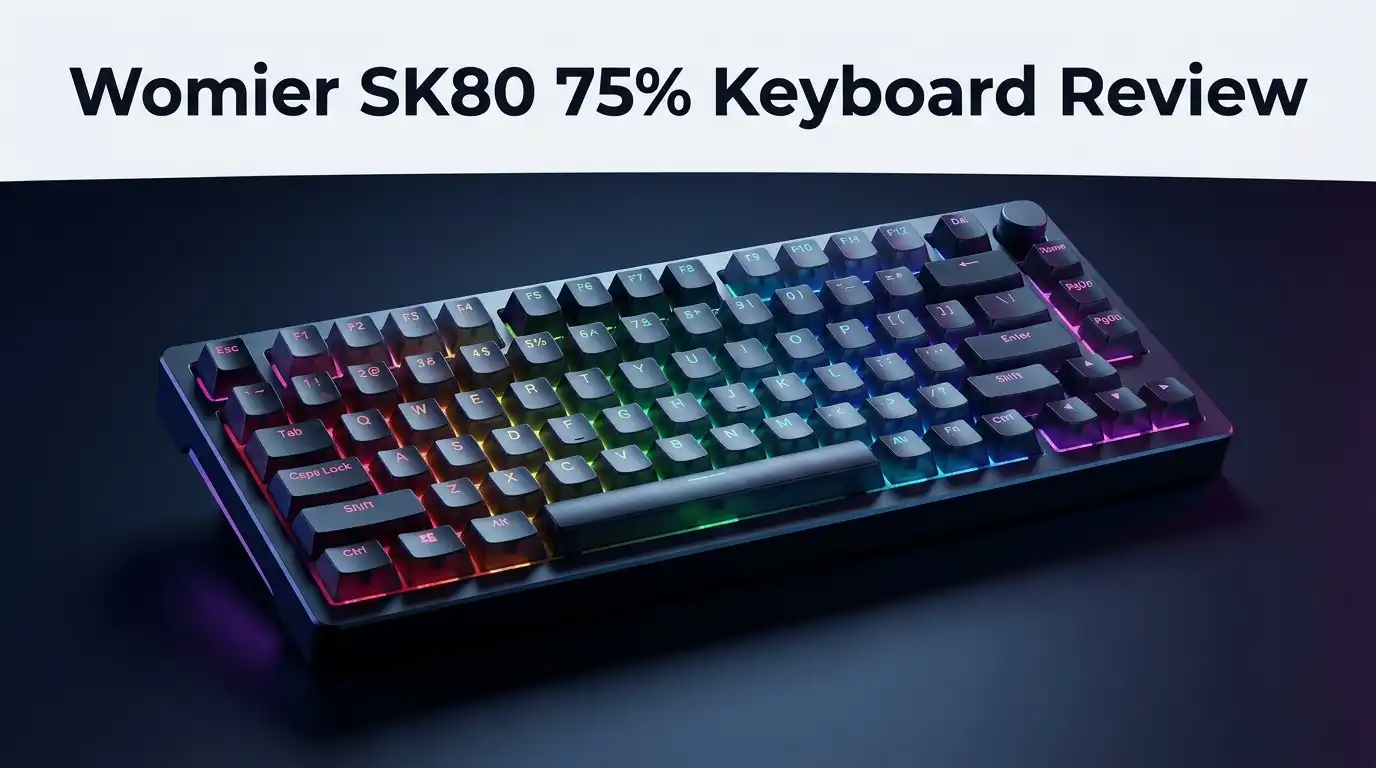
Womier SK80 75% Keyboard Review 2026: Worth Buying?
The budget keyboard market moves fast, and Womier keeps showing up with boards that look far more expensive than they cost. The SK80 is one of those keyboards. It packs a tiny color screen, a gasket mounted build, and a Great Wave off Kanagawa theme into a package that usually sits near fifty dollars.
That price alone raises questions. Can a plastic board this cheap actually feel good under your fingers? Does the little TFT screen serve a purpose, or is it a gimmick that dies after a week?
I spent time with the SK80 to answer those questions honestly. This review covers the unboxing, the sound, the typing feel, the gaming response, and the parts Womier clearly cut corners on.
In a Nutshell:
- The price is the headline feature. The Womier SK80 usually sells around $49.99 on Amazon, which places it in the entry tier. At that price you get gasket mounting, hot swap sockets, PBT keycaps, and per key RGB, a combination that cost twice as much only a few years ago.
- The TFT screen is genuinely useful, not just decoration. It shows volume, battery or connection status, Caps Lock state, and custom GIFs you upload yourself. You control brightness, lighting effects, and volume directly from the screen using function key combinations.
- The sound is clacky and a little uneven. Thick EVA plate foam and an IXPE switch pad tame the hollow ping, but larger keys like the spacebar and shift sound noticeably different from the alphas.
- The plastic case feels like plastic. The board weighs roughly 680g to 850g depending on version, which is light next to aluminum boards. It stays planted during gaming, but it never feels premium in your hands.
- Software is the weakest link. Womier uses proprietary Windows software instead of VIA or QMK on the screen equipped models, and GIF uploading confuses plenty of first time owners.
- Best for aesthetics driven buyers on a budget. If you want a themed desk setup without spending real money, this board delivers. If you want deep key remapping, look elsewhere.
What Is the Womier SK80 75% Keyboard?

Last update on 2026-08-23 / Affiliate links / Images from Amazon Product Advertising API Some of the links on this website are affiliate links, which means that at no additional cost to you, I earn a commission if you click through and make a purchase. I only recommend products and services that I believe will add value to my readers. Thank you for your support!
The Womier SK80 is a prebuilt 75% mechanical keyboard with 81 to 83 keys depending on the variant. It uses a US ANSI layout, which means you keep the full number row, function row, arrow keys, and a small navigation column.
Womier built the board around a gasket mounted structure. The plate sits on soft gaskets rather than screwing directly into the case, which softens each keystroke slightly.
The signature element is the color TFT display in the top right corner. That screen sets the SK80 apart from nearly every other keyboard under sixty dollars.
The base SK80 is wired only and connects through USB C. Womier also sells an SK80 Pro with Bluetooth, 2.4GHz wireless, and a 4000mAh battery, plus magnetic switch versions with 8000Hz polling for competitive players.
Theme choices matter here more than usual. The Kanagawa Black version wears Hokusai’s famous wave across the case, the accent keys, and the bottom plate.
Womier also offers Retro and topographic map variants for people who want something less busy. Every version ships with pre lubed linear switches, a hot swap PCB, and south facing RGB LEDs.
The board targets one specific buyer: someone who wants a themed, screen equipped keyboard without paying custom keyboard prices.
Unboxing the Womier SK80
The box arrives plain and black with minimal printing. Womier spent its money on the keyboard rather than the packaging, which honestly feels like the right call at this price.
Lift the lid and the keyboard sits under a thin foam sheet with a protective film over the screen. The keycaps are already installed, so there is no assembly required.
Inside the accessory tray you find a braided USB C cable in a color matched to the theme. That braided cable is a nice touch on a fifty dollar board.
You also get a combined keycap and switch puller, a folded paper manual, and a small bag of spare switches. Some bundles include extra dye sublimated keycaps so you can swap the accent keys for plain versions.
The first thing most people notice is the weight. The SK80 feels lighter than expected when you pick it up, and that immediately tells you the case is plastic.
Peel the screen film off and plug it in. The display lights up with a default animation within a second or two, and the RGB starts cycling right away.
Total setup time runs under two minutes. There is no required software installation to start typing, which makes the out of box experience painless.
Design and Build Quality
The SK80 uses an ABS plastic case with a typing angle around six degrees. Two stage flip out feet let you raise that angle if you prefer a steeper slope.
Build quality holds up well for the money. The case panels fit together tightly, there is no rattle when you shake the board, and flex is minimal under normal typing pressure.
The design is where this keyboard earns attention. The wave motif appears on the front lip, the bottom, and the accent keycaps, creating a look that feels intentional rather than random.
Branding stays subtle. Womier put its logo on the back instead of stamping it across the top bezel, which many competitors fail to do.
The bottom plate carries a printed wave pattern along with rubber feet that grip most desk mats firmly. The Pro model adds a magnetic dongle compartment down there too.
Now the honest part. The board is not designed for disassembly. There are no visible screws, so the top and bottom shells appear to snap together.
That matters if you ever want to mod the internals or inspect a battery on the wireless model. Most buyers will never open it, but power users should know the door is basically closed.
Top 3 Alternatives for Womier SK80

Last update on 2026-08-23 / Affiliate links / Images from Amazon Product Advertising API Some of the links on this website are affiliate links, which means that at no additional cost to you, I earn a commission if you click through and make a purchase. I only recommend products and services that I believe will add value to my readers. Thank you for your support!
Keychron V1 Max

Last update on 2026-08-23 / Affiliate links / Images from Amazon Product Advertising API Some of the links on this website are affiliate links, which means that at no additional cost to you, I earn a commission if you click through and make a purchase. I only recommend products and services that I believe will add value to my readers. Thank you for your support!
EPOMAKER x Aula F75 MAX

Last update on 2026-08-23 / Affiliate links / Images from Amazon Product Advertising API Some of the links on this website are affiliate links, which means that at no additional cost to you, I earn a commission if you click through and make a purchase. I only recommend products and services that I believe will add value to my readers. Thank you for your support!
RK ROYAL KLUDGE R75
The TFT Display: Gimmick or Genuinely Useful?
The color screen is the SK80 headline feature, so it deserves a full section. It sits above the arrow cluster and measures small enough to stay out of your way.
By default it shows system information. Volume level, Caps Lock status, Windows or Mac mode, lighting effect, and connection type all appear here.
Hold the function key and tap the left or right arrow keys to cycle through settings menus. You adjust RGB brightness, animation speed, and volume without opening any app.
The custom GIF feature is the fun part. You can upload your own animated image through the Womier software and have it play as a boot screen or idle animation.
Womier even publishes sample GIF files on its manuals page so you can see the correct format and resolution before making your own.
Here is the catch. The GIF upload process confuses a lot of new owners, and the software tab for it is not always obvious.
The screen also adds nothing functional to your typing. It is a personalization feature first and a status display second.
Would I pay extra for it? Probably not. But since it comes standard at this price, it becomes a genuine bonus rather than an upsell.
Switches and Typing Feel
The standard SK80 ships with pre lubed linear switches. Womier has used Outemu whites on some batches and its own POM switches on others, so check the listing before ordering.
The POM switches on newer models actuate around 55gF with roughly 2mm of pre travel and 3.8mm total travel. That places them in medium weight territory, comfortable for both typing and gaming.
Factory lubing is applied, and it shows. Keys glide without the scratchy drag you feel on cheap unlubed stock switches.
The gasket mount gives the board a soft but controlled bounce. You feel a small amount of give when bottoming out, especially in the center of the board.
The plate is polycarbonate with no flex cuts. Polycarbonate flexes more than steel or aluminum, so the overall feel leans soft rather than firm.
Stabilizers are plate mount and come pre lubed. They perform acceptably, though the spacebar carries a slightly hollow tone compared to premium screw in stabs.
The hot swap sockets accept any standard MX compatible switch, three pin or five pin. This is the single best upgrade path on the board.
Swapping in tactile or silent linear switches transforms the SK80 for about fifteen dollars. If the stock feel disappoints you, you are not stuck with it.
Sound Profile: How Does It Actually Sound?
Sound quality separates good budget boards from forgettable ones. The SK80 does better than expected but falls short of the deep thock some marketing implies.
Womier layered three dampening materials inside. Thick EVA plate foam, an IXPE switch pad, and PE case foam all work together to kill hollow echo.
The result lands on the clacky side of the spectrum. Alpha keys produce a fairly crisp, bright sound with reasonable depth behind it.
Consistency is the weak spot. Larger stabilized keys sound noticeably deeper and slightly louder than the alphas, which creates an uneven audio profile across the board.
The spacebar in particular produces a lower, hollower note. It is not rattly, but it does not match the rest of the board.
Volume sits at moderate levels. This keyboard will be audible on a voice call, so it is not the right pick for a shared office or a quiet library.
Foam modding helps if you want more depth. A layer of shelf liner under the PCB or a tape mod on the back can shift the tone lower.
For a keyboard at this price, the acoustic performance is genuinely good. Just do not expect it to match a two hundred dollar aluminum custom build.
Keycaps and Legends
The SK80 uses PBT keycaps with dye sublimated legends. PBT resists shine far better than ABS, so these caps should stay matte after months of use.
Profile is Cherry on the Pro and similar sculpted profiles on other variants. That means a lower, more sculpted shape than the tall OEM caps found on most gaming keyboards.
Legend placement is the controversial choice here. Several SK80 variants place translucent legends on the front face of the keycap rather than the top.
That design lets RGB glow through the front while keeping the top surface clean. It looks striking on a dark desk.
Touch typists will not care. Hunt and peck typists will struggle. If you look down at your keys while typing, front printed legends are a real usability problem.
The accent keys use five side printing with wave artwork, which is a level of detail most budget boards skip entirely.
Womier includes spare keycaps in some bundles so you can replace the loud accent keys with plain alternatives.
Since the layout is standard 75% ANSI, most aftermarket keycap sets fit without gaps. That said, replacing the caps removes the entire visual theme you paid for.
Gaming Performance and Response
Gaming is where the SK80 lineup splits into two very different products. The standard model handles casual gaming fine, and the magnetic switch model targets competitive play.
The base SK80 runs a standard polling rate over USB C with full N key rollover. Every key registers, no matter how many you press at once.
Response feels immediate for shooters, MOBAs, and platformers. Nothing about the standard model holds back a casual or mid level player.
The magnetic switch version changes the conversation. Hall effect models support an 8000Hz polling rate and adjustable actuation depth.
Rapid Trigger lets a key reset the instant you begin lifting your finger rather than waiting for a fixed reset point. Counter Strike and Valorant players use this for sharper counter strafing.
Adjustable actuation means you can set a shallow 0.2mm trigger point for gaming keys and a deeper point for typing keys.
The 75% layout also helps gaming ergonomics. Removing the numpad frees desk space for wider mouse sweeps, which low sensitivity players appreciate.
One drawback stands out. The board is light, so aggressive players who slam keys may notice slight movement on slick desk surfaces.
Software and Customization Limits
Software is the part of this review where I have to be blunt. Womier uses proprietary Windows software rather than VIA or QMK on the screen equipped SK80 models.
That decision exists for a reason. The custom TFT display needs a custom app to handle image uploads, and VIA cannot do that.
Basic remapping works. You can reassign letters, symbols, and media keys through the app without much trouble.
Deeper customization gets murky. Layer functions, complex macros, and community favorites like SpaceFN are not clearly supported.
The software itself is Windows only. Mac users can toggle Mac mode on the keyboard, but they cannot upload GIFs or remap keys without access to a Windows machine.
Installation requires downloading an executable directly from the Womier site rather than through a standard app store. Some users are understandably cautious about that.
Firmware updates are infrequent compared to open source alternatives like QMK, where community developers push improvements constantly.
If key remapping freedom matters to you, buy a VIA compatible board instead. The Keychron V1 Max runs full QMK and VIA support for that exact reason.
For everyone else, the stock layout works fine out of the box and the software becomes optional.
What the Womier SK80 Does Not Do Well
Every honest review needs this section. Here is where the SK80 falls short.
The plastic case never feels premium. Pick up an aluminum 75% board after using this one and the difference is immediate and obvious.
Sound consistency is uneven across the board. Alphas sound crisp while stabilized keys sound deeper, and that mismatch bothers people with sensitive ears.
The board cannot be opened easily. No visible screws means no internal modding, no foam swaps, and no battery inspection on wireless models.
Battery health monitoring on the Pro is essentially impossible without full disassembly. Anyone who leaves a wireless keyboard plugged in permanently should know that lithium batteries degrade faster under constant charge.
The proprietary software locks out VIA and QMK users completely. Serious keyboard enthusiasts will find this frustrating.
Front printed legends hurt visibility for anyone who looks at the keys while typing.
Stabilizers are plate mount with no screw in support. They work, but they are the first thing an enthusiast would want to upgrade and cannot.
The theme is also polarizing. The wave artwork appears on the case, the keys, the bottom, and the accessories, which some buyers find excessive.
Pros and Cons
Pros
- Outstanding price for a gasket mounted board with PBT keycaps and hot swap sockets
- Color TFT screen shows real status information and plays custom GIF animations
- Pre lubed linear switches feel smooth straight out of the box with no tuning needed
- Three layers of internal dampening reduce hollow echo and produce a satisfying clack
- Hot swap PCB accepts any MX compatible switch for cheap future upgrades
- Consistent visual theme across case, keycaps, cable, and bundled accessories
- Offset arrow cluster makes touch typing and navigation easy
- Full N key rollover with no missed inputs during fast gaming
- Magnetic switch variants add Rapid Trigger and 8000Hz polling for competitive players
Cons
- Plastic case feels cheap compared to aluminum boards at higher price points
- No VIA or QMK support on the screen equipped models, only proprietary Windows software
- Board cannot be disassembled easily for modding or battery inspection
- Sound profile is inconsistent between alpha keys and stabilized keys
- Front printed legends are hard to read for people who look at their keys
- Plate mount stabilizers cannot be upgraded to screw in versions
- GIF upload process confuses many first time owners
- Mac users lose access to the customization software entirely
Womier SK80 Price and Value in 2026
Last update on 2026-08-23 / Affiliate links / Images from Amazon Product Advertising API Some of the links on this website are affiliate links, which means that at no additional cost to you, I earn a commission if you click through and make a purchase. I only recommend products and services that I believe will add value to my readers. Thank you for your support!
The Womier SK80 typically sells around $49.99 on Amazon, with the wireless SK80 Pro landing near $70 to $77 depending on active coupons.
At fifty dollars, the value proposition is strong. You are getting features that simply did not exist at this price two years ago.
Compare that to the Keychron V1 Max at roughly double the cost. The Keychron wins on software freedom and build refinement, but it has no screen and no themed bundle.
The RK Royal Kludge R75 competes directly on price and also includes a small display on some variants. It is a reasonable head to head alternative.
The EPOMAKER x Aula F75 MAX offers tri mode wireless and five layers of padding, which some buyers prefer over the screen.
Where the SK80 wins is the complete package. Themed keycaps, matching cable, spare switches, and a screen for under sixty dollars is hard to beat.
Where it loses is longevity for enthusiasts. Someone who catches the keyboard hobby seriously will outgrow this board within a year.
For a first mechanical keyboard, a dorm room setup, or a themed secondary board, the value is excellent. Buying during a sale pushes it from good value to genuinely great value.
Who Should Buy the Womier SK80?
Buy this keyboard if you want a themed desk setup on a tight budget. The Kanagawa and Sakura designs create a coordinated look that photographs beautifully.
It also suits first time mechanical keyboard buyers. The hot swap sockets let you experiment with different switches cheaply as you learn your preferences.
Casual and mid level gamers get everything they need here. Full rollover, immediate response, and a compact layout that frees mouse space.
Competitive players should choose the magnetic switch variant instead. Rapid Trigger and adjustable actuation matter in tactical shooters.
Skip this keyboard if you need VIA or QMK. The proprietary software is a hard limitation with no workaround.
Mac only users should also think twice, since the customization app requires Windows.
Office workers in shared spaces will find it too loud. Silent linear switches would help, but the case still amplifies sound.
Keyboard modders should look at kit based boards instead. A sealed case with no screws blocks nearly every popular mod.
Anyone who looks down while typing should avoid the front printed legend variants specifically and choose a top legend version.
My overall verdict: the SK80 is a strong budget board with clear limits. Know those limits before you order and you will be happy with it.
Frequently Asked Questions
Is the Womier SK80 wireless?
The standard SK80 is wired only and connects through USB C. The SK80 Pro adds Bluetooth, 2.4GHz wireless through an included dongle, and a 4000mAh battery.
Does the Womier SK80 support VIA?
No. The screen equipped SK80 models use proprietary Womier software instead of VIA or QMK, because the display requires custom firmware handling.
Is the Womier SK80 hot swappable?
Yes. The PCB uses hot swap sockets that accept any MX compatible switch, including three pin and five pin designs, with no soldering required.
How do you change the GIF on the SK80 screen?
Download the Womier software from the official site, connect the keyboard by USB, and upload a properly sized GIF file. Womier publishes sample GIF files on its manuals page to show the correct format.
Is the Womier SK80 good for gaming?
Yes for casual and mid level play. The standard model offers full N key rollover and quick response, while the magnetic switch version adds Rapid Trigger and 8000Hz polling for competitive shooters.
What switches come with the Womier SK80?
Variants ship with pre lubed linear switches, including Outemu whites on some batches and Womier POM linears on others. Magnetic Hall effect versions are also sold separately.
Can you use the Womier SK80 with a Mac?
Yes for typing. A Windows or Mac toggle exists on the board, but the customization software runs on Windows only, so Mac users lose GIF uploads and remapping.

Hello, i’m Ivoria i am the face behind Tech Tracker Blog. I am passionate about my work and love to explore gadgets and share about my experience.