Redragon M602 Griffin RGB Gaming Mouse Review 2026
Budget gaming mice flood the market every year. Most of them vanish after a few months. The Redragon M602 Griffin refuses to disappear. It launched years ago, and gamers still buy it by the thousands in 2026.
That fact alone raises a question. Does a mouse this cheap actually hold up against modern competition? I spent weeks with the M602 Griffin, testing it across shooters, strategy games, and long work sessions.
This review covers the good parts and the frustrating parts. You will read about the sensor, the weight, the software, and the flaws that reviewers often skip. By the end, you will know if this mouse belongs on your desk.
In a Nutshell:
- The price stays unbeatable. The M602 Griffin usually sells between $17 and $25. Very few gaming mice offer nine programmable buttons at that price. You get real gaming features without spending Logitech or Razer money.
- The sensor performs fine for casual play. The optical sensor tracks up to 7200 DPI on the wired model and 8000 DPI on the tri mode wireless model. Competitive FPS players will notice the limits, but everyone else will feel satisfied.
- Weight is the biggest weakness. The mouse tips the scales near 130 grams with the tuning weights installed. Modern lightweight mice weigh half that. Palm grip users adapt quickly. Claw and fingertip users struggle.
- Build quality punches above the price. The plastic shell feels solid, the braided cable resists tangles, and the Teflon feet glide smoothly. Nothing creaks or rattles.
- The software works but feels dated. You can remap buttons, record macros, and adjust RGB. The interface looks like it came from 2015, though. Expect a learning curve.
- Click latency runs higher than premium mice. Ranked players chasing every millisecond should look elsewhere. Casual and mid level gamers will never notice.
What Is the Redragon M602 Griffin RGB Gaming Mouse?
![Redragon M602 Gaming Mouse, Ergonomic RGB Gaming Mouse Wired with 7200 Adjustable DPI, 9 Programmable Buttons, Professional Software for Gamer Office [Black]](https://techtracker.blog/wp-content/plugins/aawp/public/image.php?url=YUhSMGNITTZMeTl0TG0xbFpHbGhMV0Z0WVhwdmJpNWpiMjB2YVcxaFoyVnpMMGt2TkRFNE9Vd3lWVUpzT1V3dVgxTk1NVFl3WHk1cWNHYz18MTc5MTY3NzQxNQ=)
Last update on 2026-10-06 / Affiliate links / Images from Amazon Product Advertising API Some of the links on this website are affiliate links, which means that at no additional cost to you, I earn a commission if you click through and make a purchase. I only recommend products and services that I believe will add value to my readers. Thank you for your support!
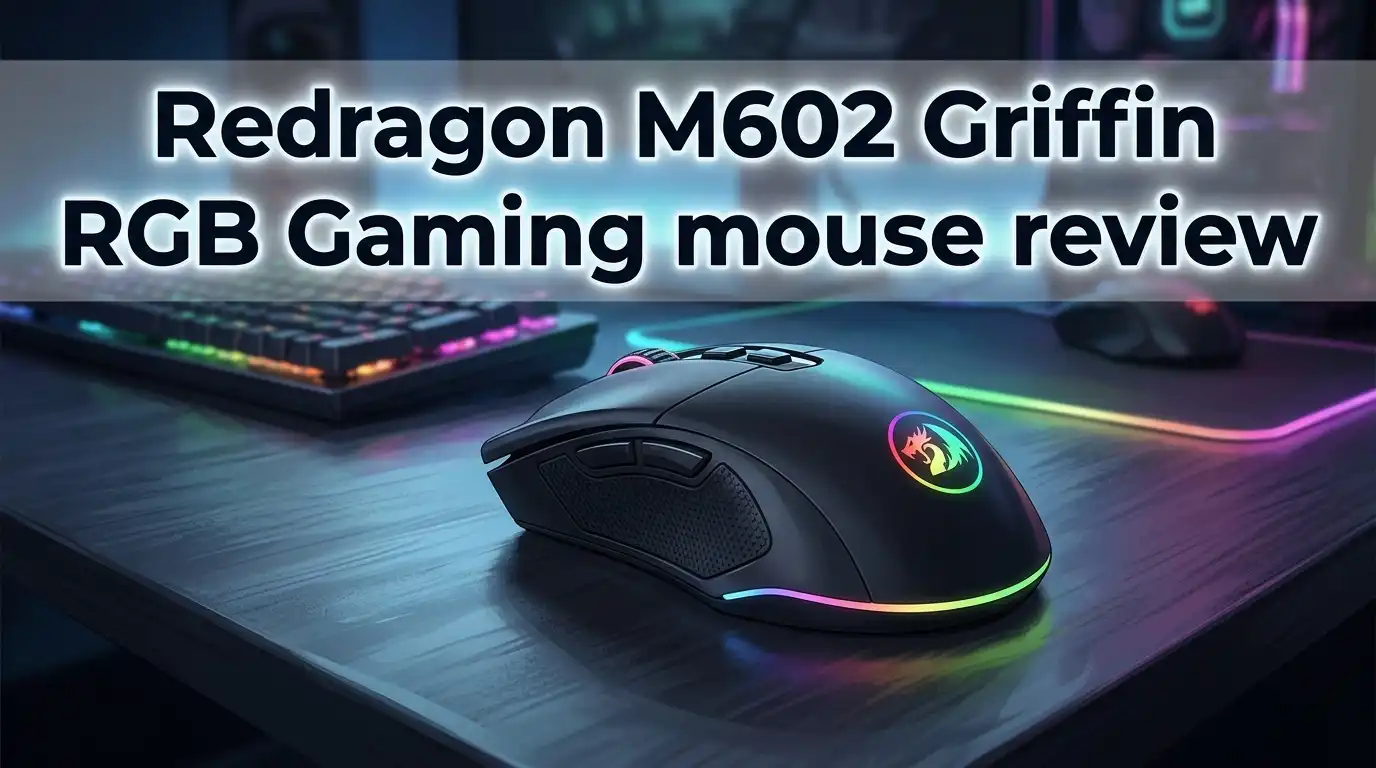
The Redragon M602 Griffin is a wired ergonomic gaming mouse built for right handed users. Redragon designed it as an entry point for new PC gamers who want real features on a small budget.
The mouse carries nine programmable buttons. That count includes left click, right click, scroll wheel click, a DPI cycle button, two thumb buttons, and additional top shell buttons for fire and profile switching.
The sensor is the star of the value story here. The wired version reaches 7200 DPI through five adjustable stages. Most people settle between 800 and 1600 DPI for daily play.
RGB lighting runs through seven backlight modes. The lighting glows through the scroll wheel, the logo, and the side strips. The effect looks far more expensive than the price tag suggests.
Redragon includes a weight tuning system inside the base. You can remove small weights to lighten the mouse or keep them installed for a heavier feel.
The braided cable measures roughly 1.8 meters. That length works for both desktop towers on the floor and laptops on a desk.
Teflon feet cover the bottom surface. They glide well on cloth pads and acceptably on hard pads.
Redragon also sells a tri mode wireless variant called the M602 KS. That model adds Bluetooth, 2.4G wireless, and USB C charging while pushing DPI to 8000.
The core identity stays consistent across both versions. This is a feature packed mouse for people who refuse to spend $70 on a pointing device.
Unboxing Experience and First Impressions
The box arrives small and light. Redragon uses a simple cardboard design with a product photo on the front and specifications printed on the back.
There is no plastic clamshell to fight with. You lift the lid and the mouse sits right there in a molded tray. That simplicity feels refreshing.
Inside the box you find the mouse, a user manual, and a small quality inspection card. Redragon does not include stickers, extra feet, or spare grips.
The first thing you notice is the weight. The M602 feels dense in the hand immediately. Some people love that solid sensation. Others put it down and reach for something lighter.
The second thing you notice is the shape. The shell curves aggressively with a raised hump toward the back. Your palm settles into it naturally.
The braided cable feels stiff straight out of the box. It holds coil memory from the packaging for the first day or two. A little manual straightening helps.
Plugging it in triggers the RGB immediately. The default breathing mode cycles through colors smoothly with no flicker.
Windows recognizes the mouse instantly without drivers. You can game within seconds of opening the box.
The whole experience takes under two minutes. No setup wizard, no account creation, no firmware update. For a budget product, that plug and play simplicity counts as a genuine win.
The scroll wheel feels notched and grippy on first spin. The side buttons click with a satisfying snap. Nothing about the first impression screams cheap.
Design and Build Quality
The M602 Griffin uses a matte black plastic shell with textured side panels. The finish resists fingerprints better than glossy competitors.
Redragon shaped the body with sharp angular lines. Some people call it aggressive. Others call it dated. Beauty stays subjective here.
Build integrity impressed me during testing. I squeezed the shell hard and heard no creaking. The panels fit together tightly with no visible gaps.
The scroll wheel sits in a rubberized ring with clear notches. It never felt loose or wobbly across weeks of use.
Side grips use a ridged plastic texture rather than rubber. Rubber grips peel over time on cheap mice, so this choice actually improves longevity.
The bottom houses four Teflon skates plus the weight tuning compartment. The compartment door slides open without tools.
Cable quality deserves praise. The braided sleeve protects against fraying and drags less across desk edges than rubber cables.
The USB connector uses a gold plated finish. That detail changes nothing functionally, but it signals attention to detail.
Redragon rates the main switches for several million clicks. Real world reports from long term owners suggest the switches hold up for years of normal use.
One design flaw stands out. The mouse only suits right handed users. Left handed gamers cannot use it comfortably at all.
The overall dimensions measure roughly 4.9 inches long by 3.1 inches wide. That size fits medium and large hands well. Small hands may find it bulky.
Comfort, Grip Styles, and Hand Size
Comfort separates a good mouse from a great one. The M602 Griffin earns strong marks here for the right user.
Palm grip users get the best experience. The raised rear hump fills the hand completely. Your palm rests fully supported with no dead space.
Claw grip works acceptably but not perfectly. The height of the shell forces your fingers into a stretched position. Longer sessions cause fatigue.
Fingertip grip fails almost entirely. The weight and size make precise fingertip control tiring within twenty minutes.
Hand size matters just as much as grip style. Users with hands larger than 18 centimeters report excellent comfort.
Users with smaller hands often complain about the width. The thumb rest sits far out, which forces an unnatural stretch.
The thumb rest itself deserves mention. It cradles the thumb nicely and prevents dragging on the mousepad.
Button placement feels intuitive after a short adjustment period. The two thumb buttons sit within easy reach without accidental presses.
The DPI button placement behind the scroll wheel works well. You will rarely hit it by mistake during gameplay.
Weight remains the comfort dealbreaker. At around 130 grams fully loaded, this mouse demands arm movement rather than wrist flicks.
Removing the internal weights helps noticeably. The mouse drops closer to 110 grams, which feels much more manageable.
Long work sessions of six hours or more caused mild wrist tiredness for me. A wrist rest solved that problem completely.
Top 3 Alternative for Redragon M602 Griffin

Last update on 2026-10-06 / Affiliate links / Images from Amazon Product Advertising API Some of the links on this website are affiliate links, which means that at no additional cost to you, I earn a commission if you click through and make a purchase. I only recommend products and services that I believe will add value to my readers. Thank you for your support!
Redragon M711 Cobra RGB Optical Gaming Mouse


Last update on 2026-10-06 / Affiliate links / Images from Amazon Product Advertising API Some of the links on this website are affiliate links, which means that at no additional cost to you, I earn a commission if you click through and make a purchase. I only recommend products and services that I believe will add value to my readers. Thank you for your support!
Logitech G203 LIGHTSYNC Wired Gaming Mouse

Last update on 2026-10-06 / Affiliate links / Images from Amazon Product Advertising API Some of the links on this website are affiliate links, which means that at no additional cost to you, I earn a commission if you click through and make a purchase. I only recommend products and services that I believe will add value to my readers. Thank you for your support!
Razer DeathAdder Essential Optical Gaming Mouse
Sensor Performance and DPI Range
The wired M602 Griffin runs an optical sensor rated to 7200 DPI. The tri mode wireless version pushes to 8000 DPI.
Neither number matters as much as marketing suggests. Almost nobody games above 3200 DPI. Professional shooter players usually sit between 400 and 1600.
Tracking accuracy at normal settings feels reliable. I tested at 800 and 1600 DPI across cloth and hard pads. Cursor movement stayed consistent with no jitter.
The sensor uses stepped DPI stages rather than granular adjustment. You cycle through five preset levels using the DPI button.
Default stages start around 500 DPI. That minimum sits higher than enthusiast mice, which often start at 100 or 200.
Low sensitivity players will feel this limitation. If you play at 400 DPI with a giant mousepad, the M602 cannot match your preference exactly.
Polling rate reaches 1000 Hz on the wired model. That specification matches premium mice on paper.
Real click latency measures higher than premium options, though. Testing sites have recorded noticeably slower response than mice like the Logitech G Pro.
The difference sits in the range of a few milliseconds. Casual players will never perceive it. Ranked competitive players might.
Angle snapping stays disabled by default, which is good. Your cursor moves where you move it without artificial correction.
Sensor smoothing appears minimal at standard DPI levels. Very fast swipes at high DPI can introduce slight prediction.
For the money, the sensor delivers exactly what it should. It handles Valorant, Fortnite, League of Legends, and Call of Duty without complaints.
Buttons, Switches, and Scroll Wheel Feel
Nine programmable buttons sound excessive on paper. In practice, they add real utility.
The main left and right clicks use mechanical switches with a firm actuation. They feel crisp rather than mushy.
Click force sits slightly heavier than premium mice. Some people prefer this because it prevents accidental clicks. Others find it tiring during rapid fire games.
The two thumb buttons handle browser navigation and game abilities well. Both sit at comfortable angles with clear tactile feedback.
Behind the scroll wheel you find the DPI cycle button. Above the left click sits a rapid fire button useful for semi automatic weapons.
The rapid fire button splits opinion. Many players remap it immediately because the placement encourages accidental presses during intense moments.
Two additional buttons sit near the thumb area for profile switching. These feel like the least useful buttons on the mouse.
Scroll wheel performance stands out positively. The notches feel distinct and controlled with no mushy dead zones.
Middle click requires more force than average. Games that bind middle click to important actions will feel awkward.
Scroll accuracy in spreadsheets and long documents works beautifully. No accidental double scrolling occurred during testing.
The wheel does not support tilt clicking. Free spin mode is also absent.
Switch durability held steady through weeks of testing. Long term owner reports suggest two to three years of heavy use before issues appear.
RGB Lighting and Backlight Modes
RGB lighting sells budget mice, and Redragon knows it. The M602 Griffin delivers a genuinely impressive light show.
Seven backlight modes cycle through the scroll wheel, logo, and side accent strips. The side strips create the most visual impact.
Breathing mode looks the best in a dark room. Colors fade smoothly from one to the next without harsh transitions.
Static mode lets you lock a single color. That option suits people building color matched setups.
The lighting brightness sits at a reasonable level. It illuminates without becoming distracting during gameplay.
You can cycle modes using a button combination directly on the mouse. No software required for basic changes.
The software unlocks deeper control. You can adjust brightness, speed, and specific color values.
Light diffusion quality surprised me. Cheap mice often show visible individual LEDs. The M602 diffuses light evenly across the strips.
One small annoyance appears here. The lighting cannot be turned off completely through the on board button combinations alone.
You need the software to disable RGB fully. People who hate lighting will find that inconvenient.
Color accuracy runs slightly off. Pure white looks faintly blue, and orange leans yellow.
Nobody buys a $20 mouse for perfect color calibration, though. The overall effect looks great in a gaming setup.
The RGB draws power from USB, so it never affects performance. On the wireless model, lighting reduces battery life noticeably.
Software and Customization Options
Redragon provides free driver software from their official website. The download takes seconds and installs quickly.
The interface looks dated. The design resembles software from a decade ago with small text and cluttered menus.
Function beats form here, though. Everything you need exists inside the program.
You can remap all nine buttons to any keyboard key, mouse function, or multimedia command. The remapping process takes two clicks.
Macro recording works reliably. You record a sequence, adjust the timing, and assign it to any button.
Macro delay controls let you fine tune timing between inputs. That feature helps in MMO rotations.
DPI stage customization lets you set each of the five levels individually. You can also disable stages you never use.
Polling rate adjustment offers 125, 250, 500, and 1000 Hz options. Leave it at 1000 for gaming.
The software supports on board memory profiles. Your settings travel with the mouse to other computers.
Profile switching works through a dedicated button. LED colors indicate which profile is active.
Installation occasionally triggers antivirus warnings. The software is safe, but the unsigned driver flag concerns some users.
The program does not run in the background by default. That saves system resources compared to bloated competitor software.
Updates arrive rarely. Redragon does not actively develop this software anymore.
Mac users face limitations. The software runs on Windows only, though the mouse itself functions on Mac with default settings.
Gaming Performance Across Different Genres
Real gaming tests reveal more than specification sheets. I played across four genres to find the strengths and weaknesses.
First person shooters expose the weight problem. In Valorant and Counter Strike, quick flick shots require real arm effort.
Tracking targets feels smooth once you adjust. The heavier mass actually stabilizes your aim during slow tracking.
Low sensitivity players will fight the weight constantly. High sensitivity players adapt within a few days.
MOBA games like League of Legends and Dota 2 feel excellent. Precision clicking on small targets works flawlessly.
The extra programmable buttons shine in MOBAs. Binding summoner spells and items to thumb buttons saves precious seconds.
MMO games represent the sweet spot for this mouse. World of Warcraft and Final Fantasy XIV benefit from macro support.
Nine buttons cannot match a dedicated MMO mouse with twelve side buttons. Still, the extras help significantly.
Strategy games work perfectly. Age of Empires and StarCraft II demand rapid accurate clicking, and the M602 delivers.
The weight becomes an advantage in strategy titles. Your cursor stays planted exactly where you place it.
Racing and sports games barely use the mouse. Performance stays irrelevant there.
Sim games and city builders feel comfortable during long sessions. The palm support prevents wrist strain.
Overall gaming verdict lands positively for the price. The M602 will not hold back a casual or intermediate player.
Competitive players climbing ranked ladders should invest in a lighter mouse with faster switches.
What the Redragon M602 Griffin Does Not Do Well
Honest reviews name the flaws clearly. This mouse has several.
The weight remains the number one complaint. At 130 grams loaded, this mouse belongs to a previous generation of design thinking.
Modern gaming mice weigh 60 to 80 grams. The gap feels enormous during fast paced shooters.
Click latency runs higher than premium mice. Independent testing has measured slower response than competitors from Logitech and Razer.
The minimum DPI sits abnormally high. Players who prefer 400 DPI cannot reach their exact preference.
Left handed users cannot use this mouse. The ergonomic shape and thumb button placement work only for right hands.
The software feels neglected. Redragon has not modernized the interface in years.
Sensor smoothing appears at very high DPI settings. Fast swipes at 7200 DPI show slight prediction behavior.
The rapid fire button placement causes accidental presses. Many users remap or disable it entirely.
Middle click requires excessive force. Games binding important actions there feel awkward.
The mouse feet wear down faster than premium alternatives. Replacement skates cost a few dollars.
No wireless option exists on the standard model. You must buy the separate M602 KS for wireless.
Build tolerances vary between units. Some owners report slight side button rattle out of the box.
The RGB cannot be fully disabled without software. That annoys minimalist setups.
Small handed users find the shell too wide. Comfort drops significantly below 17 centimeter hand length.
Pros and Cons
Here is the honest summary after weeks of testing.
Pros:
- Outstanding price to feature ratio. Nine programmable buttons and RGB lighting for under $25 remains difficult to beat in 2026.
- Excellent palm grip comfort thanks to the raised rear hump and supportive shape.
- Solid build quality with no creaking, tight panel fit, and a durable braided cable.
- Reliable sensor performance at normal DPI settings between 800 and 3200.
- Weight tuning system lets you remove internal weights to lighten the mouse.
- Smooth Teflon feet that glide well across cloth mousepads.
- Plug and play operation with no drivers required for basic use.
- Attractive RGB with seven modes and even light diffusion.
- On board memory stores your profiles for use on other computers.
- Macro support with adjustable timing for MMO and strategy players.
Cons:
- Heavy at around 130 grams, which feels outdated next to lightweight modern mice.
- Higher click latency than premium gaming mice from major brands.
- Abnormally high minimum DPI limits low sensitivity players.
- Right handed shape only with no left handed version available.
- Dated software interface that has not received meaningful updates.
- Rapid fire button placement encourages accidental presses.
- Middle click requires noticeably more force than average.
- Too wide for small hands, causing thumb stretch and discomfort.
- RGB cannot be fully disabled without installing the software.
- Mouse feet wear faster than premium replacements.
Price and Value in 2026
The M602 Griffin typically sells between $17 and $25 depending on sales. That price has stayed remarkably stable for years.
Value at that price remains exceptional. No other mainstream mouse offers nine programmable buttons, RGB, and weight tuning for the same money.
Compare it to the competition directly. The Logitech G203 costs around $30 and offers six buttons with a better sensor.
The Razer DeathAdder Essential runs about $30 with five buttons and a superior shape. Both weigh less than the M602.
The Redragon M711 Cobra costs nearly the same and weighs less. It offers seven buttons instead of nine.
The M602 wins on button count and weight tuning. It loses on modern performance metrics.
Buyers on tight budgets get real value here. Students, new PC builders, and casual gamers benefit most.
People spending $30 or more should consider alternatives. The performance gap justifies the extra cost at that tier.
Longevity supports the value argument. Many owners report three or more years of daily use without failure.
The wireless M602 KS costs roughly double. That version competes in a tougher price bracket.
Warranty coverage from Redragon runs eighteen months. Their customer service responds reasonably well to defect claims.
Bottom line on value: this is one of the best mice under $20 available today. Just understand what you sacrifice for that price.
Who Should Buy the Redragon M602 Griffin?
Not every mouse fits every user. Here is who benefits from this one.
Budget conscious gamers should buy it. If your total budget sits under $25, nothing else offers this feature set.
Palm grip users with medium or large hands will find the shape genuinely comfortable.
MMO and strategy players benefit from the extra buttons and macro support. Binding abilities saves real time.
New PC gamers get an ideal starting point. You learn what features matter without spending much.
Office workers who game casually will appreciate the comfort and the browser navigation buttons.
Backup mouse buyers should consider it. Keeping a spare gaming mouse for travel makes sense at this price.
Now consider who should skip it.
Competitive FPS players should look elsewhere. The weight and click latency hold back high level aim.
Left handed users cannot use this mouse at all. Look at ambidextrous options instead.
People with small hands will find it too wide. A smaller shell serves you better.
Low sensitivity players who game at 400 DPI cannot reach their preferred setting.
Anyone who values lightweight design should avoid it. Modern 60 gram mice feel completely different.
Users who want polished software will feel disappointed. Logitech and Razer offer far better applications.
Wireless seekers should buy the M602 KS variant or a different brand entirely.
Final Verdict
The Redragon M602 Griffin survives in 2026 for good reason. It delivers genuine gaming features at a price that feels almost unfair.
The shape and build quality impress consistently. Palm grip users get comfort that rivals mice costing three times as much.
The flaws are real, though. The weight belongs to an older era. The click latency lags behind premium options.
Those flaws matter enormously to competitive players. They barely register for everyone else.
I recommend the M602 Griffin to budget buyers, casual gamers, MMO players, and strategy fans. All of those groups get excellent value.
I do not recommend it to ranked shooter players, left handed users, or people with small hands.
Rating: 4 out of 5 for value, 3.5 out of 5 for pure performance.
Buy it if your budget stays tight. Save up for something lighter if you can stretch to $50.
Frequently Asked Questions
Is the Redragon M602 Griffin good for FPS games?
It works acceptably for casual shooter play. The heavy weight and higher click latency limit competitive performance, though. Serious ranked players should choose a lighter mouse.
How much does the Redragon M602 weigh?
The mouse weighs roughly 130 grams with all internal tuning weights installed. Removing the weights drops it to around 110 grams.
Does the Redragon M602 Griffin work on Mac?
Yes, the mouse functions on Mac with basic plug and play operation. The customization software runs on Windows only, so you cannot remap buttons on macOS.
What is the maximum DPI of the M602?
The wired version reaches 7200 DPI across five adjustable stages. The tri mode wireless M602 KS reaches 8000 DPI.
Can I turn off the RGB lighting?
You can change modes using on board button combinations. Fully disabling the lighting requires the Redragon software on Windows.
Is the Redragon M602 suitable for left handed users?
No. The ergonomic shell and thumb button placement work only for right handed users.
How long does the Redragon M602 last?
Most owners report two to four years of daily use. The switches carry a rating of several million clicks.
Does the M602 Griffin need software to work?
No. The mouse works immediately when plugged in. Software only unlocks remapping, macros, and detailed RGB control.
Is the wireless M602 KS worth the extra money?
It suits people who want Bluetooth and 2.4G connectivity plus USB C charging. Wired users gain nothing meaningful from the upgrade.
What grip style works best with this mouse?
Palm grip works best by a wide margin. Claw grip works acceptably. Fingertip grip feels uncomfortable due to the size and weight.

Hello, i’m Ivoria i am the face behind Tech Tracker Blog. I am passionate about my work and love to explore gadgets and share about my experience.