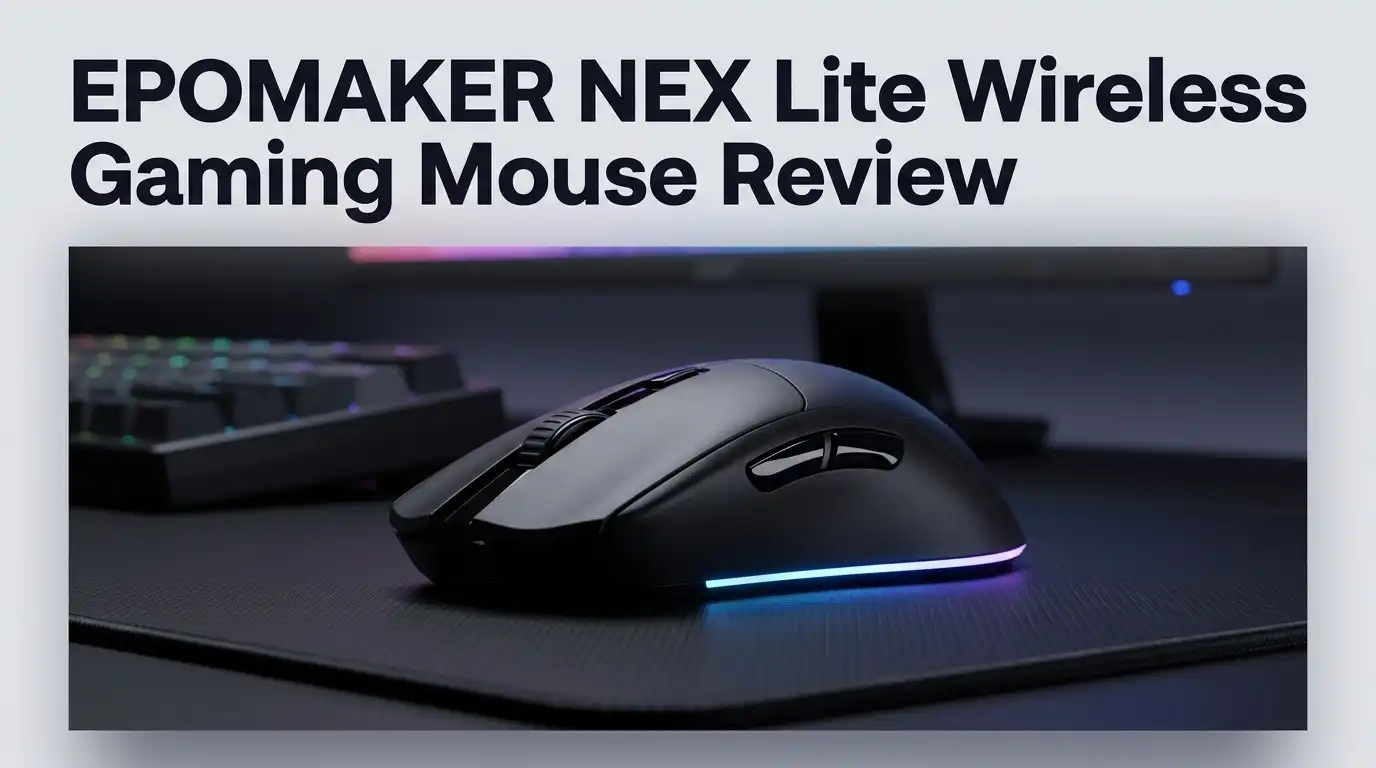
EPOMAKER NEX Lite Wireless Gaming Mouse Review 2026
The budget mouse shelf is crowded in 2026. Most cheap wireless mice look the same, feel the same, and forget the same features.
Then EPOMAKER shows up with a 65g mouse that has two OLED screens and an RGB charging dock for around $35. That combination sounds strange for the money, and it makes you look twice.
I spent weeks with the NEX Lite across shooters, MOBAs, spreadsheets, and Photoshop work. This review covers the good parts, the annoying parts, and the parts EPOMAKER quietly hopes you skip past.
In a Nutshell:
- The price is the headline. The NEX Lite costs about $35 and includes a magnetic RGB charging dock with a built in 2.4GHz receiver. Very few mice at this price bundle a dock at all.
- Two OLED screens are genuinely useful. One sits on the mouse, one sits on the dock. Both show DPI, battery percentage, connection mode, and polling rate without opening any software.
- The 65g shell suits medium and large hands. It is a right handed ergonomic shape with a noticeable hump. Palm grip feels best, claw grip works fine, fingertip grip feels large.
- The PAW3311 sensor is fine, not fast. It tracks cleanly at 400 to 1600 DPI. It can spin out during hard flick shots and shows jitter at 12,000 DPI.
- Battery life is the weak link. Expect roughly 40 to 55 hours with lighting on, then a three hour recharge. Modern rivals push past 100 hours easily.
- The shell is slippery out of the box. EPOMAKER includes grip tape, which tells you they know. Apply it on day one.
EPOMAKER NEX Lite Wireless Gaming Mouse

Last update on 2026-08-23 / Affiliate links / Images from Amazon Product Advertising API Some of the links on this website are affiliate links, which means that at no additional cost to you, I earn a commission if you click through and make a purchase. I only recommend products and services that I believe will add value to my readers. Thank you for your support!
The NEX Lite is EPOMAKER’s budget gaming mouse for 2026. It sits below the pricier NEX Pro in the lineup.
The core spec sheet reads simply. You get a PixArt PAW3311 optical sensor, 12,000 DPI maximum, 300 IPS tracking speed, and 35G acceleration tolerance.
Six DPI stages come preloaded at 400, 800, 1600, 3200, 5600, and 12,000. The default sits at 1600, which suits most desktops right away.
Connectivity covers three modes. You get 2.4GHz wireless, Bluetooth 5.0, and USB C wired operation through a detachable braided cable.
Polling tops out at 1000Hz on 2.4GHz and wired. Bluetooth drops to 125Hz, which is normal and fine for browsing.
The shell measures 12.2 x 6.5 x 4.2cm and weighs about 65g. The case uses ABS plastic with a smooth matte finish.
Switches are rated for 20 million clicks, which is a mid range figure rather than a premium one. Five buttons are programmable through browser software.
The battery is a 500mAh cell. Colors include white, black, blue, and pink.
The headline extra is the dock. It charges the mouse magnetically, stores the 2.4GHz dongle inside, runs its own OLED display, and cycles RGB effects through a touch point.
That feature list would have cost double two years ago. The question is how it holds up in daily use.
Unboxing the NEX Lite: First Impressions
The retail box is small and tidy. EPOMAKER prints the product name top left and the mouse render on the right.
Four feature callouts run along the front. Tri mode connectivity, the PAW3311 sensor, adjustable DPI, and the smart display all get a mention.
Open the lid and the mouse sits in a moulded tray inside a translucent plastic sleeve. Nothing rattles around, which is reassuring for a budget product.
EPOMAKER covers the scratch prone areas with protective film. The OLED window on top and the PTFE skates underneath both arrive taped.
The charging dock lives in its own bag beside the mouse. It feels light in the hand and has a rubberised base that grips the desk.
A white braided USB C to USB A cable sits underneath. It measures 1.8m, which is long enough for tower users.
Two sets of grip tape come included. So does a spare set of PTFE skates, which is a thoughtful touch at this price.
A quick start guide and a multilingual manual finish the contents. There is no software disc because everything runs through a browser.
The unboxing feels more premium than $35 usually buys. Nothing is luxurious, but nothing feels cheap either.
The first surprise comes when you lift the mouse. It feels lighter than the 65g figure suggests, partly because the weight sits low and even.
Design, Build Quality, and Shape
The NEX Lite uses a right handed ergonomic shell. There is no ambidextrous option, so left handed players should look elsewhere immediately.
The hump sits in the middle rather than far back. That placement fills the palm nicely for medium sized hands.
Large hands will find it comfortable. Small hands will find it tall. The 4.2cm height is the deciding factor.
Build quality holds up under pressure. Squeeze the sides and you get almost no flex or creaking.
There are no honeycomb cutouts anywhere. The shell is solid plastic, which keeps dust and crumbs out of the internals.
The matte finish looks clean and resists fingerprints on the white model. It also gets slippery once your hands warm up.
This is the biggest design complaint. EPOMAKER includes grip tape because the bare shell struggles during sweaty sessions.
The side buttons sit exactly where your thumb expects them. They are large enough to hit without hunting.
Four PTFE skates handle the glide. They are thin but smooth, and the spare set means you are covered for a year or two.
The OLED window on top looks tidy rather than gimmicky. It stays dark when the mouse sleeps, so it does not distract during games.
The dock deserves credit too. It gives the mouse a home on your desk instead of a spot next to your keyboard.
Top 3 Alternative for EPOMAKER NEX Lite


Last update on 2026-08-23 / Affiliate links / Images from Amazon Product Advertising API Some of the links on this website are affiliate links, which means that at no additional cost to you, I earn a commission if you click through and make a purchase. I only recommend products and services that I believe will add value to my readers. Thank you for your support!
Logitech G305 Lightspeed Wireless Gaming Mouse

Last update on 2026-08-23 / Affiliate links / Images from Amazon Product Advertising API Some of the links on this website are affiliate links, which means that at no additional cost to you, I earn a commission if you click through and make a purchase. I only recommend products and services that I believe will add value to my readers. Thank you for your support!
Razer Viper V3 HyperSpeed Wireless Gaming Mouse

Last update on 2026-08-23 / Affiliate links / Images from Amazon Product Advertising API Some of the links on this website are affiliate links, which means that at no additional cost to you, I earn a commission if you click through and make a purchase. I only recommend products and services that I believe will add value to my readers. Thank you for your support!
Glorious Gaming Model O 2 Wireless Gaming Mouse
PAW3311 Sensor Performance Tested
The PixArt PAW3311 is a budget sensor, and it behaves like one in specific situations.
Normal desktop tracking is excellent. Cursor movement stays smooth and predictable at 800 and 1600 DPI.
I ran Photoshop lasso tests to check fine control. The sensor followed small hand movements without dropping detail.
Straight line tests showed no angle snapping or prediction at lower sensitivity. That is good news for anyone doing design work.
Prediction is enabled by default at higher sensitivity settings. You can switch it off in the browser software, and you should.
Gaming is where the limits appear. In Aimlabs and Overwatch, the sensor occasionally spun out during hard flick shots.
Spinning out means the sensor loses track during rapid acceleration. Your crosshair jumps somewhere unintended, and you lose the duel.
This does not happen constantly. It happens during the fastest movements, which is exactly when it hurts most.
At 12,000 DPI, jitter becomes noticeable. The cursor shivers slightly instead of sitting still.
Nobody games at 12,000 DPI, so this matters less than it sounds. Still, it means the top DPI number is marketing rather than usable spec.
Lift off distance is high and cannot be adjusted anywhere. I could raise the mouse and still move the cursor, which annoys low sensitivity players who reposition often.
Response time felt consistent in both wired and wireless modes. Input lag was never perceivable during normal play.
Dual OLED Screens and the RGB Charging Dock
This is the feature people notice first, and it earns the attention.
The mouse screen measures 0.54 inches. It shows battery percentage, DPI level, connection mode, and polling rate.
The dock carries a second screen with the same information. You can check your battery from across the desk without touching anything.
Both displays stay readable in bright rooms. The white text on black background helps here.
The practical benefit is real. You never guess your DPI stage after switching profiles mid game.
Battery anxiety also drops. A percentage figure beats a vague red LED every single time.
The dock uses magnets to hold the mouse in place. Drop it on and charging starts automatically.
The 2.4GHz dongle lives inside the dock. That solves the classic problem of losing a tiny USB receiver in a drawer.
A touch point on the dock cycles RGB lighting effects. You can also turn the lighting off completely, which helps battery life.
The RGB looks pleasant rather than blinding. It glows around the base and reflects off the desk surface.
There is one catch worth knowing. The dock needs to stay plugged in, so it takes a permanent USB port.
For most desktop users that is a fair trade. Laptop users who travel will find the dock awkward to pack.
Tri Mode Connectivity in Real Use
Three connection modes cover almost every scenario you will meet.
The 2.4GHz mode delivers 1ms latency at 1000Hz polling. This is the mode you want for gaming.
Range held steady across my desk with no stutters. The dongle inside the dock sits close to the mouse anyway.
Bluetooth 5.0 runs at 125Hz with 7.5ms latency. Do not game on Bluetooth, but it works well for laptops and tablets.
Pairing takes seconds. A switch underneath cycles between the three modes, and the screen confirms which one is active.
USB C wired mode charges and plays at the same time. The braided cable stays flexible rather than fighting your hand.
Mode switching is instant in practice. I moved between a desktop and a laptop several times daily without frustration.
One small irritation appeared during testing. When battery levels drop near 20%, the wireless link occasionally skipped or dropped briefly.
Charge before that point and the problem disappears. It is a low power behaviour rather than a design fault.
Sleep mode kicks in after an idle period you can configure. Wake up is fast enough that you barely notice it.
The mouse works on Windows and macOS. Phones and tablets connect over Bluetooth without extra setup.
Onboard memory saves your settings to the mouse itself. Plug it into any machine and your DPI stages travel with you.
Weight, Grip, and Long Session Comfort
At 65g the NEX Lite sits in the middle of the modern weight scale.
Superlight competitors now reach 45g to 55g. The NEX Lite is not chasing that crowd.
What it offers instead is balance. The weight spreads evenly, so the mouse does not feel front heavy during slow tracking.
Palm grip is the natural fit here. The hump supports the middle of your hand well.
Claw grip works comfortably too. Your fingers arch over a shell that is wide enough to feel stable.
Fingertip grip feels awkward. The mouse is simply too tall for that style.
Long sessions revealed the grip problem clearly. After ninety minutes, my hand moved slightly on the smooth shell.
The included grip tape fixes this properly. Apply both side pieces before your first serious gaming session.
Once taped, the mouse feels locked into your hand. Control improves noticeably during fast lateral movements.
I still think EPOMAKER should have textured the shell from the factory. Including tape is a workaround, not a solution.
Wrist fatigue stayed low across four hour stretches. The light weight genuinely helps here.
The shape suits hands between 17cm and 20cm in length. Anything smaller and you will stretch for the side buttons.
Switches, Scroll Wheel, and Click Feel
The main switches carry a 20 million click rating. That covers several years of normal use.
Click feel is where budget shows through. The clicks are loud and a little hollow.
They actuate quickly with a short travel distance. Response is never the problem.
The sound is the problem. It has a plasticky sharpness rather than a crisp snap.
If you game late at night beside a sleeping partner, this matters. If you game with a headset on, you will forget it exists.
Double clicking never occurred during my testing period. Registration stayed accurate through thousands of clicks.
The scroll wheel has defined tactile steps. Each notch feels distinct rather than mushy.
Wheel noise is moderate. It sits quieter than the main buttons, oddly enough.
The middle click needs a firm press. That prevents accidental scroll clicks during fast movements.
Side buttons feel better than the main clicks. They have a tighter, more satisfying action with minimal wobble.
Five programmable buttons total gives you enough for shooters and MOBAs. MMO players will want more.
Macro support arrives through the browser software. Assign combos, media keys, or office shortcuts as you like.
No slam clicking appeared at the default response time. The switches held up under aggressive play.
Battery Life and Charging Reality
This is the section where the NEX Lite loses the most points.
EPOMAKER does not publish an official battery figure on the product page. That silence is a small warning sign.
Company social posts advertise around 55 hours. My testing landed close to 40 hours with lighting active.
That translated to roughly eight days at five hours per day. Then the low battery warning started flashing at 20%.
Modern wireless mice routinely pass 100 hours. Some budget models reach 200 hours or more.
The 500mAh cell simply cannot compete with those numbers. The OLED screen and RGB both draw power constantly.
Turning off the lighting extends runtime meaningfully. Doing so also removes one of the mouse’s selling points.
Recharging takes over three hours from empty. That is slow for a 500mAh battery.
The dock softens the blow considerably. Dock the mouse whenever you leave your desk and you will never see a dead battery.
That habit turns a weakness into a non issue for desktop users. It does not help anyone who carries the mouse to work.
Sleep mode helps between sessions. The mouse powers down quickly and wakes without delay.
Battery percentage on the screen removes all guesswork. You always know exactly where you stand.
Browser Based Software and Customization
EPOMAKER skips the traditional download entirely. Configuration happens in a web browser.
You plug the mouse in, open the configuration page, and start adjusting. No installer, no background process, no account signup.
Chrome based browsers work best. EPOMAKER warns that other browsers may show display problems, and that warning is accurate.
The interface is clean and simple. Tabs cover DPI, buttons, lighting, and performance settings.
DPI stages are fully editable. You can change the six preset values or reduce how many stages cycle.
Button remapping covers all five programmable inputs. Macros, keyboard shortcuts, and media controls are all available.
Polling rate adjustment sits in the performance tab. So does the prediction toggle you should switch off.
Sleep timer configuration lives there too. Setting a longer idle time keeps the mouse awake during slow strategy games.
Everything saves directly to onboard memory. Your settings survive when you move to another computer.
The downside is dependence on a website. If EPOMAKER ever takes that page offline, customization disappears.
Offline installers do not have that problem. It is a genuine long term risk worth considering.
For now the system works smoothly. Browser based setup is faster than most gaming software I have used this year.
What the NEX Lite Does Not Do Well
Honest reviews name the flaws clearly, so here they are without softening.
The sensor spins out during hard flicks. Competitive FPS players will feel this in ranked matches, and no software setting fixes it.
Lift off distance is high and locked. Low sensitivity players who lift and reposition constantly will fight the cursor.
Battery life is below average for 2026. Forty to fifty five hours is short when rivals offer double that.
Charging takes over three hours. Combine that with short runtime and you must use the dock as a habit.
The shell is slippery without tape. The included grip tape works, but a factory texture would have been better.
Clicks sound cheap. They function correctly, yet the hollow tone reminds you of the price constantly.
No left handed option exists. The ergonomic shell only fits right handed users.
Bluetooth polling is only 125Hz. That is fine for office work and useless for gaming.
Low battery causes tracking hiccups. Below 20%, I saw brief skips and short disconnections.
Only five programmable buttons. MMO and MOBA players who love macros will feel limited.
Twelve thousand DPI is not usable. Jitter appears well before you reach the top setting.
None of these ruin the mouse. They do explain why it costs $35 instead of $80.
Pros and Cons of the EPOMAKER NEX Lite
Here is the balanced summary in list form.
Pros
- Dual OLED screens show DPI, battery percentage, connection mode, and polling rate instantly without opening software.
- Magnetic RGB charging dock included at a $35 price point, and it stores the 2.4GHz dongle inside so you cannot lose it.
- Solid 65g build with no flex, no creaking, and no honeycomb holes collecting dust.
- True tri mode connectivity covering 2.4GHz at 1ms latency, Bluetooth 5.0, and USB C wired play.
- Comfortable ergonomic shape that supports palm and claw grips well for medium and large hands.
- Generous accessories including two grip tape sets, spare PTFE skates, and a 1.8m braided cable.
- Browser based software with onboard memory saving, so no installer clutters your system.
- Clean tracking at normal DPI with no angle snapping and accurate fine control for design work.
Cons
- Sensor spins out during fast flick shots, which hurts competitive shooter performance.
- Short battery life of roughly 40 to 55 hours, well below the 100 hour standard in 2026.
- Three hour recharge time feels slow for a 500mAh cell.
- High fixed lift off distance that no software setting can lower.
- Slippery shell that needs the included grip tape to feel secure.
- Hollow sounding clicks that reveal the budget construction.
- Right handed only with no ambidextrous or left handed version available.
- Jitter at maximum DPI makes the 12,000 figure a spec sheet number rather than a usable setting.
Price, Value, and Who Should Buy It
Last update on 2026-08-23 / Affiliate links / Images from Amazon Product Advertising API Some of the links on this website are affiliate links, which means that at no additional cost to you, I earn a commission if you click through and make a purchase. I only recommend products and services that I believe will add value to my readers. Thank you for your support!
At roughly $35 in the United States and £29 in the United Kingdom, the NEX Lite occupies interesting ground.
Nothing else at this price includes a charging dock with a display. That alone justifies a look.
Value depends entirely on what you play. Casual gamers get excellent value here.
Someone playing Valorant at a competitive rank will hit the sensor ceiling. That player should spend more.
Someone playing story games, strategy titles, MOBAs, and doing office work will never notice the limits.
Students and first time buyers are the perfect audience. You get real features without a painful price.
Office workers who want one clean desk setup will love the dock. It doubles as a charging stand and a tidy home for the mouse.
Anyone with small hands should skip it. The 4.2cm height simply will not fit.
Left handed users have no option at all here.
Frequent travellers should also think twice. Carrying a dock plus a mouse defeats the convenience.
If you already own a mouse with a good sensor, this is not an upgrade. It is a sidestep with better screens.
For a second machine, a living room PC, or a first wireless mouse, it makes real sense.
Final Verdict on the EPOMAKER NEX Lite
The NEX Lite is a genuinely likeable budget mouse with clear boundaries.
EPOMAKER spent the budget on features you can see. The screens, the dock, and the accessories all impress immediately.
They saved money on the parts you feel later. The sensor, the switches, and the battery all sit at entry level quality.
That trade is honest at $35. You are not being misled about what you buy.
Daily use is pleasant. The shape works, the weight helps, and the screens remove guesswork from your setup.
Competitive gaming exposes the compromises. Flick shots and quick repositioning both reveal the sensor’s limits.
I would score this around 7 out of 10 for the price it charges. Adjusted for value, it earns its place.
Fix the grip with the included tape. Use the dock every single time you stand up.
Do those two things and most complaints vanish from your daily experience.
Would I recommend it to a friend? Yes, if that friend games casually and likes gadgets.
Would I recommend it to a ranked shooter player? No, and I would suggest saving another $30 instead.
The NEX Lite proves budget mice can still surprise you in 2026. It just cannot outrun physics or price.
Frequently Asked Questions
Is the EPOMAKER NEX Lite good for competitive FPS games?
Not really. The PAW3311 sensor occasionally spins out during fast flick shots, which costs you duels in ranked play. It handles casual shooters well, but serious competitive players should choose a mouse with a higher tier sensor.
How long does the NEX Lite battery last?
Expect roughly 40 to 55 hours with RGB lighting active. That works out to about eight days at five hours daily. Turning off the lighting extends runtime, and the charging dock makes topping up automatic.
Does the NEX Lite work with Mac computers?
Yes. It supports Windows and macOS through all three connection modes. The browser based configuration software also runs on Mac, though Chrome based browsers work best.
Can left handed users use this mouse?
No. The NEX Lite uses a right handed ergonomic shell with side buttons only on the left side. Left handed players should choose an ambidextrous mouse instead.
Is the charging dock required to use the mouse?
No, but it is strongly recommended. The dock holds the 2.4GHz dongle inside, so you need it plugged in for wireless play unless you use Bluetooth or the wired cable.
What is the polling rate of the NEX Lite?
It reaches 1000Hz on 2.4GHz wireless and wired USB C. Bluetooth drops to 125Hz. The mouse does not support 4K or 8K polling rates.
Does the NEX Lite need software installation?
No installation is needed. Configuration happens through EPOMAKER’s browser based tool, and settings save to onboard memory so they travel with the mouse.
Is 65g light enough for a gaming mouse?
Yes for most players. It sits in the middle of the modern range, lighter than office mice but heavier than 50g superlight models. The even weight distribution makes it feel lighter than the number suggests.

Hello, i’m Ivoria i am the face behind Tech Tracker Blog. I am passionate about my work and love to explore gadgets and share about my experience.