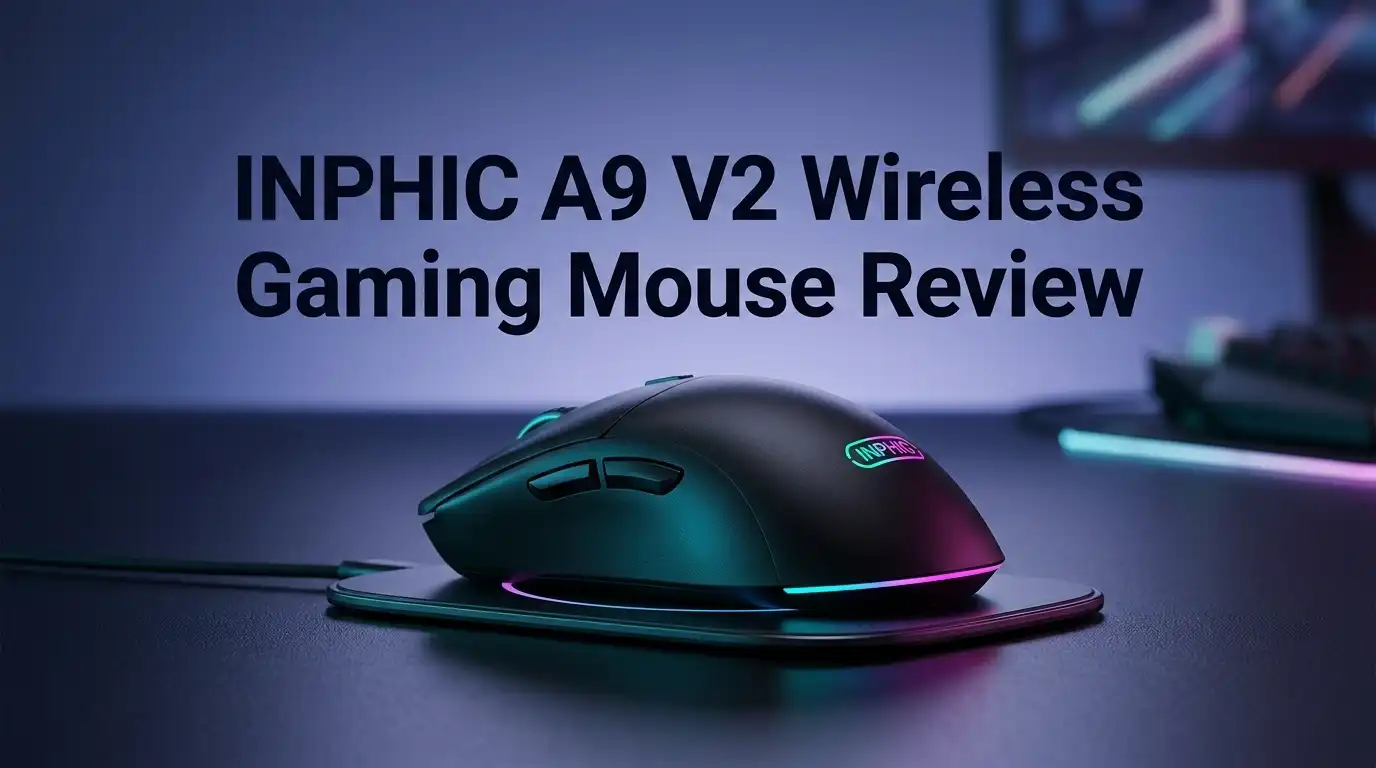
INPHIC A9 V2 Wireless Gaming Mouse Review 2026
Budget gaming mice usually force a trade. You either get decent tracking or you get comfort, rarely both. The INPHIC A9 V2 Explorer tries to break that pattern for around twenty dollars.
I spent several weeks with this mouse across shooters, spreadsheets, and late night browsing. It surprised me in some areas and frustrated me in others.
This review covers the real experience, including the parts INPHIC would rather you skip. If you want a cheap wireless mouse that looks like it costs three times more, keep reading.
In A Nutshell:
- Price to performance is the main story. The A9 V2 Explorer sits near twenty dollars and delivers 12000 DPI, RGB lighting, and three connection modes. Very few competitors match that feature list at this price.
- Tri mode connectivity works well. You get 2.4G wireless through a USB dongle, Bluetooth 5.0 for tablets and laptops, and a USB C cable for wired play. Switching between them takes one button press.
- The 500mAh battery lasts roughly one month with lighting off and around one week with RGB running constantly. Charging happens through USB C while you keep using the mouse.
- Weight is the biggest weakness. At roughly 100 grams, this mouse feels heavy next to modern esports models that hit 50 to 60 grams. Fast flick shooters expose that difference quickly.
- The 1000Hz polling rate caps your ceiling. Serious competitive players who want 4000Hz or 8000Hz will need to look elsewhere. Casual and mid level gamers will never notice.
- Build quality punches above the price but the plastic still feels like plastic. Expect light shell flex if you squeeze the sides.
INPHIC A9 V2 Explorer Wireless Gaming Mouse

Last update on 2026-08-23 / Affiliate links / Images from Amazon Product Advertising API Some of the links on this website are affiliate links, which means that at no additional cost to you, I earn a commission if you click through and make a purchase. I only recommend products and services that I believe will add value to my readers. Thank you for your support!
The A9 V2 Explorer is the refreshed version of INPHIC’s popular A9 mouse. The original earned fans for silent clicks and a low price, but it lacked a wired mode and used a weaker sensor.
INPHIC fixed most of those gaps. The V2 upgrades tracking speed to 120 IPS, raises acceleration handling to 25G, and adds driver software for customization.
Click durability jumped too. The original was rated for 3 million presses while the V2 carries an 8 million press rating on its main switches.
The shape stays the same at 123mm long, 78mm wide, and 39mm tall. That is a medium to large right handed body with a pronounced palm hump.
You get seven buttons total. Left, right, middle, two side buttons, a DPI switch, and a lighting control button.
Weight dropped slightly from 107 grams to 100 grams. That still places it firmly in the traditional weight class rather than the lightweight category.
One thing worth noting early: the V2 removed the fully silent switches from the original model. If you specifically wanted a quiet mouse, this version clicks audibly.
The mouse targets a clear buyer. Someone who games a few hours a week, works during the day, and refuses to spend eighty dollars on a peripheral.
Unboxing Experience: What Comes In The Box
The package arrives small and light. INPHIC uses a simple cardboard box with product photos on the front and a specification list on the back.
Nothing feels premium about the packaging, and that is fine at this price. There is no magnetic flap or foam insert.
Inside you find the mouse resting in a molded plastic tray. Under that tray sits a small compartment with the accessories.
You get a USB C charging cable that measures roughly 1.5 meters. The cable is rubber rather than paracord, so it holds some bend memory out of the box.
The 2.4G USB dongle ships pre stored inside the mouse. INPHIC hides it in a magnetic slot on the bottom shell, which is a genuinely useful touch for travel.
A folded user manual covers pairing steps in several languages. The English section is readable but the translation is rough in places.
My first impression when lifting the mouse was solid heft. It does not feel hollow or cheap in hand, which surprised me given the cost.
The RGB strip stays dark until you connect it. Once powered, the light bar runs along both sides and wraps the scroll wheel area.
There is no mouse pad, no spare skates, and no carrying pouch. Those omissions are expected here.
Setup took under a minute. I pulled the dongle, plugged it into my laptop, flipped the power switch, and Windows recognized it immediately.
Design And Build Quality
The A9 V2 Explorer looks like a gaming mouse from a distance and a stylish office mouse up close. INPHIC blended both worlds well.
The top shell uses matte plastic with a slight texture. Fingerprints show up eventually but they wipe off easily.
Both sides carry textured anti slip grip panels. These are molded plastic rather than rubber, which means they will not peel or turn sticky after two years.
The light bar is the design centerpiece. It runs as a translucent seam around the entire lower edge of the shell.
The effect at night is genuinely impressive. The glow spills onto your desk surface and creates a soft ambient ring.
Build quality holds up under normal handling. I could produce mild shell flex by squeezing hard, but no creaking during actual use.
The scroll wheel has a rubber ring with horizontal ridges. It sits deep enough that accidental middle clicks rarely happen.
Bottom skates are standard white PTFE style pads. There are four of them, and glide is smooth on cloth pads but noisier on hard pads.
The power switch, mode indicator, and dongle storage all live on the underside. The battery indicator uses three small LEDs that show remaining charge at a glance.
One design complaint stands out. The glossy accent panel near the DPI button collects smudges faster than the rest of the body.
Comfort And Ergonomics For Long Sessions
This is where the A9 V2 earns its keep. The ergonomic hump sits high and fills the palm completely.
I have medium sized hands at roughly 19cm length. The mouse fit my palm grip perfectly with zero strain.
Claw grip users will find it workable but not ideal. The rear hump pushes your hand forward more than a flatter shape would.
Fingertip grip players should skip this one entirely. The size and weight fight against that style.
Left side finger rest deserves praise. There is a shallow shelf where your thumb naturally parks, and it reduces the pinch grip fatigue that plagues cheaper mice.
I ran three hour sessions without wrist ache. The height keeps your palm supported rather than hovering, which matters for long workdays.
The right side has a slight flare that supports your ring finger. Your pinky still drags on the pad, though, because the flare stops short.
Left handed users cannot use this comfortably. The shape and side button placement are strictly right handed.
Side buttons sit slightly forward of where I expected. Users with shorter thumbs may need to shift their grip to reach the back button.
Weight distribution feels balanced front to back. The 100 grams sits centered rather than nose heavy, which helps control.
For office work, comfort scores very high. For competitive shooters, the shape works better for tracking heavy games than flick heavy ones.
Top 3 Alternative For INPHIC A9 V2 Explorer Wireless Gaming Mouse


Last update on 2026-08-23 / Affiliate links / Images from Amazon Product Advertising API Some of the links on this website are affiliate links, which means that at no additional cost to you, I earn a commission if you click through and make a purchase. I only recommend products and services that I believe will add value to my readers. Thank you for your support!
Logitech G305 Lightspeed Wireless Gaming Mouse

Last update on 2026-08-23 / Affiliate links / Images from Amazon Product Advertising API Some of the links on this website are affiliate links, which means that at no additional cost to you, I earn a commission if you click through and make a purchase. I only recommend products and services that I believe will add value to my readers. Thank you for your support!
Razer Viper V3 HyperSpeed Wireless Gaming Mouse

Last update on 2026-08-23 / Affiliate links / Images from Amazon Product Advertising API Some of the links on this website are affiliate links, which means that at no additional cost to you, I earn a commission if you click through and make a purchase. I only recommend products and services that I believe will add value to my readers. Thank you for your support!
Redragon M916 Wireless Ultra Light Gaming Mouse
Sensor Performance And DPI Settings
INPHIC does not publish the exact sensor model, which is common in this price bracket. The published numbers tell us enough.
The sensor tracks up to 120 IPS and handles 25G of acceleration. Maximum frame rate sits at 7200 FPS.
Those figures land in respectable territory. For reference, budget sensors from a few years ago topped out near 60 IPS.
Six DPI presets come loaded from the factory. You cycle through 800, 1600, 2400, 3200, 4800, and 12000 with the DPI button.
The default landing spot is 2400 DPI, which feels fast for most desktop work. I dropped to 800 for shooters and 1600 for general use.
Driver software lets you set any value from 50 to 12000. That granular control is unusual at this price and genuinely useful.
Tracking felt accurate during normal speed movement. I noticed no cursor jumping, no spin outs, and no angle snapping.
Push the mouse into fast swipes and the limits appear. Very quick flicks can produce slight tracking lag compared to premium sensors.
Lift off distance sits around 2mm and is not adjustable. Low sensitivity players who lift often may find that slightly high.
Surface performance stayed consistent across cloth, hard plastic, and a wooden desk. Glass surfaces did not work, as expected.
For anything below competitive ranked play, this sensor does the job without complaint.
Tri Mode Connectivity: 2.4G, Bluetooth, And Wired
Three connection options is the headline feature. Most mice at this price offer one or two.
The 2.4G mode uses the bundled USB A dongle. This is the mode you want for gaming because latency stays lowest here.
Range holds up to roughly ten meters. I tested across a room and the cursor stayed responsive with no dropouts.
Bluetooth 5.0 handles tablets, phones, and laptops without a free USB port. Pairing took about fifteen seconds on my iPad.
Bluetooth latency is noticeably higher. Fine for documents and browsing, poor for anything requiring quick reactions.
Wired mode through USB C is the V2’s new addition. Plug in the cable and the mouse switches automatically while charging.
Switching modes happens through a button on the underside. An indicator light confirms which mode is active.
Polling rate maxes at 1000Hz in 2.4G and wired modes. Bluetooth runs lower, around 125Hz.
That 1000Hz ceiling matters less than marketing suggests. It equals one report per millisecond, which was the esports standard for over a decade.
Connection stability was solid across testing. I recorded two brief stutters over several weeks, both in a crowded wireless environment.
The dongle needs a direct port. Using it through an unpowered hub introduced occasional lag on my setup.
Battery Life And Charging
The A9 V2 packs a 500mAh rechargeable battery. INPHIC claims up to one month of use per charge.
That claim comes with a condition. One month applies with RGB lighting turned off and moderate daily use.
My real numbers landed close. With lighting off and roughly five hours of daily use, I got about twenty six days.
Turn the RGB on permanently and expectations change fast. Constant lighting dropped runtime to roughly six or seven days.
The smart sleep function helps significantly. The mouse dozes after inactivity and wakes on the first click or movement.
Wake time is quick in 2.4G mode, under a second. Bluetooth wake takes two to three seconds, which is mildly annoying.
Charging happens through USB C on the front edge. A full charge from empty took about two and a half hours.
You can use the mouse while charging, which turns it into a wired mouse temporarily. No interruption to your session.
The three LED battery indicator on the bottom is handy but awkward. You must lift the mouse to check it.
INPHIC includes charging protection circuitry. This prevents overcharging when you leave it plugged in overnight.
There is no low battery warning through software or lighting. The mouse simply gets sluggish and then dies, which caught me out once.
RGB Lighting And Visual Appeal
The light bar is the reason many buyers pick this mouse. It looks far more expensive than it is.
A colorful breathing effect runs by default. Colors cycle slowly through the spectrum with a soft fade.
The diffusion quality is excellent. Light spreads evenly along the strip instead of showing individual LED hotspots.
You cycle through modes with a dedicated button. Options include breathing, steady color, and lighting off.
The off setting is your battery saver. I kept lighting active during evening sessions and disabled it for work.
Brightness is moderate rather than blinding. This suits a desk setup where you want ambiance instead of a spotlight.
Driver software adds deeper control. You can lock a single static color and adjust brightness levels.
Color accuracy is decent. Reds and blues look clean while whites lean slightly blue.
The lighting also wraps under the scroll wheel area. That detail sells the futuristic look in photos and in person.
Lighting does not sync with other RGB ecosystems. No Razer Chroma, no Corsair iCUE, no Logitech G Hub compatibility.
That isolation is a fair trade at twenty dollars. If ecosystem sync matters to you, this is not your mouse.
Buttons, Clicks, And Scroll Wheel Feel
INPHIC rates the main switches for 8 million presses. That is a meaningful jump from the 3 million rating on the original A9.
Click feel is medium weight with a defined tactile break. Not as crisp as premium optical switches but far from mushy.
Note that the V2 is not silent. The original A9 sold heavily on quiet clicks, and INPHIC removed that feature here.
Click volume sits at normal levels. Slightly quieter than a Logitech G502 but clearly audible in a shared room.
Post travel is minimal on the left button and slightly longer on the right. Most users will never notice.
Side buttons are plastic with a clean actuation. They sit flush enough to avoid accidental presses.
The DPI button lives behind the scroll wheel in the classic position. It requires a firm press, which prevents mistakes mid game.
Scroll wheel steps are defined and quiet. Each notch gives clear feedback without loud ratcheting.
Middle click needs more force than average. Some users will find this stiff for weapon swaps in shooters.
There is no free spin mode and no horizontal tilt. Basic scrolling only.
Button response felt consistent through weeks of use. No double click issues surfaced, though that problem usually appears after months rather than weeks.
Software And Customization
The V2 adds driver support, which the original A9 completely lacked. This alone justifies the upgrade for many users.
INPHIC hosts the software as a download link rather than through a polished website. You grab it from a shared drive folder.
That distribution method feels unprofessional. It works, but it does not inspire confidence about long term updates.
The interface is basic and dated. Think Windows XP era layout with functional menus and no styling.
Button remapping works for all seven buttons. You can assign keyboard keys, media controls, and basic commands.
Macro recording is included. You record a sequence, save it, and bind it to a side button.
DPI customization is the strongest feature. Set any value between 50 and 12000 and adjust each of the six stages independently.
Polling rate adjusts between 125Hz, 250Hz, 500Hz, and 1000Hz. I left mine at 1000Hz permanently.
Lighting controls let you pick static colors and brightness. Effects options stay limited.
Settings save to onboard memory. Once configured, you can unplug the software and keep your profile on other computers.
The software is Windows only. Mac users get basic mouse function with no customization at all.
No cloud sync, no profile sharing, no game detection. Expectations should stay modest here.
Gaming Performance In Real Matches
I tested across Valorant, Counter Strike 2, Apex Legends, and Baldur’s Gate 3. Results varied by genre.
In tactical shooters, tracking accuracy held up well. My spray control at 800 DPI felt consistent match to match.
Flick shots exposed the weight. At 100 grams, quick 180 degree turns require more wrist effort than a 60 gram mouse demands.
I adapted after a few days. My accuracy stats settled near my normal range but never exceeded it.
Apex Legends worked better. The tracking heavy movement in that game suits a heavier mouse and a supportive palm shape.
RPGs and strategy games are ideal territory. Baldur’s Gate 3 and Civilization felt great with the comfortable shape and quiet operation.
Latency in 2.4G mode was not a limiting factor. I never lost a duel and blamed the mouse for it.
The 1000Hz polling rate produced no perceptible delay. Players coming from 4000Hz setups might feel a difference.
Side button placement worked well for pings and abilities. Both buttons stayed reachable during intense moments.
The stiff middle click became a minor issue in Apex where I use it for melee. I remapped that function instead.
Summary for gamers: this mouse handles ranked play at intermediate levels comfortably. Top tier competitive players will want lighter hardware.
Office And Everyday Use
Outside gaming, the A9 V2 shines brighter than expected. Comfort carries the entire experience here.
Eight hour workdays produced no wrist fatigue. The palm hump keeps your hand in a neutral position.
Bluetooth mode makes this a strong laptop companion. You save the USB port and still get full functionality.
Switching between a work laptop and a desktop takes one button press. That flexibility is genuinely convenient.
DPI stages help with mixed monitor setups. I used 2400 DPI on my 1440p display and dropped to 1600 for a smaller laptop screen.
The mouse is not silent, which matters in open offices. Clicks are normal volume and audible to neighbors.
Scroll performance through long documents feels precise. Each notch moves a predictable distance.
Battery life supports the office use case well. Turn the RGB off and charge it once a month.
The 100 gram weight becomes a non issue during productivity work. You are not making rapid flicks in a spreadsheet.
Side buttons handle browser navigation smoothly. Forward and back work without configuration on Windows.
Mac compatibility is partial. Basic tracking and clicking work, but side buttons and software customization do not.
What The INPHIC A9 V2 Explorer Does Not Do Well
Honest reviews cover the failures. Here are the real weaknesses I found.
Weight is the biggest limitation. At 100 grams, this mouse belongs to a previous generation of design philosophy.
The 1000Hz polling rate is a hard ceiling. Competitive players moving to high refresh monitors will eventually want more.
Silent clicking is gone. Buyers who loved the original A9 for quiet operation need to know this before ordering.
The unknown sensor makes long term comparison difficult. INPHIC keeps that specification vague, which suggests it is not a flagship chip.
Software distribution through a shared drive link feels temporary. If that link disappears, customization disappears with it.
No RGB ecosystem sync exists. Your mouse will cycle its own colors independently from your keyboard.
Lift off distance is fixed at roughly 2mm with no adjustment option.
There is no low battery notification. The mouse simply slows down and shuts off.
Left handed users are excluded entirely by the shape.
Mac support is functional but stripped down. No driver, no remapping, no macros.
The included cable is basic rubber rather than flexible paracord. Wired mode works but the cable drags.
Shell flex appears under firm squeezing. Normal use never triggered it, but the plastic is thin in places.
Skate quality is average. They glide fine now but will likely wear within a year of heavy use.
Pros And Cons
Here is the straight comparison after weeks of daily testing.
Pros
- Outstanding price to feature ratio with three connection modes, RGB lighting, and 12000 DPI for around twenty dollars.
- Excellent palm grip comfort thanks to the tall ergonomic hump and thumb shelf that reduce fatigue during long sessions.
- Tri mode connectivity covers every scenario, letting you switch between 2.4G gaming, Bluetooth for tablets, and USB C wired play.
- Battery life reaches nearly one month with lighting disabled, backed by a 500mAh cell and smart sleep behavior.
- The RGB light bar diffuses evenly and looks far more premium than the price suggests.
- Driver software allows granular DPI tuning from 50 to 12000, button remapping, and macro recording with onboard memory storage.
- Dongle storage inside the mouse body prevents the classic lost receiver problem during travel.
- Switch rating improved to 8 million clicks, doubling the durability of the original A9 model.
Cons
- 100 grams is heavy for modern gaming standards, and fast flick shooters expose that weight quickly.
- Polling rate caps at 1000Hz with no option for 4000Hz or 8000Hz upgrades.
- Silent clicks were removed from the V2, disappointing fans of the original quiet version.
- Software feels dated and downloads from an unofficial drive link rather than a proper support page.
- No RGB ecosystem synchronization with major brands.
- Mac users lose all customization features and side button function.
- Right handed shape only, with no ambidextrous or left handed variant available.
Final Verdict On The INPHIC A9 V2 Explorer
Last update on 2026-08-23 / Affiliate links / Images from Amazon Product Advertising API Some of the links on this website are affiliate links, which means that at no additional cost to you, I earn a commission if you click through and make a purchase. I only recommend products and services that I believe will add value to my readers. Thank you for your support!
The INPHIC A9 V2 Explorer succeeds at exactly what it sets out to do. It gives budget buyers a comfortable, good looking wireless mouse that games well enough.
Value is the entire argument here. Nothing else near twenty dollars combines tri mode connectivity, month long battery life, driver software, and this quality of RGB.
The V2 upgrades matter. Better tracking, wired mode, doubled switch durability, and software support all address real complaints about the original.
Buy this mouse if you play casually or at intermediate ranked levels, work long hours at a desk, and use a palm grip.
Skip this mouse if you chase competitive rankings, prefer lightweight designs under 70 grams, need silent clicks, or use a Mac as your primary machine.
I would rate it around 8 out of 10 for the price bracket. Drop it into the general mouse market and that falls to about 6.5 out of 10.
The weight and polling rate keep it out of enthusiast territory. Everything else exceeds what twenty dollars usually buys.
For students, casual gamers, and office workers who want gaming aesthetics without gaming prices, this is an easy recommendation.
For anyone whose rank depends on hardware, spend the extra money on a lighter option instead.
Frequently Asked Questions
Is the INPHIC A9 V2 Explorer good for FPS games?
It handles FPS games at casual and intermediate levels well. The sensor tracks accurately at normal speeds and 2.4G latency stays low. The 100 gram weight makes rapid flick shots harder than a lightweight mouse would.
Does the A9 V2 Explorer have silent clicks?
No. INPHIC removed the silent switches when they created the V2. The original A9 offered quiet clicking, but the V2 uses standard audible switches rated for 8 million presses.
How long does the battery last on a single charge?
Expect roughly one month with RGB lighting turned off and moderate daily use. With lighting running constantly, that drops to about one week. The 500mAh battery recharges fully in about two and a half hours.
Can I use this mouse with a Mac?
Yes, but with limits. Basic tracking, clicking, and scrolling work through both Bluetooth and 2.4G. The driver software is Windows only, so side button remapping and macros do not function on macOS.
What is the difference between the A9 and the A9 V2?
The V2 adds wired USB C mode, driver software support, and improved tracking at 120 IPS versus 30 IPS. Switch durability rose from 3 million to 8 million clicks. Weight dropped from 107 grams to 100 grams, and silent clicks were removed.
Does it work without the USB dongle?
Yes. Bluetooth 5.0 mode connects directly to laptops, tablets, and phones without the dongle. Wired USB C mode also works independently. Only 2.4G mode requires the receiver.
Is 12800 DPI actually useful?
Rarely. Most gamers stay between 400 and 1600 DPI, and office users sit around 1600 to 2400. The high ceiling helps mainly on 4K monitors or multi display setups where you cross large distances.

Hello, i’m Ivoria i am the face behind Tech Tracker Blog. I am passionate about my work and love to explore gadgets and share about my experience.