Garmin Dash Cam Mini 3 Review: Worth the Price Tag?
Do you want a dash cam that stays out of your way but still watches the road? The Garmin Dash Cam Mini 3 might be your answer. This tiny device fits behind your rearview mirror without blocking your view.
Don’t let its small size fool you. This dash cam packs serious features into a key sized body. It offers 1080p HD video and a wide 140° field of view.
Garmin built this camera for people who want simple protection. It uses voice control, so you never touch buttons while driving. The G-sensor detects incidents automatically and saves footage before you even react.
In a Nutshell
- Tiny size, big presence. This dash cam hides near your rearview mirror. It barely blocks your view.
- App controls everything. There is no screen on the device. You check footage and settings through the Garmin Drive app on your phone.
- Smart incident detection kicks in automatically. The camera saves footage the moment it senses a bump or sudden stop.
- Fits almost any car. The mounting system works across different vehicle types. You won’t struggle to find a spot for it.
- Some features are missing. There is no GPS tracking built in. You also won’t find a rear camera option for this model.
- Video quality sits at 1080p. This is lower than some rivals that offer sharper 4K recording.
- Parking mode runs for 24 hours. Your car stays watched even when it’s parked and locked.
Design and Form Factor
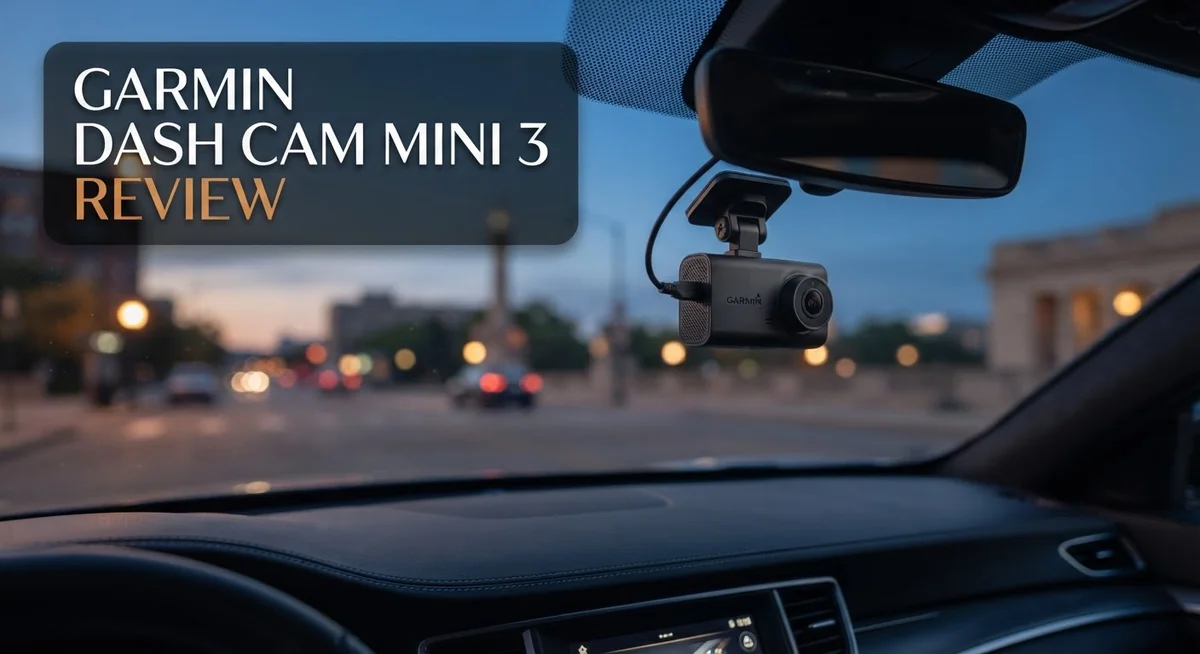
The Garmin Dash Cam Mini 3 measures just 2.3 inches long. It fits in your palm like a car key. This ultra compact size means you can mount it almost anywhere on your windshield without blocking your view.
The device weighs only 1.1 ounces. Your windshield won’t sag or show strain from the weight. The adhesive mount stays secure even on rough roads and bumpy highways.
Garmin chose a minimalist approach to the physical design. The camera body is black plastic with a simple cylindrical shape. There are no buttons on the front or sides. All controls happen through your smartphone app instead.
The mounting system uses a suction cup base. It attaches to glass surfaces quickly and holds firm in most climates. The cable runs down behind your headliner to keep things clean and hidden. You can route the USB power cord along your roof line or through door panels depending on your car model.
The lack of a built in screen is intentional. Garmin removed the display to reduce size and power consumption. You check your footage on your phone using the Garmin Drive app. This design choice works well if you already use your phone for navigation and music.
The camera sits flush against your windshield. It doesn’t stick out like older dash cams with large housings. Most passengers won’t notice it’s there after the first few days.
Build quality feels solid throughout. The lens cover protects the camera when not in use. The overall construction suggests this device can handle temperature swings from freezing winters to hot summers.
The compact form factor makes installation straightforward for most drivers. You don’t need professional help to mount it. The entire setup takes about 15 minutes if you route the cable carefully.
This small size comes with real benefits. Your insurance company may offer discounts when they know you have continuous video coverage. The camera captures accidents and incidents without drawing attention from thieves or vandals.


Last update on 2026-11-03 / Affiliate links / Images from Amazon Product Advertising API Some of the links on this website are affiliate links, which means that at no additional cost to you, I earn a commission if you click through and make a purchase. I only recommend products and services that I believe will add value to my readers. Thank you for your support!
Video Quality and Recording Features
The Garmin Dash Cam Mini 3 captures video in 1080p HD resolution. This standard definition sits lower than some competitors offering 4K footage. However, 1080p remains sufficient for most drivers who need clear license plate identification and road details.
The camera records with a 140 degree field of view. This wide angle captures multiple lanes and surrounding activity. You see what happens on both sides of your vehicle, not just directly ahead. The broader perspective helps when investigating accidents or insurance claims.
NightEagle technology improves low light performance. Your footage stays clear during dawn, dusk, and nighttime driving. The engine processes images to reduce grain and blur. You get usable video even on poorly lit roads. This feature matters if you drive frequently after sunset or before sunrise.
Loop recording runs continuously while you drive. The camera overwrites old footage once the memory card fills up. This means you never run out of storage space. The system keeps recording without manual intervention.
Automatic incident detection works through the built in G sensor. The camera recognizes sudden acceleration, hard braking, or impacts. When an incident occurs, the footage locks automatically. Protected videos don’t get overwritten during loop recording. This protects your most important clips without extra effort.
The 24 hour parking mode watches your vehicle when parked. The camera remains active and records motion or impacts. Your car stays monitored even when you’re away. This catches hit and run incidents or vandalism. The G sensor triggers recording if someone bumps your parked vehicle.
Voice control lets you manage recording hands free. You can start, stop, or lock footage using voice commands. This keeps your focus on the road instead of menus. The feature works in most common languages.
The included 32GB microSD card provides storage for approximately 8 hours of 1080p video. You can upgrade to larger cards for extended recording. Video quality remains consistent throughout the recording session.
App Interface and Voice Control
The app interface for the Garmin Dash Cam Mini 3 serves as your main control center. Since the device has no physical screen, the mobile app handles everything. You download it on iOS or Android, then connect your dash cam via WiFi.
The app layout feels intuitive and clean. Navigation is straightforward, so you won’t get lost hunting for features. Video playback works smoothly within the app. You can watch clips instantly after they record. Scrubbing through footage happens without lag or stuttering.
Accessing your recordings feels simple. The app organizes videos by date and time. You can mark important clips as favorites. This helps you save incident footage before the loop recording overwrites older files. Downloading videos to your phone takes just a few taps.
Voice control adds real convenience to daily use. You can start or stop recording without touching your phone. Commands work reliably in most conditions. The microphone picks up your voice even with road noise present. Hands-free operation means safer driving since your eyes stay on the road.
Settings adjustment happens easily through the menu. You can enable parking mode, adjust loop recording length, and toggle incident detection. The app remembers your preferences. Everything syncs back to the device automatically.
Live view streaming lets you monitor your car remotely. You see what the camera sees in real-time. This works when you park in unfamiliar places or leave your vehicle unattended. The stream quality adjusts based on your internet connection.
Notifications alert you to important events. Incident detection triggers an alert when the G-sensor detects sudden movement. You get notified immediately, even when away from your car. Push notifications keep you informed without constant checking.
The overall experience emphasizes simplicity over complexity. Garmin removed unnecessary buttons and screens from the hardware. Everything moved to the app instead. This design choice works well for drivers who want quick access without clutter. The interface rewards users who prefer minimal physical interaction with their gear.
Top 3 Alternatives
VIOFO A119 Mini

Last update on 2026-11-03 / Affiliate links / Images from Amazon Product Advertising API Some of the links on this website are affiliate links, which means that at no additional cost to you, I earn a commission if you click through and make a purchase. I only recommend products and services that I believe will add value to my readers. Thank you for your support!
The VIOFO A119 Mini stands out for its compact design and exceptional video quality. This dash cam captures footage in 1600p at 30fps, giving you clear details of road incidents. The camera features a wide 170-degree field of view that covers multiple lanes effectively.
One major strength is its reliable night vision performance. The A119 Mini uses advanced sensor technology to record clear footage even in low-light conditions. Users appreciate the straightforward interface and easy installation process. The device also includes loop recording, so your memory card never runs out of space.
Thinkware Q800 Pro

Last update on 2026-11-03 / Affiliate links / Images from Amazon Product Advertising API Some of the links on this website are affiliate links, which means that at no additional cost to you, I earn a commission if you click through and make a purchase. I only recommend products and services that I believe will add value to my readers. Thank you for your support!
The Thinkware Q800 Pro brings dual-channel recording capabilities to your vehicle. This system includes both front and interior cameras, giving you complete coverage inside and outside your car. The front camera records in 2K resolution, capturing sharp images of license plates and road details.
This model excels at AI-powered safety features. The Q800 Pro detects driver drowsiness and provides alerts to keep you safe. It also recognizes dangerous driving patterns and sends notifications to your phone. The interior camera monitors cabin activity, which many drivers find valuable for security purposes.
70mai Dash Cam Lite

Last update on 2026-11-03 / Affiliate links / Images from Amazon Product Advertising API Some of the links on this website are affiliate links, which means that at no additional cost to you, I earn a commission if you click through and make a purchase. I only recommend products and services that I believe will add value to my readers. Thank you for your support!
The 70mai Dash Cam Lite offers budget-friendly performance without major compromises. This camera records in 1080p resolution with a 130-degree field of view. The device connects easily to your smartphone through an app, letting you review footage on the go.
The Lite model features smart parking mode that activates when your vehicle is parked. It monitors your car and records if motion or impact occurs. The compact size makes installation simple, and the user interface remains intuitive for most drivers. Battery life during parking mode provides extended protection while your car sits unattended.
Parking Mode and Night Vision Performance
The Garmin Dash Cam Mini 3 excels at keeping watch over your vehicle during parking situations. The 24 hour parking mode activates automatically when you turn off your engine. Your car receives continuous protection throughout the entire day and night cycle.
Night vision performance relies on the NightEagle engine. This technology processes low light footage in real time. The camera captures clear details even in dark parking lots or dimly lit streets. You get usable video when most standard dash cams produce grainy, hard to see footage.
The NightEagle system adjusts automatically to changing light conditions. It enhances contrast and sharpens edges without adding artificial noise. Low light situations no longer mean losing important video evidence. The 1080p resolution combines with this night vision tech to deliver solid nighttime recordings.
Parking mode activates through the G sensor built into the unit. The camera detects impacts and motion around your vehicle. When something bumps your car or someone approaches, the dash cam springs into action. It records the incident and saves the footage separately from regular loop recordings.
Battery drain during parking mode remains minimal. The device operates efficiently without draining your car’s battery excessively. Most drivers report their vehicles maintain normal battery levels even with 24 hour parking mode enabled. This reliability makes extended parking protection practical for daily use.
The app notifies you immediately when parking mode detects an incident. You receive alerts on your phone, so you know something happened to your vehicle. Remote monitoring through the app lets you review parking footage without accessing your car.
Storage capacity matters for parking mode recordings. The included 32GB microSD card holds approximately 8 hours of 1080p video. Longer parking situations may require a larger capacity card. Most users find standard cards sufficient for typical daily and overnight parking scenarios.
Overall, the parking mode and night vision combination provides reliable vehicle protection. The automatic detection system works without manual intervention. You get peace of mind knowing your car stays monitored around the clock, whether parked overnight or during daytime hours.
Installation and Vehicle Compatibility
Installing the Garmin Dash Cam Mini 3 depends on your vehicle type and your comfort level with basic setup tasks. The camera’s ultra-compact design makes physical placement easier than larger dash cams. Most drivers can mount it on the windshield without special tools or modifications.
The suction cup mount attaches firmly to clean glass surfaces. You’ll want to position it slightly off-center to avoid blocking your view. The cable routing matters more than the actual mounting. Running the power cord along your headliner and down the A-pillar keeps things neat and safe.
Vehicle compatibility is essentially universal with this model. The Mini 3 works in sedans, SUVs, trucks, and hatchbacks without any issues. The key-sized form factor fits almost anywhere on your dashboard or windshield. You don’t need special brackets or adapters for different vehicle models.
Power connection options give you flexibility. Most users plug into a 12V outlet or USB port. Some prefer running the cable through their vehicle’s interior for a cleaner look. The included cable is long enough for most installation scenarios. If you need extra length, aftermarket extensions work well.
The microSD card comes pre-installed, so you’re ready to record immediately after mounting. No additional hardware setup is necessary. Just turn on the camera and let it initialize.
One important note: installation complexity varies based on your vehicle’s layout. Newer cars with integrated USB ports make setup faster. Older vehicles might require more creative cable routing. The process typically takes 15 to 30 minutes for most drivers.
The app connection happens automatically once you power on the camera. Pairing your phone takes just a few minutes. From there, you can adjust settings and view recordings without touching the physical device.
This dash cam’s straightforward installation process appeals to both tech-savvy users and beginners. The universal compatibility means you won’t encounter surprise compatibility problems. Whether you’re replacing an older model or installing your first dash cam, the Mini 3 keeps the setup process simple and stress-free.
Pros and Cons
Pros
- Ultra-compact, key-sized form factor fits almost anywhere in your vehicle
- Automatic incident detection captures accidents without manual intervention
- Works with any vehicle type thanks to universal mounting compatibility
- NightEagle engine delivers clear footage even in low light conditions
- Intuitive app interface makes reviewing and managing recordings simple
Cons
- No built-in screen means you depend entirely on your phone app to view footage
- 1080p resolution falls behind some competitors offering higher video quality
- Lacks GPS tracking, so you cannot pinpoint exact locations of recorded incidents
- No rear camera option available if you need dual coverage
- Installation complexity varies depending on your specific vehicle’s layout
Who Should Buy It
The Garmin Dash Cam Mini 3 works best for drivers who value simplicity and discretion. If you want a camera that stays hidden, this model delivers. Its key-sized design means it blends into your windshield without drawing attention.
You should buy this dash cam if you drive any vehicle type. The universal mounting system adapts to sedans, trucks, SUVs, and vans. No special brackets or adapters needed. Just attach it and go.
This camera suits tech-savvy users who prefer smartphone control. You manage everything through the app. You review footage, adjust settings, and receive incident alerts all on your phone. If you dislike on-screen displays in your vehicle, the Mini 3 eliminates that problem entirely.
Commuters benefit from automatic incident detection. The G-sensor catches accidents the moment they happen. You don’t need to manually start recording or search through hours of footage. The system handles it automatically.
Night drivers gain real value from the NightEagle engine. If you frequently drive after dark, clear low-light footage matters. The Mini 3 captures details other compact cameras miss. Parking lot incidents and evening commutes appear sharp and usable.
Drivers who want parking mode protection should consider this model. The 24-hour parking mode activates automatically when motion triggers the G-sensor. Your vehicle stays monitored even when you’re not inside.
You should skip this dash cam if you need a rear camera option. The Mini 3 only records forward footage. Drivers who want dual coverage should explore other models.
GPS tracking enthusiasts won’t find what they need here. This camera doesn’t record location data. If pinpointing exact incident locations matters to you, look elsewhere.
The Mini 3 also isn’t ideal if you demand the highest video resolution available. 1080p recording suits most situations, but competitors offer 2K and 4K options. Professional drivers or those who frequently need courtroom-ready footage might want higher quality.
Installation appeals to beginners and experienced users alike. The straightforward setup means you won’t struggle with complex wiring. Your camera works immediately after mounting and charging.
Final Verdict
The Garmin Dash Cam Mini 3 earns its spot among top dash cams for one clear reason. It focuses on doing a few things extremely well instead of trying to do everything.
This camera strips away bulk and complexity. It gives you a tiny device that records reliably and stays out of sight.
Simplicity is the real selling point here. You get clear video, smart incident detection, and a clean app experience. Garmin built this cam for people who want protection without fuss.
That said, this is not a cam for everyone. If you crave GPS data or a rear facing camera, this model will disappoint you.
Compared to rivals like the Viofo A229 Plus or Miofive S1 Ultra, the Mini 3 gives up some resolution and features. Those cams push higher video quality and extra functions.
But the Mini 3 wins on discretion and ease of use. Nothing else on this list disappears into your car interior quite like this one does.
Think about your priorities before deciding. Do you want a cam that just works quietly in the background? Or do you want every possible feature packed into one device?
If discretion and simplicity matter most, this dash cam fits your needs well. It handles daily driving, protects your car during parking, and stays invisible to passengers.
If you need advanced tracking or multi camera setups, look elsewhere on this list. The Viofo or Garmin X310 models might serve you better.
For most everyday drivers, though, the Mini 3 delivers exactly what matters. It records clearly, alerts you automatically, and mounts almost anywhere.
Our final take: this dash cam suits drivers who want peace of mind without complexity. It skips extra bells and whistles to focus on core protection.
Choose this model if simplicity and a small footprint top your list. Skip it if you need GPS logging or rear view coverage for your trips.
Frequently Asked Questions
Does the Garmin Dash Cam Mini 3 work with all vehicles?
Yes, it works with any vehicle type. The universal mounting bracket fits cars, trucks, motorcycles, and vans without special adapters. Installation takes just a few minutes in most cases.
Can you view footage without the app?
No, there is no built-in screen on this camera. You must use the Garmin app on your smartphone to watch, download, or manage recordings. This design keeps the camera extremely compact and discreet.
How good is the video quality in dark conditions?
The NightEagle engine produces clear footage even at night. You get usable video in low light situations without excessive noise or blur. Drivers who travel after sunset will see a real improvement in night visibility.
What happens if the camera detects an accident?
The G-sensor automatically captures the incident and protects that footage from being overwritten. Loop recording continues in the background, so you never miss important moments. The app alerts you when an incident occurs.
Does this camera record while parked?
Yes, the 24-hour parking mode activates when your vehicle is off. The camera monitors for motion or impact and saves footage if something happens. This feature protects your vehicle even when you’re away.

Hello, i’m Ivoria i am the face behind Tech Tracker Blog. I am passionate about my work and love to explore gadgets and share about my experience.