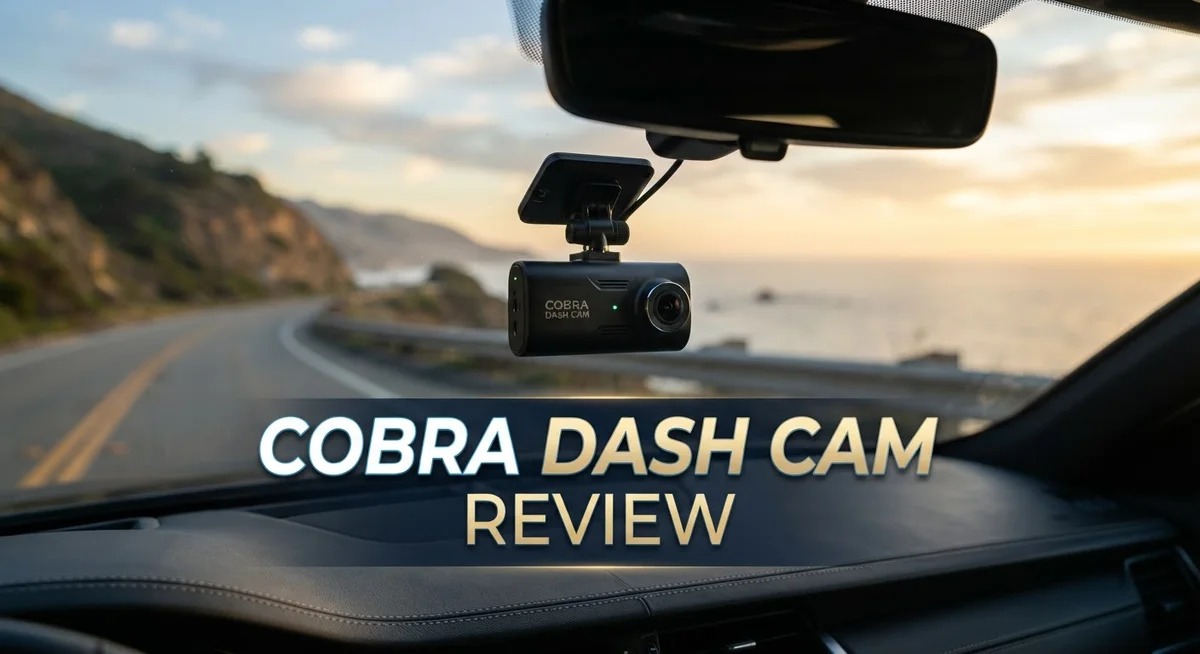
Cobra Dash Cam Review: 4K Recording, Features, and Performance
Looking for a dash cam that just works? Cobra dash cams promise clear recording and smart safety features. But do they really deliver on the road?
This review breaks down what you get with a Cobra dash cam. We cover video quality, camera options, and special features like speed trap alerts.
Cobra offers 4K video clarity for sharp footage. You can choose front only or front and rear camera setups. This gives you flexible coverage for your vehicle.
In a Nutshell
- Strong recording quality: The camera captures clear footage in daylight and low light. This helps you document incidents with confidence.
- Flexible camera setups: You can pick a single front camera or add a rear unit. This gives you full coverage for your car.
- Smart driving alerts: The dash cam warns you about speed cameras and traps ahead. This feature helps you stay alert on the road.
- Set and forget design: Once installed, the camera runs on its own. You do not need to fuss with settings every drive.
- App problems: Many users complain about the companion app. Bugs and glitches make file transfers and playback frustrating.
- Who should buy this: Drivers who want solid recording and alert features will like this dash cam. Those who need a smooth app experience may want to look elsewhere.
Key Features and Specifications
Cobra dash cams pack several technical features that appeal to drivers seeking reliable road documentation. The 4K video capability delivers sharp, detailed footage that captures license plates and road details with clarity. This resolution proves useful when you need evidence from an incident or accident.
The camera system offers flexibility in how you set it up. You can choose a single front facing camera for basic coverage. Alternatively, you can add a rear camera unit to monitor traffic behind you. This dual camera option gives you complete 360-degree awareness of your driving environment.
Voice command functionality stands out as a practical addition. You speak commands to the camera instead of fumbling with buttons while driving. This hands-free approach keeps your attention on the road where it belongs.
The dash cam includes intelligent alert systems that actively help you drive safer. Speed camera warnings notify you when you approach known speed enforcement zones. Traffic trap alerts warn you about accident prone areas and hazard locations. These features give you time to adjust your driving behavior before you encounter problems.
The heads-up navigation display projects important information onto your windshield or dashboard. You see alerts and directions without looking away from the road for long periods. This design minimizes distractions during your journey.
One major drawback affects the overall user experience. The companion app has received substantial complaints from owners. Users report crashes, slow performance, and difficulty accessing recorded footage through the software. This software issue contrasts sharply with the solid hardware performance the camera delivers.
The installation process follows a straightforward approach. Once you mount the camera and configure basic settings, the device operates independently. You don’t need to adjust settings constantly or perform regular maintenance tasks. The camera simply records continuously and stores footage on its memory card.
Cobra positions itself as a practical choice for drivers who prioritize recording quality and safety alerts. The hardware performs well for its intended purpose. However, potential buyers should prepare for frustration with the app experience. If you can tolerate software limitations, the dash cam delivers dependable road coverage and useful warning features.


Last update on 2026-10-07 / Affiliate links / Images from Amazon Product Advertising API Some of the links on this website are affiliate links, which means that at no additional cost to you, I earn a commission if you click through and make a purchase. I only recommend products and services that I believe will add value to my readers. Thank you for your support!
Video Quality and Recording Capabilities
Cobra dash cams deliver impressive video performance across different lighting conditions. The 4K video resolution captures fine details like license plates and road signs with clarity. You get sharp footage whether you’re driving in bright daylight or dim evening light.
The camera system gives you flexibility in how you record. You can choose a single front camera setup for basic coverage. Alternatively, you can add a rear camera to monitor traffic behind you. This dual camera option lets you document events from multiple angles simultaneously.
Recording happens automatically once you start driving. The dash cam uses loop recording, which means it continuously overwrites old footage when storage fills up. You don’t need to manually manage files or delete videos. The set and forget design makes operation simple and hassle free.
The camera includes intelligent alert systems that enhance your driving experience. Speed camera warnings notify you before you approach known radar traps. These alerts help you stay aware of your speed and avoid unexpected fines. The system actively works to keep you informed on the road.
Heads up navigation features display important information clearly. The windshield display shows your speed, upcoming hazards, and navigation prompts. This keeps your eyes on the road instead of glancing at a phone.
Voice command functionality adds another convenient layer. You can control recording, activate alerts, or navigate menus without taking your hands off the wheel. This hands free operation makes driving safer and more intuitive.
One area where Cobra falls short involves the companion app. Users report frustrating software problems that limit how easily you can access or review footage. The app crashes frequently for some owners. Playback and file management through the app can feel clunky and unreliable.
Despite the app issues, the actual video recording quality and hardware performance remain solid. The camera captures the footage you need when it matters most. For drivers who prioritize recording capability and safety alerts over app convenience, Cobra delivers reliable performance on the road.
Design, Installation, and Ease of Use
The Cobra dash cam installs quickly without requiring professional help. You mount the camera to your windshield using the adhesive bracket. Power comes from a 12V car outlet or USB port. The cable runs discreetly along your headliner and down the A-pillar.
Installation takes about 15 minutes for most drivers. The mount feels sturdy and doesn’t vibrate during normal driving. You can adjust the camera angle before the adhesive fully sets. The rear camera setup follows the same simple process if you choose the dual camera option.
The physical design emphasizes simplicity over flashy aesthetics. The front unit sits compact on your windshield. Controls are minimal because the dash cam operates automatically once powered on. You press a single button to save footage manually if needed.
The user interface keeps things straightforward. Once the camera powers up, it starts recording immediately. You don’t need to fiddle with settings every time you drive. The voice command feature lets you control basic functions hands free. This means you can adjust settings without taking your eyes off the road.
The heads up navigation display projects warnings onto your windshield or dashboard. Speed camera alerts appear before you reach them. Traffic warnings help you stay aware of hazards ahead. This feature integrates smoothly into your driving experience.
However, the companion app creates frustration for many users. The software has reported glitches and crashes. Syncing footage to your phone can be problematic. Menu navigation feels unintuitive compared to competitors. Despite these app issues, the hardware itself performs reliably.
The physical build quality holds up well in daily use. The camera resists vibrations from rough roads. Mounting brackets remain secure after months of driving. The unit handles temperature changes without issues.
Cobra positions this dash cam for drivers who want simplicity in their setup. The installation process requires no special skills. Daily operation demands almost no attention from you. The main trade off involves dealing with app limitations when you need to review footage or adjust settings remotely. For drivers prioritizing ease of installation and automatic operation, this dash cam delivers straightforward performance.
Top 3 Alternatives
VIOFO A119 Mini

Last update on 2026-10-06 / Affiliate links / Images from Amazon Product Advertising API Some of the links on this website are affiliate links, which means that at no additional cost to you, I earn a commission if you click through and make a purchase. I only recommend products and services that I believe will add value to my readers. Thank you for your support!
The VIOFO A119 Mini offers compact dash cam performance without sacrificing quality. This camera records in 1440p resolution, giving you clear footage of the road ahead. The small size fits easily behind your rearview mirror, keeping your windshield clean and unobstructed.
You get a wide 170-degree field of view. This means the camera captures more of what happens around your vehicle. The night vision works well in low-light situations, so you have evidence even after dark.
Thinkware U1000

Last update on 2026-10-07 / Affiliate links / Images from Amazon Product Advertising API Some of the links on this website are affiliate links, which means that at no additional cost to you, I earn a commission if you click through and make a purchase. I only recommend products and services that I believe will add value to my readers. Thank you for your support!
Thinkware U1000 brings advanced features to your vehicle. This dash cam includes cloud connectivity, so your footage uploads automatically to secure servers. You can view and manage your videos from your phone, even when you’re away from your car.
The camera records in 2K resolution with excellent detail. It has a parking mode that watches your vehicle when you’re not driving. The GPS function tracks your location and speed during every trip.
70mai Dash Cam Pro

Last update on 2026-10-08 / Affiliate links / Images from Amazon Product Advertising API Some of the links on this website are affiliate links, which means that at no additional cost to you, I earn a commission if you click through and make a purchase. I only recommend products and services that I believe will add value to my readers. Thank you for your support!
The 70mai Dash Cam Pro combines affordability with solid performance. It records in 1440p and captures a 140-degree view of the road. The camera features night vision and can handle various weather conditions.
This model includes a voice control feature. You can operate basic functions without taking your hands off the wheel. The loop recording automatically overwrites old footage when your memory card fills up, so you always have space for new videos.
Each of these cameras serves different needs. Choose based on your priorities: size, cloud features, or budget-friendly options.
Safety Features and Alerts
Cobra dash cams come equipped with intelligent alert systems that actively monitor the road and notify you of potential hazards. The speed camera warnings give you advance notice when approaching known enforcement zones. This feature helps you stay aware of traffic regulations and adjust your driving accordingly.
The system also includes road hazard detection that flags dangerous situations in real time. You receive notifications about sudden obstacles, erratic traffic patterns, or risky road conditions. These alerts appear on your display without requiring you to take your eyes off the road.
The heads up navigation display projects critical safety information directly into your line of sight. Rather than glancing down at a screen, you see warnings and alerts on your windshield or dashboard. This design keeps your attention focused forward while still delivering essential information.
Voice command capability adds another safety layer to your driving experience. You can control key functions using spoken commands instead of fumbling with buttons or touchscreens. This hands free operation means you keep both hands on the wheel during critical moments.
The front and rear camera options let you customize your safety coverage based on your needs. A dual camera setup captures threats from multiple angles, giving you complete documentation of any incident. Single camera configurations work well if you primarily need front road coverage.
Cobra’s alert systems work automatically once the dash cam powers on. You don’t need to manually activate safety features or adjust settings constantly. The camera handles monitoring in the background while you focus on driving.
However, accessing detailed alert history or customizing notifications requires using the companion app. Many users report frustration with this software, which can make managing your safety preferences unnecessarily complicated. The hardware and alert functionality itself performs reliably, but the app experience detracts from the overall convenience.
Despite the software limitations, the actual safety features operate as intended. The alerts trigger promptly and provide useful information when you need it most. For drivers prioritizing real time hazard awareness, Cobra delivers solid protection during every journey.
App Performance and Software Experience
The Cobra dash cam’s app experience presents a significant gap between hardware quality and software performance. Many users report frustration when trying to access recordings or adjust settings through the companion application. The app struggles with reliability issues that contradict the camera’s otherwise solid design.
Basic functionality like viewing footage should feel seamless, but users encounter lag and crashes regularly. The interface feels clunky compared to what competitors offer. You may find yourself waiting longer than expected for videos to load or for settings to save properly.
Syncing between your phone and the dash cam sometimes fails unexpectedly. This disconnect means you cannot always retrieve important footage when you need it most. The synchronization problems create real obstacles for drivers who want quick access to incident recordings.
Customizing notifications through the app proves unnecessarily complicated. You should be able to adjust alert preferences with just a few taps, but the current setup requires navigating multiple menus. The learning curve feels steeper than it should be for straightforward adjustments.
Cloud storage integration, when available, adds another layer of complexity. Uploading footage and managing your account feels more difficult than it needs to be. The app doesn’t guide you smoothly through these processes.
Despite these software shortcomings, the actual recording hardware performs admirably. Your video quality remains excellent even when the app frustrates you. The camera itself operates independently of app problems, so your safety footage stays protected.
This disconnect creates an odd experience. You get professional grade hardware paired with amateur level software. Many drivers simply accept this trade-off and use the app minimally, relying instead on the camera’s automatic recording and alert functions.
If you plan to use this dash cam primarily for automatic recording and real-time alerts, the app limitations matter less. However, if you need frequent access to footage or detailed customization options, you should know what to expect. The hardware delivers what you need for safety, even if the software doesn’t match that quality.
Pros and Cons
Pros
- 4K video recording captures clear details during day and night driving
- Speed and camera trap warnings alert you to hazards before you encounter them
- Front and rear camera options let you monitor both directions simultaneously
- Voice commands keep your hands on the wheel while controlling the system
- Minimal setup required; the dash cam starts recording the moment you power it on
Cons
- The companion app suffers from lag, crashes, and syncing failures that frustrate users
- Customizing alerts and notifications through the app feels overly complicated
- Software performance lags far behind the quality of the actual recording hardware
Who Should Buy It
You should buy the Cobra dash cam if you want reliable recording hardware without spending time on complicated setups. The system starts working immediately once you power it on, which means zero frustration during installation.
This camera suits drivers who prioritize safety features. Speed warnings and camera trap alerts help you stay aware of hazards before you reach them. Voice commands let you control the system hands-free, keeping your focus on the road.
The Cobra works well for people who want both front and rear coverage. You can choose single or dual camera configurations based on your driving needs. This flexibility means you get exactly the protection level you want.
Buyers who value plug-and-play simplicity will appreciate the set-and-forget approach. The dash cam records automatically without requiring constant attention or tweaking. You don’t need to fiddle with settings to get quality footage.
The 4K video capability appeals to drivers who need clear details from their recordings. Night driving footage comes through sharp, which helps if you drive during evening hours or in low light conditions.
However, think twice if you plan to customize alerts frequently through the app. The companion software has significant issues with lag and crashes. Syncing between your phone and the dash cam sometimes fails, which creates frustration when you want to review footage or adjust settings.
Skip this model if you need seamless software integration. The recording hardware performs excellently, but the app experience doesn’t match that quality. Basic functions like viewing videos should feel smooth, yet users report constant performance problems.
The Cobra dash cam works best for drivers who want quality recording and safety alerts but don’t need advanced app features. You get professional grade hardware that captures excellent video. Just accept that accessing detailed footage or customizing notifications through the app will feel clunky.
Choose this camera if reliability and ease of use matter more to you than having a polished software experience. The core recording system delivers results. The app is simply a secondary tool you’ll use minimally.
Final Verdict
The Cobra Dash Cam delivers strong recording performance. It captures clear footage day and night. The hardware feels built for real world driving needs.
Its biggest letdown stays the app. Software issues pull down an otherwise great product. This gap between hardware and software shapes the entire experience.
Still, the camera earns its spot among solid dash cam choices. Clear video quality and smart safety alerts make it a dependable road companion. Drivers get real value from its core recording features.
If you compare it to rivals like the Miofive S1 Ultra or Garmin Dash Cam X310, Cobra holds its ground on hardware. Those competitors offer smoother apps, though. Your choice depends on what matters more to you.
The Viofo A329T and Nextbase 322GW also compete well in this space. Each brand balances hardware and software differently. Cobra leans hard into recording quality over digital polish.
For most drivers, the dash cam works best as a “set it and forget it” tool. You mount it, power it on, and let it run. You don’t need to open the app often to get value from it.
If you rarely touch dash cam apps, this device fits your lifestyle well. You get the safety features and footage quality without daily hassle. The occasional app glitch won’t ruin your experience.
But if you like fine tuning settings or checking footage through your phone often, expect some frustration. The software still needs real improvement. Cobra should prioritize fixing this in future updates.
Overall, the Cobra Dash Cam stands out for its reliable hardware performance. It handles the core job of a dash cam well. Just go in knowing the app isn’t its strong suit.
This makes it a smart pick for simplicity seekers, not tech tinkerers. Choose it for peace of mind on the road, not for a flawless digital experience.
Frequently Asked Questions
Does the Cobra dash cam record in 4K?
Yes, the Cobra dash cam offers 4K video recording. This means you get sharp, detailed footage that captures license plates and road signs clearly. The higher resolution helps if you ever need to review an incident or share footage with insurance companies.
Can I use the Cobra dash cam with both front and rear cameras?
Absolutely. You can choose between a single front camera setup or add a rear camera for complete coverage. The dual camera option lets you monitor what happens behind your vehicle too. This flexibility means you pick the configuration that fits your driving needs.
Does the Cobra dash cam have speed and traffic camera warnings?
Yes, it includes speed warnings and camera trap alerts. These features notify you before you approach hazards on the road. You stay aware of potential danger zones without constantly checking your speedometer.
What’s the biggest drawback of the Cobra dash cam?
The companion app has real problems. Users report lag, crashes, and syncing failures. Customizing alerts through the app feels overly complicated compared to the excellent hardware quality. If you rarely open the app, this won’t bother you. But if you like adjusting settings or reviewing footage on your phone often, expect some frustration.
Who should buy the Cobra dash cam?
This camera works best for drivers who want reliable recording and minimal fuss. If you prefer a set and forget approach, the Cobra fits perfectly. Voice commands keep your hands free while driving. Just know that if you plan to customize settings frequently through the app, you might face some annoyance.

Hello, i’m Ivoria i am the face behind Tech Tracker Blog. I am passionate about my work and love to explore gadgets and share about my experience.