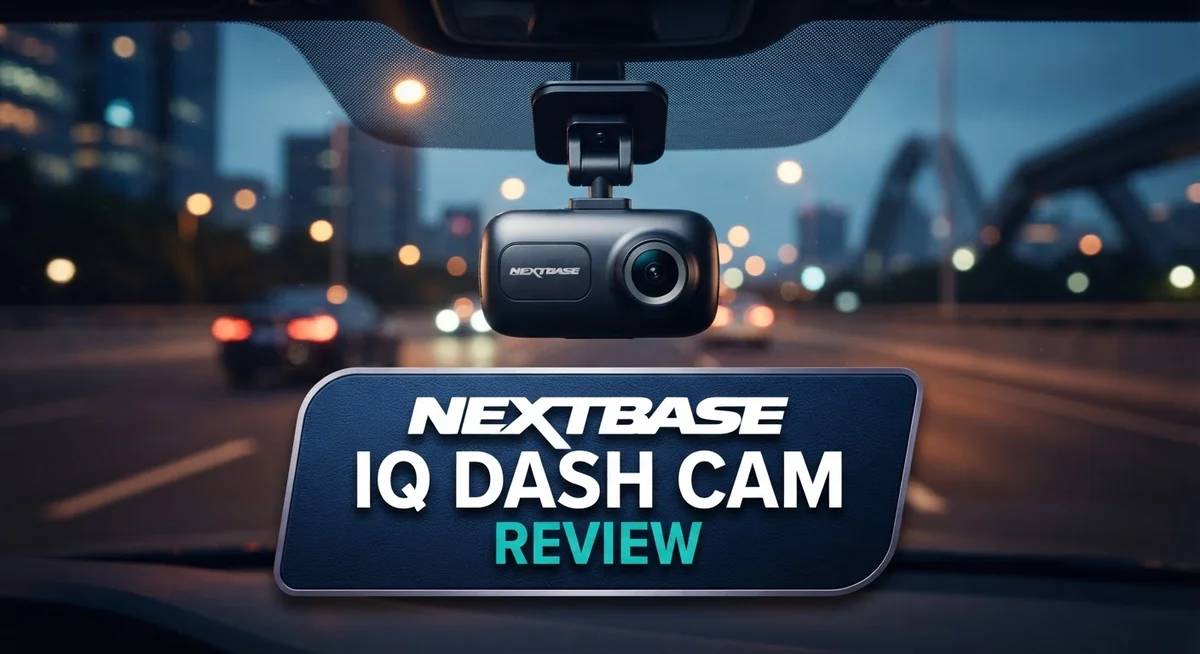
Nextbase iQ Dash Cam Review: 4K Recording, Smart Features & Connectivity
Dash cams have come a long way. The Nextbase iQ takes things further with smart features and cloud power. It is not just a camera. It acts like a guard for your car.
This dash cam connects to 4G/LTE networks. That means you get remote access to your footage anytime. You can check on your car even when you are far away.
Smart threat prediction is a standout feature here. The camera watches for danger before it happens. This helps drivers feel safer on every trip.
In a Nutshell
- Resolution choices: You can pick from 1080p, 1440p, 2K, or 4K video. This gives you flexibility based on your needs.
- Storage support: The camera works with 32GB to 64GB microSD cards. This covers most daily driving needs.
- GPS tracking: Built in GPS helps log your location and speed. This adds useful context to any footage.
- Cloud backup option: You get a subscription based backup feature. This keeps your clips safe even if the card fails.
- Mixed user feedback: Ratings swing wildly from 2.0 to 4.6 stars across platforms. Some drivers love it, others report frustration.
- App and download hiccups: Several users mention app connectivity issues. Downloading saved videos can also feel clunky.
- Privacy considerations: The cabin facing camera raises some privacy questions. Think about this if you often carry passengers.
Video Quality and Resolution Options
The Nextbase iQ delivers impressive video clarity across multiple resolution tiers. You can record in 1080p for standard quality, step up to 1440p for better detail, jump to 2K for sharper footage, or go all the way to 4K for maximum clarity. This flexibility means you pick the resolution that fits your needs.
The 4K option captures stunning detail. You’ll see license plates, road signs, and facial features with remarkable sharpness. This higher resolution proves valuable if you ever need footage for insurance claims or legal purposes. The extra detail makes a real difference when reviewing critical moments.
Storage works smoothly with the included microSD card support. The camera accepts 32GB to 64GB cards, giving you plenty of space for extended recording sessions. Larger cards let you store more footage before the camera loops over old files. You won’t run out of space during typical daily driving.
The rear view camera captures a 140 degree field of vision. This wide angle covers what’s happening behind your vehicle effectively. The cabin facing camera offers an even more expansive 180 degree view. This interior recording captures what happens inside the vehicle, though some users have privacy concerns about this feature.
GPS integration adds another layer to your recordings. The built in GPS logs your location and speed data alongside the video. This information proves useful for tracking your route and verifying your speed during incidents. The GPS data syncs with your video files automatically.
The cloud backup option lets you store footage remotely. This feature works through a subscription service, so you can access your videos from anywhere. You won’t lose critical footage even if someone steals or damages your camera.
Resolution quality holds up well in various lighting conditions. Daytime footage shows excellent color accuracy and detail. Low light performance remains decent, though some graininess appears in very dark scenes. Overall, the video output justifies the resolution options available.


Last update on 2026-10-07 / Affiliate links / Images from Amazon Product Advertising API Some of the links on this website are affiliate links, which means that at no additional cost to you, I earn a commission if you click through and make a purchase. I only recommend products and services that I believe will add value to my readers. Thank you for your support!
Connectivity and Remote Access Features
The Nextbase iQ keeps you connected even when you’re away from your vehicle. The 4G/LTE connectivity lets you access your dash cam footage remotely through the mobile app. This means you can check live video feeds or retrieve recent recordings without being physically present at your car.
GPS integration works alongside the connectivity features. Your location and speed data get logged automatically with every recording. This information helps you understand exactly where incidents occurred and how fast you were traveling at that moment.
The cloud backup option provides an extra layer of security for your footage. You can upload important videos to the cloud automatically. This ensures that critical recordings stay safe even if your microSD card gets damaged or lost. The subscription service handles this backup process in the background.
However, users have reported some app connectivity issues that you should know about. The mobile application sometimes struggles to establish stable connections with the dash cam. This can make accessing live feeds or downloading videos frustrating at times. Some users find the process unreliable, especially when they need quick access to footage.
Video downloading presents another challenge. Transferring files from the camera to your phone or computer can be slow and complicated. The app interface doesn’t always make this process straightforward. Many users prefer removing the microSD card directly instead of using the app for downloads.
The wireless LAN capability offers an alternative connection method. You can connect to the dash cam’s WiFi network to transfer files more quickly. This works better than relying solely on the 4G connection for large file transfers.
Overall, the Nextbase iQ’s remote access features sound impressive on paper. The 4G/LTE and GPS combination gives you genuine convenience. The cloud backup option adds real value for protecting your footage. Yet the app’s reliability issues and downloading difficulties can make these features frustrating in practice. You’ll want to test the connectivity yourself to see if it meets your expectations.
Installation and Setup
Getting your Nextbase iQ up and running is straightforward. The camera offers two main installation methods to fit your needs.
OBD installation is the quickest option. You plug the camera into your vehicle’s OBD port, usually found under the steering wheel. This method requires minimal wiring and keeps your setup clean. The OBD port powers the dash cam directly, so you don’t need to run cables through your car.
Hardwire installation gives you more flexibility. This approach lets you hide wires behind your headliner and panels. You connect the camera to your vehicle’s fuse box for continuous power. Hardwiring takes a bit longer but delivers a professional look.
Before installation, gather your microSD card (32GB to 64GB recommended). Format the card in the camera itself to ensure compatibility. This step prevents file corruption and recording issues.
The physical setup is simple. Mount the camera on your windshield using the provided bracket. Adjust the angle so you capture the road clearly. For the rear view camera, position it to cover your back window without obstruction. The cabin view camera should point toward your interior at an angle that captures relevant activity.
Wireless connectivity requires you to connect the Nextbase iQ to your home network. Open the companion app and follow the pairing steps. This connection enables remote access and cloud backup features.
GPS activation happens automatically once you power on the device. The camera logs your location and speed data with each recording. No additional setup is needed for GPS functionality.
After physical installation, update the camera firmware through the app. Nextbase regularly releases updates that improve performance and add features. Check for updates monthly to keep your device current.
Test your setup before relying on it for daily driving. Record a short clip and verify video quality. Check that all camera angles capture what you need. This quick test prevents surprises later.
The entire installation process typically takes 30 to 60 minutes, depending on your chosen method.
Top 3 Alternatives
VIOFO A119 Mini

Last update on 2026-10-06 / Affiliate links / Images from Amazon Product Advertising API Some of the links on this website are affiliate links, which means that at no additional cost to you, I earn a commission if you click through and make a purchase. I only recommend products and services that I believe will add value to my readers. Thank you for your support!
The VIOFO A119 Mini captures high-quality 1440p video with excellent detail in daylight and low-light conditions. This compact dash cam features a wide 170-degree lens that records the full road ahead. The device uses advanced image processing to reduce glare and preserve clarity.
You get reliable performance from the Sony sensor inside. The A119 Mini stores footage on microSD cards up to 256GB. Loop recording automatically overwrites old files when storage fills up. The build quality feels solid and professional.
Thinkware U1000

Last update on 2026-10-07 / Affiliate links / Images from Amazon Product Advertising API Some of the links on this website are affiliate links, which means that at no additional cost to you, I earn a commission if you click through and make a purchase. I only recommend products and services that I believe will add value to my readers. Thank you for your support!
The Thinkware U1000 offers dual-channel recording with front and rear cameras. Both cameras capture 2K video, giving you complete coverage of your vehicle. The system includes cloud connectivity, so you can access footage remotely through your smartphone.
This dash cam features GPS tracking and speed logging. The night vision performance stands out with clear footage in darkness. Thinkware includes a capacitor instead of a battery, which handles extreme temperatures better than traditional batteries.
70mai Dash Cam Pro

Last update on 2026-10-06 / Affiliate links / Images from Amazon Product Advertising API Some of the links on this website are affiliate links, which means that at no additional cost to you, I earn a commission if you click through and make a purchase. I only recommend products and services that I believe will add value to my readers. Thank you for your support!
The 70mai Dash Cam Pro delivers 1440p recording at a smooth 30 frames per second. The wide-angle lens captures 140 degrees of the road. You’ll appreciate the compact design that sits discreetly on your windshield.
This model includes voice control features and smart alerts for parking mode. The dash cam uses WiFi connectivity to transfer videos to your phone quickly. The 70mai performs well during night driving with its enhanced low-light sensor. Loop recording keeps your storage organized automatically.
Cloud Storage and Subscription Model
The Nextbase iQ offers a cloud storage solution that keeps your footage secure beyond your vehicle. You get the option to back up your recordings to the cloud for protection against theft or accidents.
The subscription model works on a monthly basis. You pay a recurring fee each month to access cloud backup services. This approach means your important footage stays safe even if someone damages or steals your dash cam.
Cloud backup provides peace of mind when you’re away from your car. Your video files upload automatically once they’re recorded. You don’t need to manually transfer files or worry about losing critical evidence.
The wireless LAN connectivity makes the upload process simple. Your Nextbase iQ connects to your home network and syncs footage when parked. This happens in the background without requiring your attention.
However, users have flagged some concerns with the overall system. App connectivity issues can interrupt the backup process sometimes. You may experience delays when trying to access or download your stored footage.
Video downloading from the cloud presents another practical challenge. The process isn’t always straightforward, and some users report frustration with retrieval times. This matters if you need footage quickly for insurance claims or legal purposes.
The subscription structure works well for people who want continuous protection. Your footage stays available online for review from any device. You can check your car’s status remotely whenever you need to.
Consider your storage needs before committing to the subscription. If you drive frequently, you’ll generate more footage that needs backing up. The cloud system handles this automatically, but you should understand what you’re storing.
The GPS integration works alongside cloud storage. Your location data saves with each recording. This combination creates a complete record of your journey and vehicle location.
For drivers who value remote access and automatic backup, the subscription model offers real value. Just be aware that app performance can vary. Test the system thoroughly during your first few weeks to ensure it meets your expectations.
App Performance and User Experience
The Nextbase iQ app serves as your command center for managing footage and accessing camera settings. The interface is intuitive, making it easy to navigate even if you’re not tech-savvy. You can view live feeds from your vehicle, adjust recording preferences, and retrieve stored videos directly from the app.
However, users have reported some frustrating hiccups. App connectivity sometimes drops unexpectedly, leaving you unable to access your camera remotely. This happens more often than you’d want, especially when you need quick access to critical footage after an incident. The connection problems don’t affect the dash cam’s core recording function, but they do limit the convenience factor.
Video retrieval through the app can feel clunky. Downloading footage takes longer than expected, and the process isn’t always smooth. Some users find themselves waiting several minutes for a single clip to transfer. This delay matters when you need evidence quickly for insurance claims or accident reports.
The app’s real strength lies in its smart threat prediction features. These alerts notify you of potential hazards, accidents, or unusual vehicle activity. You receive notifications even when you’re away from your car, giving you genuine peace of mind. The GPS integration works seamlessly within the app, showing your vehicle’s location and route history.
Battery drain is worth mentioning. Keeping the app running constantly on your phone depletes your battery faster than typical apps. If you plan to use the remote access features regularly, expect to charge your phone more frequently.
Setup through the app is straightforward. Firmware updates happen automatically, and you can configure recording modes without touching the camera itself. The wireless connection process takes just a few minutes once you’re on your home network.
Overall, the app delivers useful functionality with some rough edges. The threat prediction and remote monitoring capabilities are genuinely helpful. The connectivity issues and slow downloads prevent it from being exceptional. If you can tolerate occasional app hiccups, you’ll find it adequate for daily use.
Pros and Cons
Pros
- Records in up to 4K resolution with excellent image clarity in various lighting conditions
- 4G connectivity lets you access and monitor footage remotely from anywhere
- Smart threat prediction features alert you to potential incidents automatically
- Cloud backup option keeps your important footage secure beyond your vehicle
- Installation is quick and simple whether you choose OBD or hardwire setup
Cons
- App connectivity issues frustrate users trying to access their footage and camera settings
- Monthly subscription fees apply if you want cloud storage and remote access features
- Downloading videos from the app or cloud can be difficult and time consuming
- Interior cabin recording raises privacy questions for passengers in your vehicle
Who Should Buy It
The Nextbase iQ works best for drivers who want comprehensive vehicle protection with modern technology. If you spend significant time on the road, this camera system delivers the features you need.
You should consider this dash cam if you value 4K video quality. The high resolution captures clear details of license plates and road incidents. This matters most when you need evidence for insurance claims or legal situations.
The 4G connectivity appeals to fleet managers and business owners. You can monitor multiple vehicles remotely without visiting each one. This feature saves time and keeps your operations secure from anywhere.
Privacy conscious drivers might appreciate the cabin view option. The 180° interior recording helps protect against theft or vandalism when your car sits parked. You get visibility into what happens inside your vehicle at all times.
Drivers who want cloud backup peace of mind fit this profile well. The subscription model ensures your footage stays safe even if someone steals your camera or memory card. Your important recordings remain accessible online.
However, you should skip this model if app reliability matters most to you. Users report connection issues that make accessing footage frustrating. If you need seamless app performance, look elsewhere first.
The Nextbase iQ isn’t ideal for people who hate ongoing subscriptions. Cloud storage requires monthly payments beyond your initial purchase. Budget conscious buyers should weigh this commitment carefully.
You might want alternatives if downloading videos matters to your workflow. The app makes video retrieval slow and clunky. If you frequently need to extract and share footage quickly, this creates real friction.
Urban commuters and highway drivers benefit most from the smart threat prediction. The system alerts you to potential incidents automatically. This proactive warning system works well for busy professionals who can’t watch their screen constantly.
Finally, consider this camera if installation convenience appeals to you. Both OBD and hardwire options take 30 to 60 minutes. You don’t need professional help or complex wiring knowledge to get started.
Final Verdict
The Nextbase iQ brings smart technology to dash cams. It offers 4K clarity and remote access that older models simply cannot match. This makes it a strong pick for tech forward drivers.
Real world ratings tell a mixed story. Scores range from 2.0 to 4.6 stars across different platforms. This gap shows that experience varies a lot from user to user.
Some drivers love the peace of mind it brings. Others struggle with app glitches and connectivity drops. Your own patience with new tech will shape how you feel about this camera.
Smart features set this dash cam apart from basic recorders. The threat prediction system adds a layer of protection most competitors lack. This alone justifies a look for safety focused buyers.
Still, this is not a plug and play gadget. It demands a bit of patience during setup and daily use. Think of it as an evolving smart device rather than a simple recorder.
The dual camera setup with cabin view adds real value for rideshare drivers. Fleet owners also benefit from remote monitoring across multiple vehicles. These use cases make the extra complexity worthwhile for many.
If you want a dash cam that just works without fuss, look elsewhere. The Nextbase iQ rewards users willing to troubleshoot occasional quirks. It punishes those expecting flawless performance out of the box.
In short, this camera shines brightest for connected, safety conscious drivers. It suits people who want more than passive recording from their dash cam. The blend of AI features and 4K video makes it a forward thinking choice.
Weigh the pros and cons honestly before buying. Consider how much you value smart features against potential app frustrations. For the right driver, the Nextbase iQ delivers a genuinely modern driving companion.
Frequently Asked Questions
Does the Nextbase iQ record in 4K?
Yes, the Nextbase iQ records in up to 4K resolution (2160p). You also get lower resolution options like 1080p, 1440p, and 2K if you prefer to save storage space. The 4K footage captures excellent image clarity in various lighting conditions, from bright daylight to low light situations.
Can I access my footage remotely?
The Nextbase iQ has 4G and LTE connectivity built in. This means you can access and monitor your footage from anywhere using the mobile app. You don’t need to wait until you get home to check what happened. However, users report occasional app connectivity issues, so remote access isn’t always seamless.
What are the camera angles?
The Nextbase iQ offers a 180-degree cabin view and a 140-degree rear view. This dual camera setup works well for rideshare drivers or anyone who wants to record both the road ahead and inside the vehicle. The wide angles help capture more of what’s happening around your car.
How do I install it?
Installation is quick and simple. You can choose between OBD (through your car’s diagnostic port) or hardwire setup. Both methods are straightforward and don’t require professional help for most drivers.
Is cloud backup included?
Cloud backup is available but requires a monthly subscription. The subscription fee gives you secure storage beyond your vehicle’s microSD card. Keep in mind that downloading videos from the cloud can be time consuming, so plan accordingly if you need to retrieve footage often.

Hello, i’m Ivoria i am the face behind Tech Tracker Blog. I am passionate about my work and love to explore gadgets and share about my experience.