Rexing Dash Cam Review: 4K Recording, Features, and Performance Analysis
Looking for a reliable dash cam? Rexing is a name you probably heard already. This brand offers many options for drivers who want extra safety on the road.
You can find models with 4K video quality. Some come with front, rear, and cabin recording. Others offer 4-channel setups for full coverage.
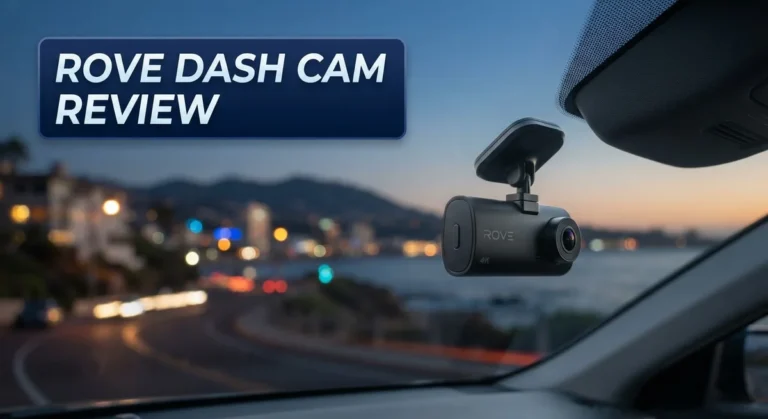
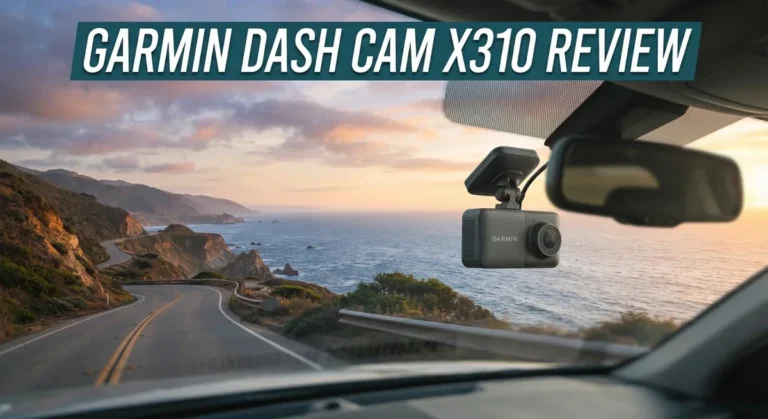
Wi-Fi and GPS features make these cameras smart choices. You get easy access to footage and accurate location data. The windshield mount design keeps the camera steady and hidden behind your mirror.
In a Nutshell
- Multiple recording modes let you choose front only, front and rear, cabin view, or a full 4-channel setup for total coverage.
- The camera sits discreetly behind your mirror, so it barely blocks your view or draws attention.
- Night time footage tends to look grainy, so do not expect crisp clips after dark.
- The mount can loosen in hot weather, which is annoying if you drive in warm climates often.
- Audio recording comes out weaker than expected, so conversations or outside sounds may be hard to catch.
- The rear camera feels less sturdy than the front unit, and its mount quality lags behind too.
- Rear cameras are not interchangeable between different Rexing models, so plan your purchase carefully.
- If you want smoother software and app performance, the VIOFO A129 stands out as a strong alternative.
Video Quality and Recording Capabilities
Rexing dash cams excel in offering flexible recording options that adapt to your needs. You get front-only mode for basic protection, or you can activate front and rear simultaneously for complete coverage. Some models support cabin recording, which captures what happens inside your vehicle. The top-tier option is 4-channel recording, giving you full 360-degree awareness.
The 4K video capability sets Rexing apart from budget competitors. You capture fine details like license plates and road signs with impressive clarity. This matters when you need footage for insurance claims or legal disputes. However, there is a catch with nighttime performance. The camera struggles in low light conditions, producing grainy footage that lacks the sharpness you get during daytime.
Discreet placement behind your rearview mirror means the camera records without blocking your sightline. The compact design keeps your windshield clean and unobstructed. Installation takes just minutes for most drivers, with straightforward mounting and wiring.
The Wi-Fi and GPS features add smart functionality. You can review clips on your phone and track your vehicle’s location. GPS data stamps your speed and coordinates onto recordings, which proves useful for accident documentation.
One significant limitation affects the rear camera experience. Rear footage quality feels noticeably inferior to the front camera. The rear mount also shows durability issues, particularly in hot climates where the adhesive weakens. If you own multiple Rexing models, note that rear cameras are not interchangeable between different product lines.
Audio recording presents another weakness. The microphone captures sound at low volume, making it difficult to hear conversations or ambient noise clearly. This becomes problematic if you rely on audio evidence to support your video clips.
The camera’s mount itself can become problematic during summer months. Heat causes the adhesive to loosen, and your camera may shift position unexpectedly. This is frustrating if you need consistent framing for consistent footage quality.
Despite these drawbacks, the recording flexibility and 4K front camera performance make Rexing a solid choice for drivers who prioritize daytime video quality and multiple viewing angles.

Last update on 2026-11-03 / Affiliate links / Images from Amazon Product Advertising API Some of the links on this website are affiliate links, which means that at no additional cost to you, I earn a commission if you click through and make a purchase. I only recommend products and services that I believe will add value to my readers. Thank you for your support!
Design, Installation, and Mounting
Rexing dash cams come with a straightforward installation process that most drivers can handle without professional help. The windshield mount attaches easily to your dashboard, and the camera sits discreetly behind your rearview mirror so it stays out of sight.
The mounting system works well in cool climates, but here’s where you need to pay attention. If you live in a hot area, the mount can loosen over time as temperatures rise. This means your camera might shift position or vibrate while recording. You’ll want to check the mount regularly during summer months and tighten it as needed.
Setup involves connecting the camera to power, which typically runs through your vehicle’s interior. The Wi-Fi connection lets you access footage and adjust settings from your phone, though some users report the app feels counterintuitive. The interface isn’t always intuitive, so you may need to spend time figuring out certain features.
One design strength is how compact the unit sits behind your mirror. It won’t block your view or draw unwanted attention from passengers. The discreet placement appeals to drivers who want protection without the obvious dash cam appearance.
The rear camera mounting presents a separate challenge. Rexing’s rear camera feels less sturdy than the front unit, and the mount quality is noticeably inferior. Additionally, rear cameras from different Rexing models aren’t compatible with each other, so you can’t mix and match units if you upgrade later.
Cable management is simple since most installations only require one power connection. The camera supports multiple recording configurations, meaning you can choose front only, front and rear, cabin view, or full 4-channel setup depending on your vehicle and needs.
While installation itself won’t frustrate you, the mounting durability concerns and rear camera limitations are worth considering before purchase. The discreet design and flexible setup options make Rexing appealing, but temperature sensitivity and compatibility issues may impact long-term satisfaction.
Connectivity and User Interface
Rexing dash cams connect to your smartphone through Wi-Fi, giving you access to footage and settings from your phone. The app lets you review recordings, adjust camera modes, and check GPS data without removing the camera from your windshield.
However, the app experience has some rough edges. Users report missing features that would make the interface smoother. The app design feels less polished than competitors offer, and some functions don’t work as intuitively as they should.
Setting up the camera is straightforward. Most drivers complete installation in under 30 minutes. You mount the unit behind your rearview mirror, connect the power cable through your vehicle’s interior, and pair it with your phone. The process requires no special tools or technical skills.
The menu navigation on the camera itself uses simple button controls. You can scroll through options to adjust resolution, GPS settings, and recording modes without confusion. The interface responds quickly to your inputs, so you won’t experience lag when changing settings.
One area where Rexing falls short is customer support responsiveness. If you encounter software issues or connectivity problems, getting help takes time. Users have noted that support tickets often go unanswered for extended periods, which is frustrating when you need quick solutions.
Wi-Fi connectivity works reliably when your phone is within range. Transferring footage to your device happens at reasonable speeds. GPS functionality tracks your location and speed, which proves useful for insurance claims or route documentation.
The rear camera setup adds complexity to the user experience. Pairing the rear unit with the front camera requires extra steps, and compatibility varies between different Rexing models. This means if you upgrade your front camera later, your rear unit might not work with the new model.
Overall, connectivity features are functional but not exceptional. The app does what you need it to do, though it lacks the polish of premium competitors. Installation remains easy, and basic operation feels natural once you spend a few minutes exploring the menu. Software stability could improve, but most users manage daily operation without major headaches.
Top 3 Alternatives
VIOFO A119 Mini

Last update on 2026-11-03 / Affiliate links / Images from Amazon Product Advertising API Some of the links on this website are affiliate links, which means that at no additional cost to you, I earn a commission if you click through and make a purchase. I only recommend products and services that I believe will add value to my readers. Thank you for your support!
The VIOFO A119 Mini offers excellent video quality for drivers who want clarity without bulk. This camera captures sharp footage in daylight and handles low-light situations well. You get a compact design that fits almost anywhere on your windshield. The wide-angle lens covers the road ahead effectively. Loop recording keeps your storage manageable. The build quality feels solid, and many users report long-term reliability.
Thinkware U1000

Last update on 2026-11-03 / Affiliate links / Images from Amazon Product Advertising API Some of the links on this website are affiliate links, which means that at no additional cost to you, I earn a commission if you click through and make a purchase. I only recommend products and services that I believe will add value to my readers. Thank you for your support!
Thinkware U1000 brings advanced features to your driving experience. This model includes dual-channel recording, so you capture both front and interior views. Night vision performance stands out as a major strength. The camera connects to your smartphone, letting you review footage on the go. Cloud storage options add extra security for important recordings. Installation takes some time, but the result is professional-grade monitoring.
70mai Dash Cam Pro


Last update on 2026-11-03 / Affiliate links / Images from Amazon Product Advertising API Some of the links on this website are affiliate links, which means that at no additional cost to you, I earn a commission if you click through and make a purchase. I only recommend products and services that I believe will add value to my readers. Thank you for your support!
70mai Dash Cam Pro delivers practical performance at a reasonable level. The camera records in high resolution and includes GPS tracking for location data. You’ll appreciate the straightforward app interface for managing videos. The compact size makes it easy to hide behind your rearview mirror. Parking mode works well for monitoring your vehicle when parked. Night recording quality is decent for most driving situations.
Each option serves different needs. Choose the VIOFO A119 Mini if you want simplicity and reliability. Pick Thinkware U1000 if you need advanced features and dual recording. Go with 70mai Dash Cam Pro if you prefer straightforward functionality and easy setup.
Multi-Channel Recording Options
Rexing dash cams offer flexible recording configurations that adapt to your specific needs. You can choose between front-only recording, front and rear dual-channel setups, cabin recording, or full 4-channel systems. This flexibility means you’re not locked into one recording style.
The front camera delivers 4K video quality, which captures clear details of the road ahead. This resolution helps when you need to read license plates or identify road hazards. The rear camera records at a lower quality, which some drivers find acceptable for backup coverage.
One important consideration is that rear cameras aren’t compatible across different Rexing models. If you upgrade your dash cam later, you may not be able to reuse your existing rear camera. This limitation affects your long-term flexibility and future system expansion.
The cabin recording option lets you monitor your vehicle’s interior. This feature appeals to rideshare drivers, delivery services, or anyone concerned about vehicle security. Adding cabin recording does increase the complexity of your setup, though.
Wi-Fi functionality lets you access your recordings remotely through your smartphone. You can review footage without removing the memory card. However, the app experience has limitations, and some features feel incomplete compared to competitors.
The 4-channel recording capability provides comprehensive coverage if you want maximum documentation. Front, rear, and cabin angles give you complete visibility. This option requires more careful cable management and planning during installation.
Audio recording is available across all configurations, but volume levels are weak. You may struggle to hear conversations or ambient sound clearly. This weakness matters if audio documentation is important for your situation.
The multi-channel flexibility makes Rexing appealing for different use cases. Rideshare and delivery drivers benefit from cabin and rear options. Standard commuters find front-only recording sufficient. The key is matching the recording configuration to your actual needs rather than paying for features you won’t use.
Night Vision and Low-Light Performance
Rexing dash cams struggle with night vision performance, which is a significant limitation for drivers who frequently travel after dark. The poor night-time video quality stands out as one of the main drawbacks users report. When lighting conditions drop, the camera’s ability to capture clear details diminishes noticeably.
Low-light situations present real challenges. The front camera, while capable of 4K recording during daytime, loses clarity when the sun sets. You’ll notice reduced detail on road signs, license plates, and surrounding vehicles. This matters because nighttime accidents often require clear evidence.
The rear camera performs even worse in darkness. Since the rear camera already feels cheaper than the front unit, its night vision capabilities fall further behind. Low-light performance makes the rear footage less useful for documenting incidents that occur at night.
Comparing to competitors like the VIOFO A129 shows the gap in this category. Other dash cams in the market handle low-light scenarios more effectively. If you drive frequently at night, this becomes an important factor in your decision.
Several factors contribute to weak night performance. The sensor sensitivity appears limited in the Rexing models. The camera doesn’t compensate well when ambient light drops. Infrared technology or advanced night modes might improve results, but Rexing doesn’t emphasize these features.
For drivers in areas with poor street lighting, this weakness matters more. Urban drivers with well-lit streets experience fewer problems. Rural or highway driving at night exposes the limitation clearly.
The audio quality issue compounds the night vision problem. Weak audio volume means you lose sound documentation alongside reduced video clarity during nighttime incidents.
If nighttime recording is essential for your needs, you should test the Rexing model in your vehicle before committing. Visit a retailer if possible to see sample footage. Ask current owners about their night-time experiences. The daytime performance remains solid, but darkness reveals this camera’s true weakness. Consider your typical driving patterns when evaluating whether this limitation affects your situation.
Pros and Cons
Pros
- Sits discreetly behind your mirror and keeps your windshield clear
- Offers flexible recording options including front, rear, cabin, and 4 channel setups
- Wi-Fi lets you access recordings on your phone from anywhere
- Simple button controls make menu navigation easy for most users
- 4K video on the front camera captures sharp road details
Cons
- App features feel incomplete and the design doesn’t work as smoothly as it should
- Customer support takes a long time to respond when you need help
- Audio volume is noticeably weak across all recording modes
- Night vision performance lags behind competitors, especially on the rear camera
- Windshield mount weakens in hot weather and doesn’t hold as firmly
- Rear camera quality feels cheaper than the front unit
- Rear cameras don’t work with other Rexing model generations
Who Should Buy It
Rexing dash cams work best for drivers who prioritize straightforward installation and simple operation. You’ll appreciate the easy setup process and user-friendly interface if you want to mount your camera without technical complications.
Fleet managers and business owners benefit from the multi-channel recording options. You can monitor your entire vehicle with front, rear, and cabin coverage simultaneously. This setup protects your company from liability claims and documents driver behavior across your fleet.
You should consider a Rexing if you drive during daylight hours or well-lit urban areas. The front camera delivers clear 4K video in these conditions. However, if you frequently drive at night or through poorly lit roads, this camera may disappoint you.
Owners of multiple vehicles face a challenge. Rear cameras don’t work across different Rexing models, so you’ll need separate rear units for each car. This incompatibility creates frustration if you want consistent equipment across your fleet.
The discreet mirror-mounted design appeals to drivers who want minimal windshield clutter. Your view stays clear, and the camera sits hidden behind the rearview mirror. This matters if you value a clean interior appearance.
Buyers comfortable with limited customer support should know the company responds slowly to issues. If you need quick technical help, this might not be the right fit. You’ll need patience when troubleshooting problems.
The weak audio recording makes Rexing less suitable for drivers who rely on sound documentation. You won’t hear clear conversations or ambient noise in your recordings. This limitation matters for insurance claims that depend on audio evidence.
Casual drivers in sunny climates find Rexing cameras reliable for their needs. You get decent daytime footage and simple controls. The weak mount in hot weather shouldn’t bother you if you live in moderate temperatures.
Finally, choose Rexing if you want Wi-Fi connectivity to review footage remotely. You can access your recordings from your smartphone without removing the memory card. This convenience appeals to busy drivers who want quick access to their video evidence.
Final Verdict
The Rexing dash cam delivers a mixed bag of strengths and weaknesses. Its GPS tracking adds a useful layer of location data to your footage, which many competitors skip at this level.
However, some hardware choices raise concerns. The mount struggles in hot weather, and drivers in warmer climates may notice it loosening over time.
The rear camera also feels like an afterthought. Build quality lags behind the front unit, and the mount itself feels less secure during daily use.
Another drawback shows up if you own several vehicles. Rear cameras from different Rexing models aren’t interchangeable, so switching parts between cars isn’t an option.
Despite these issues, the core recording experience holds up well for everyday driving. The camera handles daytime footage clearly and keeps setup simple from the first use.
Who should buy this dash cam? Drivers who want a clean windshield look and straightforward controls will likely enjoy this model. It suits people who don’t need advanced app features or fast customer support.
Who should look elsewhere? If you need dependable night recording, strong audio, or a rugged rear camera setup, this may not be your best match. The VIOFO A129 handles some of these areas with more consistency, especially in low light.
Fleet operators and multi camera setups still get solid value from the flexible channel options here. Just plan around the mount and rear camera limitations if you choose this route.
In short, the Rexing dash cam works best as a dependable daytime companion rather than an all-weather, all-condition solution. It covers the basics well but shows its limits once you push it into harder conditions.
If your driving routine stays simple and light dependent, this camera fits nicely. If you need more flexibility across vehicles or tougher weather resistance, weigh your options carefully before deciding.
Frequently Asked Questions
Does the Rexing dash cam work well at night?
Night recording is a weak spot for Rexing models. The rear camera especially struggles in low light conditions. You’ll notice pixelation and reduced detail when driving after sunset or in poorly lit areas. If you frequently drive at night, you may want to explore other options that handle darkness better.
Can I use the same rear camera on different Rexing models?
No. Rear cameras from one Rexing model don’t work with other Rexing dash cams. Each system uses its own connector type and software compatibility. If you own multiple vehicles, you’ll need separate complete setups rather than mixing and matching parts across models.
How is the audio quality on recordings?
Audio volume is noticeably weak across all recording modes. The microphone picks up sound, but you’ll struggle to hear conversations or road noise clearly. This limitation matters if you need sound documentation for accidents or incidents. Consider this a significant drawback if audio evidence matters to you.
What’s the customer service experience like?
Response times are slow. When issues arise, you may wait a long time for support to help you. The company doesn’t prioritize quick resolutions. If you need fast technical assistance, this could frustrate you. Plan to troubleshoot problems on your own or through online forums.
Is the rear mount sturdy in hot weather?
The rear camera mount feels weak when temperatures rise. Heat can cause the adhesive to loosen, and the bracket may shift position. You might need to remount it occasionally during summer months. The rear hardware overall feels like less of a priority compared to the front camera setup.

Hello, i’m Ivoria i am the face behind Tech Tracker Blog. I am passionate about my work and love to explore gadgets and share about my experience.