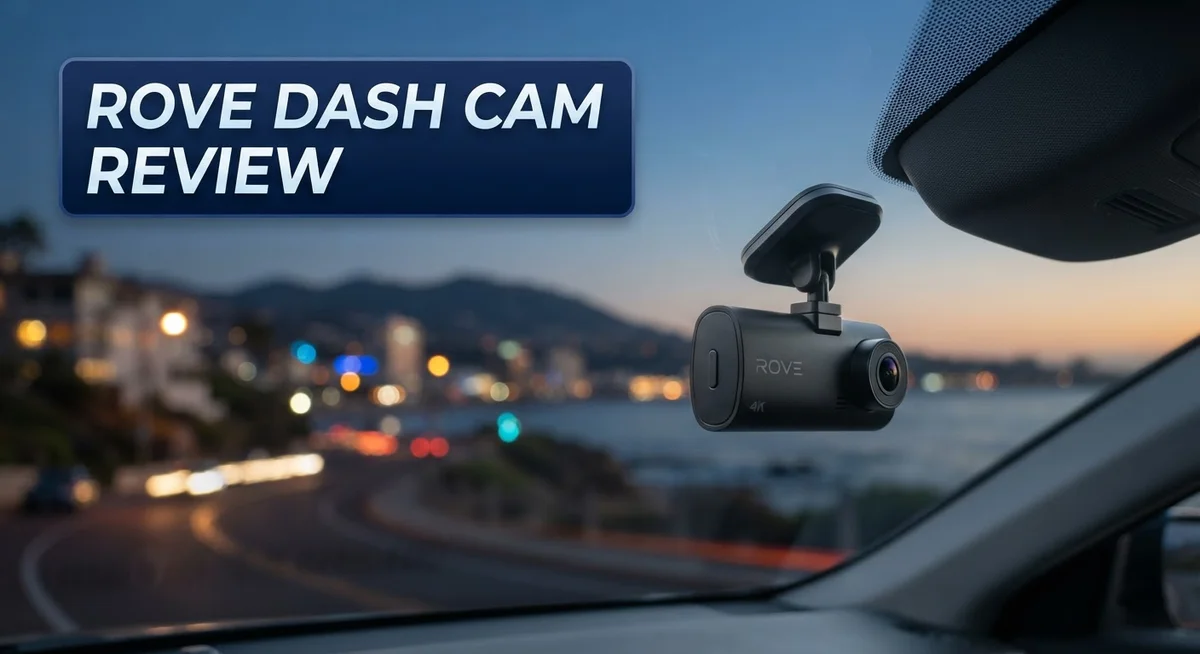
ROVE Dash Cam Review: 4K Dual Channel Performance and Features
Do you want a dash cam that watches the road for you? The Rove Dash Cam promises just that. It offers 4K front recording and a rear camera too.
Many drivers pick Rove because it feels simple to use. The setup interface welcomes beginners and pros alike.
This review looks at real performance. We check video clarity, app function, and storage options. We also test the parking mode and impact alerts.
In a Nutshell
- Setup feels smooth. The app guides you through pairing and settings without much fuss.
- Storage is generous. You get up to 512GB microSD support, so long trips wont fill up space fast.
- Safety features work well. Impact detection sends alerts right when something happens on the road.
- The app has hiccups. Some users report lag or crashes during video downloads.
- 4K claims need context. The front camera shoots 25fps in 4K mode, not the full 30fps you might expect.
- Night driving has limits. There is no infrared vision, so low light clips lose some clarity.
- Rental car friendly. Easy removal makes this cam a good pick for temporary vehicles.
Video Quality and Resolution
The Rove R2-4K Dual captures video from two angles. The front camera records in 4K resolution at 2160p, while the rear camera films in 1080p. Both work together to give you a complete view of the road.
The Sony STARVIS 2 sensor sits at the heart of the front camera. This sensor pulls in more light than standard options. You get clearer daytime footage as a result. Colors stay accurate, and details come through sharp.
Here’s where things get tricky. The front camera shoots at 25 frames per second when in 4K mode. This is slightly lower than the standard 30fps you find on many competitors. The difference matters most during fast action or sudden movements. You may notice a tiny bit of choppiness compared to higher frame rate options.
The rear 1080p camera operates at 30fps. It handles standard highway driving well. For parking situations, it captures enough detail to identify vehicles and license plates in good light. The resolution works fine for most backup scenarios.
Low light performance shows a real weakness here. The Rove has no infrared or night vision capability. Once the sun sets, video quality drops noticeably. You lose color detail and sharpness in dark conditions. This matters if you drive often after sunset or in tunnels.
File sizes stay reasonable thanks to the compression used. Your microSD card stretches further than you might expect. The 512GB storage limit means you can keep weeks of footage on one card.
The dual-band Wi-Fi connection helps download clips faster. Speeds reach up to 20 to 30Mbps depending on your router. This beats older single-band systems by a mile. Video transfers don’t eat up your whole evening anymore.
Overall, video quality sits in the middle range. The front 4K looks good in daylight scenes. The rear camera handles basic needs. Low light remains the biggest gap. If you mostly drive during daytime, the Rove delivers solid results. Night drivers should check other options first.

Last update on 2026-09-22 / Affiliate links / Images from Amazon Product Advertising API Some of the links on this website are affiliate links, which means that at no additional cost to you, I earn a commission if you click through and make a purchase. I only recommend products and services that I believe will add value to my readers. Thank you for your support!
Camera Sensors and Night Performance
The Rove R2-4K Dual uses a Sony STARVIS 2 sensor on the front camera. This sensor excels in collecting light. It helps the front camera produce sharp 4K video during bright daylight hours. The rear camera operates with a 1080p resolution at 30fps, which is more standard for backup recording.
Night performance is where you need to know the real story. The Rove has no infrared or night vision capability. This means low light driving relies entirely on what ambient light the sensors can grab. Street lamps and oncoming headlights help, but tunnels or dark highways show visible limitations. The video becomes grainier and less detailed when the sun goes down.
The front camera captures at 25fps when shooting in 4K mode. This frame rate is slightly lower than the 30fps standard. You will notice smoother motion in competitor models that hit the full 30fps mark. For night driving, this lower frame rate makes movement appear less fluid.
The dual-band Wi-Fi connection (5GHz and 2.4GHz) helps you review footage quickly. Download speeds reach up to 20 to 30Mbps. This means you can pull night clips from the microSD card without long waits. File sizes stay reasonable thanks to compression, so storage fills slowly even with continuous recording.
Overall, the sensor performs well in daylight but shows clear gaps at night. The lack of infrared technology puts the Rove behind some competitors in low light situations. Drivers who frequently travel dark roads or park in unlit areas should note this limitation. The front camera’s 4K clarity shines brightest when the sun is up.
If you drive mostly during daytime hours, the sensor delivers solid results. Night driving becomes a trade off between acceptable video and noticeable quality drops. The Sony STARVIS 2 sensor does what it can without infrared support, but it cannot match what true night vision technology provides.
Storage and Connectivity
The Rove R2-4K Dual gives you flexible storage options that work well for most drivers. You can use microSD cards up to 512GB, which means you won’t run out of space during long road trips. The included 128GB card gets you started right away without extra purchases.
Wi-Fi connectivity makes file management simple. The dual-band Wi-Fi connection operates on both 5GHz and 2.4GHz frequencies. Download speeds reach up to 20-30Mbps, so you can pull clips off the dashcam fairly quickly. This matters when you need to review footage after an incident.
The app handles firmware updates over the air. You don’t need a computer or USB cable to keep your dashcam current. Updates install directly through the app, which keeps the system fresh with new features and fixes.
One real concern is app stability. Users report occasional lag and crashes when downloading videos. The app sometimes struggles during peak use, which can frustrate you when you need footage fast. This is worth knowing before you rely on it as your main way to access videos.
GPS integration works smoothly. The built-in GPS logs your location and speed automatically. This data attaches to every video file, which helps if you need to prove what happened at a specific spot.
The 24-hour parking mode keeps recording even when your car sits idle. This feature uses the battery base to power the camera. However, some owners mention battery concerns with extended parking mode use. Make sure your power setup is solid if you park in rough areas.
File management stays straightforward. The compression used keeps file sizes reasonable without eating up your storage too fast. You can store weeks of footage on a single card depending on your driving habits.
Overall, storage and connectivity work as expected for a dashcam at this level. The Wi-Fi speed and microSD support handle daily needs well. Just remember that app reliability has some rough edges you should prepare for.
Top 3 Alternatives
VIOFO A119 Mini

Last update on 2026-09-24 / Affiliate links / Images from Amazon Product Advertising API Some of the links on this website are affiliate links, which means that at no additional cost to you, I earn a commission if you click through and make a purchase. I only recommend products and services that I believe will add value to my readers. Thank you for your support!
The VIOFO A119 Mini offers compact design with powerful performance. This dash cam captures 1440p video at 30fps, giving you clear footage of the road ahead. The small form factor makes it easy to mount on your windshield without blocking your view. It features a wide 170-degree lens that catches details in multiple lanes. The camera includes built-in GPS to record your location and speed. Night vision performs well thanks to its advanced sensor. You get reliable video storage with microSD card support up to 256GB.
Thinkware U1000

Last update on 2026-09-24 / Affiliate links / Images from Amazon Product Advertising API Some of the links on this website are affiliate links, which means that at no additional cost to you, I earn a commission if you click through and make a purchase. I only recommend products and services that I believe will add value to my readers. Thank you for your support!
The Thinkware U1000 brings professional-grade recording to your vehicle. This model records in 2K resolution, delivering sharper images than many competitors. It includes dual-channel capability, so you can monitor both front and rear simultaneously with additional cameras. The cloud connectivity feature lets you access footage remotely through your smartphone. Thinkware’s AI technology detects accidents and alerts you immediately. The device handles parking mode recording, protecting your car when it’s parked. Loop recording ensures you never run out of storage space.
70mai Dash Cam Pro


Last update on 2026-09-24 / Affiliate links / Images from Amazon Product Advertising API Some of the links on this website are affiliate links, which means that at no additional cost to you, I earn a commission if you click through and make a purchase. I only recommend products and services that I believe will add value to my readers. Thank you for your support!
The 70mai Dash Cam Pro combines affordability with solid features. It captures 1440p video with excellent detail during daylight and low-light conditions. The 140-degree wide-angle lens covers most of your driving environment. This camera includes GPS tracking and speed recording for accurate trip data. The built-in WiFi lets you review footage directly on your phone. Emergency recording locks important video clips so they won’t get overwritten. The device supports microSD cards up to 256GB for extended recording time.
App Interface and Firmware Updates
The Rove app serves as your main gateway to camera control and video management. Setup feels straightforward from the moment you launch it. The interface walks you through pairing your dash cam via Wi-Fi quickly.
Once connected, you can view live feeds from both cameras on your phone screen. The layout keeps things simple so you don’t get lost hunting for buttons. Playback loads without much fuss, and you can scrub through footage to find specific moments.
Firmware updates happen automatically through the app when new versions roll out. You don’t need to visit a computer or use a memory card to update. The system pushes improvements directly to your device over Wi-Fi. This keeps your dash cam current with the latest features and bug fixes.
However, app stability remains a real issue for many users. Some report crashes when downloading video files to their phone. Others experience lag when switching between camera views. These hiccups can frustrate you during moments when you need quick access to footage. The app works most of the time, but occasional glitches remind you it’s not bulletproof.
Impact detection notifications arrive on your phone when the camera senses sudden movement or collision. This alert system helps you know immediately if something happened while you were away. You can check the footage right away without waiting to get home.
GPS integration runs smoothly in the background. Your location data tags every video, which proves helpful if you need to reference where an incident occurred. The dual-band Wi-Fi connection pulls files faster than single-band systems, so downloading clips takes less time.
Overall, the app does its job but with occasional stumbles. The firmware update feature works well and keeps your device fresh. Video downloads and playback handle most tasks without drama. Just know that occasional app crashes might happen, so patience helps when managing your footage library.
Installation and Parking Mode Features
Installing the Rove R2-4K Dual takes just a few minutes. The setup process feels straightforward. You mount the front camera on your windshield and the rear unit on your back window. Both cameras connect wirelessly to each other without extra cables running through your car.
The easy removal design makes this camera perfect if you rent your vehicle. You can take it off quickly and reinstall it in another car. This flexibility sets the Rove apart from many competitors that require permanent installation.
Once mounted, connect the camera to your phone using the dual band Wi Fi network. The app walks you through each step. You’ll choose between the 5GHz and 2.4GHz bands depending on your signal strength. The 5GHz band offers faster speeds when you’re close to the camera, while 2.4GHz works better at longer distances.
Parking mode keeps your dash cam recording around the clock. The 24 hour parking mode activates automatically when your car is parked. This means your vehicle stays protected even when you’re not driving. The camera uses impact detection to identify collisions or suspicious activity. When something happens, impact detection notifications send alerts straight to your phone.
Storage management works smoothly with the included 128GB microSD card. The camera supports cards up to 512GB if you want extended recording time. File sizes stay reasonable thanks to built in compression. The dual band Wi Fi connection lets you download clips quickly to review footage on your phone.
One important note: app stability remains a concern for some users. The app handles firmware updates automatically, but occasional bugs can interrupt your experience. GPS integration runs quietly in the background, logging your location data without issues.
Overall, installation and parking mode features deliver what most drivers need. Setup takes minimal effort. The camera protects your vehicle whether you’re driving or parked. The removal flexibility adds real convenience for rental car users.
Pros and Cons
Pros
- Front camera records in crisp 4K resolution with Sony STARVIS 2 sensor for sharp daytime footage
- Setup takes minutes and the camera removes easily, making it ideal for rental vehicles
- Includes a 128GB microSD card right out of the box
- Impact detection sends alerts to your phone when the camera detects sudden movement or collision
- Dual band Wi Fi keeps you connected at 5GHz and 2.4GHz for smooth app access
Cons
- App experiences frequent bugs and stability issues that frustrate many users
- Rear camera only records in 1080p while front shoots 4K, creating an uneven two camera system
- Front camera captures at 25fps in 4K mode instead of the standard 30fps
- No infrared or night vision means low light performance lags behind competing models with similar sensors
Who Should Buy It
The Rove R2-4K Dual works best for specific driver types. If you rent vehicles frequently, this camera is a strong match. The easy removal design lets you take it with you without leaving mounting marks behind.
Daily commuters benefit from the straightforward setup process. You’ll have the camera running in minutes, not hours. The dual band Wi Fi connection keeps things simple on your phone.
Drivers who value parking mode protection should consider this model. The 24-hour recording feature watches your car even when you’re away. This matters if you park on busy streets or in shared lots.
However, some buyers may want to look elsewhere. If you rely heavily on smartphone apps for dash cam management, the frequent bugs could frustrate you. The app works but stumbles often, which affects your daily experience.
Night driving enthusiasts should know the limitations. This camera lacks infrared or dedicated night vision. You’ll get decent low light performance from the Sony STARVIS 2 sensor, but don’t expect superior darkness recording compared to specialized night vision models.
Casual drivers who mainly need daytime footage will find this camera sufficient. The front 4K resolution captures clear details during normal driving. You get solid video quality for accident documentation and insurance claims.
If you compare specs with competitors like the Viofo A229 Pro Dual, you’ll notice differences in video quality despite similar sensors. The Rove performs well but doesn’t lead the pack in this area.
Fleet managers and rideshare drivers appreciate the impact detection feature. Notifications arrive on your phone when the camera senses sudden movement. This helps you respond quickly to incidents.
First time dash cam buyers often choose the Rove because the interface feels approachable. You won’t struggle with complicated menus or confusing settings. The included 128GB microSD card means you start recording immediately.
Skip this model if you demand app reliability above all else. Choose the Rove if you want simplicity, easy removal, and solid daytime performance without premium features.
Final Verdict
The Rove R2-4K Dual earns its spot as a solid choice for everyday drivers. It handles the basics well and adds useful safety features.
Setup feels simple. Most people finish installation without frustration. This matters if you switch cars often or drive a rental.
The camera shines during daytime trips. Clear footage from the front lens gives you peace of mind on regular drives.
Night owls and highway travelers might feel let down. Low light performance stays weak compared to other brands in this price segment.
App glitches remain the biggest complaint. Some users report crashes and slow loading times. This can test your patience when you need quick access to footage.
Still, the core recording functions work as promised. Parking mode runs smoothly and impact alerts arrive on time.
Who should buy this camera? Commuters, new drivers, and rideshare operators fit the profile best. They value simple operation over advanced night vision or flawless apps.
Who should skip it? Drivers who travel at night often or demand top tier video quality might want another option. The Viofo A229 Pro Dual or a BlackVue model could serve those needs better.
For most buyers though, this dash cam covers the essentials without complications. It records clearly, mounts easily, and protects your parked car around the clock.
The rear camera limitation stands out as a drawback. Front and rear footage quality feels mismatched. Buyers expecting matching 4K on both ends should adjust their expectations.
Overall, this camera makes sense for casual and daily use. It skips fancy extras but nails the fundamentals drivers actually need.
If you want dependable daytime recording and easy setup, this camera delivers. Just prepare for occasional app hiccups along the way.
Final take: practical, simple, and reliable for typical driving situations. Not the flashiest option, but it gets the job done for most people behind the wheel.
Frequently Asked Questions
Does the Rove R2-4K Dual record at true 4K on both cameras?
No. The front camera records in 4K, but it captures at 25 frames per second instead of the standard 30fps. The rear camera only records in 1080p at 30fps. This creates an uneven setup where your front view gets higher resolution while your rear view stays lower.
How does the Wi-Fi connection work, and will it drain my phone battery?
The Rove uses dual-band Wi-Fi that connects at either 5GHz or 2.4GHz. This gives you smoother app access compared to single-band systems. The connection itself won’t drain your phone battery significantly, but the app has reliability issues that some users report as frustrating.
Can I use this dash cam in a rental car?
Yes. The camera mounts easily and removes without leaving marks or damage. You can take it off the windshield and store it without hassle. This makes it ideal if you switch vehicles frequently or drive rental cars regularly.
What happens if my car gets hit while parked?
The Rove offers 24-hour parking mode to monitor your vehicle when you’re away. If impact is detected, the camera sends alerts to your phone. Keep in mind that this feature requires a stable power source in your vehicle.
Is the included microSD card enough storage?
The box includes a 128GB card, which provides decent storage for several days of driving. The dash cam supports microSD cards up to 512GB if you want to expand capacity later.

Hello, i’m Ivoria i am the face behind Tech Tracker Blog. I am passionate about my work and love to explore gadgets and share about my experience.