Wolfbox Mirror Dash Cam Review: 4K Front, 2.5K Rear, 12-Inch Touchscreen
Finding the right dash cam can feel like a real challenge. You want sharp video. You want easy controls. You want a camera that just works.
The Wolfbox Mirror Dash Cam steps up to solve this problem. It replaces your rearview mirror with a 12 inch touchscreen display. This gives you a clear view of the road and your settings in one place.
This review looks closely at the G900Pro and G900 TriPro models. Both offer 3 channel recording systems. You get a 4K front camera paired with a 2.5K rear camera for sharp footage every drive.
In a Nutshell
- Picture quality shines during the day and at night. The front 4K camera captures sharp, clear footage in most lighting conditions.
- The 12 inch touchscreen feels smooth and responsive. Menus stay simple, so you spend less time fiddling with settings.
- Build quality feels solid. The mirror mount stays steady, even on rough roads.
- Rear camera footage gets grainy in very dark settings. This is the main weak spot we found.
- This system works best with its own ecosystem. Third party tools do not pair well with it.
- Some features need WiFi to function properly. Keep this in mind if you drive in areas with poor connection.
- Compared to Viofo, the Wolfbox holds its own. Image quality and screen size give it a real edge.
- It fits well with vehicles like the Jeep Wrangler and Ford F-150. Installation stays straightforward for most trucks and SUVs.
Display and Interface
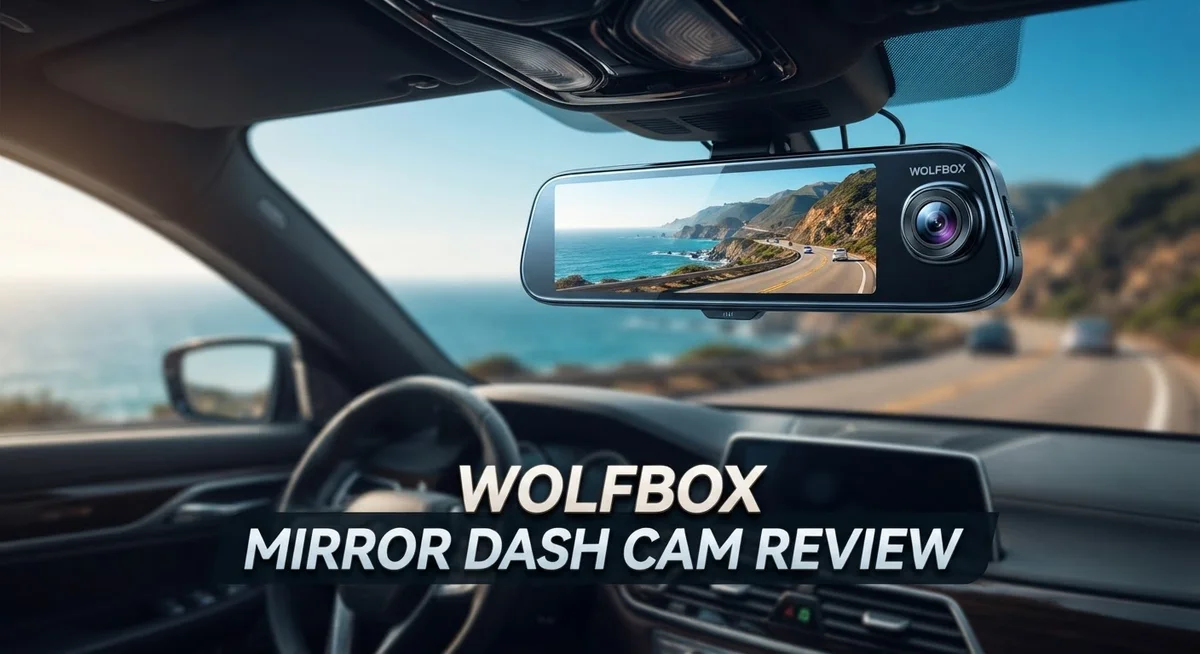
The 12 inch touchscreen display stands out as the centerpiece of the Wolfbox Mirror Dash Cam experience. This large mirror replaces your vehicle’s standard rearview mirror, giving you instant access to live camera feeds and system controls.
The touchscreen responds quickly to your taps and swipes. Menu navigation feels intuitive, so you won’t struggle to find settings. The interface uses simple icons and clear labels. Most drivers adjust to the layout within minutes of installation.
Brightness and visibility perform well during daytime driving. The display shows clear video from all three cameras (front, interior, and rear). You can switch between camera views with a single tap. The screen brightness adjusts automatically to match ambient light conditions, which helps reduce glare on sunny days.
Night mode viewing works smoothly on the front and interior cameras. You see detailed footage even in low light situations. The rear camera display becomes grainier in very dark conditions, which is a limitation worth noting. Street lights and oncoming headlights help improve rear visibility, but complete darkness reveals the camera’s constraints.
The interface supports touch controls for essential functions. You can record video, take snapshots, and access playback directly from the screen. Settings menus let you adjust resolution, frame rates, and parking mode options. The system stores these preferences, so you won’t reset them after power cycles.
One drawback involves the proprietary system design. The Wolfbox operates as a closed ecosystem. Third party apps and external integrations have limited support. WiFi connectivity becomes necessary for certain features like firmware updates and cloud backup access.
The display’s responsiveness rarely lags, even when switching between multiple camera feeds. Video playback appears smooth and detailed. The mirror surface quality matches standard automotive mirrors, so your rearview visibility remains unaffected when the screen is off.
Overall, the display and interface deliver practical functionality. The large touchscreen makes camera operation accessible. The intuitive menu structure appeals to both tech savvy users and those new to dash cams. The main trade off involves accepting the proprietary ecosystem rather than gaining flexibility with third party tools.


Last update on 2026-10-07 / Affiliate links / Images from Amazon Product Advertising API Some of the links on this website are affiliate links, which means that at no additional cost to you, I earn a commission if you click through and make a purchase. I only recommend products and services that I believe will add value to my readers. Thank you for your support!
Video Quality and Night Performance
The front camera captures video in 4K resolution, which means you get sharp, detailed footage during your drives. This level of clarity helps you read license plates and spot road hazards with ease. The rear camera records in 2.5K resolution, offering solid performance for monitoring what happens behind your vehicle.
Daytime performance excels across all three camera angles. Colors appear natural and balanced. Contrast stays strong even when you drive into bright sunlight. The system handles glare well, so your windshield reflections won’t ruin your recordings.
Night performance tells a more interesting story. The front camera delivers impressive results when darkness falls. Street lights and headlights illuminate the road ahead clearly. You can identify vehicles and road signs without struggling to see details.
The interior camera also performs well at night, giving you clear footage of your cabin and passengers. This middle camera captures what happens inside your vehicle during low light situations.
The rear camera is where things get trickier. In very dark conditions, the rear footage becomes grainy and loses detail. If you park in pitch black areas or drive on roads with minimal lighting, you might notice quality drops. This limitation matters most for users who frequently travel in rural or poorly lit locations.
The 12 inch touchscreen display helps you review all this footage easily. You can watch recordings from each camera angle right on the mirror. The screen brightness adjusts well to nighttime viewing, so you won’t strain your eyes when checking footage after dark.
Overall, the Wolfbox delivers strong video quality where it counts most. Your front camera recordings will satisfy most drivers. The rear camera works fine in normal nighttime conditions, though very dark environments pose a challenge. If you drive mostly on lit roads and highways, you’ll appreciate the clear, detailed footage this system produces across the board.
Installation and Vehicle Compatibility
The Wolfbox Mirror Dash Cam comes in two main versions: the G900Pro and G900 TriPro models. Both are 3-channel systems that replace your existing rearview mirror with a 12-inch touchscreen display. This means installation requires removing your factory mirror and connecting the new unit to your vehicle’s electrical system.
Installation difficulty varies by vehicle. The system works smoothly with popular models like the Jeep Wrangler (both JK and JL generations), Jeep Gladiator JT, Mazda 3, and Ford F-150. If you own one of these vehicles, the mounting brackets align well with existing anchor points. This reduces installation time and minimizes dashboard modifications.
For vehicles outside this compatibility list, you’ll need to use universal mounting brackets. This approach works but may require drilling or adhesive installation. The good news is that the mirror display itself connects through a simple power cable to your vehicle’s electrical system. Most users can handle this without professional help.
The touchscreen display connects to three cameras. The front camera mounts behind your windshield. The rear camera attaches to your back window or bumper area. The interior cabin camera typically sits near your headliner. All three cameras send video signals to the main mirror unit through wireless or wired connections depending on your model.
Before you begin, check your vehicle’s specific requirements. The Wolfbox website provides installation guides for each compatible model. These guides show exactly where to position cameras and how to route cables safely. Following these instructions prevents camera misalignment and ensures optimal video angles.
Power requirements matter too. The system draws electricity from your vehicle’s fuse box or cigarette lighter outlet. Most installations tap into existing power sources rather than adding new wiring. This keeps your vehicle’s interior clean and maintains factory aesthetics.
Setup takes between 30 minutes to 2 hours depending on your vehicle and technical comfort level. The touchscreen interface walks you through initial calibration once power connects. Camera positioning can be adjusted after installation if angles need fine-tuning for your specific driving needs.
Top 3 Alternatives
VIOFO A119 Mini

Last update on 2026-10-06 / Affiliate links / Images from Amazon Product Advertising API Some of the links on this website are affiliate links, which means that at no additional cost to you, I earn a commission if you click through and make a purchase. I only recommend products and services that I believe will add value to my readers. Thank you for your support!
The VIOFO A119 Mini offers excellent video quality in a compact design. This dash cam captures footage in 1600p resolution with a 170-degree wide-angle lens. You get clear night vision performance thanks to its advanced sensor technology.
The device includes GPS tracking and G-sensor protection. Your recordings stay safe during sudden impacts or accidents. The compact size means it won’t block your windshield view. Many users appreciate the straightforward installation process and reliable performance over time.
Thinkware U1000

Last update on 2026-10-07 / Affiliate links / Images from Amazon Product Advertising API Some of the links on this website are affiliate links, which means that at no additional cost to you, I earn a commission if you click through and make a purchase. I only recommend products and services that I believe will add value to my readers. Thank you for your support!
The Thinkware U1000 delivers premium recording capabilities with dual-channel recording options. This system captures both front and interior views simultaneously. You receive 4K resolution on the front camera for sharp, detailed footage.
The U1000 includes cloud connectivity features. Your videos upload automatically to the cloud for secure backup. The system also offers AI-powered parking mode detection. It recognizes unusual activity around your vehicle when parked. The interface feels intuitive, making navigation simple for most users.
70mai Dash Cam Pro

Last update on 2026-10-08 / Affiliate links / Images from Amazon Product Advertising API Some of the links on this website are affiliate links, which means that at no additional cost to you, I earn a commission if you click through and make a purchase. I only recommend products and services that I believe will add value to my readers. Thank you for your support!
The 70mai Dash Cam Pro combines affordability with solid performance. This camera records in 1944p resolution with excellent clarity. The 140-degree field of view captures what matters on the road.
Night vision performance stands out with this model. You’ll see license plates and road details clearly in low light. The dash cam includes GPS logging and emergency recording protection. Your important footage won’t get overwritten accidentally. The app integration lets you review videos easily from your phone. Installation takes just minutes without special tools or expertise.
Build Quality and Durability
The Wolfbox Mirror Dash Cam features a solid construction that holds up well to daily driving demands. The system uses durable materials throughout its three camera setup, with each component built to withstand vibration and temperature changes typical in vehicles.
The 12-inch touchscreen mirror display sits at the heart of the build quality story. This glass screen resists scratches and maintains clarity over time. The frame around the display feels sturdy and doesn’t rattle during normal driving conditions. Users report that the touchscreen remains responsive even after extended use, which speaks to the quality of the underlying components.
The camera housings themselves use weather-resistant materials. The front and rear cameras mount securely to your vehicle without wobbling. The interior cabin camera connects via a flexible cable that resists kinking and damage. All external components handle moisture and temperature swings without performance drops.
The wiring harness deserves mention here. Wolfbox uses thicker gauge cables compared to budget dash cams. This means less voltage drop and more reliable power delivery to all three cameras. The connectors feel solid and lock into place firmly.
One area where durability shows is the touchscreen’s ability to handle heat. Unlike cheaper mirror cams that develop dead pixels or discoloration, the Wolfbox display maintains consistent color and brightness across multiple seasons. The anti-glare coating resists degradation from sun exposure.
The system’s proprietary design actually benefits durability in some ways. All components are engineered to work together as one unit, reducing compatibility issues that plague modular systems. This integration means fewer connection points that could fail over time.
Battery backup for the system holds a charge well, preserving footage even if power cuts unexpectedly. The internal storage handles repeated write cycles without early failure. Users report consistent performance even after years of daily use.
The build quality sits above budget dash cams but aligns with mid-range competitors. The Wolfbox delivers reliable performance across different climates and driving conditions. You won’t find premium materials like aluminum frames, but the plastic and composite construction proves durable enough for the job it performs.
System Limitations and Connectivity
The Wolfbox Mirror Dash Cam relies on a proprietary system design. This means you cannot easily mix and match components with other dash cam brands. Third party accessories have limited compatibility with this unit.
WiFi connectivity becomes necessary for certain features. You’ll need a stable connection to access cloud storage or transfer footage to your phone. Without WiFi, you lose access to these remote functions. The system works fine for basic recording without internet, but advanced features stay locked.
The rear camera shows notable weakness in very dark environments. You’ll see grainy, unclear footage when recording in low light conditions. Parking lot incidents at night may not capture details you need. The front and interior cameras perform much better after dark, so this limitation affects one specific angle.
Storage management requires attention. The system records continuously across three cameras, which means files fill up quickly. You must regularly transfer or delete old footage to maintain space. Without proper management, your storage will max out and stop recording new video.
The touchscreen display needs occasional maintenance. Dust and moisture can affect responsiveness over time. Regular cleaning keeps the interface working smoothly. The 12 inch screen handles temperature changes well, but extreme heat exposure may cause temporary lag.
Firmware updates come through the proprietary software only. You cannot use generic dash cam apps or tools to update the system. This keeps everything consistent but limits flexibility. Updates typically roll out through WiFi when available.
The system’s three camera setup creates complexity in troubleshooting. If one camera fails, you lose one angle entirely. Replacement parts must come from Wolfbox directly. No universal camera components work as substitutes here.
Battery backup preserves footage during power loss. However, the backup only lasts long enough to safely shut down recording. Extended power outages drain the backup quickly. Your vehicle’s battery remains the primary power source during normal operation.
These limitations don’t eliminate the Wolfbox’s appeal, but they shape how you’ll use it daily.
Pros and Cons
Pros
- Front camera delivers 4K resolution with excellent night vision performance
- 12-inch touchscreen mirror responds quickly and shows intuitive menu layouts
- Large display eliminates most daytime glare issues during normal driving
- Weather-resistant camera housings and solid wiring construction hold up well to daily use
- Battery backup preserves your footage automatically if power cuts unexpectedly
Cons
- Rear camera produces grainy footage when recording in very dark environments
- Proprietary system limits your options for third-party accessories and software updates
- WiFi connectivity becomes required for certain functions, which adds a setup step
Who Should Buy It
The Wolfbox Mirror Dash Cam works best for drivers who want a complete recording system without fussing with multiple separate devices. If you own a Jeep Wrangler, Gladiator, Mazda 3, or Ford F-150, this system integrates directly into your vehicle’s existing mirror space, making installation straightforward.
You should consider this dash cam if you spend significant time driving at night. The front camera captures clear 4K footage even in low light conditions, so highway driving after sunset stays well documented. The large 12-inch touchscreen also appeals to drivers who prefer easy access to footage and settings without connecting to a smartphone every time.
Fleet managers and rideshare drivers benefit from the three-camera setup that covers front, interior, and rear angles simultaneously. This comprehensive coverage protects you in accident disputes and captures passenger behavior when needed. The battery backup feature ensures your footage survives power interruptions, which matters if your vehicle sits parked for extended periods.
However, skip this system if you need maximum flexibility with aftermarket accessories. The proprietary design limits your options for third-party add-ons and software customization. You’ll also want to avoid this if your vehicle isn’t on the compatible list, since the mirror integration requires specific fitment.
Drivers in extremely dark environments should think carefully before purchasing. While the front camera performs well at night, the rear camera produces grainy footage in pitch-black conditions. If you frequently park in unlit areas or drive remote mountain roads, this limitation matters.
The Wolfbox works well for people who value simplicity over customization. The intuitive interface and responsive touchscreen mean you spend less time learning complicated menus. You just need reliable WiFi at home for initial setup and occasional updates.
This system suits drivers who want professional-grade video quality without the complexity of managing separate front, rear, and interior cameras. If you appreciate a unified recording solution that handles most everyday driving scenarios effectively, the Wolfbox Mirror Dash Cam deserves serious consideration.
Final Verdict
The Wolfbox Mirror Dash Cam earns its place as a strong choice for everyday drivers. It combines clear video capture with a display that feels natural to use.
Picture quality stands out as the biggest strength here. The 4K front camera captures sharp detail, and night scenes look clean rather than washed out.
The touchscreen mirror makes this system different from typical dash cams. You get quick access to settings without digging through confusing menus.
Build quality gives this product lasting value. Camera housings and wiring hold up through daily driving, rain, and temperature swings.
The rear camera remains the main weak point. Footage gets grainy in low light, so drivers who need strong night coverage from behind should factor this in.
Compared to Viofo, the Wolfbox holds its own in overall video quality. Viofo offers more flexibility for customization, but Wolfbox wins on ease of use.
Who should buy this dash cam?
Drivers who want a simple, complete system will enjoy this product. You get front, rear, and cabin coverage without piecing together separate cameras.
Rideshare drivers and fleet operators gain real benefit from the three camera setup. It documents incidents from multiple angles without extra installation work.
Who should look elsewhere?
Drivers who need heavy customization or third party software support may feel limited. The closed system design keeps things simple but reduces flexibility.
Anyone driving mostly in very dark conditions should weigh the rear camera’s performance carefully before committing.
The bottom line:
The Wolfbox Mirror Dash Cam delivers a complete recording experience with strong picture quality and an easy to use interface. It fits drivers who value simplicity and reliable daily performance over endless customization options.
For most everyday drivers, families, and professional drivers, this system offers a well rounded package. The minor drawbacks do not outweigh the convenience and quality it brings to the dashboard.
Frequently Asked Questions
Does the Wolfbox Mirror Dash Cam work with my vehicle?
The Wolfbox G900Pro and G900 TriPro models fit Jeep Wrangler (JK/JL), Gladiator JT, Mazda 3, and Ford F-150 vehicles. You should check your specific vehicle model against this list before purchasing.
If your car isn’t listed, contact Wolfbox support directly. They may offer compatibility solutions or alternative models for your vehicle type.
How good is the video quality at night?
Front camera footage looks excellent in low light conditions. The 4K front camera captures clear details even after sunset.
The rear camera is less impressive in very dark environments. It produces grainy footage when there’s minimal ambient light. If you drive frequently in pitch-black areas, keep this limitation in mind.
What makes this different from a regular dash cam?
The 12-inch touchscreen mirror display sets this system apart. Instead of a small screen mounted on your windshield, you get a full mirror replacement with an intuitive interface.
This 3-channel system also records your front, interior, and rear simultaneously. You get complete coverage from one integrated unit rather than buying separate cameras.
Do I need WiFi to use this dash cam?
WiFi is required for certain functions, though basic recording works without it. You’ll need a connection for specific features and potential software updates.
Plan your setup accordingly if your vehicle location has spotty WiFi access. The system handles standard recording independently, but WiFi enhances your overall experience.
How does the Wolfbox compare to other premium dash cams?
Viofo offers comparable video quality as a top competitor. Both brands deliver professional-grade footage and solid build construction.
The main difference lies in the mirror display. Wolfbox emphasizes the integrated touchscreen experience, while Viofo focuses on traditional dash cam design. Your choice depends on whether you want a mirror replacement or a standard setup.

Hello, i’m Ivoria i am the face behind Tech Tracker Blog. I am passionate about my work and love to explore gadgets and share about my experience.