HyperX Cloud II Gaming Headset vs Razer Kraken
Choosing a gaming headset can feel like picking a favorite child. You love them both, but one has to win. The HyperX Cloud II and the Razer Kraken are two of the most popular gaming headsets on the market.
Both sit in a similar price range. Both promise great sound and comfort. But they deliver the experience in very different ways.
Gamers around the world have debated this matchup for years. The HyperX Cloud II brings its legendary 53mm drivers and a rock-solid aluminum frame.
Key Takeaways
- The HyperX Cloud II uses 53mm neodymium drivers that deliver balanced, clear audio across all frequencies. This makes it a strong pick for competitive gamers who need to hear footsteps and directional cues with precision.
- The Razer Kraken features custom-tuned 50mm drivers with a stronger bass response. If you play single-player games, watch movies, or listen to bass-heavy music, this headset will feel more immersive.
- Comfort is a strength for both headsets, but they approach it differently. The HyperX Cloud II uses memory foam with leatherette covers, while the Razer Kraken uses cooling gel-infused cushions that reduce heat buildup during long sessions.
- The HyperX Cloud II includes a USB audio control box with built-in 7.1 virtual surround sound. The Razer Kraken relies on Razer Synapse software for surround sound and EQ customization, giving you more granular control.
- Build quality favors the HyperX Cloud II with its aluminum frame. The Razer Kraken uses a bauxite aluminum and steel reinforced headband that is also durable but slightly heavier.
- Both headsets work across multiple platforms, including PC, PS4, PS5, Xbox, and Nintendo Switch. The HyperX Cloud II offers broader plug-and-play compatibility out of the box thanks to its included USB sound card and 3.5mm cable.
HyperX Cloud II Gaming Headset Overview


Last update on 2026-08-31 / Affiliate links / Images from Amazon Product Advertising API Some of the links on this website are affiliate links, which means that at no additional cost to you, I earn a commission if you click through and make a purchase. I only recommend products and services that I believe will add value to my readers. Thank you for your support!
The HyperX Cloud II has been a fan favorite since its original release. HyperX built this headset on the chassis of the legendary Takstar Pro 80 studio headphone. That foundation gives it an audio pedigree that most gaming headsets simply cannot match.
This headset uses 53mm neodymium magnet drivers with a frequency response of 15Hz to 25,000Hz. The result is clean, detailed sound across lows, mids, and highs. You hear everything from deep explosions to subtle dialogue without distortion.
The included USB audio control box is a standout feature. It adds virtual 7.1 surround sound at the push of a button. You also get independent volume and mic controls right on the box. This means you never have to tab out of your game to adjust settings.
HyperX built the frame from aluminum, which keeps the headset lightweight yet very strong. The ear cups use memory foam cushions wrapped in soft leatherette. You also get a second pair of velour ear pads in the box for a different feel.
The detachable noise-cancelling microphone delivers clear voice chat. Your teammates will hear you without background noise or static. The braided cable adds an extra layer of durability for daily use.
Pros:
- Excellent balanced audio with 53mm drivers
- Durable aluminum frame that lasts for years
- USB sound card with 7.1 surround sound included
- Two sets of ear cushions in the box
- Detachable noise-cancelling microphone
Cons:
- No RGB lighting
- Limited software customization without the USB dongle
- Leatherette pads can feel warm after extended sessions
Razer Kraken Gaming Headset Overview

Last update on 2026-08-31 / Affiliate links / Images from Amazon Product Advertising API Some of the links on this website are affiliate links, which means that at no additional cost to you, I earn a commission if you click through and make a purchase. I only recommend products and services that I believe will add value to my readers. Thank you for your support!
The Razer Kraken is a bold entry from one of gaming’s biggest brands. Razer designed this headset to deliver a bass-forward audio experience that makes games, movies, and music feel alive. It uses custom-tuned 50mm drivers with a frequency response of 12Hz to 28,000Hz.
The most talked-about feature is the cooling gel-infused ear cushions. Razer engineered these pads to reduce heat buildup by up to 30% compared to standard foam. Gamers who play for hours will notice a real difference in comfort.
Razer built the headband with a bauxite aluminum frame and added a thicker headband padding for weight distribution. The overall design feels premium and sturdy. The retractable microphone tucks neatly into the left ear cup when you don’t need it.
The Kraken connects through a 3.5mm analog cable, making it compatible with PC, Mac, PS4, PS5, Xbox One, Xbox Series X/S, Nintendo Switch, and mobile devices. For PC users, Razer Synapse software unlocks additional features like surround sound, EQ presets, and mic settings.
The in-line audio controls on the cable let you adjust volume and mute the mic quickly. Razer also gave the Kraken an oval ear cup shape that fits naturally around most ear sizes.
Pros:
- Cooling gel ear cushions reduce heat during long sessions
- Strong bass response for immersive gaming
- Retractable microphone is clean and convenient
- Wide platform compatibility through 3.5mm connection
- Razer Synapse offers deep customization on PC
Cons:
- Bass can overpower mids at high volumes
- No included USB sound card
- Build feels slightly heavier than the Cloud II
- Synapse software required for full feature access
Sound Quality Comparison
Sound quality is the single most important factor for most gamers. The HyperX Cloud II delivers a balanced sound signature. Highs are crisp. Mids are clear. Lows are present without being overpowering. This balance makes it ideal for competitive FPS games like Valorant, CS2, and Call of Duty.
The Razer Kraken takes a different approach. Its bass-forward tuning hits harder on low frequencies. Explosions rumble. Engines roar. Soundtracks feel cinematic. This profile works great for single-player adventures and RPGs where immersion matters more than pinpoint accuracy.
For music listening, the Cloud II sounds more natural and true to the original recording. The Kraken adds warmth and punch that some listeners prefer, especially for hip-hop, EDM, and pop genres.
Both headsets support virtual 7.1 surround sound. The Cloud II activates it through the USB control box. The Kraken uses Razer Synapse on PC. In testing, the Cloud II’s surround implementation sounds slightly more natural and less processed.
If you prioritize audio accuracy and clarity, the Cloud II wins. If you want thumping bass and a cinematic feel, the Kraken is your headset.
Microphone Performance
Clear communication can mean the difference between winning and losing in team-based games. The HyperX Cloud II microphone is detachable and uses a noise-cancelling design. It picks up your voice clearly while filtering out background noise from keyboards, fans, and other distractions.
The Razer Kraken microphone is retractable. You pull it out from the left ear cup when you need it and push it back in when you don’t. This design keeps things clean and eliminates the risk of losing a detachable mic. The mic also has a cardioid pickup pattern that focuses on your voice.
In direct comparison, the Cloud II microphone sounds warmer and more natural. Teammates often report that voices come through with less distortion. The Kraken mic is solid but can sound slightly thinner in the upper frequencies.
Both microphones handle casual voice chat and Discord calls very well. Neither headset is meant for professional streaming or podcasting. But for everyday gaming communication, both get the job done. The Cloud II holds a slight edge in raw voice quality.
Comfort and Fit
You might wear your gaming headset for four, six, or even eight hours at a time. Comfort matters more than almost anything else. The HyperX Cloud II uses memory foam ear cushions that conform to the shape of your head. The padding is generous and the clamping force is moderate.
The Razer Kraken counters with its cooling gel-infused cushions. These pads genuinely stay cooler than standard foam. If you game in a warm room or tend to get hot ears, the Kraken has a real advantage here. The thicker headband padding also distributes weight evenly.
The Cloud II weighs about 309 grams without the cable. The Kraken comes in at roughly 322 grams. That small difference adds up over long sessions. The Cloud II feels slightly lighter on the head.
Both headsets offer a good seal around the ears for passive noise isolation. The Cloud II’s leatherette pads create a tighter seal. The Kraken’s gel pads provide a softer, more breathable contact. Your preference here will come down to whether you value isolation or airflow more.
Build Quality and Durability
A gaming headset needs to survive daily use, travel, and the occasional rage moment. The HyperX Cloud II uses an aluminum frame that flexes without breaking. The hinges feel solid. The headband adjustments click firmly into place. This headset is built to last for years of heavy use.
The Razer Kraken uses a bauxite aluminum frame with steel reinforcement in the headband. It also feels sturdy and well-made. However, some users have reported that the ear cup padding can wear down faster than the Cloud II’s cushions over extended periods.
The Cloud II’s braided cable resists tangling and fraying better than a standard rubber cable. The Kraken uses a rubber-coated cable that is flexible but slightly more prone to wear over time.
Both headsets can handle being tossed in a backpack. Both survive drops from desk height without issue. But the Cloud II’s metal construction gives it a slight durability advantage that becomes noticeable after a year or two of use.
Design and Aesthetics
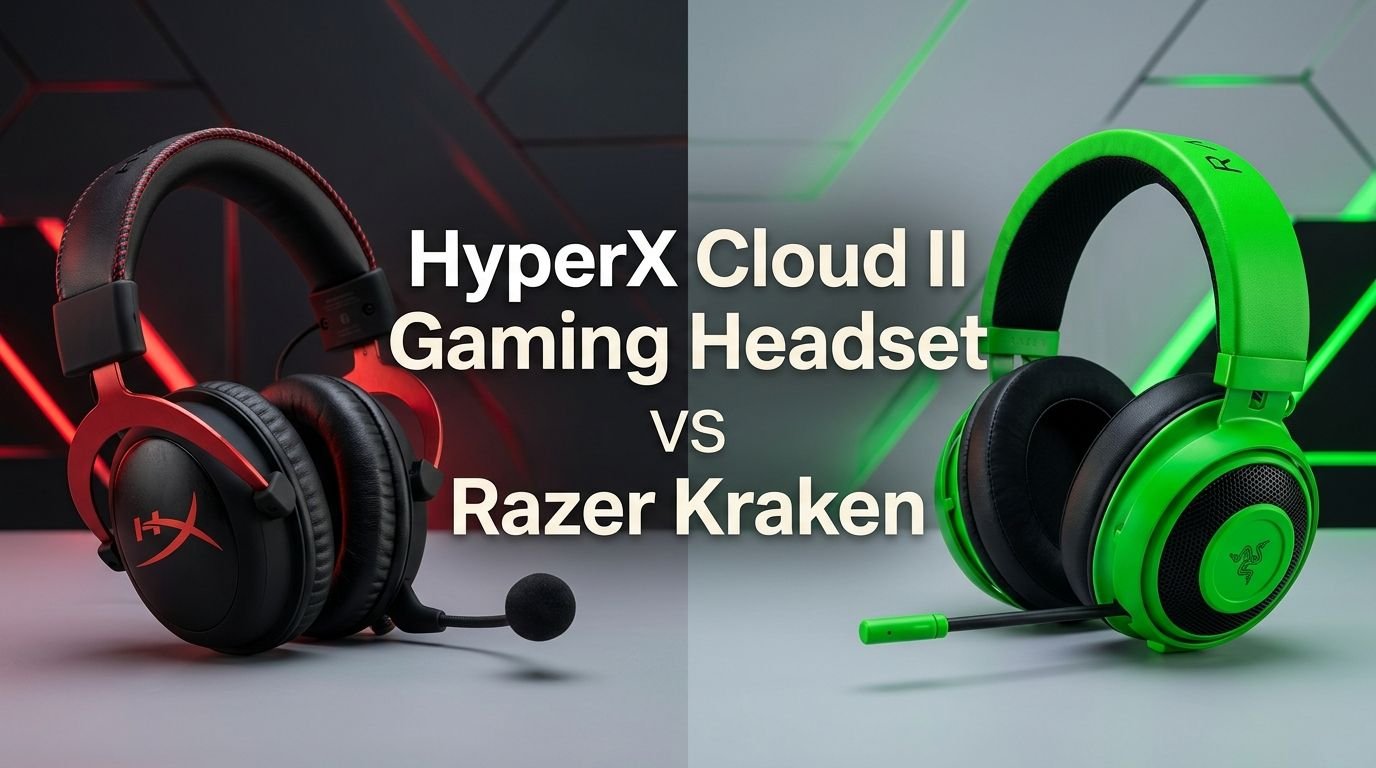
Looks matter. Your headset sits on your head or your desk where everyone can see it. The HyperX Cloud II has a clean, understated design. The black and red color scheme looks professional. There is no RGB lighting. This appeals to gamers who prefer a subtle, mature look.
The Razer Kraken has a bolder design language. The prominent Razer logo on each ear cup makes a statement. It comes in multiple colors including black, green, and other limited editions. The overall silhouette is sleek and modern.
Neither headset looks out of place in a professional setting. The Cloud II blends in more easily at an office desk. The Kraken’s gaming identity is a bit more obvious but still tasteful.
If you want RGB lighting, neither of these specific models offers it. Razer does sell the Kraken V3 and other variants with Chroma RGB. HyperX offers the Cloud II Wireless with some lighting options. But in this direct matchup, both headsets keep things simple.
Platform Compatibility
Both headsets work across multiple platforms, but the way they connect differs. The HyperX Cloud II comes with a 3.5mm audio cable and a USB audio control box. This gives you two connection options out of the box. You can plug the 3.5mm cable directly into a controller or use the USB dongle for PC and PS4/PS5.
The Razer Kraken connects through a single 3.5mm cable. This makes it universally compatible with anything that has a headphone jack. PC, Mac, PS4, PS5, Xbox, Nintendo Switch, and mobile devices all work immediately.
The Cloud II’s USB sound card adds virtual 7.1 surround sound on PC and PlayStation. Without Razer Synapse, the Kraken operates as a standard stereo headset on consoles. PC users get the full feature set through the software.
For console gamers, both headsets plug in and work without any setup. The Cloud II’s USB option gives PlayStation users access to surround sound without extra software. Xbox users will need to use the 3.5mm connection for both headsets.
Software and Customization
Software can transform a good headset into a great one. The HyperX Cloud II keeps things simple. The USB control box provides basic controls. HyperX does offer NGENUITY software for some of its newer products, but the Cloud II’s customization options remain limited compared to competitors.
The Razer Kraken benefits from Razer Synapse 3, which is one of the most feature-rich peripheral software suites available. You can adjust EQ settings, enable THX Spatial Audio, tweak microphone sensitivity, set noise gates, and create custom audio profiles for different games.
This software advantage gives the Kraken more flexibility on PC. You can boost bass for action games, flatten the EQ for competitive shooters, or enhance vocals for podcast listening. The Cloud II doesn’t offer this level of control.
However, software dependence is a double-edged sword. Razer Synapse must be installed and running for these features to work. Some users find Synapse resource-heavy or intrusive. The Cloud II works at its full potential without installing anything. Plug it in and you’re ready.
If you love tweaking settings and creating profiles, the Kraken wins. If you prefer a plug-and-play experience, the Cloud II is the better choice.
Price and Value
Both headsets compete in the budget-to-midrange price bracket. The HyperX Cloud II typically retails around $69 to $99 depending on the variant and retailer. The Razer Kraken sits in a similar range at roughly $49 to $79.
For the money, the Cloud II offers exceptional value. You get a USB sound card, two sets of ear pads, a detachable mic, and an aluminum build. That’s a lot of hardware in the box.
The Kraken also delivers strong value with its cooling gel cushions, retractable mic, and Razer Synapse access. The slightly lower price point makes it attractive to budget-conscious gamers.
Both headsets punch well above their price in terms of audio quality and build. You would need to spend significantly more to find a noticeable upgrade. For gamers on a budget, either headset represents money well spent.
Gaming Performance
In fast-paced games, audio cues save lives. The HyperX Cloud II excels in competitive gaming scenarios. Footsteps sound distinct. Gunshots have clear directional placement. The balanced sound profile lets you pick up subtle audio details that bass-heavy headsets might mask.
The Razer Kraken shines in immersive gaming experiences. Open-world games like Elden Ring or Cyberpunk feel more alive with the enhanced bass. Explosions have weight. Ambient soundscapes feel richer and deeper.
For esports and ranked play, the Cloud II is the safer choice. Many professional and semi-professional gamers trust HyperX headsets for their accuracy. The sound profile doesn’t color the audio in ways that hide important information.
For casual gaming and story-driven adventures, the Kraken delivers a more engaging experience. The bass response adds emotional impact to cinematic moments and intense action sequences.
Who Should Buy Which Headset?
The HyperX Cloud II is perfect for you if you play competitive multiplayer games and need accurate audio. It suits gamers who value build quality, balanced sound, and a no-nonsense plug-and-play setup. It’s also great for people who switch between PC and console regularly.
The Razer Kraken is the right choice if you prioritize comfort during marathon sessions and love bass-heavy sound. It fits gamers who enjoy single-player adventures, multimedia entertainment, and deep software customization. The cooling gel pads make a real difference if you game in warmer environments.
Both headsets work well for streaming and content creation at a casual level. Neither replaces a dedicated microphone, but both handle voice chat and basic recording duties.
If you already own other Razer peripherals, the Kraken integrates smoothly into the Razer ecosystem through Synapse. If you just want a headset that works great everywhere without any software, pick the Cloud II.
Frequently Asked Questions
Is the HyperX Cloud II good for music?
Yes. The HyperX Cloud II produces a balanced, natural sound that works well for most music genres. It doesn’t artificially boost bass or treble. Audiophiles who prefer accurate sound reproduction will appreciate the Cloud II’s tuning. It handles rock, classical, jazz, and pop with equal clarity.
Does the Razer Kraken work on Xbox?
Yes. The Razer Kraken connects through a 3.5mm cable that plugs directly into the Xbox controller. It works with Xbox One, Xbox Series S, and Xbox Series X. Note that Razer Synapse features like surround sound and EQ adjustment are only available on PC.
Which headset has better noise cancellation?
Neither headset offers active noise cancellation. Both rely on passive noise isolation from their ear cup design. The HyperX Cloud II’s leatherette pads create a slightly tighter seal. The Razer Kraken’s gel pads offer good isolation with better breathability. For maximum noise blocking, the Cloud II has a small advantage.
Can I use the HyperX Cloud II wirelessly?
The standard HyperX Cloud II is a wired headset. HyperX does sell a separate model called the Cloud II Wireless that offers 2.4GHz wireless connectivity with up to 30 hours of battery life. The wired version reviewed here requires a USB or 3.5mm connection.
Which headset lasts longer?
The HyperX Cloud II generally has a longer lifespan thanks to its aluminum frame and braided cable. The Razer Kraken is also durable but its rubber cable and ear cushion material may show wear sooner. With proper care, both headsets can last three to five years of regular use.
Are these headsets good for streaming?
Both headsets work for casual streaming and voice chat. The HyperX Cloud II microphone sounds slightly better with warmer, more natural voice reproduction. For serious streaming, most content creators upgrade to a standalone USB or XLR microphone for the best audio quality.

Hello, i’m Ivoria i am the face behind Tech Tracker Blog. I am passionate about my work and love to explore gadgets and share about my experience.