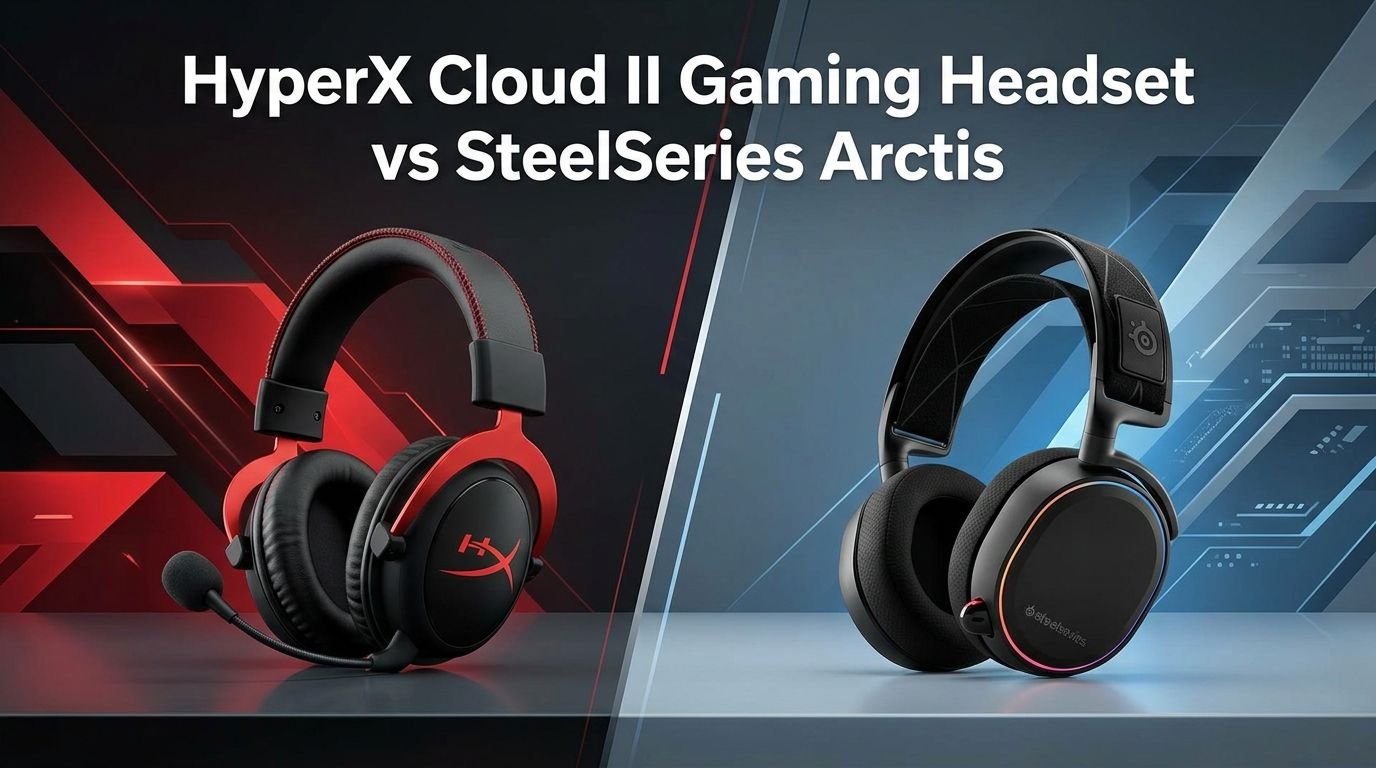
HyperX Cloud II Gaming Headset vs SteelSeries Arctis
Choosing a gaming headset can feel like picking a side in an epic battle. Two names keep showing up in every conversation: the HyperX Cloud II and the SteelSeries Arctis series. Both headsets have earned loyal fan bases over the years. Both promise great sound, solid comfort, and reliable microphones.
But which one is actually better for your gaming setup? That depends on what you value most. Maybe you care about deep bass for explosions in FPS games.
Maybe you want a lightweight headset you can wear for hours without pain. Or maybe microphone clarity matters most because you spend half your time on Discord.
Key Takeaways
- The HyperX Cloud II delivers powerful bass and a warm sound signature that works great for immersive gaming and action-heavy titles. It uses a sturdy aluminum frame that can take daily abuse without breaking down.
- The SteelSeries Arctis line focuses on balanced audio with a wider soundstage, making it easier to pinpoint enemy footsteps and environmental cues in competitive games. The ski-goggle headband design offers a unique comfort experience.
- Microphone quality tilts slightly in favor of the Arctis for most users, thanks to its retractable ClearCast mic that delivers bidirectional noise cancellation. The HyperX Cloud II uses a detachable mic that still performs well for casual voice chat.
- Comfort over long sessions is a strong point for both headsets. The Arctis uses an elastic suspension band, while the Cloud II relies on plush memory foam ear cushions. Your preference depends on head shape and size.
- Software support differs significantly. SteelSeries offers the GG app with detailed EQ settings, while HyperX provides the NGENUITY software. Both work, but SteelSeries gives more customization options out of the box.
- Price-wise, the HyperX Cloud II often costs less than comparable Arctis models, making it a strong budget pick without major sacrifices in quality.
HyperX Cloud II Gaming Headset Overview


Last update on 2026-10-17 / Affiliate links / Images from Amazon Product Advertising API Some of the links on this website are affiliate links, which means that at no additional cost to you, I earn a commission if you click through and make a purchase. I only recommend products and services that I believe will add value to my readers. Thank you for your support!
The HyperX Cloud II has been a fan favorite since its original release. Kingston’s gaming brand built this headset on a foundation of solid construction and reliable audio performance. It features 53mm drivers that push out rich, full sound with an emphasis on low-end frequencies.
The frame uses an aluminum build that gives the headset a premium feel without adding too much weight. Memory foam ear cushions wrapped in leatherette provide good passive noise isolation. This means you hear more of your game and less of your surroundings.
HyperX includes a USB audio control box with the Cloud II. This small dongle offers 7.1 virtual surround sound, volume control, and a microphone mute button. It works on PC, PS4, PS5, and Nintendo Switch. You can also use the 3.5mm cable directly for broader compatibility.
The detachable microphone is a nice touch. You can remove it and use the Cloud II as a regular pair of headphones for music or videos. The mic itself features noise cancellation that filters out moderate background noise during voice calls.
Pros:
- Excellent build quality with aluminum frame
- Rich bass-heavy sound profile ideal for immersive gaming
- Comfortable memory foam ear cushions
- USB sound card included for virtual 7.1 surround
- Detachable microphone adds versatility
Cons:
- Sound can feel slightly muddy in the high frequencies
- Leatherette ear cups can get warm during long sessions
- No wireless option for this specific model
- Limited software customization compared to competitors
SteelSeries Arctis Gaming Headset Overview

Last update on 2026-10-17 / Affiliate links / Images from Amazon Product Advertising API Some of the links on this website are affiliate links, which means that at no additional cost to you, I earn a commission if you click through and make a purchase. I only recommend products and services that I believe will add value to my readers. Thank you for your support!
The SteelSeries Arctis series has gone through several generations, and each one has improved on the last. The Arctis line is known for its distinctive ski-goggle headband that distributes weight evenly across your head. This design choice sets it apart from almost every other gaming headset on the market.
SteelSeries equips the Arctis with custom-designed speaker drivers that aim for a flat, balanced sound profile. This means vocals, mid-range tones, and high frequencies all get equal attention. Gamers who play competitive shooters often prefer this approach because it helps them hear directional audio cues more clearly.
The ClearCast microphone is a standout feature. It retracts into the left ear cup when you do not need it. SteelSeries claims it delivers studio-quality voice clarity, and most reviews agree that it ranks among the best gaming headset microphones available.
The Arctis also supports the SteelSeries GG software, which gives you access to detailed equalizer settings, microphone adjustments, and preset audio profiles. You can fine-tune your listening experience down to specific frequency bands.
Pros:
- Balanced and accurate sound signature
- Ski-goggle headband provides excellent weight distribution
- ClearCast retractable mic offers clear voice pickup
- Strong software support with SteelSeries GG
- Multiple models available including wireless options
Cons:
- Higher price point than the HyperX Cloud II
- Headband elastic can wear out over time
- Ear cushions may feel shallow for larger ears
- Plastic construction feels less premium than aluminum
Sound Quality Comparison
Sound quality is the single most important factor for most gamers. The HyperX Cloud II uses 53mm neodymium drivers that produce a warm, bass-forward sound. Explosions rumble. Engines roar. Soundtracks feel dramatic and powerful. This makes action games and single-player adventures sound incredible.
The SteelSeries Arctis takes a different path with its balanced audio tuning. You get cleaner mids and crisper highs. Footsteps in games like Valorant or Counter-Strike become easier to detect. Dialogue in story-driven games sounds natural and clear.
If you mostly play competitive FPS titles, the Arctis gives you an edge with its wider soundstage and flatter response. If you prefer immersive single-player experiences or love feeling the bass in your music, the Cloud II delivers that visceral punch.
Both headsets support virtual surround sound through their respective software. The Cloud II achieves this through its USB sound card, while the Arctis handles it via the SteelSeries GG app. Neither headset sounds bad by any measure. The difference comes down to personal preference and gaming style.
Comfort and Fit
A gaming headset you cannot wear for more than an hour is useless. Comfort is where these two headsets take very different design approaches. The HyperX Cloud II uses traditional padded headband construction with thick memory foam ear cushions. The clamping force is moderate, and the cushions conform to your head shape over time.
The SteelSeries Arctis uses its signature ski-goggle suspension headband. An elastic strap sits on top of your head while the outer frame holds the ear cups. This design spreads pressure across a larger area and reduces hot spots. Many users with larger heads find this more comfortable for extended sessions.
The Cloud II ear cups use leatherette padding that provides great noise isolation but can trap heat. SteelSeries uses AirWeave fabric cushions on most Arctis models, which breathe better and keep your ears cooler. If you live in a warm climate or game in a heated room, this difference matters.
Both headsets weigh roughly the same. The Cloud II comes in at about 309 grams, while the Arctis models range from 250 to 350 grams depending on the version. Neither will strain your neck during marathon gaming sessions.
Build Quality and Durability
The HyperX Cloud II wins this category for many users. Its aluminum frame feels solid and holds up well against drops, twists, and daily wear. The headband adjustment mechanism clicks firmly into place and does not slip. HyperX designed this headset to last, and many owners report using theirs for three or more years without issues.
The SteelSeries Arctis uses mostly plastic for its frame and hinges. While the plastic is reinforced and durable, it does not feel as premium as aluminum. The ski-goggle headband adds a layer of concern because the elastic can stretch out over months of heavy use. Replacement headbands are available, but that is an extra cost.
Cable quality differs too. The Cloud II ships with a braided cable that resists tangling and fraying. The Arctis typically includes a rubber-coated cable that is functional but less durable. For the wired versions, this is a small but noticeable difference.
Both headsets feature swiveling ear cups that allow the headset to sit flat on your desk or around your neck. This shared feature adds convenience and reduces stress on the hinges during storage.
Microphone Performance
Your teammates need to hear you clearly. The SteelSeries Arctis ClearCast microphone is one of the best mics you will find on a gaming headset. It uses a bidirectional pickup pattern that captures your voice while rejecting background noise. The retractable design means you never have to worry about losing a detachable mic piece.
The HyperX Cloud II microphone is detachable and plugs into the left ear cup. It does a decent job of capturing voice with reasonable clarity. The included USB sound card adds some noise cancellation processing that cleans up your audio further. However, it does not match the natural clarity of the ClearCast mic.
For streaming or content creation, the Arctis mic is the better choice. It picks up less keyboard noise and room echo. For casual gaming and Discord calls, the Cloud II mic works perfectly fine. Most of your friends will hear you without complaints.
Both microphones include mute functions. The Cloud II mutes via the USB control box, while the Arctis has a mute button directly on the ear cup. The Arctis approach is faster and more convenient during intense gaming moments.
Software and Customization
SteelSeries GG software gives the Arctis a clear advantage in customization. You can adjust a 10-band equalizer, create custom audio profiles for different games, and fine-tune your microphone settings. The software also includes Sonar, an advanced audio tool that lets you mix game audio, chat audio, and media audio separately.
HyperX offers its NGENUITY software, but support varies by model. The standard Cloud II has limited software features compared to newer HyperX models. You get basic EQ adjustments and surround sound toggling through the USB sound card, but the depth of control is more shallow.
If you enjoy tweaking your audio settings to perfection, the Arctis paired with SteelSeries GG is the better option. If you prefer a plug-and-play experience with minimal setup, the Cloud II delivers solid performance straight out of the box.
Software updates also matter. SteelSeries regularly pushes updates to improve performance and add features. HyperX updates NGENUITY less frequently, though the base performance of the Cloud II remains strong without constant tweaking.
Wireless vs Wired Options
The HyperX Cloud II exists primarily as a wired headset. HyperX did release a wireless version called the Cloud II Wireless, but the original model connects via 3.5mm or USB. This keeps the price lower and eliminates battery concerns.
SteelSeries offers multiple Arctis models with wireless connectivity. The Arctis Nova 7 and Arctis Nova Pro Wireless provide Bluetooth and 2.4GHz wireless options. This gives you freedom to move around your room without cable drag. Battery life on Arctis wireless models typically lasts between 20 to 40 hours depending on the specific version.
If wireless freedom matters to you, SteelSeries has a much wider selection. You can find an Arctis model for every budget tier with wireless support. HyperX has wireless options in other product lines, but the Cloud II specifically is best known as a wired headset.
Wired connections still offer advantages though. Zero latency, no charging required, and consistent audio quality make the wired Cloud II a reliable choice for gamers who do not mind the cable.
Gaming Performance
In fast-paced competitive games, the Arctis gives you a slight edge. The balanced sound profile and wider soundstage help you locate enemies by sound alone. You can hear the difference between footsteps above you and footsteps behind you with more precision.
The Cloud II performs better in cinematic and story-driven games. The extra bass adds weight to music scores, environmental sounds, and action sequences. Playing a game like God of War or Red Dead Redemption 2 feels more immersive with the warm Cloud II audio signature.
For multiplayer team games, both headsets work great. Clear communication through the microphone combined with accurate game audio makes either headset a solid choice. Your gaming performance will not suffer with either option on your head.
Virtual surround sound on both headsets enhances spatial awareness. The Cloud II’s 7.1 virtual surround through its USB card is effective, while the Arctis achieves similar results through software processing. Neither replaces true surround sound from dedicated speaker setups, but both do an admirable job.
Price and Value
The HyperX Cloud II regularly sells for less than most SteelSeries Arctis models. You can often find it between $60 and $80, which is incredible value for the build quality and sound you receive. It frequently appears on sale during major shopping events.
SteelSeries Arctis headsets range from $100 to over $300 depending on the model. The entry-level Arctis Nova 1 costs less, but the popular Arctis Nova 7 and Nova Pro models carry higher price tags. You pay more, but you also get more features like wireless connectivity, better software, and upgraded microphones.
For gamers on a tight budget, the Cloud II is hard to beat. It delivers 90% of the performance at a fraction of the cost. For gamers who want the best features and do not mind spending extra, the Arctis line offers premium options.
Value is subjective. If you use your headset for 4+ hours daily, investing in a more expensive Arctis model might make sense. If you game casually a few times a week, the Cloud II gives you everything you need without overspending.
Platform Compatibility
The HyperX Cloud II works with almost everything. The 3.5mm connection supports PC, Mac, PS4, PS5, Xbox, Nintendo Switch, and mobile devices. The USB sound card works on PC, Mac, PS4, and PS5. This broad compatibility makes it a great multi-platform headset.
The SteelSeries Arctis also supports multiple platforms, but specific features may vary by model. The wireless Arctis models use USB-C dongles that work with PC and PlayStation. Xbox compatibility requires specific Arctis models designed for that console. Bluetooth-equipped versions connect to phones and tablets easily.
Both headsets work with Discord, Zoom, and other communication apps on PC and Mac. If you use your gaming headset for work calls or online classes, either option handles voice communication well.
Check the specific Arctis model before purchasing to confirm it supports your platform. The Cloud II’s universal 3.5mm jack makes compatibility almost foolproof across every device with a headphone port.
Which Headset Should You Buy?
This depends entirely on your priorities. Buy the HyperX Cloud II if you want excellent build quality, powerful bass, and great value. It works best for gamers who enjoy immersive single-player games, listen to bass-heavy music, and prefer a simple plug-and-play experience.
Buy the SteelSeries Arctis if you prioritize balanced audio, competitive gaming advantages, and advanced software customization. It suits gamers who play FPS titles competitively, want wireless options, and appreciate a lighter design with breathable ear cushions.
Neither headset is a bad choice. Both rank among the best gaming headsets available today. Your decision should come down to budget, gaming style, and comfort preference. Try both in a store if possible. Your ears will tell you which one feels right.
Frequently Asked Questions
Is the HyperX Cloud II good for competitive gaming?
Yes, the HyperX Cloud II works well for competitive gaming. Its 7.1 virtual surround sound helps with directional audio. However, the bass-heavy sound profile may slightly mask some high-frequency details like distant footsteps. Competitive players who want maximum audio precision might prefer the Arctis for its flatter response.
Does the SteelSeries Arctis work with Xbox?
Some Arctis models work with Xbox, but not all of them. SteelSeries makes specific Xbox-compatible versions like the Arctis Nova 7X. Always check the product description before buying to confirm Xbox support. The standard Arctis wireless dongle connects to PlayStation and PC but may not work with Xbox consoles.
Can I replace the ear cushions on both headsets?
Yes, both headsets support replacement ear cushions. HyperX sells official replacement pads for the Cloud II, and many third-party options exist. SteelSeries also offers replacement AirWeave cushions for Arctis models. Swapping ear cushions can refresh an older headset and extend its usable life.
Which headset has better noise isolation?
The HyperX Cloud II provides slightly better passive noise isolation thanks to its leatherette ear cushions. They create a tighter seal around your ears. The Arctis AirWeave cushions are more breathable but let in a bit more ambient sound. If you game in a noisy environment, the Cloud II blocks more outside noise.
How long do these headsets typically last?
With proper care, both headsets last two to four years. The Cloud II’s aluminum frame gives it a slight durability edge. The Arctis elastic headband may need replacement after a year or two of heavy use. Storing your headset on a stand and avoiding extreme bending helps both models last longer.
Are there newer versions of these headsets available?
Yes. HyperX has released the Cloud III and other updated models. SteelSeries launched the Arctis Nova series with improved drivers and features. The original Cloud II and older Arctis models remain popular because of their proven performance and lower prices. Newer versions offer upgrades but cost more.

Hello, i’m Ivoria i am the face behind Tech Tracker Blog. I am passionate about my work and love to explore gadgets and share about my experience.