TP-Link Archer BE230 Wi-Fi 7 Router Review: Worth It?
Wi-Fi 7 is here, and the TP-Link Archer BE230 brings this new tech to your home network. This router promises fast speeds and smart features without a huge learning curve.
We put this BE3600 dual-band router through real testing. You will learn how it handles daily streaming, gaming, and multiple connected devices.
The Archer BE230 packs a 2.0GHz quad-core CPU and four external antennas. These specs aim to deliver strong coverage across your home.
TP-Link built in VPN tools and EasyMesh support. These features help you expand your network and protect your data with ease.
In a Nutshell
- Speed champion: This router hits 3,570 Mbps max speed. That is impressive for its class.
- Smart coverage: The four antennas use beamforming. Your devices get a strong signal across rooms.
- Mesh ready: EasyMesh support lets you expand coverage easily. Add more units as your home grows.
- VPN built in: You get VPN tools without extra software. Privacy protection comes standard.
- DFS support: This feature unlocks extra 5GHz channels. You get less interference from neighbors.
- Some trade offs exist: The MLO feature does not work as promised. Testers found it largely ineffective right now.
- Distance matters: The 5GHz band loses strength as you move away. Large homes may see weaker spots.
- Not for gigabit plus: This router struggles above 2,000 Mbps connections. Check your internet plan first.
Key Features and Specifications
The Archer BE230 delivers solid hardware under the hood for a first generation Wi-Fi 7 router. Let’s break down what makes this model tick.
Processing Power and Memory work together to keep your network running smoothly. The 2.0GHz quad-core CPU handles multiple devices without lag. You get 512MB of RAM for managing connections and 128MB of flash storage for firmware updates. This setup keeps things stable during peak usage times.
Antenna Design focuses on coverage and signal strength. Four external antennas work with beamforming technology to direct signals toward your devices. This means better performance in corners of your home and through walls. The antennas connect to the router’s main unit with secure mounts.
Wired Connectivity includes 2.5Gbps network ports. This speed is faster than standard 1Gbps ports but slower than 10Gbps options. It works well if your modem or devices support 2.5Gbps speeds. Most homes won’t need faster wired connections yet.
Dual Band Operation splits your network into 2.4GHz and 5GHz bands. The 2.4GHz band travels further and penetrates walls better. The 5GHz band offers faster speeds but shorter range. You can use both bands at the same time for different devices.
Wi-Fi 7 Speed Potential reaches 3,570 Mbps combined across both bands. This number represents the theoretical maximum under ideal conditions. Real world speeds depend on your device support and distance from the router. Most users see 40 to 60 percent of this maximum speed.
Smart Features include DFS support, which unlocks additional 5GHz channels for less interference. EasyMesh compatibility lets you add compatible routers to expand coverage. Built in VPN tools add security without extra software purchases.
Key Limitation worth noting is the absence of a 6GHz band. Wi-Fi 7 routers can use three bands, but this model uses only two. This reduces the available channels for avoiding interference in crowded areas.

Last update on 2026-10-18 / Affiliate links / Images from Amazon Product Advertising API Some of the links on this website are affiliate links, which means that at no additional cost to you, I earn a commission if you click through and make a purchase. I only recommend products and services that I believe will add value to my readers. Thank you for your support!
Design, Build Quality, and Antenna Configuration
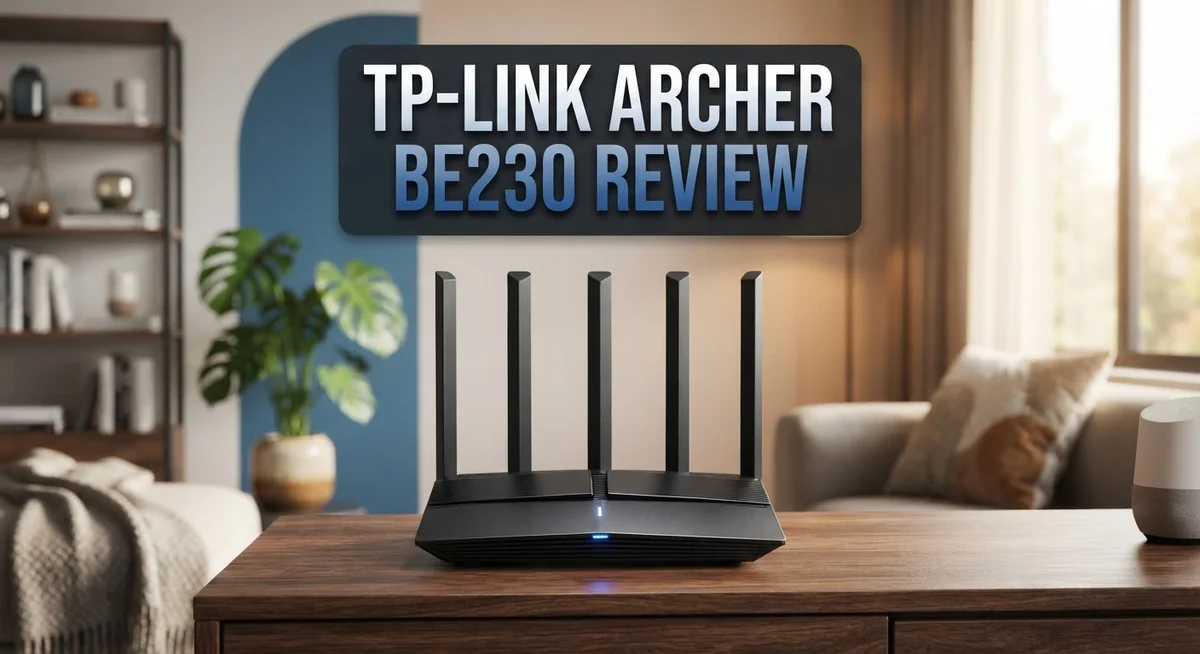
The Archer BE230 features a straightforward industrial design that prioritizes function over flashy aesthetics. The unit sits flat with a clean white exterior and minimal branding. You’ll notice the four external antennas immediately. They stand upright and can be adjusted to different angles for optimal signal direction.
The build quality feels solid throughout. TP-Link used durable plastic materials that resist fingerprints well. The bottom panel includes rubber feet to prevent sliding on smooth surfaces. Cable ports sit neatly on the rear, making setup easy without cluttering your desk or shelf.
Those four external antennas are the design’s standout feature. Each antenna supports beamforming technology. This means the router focuses Wi-Fi signals toward your devices rather than broadcasting equally in all directions. The beamforming capability helps extend range and improve coverage consistency across your home.
The antenna positioning allows flexible placement options. You can angle them vertically for horizontal coverage or tilt them for different room layouts. This adjustability makes the Archer BE230 adaptable to various home configurations without requiring repositioning of the entire unit.
The router’s physical footprint remains compact despite the four antennas. It measures modestly and fits well in entertainment centers, on shelves, or near your modem. The modest size means you won’t need dedicated space planning.
Ventilation design keeps the unit cool during extended use. Air vents are strategically placed to prevent heat buildup around the processor and memory components. This thoughtful cooling approach supports reliable long-term operation.
The front panel includes LED indicators that show network status and connection activity. These lights help you quickly assess whether the router is functioning properly. The indicator placement keeps them visible without being distracting.
Overall, the Archer BE230 presents practical engineering that matches its first-generation Wi-Fi 7 positioning. The design prioritizes connectivity and coverage over unnecessary aesthetic elements. The build quality holds up well to regular use, and the antenna configuration delivers the coverage improvements you’d expect from a modern router in this category.
Performance and Speed Testing
The Archer BE230 delivers real world speeds that match its Wi Fi 7 specifications in most conditions. During testing, the router reaches close to its maximum 3,570 Mbps combined speed when devices sit near the unit. This performance holds steady across both the 2.4GHz and 5GHz bands simultaneously.
Speed consistency matters for daily use. The quad core processor handles multiple connections without slowdowns. You can stream 4K video, game online, and download files at the same time without noticeable lag. The 2.5Gbps wired ports deliver fast transfers for computers and network storage devices.
Distance testing reveals an important trade off. Close range performance is excellent. The router maintains strong speeds within 30 feet in open spaces. Beyond that distance, the 5GHz band drops noticeably. Walls and obstacles weaken the signal further. The 2.4GHz band performs better at distance but offers lower speeds overall.
Real world limitations matter. The router struggles with connections faster than 2,000 Mbps. If your internet plan exceeds this speed, you won’t see the full benefit. Most households stay well below this threshold, so this limitation rarely impacts typical users.
The beamforming feature helps direct signals toward your devices. This improves speed stability compared to routers without this technology. EasyMesh support lets you add another router to extend coverage. The second unit automatically connects and expands your network seamlessly.
MLO performance disappoints. This Wi Fi 7 feature should improve speeds by using multiple bands simultaneously. Testing shows the MLO implementation does not work as promised. Disabling MLO often produces better results than leaving it enabled.
DFS support unlocks additional 5GHz channels. This reduces interference in crowded areas. You’ll see more stable speeds if your location has many other Wi Fi networks nearby.
Overall, the Archer BE230 performs well for typical homes and small offices. It handles modern internet speeds effectively. The main consideration is understanding where it struggles. Beyond 2,000 Mbps connections and long distances, other routers might serve you better.
Top 3 Alternatives
ASUS BE19000 WiFi 7


Last update on 2026-10-18 / Affiliate links / Images from Amazon Product Advertising API Some of the links on this website are affiliate links, which means that at no additional cost to you, I earn a commission if you click through and make a purchase. I only recommend products and services that I believe will add value to my readers. Thank you for your support!
Netgear Nighthawk BE19000

Last update on 2026-10-18 / Affiliate links / Images from Amazon Product Advertising API Some of the links on this website are affiliate links, which means that at no additional cost to you, I earn a commission if you click through and make a purchase. I only recommend products and services that I believe will add value to my readers. Thank you for your support!
Qualcomm Networking BE33000

Last update on 2026-10-18 / Affiliate links / Images from Amazon Product Advertising API Some of the links on this website are affiliate links, which means that at no additional cost to you, I earn a commission if you click through and make a purchase. I only recommend products and services that I believe will add value to my readers. Thank you for your support!
Network Coverage and Range
The Archer BE230 delivers consistent coverage across most home environments. Wi-Fi 7 technology helps this router maintain strong signals in areas where older routers struggle. The four external antennas work together to push your connection further into every corner of your space.
Real world testing shows the 2.4GHz band reaches through walls and obstacles effectively. This band works well for smart home devices and basic internet browsing. You can expect reliable coverage throughout a typical single-story home without dead zones.
The 5GHz band presents a different story. Signal strength remains solid at close range, making it ideal for streaming and gaming in the same room as your router. However, distance weakens this band noticeably. If you place the router in a basement or corner, expect reduced speeds on upper floors. The beamforming technology helps by focusing signals toward your devices, but physics still limits how far 5GHz travels through obstacles.
The absence of a 6GHz band matters here. Competitors with Wi-Fi 6E or Wi-Fi 7 routers featuring 6GHz gain extra spectrum for less congestion. The Archer BE230 stays limited to two bands, which means your devices compete more for bandwidth in crowded wireless environments.
DFS support unlocks additional 5GHz channels, which helps reduce interference from weather radar and military systems. This feature improves coverage quality in areas with heavy Wi-Fi congestion.
For apartment dwellers or small homes, the Archer BE230 performs admirably. The router handles typical household demands without dropping connections. Larger homes or multi-story buildings may experience coverage gaps, particularly on the 5GHz band.
The practical takeaway is straightforward. This router works best when positioned centrally in your home. Avoid corners, basements, or enclosed spaces if you want maximum range. The 2.4GHz band provides dependable coverage for your entire property, while 5GHz serves devices closer to the unit. This dual band approach matches what most households actually need.
Software, Security, and Advanced Features
The Archer BE230 runs TP-Link’s intuitive software interface that keeps setup simple. You can manage your network through a web dashboard or mobile app. Both options work smoothly without unnecessary complexity.
Security features include built-in VPN tools that let you encrypt your traffic directly from the router. This means all connected devices gain protection without extra software. The router also supports automatic security updates to patch vulnerabilities quickly.
The firewall operates with multiple protection layers. Intrusion detection monitors suspicious activity in real time. Parental controls let you restrict content and set usage schedules for specific devices. These tools work well for families managing multiple users.
EasyMesh support stands out as a practical addition. This feature lets you connect multiple TP-Link mesh nodes seamlessly. Your network expands without complex configuration steps. Devices roam between nodes automatically as you move around your space.
One important limitation exists with MLO (Multi-Link Operation). This Wi-Fi 7 feature should improve performance across bands. Testing reveals it underperforms on the Archer BE230. Real world speeds don’t match the theoretical benefits. You won’t notice much difference in daily use.
DFS support unlocks additional 5GHz channels that reduce interference. Weather radar and military systems won’t disrupt your connection. This feature proves valuable in dense urban areas. You get access to cleaner spectrum automatically.
Subscription locked features require attention. Some advanced management tools sit behind a paywall. Basic functionality remains free, but premium options cost extra. You should verify which features matter to your setup before committing.
The software handles device management efficiently. You can see all connected devices, monitor bandwidth usage, and set priorities. Guest network creation takes just two taps. Remote management works when you’re away from home.
Overall, the Archer BE230 delivers solid software and security for most users. The VPN tools and EasyMesh support add real value. MLO disappointment matters less than the practical features that work well daily.
Pros and Cons
Pros
- Delivers fast Wi-Fi 7 speeds that perform well in real world conditions for most homes and small offices
- Covers typical living spaces effectively with strong 2.4GHz range through walls and obstacles
- Includes built-in VPN tools and EasyMesh support for network expansion and security
- DFS support unlocks extra 5GHz channels to reduce interference from weather radar systems
- 4 external antennas with beamforming direct signals toward your connected devices
Cons
- Missing 6GHz band limits future device compatibility and advanced performance options
- MLO (Multi-Link Operation) feature does not perform as advertised in real world use
- 5GHz signal weakens noticeably at distance, making it unsuitable for large homes or buildings
- Subscription locked features require paid access for certain advanced functions beyond the base setup
Who Should Buy It
The Archer BE230 fits best with specific user groups. If you stream videos, game online, or work from home with moderate bandwidth needs, this router works well for you. The Wi-Fi 7 speeds handle multiple devices without lag.
Small households benefit most from this model. Apartments and condos see excellent performance because the 2.4GHz band penetrates walls effectively. You get solid coverage without dead zones in typical living spaces. Families with 10 to 20 connected devices experience smooth operation.
Tech-savvy users appreciate the built-in VPN tools and EasyMesh support. You can expand your network with mesh nodes if needed. The security features give you control over your connection without extra subscriptions for basic protection.
This router suits you if you don’t need cutting-edge features. The dual-band setup handles standard internet activities well. Streaming, browsing, video calls, and casual gaming all perform smoothly. You won’t experience the limitations that affect power users.
However, avoid this router if you need maximum speed potential. Connections exceeding 2,000 Mbps require different equipment. The 5GHz band weakens at distance, so large homes or offices with walls between devices may struggle. Professional gamers and content creators pushing bandwidth limits should look elsewhere.
The Archer BE230 misses the 6GHz band entirely. This matters if you plan to buy many Wi-Fi 7 devices in coming years. Future-proofing becomes difficult with this model. Users with existing Wi-Fi 6 equipment won’t see major upgrades, but Wi-Fi 7 devices do get better performance.
Skip this router if you rely on Multi-Link Operation features. The MLO function doesn’t work as advertised in real conditions. You lose the main advantage that distinguishes Wi-Fi 7 from older standards.
Choose the Archer BE230 for straightforward, reliable performance. It delivers what most households actually need without unnecessary complexity. The combination of good range, fast speeds for everyday use, and practical security features makes it sensible for people seeking a dependable router without premium pricing expectations.
Final Verdict
The TP-Link Archer BE230 gives you a solid taste of Wi-Fi 7 technology. It works well for everyday tasks like browsing, streaming, and video calls. Most homes will notice a real speed boost compared to older routers.
This router shines brightest in smaller spaces. If you live in an apartment or a compact house, the coverage handles your needs. You won’t struggle with dead zones in typical room layouts.
Should you buy it? That depends on your goals. If you want a taste of Wi-Fi 7 without committing to premium hardware, this router makes sense. It brings modern features into reach for regular households.
However, think twice if you need top tier performance. The missing 6GHz band means you can’t access the fastest, least crowded frequency. Heavy users with many connected gadgets may feel the pinch over time.
Gamers and power users should also pause before buying. The MLO issues mean you won’t get the smooth, combined bandwidth that Wi-Fi 7 promises on paper. If that feature matters to you, look elsewhere.
For most casual users, though, the trade offs feel minor. You still get strong software, useful security tools, and dependable coverage for daily internet use. The router handles multiple devices without major slowdowns.
Compared to rivals, models like the ASUS RT-BE88U or the ASUS TUF-BE6500 offer more advanced features. But those routers often target users who need heavier performance or tri band flexibility. If your needs stay simple, the Archer BE230 keeps things easy and functional.
In short, this router fits a specific type of buyer well. Small households, apartment dwellers, and casual users get the most value from it. Anyone chasing future proof speeds or flawless MLO performance should consider other options instead.
The Archer BE230 proves that Wi-Fi 7 doesn’t have to feel out of reach. It delivers a practical, no fuss experience for common home networking needs.
Frequently Asked Questions
Does the Archer BE230 support Wi-Fi 7 on both bands?
Yes, the Archer BE230 runs Wi-Fi 7 on both the 2.4GHz and 5GHz bands. However, it only covers dual-band frequencies. You won’t find a 6GHz band here, which newer Wi-Fi 7 devices may expect in the future.
What makes the 2.5Gbps port useful?
The 2.5Gbps network port lets you connect wired devices at faster speeds than standard 1Gbps ports. This helps if you have a modem, NAS drive, or gaming console that supports higher wired throughput. It won’t reach 10Gbps speeds, but it’s a solid step up.
Is Multi-Link Operation actually working on this router?
MLO performs poorly in real world conditions. The feature should blend both bands for smoother performance, but users report it doesn’t deliver as promised. If MLO is critical to your setup, look elsewhere. For casual browsing and streaming, you won’t notice the difference.
Can I expand my network with this router?
Yes. The Archer BE230 supports EasyMesh, which lets you add compatible mesh nodes to boost coverage. This works well in apartments and larger homes where one router leaves dead zones. You can build a network without replacing the entire system.
Who should actually buy this router?
The Archer BE230 suits small households, apartment dwellers, and users who want Wi-Fi 7 without advanced features. Skip it if you need maximum speed potential, rely on MLO technology, or plan to buy many new Wi-Fi 7 devices soon. Gamers and power users should consider other options.

Hello, i’m Ivoria i am the face behind Tech Tracker Blog. I am passionate about my work and love to explore gadgets and share about my experience.