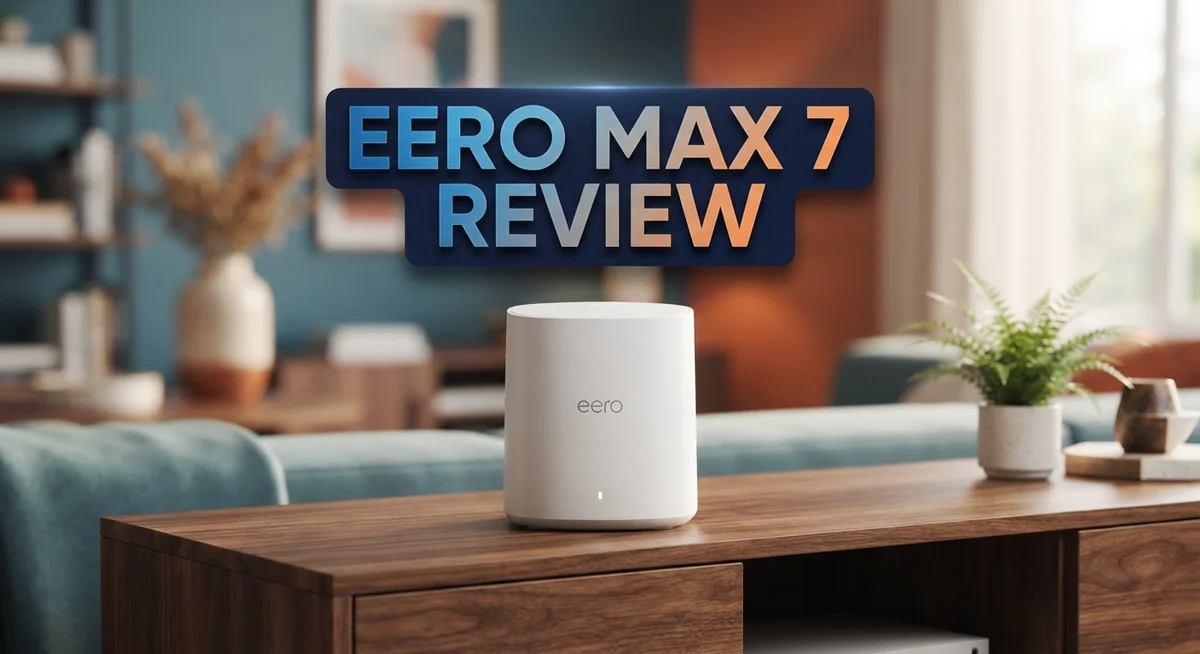
Eero Max 7 Review: Wi-Fi 7 Mesh Router Performance and Features
Wi-Fi 7 is here, and Eero wants to bring it into your home. The Eero Max 7 promises fast speeds and smart home control in one device. But does it truly deliver on that promise?
This router packs some serious specs. It offers wireless speeds up to 1.8 Gbps and two 2.5 GbE ports. It also works as a smart home hub with Thread, Matter, and Zigbee support.
Many users love its backbone performance. It handles streaming, gaming, and video calls at the same time without breaking a sweat. Stress tests show it stays stable under pressure.
In a Nutshell
- Wi-Fi 7 muscle: The 2x4x4 antenna array with MU-MIMO helps multiple devices talk to the router at once. This keeps your smart home running smoothly.
- Wired speed shines: Two 2.5 GbE ports give you fast, stable connections for wired gadgets. Wireless speeds top out at 1.8 Gbps, but results vary by setup.
- Smart hub built in: This eero doubles as a Thread, Matter, and Zigbee hub. Alexa users get extra convenience here.
- Stress test winner: It handles heavy loads like streaming, gaming, and video calls without breaking a sweat.
- 6GHz stumbles: Some testers found the 6GHz band hard to lock onto. Wireless performance dips compared to wired speeds.
- Stiff competition: Rivals like TP-Link Deco BE63 and Ubiquiti UniFi U7 Pro offer similar Wi-Fi 7 features. Eero’s own Pro 7 model is also worth a look.
Wi-Fi 7 Technology and Specifications
Wi-Fi 7 represents the latest standard in wireless connectivity, and the Eero Max 7 brings this technology to your home network. The 802.11be standard delivers faster data rates and improved efficiency compared to older Wi-Fi 6 systems. This means your devices can communicate with the router more quickly and handle more tasks at once.
The antenna configuration plays a key role in performance. The 2x4x4 antenna array with MU-MIMO technology lets multiple devices connect simultaneously without slowing each other down. This is especially useful when several family members stream videos, join video calls, and play online games at the same time.
Speed capabilities reach up to 1.8 Gbps wirelessly, which sounds impressive on paper. However, real-world testing shows mixed results. Some users report strong performance, while others notice the speeds don’t always match the specifications in everyday use. The 6GHz band, which is part of Wi-Fi 7, sometimes proves difficult to maintain stable connections.
The wired connection story is different. Two 2.5 GbE auto-sensing ports provide reliable speeds for devices that need a direct connection. These ports automatically detect your internet speed and adapt accordingly. If your internet plan supports up to 2.5 Gbps, this router can handle it without bottlenecks. Wired performance consistently outperforms wireless speeds in testing scenarios.
The router’s backbone performance stands out as a genuine strength. When devices communicate through the mesh network, they do so efficiently. This backbone strength helps the entire system function smoothly even under heavy load.
One thing to keep in mind: Wi-Fi 7 performance depends heavily on your environment. Walls, interference from other devices, and distance from the router all affect real-world speeds. The Eero Max 7 specifications show promise, but actual results vary from home to home. Some users experience excellent performance while others find the wireless coverage less impressive than expected.


Last update on 2026-08-28 / Affiliate links / Images from Amazon Product Advertising API Some of the links on this website are affiliate links, which means that at no additional cost to you, I earn a commission if you click through and make a purchase. I only recommend products and services that I believe will add value to my readers. Thank you for your support!
Real-World Performance and Coverage
When you set up the Eero Max 7 in your home, the real test begins. Speed numbers on a spec sheet tell only part of the story. Your actual experience depends on how this router performs in everyday situations.
The wired backbone shines brightest. When you connect devices directly to those 2.5 GbE ports, you get stable, fast speeds that rarely disappoint. Your streaming devices, gaming consoles, and computers plugged in via ethernet stay rock solid. This is where the Eero Max 7 truly excels.
Wireless coverage tells a mixed story. The 6GHz band, which should boost performance in Wi-Fi 7, often struggles to connect reliably. Many users report difficulty locking onto this newer frequency band. When your devices do connect to 6GHz, speeds can feel inconsistent. Some rooms show strong signals while others drop unexpectedly.
The 5GHz and 2.4GHz bands perform more predictably. Multiple devices streaming simultaneously, gaming online, and handling video calls work without major hiccups. The 2x4x4 antenna array handles concurrent connections well. You won’t see constant buffering or dropped calls during heavy use.
Distance matters significantly. Close to the router, performance stays solid. As you move further away, wireless speeds decline faster than you might expect from a Wi-Fi 7 system. Walls and obstacles make this worse. Some owners report needing a second unit sooner than anticipated.
The real world gap between wired and wireless performance is notable. If your setup relies mostly on wireless devices, results may disappoint. If you can wire your main devices and use wireless for secondary gadgets, satisfaction increases.
Your home layout, internet speed, and device types all influence results. Dense apartment buildings see different performance than suburban homes. Older devices don’t benefit from Wi-Fi 7 features at all. The Eero Max 7 works best when you manage expectations and use it strategically with a mix of wired and wireless connections.
Smart Home Hub and Connectivity Features
The Eero Max 7 serves double duty as both a mesh router and a smart home hub. This combination feature simplifies your setup by eliminating the need for separate devices.
Thread, Matter, and Zigbee support built into the router means your smart home devices connect directly to the hub. You don’t need to buy additional hardware. Smart lights, door locks, and sensors communicate through these protocols without extra steps.
Alexa integration adds another layer of convenience. Voice commands work seamlessly when the router acts as your hub. You can control compatible devices through Amazon’s ecosystem right from the Eero Max 7.
The smart hub functionality shines for users who already own Amazon devices. If you use Ring doorbells, Echo speakers, or other Alexa gadgets, this router becomes a central connection point. Your smart home network stays organized and responsive.
The dual 2.5 GbE ports deserve attention here. These wired connections handle heavy traffic from devices like security cameras, NAS systems, or desktop computers. Wired devices get priority bandwidth, which keeps wireless devices performing better. This separation matters when you run multiple services simultaneously.
Wireless connectivity for smart home devices works, but with caveats. The 2.4GHz band handles most smart home traffic since many IoT devices use this frequency. The 5GHz band works for devices closer to the router. The 6GHz band, while available, doesn’t consistently reach smart home gadgets in real-world homes.
Coverage for smart home hubs depends on router placement. Central locations work best for reaching devices throughout your home. Corner placements or enclosed spaces limit the range where your smart devices stay connected.
The hub’s stability during stress testing proved solid. Multiple devices streaming, calling, and communicating simultaneously don’t cause drops. Your smart home keeps running smoothly even when your main network handles heavy loads.
For smart home enthusiasts, this feature eliminates clutter. One device does the work of two. The integration feels natural, especially for Amazon users already invested in the Alexa ecosystem.
Top 3 Alternatives
ASUS ZenWiFi AXE300

Last update on 2026-08-28 / Affiliate links / Images from Amazon Product Advertising API Some of the links on this website are affiliate links, which means that at no additional cost to you, I earn a commission if you click through and make a purchase. I only recommend products and services that I believe will add value to my readers. Thank you for your support!
Netgear Orbi Pro

Last update on 2026-08-28 / Affiliate links / Images from Amazon Product Advertising API Some of the links on this website are affiliate links, which means that at no additional cost to you, I earn a commission if you click through and make a purchase. I only recommend products and services that I believe will add value to my readers. Thank you for your support!
TP-Link Deco XE200

Last update on 2026-08-28 / Affiliate links / Images from Amazon Product Advertising API Some of the links on this website are affiliate links, which means that at no additional cost to you, I earn a commission if you click through and make a purchase. I only recommend products and services that I believe will add value to my readers. Thank you for your support!
Design, Build Quality, and Ports
The Eero Max 7 features a compact, modern design that fits easily on shelves or desks. The unit measures roughly 4.3 x 4.3 x 1.2 inches, making it one of the more discreet mesh routers available. Its white finish blends into most home environments without drawing attention.
The build quality feels solid throughout. Amazon uses durable plastic construction that resists scratches and wear. The antenna array sits inside the unit, so you won’t see protruding antennas cluttering your space. This clean aesthetic appeals to users who prioritize appearance alongside performance.
Connectivity options matter for serious users. The Eero Max 7 includes two 2.5 GbE auto-sensing ports that automatically adjust to your connection speed. These ports accept standard Ethernet cables and support speeds up to 2.5 Gbps. One port connects to your modem, while the second lets you link a wired device like a gaming console or desktop computer.
The auto-sensing feature eliminates confusion. You don’t need to worry about port compatibility or speed mismatches. Just plug in your cable, and the router handles the rest. This flexibility proves valuable for households with multiple wired devices.
The 2x4x4 antenna array operates internally, housing the Wi-Fi 7 radio components. This configuration balances signal strength with the compact form factor. The MU-MIMO technology allows simultaneous data streams to multiple devices, which helps when several family members use the network at once.
Port placement sits at the rear of the unit. Both 2.5 GbE ports align vertically, making cable management straightforward. The design prevents accidental disconnections since cables don’t interfere with each other. Power input also mounts at the back, keeping the front face clean.
The overall construction prioritizes practicality over flashiness. You get a functional device that performs its job without unnecessary embellishments. The materials feel premium enough for a mesh system at this level, though not quite as robust as enterprise-grade equipment. For most home users, the build quality delivers what you need without excess.
Setup, Configuration, and Ease of Use
Setting up the Eero Max 7 is straightforward and quick. Most users complete the initial installation in under 10 minutes using the Eero app on their smartphone.
The app guides you through each step with clear prompts. You power on the router, open the app, and scan a code on the device. The system then walks you through naming your network and creating a password.
Configuration happens entirely through the mobile app. You won’t need to access a web dashboard unless you want advanced settings. The interface feels intuitive, with toggles and sliders organized by category. Network settings, smart home controls, and security options all sit in logical places.
Adding additional units to your mesh network takes just a few taps. The app automatically detects nearby Eero devices and connects them to your primary router. This process requires no manual IP address entry or complicated pairing codes.
One standout feature is the auto-sensing ports. The two 2.5 GbE ports work with any device without requiring manual configuration. Plug in a wired connection and the router recognizes it immediately. This eliminates setup confusion for users who want to hardwire devices like gaming consoles or security systems.
Smart home hub setup deserves special attention. The Thread, Matter, and Zigbee compatibility activates automatically once you pair your Eero Max 7 with an Amazon account. Your smart home devices can then connect directly to the router without additional hubs. This consolidation simplifies your network and reduces clutter.
Performance optimization happens behind the scenes. The router uses intelligent band steering to place devices on the best available frequency. You don’t need to manually select 2.4GHz or 5GHz networks. The system makes these decisions for you.
Troubleshooting tools are built into the app. You can run network tests, check device connections, and restart the system from your phone. The app also sends notifications about network status and any connectivity issues.
Overall, the Eero Max 7 removes friction from the setup and configuration process. New users and experienced network enthusiasts both find the system accessible. The balance between simplicity and control works well for most households.
Pros and Cons
Pros
- Wi-Fi 7 speeds reach up to 1.8 Gbps for fast downloads and streaming
- Handles multiple devices simultaneously without lag during gaming, video calls, and streaming
- Built in smart home hub supports Thread, Matter, and Zigbee for direct device connectivity
- Dual 2.5 GbE ports with auto-sensing eliminate manual configuration headaches
- Stress testing proved the connection stays stable under heavy use
Cons
- Real world Wi-Fi performance varies inconsistently across different homes and test conditions
- The 6GHz band underperforms and remains difficult to access reliably in practice
- Wired connections deliver noticeably stronger speeds than wireless connections
- Wireless smart home device connectivity works but depends heavily on router placement and home layout
Who Should Buy It
The Eero Max 7 fits best for people who need reliable Wi-Fi 7 coverage across their entire home right now. If you stream 4K video, play online games, or join video calls simultaneously, this router handles all three without dropping your connection.
Smart home enthusiasts should pay attention here. The built-in Thread, Matter, and Zigbee support means you can connect smart devices directly to the router instead of buying a separate hub. Your smart lights, locks, and sensors work faster and more reliably this way.
Families with many connected devices benefit most from the Eero Max 7. Tablets, phones, laptops, smartwatches, and IoT gadgets all connect at once without performance dips. The router keeps everything running smoothly even during peak usage times.
If you have a gigabit internet plan or faster, this router makes sense. The two 2.5 GbE ports handle speeds up to 2.5 Gbps, so your connection stays fast from your modem to the router. Wired devices like computers or streaming boxes get the best speeds this way.
Mesh network users should consider this option if your current setup leaves dead zones in certain rooms. Adding extra Eero Max 7 units expands coverage quickly through the app. Each new unit takes just seconds to join your network.
People who want Wi-Fi 7 technology without waiting should look at this model. It’s available now, unlike some competitors still in development phases. You get current-generation speed and features immediately.
However, skip this router if you only need basic internet for email and browsing. The advanced features go unused in simple setups. Also, if your home has thick walls or very challenging layouts, research real-world performance in similar situations first. Some users report inconsistent wireless performance depending on their specific environment.
Tech-savvy users who appreciate app-based control and prefer wireless connections over wired ones find this router intuitive. The mobile app puts all settings and troubleshooting tools right in your pocket.
Final Verdict
The Eero Max 7 delivers a mixed but promising experience. It shines as a smart home hub and handles wired connections with real strength.
Wireless performance tells a different story. Speeds vary from room to room, and the 6GHz band doesn’t always cooperate.
This gap between wired and wireless performance matters. If your home relies heavily on Wi-Fi alone, expect some inconsistency during daily use.
That said, the router still passes stress tests without dropping connections. Multiple devices connect and stay online, even during heavy gaming or video calls.
Compared to rivals like the TP-Link Deco BE63 or Ubiquiti UniFi U7 Pro, the Eero Max 7 competes well on smart home integration. Its Thread, Matter, and Zigbee support gives it an edge many mesh systems skip.
ASUS mesh systems often focus purely on raw speed. The Eero Max 7 takes a different path by blending connectivity with home automation features.
If you already own an Eero Pro 7, the Max 7 offers a step up in hub capabilities. The tradeoff comes with those inconsistent 6GHz results.
Should you buy it? That depends on your priorities. Choose this router if smart home control matters as much as internet speed.
Skip it if you need flawless wireless performance in every corner of your house. The wired backbone impresses, but Wi-Fi alone still has rough edges.
For most households juggling smart devices, streaming, and multiple connections, the Eero Max 7 earns a solid recommendation. It won’t be perfect for everyone, but it covers the basics well.
Think of it as a strong foundation with a few quirks still being worked out. Future firmware updates could smooth over the wireless inconsistencies.
Right now, it stands as a capable choice for connected homes ready to embrace Wi-Fi 7 without waiting for a flawless rollout.
Frequently Asked Questions
Does the Eero Max 7 work well for gaming and video calls?
Yes. The router handles multiple concurrent devices without dropping connections. Stress testing proved the system stays stable even when several people stream, game, and join video calls at the same time. The dual 2.5 GbE ports let you wire your gaming console or PC directly for the fastest speeds. Wireless performance varies depending on your home layout, so results differ from house to house.
Can I use the Eero Max 7 as a smart home hub?
Absolutely. The built-in hub supports Thread, Matter, and Zigbee protocols. You connect smart home devices directly to the router instead of buying a separate hub. Alexa integration makes voice control simple. This feature sets the Eero Max 7 apart from basic mesh routers that only handle Wi-Fi.
What internet speed does the Eero Max 7 need to shine?
The router supports up to 2.5 Gbps internet plans. If you have gigabit speed or faster, the Max 7 makes sense. Wired connections deliver noticeably stronger speeds than wireless ones. For basic email and browsing on slower plans, this router offers more power than you actually need.
How does the 6GHz band perform?
The 6GHz band underperforms in real world conditions. Many users report it’s difficult to access reliably. Your devices may struggle to connect to this newer band consistently. Wired connections work much better if you need peak speeds.
How does it compare to the Eero Pro 7?
The Max 7 offers better smart home hub capabilities than the Pro 7. Both deliver Wi-Fi 7 speeds, but the Max 7 adds Thread and Matter support. Choose the Max 7 if smart home devices matter to you. Pick the Pro 7 if you want a simpler, mesh-only solution.

Hello, i’m Ivoria i am the face behind Tech Tracker Blog. I am passionate about my work and love to explore gadgets and share about my experience.