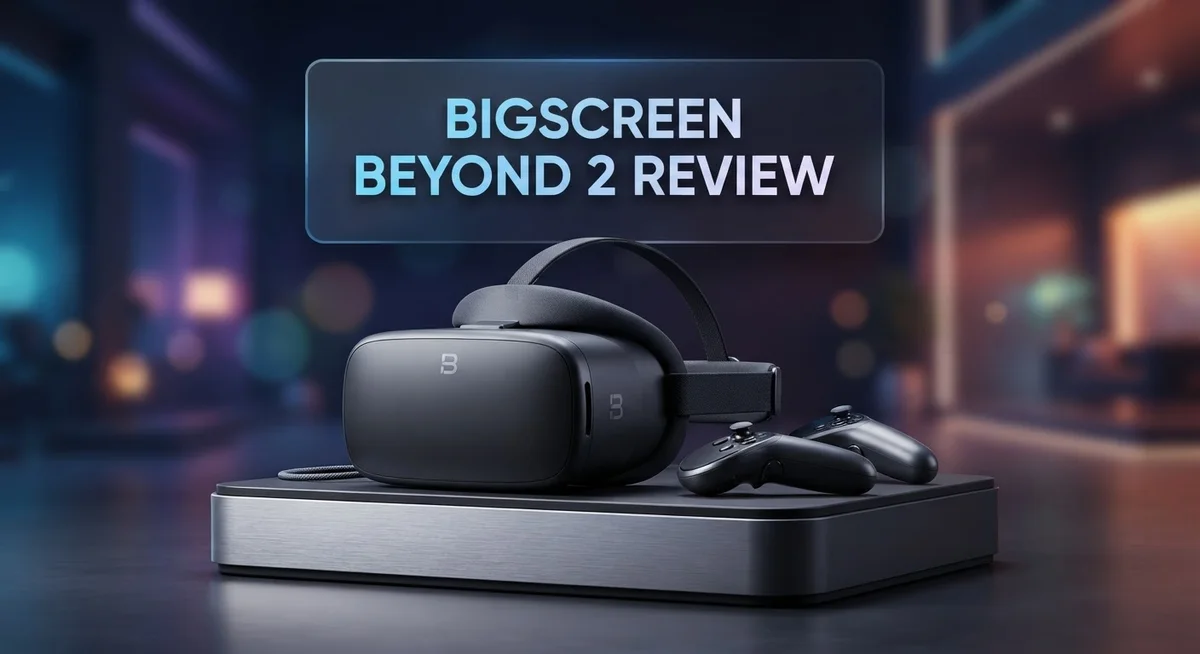
Bigscreen Beyond 2 Review: Worth the Splurge?
Tiny headset. Giant experience. The Bigscreen Beyond 2 proves that great VR does not need bulk. At just 107g, it holds the title of the world’s smallest VR headset.
This is not a gimmick. Bigscreen packed dual micro-OLED displays into this small frame. You get a 116° field of view that beats the Meta Quest 3 and Valve Index.
But does smaller mean better? We put this headset through real tests to find out. Sim racing sessions, work tasks, and long gaming runs all made the cut.
In a Nutshell
- Featherlight design: At just 107g, this headset almost disappears on your face. It holds the title of the world’s smallest VR headset for good reason.
- Crisp visuals: The dual micro-OLED display delivers sharp, edge-to-edge clarity. Deep blacks and vivid colors make every scene pop.
- Wide field of view: A 116° FOV beats out the Meta Quest 3 and Valve Index. Your peripheral vision gets more room to breathe.
- Tracking that stands out: Motion tracking here is genuinely superior compared to rival headsets. Fast movements feel smooth and accurate.
- Fit takes effort: You will need a custom face mould for the best seal and comfort. Skip this step and clarity or light leakage may suffer.
- Some rough edges: Users report occasional eye strain and glare during longer sessions. Resolution also trails a few competitors in this price class.
Design and Build Quality
The Beyond 2 feels like holding a premium device in your hands. The build quality reflects careful engineering choices made to push the boundaries of what a VR headset can be.
At 107g, this headset sits at the extreme end of lightweight design. The frame uses materials that balance durability with minimal weight. You notice this immediately when you put it on. Your neck doesn’t fatigue the way it does with heavier competitors. The construction feels solid, not flimsy. Bigscreen clearly prioritized long session comfort through weight reduction rather than cutting corners.
The optical system uses advanced pancake lenses that fold light paths to keep the headset compact. These optics deliver edge-to-edge sharpness that makes immersion feel natural. However, this design comes with a trade off. The headset sits very close to your eyes, and alignment matters significantly. Small shifts in positioning can blur your view. This isn’t a design flaw so much as a precision requirement.
The dual micro-OLED displays produce exceptional black levels and vibrant colors. The 116° field of view creates a wide, immersive window into virtual worlds. Per-eye IPD adjustment means you get a custom optical experience based on your individual eye spacing. This attention to detail shows in the final product.
The real commitment comes with fit. Bigscreen requires a custom face mould for proper light sealing and comfort. This isn’t included out of the box. You’ll need to order your own mould based on your face shape. It’s an extra step that some users find annoying. Others see it as ensuring a perfect seal that generic masks can’t provide.
Long-term wear reveals some limitations. Extended sessions can trigger eye strain for certain users. Glare sometimes appears at specific angles. These aren’t dealbreakers, but they remind you that even premium engineering involves trade offs.
The build quality justifies the engineering approach. This headset prioritizes precision over convenience. You get a device that feels refined, performs well during extended use, and delivers on its promise of being genuinely compact without feeling cheap or compromised.

Last update on 2026-10-03 / Affiliate links / Images from Amazon Product Advertising API Some of the links on this website are affiliate links, which means that at no additional cost to you, I earn a commission if you click through and make a purchase. I only recommend products and services that I believe will add value to my readers. Thank you for your support!
Display Technology and Visual Performance
The Bigscreen Beyond 2 uses dual micro-OLED displays that set it apart from LCD-based competitors. These panels produce true blacks and vibrant colors because each pixel generates its own light. You will notice this immediately in dark scenes where other headsets show gray tones.
The 116° field of view creates an immersive experience that feels wider than the Meta Quest 3 or Valve Index. This extra width helps reduce tunnel vision during fast-paced games and sim racing. Your peripheral awareness expands noticeably compared to standard VR headsets.
Advanced pancake optics fold the light path inside the headset, which is why the Beyond 2 stays so compact at 107g. These lenses maintain edge-to-edge clarity across the entire display. You get sharp visuals from center to periphery without the soft edges some VR headsets show.
Per-eye IPD adjustment means each lens moves independently to match your eyes. This customization reduces eye strain for users with asymmetrical eye spacing. Standard fixed IPD headsets force compromise, but the Beyond 2 adapts to your unique anatomy.
The tracking system outperforms most rivals in the market. Head movement registration feels responsive and accurate. Hand controller tracking remains stable even during fast motions.
However, visual performance depends heavily on headset alignment. Slight shifts change clarity noticeably. The custom face mould requirement ensures proper fit, but this adds complexity to getting started. Users report occasional eye strain during extended sessions, particularly when the headset sits slightly off center.
Binocular overlap is lower than some alternatives, which some users find limits depth perception in certain applications. Glare can appear during bright scenes if light leaks around the edges.
The OLED technology shines in dark environments where contrast matters most. Sim racing enthusiasts praise the display quality during long sessions. The combination of high refresh rates and OLED response times creates smooth, flicker-free motion.
The display technology represents a genuine leap forward in micro-OLED VR implementation. The trade-off involves sensitivity to fit and alignment. When positioned correctly, the Beyond 2 delivers visual quality that justifies the engineering complexity.
Tracking and Comfort for Extended Use
The Bigscreen Beyond 2 excels when you wear it for hours straight. The 107g weight means your neck and face stay comfortable during extended sessions. Users report that sim racing marathons feel effortless compared to heavier alternatives.
Eye tracking integration works seamlessly during long play. The headset monitors your gaze without adding fatigue. This feature becomes especially valuable when you spend multiple hours in virtual environments.
However, comfort depends heavily on getting the fit right. The custom face mould requirement isn’t optional for serious users. Without proper sealing, light leaks disrupt immersion and force you to readjust constantly. This setup phase takes patience, but the payoff matters for all day use.
The per-eye IPD adjustment helps accommodate different face shapes. Each lens moves independently to align with your pupils. This personalization reduces eye strain compared to fixed IPD systems.
Binocular overlap sits lower than some competitors. This means depth perception feels slightly different, especially in precision tasks. Some users adapt instantly. Others notice the difference during extended sessions.
Glare and eye strain emerge as real concerns during marathon sessions. The OLED display brightness can intensify reflections if light hits the lenses at certain angles. Taking 15 minute breaks every 90 minutes helps most users avoid fatigue.
The advanced pancake optics maintain clarity across the 116° field of view. Visual performance remains sharp even at the edges. Alignment matters though. Slight tilts or shifts degrade the crisp image you expect.
Weight distribution plays a hidden role in comfort. The headset positions mass closer to your forehead than traditional designs. This reduces pressure on your cheeks and nose during long sessions.
For extended use, the Beyond 2 rewards careful setup. Invest time in the custom mould. Adjust lighting in your play space to minimize glare. Take regular breaks despite the headset’s light weight. Users who follow these steps report exceptional comfort during eight hour plus sessions.
The tracking superiority means your movements translate accurately without lag. This responsiveness reduces the mental fatigue that comes from delayed motion feedback during long play.
Top 3 Alternatives
Meta Quest Pro

Last update on 2026-10-18 / Affiliate links / Images from Amazon Product Advertising API Some of the links on this website are affiliate links, which means that at no additional cost to you, I earn a commission if you click through and make a purchase. I only recommend products and services that I believe will add value to my readers. Thank you for your support!
HTC Vive XR Elite

Last update on 2026-10-18 / Affiliate links / Images from Amazon Product Advertising API Some of the links on this website are affiliate links, which means that at no additional cost to you, I earn a commission if you click through and make a purchase. I only recommend products and services that I believe will add value to my readers. Thank you for your support!
Valve Index

Last update on 2026-10-18 / Affiliate links / Images from Amazon Product Advertising API Some of the links on this website are affiliate links, which means that at no additional cost to you, I earn a commission if you click through and make a purchase. I only recommend products and services that I believe will add value to my readers. Thank you for your support!
Fit, Customization, and Light Sealing
The custom face mould requirement sets the Beyond 2 apart from plug-and-play competitors. Bigscreen includes a moulding kit so you can create a personalized fit. This process takes patience, but it delivers real benefits once completed.
Your custom mould ensures two critical things happen. First, it seals light leaks around your face. Second, it positions the optics correctly for maximum clarity. Misalignment causes visual degradation, so this step matters more than casual users might expect.
The per-eye IPD adjustment adds another layer of customization. Each lens moves independently to match your individual eye spacing. This flexibility accommodates a wider range of face shapes than fixed IPD systems. You adjust each side separately until the image snaps into focus.
Light sealing quality directly impacts your experience. The mould creates a barrier that blocks external light from entering the optical chamber. Better sealing means darker blacks and more vibrant colors from those micro-OLED displays. It also reduces glare, which becomes noticeable during extended sessions.
Fit sensitivity works both ways. The lightweight design feels comfortable initially, but poor alignment triggers eye strain during long use. Weight sits evenly across your face when positioned correctly. Incorrect positioning concentrates pressure on specific areas, creating discomfort after an hour or two.
The headset’s compact profile means less contact surface with your face compared to bulkier alternatives. This reduces overall pressure points. However, it also means every millimeter of positioning matters for optical performance. Small shifts during play can blur edges or create soft focus zones.
Customization doesn’t stop at the mould. The adjustable straps let you fine-tune how the headset sits. Experiment with strap tension to find your sweet spot between security and comfort. Many users discover that slight adjustments prevent the creeping sensation that happens during active gameplay.
The investment in proper fit pays dividends. Users report that sim racing sessions lasting several hours remain comfortable once they nail their custom setup. The lightweight design combined with precise positioning creates an experience where you forget you’re wearing a headset. This disappearing act only happens when fit and light sealing work together seamlessly.
PC VR Compatibility and Setup
The Bigscreen Beyond 2 connects to your PC through standard VR protocols that most gaming rigs support without extra hardware. Your computer needs a USB 3.0 port and adequate display output to handle the dual micro-OLED displays. Setup involves installing the Bigscreen software suite and configuring your PC’s graphics settings for optimal performance.
PC compatibility remains straightforward because the Beyond 2 uses established connection standards. You don’t need cutting-edge hardware, though a dedicated graphics card helps with demanding VR applications. The headset recognizes most gaming PCs built within the last five years without driver conflicts or compatibility issues.
Initial setup requires attention to detail. First, you’ll receive your custom face mould tailored to your facial structure. This step takes time but directly impacts visual clarity and comfort during PC VR sessions. Once fitted, the headset connects via USB cable to your PC, and the software handles driver installation automatically.
Configuration matters more than you might expect. The per-eye IPD adjustment needs careful calibration before extended use. Spend ten minutes finding your optimal IPD settings because misalignment causes eye strain and reduces the exceptional clarity this headset offers. The software provides a calibration tool that walks you through this process step by step.
PC VR performance depends on your graphics card and processor. The Beyond 2’s 116-degree field of view and dual micro-OLED displays demand steady frame rates to prevent motion sickness. Most modern gaming PCs handle this without problems, but check your specific GPU’s VR readiness before purchasing.
Tracking setup happens automatically once you position your PC’s USB connection. The superior tracking system requires clear line-of-sight from your play area to the headset’s sensors. Remove obstacles from your play space to ensure consistent performance during gaming sessions.
Cable management becomes your next consideration. Tether length affects movement freedom in VR experiences. Plan your PC placement relative to your play area before your first session. The Beyond 2’s lightweight design means cable tension feels minimal compared to heavier headsets, reducing neck fatigue during extended gameplay.
Pros and Cons
Pros
- Exceptional edge-to-edge clarity thanks to advanced pancake optics across the 116° field of view
- World’s smallest VR headset at 107g, so minimal headset presence and weight fatigue
- Superior tracking performance that outperforms most market competitors
- Per-eye IPD adjustment accommodates different face shapes for personalized comfort
- Excellent for extended sessions like sim racing when fit is optimized correctly
Cons
- Custom face mould requirement means you cannot use it straight out of the box without proper fitting
- Visual clarity becomes sensitive to headset alignment, so poor fit degrades your experience significantly
- Eye strain and glare issues emerge during marathon VR sessions despite lightweight design
- Lower binocular overlap compared to some competitors, which affects immersion depth
Who Should Buy It
The Bigscreen Beyond 2 works best for specific types of VR users. If you spend hours in simulation games like racing or flight sims, this headset delivers exceptional comfort and clarity for those marathon sessions. The lightweight 107g design means your neck won’t fatigue, and the advanced pancake optics keep everything sharp across the 116° field of view.
PC VR enthusiasts benefit most from this headset. You need a capable gaming PC with a solid graphics card and processor. The Beyond 2 connects through standard VR protocols, so setup is straightforward if your rig already supports PC VR games. Cable management becomes your consideration here, but serious PC gamers handle tethers without complaint.
Professionals who need precision visuals should consider the Beyond 2. The edge-to-edge clarity and superior tracking outperform most competitors. Content creators, architects, and designers using VR for work appreciate the visual fidelity and reduced distortion.
However, this headset demands commitment. The custom face mould requirement means you cannot grab it and play immediately. You must invest time in proper fitting and calibration. The per-eye IPD adjustment requires careful setup before extended use. If you want plug-and-play simplicity, look elsewhere.
Users who move around frequently might struggle. The tether limits your movement range compared to wireless headsets. You need a dedicated PC space for your VR sessions.
The Beyond 2 also suits people sensitive to headset presence. The compact profile creates minimal contact with your face. You barely notice you’re wearing it, unlike bulkier alternatives.
Skip this headset if you want variety. It excels in specific use cases but doesn’t replace all-purpose VR experiences. The visual clarity sensitivity to alignment means poor fit ruins your experience. Extended sessions without proper fit can trigger eye strain.
Bottom line: Buy the Beyond 2 if you’re a dedicated PC VR user who prioritizes comfort, clarity, and precision. You need patience for setup and a capable PC. Casual VR players or those seeking convenience should explore other options.
Final Verdict
The Bigscreen Beyond 2 proves itself as a serious tool for dedicated PC VR users. It delivers sharp visuals and a featherlight design that few headsets can match.
Still, this headset asks for patience. You must accept the custom fitting process to unlock its full potential.
Compared to the Meta Quest 3 and Valve Index, the Beyond 2 wins on field of view and comfort during long sessions. The Immersed Visor also falls short in these areas.
However, resolution remains a weak point. Some competitors offer sharper pixel density, even if their comfort and field of view fall behind.
Eye strain can appear during marathon sessions. This happens more often when the fit is not perfect or when lighting conditions cause glare.
Low binocular overlap is another factor to weigh. Some users adjust quickly, while others notice it during fast head movements or detailed tasks.
Despite these quirks, the strengths outweigh the drawbacks for the right user. If you value clarity and comfort over sheer resolution numbers, this headset earns its place.
Think about your VR habits before deciding. Sim racers, flight simulator fans, and long session gamers will likely appreciate what the Beyond 2 offers.
Casual users who switch between multiple VR experiences might find the custom fit process too restrictive. This headset rewards commitment, not casual dabbling.
Glare issues can also distract in bright virtual environments. Keep this in mind if you plan to use the headset in scenes with strong light sources.
In short, the Bigscreen Beyond 2 is a specialist tool. It shines brightest for people who want an immersive, lightweight experience without constant headset swapping.
If you fit its ideal use case, this headset delivers a rewarding experience. If not, consider your options carefully before committing to the fitting process.
Frequently Asked Questions
Is the Bigscreen Beyond 2 good for casual VR users?
Not really. This headset works best for dedicated PC VR enthusiasts who plan to use it regularly. Casual players who jump between different VR experiences may find the custom face mould requirement frustrating. You need to commit to the fitting process before you can use it properly.
What causes eye strain with the Beyond 2?
Extended VR sessions can trigger eye strain for some users. The low binocular overlap (how much your eyes’ views overlap) contributes to this issue. If you plan marathon gaming sessions, take regular breaks. The headset performs better during shorter, focused activities like sim racing.
Does the Beyond 2 need a custom fit every time?
No. You get a custom face mould made once during setup. After that, the fit stays consistent. However, proper alignment matters greatly. Even small shifts change visual clarity. If the headset sits wrong on your face, your experience degrades noticeably.
How does the Beyond 2 compare to Meta Quest 3 and Valve Index?
The Beyond 2 wins on field of view and comfort during long sessions. It offers 116° FOV, which exceeds both competitors. The lightweight design (107g) reduces fatigue. However, resolution is lower than some alternatives. Quest 3 offers better resolution and easier setup. Choose the Beyond 2 if comfort and wide viewing angles matter most to you.
Can I use the Beyond 2 if I move around a lot?
This headset suits stationary VR better. PC VR users who sit for sim racing, flight simulations, or desktop work get the most value. If you prefer room-scale movement or active games, the Beyond 2 may not be your best choice.

Hello, i’m Ivoria i am the face behind Tech Tracker Blog. I am passionate about my work and love to explore gadgets and share about my experience.