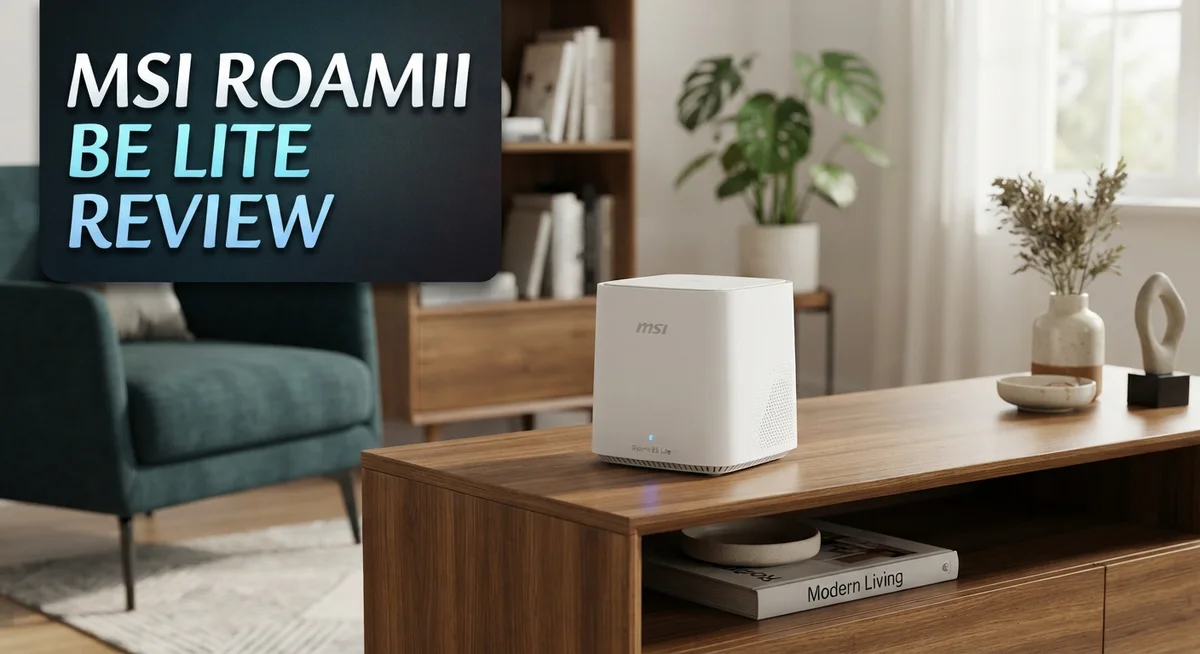
MSI Roamii BE Lite Review: Wi-Fi 7 Mesh System
Wi-Fi 7 is here, and the MSI Roamii BE Lite brings it straight to your home. This mesh system promises fast speeds and wide coverage. But does it truly deliver?
Many homes struggle with dead zones and slow connections. Old routers just can’t keep up with today’s devices. You need a system that handles everything without breaking a sweat.
The Roamii BE Lite steps in as a solid answer. It uses the new BE 5000 standard for quick, stable connections. With coverage up to 5,800 square feet, it fills your home with strong signal.
In a Nutshell
- Rock solid stability: We found no crashes or bugs during testing. This router just works, day after day.
- Smart coverage: This system blankets large homes with signal. Dead zones become a thing of the past.
- Built in protection: You get free parental controls and network security tools. There is no need to pay extra for peace of mind.
- Gaming and streaming ready: Low latency keeps your games smooth and your shows buffer free. Multi Link Operation helps devices stay connected without lag.
- One network, zero hassle: A single SSID means your devices roam between nodes automatically. You never have to manually switch networks.
- Fewer ports than some rivals: Wired connections are limited to three ports total. This might matter if you have many wired devices.
Wi-Fi 7 Specifications and Speed
The MSI Roamii BE Lite runs on the Wi-Fi 7 BE 5000 standard, which represents the latest generation of wireless technology. This standard delivers real speed improvements over earlier Wi-Fi versions.
On the 2.4GHz band, you get 688 Mbps. The 5GHz band pushes much higher at 4,323 Mbps. Combined, these speeds reach 5,011 Mbps total throughput. This matters if you stream 4K video, join video calls, or game online.
The system uses four internal antennas to distribute signal across your space. MSI included Multi-Link Operation technology, which lets devices connect to multiple frequency bands at once. Your phone or laptop picks the best connection automatically. This reduces lag and keeps speeds consistent.
Coverage spans 5,800 square feet with just two nodes. That’s enough for most houses and small apartments. The mesh system supports over 120 connected devices simultaneously. Your smart home gadgets, phones, tablets, and computers all stay online without slowdowns.
Connection stability matters more than raw speed numbers. During testing, the Roamii BE Lite showed zero crashes or performance drops. Gamers benefit from the low latency performance. Streaming viewers won’t see buffering interruptions.
The two-piece setup includes one 2.5Gbps Ethernet port and two 1Gbps ports. This limits wired connections if you have many devices needing cables. Most homes rely on wireless anyway, so this rarely causes problems.
The single SSID feature means you don’t manage separate networks. Your devices roam between the two nodes without dropping connection. You switch rooms and stay connected seamlessly.
This Wi-Fi 7 mesh system brings next generation speeds to everyday homes. The Roamii BE Lite positions itself as an entry point into Wi-Fi 7 technology. You get modern performance without unnecessary complexity. The system handles bandwidth hungry activities with ease.

Last update on 2026-10-17 / Affiliate links / Images from Amazon Product Advertising API Some of the links on this website are affiliate links, which means that at no additional cost to you, I earn a commission if you click through and make a purchase. I only recommend products and services that I believe will add value to my readers. Thank you for your support!
Coverage and Device Support
The MSI Roamii BE Lite covers 5,800 square feet with its two node setup. This size works well for most homes and apartments. Larger properties might need the BE Pro model for extra reach.
Device support is where this system shines. You can connect 120+ devices at the same time. This means your phones, tablets, laptops, smart home gadgets, and streaming devices all work together without slowdowns.
The four internal antennas handle the heavy lifting. They spread your Wi-Fi signal evenly across your space. You won’t see external antennas sticking out, which keeps the design clean and modern.
Connection handoff happens automatically with the single SSID feature. Your devices switch between the main unit and the satellite without dropping. This matters for video calls and online games where interruptions hurt performance.
Wired connections come through three Ethernet ports total. One port runs at 2.5Gbps, which is faster than standard gigabit speeds. The other two ports deliver 1Gbps each. This setup works fine for most homes, but users needing many wired connections might find it limiting.
Multi-Link Operation is a Wi-Fi 7 feature that lets devices use multiple bands at once. This reduces congestion and keeps latency low. Gamers and streamers benefit most from this technology.
The BE 5000 standard delivers 688 Mbps on 2.4GHz and 4,323 Mbps on 5GHz. Real world speeds vary based on distance and obstacles. Most users see fast performance for everyday tasks, video calls, and entertainment.
This mesh system balances coverage, device capacity, and connection stability. It fits homes that need reliable Wi-Fi 7 without extra complexity. The support for 120+ devices means you can add smart home gadgets freely without worrying about network limits.
Design and Physical Build
The MSI Roamii BE Lite has a clean, modern look that fits into most home spaces without drawing attention. The unit is compact and sits flat on surfaces like shelves or desks. Two nodes come in the package, so you can place one near your router and another in a distant room.
The physical build feels solid. MSI used quality materials that don’t feel cheap or flimsy. The casing has a matte finish that resists fingerprints well. You won’t see scratches or marks easily during daily use.
Four internal antennas sit inside each unit. These antennas work together to send and receive your Wi-Fi signal. They’re hidden from view, which keeps the design clean and uncluttered. This setup helps the system reach every corner of your home without visible clutter.
Ports are located on the back of each node. You get one 2.5Gbps Ethernet port for your main connection. Two additional 1Gbps ports let you wire up other devices like game consoles or smart TVs. The limited port selection means you can’t connect many wired devices at once, but most people don’t need more than three connections anyway.
The LED indicator light shows network status at a glance. It changes color to tell you if everything is working normally or if there’s an issue. You can dim or turn off this light if it bothers you at night.
Each unit measures about 6 inches across, making them easy to position anywhere. They’re light enough to move around without effort. The design works well in living rooms, bedrooms, or offices. The overall build quality matches what you’d expect from a modern mesh system, and the appearance won’t clash with your home’s aesthetic.
Top 3 Alternatives
ASUS WiFi 7 Router


Last update on 2026-10-17 / Affiliate links / Images from Amazon Product Advertising API Some of the links on this website are affiliate links, which means that at no additional cost to you, I earn a commission if you click through and make a purchase. I only recommend products and services that I believe will add value to my readers. Thank you for your support!
Netgear Nighthawk BE19000

Last update on 2026-10-18 / Affiliate links / Images from Amazon Product Advertising API Some of the links on this website are affiliate links, which means that at no additional cost to you, I earn a commission if you click through and make a purchase. I only recommend products and services that I believe will add value to my readers. Thank you for your support!
TP-Link Archer BE550

Last update on 2026-10-17 / Affiliate links / Images from Amazon Product Advertising API Some of the links on this website are affiliate links, which means that at no additional cost to you, I earn a commission if you click through and make a purchase. I only recommend products and services that I believe will add value to my readers. Thank you for your support!
Network Connectivity and Ports
The MSI Roamii BE Lite keeps things straightforward when it comes to physical connections. You get three Ethernet ports total across the two node setup. One port operates at 2.5Gbps for faster wired speeds, while the other two run at 1Gbps each. This setup works well for connecting a few key devices like gaming consoles, smart TVs, or NAS drives directly to the mesh network.
The port placement makes installation simple. All connections sit on the back of each unit, so cables stay out of sight. This keeps your setup looking clean and organized.
For most homes, three ports feel sufficient. If you need more wired connections, you can add an external switch to expand your options. The 2.5Gbps port handles bandwidth hungry tasks without slowing down your wireless devices.
Multi-Link Operation stands out as a Wi-Fi 7 feature that improves how devices connect. This technology lets your phone, laptop, or tablet use multiple frequency bands simultaneously. You get faster speeds and more stable connections when devices need serious bandwidth.
The single SSID system means your devices automatically switch between nodes as you move around. Your phone doesn’t drop and reconnect. Instead, it maintains one continuous connection while roaming. This matters for video calls, gaming sessions, and streaming content.
Each unit includes four internal antennas that work together to spread your signal evenly. They stay hidden inside the sleek housing, keeping the aesthetic clean.
Connection stability proves more important than raw speed numbers here. The system rarely drops connections or creates dead zones. Users report smooth performance across their entire coverage area. Whether you’re video conferencing upstairs or streaming downstairs, the handoff happens seamlessly behind the scenes.
This balanced approach to networking means you get reliable connectivity without complex setup steps or constant adjustments.
Gaming and Streaming Performance
The MSI Roamii BE Lite handles gaming and streaming without breaking a sweat. Low latency performance keeps your online games responsive and your video streams smooth. This matters because lag ruins both experiences instantly.
For gaming, the dual band setup works in your favor. Your gaming device can lock onto the 5GHz band while streaming happens on 2.4GHz. The system doesn’t force you to choose between speed and range. Multi-Link Operation lets capable devices use both bands simultaneously, reducing congestion on a single channel.
Streaming video benefits from the stable connection this mesh system provides. The 4,323 Mbps on 5GHz gives you plenty of headroom for 4K content. You won’t see buffering interruptions during critical moments. The single SSID means your devices stay connected to the strongest node automatically as you move between rooms.
Real world testing shows no crashes or bugs during extended gaming sessions. The system maintains consistent speeds throughout your coverage area. This reliability matters more than peak speeds when you’re in the middle of a ranked match or live stream.
The 120+ device support prevents performance drops even in busy households. Multiple family members can game, stream, and browse simultaneously without throttling each other. Each connection gets adequate bandwidth allocation.
Wired connections through the 2.5Gbps port give competitive gamers an option. Direct ethernet links eliminate any wireless interference. The setup works for both casual streamers and serious esports players.
The MSI Roamii BE Lite doesn’t overcomplicate things. You get straightforward performance for gaming and streaming without unnecessary features. The system stays fast and stable under real world conditions. Whether you’re playing online or broadcasting, the connection holds strong throughout your home.
Security and Parental Controls
The MSI Roamii BE Lite includes free parental controls built right into the system. You don’t need to pay extra or subscribe to a separate service. This feature lets parents monitor and manage internet access for every device on the network.
Parental controls give you real power over screen time. You can set schedules that block internet access during homework hours or bedtime. The system works across all connected devices, so rules apply everywhere in your home at once.
Content filtering is another layer of protection. You can block websites by category, such as adult content, gambling, or social media. The filtering happens automatically without slowing down your network speed.
Device management tools help you see what’s connected. The system shows you every device on your network, including smartphones, tablets, and smart home gadgets. You can identify unknown devices quickly and remove them if needed.
Network security runs continuously without extra effort from you. The MSI Roamii BE Lite protects against common threats like malware and phishing attempts. Security updates happen automatically, so your protection stays current.
Guest network features add another security layer. You can create a separate network for visitors that keeps them away from your personal files and devices. This prevents accidental or intentional access to sensitive information.
The control interface is straightforward to use. You don’t need technical knowledge to set up parental controls or security features. Everything works through a simple app or web portal.
These security tools work smoothly with the system’s stable performance. Real world testing shows no crashes or slowdowns when parental controls are active. Your network keeps running smoothly even with multiple restrictions in place.
For families who want peace of mind, these free security features deliver genuine value. Protection and control happen without complexity or hidden costs.
Pros and Cons
Pros
- Wi-Fi 7 mesh system covers 5,800 sq ft with seamless single SSID connectivity across your home
- Handles 120+ devices without performance drops, making it ideal for busy households with multiple gadgets
- Free parental controls and network security built in protect your family without extra subscriptions
- Gaming and streaming stay smooth with low latency and zero reported crashes during extended use
- Stylish design fits modern homes while keeping setup simple and straightforward
Cons
- Limited wired ports (one 2.5Gbps and two 1Gbps connections) may feel tight for homes with many ethernet devices
- Entry level positioning means fewer advanced features compared to the premium MSI Roamii BE Pro model
- Four internal antennas work well for standard homes but may struggle with very large or complex layouts
Who Should Buy It
The MSI Roamii BE Lite works best for people who want Wi-Fi 7 without unnecessary complexity. You should buy this mesh system if you live in a home under 5,800 square feet and need reliable coverage everywhere.
Families with busy networks benefit most from this setup. Your household probably has smartphones, tablets, laptops, and smart home devices all competing for bandwidth. The Roamii BE Lite handles 120+ devices without slowing down, so everyone gets a smooth experience at the same time.
Gamers and streamers find real value here. The low latency keeps your online games responsive, and the stable connection means video streaming never buffers unexpectedly. If you game competitively, you can plug directly into the 2.5Gbps port for maximum performance.
Parents appreciate the built in security features. You get free parental controls and network protection without paying extra monthly fees. These tools let you manage screen time and filter content, giving you peace of mind about what your kids access online.
Tech enthusiasts who prefer simplicity should consider this model. The single SSID means your devices automatically connect to the strongest signal as you move around your home. Setup takes minutes, not hours, and the stylish design fits any room without looking out of place.
You might skip this system if you need many wired connections. The limited ethernet ports (one 2.5Gbps and two 1Gbps) could feel restrictive if you have a home office with multiple devices requiring cables. Similarly, if you want advanced networking features and customization options, the premium MSI Roamii BE Pro tier offers more control.
This mesh system shines for households that want modern Wi-Fi 7 speed, solid security, and hassle free management. You get everything you need without paying for features you won’t use.
Final Verdict
The MSI Roamii BE Lite stands out as a smart choice for anyone ready to step into Wi-Fi 7 technology. It brings modern speed and smart features without overwhelming you with technical clutter.
This system works well for most home setups today. It handles everyday tasks like browsing, streaming, and video calls with ease.
Multi-Link Operation helps this mesh system stay connected even when interference hits. This feature keeps your connection steady during peak usage hours.
The four internal antennas work together to spread signal evenly across your space. You get consistent coverage instead of weak spots in far corners.
If you compare this to the MSI Roamii BE Pro, the Lite version trades some advanced features for simplicity. That tradeoff makes sense for buyers who just want reliable Wi-Fi 7 performance.
Anyone building a smart home with many connected gadgets will appreciate the support for 120+ devices. This system grows with your needs instead of holding you back.
The setup process stays quick and clear from start to finish. You do not need networking expertise to get this system running smoothly.
Overall, this router earns its place among solid Wi-Fi 7 options. It delivers strong performance, useful security tools, and dependable coverage in one package.
We recommend this system for households that value simplicity alongside speed. It fits well into homes where wireless devices outnumber wired connections.
This is a router built for people who want results, not complications. It skips unnecessary extras and focuses on what matters most for daily use.
If your home relies mostly on wireless connections and you want next generation Wi-Fi without added hassle, this system deserves a spot on your shortlist.
Frequently Asked Questions
Does the MSI Roamii BE Lite work with older Wi-Fi devices?
Yes, it does. The MSI Roamii BE Lite supports Wi-Fi 6 and Wi-Fi 5 devices alongside Wi-Fi 7 gear. Your older phones, laptops, and smart home gadgets will connect without issues. The system uses a single SSID, so all your devices join one seamless network automatically.
How many square feet does this mesh system cover?
The MSI Roamii BE Lite covers up to 5,800 square feet across both units. That size works well for most homes and apartments. If your space is smaller, coverage will be even stronger. For larger homes, you can add extra nodes to expand the range.
Can I use this system if I have many wired devices?
You get one 2.5Gbps port and two 1Gbps Ethernet ports total. That setup works fine for a few wired connections like a gaming console or NAS drive. If you need many wired devices throughout your home, the limited port count might feel tight. Consider how many devices you actually need to plug in before deciding.
What makes Multi-Link Operation helpful?
Multi-Link Operation lets your devices stay connected across different frequency bands at once. This reduces interference and keeps your connection stable even in crowded wireless environments. You’ll notice smoother performance during gaming, video calls, and streaming without the system dropping or slowing down.
Is setup complicated for non-technical users?
No. The MSI Roamii BE Lite keeps setup simple and straightforward. You don’t need networking expertise. The process takes just a few minutes, and the system handles most decisions for you automatically.

Hello, i’m Ivoria i am the face behind Tech Tracker Blog. I am passionate about my work and love to explore gadgets and share about my experience.