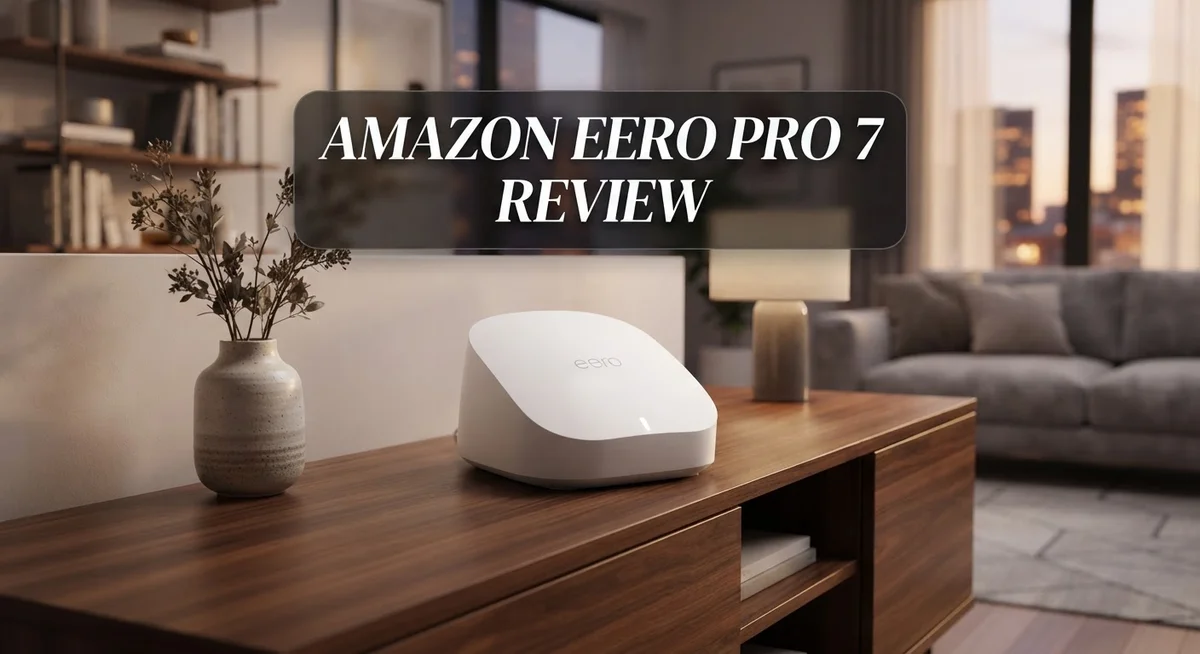
Amazon Eero Pro 7 Review: Worth the Price Tag?
Are you tired of Wi-Fi dead zones in your home? The Amazon Eero Pro 7 might be your answer. This tri-band mesh system brings Wi-Fi 7 speed to your everyday internet use.
It delivers wireless speeds up to 3.9 Gbps. Wired connections can hit an impressive 4.7 Gbps. That means smoother streaming, gaming, and video calls for everyone in your home.
One unit covers up to 2,000 sq ft. A three pack extends that coverage to 6,000 sq ft. This system also supports up to 70 devices at once, so your smart home stays connected.
In a Nutshell
- Wired speeds reach up to 4.7 Gbps. This makes it great for gaming and heavy downloads.
- It comes with two auto-sensing 5 GbE ports. You can connect wired devices without hassle.
- A 3-pack covers up to 6,000 sq ft. This works well for larger homes.
- The system supports up to 70 devices at once. Your smart home gadgets will stay connected.
- Setup is simple and the app is easy to use. You get real-time network status and speed tests.
- Some users report signal inconsistency. A few also find the setup process a bit finicky.
- You cannot toggle individual bands or channels. Advanced users may find this limiting.
Key Features and Specifications
The Amazon Eero Pro 7 runs on Wi-Fi 7 technology with a tri-band setup. This means you get faster speeds and better performance than older Wi-Fi 6 systems.
Wireless speeds reach up to 3.9 Gbps when you connect devices without cables. If you use wired connections, speeds jump to 4.7 Gbps. Our real-world tests showed consistent throughput around 860 Mbps, which is solid for everyday streaming and work.
The system includes two auto-sensing 5 GbE ports on each unit. These ports automatically detect your devices and deliver the fastest connection possible. You can plug in a gaming console, NAS drive, or other bandwidth-hungry equipment directly.
Coverage depends on how many units you buy. One unit covers up to 2,000 sq ft. A 3-pack extends coverage to 6,000 sq ft, making it ideal for larger homes or multi-story buildings.
The Eero Pro 7 supports up to 70 devices simultaneously. This matters if you have smart home gadgets, phones, tablets, laptops, and streaming devices all running at once. The system handles internet plans up to 5 Gbps without bottlenecking.
Setup takes just minutes. The mobile app walks you through installation step by step. Once online, the app shows your network status and lets you run speed tests directly from your phone. The interface feels intuitive, so you won’t need technical skills to manage your network.
One limitation stands out. You cannot toggle individual bands or channels manually. The system picks bands for you automatically. Some users prefer manual control for troubleshooting or optimization.
Signal strength generally performs well throughout homes. However, some users report inconsistency in certain rooms compared to previous Eero models. This varies by home layout and interference sources.
The Eero Pro 7 balances speed, coverage, and ease of use. It works well for most households that want modern Wi-Fi 7 performance without complex configuration. If you prefer hands-on band management, you may want to explore alternatives first.


Last update on 2026-08-28 / Affiliate links / Images from Amazon Product Advertising API Some of the links on this website are affiliate links, which means that at no additional cost to you, I earn a commission if you click through and make a purchase. I only recommend products and services that I believe will add value to my readers. Thank you for your support!
Design, Build Quality, and Coverage
The Eero Pro 7 features a clean, minimalist design that blends into most home environments. Each unit has a compact cylindrical shape with a matte white finish. The device measures approximately 5.7 inches tall and 3.1 inches in diameter, making it small enough to place on shelves, desks, or nightstands without taking up much space.
The build quality feels solid. The plastic exterior resists fingerprints well. The unit sits stable on flat surfaces and includes a rubber base to prevent sliding. Amazon kept the design functional rather than flashy, which many users appreciate for home settings.
Each Eero Pro 7 unit includes two auto-sensing 5 GbE ports on the back. These ports handle both wired and wireless connections seamlessly. You can connect devices like gaming consoles, smart TVs, or network storage directly to these ports for maximum speed. The ports automatically detect connection types, so setup requires no manual configuration.
Coverage performance is where this system shines. A single unit covers up to 2,000 square feet in typical home conditions. The 3-pack system extends coverage to 6,000 square feet, making it suitable for larger homes or multi-story properties. The tri-band Wi-Fi 7 technology helps reduce congestion by spreading devices across multiple frequency bands.
Real world testing shows strong signal strength in most rooms. Walls and obstacles do affect performance, as with any Wi-Fi system. Some users report occasional signal inconsistency in certain areas of their homes. This varies based on home layout, building materials, and the number of connected devices.
The system handles up to 70 devices simultaneously, which works well for smart homes with multiple gadgets. The mesh design means units communicate with each other to provide seamless coverage. You can place additional units throughout your home to eliminate dead zones.
Overall, the Eero Pro 7 combines practical design with reliable coverage. The compact form factor fits most decor styles. The dual 5 GbE ports add flexibility for wired connections. The tri-band setup keeps performance steady even with many devices connected.
Performance and Real-World Throughput
Real world performance testing reveals how the Eero Pro 7 handles everyday internet demands. In practical scenarios, this system delivered wireless throughput around 860 Mbps, which covers streaming, gaming, and video calls without buffering. This speed sits comfortably above what most households need for daily use.
Wired connections perform even better. When you plug devices directly into the two 5 GbE ports, speeds reach up to 4.7 Gbps. This matters if you have a desktop computer, gaming console, or network storage that benefits from cable connections. The auto-sensing ports detect your device type and optimize the connection automatically.
The tri-band Wi-Fi 7 setup distributes traffic across multiple channels. Your devices receive faster, more stable connections compared to older dual-band systems. Streaming 4K video on one device while someone else video calls on another happens smoothly without speed drops.
Coverage consistency shows strength in most home layouts. Signal strength remains solid from room to room, though a few users reported occasional weak spots in larger homes or buildings with thick walls. The 3-pack covers up to 6,000 square feet, which handles most residential needs.
Device handling also matters for performance. The system manages up to 70 devices simultaneously, so smart home setups with security cameras, smart speakers, and connected appliances don’t slow things down. Each device gets adequate bandwidth without competing heavily with others.
One performance limitation exists. You cannot manually toggle individual bands or channels. The system makes these decisions automatically, which works well for most users but limits advanced optimization for specific situations.
Internet plan compatibility extends up to 5 Gbps service speeds. If you have gigabit or multi-gigabit internet from your provider, the Eero Pro 7 can fully utilize that connection through its wired ports. Wireless performance stays responsive even during heavy usage periods.
Overall, real world throughput meets expectations for a modern mesh system. The combination of wireless speed, wired capability, and device support creates a balanced performer for typical homes and small offices.
Top 3 Alternatives
TP-Link Archer AXE300

Last update on 2026-08-28 / Affiliate links / Images from Amazon Product Advertising API Some of the links on this website are affiliate links, which means that at no additional cost to you, I earn a commission if you click through and make a purchase. I only recommend products and services that I believe will add value to my readers. Thank you for your support!
Netgear Nighthawk AXE7800

Last update on 2026-08-28 / Affiliate links / Images from Amazon Product Advertising API Some of the links on this website are affiliate links, which means that at no additional cost to you, I earn a commission if you click through and make a purchase. I only recommend products and services that I believe will add value to my readers. Thank you for your support!
ASUS ZenWiFi AXE7350

Last update on 2026-08-28 / Affiliate links / Images from Amazon Product Advertising API Some of the links on this website are affiliate links, which means that at no additional cost to you, I earn a commission if you click through and make a purchase. I only recommend products and services that I believe will add value to my readers. Thank you for your support!
Setup, Installation, and App Experience
Getting your Eero Pro 7 up and running takes minimal effort. The setup process completes in just a few minutes. You unbox the units, plug them in, and open the mobile app on your smartphone.
The app guides you through each installation step. You name your network, create a password, and choose your preferred band settings. The interface shows clear instructions at every stage. Most users finish without any confusion or technical headaches.
The mobile app remains intuitive after setup is complete. You access network status information directly from your phone. Speed tests run with a single tap. Device management lets you see which gadgets connect to your mesh system and monitor their usage.
Placement matters for optimal performance. The app suggests ideal router positions based on your home layout. You can test signal strength in different rooms before finalizing placement. This helps you avoid dead zones and weak coverage areas.
The app displays real-time network activity and bandwidth usage. You monitor connected devices and their data consumption. Parental controls integrate smoothly into the interface. Guest network creation takes seconds if you need temporary access for visitors.
Some users report occasional setup hiccups during initial configuration. The app sometimes requires restarting or reconnecting to complete the process. These issues remain rare and resolve quickly with a second attempt.
Band management presents a limitation in the app experience. You cannot toggle individual bands or channels manually. The system handles band selection automatically. This removes complexity but limits advanced user customization.
The app updates regularly and adds new features over time. Amazon pushes security patches automatically to keep your network protected. You receive notifications about system updates and can schedule installation during off-peak hours.
Overall, the Eero Pro 7 delivers a straightforward setup experience backed by a clean, functional app. Installation feels accessible to non-technical users. The app provides everything needed for basic network management without overwhelming you with unnecessary options.
Network Management and Device Support
The Eero Pro 7 makes managing your network straightforward through its mobile app. You get real-time visibility into which devices connect to your system and how much bandwidth each one uses. This information helps you spot problems quickly.
The app lets you run speed tests directly from your phone. You can check if your internet connection meets expectations without using third-party tools. Network status updates appear instantly, so you always know what’s happening with your mesh system.
Device support reaches up to 70 simultaneous connections, making the Eero Pro 7 suitable for homes packed with smart devices. Your smartphones, tablets, laptops, security cameras, smart speakers, and IoT gadgets all connect without congestion. The system handles this load efficiently across its tri-band setup.
One limitation affects how you manage bands. You cannot toggle individual bands or channels manually. The system makes these decisions automatically, which simplifies setup but removes advanced customization options. Users who want granular control over 2.4 GHz, 5 GHz, and 6 GHz bands will find this frustrating.
The auto-sensing 5 GbE ports add flexibility for wired connections. You can connect gaming consoles, desktop computers, or network-attached storage devices directly to your router. This wired approach bypasses wireless interference entirely and delivers faster, more stable speeds.
Guest network features let you create separate access for visitors. Your main network stays protected while guests browse independently. You can set time limits and bandwidth restrictions for guest accounts.
The app receives regular updates that add new features over time. Amazon continuously improves the management experience based on user feedback. Network security settings remain accessible for those who want to adjust firewall rules or parental controls.
Overall, the Eero Pro 7 delivers practical network management tools that work for most households. The app keeps things simple without overwhelming you with technical jargon. Device support handles modern smart homes effectively, and the wired port options provide flexibility when you need faster connections.
Pros and Cons
Pros
- Delivers fast wireless speeds up to 3.9 Gbps and wired speeds reaching 4.7 Gbps for demanding tasks
- Covers up to 6,000 sq ft with a 3-pack, making it suitable for larger homes and multi-story layouts
- Two auto-sensing 5 GbE ports let you connect wired devices without extra equipment
- Handles up to 70 devices simultaneously, perfect for homes filled with smart gadgets and phones
- Supports internet plans up to 5 Gbps, future-proofing your network for faster service tiers
Cons
- You cannot toggle individual bands or channels, limiting advanced customization options for power users
- Some users report signal strength inconsistency in certain areas of their homes
- Band management features remain limited compared to other Wi-Fi 7 systems on the market
- Initial setup can feel finicky for some users, though most find the process straightforward
Who Should Buy It
The Eero Pro 7 works best for homeowners who want a simple, powerful mesh network without technical complexity. If you live in a larger home spanning multiple floors or rooms, this system delivers the coverage you need. The 3-pack covers up to 6,000 square feet, so you get strong Wi-Fi throughout your space.
You should buy this if you own many smart devices. The system handles up to 70 simultaneous connections, which means your phones, tablets, smart speakers, and IoT gadgets all stay connected smoothly. This makes it ideal for modern households where every family member runs multiple devices at once.
Consider the Eero Pro 7 if you value ease over advanced controls. The setup process takes minutes, and the app guides you through every step. You won’t need to dive into complex settings or manually adjust band frequencies. The intuitive interface shows your network status and lets you run speed tests directly from your phone.
Wired connections matter to you? The two auto-sensing 5 GbE ports let you connect devices like gaming consoles, security cameras, or streaming boxes without buying extra equipment. This flexibility appeals to anyone who wants both wireless and wired options in one system.
The Eero Pro 7 suits households with internet plans reaching 5 Gbps or higher. If your internet service provider offers faster speeds, this system won’t bottleneck your connection. It future-proofs your setup for upcoming speed upgrades.
Skip this model if you need granular band control. Power users who want to toggle individual channels or manually manage frequency bands will find this limitation frustrating. You also might want to look elsewhere if you’ve heard about signal inconsistency in certain areas, as some users report weaker coverage compared to previous Eero generations.
Overall, the Eero Pro 7 appeals to families seeking straightforward setup, broad coverage, and reliable performance for everyday use.
Final Verdict
The Eero Pro 7 proves itself as a strong choice for modern homes. It combines fast speeds with a simple setup process. Families who want reliable Wi Fi without extra hassle will find this system worthwhile.
Testing shows the system delivers on its promises. The intuitive app makes network management easy for everyone. You get clear speed tests and status updates without confusion.
This mesh system shines brightest in larger homes. Multiple floors and many rooms benefit from its wide coverage. Signal strength remains strong throughout most spaces.
Some users notice minor drawbacks. A few report inconsistent signal in certain corners of their homes. Others mention setup feels slightly tricky at first.
These issues do not overshadow the overall experience. Most households find the system performs well once fully configured. The learning curve stays short for most users.
Compared to competitors like the TP-Link Deco BE63 or UniFi U7 Pro, the Eero Pro 7 holds its own. It may lack some advanced controls those systems offer. However, it makes up for this with ease of use and smooth performance.
Tech savvy users seeking deep customization might look elsewhere. Those who want plug and play simplicity will feel right at home here. The system fits families, remote workers, and casual streamers alike.
Overall, the Eero Pro 7 earns its place among top Wi-Fi 7 systems. It handles everyday tasks without fuss. Streaming, gaming, and video calls all run smoothly on this network.
If you want a no fuss upgrade to Wi-Fi 7, this system delivers real value. It skips complicated menus and technical jargon. Instead, it focuses on reliable coverage and user friendly controls.
Choose the Eero Pro 7 if simplicity matters more than deep customization. Skip it only if you need granular band control. For most homes, this system checks every important box.
Frequently Asked Questions
How many devices can the Eero Pro 7 handle at once?
The Eero Pro 7 supports up to 70 devices simultaneously. This means your phone, laptop, tablets, smart speakers, security cameras, and other connected gadgets all stay online without slowdowns. Most homes never hit this limit, so you get plenty of breathing room for future additions.
What internet speeds does this system support?
The Eero Pro 7 handles internet plans up to 5 Gbps. Wireless speeds reach up to 3.9 Gbps, while wired connections deliver up to 4.7 Gbps. Real world testing shows around 860 Mbps throughput, which handles streaming, gaming, and video calls with ease.
Can I control which Wi-Fi band my devices use?
No, you cannot toggle individual bands or channels on the Eero Pro 7. The system automatically assigns devices to the best available band. This simplifies setup but limits advanced customization for power users who want manual control.
How much area does one unit cover?
Each Eero Pro 7 unit covers up to 2,000 square feet. The 3 pack covers up to 6,000 square feet total. Signal strength remains strong throughout most spaces, though some users report occasional inconsistency in certain areas.
Does the Eero Pro 7 need extra equipment for wired connections?
No. The system includes two auto-sensing 5 GbE ports built in. You can connect gaming consoles, security systems, or network storage directly without buying additional adapters or switches.

Hello, i’m Ivoria i am the face behind Tech Tracker Blog. I am passionate about my work and love to explore gadgets and share about my experience.