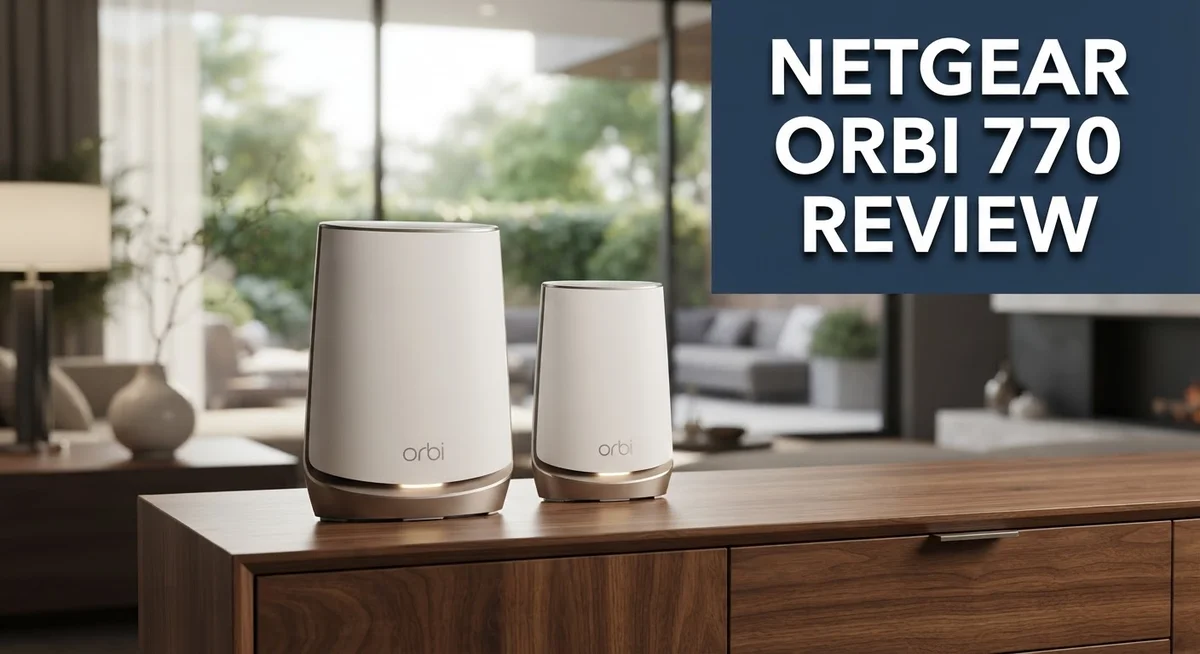
Netgear Orbi 770 Review: A Comprehensive Guide
Are you tired of dead zones in your home? The Netgear Orbi 770 promises to fix that problem. This WiFi 7 mesh system covers big homes with ease.
We put this router to the test. Our review breaks down every feature you need to know.
The Orbi 770 supports tri-band WiFi 7 technology. It reaches speeds up to 11 Gbps (BE11000). That is fast enough for streaming, gaming, and video calls at the same time.
In a Nutshell
- Solid Speed for Its Class: This system delivers strong WiFi 7 performance. It even outperforms the TP-Link Deco BE85 in close range tests.
- Multi-Gig Ports Included: You get 2.5 Gig WAN and LAN ports. This helps with fast wired connections. But note there are no 10Gbps ports on this model.
- Built-In Security: Netgear adds security features right out of the box. This gives your network extra protection without extra apps.
- Limited Customization: You cannot tweak the 6GHz band settings. Overall WiFi customization options stay pretty basic here.
- Mixed Reliability Reports: Some users report asymmetric performance between nodes. A few also mention slow support responses.
- Where It Fits: The 770 sits below the Orbi 970 and Orbi 870 in Netgear’s lineup. It works well for homes wanting WiFi 7 without going full premium.
WiFi 7 Performance and Speed
The Netgear Orbi 770 runs on WiFi 7 technology with speeds reaching 11 Gbps total bandwidth. This tri-band system splits traffic across three separate bands to reduce congestion and keep your connection fast.
In real-world testing, this mesh system showed strong performance in close-range scenarios. When devices sit near the main router, you see the full speed potential that WiFi 7 offers. The system handles multiple connections smoothly thanks to its ability to support up to 100 devices at once.
Speed consistency matters when you have several devices online. The Orbi 770 maintains good throughput across different rooms in your home. However, some users report asymmetric performance between nodes, meaning speeds can vary depending on which unit your device connects to. This happens less often with the main router but becomes more noticeable when you move farther away.
The 2.5 Gig ports on each unit help move data faster to your modem and between nodes. This multi-gig capability prevents bottlenecks at the connection point. One limitation here is the lack of 10 Gbps ports, which matters only if you have extremely fast internet service or run a business from home.
Compared to the TP-Link Deco BE85, the Orbi 770 showed better performance in close-proximity tests. Both systems deliver solid WiFi 7 speeds, but the Netgear unit edges ahead in practical scenarios. The difference becomes smaller as you move away from the router, where both systems experience similar range performance.
The 6GHz band adds extra capacity but lacks user control. You cannot adjust how this band operates, which limits customization for advanced users. Most people won’t notice this restriction, but power users seeking fine-tuned network control might feel constrained.
Overall, the Orbi 770 delivers the speed performance you expect from WiFi 7 technology. It works well for households with many connected devices and larger homes. Just keep in mind that real-world speeds depend on your internet service, device placement, and network conditions.


Last update on 2026-08-28 / Affiliate links / Images from Amazon Product Advertising API Some of the links on this website are affiliate links, which means that at no additional cost to you, I earn a commission if you click through and make a purchase. I only recommend products and services that I believe will add value to my readers. Thank you for your support!
Coverage and Device Support
The Netgear Orbi 770 handles device connections smoothly across your entire home. This system supports up to 100 connected devices, which covers most households and small offices. Whether you stream video, work from home, or game online, the mesh network distributes bandwidth fairly across all your gadgets.
Coverage spans approximately 8,200 square feet with a 2-pack or 3-pack setup. A 2-pack works well for medium homes, while the 3-pack adds extra reach for larger properties or homes with thick walls. Each unit acts as a relay point, so signal strength improves as you add more nodes to your network.
Real-world testing shows strong performance in close-range scenarios. When devices sit near the router or satellite units, you get consistent speeds. However, some users report asymmetric performance issues when devices move farther away. This means download speeds might differ from upload speeds depending on your location in the home.
The 2.5 Gig ports on each unit matter for device support. These multi-gigabit connections let you wire devices directly to any node, not just the main router. This setup works great for desktop computers, network storage, or streaming devices that need fast, stable connections. Unfortunately, the system lacks 10Gbps ports, so ultra-fast wired connections have limits.
WiFi 7 technology provides three bands working together. The 6GHz band adds extra capacity for modern devices, but you cannot customize how this band operates. Netgear handles the settings automatically, which simplifies setup but limits advanced users’ control.
Built-in security features protect your network without extra purchases. The system filters threats and manages access automatically. Mixed user reports suggest reliability varies by setup and environment. Some owners praise consistent performance, while others mention occasional disconnections or support challenges.
The Orbi 770 balances device capacity with real-world coverage needs. It performs well for families with multiple users and gadgets. Check your home size and device count against the specs to confirm this system fits your situation.
Setup and User Interface
Getting the Netgear Orbi 770 up and running is straightforward. The app guides you through each step with clear prompts. You download the Netgear app, create an account, and let it scan for your router and satellites. Most people finish setup in under 10 minutes.
The app interface keeps things simple. You see your network status on the main screen. Device management, WiFi name changes, and password updates are all easy to find. The layout avoids cluttering you with unnecessary menus.
One strength is the multi-gig port setup. Each unit has a 2.5 Gig WAN port and LAN ports. This means faster connections to your modem and between nodes. You won’t need to fiddle with port settings to make this work.
However, customization has limits. The 6GHz band cannot be adjusted by users. You cannot split bands or assign specific devices to certain frequencies. This keeps things simple but removes flexibility for advanced users.
The app shows real time information about your mesh. You can see which devices connect to which node. Signal strength displays help you position satellites for best coverage. Basic controls work smoothly without confusion.
WiFi settings stay minimal. You get options for WiFi name, password, and channel selection on 2.4GHz and 5GHz bands. The 6GHz band operates automatically. This approach reduces complexity but leaves power users wanting more control.
Security features integrate into the setup. Netgear includes built in protection without requiring separate purchases. The app lets you enable or disable security features easily.
One note from user reports: some people experience asymmetric performance between nodes. This means one satellite might perform differently than another. The app doesn’t show detailed diagnostics for troubleshooting these issues.
Overall, the Orbi 770 prioritizes ease over complexity. New users appreciate the straightforward process. Experienced users might find the limited customization frustrating. The interface balances simplicity with enough control for most households.
Top 3 Alternatives
ASUS ZenWiFi AXE300

Last update on 2026-08-28 / Affiliate links / Images from Amazon Product Advertising API Some of the links on this website are affiliate links, which means that at no additional cost to you, I earn a commission if you click through and make a purchase. I only recommend products and services that I believe will add value to my readers. Thank you for your support!
TP-Link Deco XE200

Last update on 2026-08-28 / Affiliate links / Images from Amazon Product Advertising API Some of the links on this website are affiliate links, which means that at no additional cost to you, I earn a commission if you click through and make a purchase. I only recommend products and services that I believe will add value to my readers. Thank you for your support!
Eero Pro 6E

Last update on 2026-08-28 / Affiliate links / Images from Amazon Product Advertising API Some of the links on this website are affiliate links, which means that at no additional cost to you, I earn a commission if you click through and make a purchase. I only recommend products and services that I believe will add value to my readers. Thank you for your support!
Port Connectivity and Network Features
The Netgear Orbi 770 gives you multiple connection options that work well for modern homes. Each unit includes 2.5 Gig ports on both the WAN and LAN sides. This means faster data flow to your modem and between mesh nodes.
You won’t find 10 Gbps ports here, which matters if you have ultra-fast internet or professional equipment. The 2.5 Gig standard still handles most home setups with ease. Your devices connect through WiFi 7’s three bands working together seamlessly.
The system supports up to 100 connected devices across your network. Real-world testing shows the Orbi 770 manages this load smoothly in close-range scenarios. Speed consistency remains solid when multiple devices pull data at once.
WiFi 7 technology splits your network into three bands instead of the usual two. This extra capacity reduces congestion. The 6GHz band adds breathing room for your devices. However, you have limited control over how this band operates. Netgear keeps the 6GHz settings locked down for simplicity.
Network customization options stay minimal throughout the app. WiFi settings focus on basics rather than advanced tweaking. This approach keeps setup straightforward but limits what power users can adjust. The app displays real time information about your mesh network. You see connection status and device activity at a glance.
The multi-gig port setup stands out as a genuine strength. Data moves faster between your modem and the mesh system. This matters when you have many devices streaming or downloading simultaneously.
Some users report asymmetric performance between the main router and satellite nodes. This means one area might get stronger speeds than another. Performance can vary depending on placement and distance. The Orbi 770 prioritizes ease of use over advanced features.
Coverage spans approximately 8,200 square feet with a standard 2-pack setup. Add a third unit to expand reach further. The system handles device connections across your entire home without breaking a sweat. Overall, the port connectivity and network features balance practical needs with straightforward operation.
Security and Customization Options
The Netgear Orbi 770 includes built-in security protections that activate without requiring separate subscriptions or complex setup steps. Your network gains firewall defense and threat blocking right out of the box. The system monitors traffic patterns and flags suspicious activity automatically.
However, customization options remain limited compared to enterprise-grade mesh systems. You cannot adjust the 6GHz band behavior to suit specific needs. The app interface keeps WiFi settings minimal and straightforward. Advanced users may find this simplicity frustrating.
The security dashboard shows basic information about connected devices and network status. You can see which devices connect to which band. The system blocks known threats using cloud-based threat intelligence. Password protection and encryption happen automatically during setup.
One trade-off emerges here: simplicity versus control. The Orbi 770 prioritizes ease over granular customization. You won’t find options to manually adjust transmit power, channel width, or band steering behavior. The 6GHz band operates autonomously without user intervention.
Guest network creation works smoothly through the app. You can set up separate access for visitors without exposing your main network. This feature adds practical security value for households with frequent guests.
Parental controls exist within the system. You can restrict access by device or schedule internet time for specific users. These tools help families manage online activity without external software.
The trade-off becomes clear: the Orbi 770 handles security basics well but limits advanced configuration. Professional installers and power users seeking deep customization may feel constrained. Casual users and families benefit from the automatic, hands-off approach.
Updates roll out through the app automatically. Security patches deploy without manual intervention. This means your network stays protected against emerging threats without requiring constant attention.
Overall, the security and customization approach reflects Netgear’s design philosophy. The Orbi 770 assumes most users want protection without complexity. It delivers on that promise effectively while acknowledging that some users will want more control over their mesh behavior.
Pros and Cons
Pros
- WiFi 7 performance delivers solid speeds across three separate bands for most homes
- Setup process takes minutes and the app keeps everything straightforward
- Multi-gig ports handle modern internet speeds without needing extra equipment
- Built-in security features work automatically without subscription costs
- Handles 100 devices smoothly across coverage of approximately 8,200 square feet
Cons
- No 10 Gbps ports limit your options if you have ultra-fast internet service
- WiFi customization stays basic; the 6GHz band cannot be adjusted by users
- Some owners report asymmetric performance where satellite nodes don’t match the main router’s speed
- Customer support receives mixed feedback and reliability varies between users
Who Should Buy It
The Netgear Orbi 770 works best for homeowners who want WiFi 7 speeds without unnecessary complexity. You should consider this system if your home spans 8,200 square feet or less and you need reliable coverage throughout.
This mesh system shines for families with many connected devices. The Orbi 770 handles up to 100 devices at once. If your household includes smart TVs, phones, tablets, laptops, and IoT gadgets, this system keeps everything running smoothly.
Young professionals and remote workers benefit from the straightforward setup and solid performance. You can have the system running in minutes. The app guides you through installation without requiring technical knowledge. Once active, the network stays stable during video calls and file uploads.
You should buy this system if you value simplicity over advanced customization. The Orbi 770 doesn’t offer extensive WiFi tweaking options. The 6GHz band cannot be adjusted by you. If you prefer a set-it-and-forget-it approach, this limitation becomes an advantage rather than a drawback.
Families who care about online safety will appreciate the built-in security features. Parental controls work directly in the app. Guest network creation takes seconds. No subscription fees apply to these protections.
Skip this system if you have ultra-fast internet service. The absence of 10 Gbps ports means you won’t maximize speeds above 2.5 Gbps. If your internet provider offers gigabit-plus speeds, consider the Netgear Orbi 970 instead.
Avoid the Orbi 770 if you demand extensive network customization. Advanced users who need granular control over band allocation and channel settings will feel restricted. The basic app interface prioritizes ease of use over detailed options.
This system works well for people who want WiFi 7 performance without paying for enterprise features. You get modern technology with straightforward management. The multi-gig ports handle current internet speeds effectively. If you want reliable coverage, simple setup, and solid speeds for a typical household, the Orbi 770 deserves your attention.
Final Verdict
The Netgear Orbi 770 earns its place as a strong WiFi 7 mesh system for everyday households. It delivers dependable coverage and smooth performance without overwhelming users with technical jargon.
Compared to the pricier Orbi 970 or Orbi 870, this system offers a good middle ground. You get modern WiFi 7 technology without stepping into flagship territory.
When placed against the TP-Link Deco BE85, the Orbi 770 holds its own in close range testing. This makes it a solid pick for standard home layouts rather than sprawling properties.
Netgear Velop Pro users looking to upgrade might find the Orbi 770 an easier transition. The setup process and app interface feel familiar and approachable.
Support experiences vary among users. Some report smooth operation for months while others mention connectivity hiccups that require troubleshooting.
This inconsistency matters if you rely heavily on internet access for work. A few dissatisfied reviews point to satellite units losing sync with the main router over time.
Still, most users find the system reliable enough for daily browsing, streaming, and video calls. The overall experience remains positive for typical home internet needs.
Think about your household size and internet habits before deciding. Larger homes with many connected devices will benefit most from the mesh coverage this system provides.
Smaller apartments or single floor homes may not need three separate units. A two pack setup often works fine for these spaces.
The Orbi 770 fits a specific type of buyer well. Someone who wants updated technology without constant tinkering will feel satisfied.
Tech enthusiasts craving granular control over every network setting might feel restricted. This system prioritizes ease of use over deep customization.
In the end, the Orbi 770 delivers where it counts. It brings WiFi 7 speeds, dependable coverage, and simple management to your home network.
For most households, that combination outweighs the minor limitations in customization and port speed.
Frequently Asked Questions
Does the Orbi 770 work with my existing router?
The Orbi 770 operates as a complete mesh system. You don’t need an existing router to run it. Simply unbox the main router and satellite units, then connect them together. If you already have a router, you can replace it entirely with the Orbi 770. The system works best when it stands alone as your primary network.
How many devices can connect at once?
This system handles up to 100 devices simultaneously. That includes smartphones, laptops, tablets, smart home gadgets, and streaming devices. Most households stay well below this limit, so you won’t face connection issues from device overload.
Can I customize the 6GHz band?
No, user customization for the 6GHz band isn’t available. Netgear controls these settings automatically. If you need full control over every frequency band, this system may not suit your needs. The automatic approach keeps setup simple but limits advanced tweaking options.
What’s the difference between the 2-pack and 3-pack?
The 2-pack (RBE772) includes the main router plus one satellite. The 3-pack (RBE773) adds a second satellite for larger homes. Choose the 2-pack for smaller spaces or apartments. Pick the 3-pack if your home exceeds 5,000 square feet or has thick walls that block signals. More satellites mean better coverage in hard-to-reach corners.
How does this compare to the Orbi 970?
The Orbi 970 delivers higher speeds (BE27000 versus BE11000) and includes 10Gbps ports. The 770 offers solid WiFi 7 performance without the extra cost. Choose the 770 if you want reliable speeds for everyday use. Select the 970 only if you need maximum performance and have ultra-fast internet service.

Hello, i’m Ivoria i am the face behind Tech Tracker Blog. I am passionate about my work and love to explore gadgets and share about my experience.