Garmin Dash Cam Review 2026: Complete Buyers Guide
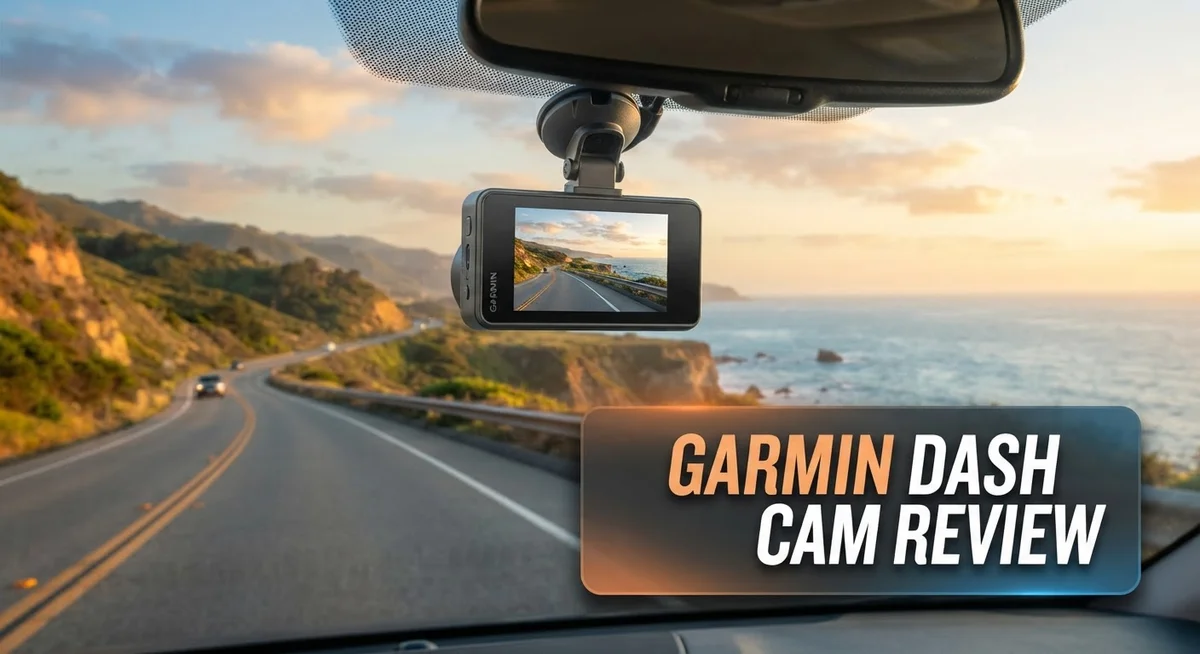
Looking for a small camera that captures every moment on the road? The Garmin Dash Cam might be your answer. This tiny device packs a punch, offering clear video and smart features in a compact body.
Garmin makes several dash cam models. Some come with GPS built in. Others skip that feature but still record smooth footage.
Voice control is a standout feature here. You can start recording or save a clip just by speaking. No fumbling with buttons while driving.
Setup is simple too. Most users get their camera mounted and running within minutes. That means less time messing with wires and more time actually driving.
In a Nutshell
- Compact and discreet. The camera stays small and pocket sized. It fits neatly on your windshield without blocking your view.
- Portable between vehicles. You can move the camera from one car to another with ease. This makes it great if you drive multiple vehicles.
- GPS varies by model. Some Garmin dash cams include GPS. Others skip this feature entirely, so check before you buy.
- Speed data needs GPS. The speed meter function only works if your model has GPS built in. Without it, this feature stays inactive.
- Mounting can be tricky. Not all mounts work across every Garmin model. This creates some compatibility headaches for users.
- Cable requirements are strict. Garmin dash cams need proprietary USB-C cables. Third party cables often fail to work properly.
Design and Compactness
Garmin’s dash cam design philosophy centers on keeping things small and unobtrusive. The cameras fit easily in your palm, which means they won’t clutter your windshield or draw attention from thieves. This compact nature is one of the biggest selling points for drivers who want discreet recording.
The form factor works well for people who switch vehicles frequently. You can unplug the camera from your morning commute car and move it to your evening trip without hassle. The lightweight construction makes this process simple and quick.
Where design meets practicality, you’ll notice Garmin offers different mounting options across their lineup. Some models use adhesive mounts. Others rely on suction cups. The catch is that not every mount works with every camera model, so you need to check compatibility before purchasing accessories or upgrading.
The physical build quality feels solid in hand. The lens is protected by a sturdy housing. The buttons respond well to touch. Cable management stays clean since Garmin keeps the power cord relatively short, reducing clutter inside your vehicle.
One design consideration involves the display screen. Garmin keeps screens small on most models, which supports the compact aesthetic but means you’ll squint when reviewing footage directly on the device. Most users connect to their phones instead for better visibility.
The dual camera configurations deserve mention here. If you choose a model with interior and exterior views, Garmin manages to keep both units small. You mount one on the windshield and one facing the cabin. Neither takes up much space, though you will need extra dashboard real estate for the second unit.
Durability is built into the design. These cameras handle temperature swings well. They won’t crack in cold climates or malfunction during hot summer days. The casing resists dust and moisture, which matters when you’re parking outdoors regularly.
Overall, the design balances function with form. Garmin prioritizes keeping cameras out of sight while maintaining solid construction. Drivers appreciate that these units don’t feel cheap, even though they maintain that pocket sized profile that makes them appealing in the first place.


Last update on 2026-11-03 / Affiliate links / Images from Amazon Product Advertising API Some of the links on this website are affiliate links, which means that at no additional cost to you, I earn a commission if you click through and make a purchase. I only recommend products and services that I believe will add value to my readers. Thank you for your support!
Video Quality and Recording Performance
Garmin dash cams deliver consistent video performance across their lineup. The cameras record in clear resolution and maintain quality even during challenging lighting conditions. Night vision capability helps you capture usable footage when driving after dark.
Frame rate options give you flexibility in how you record. Higher frame rates provide smoother playback, especially useful for documenting fast moving traffic or sudden events. Lower frame rates conserve storage space if that matters to your setup.
The field of view on Garmin models covers a solid range of the road ahead. You see what’s happening in front of your vehicle clearly. Some dual camera setups also capture interior cabin footage, which adds another layer of documentation.
Video compression technology keeps file sizes manageable without sacrificing important details. You can store more hours of footage on your memory card. This matters when you drive long distances regularly.
Recording starts automatically when you power on the camera. The continuous loop function overwrites old footage once your card fills up. This means you never run out of storage space unexpectedly.
Stabilization features reduce shakiness from bumpy roads. Your footage stays watchable even when driving over rough pavement. Wind noise and vibration don’t ruin the audio quality as much.
GPS equipped models add speed and location data to your videos. This information proves valuable if you need to review exactly where an incident occurred. The timestamp accuracy helps establish a clear timeline of events.
Connectivity options let you transfer files to your phone or computer easily. You can review footage without removing the memory card from the camera. This convenience matters when you need quick access to specific clips.
Temperature performance matters in real world driving. Garmin cameras handle hot summers and cold winters without shutting down. The electronics stay stable across typical climate variations you’ll encounter.
Overall, Garmin dash cams perform reliably for everyday recording needs. They capture the essential details you need without unnecessary complexity. Whether you drive city streets or highways, these cameras maintain consistent video quality throughout your journeys.
Installation and Setup
Getting your Garmin dash cam up and running is straightforward. Most users complete the process in under 10 minutes without technical knowledge.
Start by choosing your mounting location. The windshield works best for front-facing cameras. Pick a spot that doesn’t obstruct your view and stays within your camera’s power cable reach. Clean the windshield with a microfiber cloth before applying the adhesive mount. Let it sit for a few minutes so the adhesive sets properly.
Next, connect the power cable. Garmin dash cams use proprietary USB-C cables. Standard USB-C cables won’t work with these devices. Route the cable along your headliner and down the A-pillar to hide it from view. Most vehicles have gaps in the trim that let you tuck the wire away neatly.
Dual camera setups require extra attention. The interior camera cable runs separately from the front unit. You’ll thread it through your vehicle’s interior to reach the cabin. This takes a bit longer but remains manageable for most people.
Power your dash cam from your vehicle’s 12V outlet or hardwire it to your fuse box. The outlet method is easier for first-timers. Simply plug in and go. Hardwiring keeps everything hidden but involves accessing your fuse panel.
Once powered on, the camera boots up automatically. You’ll see a setup menu on the display. Select your preferred language and time zone. Adjust video resolution and frame rate settings based on your needs. If your model includes GPS, enable it now for speed and location tracking.
Format your microSD card through the camera menu. This ensures compatibility and prevents recording errors. Insert the card into the slot until it clicks.
Test your installation before driving. Record a short video and review the footage. Check that the angle captures the road ahead properly. Adjust the mount if needed for better coverage.
Voice control is available on many models. Say “record” or “take photo” to operate hands-free. This feature works well once you get used to it.
Your dash cam is now ready to protect your drives.
Top 3 Alternatives
VIOFO A119 Mini

Last update on 2026-11-03 / Affiliate links / Images from Amazon Product Advertising API Some of the links on this website are affiliate links, which means that at no additional cost to you, I earn a commission if you click through and make a purchase. I only recommend products and services that I believe will add value to my readers. Thank you for your support!
The VIOFO A119 Mini captures high-quality video in compact form. This dash cam records at 1600p resolution with a 140-degree wide angle lens. You get excellent night vision performance through its advanced sensor technology.
The device stores footage on a microSD card. Its small size makes installation simple and discreet. Many users appreciate the straightforward menu system and reliable performance during daily driving.
70mai Dash Cam Pro

Last update on 2026-11-03 / Affiliate links / Images from Amazon Product Advertising API Some of the links on this website are affiliate links, which means that at no additional cost to you, I earn a commission if you click through and make a purchase. I only recommend products and services that I believe will add value to my readers. Thank you for your support!
The 70mai Dash Cam Pro offers 1440p recording quality with a 140-degree field of view. This model includes built-in GPS tracking for location data on your videos. The dash cam features night vision capabilities and loop recording to manage storage automatically.
Setup takes just minutes with the included adhesive mount. The device connects to your smartphone app for easy playback and management. Users often praise its steady video quality and responsive controls.
VANTRUE N2 Pro

Last update on 2026-11-03 / Affiliate links / Images from Amazon Product Advertising API Some of the links on this website are affiliate links, which means that at no additional cost to you, I earn a commission if you click through and make a purchase. I only recommend products and services that I believe will add value to my readers. Thank you for your support!
The VANTRUE N2 Pro stands out as a dual-channel system. It records the road ahead and your vehicle’s interior simultaneously. This feature makes it valuable for rideshare drivers, delivery professionals, and families.
The front camera captures 1440p video while the interior camera records 1080p footage. Both channels include infrared night vision for complete 24-hour coverage. The system supports two microSD cards for separate storage of each camera feed.
Installation requires routing cables through your headliner, but the process becomes straightforward with included instructions. The N2 Pro gives you comprehensive video documentation from multiple angles during any incident or accident.
GPS and Smart Features
Garmin dash cams come equipped with GPS on select models, and this feature transforms how you document your drives. The GPS function records your exact location and speed at every moment. This data gets embedded directly into your video files, creating a complete picture of what happened during an incident.
When you enable GPS, the camera logs coordinates continuously. You can later review exactly where events occurred on a map. Insurance companies appreciate this level of detail when processing claims. The speed data proves particularly useful in accident situations where velocity matters.
Not all Garmin models include GPS as standard. Some entry level options skip this feature entirely. You should verify GPS availability before purchasing if location tracking matters to you. The GPS module does add a bit to the overall package size, though Garmin keeps it minimal.
Voice control features work on many Garmin dash cams to enhance hands free operation. You can start or stop recording without taking your eyes off the road. Common voice commands include “record video” and “take photo.” The microphone picks up commands even with road noise present.
Smart connectivity features let you view footage on your smartphone. The companion app connects via WiFi to your dash cam. You can review clips, adjust settings, and download important files directly to your phone. This wireless transfer eliminates the need to remove your microSD card constantly.
Some Garmin models support multiple camera connections simultaneously. You can link up to four cameras together for comprehensive coverage. This multi camera setup works well for commercial vehicles or those needing full 360 degree protection.
The smart features integrate smoothly with your driving routine. Automatic recording starts the moment you power on your vehicle. The camera stops recording when you turn off the engine. This automation means you never miss capturing important moments on the road.
Compatibility and Connectivity
Garmin dash cams connect to your devices through multiple pathways. USB-C cables are the primary connection method, but here’s what you need to know. Garmin uses proprietary USB-C connectors on most models. Third-party cables often fail to work properly. You should use only official Garmin cables to transfer footage and update firmware.
Your smartphone connects to Garmin dash cams via dedicated mobile apps. The app lets you view live footage from your camera. You can also download and review recordings directly on your phone. This wireless connection works well for quick file access without removing the microSD card.
Multi-camera setups expand your connectivity options significantly. Garmin allows up to 4 cameras to connect together in one system. The interior camera links to the front unit through a separate cable. This dual or multi-camera configuration requires careful cable management inside your vehicle. Each camera streams independently through the same app interface.
MicroSD card compatibility matters for your dash cam’s performance. Garmin dash cams support cards up to specific storage capacities depending on the model. Format your card through the camera menu before first use. This ensures proper file system compatibility and prevents recording errors.
Power connectivity is straightforward on Garmin models. Most cameras draw power from your vehicle’s 12V outlet through a standard cigarette lighter adapter. Hardwiring options exist if you want a cleaner installation. Run the power cable through your vehicle’s interior panels to hide it from view.
GPS connectivity transforms your dash cam into a location tracker. Models with GPS log your exact coordinates during every drive. This data appears as an overlay on your video footage. You can review your route and speed information later through the app. Not all Garmin models include GPS, so check your specific model’s features.
Voice command connectivity adds hands-free control to compatible models. Simply speak commands to start recording, adjust settings, or access footage. This feature integrates smoothly with your driving routine and keeps your attention on the road.
Pros and Cons
Pros
- Compact, pocket-sized design fits easily in your car without drawing attention
- Installation takes minutes with straightforward setup steps
- Video recording stays reliable across different weather and lighting conditions
- Works across multiple vehicles since you can move it between cars
- Up to 4 cameras connect to one system for full coverage of your vehicle
Cons
- Mounting brackets don’t always fit perfectly across different Garmin models
- GPS functionality only appears on select models, not the entire lineup
- You must use Garmin’s proprietary USB-C cables; other brands won’t work properly
- User reviews show mixed experiences with some models performing better than others
Who Should Buy It
A Garmin dash cam works best for drivers who want discreet protection without complicated setups. If you value simplicity, this camera fits your needs. The compact design stays hidden on your dashboard, so it won’t distract you or draw unwanted attention to your vehicle.
You should consider Garmin if you switch between multiple cars regularly. The portable design means you can move it from your sedan to your truck to your spouse’s vehicle without hassle. No permanent installation required. Just mount, plug in, and start recording.
Drivers who need full vehicle coverage benefit from Garmin’s multi-camera capability. You can connect up to 4 cameras to one system. This gives you front, rear, interior, and side angles simultaneously. Fleet managers and rideshare drivers find this feature particularly useful.
Are you someone who wants hands-free operation? Many Garmin models include voice control. You can adjust settings and start recordings without taking your hands off the wheel. This matters if you spend hours driving daily.
If location tracking matters to you, look for Garmin models with GPS. The camera logs your exact coordinates and speed during every drive. This information proves valuable during accidents or disputes. However, GPS is not standard across all Garmin models, so verify this feature before purchasing.
Garmin dash cams appeal to drivers who prefer straightforward technology. Setup takes minutes, not hours. The mobile app lets you view footage directly on your smartphone. You don’t need to remove the microSD card or visit a computer.
You should skip Garmin if you need guaranteed compatibility. Mounting systems vary between models. Some brackets won’t fit certain vehicle dashboards. Also, the proprietary USB-C cables are required. Third-party cables fail frequently, which frustrates users who want alternatives.
Mixed user reviews suggest some models perform better than others. Research your specific model before buying. Compare Garmin options against competitors like VIOFO A329S, Vantrue E1 Pro, and 70Mai T800 to find the best fit for your driving style and vehicle setup.
Final Verdict
Garmin dash cams earn their place in the crowded dash cam market. They deliver simple performance without extra fuss. This makes them a smart pick for everyday drivers.
The brand shines when you want a camera that just works. You do not need technical skills to set it up. You press a few buttons and start recording within minutes.
Video quality stays consistent across most driving conditions. This reliability builds trust over time. You can count on clear footage when you need it most.
Competitors like the VIOFO A329S or Vantrue E1 Pro may offer sharper specs on paper. But Garmin focuses on ease of use instead of overwhelming features. This approach suits drivers who want function over complexity.
The 70Mai T800 and BlackVue models target tech enthusiasts who tinker with settings often. Garmin takes a different path. It serves people who want a camera that runs quietly in the background.
Your driving habits should guide your final choice. Frequent car swappers benefit from Garmin’s portable design. Families with multiple vehicles gain flexibility that other brands do not always match.
Solo drivers with one car might find simpler options elsewhere. Your needs shape whether Garmin fits your lifestyle.
Some buyers report frustration with mounting brackets. Others love the compact build and forget it is even there. These mixed experiences show that fit varies by person and vehicle type.
We recommend Garmin for drivers who value simplicity over endless customization. Choose a different brand if you need guaranteed accessory compatibility across every model.
Overall, Garmin dash cams offer solid performance wrapped in a user friendly package. They handle daily driving needs without unnecessary complications. This makes them a dependable choice for most drivers on the road today.
Frequently Asked Questions
Do Garmin dash cams work in all weather conditions?
Yes, Garmin dash cams record reliably across different weather and lighting conditions. Rain, snow, fog, and bright sunlight don’t stop them from capturing video. You get consistent footage whether you drive at night or during the day.
The cameras handle temperature changes well too. This makes them practical for drivers in any climate.
Can I use the same Garmin dash cam in multiple vehicles?
Absolutely. Garmin dash cams are portable between cars since they’re compact and discreet. You can move the camera from your sedan to your SUV without hassle.
Just note that mounting brackets vary between models. Check compatibility before switching vehicles to avoid frustration with the mount system.
Which Garmin models include GPS tracking?
Not all Garmin dash cams have GPS built in. GPS functionality only appears on select models, not the entire lineup. If location tracking matters to you, confirm the specific model includes GPS before buying.
The speed meter function requires GPS to work. Check the product details to see if your chosen model has this feature.
Do I need special cables for Garmin dash cams?
Yes. You must use Garmin’s proprietary USB-C cables. Other brands won’t work properly with these cameras.
This means you can’t swap cables with other devices. Keep your original cable safe, and order replacements directly from Garmin if needed.
Can I connect multiple cameras to one Garmin system?
Yes. Up to 4 cameras connect to one system for full coverage of your vehicle. You can monitor the front, back, interior, and sides simultaneously.
This multi-camera setup gives you complete protection. Many drivers use this feature to capture blind spots and passenger areas.

Hello, i’m Ivoria i am the face behind Tech Tracker Blog. I am passionate about my work and love to explore gadgets and share about my experience.