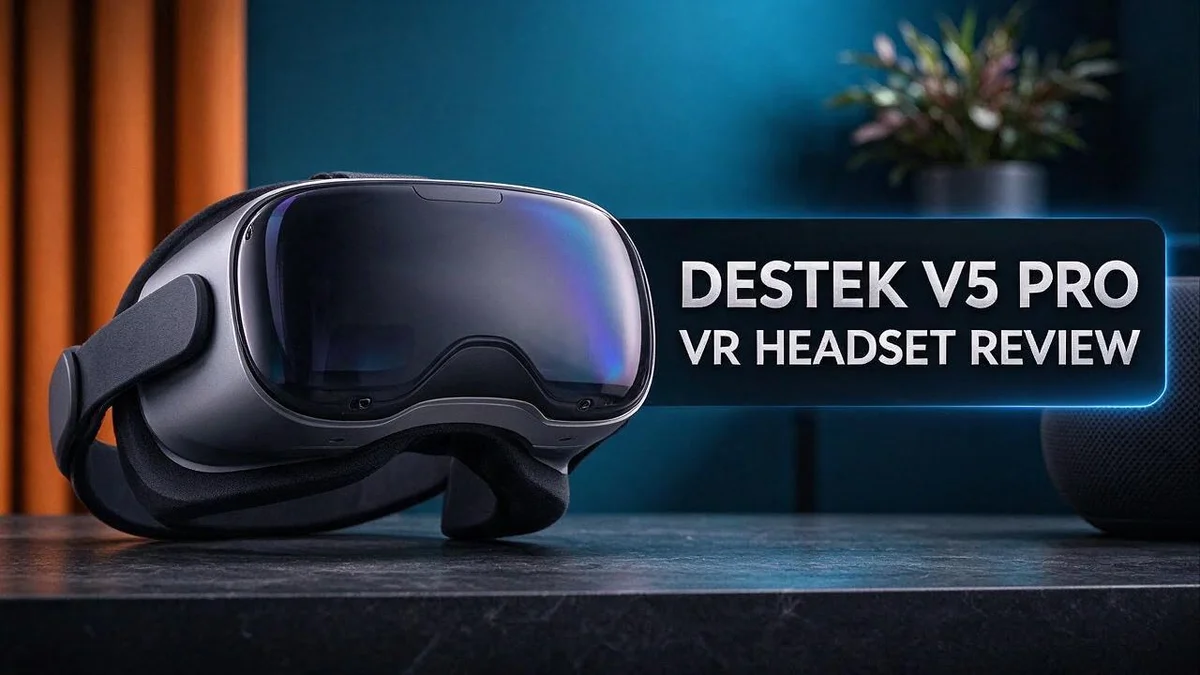
DESTEK V5 Pro VR Headset Review: Should You Buy It?
Want a simple way to try virtual reality at home? The DESTEK V5 Pro might catch your eye. It turns your own phone into a VR viewer.
Here is the catch. This headset has no screen and no processor. Your smartphone does all the work. You need a phone between 5.5 and 7.0 inches with a gyroscope.
Glasses wearers may appreciate the fit. The headset accepts most eyeglasses. One owner also reports a wider field of view than other viewers. The brand promotes access to over 50,000 VR movies.
In a Nutshell
- Phone powered design: The DESTEK V5 Pro is a smartphone VR viewer, so it does not work alone. It has no built-in screen or processor. Your phone handles the display and motion tracking. The headset comes from China.
- Phone requirements: Your phone must measure between 5.5 and 7.0 inches. It also needs a gyroscope to track how you move your head. Check these details before you start.
- Wider view: One owner says the field of view feels wider than other viewers. That extra space can make virtual scenes feel more open and real.
- Heat warning: Your phone may overheat during longer sessions. A Reddit user noted that this is a common drawback of phone VR, so take short breaks to keep your device cool.
- Big content promise: The brand promotes access to more than 50000 VR movies. Your phone storage and video apps will shape how much you can enjoy.
- Older model note: The DESTEK V4 earned praise for comfort during prolonged use. The V5 Pro is a different model, so expect its own experience.
Compatibility and Phone Setup

Last update on 2026-11-19 / Affiliate links / Images from Amazon Product Advertising API Some of the links on this website are affiliate links, which means that at no additional cost to you, I earn a commission if you click through and make a purchase. I only recommend products and services that I believe will add value to my readers. Thank you for your support!
Setting up your phone takes only a few minutes. You need your phone, the viewer, and a few quick checks. Taking time now helps the image look sharp later.
Start by confirming that your phone has a gyroscope. This sensor tracks head movement, so the view shifts when you turn. Many newer phones include one. Older models may not, so check your settings before you buy anything.
Remove your phone case before you insert the phone. A thick case can push the screen away from the lenses. It may also cut off the edges of the picture. A bare phone usually sits in the viewer more snugly.
Next, turn on Do Not Disturb mode. Pop-up alerts can interrupt a movie and break your focus. Silencing calls and messages keeps your session smooth from start to finish.
Close any apps that run in the background. This frees up memory, so video playback stays steady. Fewer running apps also means the phone works less hard during each session.
Set your screen brightness to a comfortable middle level. Turn off auto brightness if the picture seems to change on its own. A steady level makes colors easier to see inside the viewer.
Now slide the phone into place and center the screen. Play a short test video first. Adjust the position until the image fills your view without black edges or blurry spots.
Clean the lenses before every session. Fingerprints and dust reduce clarity. Use a soft microfiber cloth and wipe gently. Clean lenses make text and faces look much sharper.
Finally, start with a fully charged phone. A low battery can shut off your video in the middle of a scene. A full charge gives you a longer, uninterrupted viewing time.
A simple checklist keeps your setup easy. Check the gyroscope, remove the case, silence alerts, close apps, adjust brightness, and clean the lenses. Following these steps helps you enjoy your viewing experience without frustration.
Field of View and Viewing Experience
Field of view shapes how immersive a virtual scene feels. When the picture edges fade, your brain keeps noticing the frame. Strong immersion depends on filling as much of your vision as possible.
The DESTEK V5 Pro shows whatever your phone displays. Picture quality therefore depends on the phone and the video file you choose.
Higher resolution videos look sharper inside the lenses. Low quality files can look soft, even on a strong screen. Check the resolution before you press play.
Center alignment matters a lot. If the screen sits off center, one side of the image may look cut off or blurry. Take time to adjust it before you watch.
Test each eye separately. Close one eye at a time and check that the picture looks equally sharp. Blurry results may point to a fit problem.
Viewing distance also changes how large the image feels. Hold the viewer steady and avoid pushing it too close to your eyes. A little space often makes the scene feel more natural.
Try different content types too. Flat films often look like a small theater screen, while 360 videos fill the whole view. Each style gives a different feeling.
Sitting still helps your eyes focus. Rest your head against a chair or sofa so the image stays steady and calm.
Sound makes a big difference. Headphones can deepen the feeling of being inside the scene. Sound cues also help you look around naturally.
Shorter sessions protect your eyes. Many people feel best after twenty to thirty minutes, then take a short break before continuing.
Watch the edges closely. Thin black borders are normal. Thick bands may mean the phone is too small or sits incorrectly.
Small adjustments often fix these issues. A slight shift left or right usually brings the picture into a better position.
Good viewing comes from many small choices. Phone size, video quality, seat position, and sound all shape the final experience.
Comfort, Fit, and Heat Management
Comfort decides how long you can enjoy a movie. A headset that feels heavy or tight pulls your focus away from the screen.
The nose area needs extra attention. Some owners find the DESTEK V5 Pro uncomfortable on the nose.
Pressure often builds slowly. Try adjusting the headset up or down until the weight feels lighter.
The viewer fits wearers of glasses, so you can keep yours on. Check the frames first. Make sure your glasses sit flat and do not press into your temples.
Padding matters too. Thin padding can press harder on bone, so a soft cloth may add a little cushion.
Head position changes comfort as well. Sit back in a supportive chair and keep your head level. Leaning forward strains your neck over time.
Light can also ruin comfort. Some light bleeds in around the edges, so choose a dim room for the best experience.
Now let’s talk about heat. Your phone works hard during playback, and it sits right in front of your face. That closeness means warmth can reach your skin quickly.
Start cool for better results. Keep the phone out of direct sunlight before you begin. Lower video quality can help too. A standard resolution file often asks less from the processor than a 4K file, so the phone may run cooler.
Take short rest breaks when the phone feels warm. Remove the viewer, let the phone cool, then continue.
Watch how your body responds. If your face feels hot, your nose area aches, or you notice a headache, stop and adjust the fit.
Comfort comes from small changes, not one perfect setting. Test the fit, watch the warmth, and enjoy your movie without distractions.
Top 3 Alternatives
Looking for a different headset? These three options are worth a closer look.
Meta Quest 3S


Last update on 2026-11-24 / Affiliate links / Images from Amazon Product Advertising API Some of the links on this website are affiliate links, which means that at no additional cost to you, I earn a commission if you click through and make a purchase. I only recommend products and services that I believe will add value to my readers. Thank you for your support!

Last update on 2026-11-23 / Affiliate links / Images from Amazon Product Advertising API Some of the links on this website are affiliate links, which means that at no additional cost to you, I earn a commission if you click through and make a purchase. I only recommend products and services that I believe will add value to my readers. Thank you for your support!
The Meta Quest 3S is a lightweight and friendly choice for new VR users. It runs on a strong chip and offers full color passthrough, so you can see your room while wearing it. Its simple design makes it a smart first step into virtual worlds.
Best for: Beginners who want a comfortable headset for games and fitness apps.
Meta Quest 3
The Meta Quest 3 steps up the experience with sharper visuals and mixed reality features. It uses a more powerful processor, which helps with demanding games. Many gamers choose it for upgraded performance and smoother gameplay.
Best for: Players who want better graphics and more room for mixed reality play.
PICO 4

Last update on 2026-11-24 / Affiliate links / Images from Amazon Product Advertising API Some of the links on this website are affiliate links, which means that at no additional cost to you, I earn a commission if you click through and make a purchase. I only recommend products and services that I believe will add value to my readers. Thank you for your support!
The PICO 4 is a slim headset with a bright, clear display. It feels light on the face and supports both standalone play and PC streaming. Its comfort features help during longer play sessions.
Best for: Users who want a comfortable fit and flexible ways to play.
Check each option closely before you choose. Think about your games, your comfort needs, and your play space. The right pick depends on how you plan to use your headset.
Content Library and Use Cases
The DESTEK V5 Pro works like a window into your phone library. Because it is a smartphone viewer, your phone supplies every scene. You can watch any VR video that your phone can play.
The brand markets the viewer with a claim of 50000+ VR movies. That number sounds exciting, but quality matters more than quantity for most viewers. Browse the titles you actually want before you start a long session.
Movies are the most common use case. Full length VR films feel like a private theater. Dim the room and let the screen fill your view.
Travel videos offer another fun option. You can tour a museum, stroll a city street, or peek at a mountain trail. These clips let you explore faraway places from your couch.
Sports and concerts also work well. Live events and recorded performances can feel close to the action. Wide scenes help you notice the crowd and the stage around you.
Learning content suits curious minds. Science demos, anatomy tours, and history walkthroughs use 3D space well. Pause often and take notes between clips.
Gaming is a tricky fit. This viewer plays video rather than interactive games. Think of it as a cinema, not a game console.
Compare this with standalone headsets. Meta Quest 2 runs its own apps and games without a phone. The DESTEK V5 Pro focuses on watching what your phone already holds.
Who should buy it? People who mainly want movies and short videos will likely enjoy it most. Players who want full interactive worlds may prefer a standalone option. Choose the tool that fits your habits.
Keep your library organized. Create a folder for your VR clips. Name files clearly so you can find them fast. A tidy list makes every movie night smoother.
Download videos before you travel. Offline files play without a strong signal. This tip helps on flights or long train rides. Check your storage space first, since VR files can be large.
Pros and Cons
Pros
- You get a wider field of view than many phone viewers, according to one owner.
- You use the phone you already own, so no built-in screen or processor is needed.
- It works as a simple VR option for movies and video.
- The setup centers on your phone, so there is only one device to manage.
Cons
- Image quality depends on your phone screen and its sharpness.
- Your phone must measure 5.5 to 7.0 inches and include a gyroscope.
- Long viewing sessions can drain your phone battery quickly.
- Unlike standalone headsets such as the Meta Quest 2, it cannot run apps on its own.
Who Should Buy It
This viewer suits you if you already own a compatible phone. You do not need extra gear to start watching. It works best for people who want simple fun. Many people like that easy start.
Beginners often feel unsure about VR. This model offers a low risk way to test the idea first. Think of it as a friendly first step into virtual spaces.
Casual viewers who enjoy short clips or documentaries will feel at home here. Short clips suit this viewer well. You can watch favorite titles from your phone in a fresh way.
Families can take turns with one phone and one viewer. Everyone gets a chance to watch the same film together. Adults should supervise younger children during use.
Gamers and app fans should look at dedicated headsets. The Meta Quest 2, Valve Index, and HP Reverb G2 focus on interactive experiences.
Frequent travelers may appreciate the simple setup. Pack the viewer with your phone, and you have an easy entertainment option on the road.
Gift givers can think about this viewer for a friend who already owns a compatible phone. Add a short list of favorite movies for a thoughtful touch.
Before you decide, ask yourself a few questions. Do you already watch video on your phone each day? Are you curious about VR without a major commitment?
Do you mostly watch rather than play? If you answered yes, this viewer may fit your needs well. Simple habits make the best fit.
Owner feedback varies, so read several reviews first. Look for comments from people with similar phones and face shapes. Their experiences often reveal what you need to know.
Skip it if you want a headset built for all day sessions. Shoppers who need top comfort for hours should compare other models first.
Bottom line: this viewer suits casual watchers, curious beginners, and families. It fits less well for gamers or people who want a full standalone system. Match the viewer to your habits, and you will likely enjoy it more.
Final Verdict
The DESTEK V5 Pro offers a simple way to enjoy video in VR. It turns your own phone into the screen. Whether it fits your life depends on a few key points to weigh.
The strengths stand out first. Most glasses can fit inside the viewer, so you may not need to remove them. This makes it easy to share with friends who wear corrective lenses.
The drawbacks deserve attention too. Some people find the headset uncomfortable on the nose. Light can also leak in at the edges, which may pull your focus away from the movie.
Heat is another concern. Longer sessions can make your phone warm, which is common with this style of viewer.
Think about your daily habits. A viewer like this works best during quiet moments, such as a lunch break or a calm evening at home.
Stronger options exist for power users. The Meta Quest 2 is often called the best standalone headset, apart from the Quest Pro. Valve Index and HP Reverb G2 also appear in the same conversation.
The Meta Quest 3 was listed as upcoming in the research, so check its current availability before you compare.
Comfort may matter more than you think. The DESTEK V4 earned praise for long sessions. That model is separate from the V5 Pro, so confirm the differences before you decide.
Also consider how you will hold the phone in place. A steady position keeps the picture clear and reduces eye strain.
Our final take is clear. The DESTEK V5 Pro suits people who already own a compatible phone and want simple video viewing without learning new technology. Skip it if you expect deep interaction or a fully separate device.
Before you buy, measure your phone and check for a gyroscope. Then think about how often you will watch. A little planning helps you avoid surprises. In short, this viewer works well when you keep expectations realistic. Enjoy it for what it does best, and you will likely feel satisfied.
Frequently Asked Questions
Does outside light ruin the picture?
Light can bleed into the viewer. A dim room gives the best picture. Try watching in the evening with the lights low, so the screen stands out more clearly.
Is the DESTEK V4 more comfortable than the V5 Pro?
Reviewers described the DESTEK V4 as comfortable for long viewing sessions. The V4 is a different model, though. Compare the specs side by side before you choose, so you know which one fits your needs.
Does the viewer come with 50000 VR movies?
The brand promotes access to over 50000 VR movies. The viewer itself does not store a movie library. Check which video sources your phone can open before you start watching, so you know what content you can reach.
Where is the DESTEK V5 Pro made?
The country of origin is China. Knowing this helps you understand where the product ships from. Check the seller’s shipping details so you know when your viewer will arrive.

Hello, i’m Ivoria i am the face behind Tech Tracker Blog. I am passionate about my work and love to explore gadgets and share about my experience.