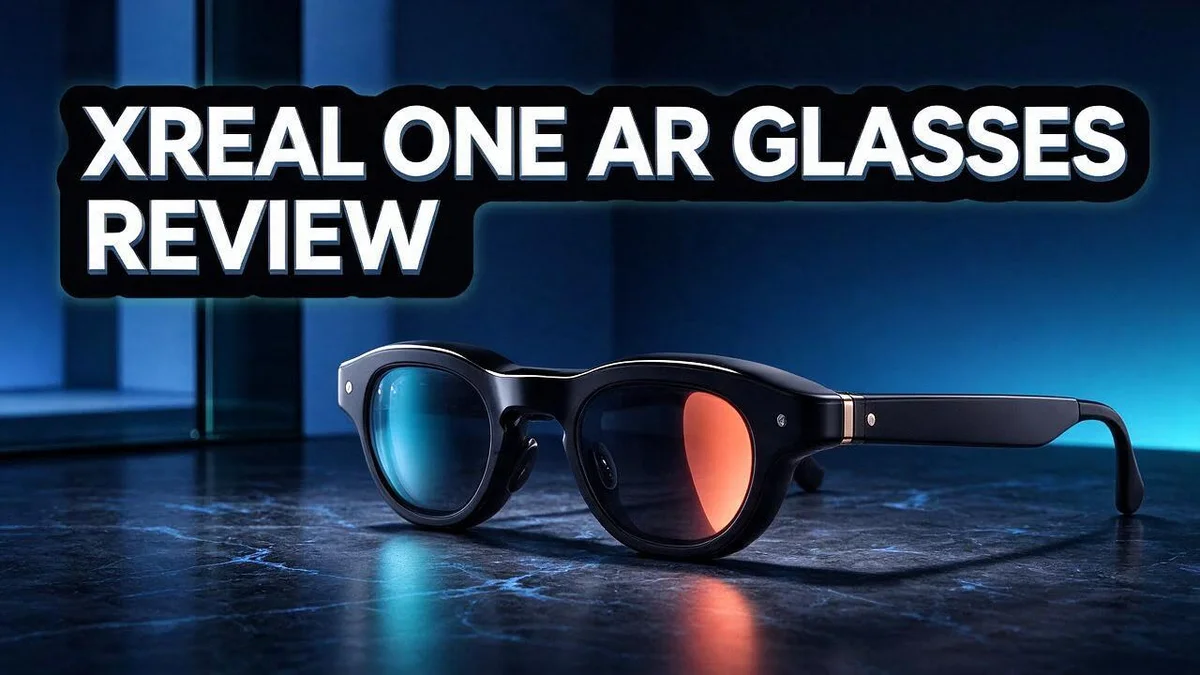
XREAL One AR Glasses Review: Worth It in 2026?
Want a big screen that travels with you? The XREAL One AR glasses bring a large, sharp display right in front of your eyes. They aim to make work and entertainment feel more personal.
Setup takes almost no time. You plug them in and start watching or working right away. The built-in X1 chip and 3DoF tracking help keep the view steady as you move your head.
Anchor mode is the standout feature. It pins a virtual screen in place, so you can focus on your tasks. Many users find it a real boost for daily productivity.
Sound comes from Bose audio, and the 1080p display works with Samsung DeX. Edge distortion is lower than on the Xreal Air 2 Pro, so text looks clearer.
Is this the right pick for you? In this review, we look at the specs, the strong points, the weak spots, and how it compares with rivals like the XREAL 1S and Viture Beast.
In a Nutshell
Here is a quick look at what matters most.
- Text stays easy to read. Words look sharper than on the older Xreal Air 2 Pro, which helps during long reading sessions and email work.
- Screen edges look cleaner. Edge distortion is lower than before, so the picture feels more even from corner to corner.
- Frame size is compact. One user said it sits smaller on the face than the Viture options, so it fits easily into a bag when you travel.
- Work mode feels practical. Anchor mode keeps windows fixed in space, which helps you spread out documents and stay on task.
- Picture quality gets mixed reviews. One reviewer felt the image is not as strong as rival models, so compare them side by side before you decide.
- The XREAL 1S is a close cousin. It does nearly the same job, but it lacks Anchor mode, which is the main reason to choose this model.
Overall, these glasses suit people who want a flexible workspace on the go.
Key Features

Last update on 2026-11-25 / Affiliate links / Images from Amazon Product Advertising API Some of the links on this website are affiliate links, which means that at no additional cost to you, I earn a commission if you click through and make a purchase. I only recommend products and services that I believe will add value to my readers. Thank you for your support!
Let us look at the features that set this model apart.
The built-in X1 chip sits right inside the frame. It handles processing for the display and motion tracking. This design keeps daily use simple.
Head tracking uses 3DoF technology. The glasses follow rotation as you turn your head. This helps the virtual view stay steady during movement.
The 1080p display delivers a clear view. You can watch videos, browse pages, or read files with ease.
Video streaming feels like a private cinema. You can focus on the screen without outside distractions. Long movies and shows feel more immersive this way.
Samsung DeX support turns your glasses into a desktop. Compatible Samsung devices can run a desktop style workspace. You can open several apps at once and switch between them quickly.
Display customization helps you adjust the view. You can change settings to match your comfort and habits. This flexibility suits both short tasks and long sessions.
The XREAL 1S sets a higher bar on paper. It offers 1200p per eye and a 52 degree field of view. The One model focuses on a 1080p panel with a different feature mix, so check your priorities before you choose.
Other rivals include the Viture Beast, Razer Anzu, Meta Ray Ban Display, and Oakley Meta. Each option brings its own strengths. Some focus on style, while others focus on performance.
Multi device use gives you more flexibility. You can switch between a phone, a laptop, or other supported devices. This makes the glasses useful in many settings.
Smart choices start with your daily habits. Think about how you work, watch, and travel. That view helps you pick the best fit.
Display Quality and Viewing Experience
Picture quality shapes your whole experience with AR glasses. The screen floats in front of your eyes, so every detail matters. Here is how the view holds up in daily use.
Resolution sets the bar for fine detail. The XREAL 1S offers 1200p per eye, which gives it a sharper edge on paper. If tiny details matter to you, compare both models side by side.
Your room lighting changes the result. Dim rooms make colors look richer on the glass. Bright windows can wash out the image, so pick a spot with soft, even light.
Field of view affects how immersive the screen feels. The 1S uses a 52° field of view, which fills more of your vision. A wider view can make films feel bigger and more engaging.
Good posture keeps the picture comfortable. Sit upright with the display centered in your line of sight. A steady position helps you stay relaxed during long sessions.
Compare rivals with your own content. The Viture Beast and Razer Anzu offer similar screen experiences. Watch a favorite film or read a long document on each one. Your own eyes will show you the best match.
Long sessions need eye breaks too. Rest your eyes every hour and blink often. Look at distant objects now and then. These habits reduce strain and keep your focus sharp.
Test before you decide. A short demo shows whether the picture meets your standards. Small differences in clarity often matter more than spec sheets suggest.
Display quality depends on your habits and needs. Text-based work may suit this model well, while gamers may want higher detail. Take time to test the screen before you commit to a purchase.
Comfort and Wearability
Comfort decides whether you keep wearing your glasses after the first hour. A calm fit makes longer sessions feel easy.
Pressure points matter more than most people expect. Notice where the frame touches your nose and temples. Light, even contact helps you stay relaxed.
Balance is the key to comfort throughout the day. When the weight sits evenly, your head feels less tired. Tilt your head slowly and check that the frame does not slide.
Warmth can also become an issue during longer sessions. Your skin may feel warm near the frame after a while. Take short pauses to let your face cool down.
Nose pads and temple tips shape the feel. Adjusting them can change the grip on your face. Small changes often make a big difference for your comfort.
If you already wear glasses, test the fit with your own pair nearby. Check whether the arms feel crowded near the hinge. Make sure you can see the display without pressing hard on your face.
Your seating position matters too. A supportive chair and a relaxed back make the setup feel lighter. Rest your elbows on a desk to ease neck strain.
Lighting and comfort connect as well. Squinting at a dim screen strains your eyes and can make the whole session feel tiring. Keep your eyes relaxed by sitting in a room with soft, even light.
Breaks help more than most people think. Remove the glasses every thirty to forty minutes. Blink, look at a far wall, and stretch your neck. Your body will thank you.
Try a short test before a long session. Wear the glasses for ten minutes and note any hot spots or pressure. Then decide if they suit your daily routine.
Comfort grows with routine. Your face and head adjust over several sessions. Give yourself time, and the fit may feel natural by the end of the week.
Top 3 Alternatives
If you want other options, these three AR glasses are worth a look. Each one offers a personal big screen experience. Read on to see how they compare.
Viture Pro

Last update on 2026-11-25 / Affiliate links / Images from Amazon Product Advertising API Some of the links on this website are affiliate links, which means that at no additional cost to you, I earn a commission if you click through and make a purchase. I only recommend products and services that I believe will add value to my readers. Thank you for your support!
Viture Pro gives you a large, clear screen for movies and games. The image looks bright, even in rooms with some light. Its built-in speakers deliver solid sound, so you may not need earbuds. The frame sits comfortably on your face during long sessions. It is a strong choice for people who watch a lot of video at home.
RayNeo Air 3s

Last update on 2026-11-25 / Affiliate links / Images from Amazon Product Advertising API Some of the links on this website are affiliate links, which means that at no additional cost to you, I earn a commission if you click through and make a purchase. I only recommend products and services that I believe will add value to my readers. Thank you for your support!
RayNeo Air 3s is light and easy to carry. It works well for travel, commuting, or working on the go. The slim frame feels less bulky on your face. Setup takes only a few minutes, and the glasses fold into a small case. Many users like it for flights, train rides, and quiet corners at the office.
Rokid Max 2

Last update on 2026-11-25 / Affiliate links / Images from Amazon Product Advertising API Some of the links on this website are affiliate links, which means that at no additional cost to you, I earn a commission if you click through and make a purchase. I only recommend products and services that I believe will add value to my readers. Thank you for your support!
Rokid Max 2 focuses on a large virtual screen and smooth video playback. It connects to phones, laptops, and game consoles with ease. The adjustable nose pads help you find a comfortable fit. Its sharp picture suits streaming shows, browsing the web, and gaming sessions. It is a good pick if you want flexibility across devices.
Productivity with Anchor Mode and Samsung DeX
Anchor mode is the feature that makes these glasses useful for work. It pins the virtual screen to one spot in your room. Once you set it, the display stays in place as you move your head.
Think of it like a monitor on your desk. You can place the screen beside your laptop. Then you type on the keyboard and glance up at the display.
The glasses also offer a plug and play setup. You connect the cable and start working within minutes. There is no long install process to slow you down.
Many people use this layout for coding, writing, or research. Each task gets its own space without clutter.
Edge distortion is lower than on the Xreal Air 2 Pro. Text near the corners looks cleaner than before. That makes spreadsheets and long documents easier to read.
The frame feels small and light, too. One user found it smaller than the Viture. That matters when you carry your glasses between home and a coffee shop.
Picture quality is the main downside for work. One reviewer said the image does not match some rivals. Sharp text matters most on busy days, so test the clarity with your own files first.
The XREAL 1S does not include Anchor mode. If you need a fixed workspace, this model fits your routine better. Compare your daily habits before you decide. A fixed screen suits people who sit at one desk all day.
Remote workers and students gain the most. Anchor mode turns a small room into a private office. Pair it with your laptop, and you can handle emails, reports, and video calls without a large monitor.
Overall, Anchor mode gives real help for focused work. The rest of the experience depends on your habits and your need for sharp detail.
Audio Performance and Setup
Sound is part of the package. The glasses include Bose audio, so you can watch videos without extra gear. Sound comes from speakers placed close to your ears.
Volume matters more than most people expect. Turn it up too high and people nearby may hear your show. Keep the level low in shared spaces.
Open speakers leave your ears free. You can still hear a doorbell or a colleague who speaks to you. This helps when you move between tasks at home.
Setup starts with one connection. Plug the glasses into a compatible device and the display appears quickly. Most people spend little time on settings before they start.
Check your audio output after the first connection. Set the device to send sound through the glasses, so the audio follows the picture. Otherwise, the built in laptop speakers keep playing.
Sound leakage is a real concern in shared spaces. Other people can hear what you play at higher volumes. Headphones remain the better choice for late night viewing.
Low notes may feel softer than in full headphones. Music with heavy bass can sound thinner on the speakers. Earbuds or a separate speaker can fill that gap.
Audio settings on your device matter as much as the glasses. Equalizer options on the phone or laptop can boost voices. Try a few presets until the mix feels natural.
Calls and dialogue sound clear in quiet rooms. Background noise can distract you from the speech. A calm space makes movies and talks easier to follow.
Run a short test before you settle in. Play a familiar song and a video with dialogue. This shows how the sound balance feels in your space.
Good audio makes long sessions feel more relaxed. Clear sound reduces the effort needed to follow a movie or lecture. Your ears and eyes work together.
Pros and Cons
Pros
– Works well with Samsung DeX for desktop-style setups.
– Text feels clearer for reading long documents.
– The built-in X1 chip handles display tasks without extra hardware.
– You can customize the display to suit your viewing style.
Cons
– The 1080p resolution trails the XREAL 1S, which offers 1200p per eye.
– The 3DoF tracking limits how the screen reacts to head movement.
– Many core features overlap with the XREAL 1S, so the choice feels close.
– Rivals like the Viture Beast and Razer Anzu offer different strengths for buyers.
Who Should Buy It
These glasses suit people who work away from a desk. Remote workers, students, and frequent travelers often need a large screen in tight spaces. This product fits that daily routine well.
Frequent flyers may find them useful on long trips. A personal screen can replace a cramped laptop on a tray table. You can review slides or watch a show without balancing a device on your knees.
Students living in dorms or shared rooms can also benefit. The glasses give a private view of lecture notes, textbooks, and research papers. Small apartments rarely have space for a second monitor, so this setup helps.
Home office workers in busy households may want more focus. They can block out visual clutter while working from the sofa or a corner chair.
Casual gamers who enjoy couch sessions may like them. Large virtual screens make racing and strategy games feel immersive. Relaxed play suits this design better than intense competition.
Serious gamers and creative professionals should look at other options. People who edit photos or video need precise color and sharp detail. This model may fall short for those exacting tasks.
Anyone who reclines to relax can also consider them. Laptop angles often feel awkward when lying back, but the glasses stay in place on the face. Most casual viewers will find the experience simple and enjoyable.
Shoppers who want a lighter everyday wearable might prefer a different category. Smart glasses from Amazon and Meta focus on audio and quick tasks. They do not offer a large virtual screen, so they serve a different purpose.
Compare this model with the XREAL 1S before deciding. Both share many core features, so your daily needs should guide the choice. Think about where and how you will use the glasses most often.
Final Verdict
The XREAL One makes a solid personal screen for everyday use. It runs on an onboard X1 chip, so the display handles tasks without extra hardware.
The setup feels simple. You plug the glasses into a compatible device, and the screen appears quickly.
Anchor mode stands out. It keeps the screen fixed in place, which helps you stay productive while you move around the room.
The picture is good but not the best in its class. The 1080p display trails the XREAL 1S, which offers 1200p per eye. Some reviewers say the picture is not as strong as rival models.
Text looks clearer than before. Edge distortion is lower than on the Xreal Air 2 Pro, so long documents feel easier to read.
Audio is a mixed bag. The open speakers leave your ears free, but sound can leak in shared spaces. Low notes may feel softer than in full headphones.
The 3DoF tracking limits how the screen reacts to head movement. Many core features overlap with the XREAL 1S, so the choice feels close.
One reviewer said the 1S does nearly the same thing, apart from Anchor mode. That point matters most if you never plan to use Anchor mode.
The frame is smaller than the Viture, according to one user, so it fits easily in a bag. Samsung DeX support also adds a desktop style option.
These glasses suit remote workers, students, and frequent travelers. A personal screen can replace a cramped laptop on a tray table.
Couch gamers who enjoy racing and strategy games may also like them. Serious gamers and photo or video editors should look at other options.
Rivals like the Viture Beast and Razer Anzu offer different strengths. Compare them based on your daily habits.
Choose the XREAL One if you want a portable screen for work and travel. Skip it if sharp detail and precise color matter most.
Frequently Asked Questions
Does the XREAL One need a computer or phone to work?
The XREAL One has a built-in X1 chip, so the display handles tasks on its own. The setup feels simple, and it works plug-and-play with supported devices. Samsung DeX compatibility also lets you use a larger desktop-style view.
What is Anchor mode, and why do people like it?
Anchor mode keeps the virtual screen fixed in one spot, even when you turn your head. This makes it easier to work on documents while you move around the room. Many people find this feature the main reason to choose these glasses.
Is the picture as sharp as other AR glasses?
The picture is good but not the best in its class. Some reviewers say competitors look stronger. However, edge distortion is lower than on the XREAL Air 2 Pro, and text is easier to read.
How do I customize the display?
You can adjust the screen to match your viewing style. Change the size, position, and brightness to find a setting that feels comfortable. Small changes can make a big difference during long reading or video sessions.

Hello, i’m Ivoria i am the face behind Tech Tracker Blog. I am passionate about my work and love to explore gadgets and share about my experience.