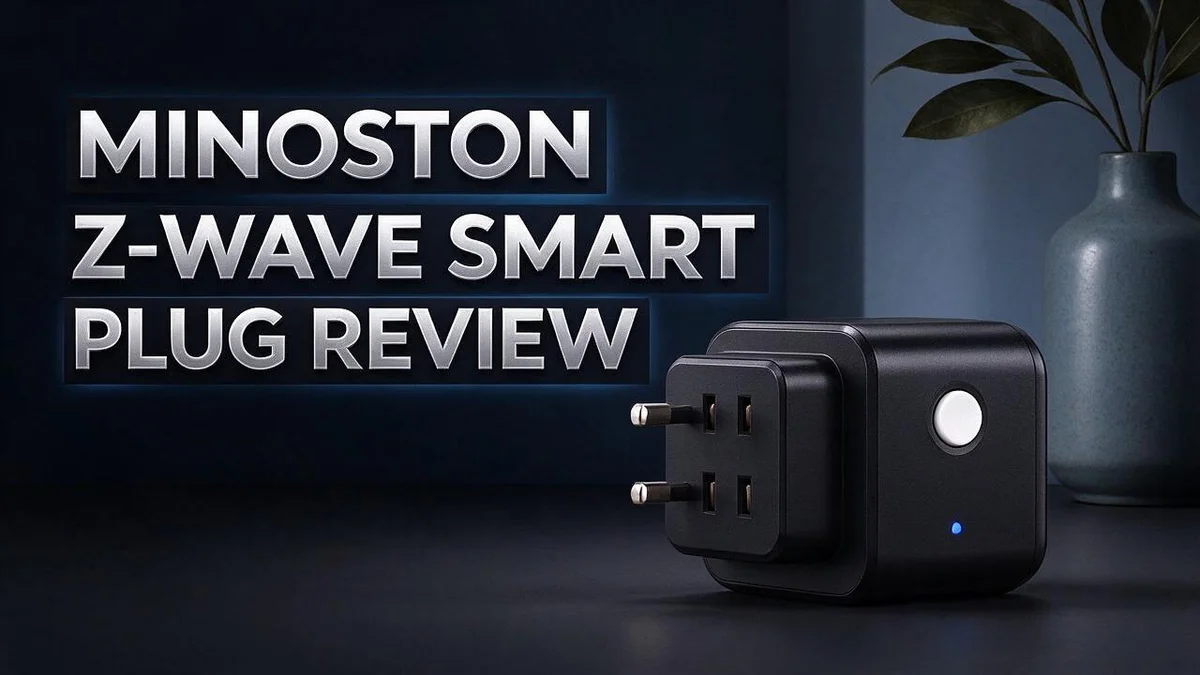
Minoston Z-Wave Smart Plug Review 2026: Complete Buyer’s Guide
Tired of walking across the room just to switch on a lamp? A smart plug can solve that problem fast. The Minoston Z-Wave smart plug promises easy control, and it packs many useful features into a compact body.
Strong relays handle loads up to 1800W, and arc suppression helps protect the switch. Users also get S2 security, timers, and voice control. The plug works with SmartThings, Wink, Alexa, Google, and Home Assistant, so it fits many setups.
Some buyers have reported problems, so this review looks at both the strengths and the weak spots. Keep reading to see the full picture. You will learn if this plug fits your home.
In a Nutshell
-
Works with the hubs you already own. It connects to SmartThings, Wink, Alexa, Google, and Home Assistant. Voice control through Alexa or Google makes switching devices on and off easy.
-
Extends your Z-Wave network. The plug acts as a repeater, so signals can reach devices placed far across your home. This helps smart gadgets stay connected in tricky spots.
-
Protects your control commands. S2 security helps keep unwanted users from taking over your plug. Your home stays safer when you add it to your network.
-
Runs on a schedule. The MP21Z indoor mini offers timers, so lamps can turn on before you walk through the door. Set the timer once and let the plug do the work.
-
Shows how much power you use. The 800-Series models add energy monitoring, which helps you spot devices that waste electricity. You can use that data to make smarter choices about your power use.
-
Needs a quick test after setup. One MP21Z stopped working right out of the box, and one 800-Series user saw strange energy readings. Check your unit early so you can return it if something seems wrong.
Power Handling and Relay Design

Last update on 2026-11-06 / Affiliate links / Images from Amazon Product Advertising API Some of the links on this website are affiliate links, which means that at no additional cost to you, I earn a commission if you click through and make a purchase. I only recommend products and services that I believe will add value to my readers. Thank you for your support!
Power handling is the first thing to check on any smart plug. The relay inside sets the limit. It works like a gate for electricity.
The outdoor Minoston models use 15A or 16A relays. That size suits most lamps, fans, and small appliances. Most homes use these sizes daily.
Resistive loads like heaters and incandescent bulbs pull steady power. Inductive loads like motors, compressors, and some pumps need a bigger startup surge.
A refrigerator is a good example of an inductive load. Its compressor kicks on with a short burst of extra current. A relay must handle that spike without wearing out fast.
The indoor MP21Z handles loads up to 10A. That limit fits lamps and small electronics well.
The compact extender model lists a 1875W rating. Its small size helps it fit behind furniture.
Do the math before you plug in. Add the wattage of each device you plan to connect. Leave some room below the rated limit.
Avoid chaining plugs or power strips to a smart plug. Extra devices add load on top of the plug’s own limit.
Heat is another sign of trouble. A plug that feels hot to the touch may be overloaded. Unplug it and check the load.
Check the label on every device. Look for wattage or amp ratings on the back or bottom. Those numbers tell you how much power the device draws.
Some lamps list their wattage on the bulb. LED bulbs use far less power than older bulbs. That means one plug can handle many more bulbs.
Match each plug to a job that fits its rating. Heavy loads belong on the outdoor models, while lamps suit the mini plugs.
A safe setup starts with honest numbers. Good planning keeps your relay healthy and your home safe for years.
Hub Compatibility and Range Extension
Before you buy, confirm that your hub supports Z-Wave. Older hubs may need a firmware update first. Check your hub app or manual for version details.
Pairing works like adding any other Z-Wave device. Press the button on the plug, then start the add device step in your hub app.
Keep the plug close to the hub during setup. A strong first connection makes later steps easier.
Range depends on where you place each plug. Think of your home as a chain of plugs that pass messages along.
Mesh networks grow stronger with every powered device. Each new plug gives signals another path through your home.
Plan your layout before you install the whole set. Walk through each room and note where the signal might struggle.
Some smart home platforms handle Z-Wave devices differently. SmartThings, Home Assistant, and Alexa each offer their own device menus.
Test one plug on your main platform first. Then expand once everything works as expected.
Test range before you mount anything. Plug the device near a wall outlet, then move to the farthest room.
Check the status in your app. If the signal drops, add a plug halfway between the two points.
Mixing hubs can cause confusion. A plug paired to one hub will not show up in another until you reset it.
Pick one main hub and keep your devices on it. This gives you the simplest experience.
Signal strength often appears on the device page in your app. Look for a signal indicator or rating.
Strong readings mean the plug can pass traffic reliably. Weak readings suggest moving the plug closer to the hub.
Also keep your hub firmware updated. Updates often improve Z-Wave stability and fix pairing bugs.
Set a reminder every few months. Your network stays healthy when you stay on top of updates.
Scheduling and Voice Control
Scheduling and voice control make a smart plug much more useful. Each feature works a little differently. Learning both helps you get the most from your setup.
Set timers inside your hub app. Most hub apps, such as SmartThings, Wink, or Home Assistant, let you create timed actions for your plugs. Pick the time, choose the days, and save the plan.
Give every plug a short, clear name. Names like coffee maker or reading lamp help voice assistants find the right device. Avoid similar names, such as kitchen light and kitchen lamp, because they can confuse the assistant.
Voice control works through Alexa or Google. Say a simple phrase like “turn on the reading lamp.” The assistant sends the command through your hub to the plug. Short phrases usually work best.
Combine plugs into routines. A routine runs several actions with one phrase. For example, good night could turn off a fan, a radio, and a lamp at the same time.
Test each phrase and timer before you rely on them. Try every command at least twice. Note any delays, wrong matches, or missed times so you can fix them quickly.
Check the hub when a plug stops responding. If both voice and schedule commands fail, look at the outlet first. Then confirm that the plug still appears in your hub app. A missing device often needs to be added again.
Respect each plug’s power limit. A schedule cannot change the wattage rating of a plug. Keep heaters and large appliances within the limits printed on the device label.
Review shared access from time to time. Family members and guests may use voice commands too. Check who can control your plugs in the assistant app, and remove old accounts.
Good habits keep your setup reliable. Clear names, short tests, and simple routines help your plugs run on time every day. Spend a little time on these steps, and your smart home will feel easier to manage.
Top 3 Alternatives
Here are three strong alternatives worth a look. Each one works with Z-Wave hubs and gives you simple remote control.
Zooz ZEN15 Power Switch

Last update on 2026-11-06 / Affiliate links / Images from Amazon Product Advertising API Some of the links on this website are affiliate links, which means that at no additional cost to you, I earn a commission if you click through and make a purchase. I only recommend products and services that I believe will add value to my readers. Thank you for your support!
The Zooz ZEN15 is a compact plug-in switch that fits easily behind furniture. It works with most Z-Wave hubs. It also measures energy use, so you can track how much power your lamps or fans draw. Setup feels quick, and pairing rarely causes trouble.
Aeotec Smart Switch 7
No products found.
The Aeotec Smart Switch 7 handles heavier loads with ease. It shows clear status lights, so you always know if it is on. You can monitor power in real time and control it from your phone. Many owners like how well it keeps working during network updates.
Leviton Decora Smart


Last update on 2026-11-06 / Affiliate links / Images from Amazon Product Advertising API Some of the links on this website are affiliate links, which means that at no additional cost to you, I earn a commission if you click through and make a purchase. I only recommend products and services that I believe will add value to my readers. Thank you for your support!
The Leviton Decora Smart replaces a standard wall switch and blends in with your existing decor. It gives you control without a plug taking up an outlet. Voice assistant support makes daily use simple for everyone at home. Installation involves basic wiring, so a licensed electrician can help if you feel unsure.
Energy Monitoring Performance
Energy monitoring adds real value to a smart plug. The 800 Series model tracks how much power a device uses. This data helps people spot waste and plan better habits.
Readings usually show power in watts. They can also show energy over time in kilowatt hours. Watts show how much power runs right now. Look for a steady baseline when nothing runs. A small standby number is normal for many devices.
A sudden jump deserves a closer look. It may signal a faulty device or a schedule you forgot. Check the hub app history before you change anything. Think of the data as clues, not final answers.
Some owners report odd energy readings. One 800 Series user saw numbers that did not match expectations. Reports like this are rare, but they still matter.
Use a separate energy meter for a quick check. Run the same appliance at a similar load for one day. Compare the totals to see if the numbers match.
Give the data time to build. A single hour can mislead you. Short tests often hide long running cycles. Weekly trends show the real pattern for coffee makers, space heaters, and fans.
Use the charts in your hub app. Most apps display daily or weekly use. Take a screenshot each week. This creates a simple record you can review later.
Write down every change you make. Note when you move a device or edit a timer. This helps you link a spike to its cause.
Act on what the numbers show. If a lamp burns all night, set a timer. Small fixes add up over a month. Track the results and adjust again if needed.
Reliability and Reported Failures
Reliability decides whether a smart plug earns a permanent spot in your home. A plug that fails at the wrong time can cause real problems, especially with heaters or fridges.
One user reported a serious failure. An MP21Z stopped working completely. The LED stayed dark, and the plug ignored factory reset and inclusion presses. That single report does not prove a wider pattern. Still, it shows what to check when a plug goes silent.
Start with the basics. Confirm that the outlet has power. Plug in a lamp you know works. This step rules out a wall outlet or breaker problem.
Try a power cycle next. Unplug the plug for thirty seconds. Plug it back in and watch the LED.
Find out where the problem sits. If the LED stays off, the device likely has a fault. If the LED lights but your hub cannot reach the plug, check your network and signal path instead.
Watch for physical warning signs. A warm housing, a buzzing sound, or a burning smell means you should stop using the plug. Unplug it right away.
Respect the load rating. Outdoor models handle up to 1800W with resistive and inductive loads. Motors and compressors create extra strain on relays. Match the plug to the appliance to protect the internal parts.
Keep a simple failure log. Write down the date, the device name, and what happened. Patterns show up quickly this way, and you can share clear details with support.
Test every plug early. Check each one during the first few days. Review the seller’s return policy and warranty terms before the window closes. Save your receipt and original packaging.
Buy from a trusted seller. Choose a retailer with clear return rules and accurate model details. Avoid listings that hide the model number or the warranty information.
Careful use helps any smart plug last longer. Good setup, honest load limits, and quick testing protect you from most surprises.
Pros and Cons
Pros
– Heavy-duty relays with arc suppression handle demanding loads.
– S2 security helps protect the plug from unwanted access.
– The plug extends your Z-Wave mesh range across the home.
– The compact mini model fits behind furniture and in tight spaces.
– It works with SmartThings, Wink, Alexa, Google, and Home Assistant.
Cons
– The indoor MP21Z handles only 10A, less than the outdoor models.
– Several models exist, so you must pick the right one for your needs.
– Energy monitoring appears only on the 800-Series, not every model.
– Public user feedback is limited, so long-term data stays thin.
Who Should Buy It
Renters are a natural fit for this plug. Many renters cannot rewire walls or swap light switches. This plug sits between the wall and the lamp, so the home stays unchanged.
Holiday decorators can also get good use from it. Outdoor models handle string lights and garden fountains on a daily schedule. Set the timer once, and the display turns on at dusk.
Pet owners often find it helpful too. A timed lamp or radio can make a home feel occupied while you travel. Your pet keeps a familiar routine.
Existing hub owners will feel at home. If your setup already runs SmartThings, Wink, Alexa, Google, or Home Assistant, you skip buying a new controller. The plug joins the system you already use.
Families with older relatives can benefit as well. Voice commands let a loved one switch on a lamp without reaching the outlet. Caregivers can also set routines that keep a hallway lit at night.
Night owls and early risers share a need too. They can set a timer to shut off a bedside lamp. A dark room often leads to better sleep.
Apartment dwellers with crowded outlets will like the compact design. A small body leaves room for another plug beside it. This matters in older buildings with few sockets.
Beginners should expect a learning curve. Pairing steps and hub menus can feel confusing at first. Take your time, read the manual, and ask for help when a step does not make sense.
Some shoppers should choose a different path. People who need a device for medical equipment or a home security system need certainty above all. A single failure report makes a backup plan wise for those critical jobs.
High-draw appliances belong on a wall outlet. Space heaters, large fans, and power tools pull heavy current that puts extra stress on any plug. Keep those devices plugged directly into the wall for safety.
The best buyer checks needs first. Think about the devices, the hub, and the outlets you plan to control. A clear list makes choosing the right model much easier.
Final Verdict
The Minoston Z-Wave smart plug earns a solid recommendation for most smart home fans. It offers strong relays, handy timers, and wide hub support. Still, the best pick depends on your setup.
Think about your daily routine first. Ask what you plan to power and where the plug will sit. A clear answer makes the decision much easier.
Check your hub before you order. Confirm that your current system supports Z-Wave devices. This quick step prevents setup headaches later on.
Think about your space too. A compact mini model suits tight corners and crowded outlets. Outdoor models suit a porch or patio. Matching the size to the spot saves time and frustration.
Weigh the single failure report calmly. One report does not define an entire product line. Still, a clear return window gives you a safety net if something goes wrong early.
Smart plugs work best for simple, everyday automation. They shine when you schedule lights or fans on a routine. Complex wiring jobs still need a licensed electrician.
Shoppers who need energy tracking on every outlet should look closely at the 800 Series model. Everyone else will likely find the rest of the lineup more than capable.
Plan your first setup with care. Pair the plug and test it with a simple lamp. Once it works, add schedules and voice commands one step at a time.
Consider your future plans as well. Choosing a platform you already trust keeps upgrades simple. Your next smart device should feel like a natural addition.
Keep your expectations realistic. This plug controls power on and off with reliability. It does not replace a full home automation system.
Overall, this plug delivers reliable control for everyday tasks. Its broad compatibility and smart features make it a practical choice. Choose the model that fits your space and load, and enjoy easy control. Your home will thank you for the extra convenience.
Frequently Asked Questions
Can I plug a space heater into it?
Yes, but check the wattage first. The plug handles loads up to 1800W, so a heater that draws more will not work safely. Never leave a heater running unattended, even with a timer or voice control set up.
Do I need a hub to use this plug?
Yes, you need a compatible hub. The plug works with platforms like SmartThings, Wink, and Home Assistant. Set up your hub before you unbox the plug. Once the hub is ready, you can add the plug and control it from your phone.
What should I do if my plug stops responding?
Start with the basics. If the light stays off, check that the outlet has power by plugging in a lamp. Then try a factory reset as described in the manual. One user reported an MP21Z that ignored every button press, so contact the seller if nothing brings it back to life.
Are the energy readings accurate?
Some 800 Series owners have reported strange energy readings. Compare the numbers with a known appliance or a separate energy meter. Test the data for a few days before you trust it. This step helps you make smart choices about your home energy use.

Hello, i’m Ivoria i am the face behind Tech Tracker Blog. I am passionate about my work and love to explore gadgets and share about my experience.