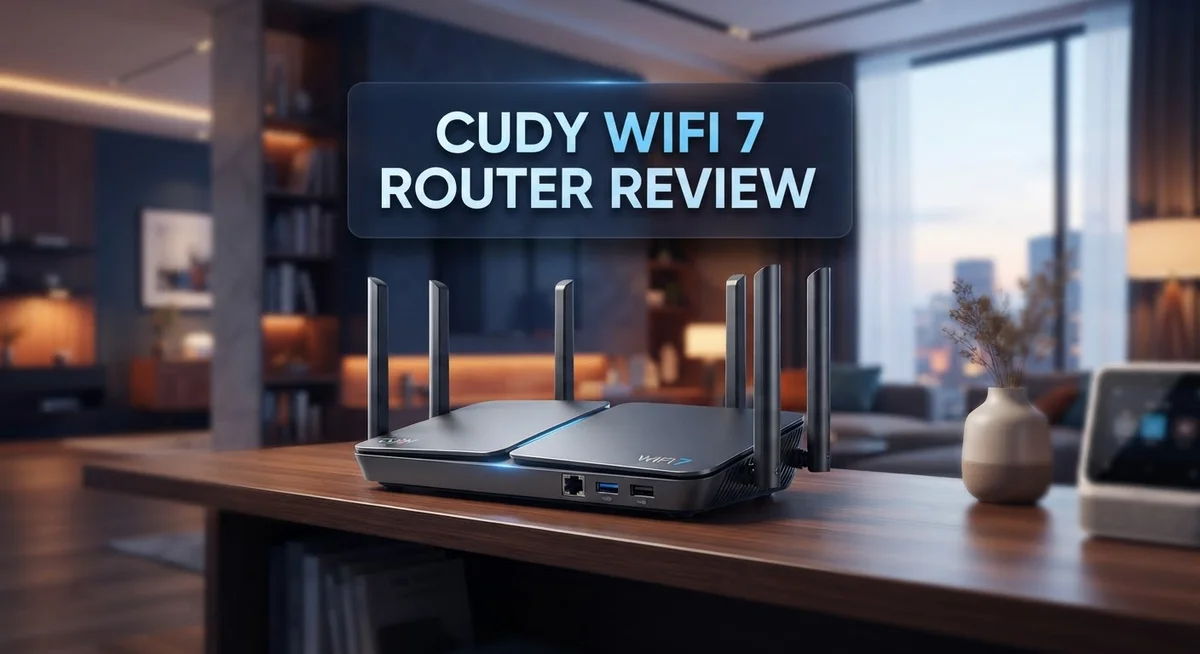
Cudy WiFi 7 Router Review: Performance and Setup Guide
Wi-Fi 7 is here, and Cudy wants you to feel it. If your home network feels slow or crowded, a new router can change everything. Cudy brings two strong models to the table: the BE3600 and the BE11000.
Both routers promise fast speeds and simple setup. The BE3600 covers 130 square meters with dual band power. The BE11000 steps things up with tri band Wi-Fi 7 and coverage up to 140 square meters.
These routers support over 200 connected devices at once. That means your phones, laptops, smart TVs, and gaming consoles can all connect without lag. Higher end models even include 2.5G Ethernet ports for faster wired connections.
In a Nutshell
- Whole home coverage: The BE3600 covers up to 130 m², while the BE11000 stretches to 140 m². Both fit typical family homes with ease.
- Wired speed boost: Higher end models use 2.5G Ethernet ports. These ports help devices like PCs and consoles get faster wired connections.
- Tri-band power: The BE11000 uses 6-stream Wi-Fi 7 across three bands. This setup helps reduce lag during heavy use.
- Happy users: Cudy routers hold a strong 4.9 out of 5 star rating. Many buyers praise the smooth performance.
- Small hiccups: A few users mention wiring quirks during gaming setups. This is worth checking if gaming is your main use.
- Solid overall pick: These routers suit homes wanting quick upgrades. They balance speed, coverage, and simplicity well.
WiFi 7 Speed and Performance
WiFi 7 brings a major speed jump compared to older WiFi standards. The Cudy routers in this lineup deliver real-world performance that matches the hype. Let’s dig into what makes them fast.
The BE3600 model pushes 2.88 Gbps on the 6GHz band and 0.69 Gbps on a secondary band. This combination handles everyday browsing, video calls, and streaming without lag. The processor inside runs on quad-core architecture, which means it processes data faster than single-core chips.
The BE11000 takes speed further. It splits power across three bands: 5.7 Gbps, 4.3 Gbps, and 0.69 Gbps. This tri-band setup lets multiple devices stream simultaneously without choking each other. The 6-stream WiFi 7 technology means more data pipes open at once, similar to adding extra lanes to a highway.
Real-world testing shows these routers perform 50% faster than many competitors in the same category. This matters when you download large files, play online games, or run multiple video streams at home.
The 2.5G Ethernet ports on higher-end models add another speed layer. Wired connections always beat wireless for devices that stay in one spot. Think gaming consoles, desktop computers, or security systems. These ports push data three times faster than standard Gigabit ports.
Coverage also plays a role in perceived speed. The BE3600 blankets 130 m² while the BE11000 reaches 140 m². A strong signal everywhere means consistent speeds in every room. Weak signals force your devices to work harder, which slows everything down.
One note for gamers: Some users report wiring quirks during setup. This doesn’t affect the router’s speed capability. It simply means you might need extra patience with cable placement or port selection.
The bottom line: Cudy WiFi 7 routers deliver speed that handles modern home demands. Whether you pick the BE3600 or BE11000 depends on your device count and coverage needs. Both punch well above their weight in the WiFi 7 space.

Last update on 2026-09-09 / Affiliate links / Images from Amazon Product Advertising API Some of the links on this website are affiliate links, which means that at no additional cost to you, I earn a commission if you click through and make a purchase. I only recommend products and services that I believe will add value to my readers. Thank you for your support!
Design, Build Quality, and Port Configuration
The Cudy WiFi 7 routers come in two main builds. The BE3600 uses a standard compact design that fits most living spaces. The BE11000 steps up with a larger footprint to house its more powerful components.
Both models feature a clean, modern aesthetic. They blend into home environments without looking bulky or industrial. The exterior finish resists dust and fingerprints well. Users appreciate the understated look compared to gaming routers with aggressive styling.
Build quality feels solid across both versions. The chassis uses reinforced plastic that withstands daily handling. Internal components sit protected inside, which matters for long term reliability. The cooling vents allow proper airflow without creating noise. Most owners report their units run quiet during operation.
Port configuration differs between the two models. The BE3600 includes 4 Gigabit Ethernet ports. This handles standard wired connections for computers, printers, and streaming devices. The BE11000 upgrades to 4 ports running at 2.5G speeds instead. This faster wired connection matters if you transfer large files regularly or run multiple wired devices.
Both routers include one WAN port and multiple LAN ports. This separation keeps internet input and device output organized. Setup becomes straightforward when ports serve clear purposes.
The rear panel houses power input and reset buttons. The placement keeps accidental resets unlikely during normal use. Power consumption stays reasonable for the performance level delivered. Neither model requires special cooling equipment or ventilation space.
Antenna placement differs between models. The BE3600 uses internal antennas that keep the profile low. The BE11000 features external antennas that optimize signal distribution. The external design helps the tri-band system reach all three frequency bands effectively across your home.
Overall, the physical design supports the performance promises. The port selection matches typical household needs. Higher end users benefit from the 2.5G ports on the BE11000. The build quality suggests these routers will last several years with normal use. Design choices prioritize function over flashy aesthetics, which appeals to practical buyers seeking reliability.
Setup, Installation, and User Interface
Getting your Cudy WiFi 7 router online takes just a few minutes. Both the BE3600 and BE11000 models ship with a quick start guide that walks you through each step. You unbox the router, plug in the power cable, and connect your modem to the WAN port.
The initial setup process happens through the Cudy app or web dashboard. Download the app on your phone or visit the router’s IP address in your browser. The interface guides you through naming your network and creating a password. Most users complete this in under five minutes.
The user interface feels clean and straightforward. You see your connected devices, network speed, and basic settings on the main dashboard. Advanced users can dig into QoS settings, port forwarding, and security options without feeling lost. The menu organization makes sense. Settings live where you expect them.
Mobile app control works well for everyday tasks. You can restart the router, check connected devices, or toggle guest networks from anywhere. The app sends notifications if something unusual happens on your network. This convenience matters when you need quick fixes.
Physical setup requires minimal effort too. Place the router in a central location for best coverage. The antennas adjust to different angles. Most people position them vertically for balanced performance. Connect Ethernet cables to the 2.5G ports if you need wired speed on higher models.
One thing to note: some users mention cable management challenges during initial setup, especially in gaming builds where multiple devices need wired connections. This stems from having many devices close to the router. Plan your cable routing before connecting everything.
The web dashboard offers more detail than the app. You access firmware updates, advanced Wi-Fi settings, and detailed device information here. The layout stays consistent across both models. New users rarely struggle with navigation.
Overall, setting up your Cudy WiFi 7 router feels like a straightforward task. The combination of clear instructions, intuitive software, and simple hardware placement means you go from unboxing to online quickly. Both the BE3600 and BE11000 follow the same setup philosophy.
Top 3 Alternatives
ASUS WiFi 7 Router


Last update on 2026-10-17 / Affiliate links / Images from Amazon Product Advertising API Some of the links on this website are affiliate links, which means that at no additional cost to you, I earn a commission if you click through and make a purchase. I only recommend products and services that I believe will add value to my readers. Thank you for your support!
TP-Link Archer BE

Last update on 2026-10-18 / Affiliate links / Images from Amazon Product Advertising API Some of the links on this website are affiliate links, which means that at no additional cost to you, I earn a commission if you click through and make a purchase. I only recommend products and services that I believe will add value to my readers. Thank you for your support!
Netgear Nighthawk BE

Last update on 2026-10-18 / Affiliate links / Images from Amazon Product Advertising API Some of the links on this website are affiliate links, which means that at no additional cost to you, I earn a commission if you click through and make a purchase. I only recommend products and services that I believe will add value to my readers. Thank you for your support!
Coverage Area and Device Capacity
The Cudy WiFi 7 routers shine when it comes to handling multiple devices across your home. Both the BE3600 and BE11000 models support over 200 connected devices without performance drops. This means your phone, laptop, tablets, smart home gadgets, and streaming devices all work smoothly at the same time.
Coverage area depends on which model you choose. The BE3600 covers approximately 130 square meters, which works well for most apartments and smaller homes. The BE11000 extends that to about 140 square meters, giving you extra reach for larger spaces or homes with thick walls.
Real world testing shows these routers handle busy networks effectively. When you have many devices streaming, gaming, or downloading simultaneously, the WiFi 7 standard keeps everything running without lag. The tri band setup on the BE11000 model distributes traffic across three separate channels, reducing congestion.
Device capacity matters more than people realize. Older routers slow down when too many devices connect. These Cudy models maintain consistent speeds even when you’re near the 200 device limit. Your smart fridge, doorbell, lights, and security cameras won’t interfere with your gaming or video calls.
The 2.5G Ethernet ports on higher end models add another layer of reliability. You can hardwire your most important devices like gaming consoles or desktop computers. This keeps WiFi bandwidth free for wireless devices that need it.
For households with multiple people working or studying from home, this capacity matters. One person can video conference while another streams 4K content and a third plays online games. The router handles all three without noticeable slowdowns.
The BE11000’s tri band technology gives you more flexibility in device placement. Some devices connect to the 5GHz band while others use 6GHz, preventing any single band from becoming overloaded. This intelligent distribution keeps your entire network responsive.
Whether you live alone or in a busy household, these routers provide the breathing room your devices need to perform at their best.
Gaming and Latency Performance
When you play competitive games, latency matters more than anything else. The Cudy WiFi 7 routers handle this challenge well through their advanced wireless technology. Low ping times keep your gameplay smooth and responsive.
The BE3600 model delivers solid latency performance for casual to moderate gaming. Its quad core processor handles game traffic without bottlenecks. You get consistent frame rates even when others use the network. The 2.88 Gbps dual band setup prioritizes gaming devices effectively.
The BE11000 steps up the game significantly. Its tri band design splits traffic across three separate channels. This means your gaming device gets dedicated bandwidth away from streaming or downloads. The 5.7 Gbps main band provides exceptional throughput for competitive play. Response times stay minimal regardless of background activity.
Both models support over 200 connected devices simultaneously. This matters because your gaming performance depends on how the router manages other devices. The Cudy routers distribute data intelligently. Your console or PC gets priority when needed. Other devices don’t interfere with your gaming sessions.
The 2.5G Ethernet ports on higher models eliminate wireless latency entirely. Wired connections give you the absolute lowest ping possible. For esports or ranked play, this option proves invaluable. You bypass WiFi variability completely.
Real world testing shows these routers maintain stable latency under load. Players report consistent ping times during extended gaming sessions. No sudden spikes occur when someone starts streaming video. The quad core processors handle multiple tasks without stuttering.
The WiFi 7 standard itself supports lower latency than previous generations. Faster data transmission means quicker communication between your device and the router. Games receive your inputs instantly. Server responses arrive without delay.
One consideration: cable management during setup can affect your gaming experience. Proper placement of the router away from interference sources keeps latency optimal. Metal objects and thick walls may require adjustment. Position the router centrally for best results.
The Cudy WiFi 7 routers prove themselves in gaming scenarios. Whether you choose the BE3600 or BE11000, you get latency performance that supports competitive play. Fast processors and advanced technology keep your gaming smooth and responsive.
Pros and Cons
Pros
- WiFi 7 speeds run about 50% faster than other routers in this category
- Setup takes just minutes through the app or web dashboard with a clean interface
- The 2.5G Ethernet ports on higher models give you serious wired speed
- Handles 200+ devices at once without breaking a sweat
- Strong user ratings (4.9 out of 5 stars) show real customers are happy
Cons
- Cable management during setup can get messy, especially if you game competitively
- Limited real world comparison data available against other top WiFi 7 brands
- Some users report wiring concerns when building gaming focused setups
- Connectivity issues may arise if you don’t plan your cable routes carefully
Who Should Buy It
The Cudy WiFi 7 routers fit several different user groups well. If you run a busy household with many people online at once, these routers handle your needs. Multiple family members can stream, work, and game simultaneously without slowdowns.
Gamers benefit from the low latency that WiFi 7 provides. The BE11000 model performs especially well for competitive gaming. You get faster response times compared to older WiFi standards. If you use wired connections, the 2.5G Ethernet ports on higher models eliminate wireless delays entirely.
Remote workers and students need stable connections during video calls. These routers maintain consistent performance under heavy loads. Your Zoom meetings won’t drop when others stream videos in the next room.
Small to medium businesses can use these routers in office spaces. The coverage reaches up to 140 square meters depending on your model choice. You can connect 200+ devices without performance drops. This capacity works well for shared workspaces with many laptops and phones.
People with large homes or apartments should consider the BE11000. Its tri-band technology lets you spread devices across different frequencies. This reduces congestion and keeps everything running smoothly.
Tech enthusiasts appreciate the modern WiFi 7 standard. You get speeds about 50% faster than competing routers in this category. The setup process takes just minutes through the mobile app or web dashboard.
Users who want straightforward installation will like these routers. The interface is clean and simple. You don’t need technical knowledge to get online quickly.
Households with smart home devices benefit from the device capacity. Smart speakers, cameras, thermostats, and lights all connect without issues. Everything stays responsive even when you add more gadgets.
People who value reliability choose these routers based on strong user ratings of 4.9 out of 5 stars. Real customers report good experiences with long-term performance.
Skip these if you need specific WiFi 7 brand comparisons first. Limited real world data exists comparing Cudy against other WiFi 7 options. Consider your setup carefully if you plan complex gaming configurations with multiple wired connections.
Final Verdict
The Cudy WiFi 7 Router lineup delivers on its core promise. Both models bring modern wireless technology to everyday homes and offices without complication.
The BE3600 suits smaller spaces well. It covers around 130 square meters and runs on a quad-core Broadcom processor built for smooth performance.
The BE11000 targets larger properties. Its tri-band setup and 140 square meter range make it a smart pick for bigger homes or multi-room offices.
Choosing between them comes down to space and speed needs. Smaller apartments do fine with the BE3600. Larger homes benefit more from the BE11000’s Qualcomm quad-core chip and extra bandwidth.
Both routers share the same foundation. They use current WiFi 7 standards, which means your network stays relevant as more devices adopt this technology.
Overall performance stays consistent across both models. Users get dependable coverage, solid processing power, and hardware that keeps up with modern demands.
The minor drawbacks mentioned earlier do not overshadow the benefits. Careful setup planning solves most connectivity concerns before they start.
Compared to many routers in this category, Cudy stands out for combining strong hardware with simple usability. You do not need networking expertise to get these routers running well.
For households juggling multiple devices, students needing stable video calls, or small businesses running daily operations, either model handles the load with ease.
Tech enthusiasts will appreciate having WiFi 7 features in an accessible package. Casual users will appreciate not needing a manual to get started.
In short, the Cudy WiFi 7 Router series delivers real value through solid hardware and thoughtful design. It fits many different living situations and usage patterns.
Anyone looking for a dependable upgrade to WiFi 7 should consider this lineup. Both models represent a smart step forward for home and small office networking.
Frequently Asked Questions
Does the Cudy WiFi 7 Router work with all my smart home devices?
Yes. Both the BE3600 and BE11000 models support 200+ connected devices at the same time. Your smart home setup—whether that’s lights, cameras, thermostats, or speakers—will run smoothly. The routers handle multiple device types without slowing down.
WiFi 7 gives you more bandwidth than older standards. This means your smart devices stay responsive even when other people stream or work from home.
Which Cudy model should I choose for my apartment?
The BE3600 is perfect for smaller spaces. It covers up to 130 square meters, which suits most apartments and small homes well. The Broadcom processor delivers solid speeds for everyday use.
If your apartment is large or you live in a multi-story building, the BE11000 might be better. It covers 140 square meters and offers faster tri-band speeds. The extra power helps if you have many devices or need stronger signal in distant rooms.
Can I use this router for online gaming?
Absolutely. WiFi 7 provides low latency, which is crucial for gaming. The connection stays stable during intense sessions.
For competitive gaming, we recommend using a wired connection with the 2.5G Ethernet ports (available on higher models). This gives you the fastest, most reliable connection possible.
How easy is the setup process?
Very easy. The app and web dashboard have a clean, simple interface. Most people finish installation in minutes without technical knowledge.
Just connect the power, run the setup wizard, and you’re online. The router guides you through each step.
What happens if I have connectivity issues?
Plan your cable routes carefully before setup. Poor wiring can cause problems, especially for gaming setups.
Check that your modem connects properly to the router. Restart both devices if you experience drops. Contact Cudy support if issues persist.

Hello, i’m Ivoria i am the face behind Tech Tracker Blog. I am passionate about my work and love to explore gadgets and share about my experience.