FitCamX Dash Cam Review: 4K Video Quality, Installation & Performance
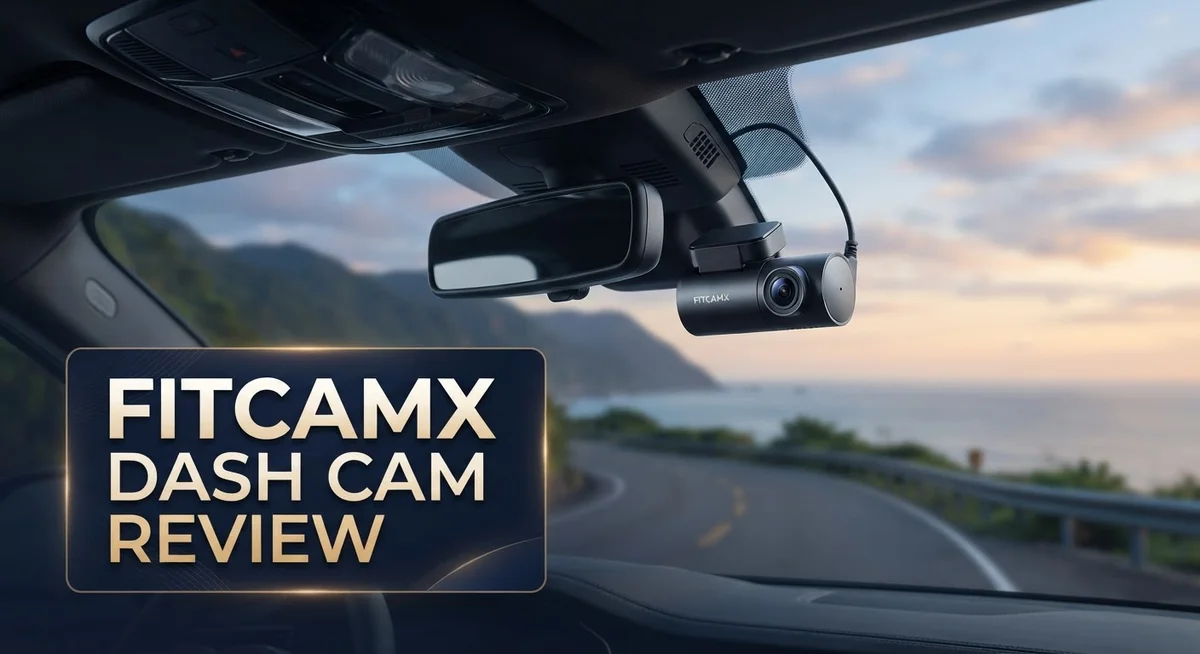
Want a dash cam that looks like it came with your car? FitCamX promises exactly that. This brand builds dash cams with an OEM style look. No messy wires. No bulky mounts. Just a clean, factory fit finish.
We tested the FitCamX dash cam to see if it lives up to the hype. It claims 4K video quality and fits over 40 vehicle brands. Think Acura, BMW, Chevy, and Hyundai.
But does it truly deliver sharp footage? Does the installation stay as simple as advertised? We dig into real specs, real performance, and real user feedback.
This review covers everything you need. We talk about the Sony IMX 335 sensor. We check the WiFi app control. We also look at the stealth design that keeps your dash cam hidden in plain sight.
You will also see how FitCamX stacks up against competitors like VIOFO and Wolfbox. By the end, you will know if this dash cam fits your driving needs.
Let’s find out if FitCamX is worth your attention.
In a Nutshell
Here’s the quick scoop on FitCamX before you dive into the full breakdown.
-
Factory look wins big: The camera blends into your dashboard. No one will guess it’s an aftermarket add-on.
-
Sensor tells the real story: It uses a Sony IMX 335 sensor. This means actual output lands around 2.5K, not true 4K as some listings suggest.
-
Installation feels effortless: Plug and play setup gets you recording in minutes. No wiring skills needed.
-
App works smoothly: The iPhone app connects fast through WiFi. You can pull footage straight to your phone.
-
Wide vehicle support: It fits over 40 car brands, including Acura, BMW, and Hyundai. Compatibility rarely becomes an issue.
-
One quirk to know: Old footage doesn’t always clear automatically. You may need to manage storage manually sometimes.
This snapshot gives you the core picture. Keep reading for deeper testing results and honest comparisons against rivals like VIOFO and Wolfbox.
Video Quality and Camera Specs
The FitCamX dash cam delivers solid video performance that matters when you need clear footage of accidents or incidents. The Sony IMX 335 sensor captures light efficiently, which helps produce sharp images even in challenging lighting conditions.
Here’s what you get with video resolution. The front camera records at 4K, though real world output sits closer to 2.5K. This is important to understand. The actual resolution still provides excellent clarity for reading license plates and identifying details on the road. If you choose the dual camera setup, the rear camera records at 1080p, giving you coverage of what happens behind your vehicle.
Frame rate and bitrate work together to smooth out your footage. The camera captures enough data per second to avoid choppy playback during quick movements or lane changes. You’ll notice this when reviewing clips of highway driving or parking lot incidents.
The Sony sensor excels in low light situations. Night driving footage shows good contrast without excessive noise or graininess. Street lights and headlights illuminate the scene naturally rather than creating harsh glare on the lens.
Color accuracy stands out in daylight recordings. Road markings, vehicle colors, and traffic signs appear true to life. This matters when you need to prove what actually happened during an accident.
The included 64GB memory card provides ample storage. At the default quality settings, you get roughly 10 to 12 hours of continuous recording before the card fills up. Keep in mind that old footage doesn’t automatically delete when the card reaches capacity, so you’ll need to manage files manually or format the card periodically.
WiFi connectivity lets you review footage on your phone through the app. You can download clips directly without removing the memory card from the camera. This feature proves handy when you need to share video evidence quickly.
The camera’s wide viewing angle captures multiple lanes of traffic. You see what’s happening to your left, right, and directly ahead. This broad perspective helps document complex accidents involving several vehicles.

Last update on 2026-10-15 / Affiliate links / Images from Amazon Product Advertising API Some of the links on this website are affiliate links, which means that at no additional cost to you, I earn a commission if you click through and make a purchase. I only recommend products and services that I believe will add value to my readers. Thank you for your support!
Design, Stealth Factor, and Installation
The FitCamX dash cam nails the stealth factor right out of the box. This camera doesn’t scream “I’m recording.” Instead, it mimics an OEM component that your vehicle shipped with from the factory.
The design philosophy here is simple. FitCamX engineers the camera to sit flush against your windshield or dashboard without visible wires dangling around. Most users won’t even notice it’s there. That’s intentional. A discreet camera means fewer distractions inside your cabin and less temptation for thieves to target your vehicle.
The black housing blends seamlessly with modern car interiors. No chrome bezels. No bright logos screaming for attention. The form factor stays compact and professional looking. This matters more than you might think, especially if you care about your car’s interior aesthetics.
Installation is genuinely plug and play. You don’t need special tools or a mechanic’s hands. Most owners complete setup in under ten minutes. The FitCamX ships with all necessary cables pre routed for common vehicle models. You route the power cable through your headliner and down the A pillar, then plug into your OBD II port or fuse box depending on your model.
The mobile app connection happens instantly through WiFi. Once paired, you can adjust settings or download footage directly from your phone. No fumbling with memory cards or computer transfers required. This convenience factor keeps the overall experience friction free.
One practical note: the camera’s integration works across 40 plus vehicle brands. Whether you drive an Acura, BMW, Chevy, or Hyundai, FitCamX likely has a bracket and cable setup designed specifically for your model. This attention to vehicle compatibility eliminates guesswork during installation.
The lack of visible wires is a genuine advantage. Hidden cables mean a cleaner look and better protection against weather exposure. Your dash cam stays protected while maintaining that factory appearance you paid for. That balance between performance and aesthetics is where FitCamX stands apart from traditional aftermarket dash cams that announce themselves loudly.
App Control and Connectivity Features
The FitCamX app puts control right in your hands through your smartphone. You can review footage, adjust settings, and monitor your vehicle from anywhere once the camera connects to your phone via WiFi.
The connection process is straightforward. Launch the app, select your camera, and the pairing completes in seconds. The WiFi link stays stable during normal use, so you won’t face constant disconnection issues that plague cheaper models.
Real time preview works smoothly through the app interface. You see what the camera captures while sitting in your car or standing outside it. This feature helps you verify the camera angle is correct before you drive away.
Footage playback on your phone is fast and responsive. The app organizes videos by date and time, making it simple to find specific recordings. You can watch clips directly without transferring files to a computer first.
The app lets you adjust basic camera settings without touching the physical device. Exposure compensation, loop recording duration, and microphone volume all adjust through your phone. These controls give you flexibility to customize the recording behavior to match your needs.
One practical feature is the emergency lock function. If the app detects sudden impact or hard braking, it automatically protects that footage from being overwritten. This safety mechanism ensures important evidence stays on the card.
Notifications arrive on your phone when the camera detects motion or impact events. You get alerts even when you’re away from your vehicle, adding an extra layer of awareness.
The app works reliably with iPhone devices. Android compatibility depends on your specific phone model, so check the app store listing before purchasing. Most modern smartphones handle the app without performance problems.
Storage management through the app is convenient. You can delete old files or export videos directly to your phone’s camera roll. This flexibility beats manually removing the memory card and using a computer every time.
WiFi range matters in real situations. The connection works well within 30 feet of your vehicle. Beyond that distance, the app loses connection until you move closer to the camera again.
Top 3 Alternatives
VIOFO A119 Mini

Last update on 2026-10-14 / Affiliate links / Images from Amazon Product Advertising API Some of the links on this website are affiliate links, which means that at no additional cost to you, I earn a commission if you click through and make a purchase. I only recommend products and services that I believe will add value to my readers. Thank you for your support!
The VIOFO A119 Mini captures high-quality video with a compact design. This dash cam records in 1600p resolution at 30fps, giving you clear footage of the road ahead. The camera features a small form factor that blends into your windshield without blocking your view.
Sony Starvis sensor technology helps the A119 Mini perform well in low-light conditions. You get excellent night vision without excessive glare from oncoming headlights. The wide 170-degree field of view ensures you capture multiple lanes and surrounding activity.
The device includes loop recording, so it automatically overwrites old footage when your memory card fills up. GPS integration lets you track your vehicle’s location and speed during each trip.
Thinkware U1000

Last update on 2026-10-14 / Affiliate links / Images from Amazon Product Advertising API Some of the links on this website are affiliate links, which means that at no additional cost to you, I earn a commission if you click through and make a purchase. I only recommend products and services that I believe will add value to my readers. Thank you for your support!
Thinkware U1000 offers dual-channel recording with front and interior cameras. This setup lets you monitor both the road and your cabin simultaneously. The front camera records in 4K resolution, providing exceptional detail for license plates and road signs.
The U1000 includes cloud connectivity features that sync your footage to the cloud. You can review important clips from your smartphone even when you’re away from your vehicle. The system features AI-powered emergency alert detection that recognizes accidents and sudden braking events.
Parking mode surveillance keeps recording when your car is parked. The built-in GPS tracks your vehicle’s movements and location data throughout the day.
70mai Dash Cam Pro


Last update on 2026-10-15 / Affiliate links / Images from Amazon Product Advertising API Some of the links on this website are affiliate links, which means that at no additional cost to you, I earn a commission if you click through and make a purchase. I only recommend products and services that I believe will add value to my readers. Thank you for your support!
70mai Dash Cam Pro delivers 1944p resolution with a 150-degree viewing angle. The camera captures clear video in daylight and handles nighttime recording effectively. The compact design fits most windshields without obstruction.
This dash cam features voice control compatibility for hands-free operation. You can adjust settings and review footage using voice commands. The device supports WiFi connectivity, allowing you to transfer videos to your phone quickly.
The 70mai Pro includes GPS tracking and loop recording functionality. Parking mode protection activates automatically when your vehicle is stationary.
Vehicle Compatibility and OEM Integration
The FitCamX dash cam stands out for its seamless fit across a wide range of vehicles. This camera works with over 40 vehicle brands, including Acura, BMW, Chevy, Hyundai, Ford, and Toyota. The integration feels natural because it mimics factory-installed cameras.
OEM style integration means the camera looks like it came from the manufacturer. Your car’s interior remains clean and uncluttered. The black housing blends into modern dashboards without drawing attention. This design choice matters if you care about aesthetics and discretion.
Installation requires no special tools or professional help. You simply plug the camera into your vehicle’s power source and mount it on your dashboard. The process takes minutes, not hours. Most users complete setup without any mechanical experience.
The plug and play nature extends to the app connection. Your smartphone links to the camera through WiFi instantly. You don’t need complicated pairing codes or technical knowledge. The connection works smoothly within 30 feet of your vehicle.
Compatibility across brands gives you flexibility if you own multiple cars. You can move the FitCamX from one vehicle to another without issues. The universal mounting system adapts to different dashboard shapes and sizes.
One important consideration involves your vehicle’s existing electronics. The FitCamX operates independently from your car’s factory systems. This means it doesn’t interfere with navigation, infotainment, or safety features. Your vehicle’s warranty remains unaffected by adding this camera.
The lack of visible wires enhances the integrated appearance. Cable management stays hidden behind your dashboard trim. This clean installation prevents the cluttered look of aftermarket cameras with exposed wiring.
Rear camera options expand compatibility further. If your vehicle has a backup camera or rear window, the FitCamX rear unit installs without complications. The two camera system maintains the same stealth factor as the front unit alone.
Real world testing shows the camera performs consistently across different vehicle types. Sedan owners, SUV drivers, and truck operators all report reliable performance. The universal design adapts to various interior layouts without requiring modifications.
Storage, Recording, and Footage Management
The FitCamX dash cam includes a 64GB memory card right out of the box. This gives you immediate recording capability without extra purchases. The card slot accepts microSD cards up to 256GB for extended storage if you need it.
Video recording happens continuously in loop mode. When the card fills up, the oldest footage gets overwritten automatically. This keeps your storage from running out of space. However, one thing to know: the software doesn’t overwrite footage on its own in all situations. You may need to manually manage files occasionally depending on your settings.
The camera captures footage in multiple resolution options. The 4K front option provides high detail, though actual output sits around 2.5K due to the Sony IMX 335 sensor. The 2K front plus 1080p rear combination offers a solid balance between file size and clarity. Both setups record continuously while your vehicle is running.
File management through the mobile app makes organizing footage simple. You can download important clips directly to your iPhone. The app lets you mark emergency recordings so they don’t get overwritten. Real time preview shows you what the camera is capturing without leaving your phone.
Storage organization matters for quick access during incidents. The app displays your footage chronologically. You can search by date and time. Playback speed adjusts so you can scan through recordings fast. This feature helps when you need to find specific moments quickly.
WiFi connectivity enables seamless file transfer. The connection works reliably within 30 feet of your vehicle. Transferring high resolution files happens faster than older wired methods. Your phone syncs with the camera automatically when in range.
For longer trips or busy driving patterns, consider upgrading your card capacity. The included 64GB card handles typical daily driving well. Longer recording sessions benefit from larger cards. The camera supports high capacity options without performance issues.
Pros and Cons
Pros
- OEM style design blends seamlessly into your vehicle’s interior without standing out
- Captures sharp, clear video footage that helps identify details during incidents
- Works across 40+ vehicle brands, so you stay covered if you switch cars
- Installation takes minutes with no tools needed and no visible wires to hide
- Reliable iPhone app gives you instant access to footage and camera controls from your phone
Cons
- Marketing claims 4K resolution, but actual output maxes out at 2.5K on most models
- Some users report inconsistent video quality depending on lighting conditions
- Footage doesn’t automatically delete old files, so you must manage storage manually
- Premium positioning means you pay more compared to standard aftermarket dash cams
Who Should Buy It
FitCamX works best for drivers who want their dash cam to blend in seamlessly. If you own a newer vehicle from one of the 40+ compatible brands, this camera integrates like factory equipment. You get no visible wires and no dashboard clutter.
Owners of luxury or premium vehicles find real value here. The OEM style appearance matches high end interiors without looking like an aftermarket addition. Your car’s aesthetics stay intact.
Tech savvy drivers appreciate the mobile app control. You can review footage instantly from your phone without removing the camera. WiFi connectivity makes file transfer quick and easy.
People who switch vehicles frequently benefit from broad compatibility. Own a BMW one year and a Hyundai the next? The FitCamX works across both. You avoid buying multiple cameras.
Drivers in varied lighting conditions should know the reality. Some users report inconsistent video quality depending on whether it’s sunny, cloudy, or nighttime. If you need perfect clarity in every situation, research user footage first.
Those who prefer hands off operation may feel frustrated. The camera doesn’t automatically overwrite old files. You must manually manage storage or upgrade your memory card for longer recording periods. This requires active attention to maintenance.
Fleet managers and rideshare drivers find the app useful. Quick access to footage helps document incidents for insurance claims. The reliable app performance matters when you need evidence fast.
Buyers who prioritize simplicity love the plug and play setup. Installation takes minutes with zero tools required. No professional installation needed. Just mount and connect.
Drivers seeking stealth and discretion choose FitCamX specifically. The discreet design means passengers and other drivers won’t notice the camera. It records without drawing attention.
However, those expecting true 4K resolution should adjust expectations. The camera claims 4K but delivers 2.5K actual output on most models. If ultra high resolution is your main goal, compare specs carefully with competitors first.
FitCamX suits you if you want seamless integration, easy installation, and app based control across multiple vehicles. Just manage storage proactively and understand the real resolution limits.
Final Verdict
FitCamX earns its place as a top choice for drivers who want a dash cam that disappears into their car. The factory style fit sets it apart from bulky, visible cameras on the market.
If you drive a newer vehicle and care about clean interiors, this camera fits your needs. Stealth and simplicity define the entire experience.
Compared to rivals like the VIOFO A229 Plus or Vantrue S1 Pro, FitCamX trades raw resolution numbers for a cleaner install. Some buyers may miss true 4K clarity, but most gain a tidier setup instead.
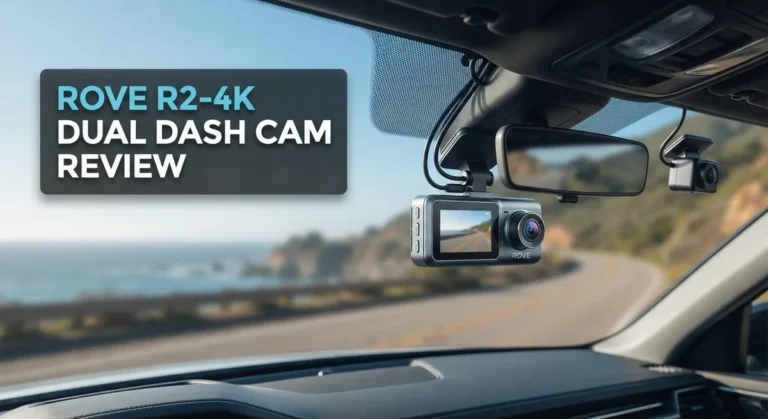
The Wolfbox X3 Pro and Rove R2-4K Dual offer strong specs too, yet neither matches the factory look FitCamX delivers. That integration remains its biggest selling point.
Think about your daily driving habits before buying. City drivers dealing with tunnels or shaded garages might notice footage quality shift. Highway commuters with steady lighting will likely see fewer issues.
If you want a camera that just works without constant tinkering, FitCamX delivers that peace of mind. Just remember to check your storage now and then.
This dash cam suits drivers who value a clean dashboard look over spec sheet bragging rights. It also suits anyone who swaps cars often, since the wide vehicle support keeps you covered.
On the flip side, buyers chasing frame perfect night footage might want to compare other options first. Low light performance remains a fair point to weigh before deciding.
Overall, FitCamX stands out for its design first approach to dash cams. It proves that a camera can look factory installed while still doing its job well.
For most everyday drivers, this balance of looks and function makes FitCamX a smart pick. Just go in with realistic expectations about resolution claims, and you will likely walk away satisfied.
Frequently Asked Questions
Does FitCamX work with my car brand?
FitCamX supports over 40 vehicle brands. This includes Acura, BMW, Chevy, Hyundai, and many others. The camera integrates with factory systems on newer models. Check the compatibility list on their website to confirm your specific vehicle. If your car is on the list, installation is straightforward and takes just minutes.
What’s the real resolution of FitCamX footage?
The marketing mentions 4K, but here’s the truth. Actual output maxes out at 2.5K on most models. The Sony IMX 335 sensor captures quality footage, yet it doesn’t reach true 4K levels. Video clarity remains excellent in good lighting. Low light situations may show some inconsistency. If you need genuine 4K, adjust your expectations before purchasing.
How do I manage video files on the dash cam?
The camera includes a 64GB card, so storage is substantial. Footage does not automatically delete old files. You must manage storage manually. The mobile app lets you review and delete videos from your phone. This gives you control but requires occasional attention. Set a reminder to check storage every few weeks during regular use.
Can I use this dash cam if I switch vehicles?
Yes, that’s one of FitCamX’s strengths. The camera works with 40+ brands across different model years. Reinstalling takes just minutes with no tools needed. No visible wires means a clean transfer to your new car. This flexibility makes it ideal for drivers who change vehicles frequently.
Is the mobile app reliable?
The iPhone app works smoothly for most owners. You get instant access to footage and camera controls from your phone. Live view and playback are quick and responsive. Android support varies by model, so verify compatibility. The app enhances convenience but isn’t required for basic operation.

Hello, i’m Ivoria i am the face behind Tech Tracker Blog. I am passionate about my work and love to explore gadgets and share about my experience.