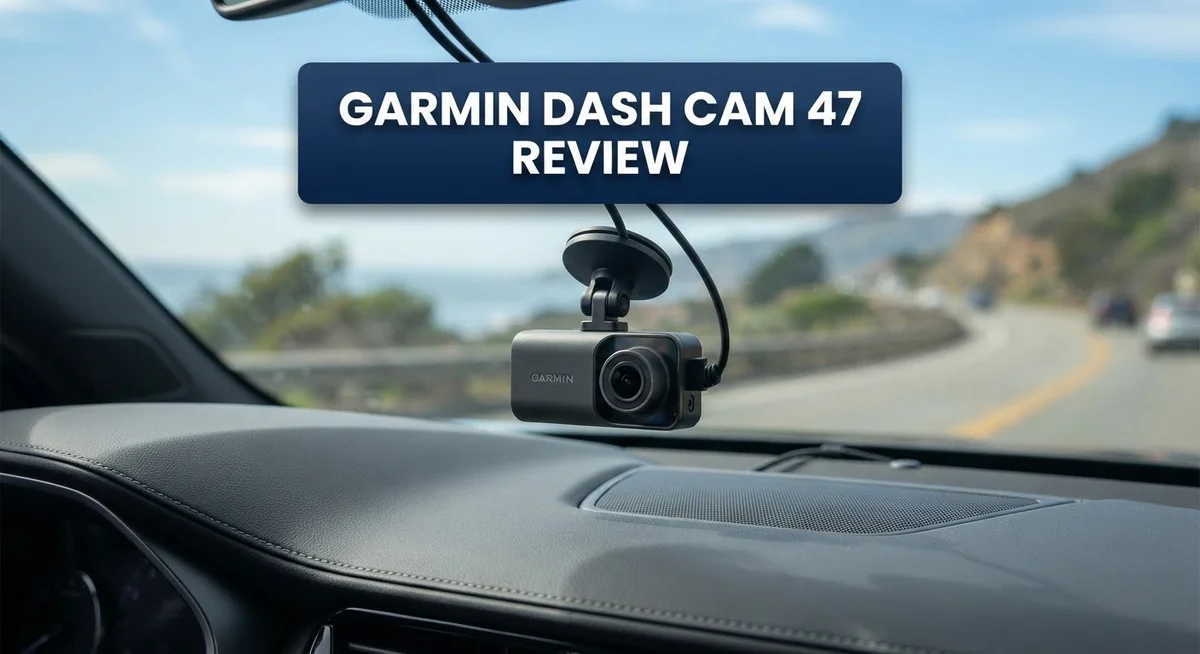
Garmin Dash Cam 47 Review: Features, Performance, and Safety Benefits
Do you want a dash cam that just works? The Garmin Dash Cam 47 is small, smart, and easy to use. It fits behind your mirror and stays out of sight.
This dash cam records in 1080p HD. It captures the road ahead with a 140° field of view. You get clear footage without a bulky setup.
One of the best features is the automatic incident detection. If a crash happens, the camera saves a 5 minute buffer right away. You do not need to touch a thing.
In a Nutshell
- The Garmin Dash Cam 47 has a compact, key sized design. You can mount it without extra bulk in your car.
- It offers a 140° field of view. This helps capture more of the road on each side.
- The camera needs a microSDHC or microSDXC card (8GB or higher, Class 10, FAT32 format). This keeps your footage safe and organized.
- Voice control works with a 360° sensor. You can give commands without touching the screen.
- Some users report mounting issues with other Garmin accessories. Check compatibility before buying extra mounts.
- The screen is small. This might be tricky for older users who need bigger displays.
- Video quality stays at 1080p. Some competitors offer higher resolution options.
- Overall, this cam gives reliable performance for everyday driving. It balances simple features with smart technology.
Key Features and Specifications
The Garmin Dash Cam 47 packs smart technology into a device smaller than your car key. You get 1080p HD video that captures clear footage of the road ahead and potential incidents.
The 140 degree field of view means you see more of what happens around your vehicle. This wide angle helps catch details on both sides of the road. The camera sits discreetly on your windshield without blocking your view.
Automatic incident detection is a standout feature. When the camera senses a collision or sudden movement, it locks the video file automatically. You get a full 5 minute buffer before and after the event. This means important footage never gets overwritten by regular driving recordings.
The 360 degree voice sensor lets you control the camera hands free. You can start recording, save videos, or access settings using simple voice commands. This keeps your attention on the road where it belongs.
Storage is simple but requires the right card. You need a microSDHC or microSDXC card with at least 8GB capacity. The card must be Class 10 speed rated and formatted as FAT32. This ensures smooth recording without stuttering or dropped frames.
One practical advantage is no subscription required. Many dash cams charge monthly fees for cloud storage or advanced features. The Garmin 47 works completely standalone. You own your footage immediately without hidden costs.
The compact design does come with trade offs. The small screen makes reviewing footage challenging if you have vision difficulties. You may prefer to view videos on your phone or computer instead.
Installation takes just minutes. The camera mounts easily to most windshields. However, some users report compatibility issues when combining it with other Garmin accessories. Check your specific vehicle setup before purchasing additional mounting hardware.
The Garmin Dash Cam 47 focuses on essential recording features without unnecessary complexity. It handles everyday driving reliably and captures critical moments during accidents. The combination of automatic incident saving, voice control, and no subscription fees makes this camera practical for drivers who want protection without complications.

Last update on 2026-11-18 / Affiliate links / Images from Amazon Product Advertising API Some of the links on this website are affiliate links, which means that at no additional cost to you, I earn a commission if you click through and make a purchase. I only recommend products and services that I believe will add value to my readers. Thank you for your support!
Design and Build Quality
The Garmin Dash Cam 47 feels solid in your hand. The device uses durable plastic materials that resist daily wear and tear. Its key sized form factor means it fits almost anywhere on your dashboard without looking bulky.
The build quality reflects Garmin’s experience making outdoor electronics. All buttons respond with a satisfying click. The lens sits protected behind reinforced glass. You will notice the camera does not wobble or rattle when mounted properly.
Mounting flexibility matters for dash cams. The Garmin 47 comes with an adhesive mount and a suction cup option. Both attach firmly to your windshield. Some users find the suction cup works better on curved windshields. The adhesive mount stays put even on bumpy roads.
The camera’s compact size brings real advantages. It sits low on your windshield, so it does not block your view. Other drivers barely notice it is there. This discretion can be valuable if you prefer a less obvious setup.
Heat management is solid for a device this small. The Garmin 47 runs cool during extended use. Ventilation around the lens prevents fogging. This matters in humid climates or cold mornings.
The screen is admittedly tiny. At just a few inches, reading text requires getting close to the device. Menu navigation uses small buttons that demand precision. Younger users adapt quickly. Older drivers may find adjustments frustrating without reading glasses.
Cable management is straightforward. The power cord tucks neatly behind your headliner. The USB connection point sits on the back, keeping wires out of sight. Installation takes under ten minutes for most people.
The overall construction feels like it will last years of commuting. No loose parts rattle inside. The lens cap protects the glass when the camera sits unused. The device handles temperature swings without cracking or warping.
This camera prioritizes rugged simplicity over fancy features. You get a device built to record reliably, not impress with premium materials. That approach works well for drivers who want dependable performance without unnecessary extras.
Video Quality and Field of View
The Garmin Dash Cam 47 captures video in 1080p HD resolution. This standard definition delivers clear footage during daylight hours and normal driving conditions. You will see license plates and road details with good clarity.
The 140 degree field of view is genuinely impressive for a camera this compact. You capture what happens in front of your vehicle plus significant portions of both sides. This wide angle means fewer blind spots and more context when accidents occur.
The combination of resolution and field of view works well together. You get enough width to catch multiple lanes of traffic. The 1080p resolution keeps details sharp across the entire frame without pixelation at the edges.
Low light performance is adequate but not exceptional. Night driving footage remains watchable. Street lights and oncoming headlights provide enough illumination for the sensor to record useful video. The camera does not include infrared or night vision technology.
Video quality stays consistent throughout different weather conditions. Rain and fog reduce visibility slightly, just like your own eyes would. The lens resists fogging and water spots effectively. Garmin’s engineering prevents internal condensation issues that plague cheaper cameras.
Frame rate handling is smooth during normal driving. You will not see stuttering or choppy playback. Fast moving vehicles and sudden lane changes appear natural and fluid.
The camera records continuously in a loop. Older footage automatically deletes when your memory card fills up. This means you always have recent driving data without managing files manually.
Automatic incident detection captures high priority moments automatically. The camera saves a protected 5 minute buffer after detecting sudden impacts or hard braking. These protected files do not get overwritten by normal loop recording.
Image stabilization helps reduce vibration from road bumps. Footage remains watchable even on rough pavement. The camera does not bounce or shimmer excessively.
For everyday commuting and highway driving, this video quality serves your needs well. The wide field of view catches important details. The 1080p resolution provides sufficient clarity for insurance claims and accident documentation. This combination makes the Garmin Dash Cam 47 practical for typical driving situations.
Top 3 Alternatives
VIOFO A119 Mini

Last update on 2026-11-18 / Affiliate links / Images from Amazon Product Advertising API Some of the links on this website are affiliate links, which means that at no additional cost to you, I earn a commission if you click through and make a purchase. I only recommend products and services that I believe will add value to my readers. Thank you for your support!
The VIOFO A119 Mini delivers compact performance without cutting corners. This dash cam captures 1440p video at 30fps, giving you clear footage of the road ahead. The small form factor means it sits discreetly on your windshield. You get a wide 170-degree field of view that catches traffic in multiple lanes. The camera handles night driving well thanks to its advanced image sensor. Reliability matters here—VIOFO builds cameras that last through tough conditions.
Thinkware U1000

Last update on 2026-11-18 / Affiliate links / Images from Amazon Product Advertising API Some of the links on this website are affiliate links, which means that at no additional cost to you, I earn a commission if you click through and make a purchase. I only recommend products and services that I believe will add value to my readers. Thank you for your support!
Thinkware U1000 brings dual-channel recording to your vehicle. This system includes both front and cabin cameras, so you capture what happens inside and outside your car. The 2K resolution on the front camera gives sharp, detailed footage. You’ll appreciate the built-in GPS that logs your location and speed. The U1000 handles parking mode recording too, which means protection even when you’re away from your vehicle. Cloud connectivity lets you review footage remotely through the mobile app.
70mai Dash Cam Pro


Last update on 2026-11-18 / Affiliate links / Images from Amazon Product Advertising API Some of the links on this website are affiliate links, which means that at no additional cost to you, I earn a commission if you click through and make a purchase. I only recommend products and services that I believe will add value to my readers. Thank you for your support!
The 70mai Dash Cam Pro offers excellent value with 1440p recording at 30fps. This camera features a 140-degree wide-angle lens that captures plenty of road detail. Night vision performance stands out—the camera processes low-light scenes clearly. The compact design keeps your windshield clean and uncluttered. You get loop recording that automatically overwrites old footage when your memory card fills up. The 70mai app gives you easy access to your videos from your phone, making it simple to save important clips or share them if needed.
Voice Control and Smart Functionality
The voice control system on the Garmin Dash Cam 47 operates through a 360 degree sensor that picks up commands from any direction inside your vehicle. You don’t need to look at the camera or position yourself in a specific way. Simply speak your command and the device responds.
Common voice commands let you start and stop recording, save footage, and access basic functions. The hands free operation means you keep your attention on the road. This feature matters most during unexpected moments when you need to capture video quickly without fumbling with buttons.
The microphone quality handles normal driving noise reasonably well. Wind and engine sounds don’t typically interfere with command recognition. The system works best when you speak clearly and use standard command phrases. Accents and mumbled speech may require repetition.
Integration with Garmin’s ecosystem adds another layer of functionality. If you own other Garmin devices, the dash cam connects through the same app interface. This unified approach simplifies how you manage your driving data across multiple gadgets.
The smart incident detection feature works automatically in the background. When the camera senses sudden acceleration, hard braking, or impact, it automatically saves the surrounding video with a 5 minute buffer before and after the event. You don’t need to do anything. The system handles it independently.
No subscription is required to use any of these smart features. Everything runs locally on your device. You own your footage completely without monthly fees or cloud dependencies.
The voice control accuracy improves with use as the system learns your speech patterns. Initial commands may need adjustment, but the learning curve is gentle. Most users report reliable performance after a few days of regular use.
One practical limitation exists with heavy accents or non English speakers. The system performs best with clear English commands. If this applies to you, button controls remain fully functional as an alternative.
The combination of voice control and automatic incident detection creates a truly hands free experience. You focus on driving while the camera handles documentation intelligently.
Installation and Setup
Getting your Garmin Dash Cam 47 up and running takes just a few minutes. The process feels straightforward from start to finish.
First, you need a microSDHC or microSDXC memory card. Make sure it has at least 8GB of storage and meets Class 10 speed requirements. The card should be formatted to FAT32 before you insert it into the camera. This ensures smooth video recording without interruptions.
Next comes the physical installation. The compact, key-sized design means the camera fits almost anywhere on your windshield. Use the included mount and adhesive to secure it firmly. Position the camera so the 140 degree field of view captures the road ahead clearly. Avoid placing it too high or too low, as this affects what gets recorded.
Connect the power cable to your vehicle’s power source. Many users run the cable along the headliner and down the side of the windshield for a clean look. The cable management stays simple because the camera itself is so small.
Once mounted, power on the device. The screen is admittedly tiny, but it shows you the essential information you need. You can navigate basic settings using the small buttons on the camera body.
Voice control setup happens automatically. The 360 degree sensor activates right away, so you can start using voice commands immediately. No complicated pairing process is required. Just speak naturally, and the camera responds.
The camera begins recording continuously as soon as power reaches it. Video loops automatically, so older footage gets overwritten once your memory card fills up. The automatic incident detection works in the background without any setup needed from you.
No subscription service is required to get the camera working. Everything activates out of the box. The rugged simplicity of this setup means fewer things can go wrong.
Your Garmin Dash Cam 47 is now ready to protect your drives. The installation process respects your time while ensuring reliable performance every single day.
Pros and Cons
Pros
- Automatic incident detection saves your footage with a 5 minute buffer after an accident
- No subscription fees required to use any features or smart functionality
- Voice control with 360 degree sensor lets you manage recordings hands free while driving
- Quick setup takes just minutes with a microSDHC or microSDXC card and basic power connection
- Smooth frame rate and image stabilization keep video consistent across different weather and road conditions
Cons
- Small screen makes it difficult for older users to navigate menus and review footage
- 1080p resolution is standard but trails behind higher resolution alternatives on the market
- Some users report mounting compatibility issues when pairing with certain Garmin accessories
Who Should Buy It
The Garmin Dash Cam 47 works best for drivers who want a no fuss camera that handles the basics well. You should consider this model if you spend a lot of time behind the wheel and need automatic protection without extra costs.
This camera fits perfectly for people who value simplicity. The compact, key sized design means it won’t clutter your dashboard. Setup takes just minutes, so you won’t waste time on complicated installation steps.
Commuters benefit most from this camera. If you drive the same routes daily, the automatic incident detection saves your footage right when accidents happen. The 5 minute buffer captures what occurred before and after the crash. You get protection without lifting a finger.
Drivers who prefer hands free control should pick this model. The 360 degree voice sensor lets you manage recordings while keeping your eyes on the road. Common commands work smoothly, and accuracy improves as the system learns your voice.
People who dislike subscriptions will appreciate this camera. No monthly fees exist for any features. The smart functionality runs entirely on your device without requiring online services.
However, skip this model if you have specific needs. Older drivers may struggle with the small screen when reviewing footage or adjusting settings. The menu navigation becomes difficult on such a compact display.
If you need high resolution video, look elsewhere. The 1080p recording is solid for most situations, but some drivers prefer higher quality options available on other cameras.
Drivers with older Garmin devices should research mounting compatibility first. Some users reported issues attaching this camera to certain Garmin models. Check your specific setup before purchasing.
This camera shines for straightforward protection. You get reliable recording, automatic incident saving, and voice control without complications. If you want a camera that works quietly in the background without subscriptions or complex features, the Garmin Dash Cam 47 delivers exactly what you need. The simple approach appeals to drivers who prioritize dependability over advanced technology.
Final Verdict
The Garmin Dash Cam 47 earns its place as a solid choice for everyday drivers. It handles the basics well and gives you peace of mind on every trip.
This camera works best as a dependable companion, not a feature packed gadget. It focuses on doing one job right: capturing your drive without fuss.
Garmin’s reputation for quality shows in this device. The brand builds trust through consistent performance across its product lineup.
You get a camera that fits into your daily routine easily. There’s no learning curve, no complicated menus, and no ongoing maintenance to worry about.
First time dash cam buyers will appreciate this model most. It removes the guesswork from choosing a camera and just works right out of the box.
The camera also suits drivers who want less clutter in their car. A small, unobtrusive device sits quietly on your windshield without drawing attention.
Safety remains the core focus here. Every feature ties back to protecting you during unexpected moments on the road.
Some buyers may want more advanced tools like GPS tracking or parking mode. This camera skips those extras to keep things simple and reliable.
Think of this dash cam as a trustworthy witness for your daily commute. It quietly does its job so you can focus on driving.
The overall experience feels straightforward from start to finish. Garmin designed this product for people who want protection without complexity.
If you value ease of use over flashy extras, this camera fits your needs well. It delivers exactly what it promises without unnecessary frills.
This dash cam earns a recommendation for anyone seeking a no nonsense recording solution. It stands as a practical tool for modern drivers who want accountability on the road.
In the end, the Garmin Dash Cam 47 proves that simple can still be smart. It covers the essentials and does them reliably, trip after trip.
Frequently Asked Questions
Does the Garmin Dash Cam 47 require a subscription to function?
No, this camera works completely without any subscription service. You get automatic incident video saving and all core features right out of the box. No recurring fees means you keep more money in your pocket while staying protected on the road.
What type of memory card does this dash cam need?
You need a microSDHC or microSDXC card with at least 8GB capacity. The card must be Class 10 or faster and formatted as FAT32. This setup ensures smooth recording and reliable performance during your daily drives.
Can I control this dash cam while driving?
Yes, the voice control feature lets you manage recordings hands free. The 360° sensor picks up your commands, so you stay focused on the road. This means you can adjust settings or save footage without taking your eyes off driving.
Is the small screen a real problem?
The compact screen works fine for most drivers, but it can be challenging if you have vision difficulties or prefer larger displays. You’ll navigate menus and review footage on a smaller interface compared to other models. Consider this if you like seeing details clearly before purchasing.
What happens when an accident occurs?
The automatic incident detection kicks in immediately. The camera saves a 5 minute buffer of video before and after the event. This protection captures the moments that matter most when you need evidence.

Hello, i’m Ivoria i am the face behind Tech Tracker Blog. I am passionate about my work and love to explore gadgets and share about my experience.