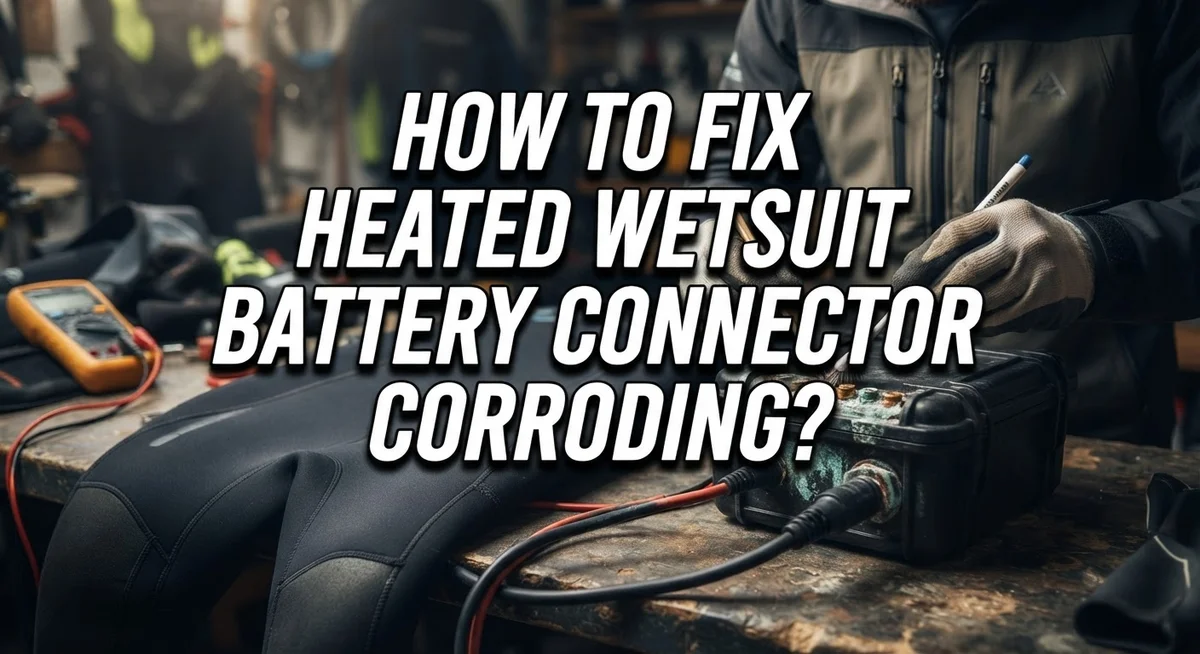
How To Fix Heated Wetsuit Battery Connector Corroding?
Your heated wetsuit keeps you warm during cold water sessions. But a corroded battery connector can ruin your fun fast.
Corrosion happens when chemical reactions build up on your battery terminals. Salt water makes this problem even worse for surfers and divers.
You might notice your wetsuit heating system acting weird. Maybe it flickers on and off. Maybe it stops working completely.
The culprit is often that pesky green or white buildup on your connectors. This corrosion blocks the electrical flow your heating system needs.
In a Nutshell
- Spot the problem first. Check for green or white crust on your connectors. This buildup blocks power flow and causes weak heating.
- Gather simple cleaning supplies. You need vinegar, baking soda, water, and a wire brush. Most of these items sit in your kitchen already.
- Clean with care. Apply vinegar or baking soda paste to the corroded spots. Let it sit for a few minutes before scrubbing gently.
- Rinse using distilled water only. Tap water leaves mineral deposits behind. This can cause corrosion to return faster than before.
- Dry connectors completely. Any leftover moisture triggers new corrosion. Give parts plenty of time to air dry.
- Protect your work with a coating. Apply petroleum jelly or a similar protective layer. This simple step prevents future buildup and saves you time down the road.
What Causes Battery Connector Corrosion in Heated Wetsuits
Battery connector corrosion in heated wetsuits happens because of chemical reactions between metal terminals and moisture. When saltwater, freshwater, or sweat contacts your battery connectors, oxidation begins almost immediately.
Salt deposits create the biggest problem. These deposits are conductive, which means they interfere with electrical flow. Instead of power traveling smoothly from your battery to the heating elements, the current gets blocked or slowed down. Your wetsuit heats unevenly or stops working entirely.
The corrosion process speeds up in specific conditions. Exposure to saltwater accelerates the reaction significantly. Humidity trapped inside your wetsuit bag also triggers corrosion over time. Temperature changes cause condensation to form on your battery terminals, introducing more moisture into the equation.
Different battery types corrode differently. Alkaline batteries produce white or blue corrosion. Acid based batteries create green or blue green buildup. Both types need specific cleaning approaches to restore proper function.
Chlorine from pools and ocean salt are particularly aggressive. They eat away at the metal coating on your connectors faster than fresh water does. Even storing your heated wetsuit in damp conditions without proper ventilation creates an ideal environment for corrosion to develop.
The connector pins themselves become pitted and damaged as corrosion spreads. This pitting makes electrical contact unreliable even after you clean the visible buildup. Poor connections mean inconsistent heating or complete system failure during your water sessions.
Understanding these causes helps you prevent future corrosion. Regular cleaning after each use stops buildup from accumulating. Proper storage in dry locations keeps moisture away from your battery connectors. Protective coatings create a barrier between metal and environmental moisture, extending your connector lifespan significantly.
Signs Your Connector Needs Cleaning or Repair
Your heated wetsuit connector shows several clear warning signs when corrosion becomes a problem. Green, white, or blue crusty buildup on the battery terminals is the most obvious indicator. This discoloration means chemical reactions have already started eating away at your metal connectors.
A connector that feels loose or wiggly is another red flag. Even slight movement prevents proper electrical contact. Your wetsuit might heat unevenly or stop working entirely when this happens.
Pay attention to your heating system’s behavior. If your wetsuit takes longer to warm up than usual, corrosion is likely blocking electricity flow. You might notice the heat feels weaker in certain areas. Sometimes the system works for a few minutes, then cuts out completely.
Check for any burning smell near the battery pack. This smell means electrical resistance is too high. The connector struggles to pass power through, creating dangerous heat buildup.
White or colored powder around the connection point signals active corrosion. This powder flakes off easily and spreads quickly if left untreated. The longer you wait, the deeper the corrosion penetrates into your connector pins.
Your battery itself might feel hot to the touch during use. This happens because corroded connectors force the battery to work harder. Overheating shortens battery life and creates safety risks.
Don’t ignore these warning signs. Early action prevents permanent damage to your connectors. If you catch corrosion early, simple cleaning fixes the problem completely. Waiting too long might damage the pins beyond repair, requiring replacement parts instead of just a cleaning session.
Tools and Cleaning Solutions You’ll Need
Before you start cleaning, gather the right supplies. You need items that work together to remove corrosion safely and effectively.
Cleaning solutions are your first priority. Vinegar works well for acid based corrosion because it dissolves mineral deposits. Baking soda mixed with water creates a paste that neutralizes acidic buildup. Both options are household items you likely have already.
A wire brush is essential for scrubbing away the corroded material. Use a soft to medium bristle brush so you don’t damage the connector pins. An old toothbrush works in a pinch for smaller connectors.
You’ll need distilled water for rinsing. Regular tap water contains minerals that can cause new corrosion, so don’t skip this step. Buy distilled water from any store that sells cleaning supplies.
Rubber or nitrile gloves protect your hands from acid and alkaline residue. These gloves resist chemical damage better than latex options.
Grab some cotton swabs or small cloths for applying cleaning solutions to tight spaces. Q tips work perfectly for reaching between connector pins.
A protective coating prevents future corrosion. Petroleum jelly or similar products create a water resistant barrier. Apply a thin layer after everything dries completely.
Finally, have paper towels or lint free cloths ready for drying. Lint particles can interfere with electrical connections, so avoid regular paper towels if possible.
Organize these items before you begin. Having everything ready means you work faster and more safely. This preparation step takes five minutes but saves you time during the actual cleaning process.
Step-by-Step Guide to Cleaning Corroded Connectors
Start by disconnecting your battery pack from the heated wetsuit. Remove the battery terminals carefully. If your battery is removable, take it out completely. This prevents accidental electrical contact while you work.
Apply your chosen cleaning solution directly to the corroded connector. Use a weak acid solution for alkaline batteries or a baking soda paste for acid batteries. Let the fizzing action work for two to three minutes. This chemical reaction breaks down the corrosion buildup.
Grab your wire brush and scrub the corroded area gently. Work in circular motions across the terminal surfaces. Focus on pitted spots where corrosion sits deepest. Don’t scrub too hard, as you can damage the connector pins permanently.
Use cotton swabs to clean tight spaces between connector pins. Dip the swab in your cleaning solution and work around each pin individually. This removes corrosion from areas the wire brush cannot reach easily.
Rinse everything thoroughly with distilled water. Tap water contains minerals that cause new corrosion to form quickly. Pour distilled water over the connector and use a clean cloth to wipe away all residue. Repeat the rinsing process at least twice.
Dry the connector completely before reconnecting anything. Use lint free cloths or paper towels to absorb all moisture. Let the connector air dry for five to ten minutes. Any remaining water will cause corrosion to return.
Inspect the connector pins for damage. Look for deep pitting or bent pins. Minor surface corrosion is normal, but severe pitting may require connector replacement.
Apply a protective coating to the clean connector. This creates a barrier against future moisture and salt exposure. Your connector is now ready for safe use.
How to Apply Protective Coatings for Long-Term Prevention
Protective coatings create a barrier between your battery connector and moisture. This barrier stops corrosion from forming again after you clean everything.
Apply the coating right after drying. Don’t wait hours or days. The connector attracts moisture from the air, so speed matters here. Use a small brush or cotton swab to spread a thin layer across all metal surfaces.
Cover the connector pins completely. Pay special attention to the spaces between pins where water hides. Apply coating to the battery terminal posts as well. A light, even layer works better than a thick one. Thick coatings can actually trap moisture underneath.
Let the coating dry fully before reconnecting your battery. Check your coating product’s instructions for drying time. Most take 30 minutes to a few hours. Don’t rush this step.
Reapply your protective coating every few months. Regular reapplication keeps your connector safe during the diving season. If you store your wetsuit for winter, apply a fresh coat before putting it away.
Check your connector regularly even with coating applied. Look for any white powder or color changes. Early detection stops problems before they start. If you see new corrosion forming, clean and recoat immediately.
The coating works best when combined with proper storage. Keep your battery pack dry and cool. Store it away from salt water between dives. Use a waterproof case or dry bag if possible.
Your connector stays protected longer when you maintain it consistently. Prevention takes minutes but saves you hours of troubleshooting later. This simple maintenance keeps your heating system working reliably all season long.
Common Mistakes That Make Corrosion Worse
Using tap water instead of distilled water is one of the biggest mistakes you can make. Tap water contains minerals and chlorine that leave deposits on your connectors. These deposits trap moisture and speed up corrosion. Always rinse with distilled water only.
Skipping the protective coating after cleaning is another critical error. Many people clean their connectors, dry them, and reconnect everything without adding protection. This leaves your connectors exposed to salt spray and moisture again. The corrosion returns within weeks.
Reconnecting your battery before the connector is completely dry causes serious problems. Even small amounts of water trapped inside the connector create new corrosion. Water and metal terminals react instantly. Wait at least 30 minutes after drying before reconnecting.
Applying too much cleaning solution is also problematic. Excess liquid seeps into connector housing and gets trapped inside. This moisture then causes corrosion in places you cannot reach. Use just enough solution to cover the corroded area.
Scrubbing too aggressively damages the connector pins. Rough brushing removes protective plating and scratches the metal surface. Scratched metal corrodes faster than smooth metal. Use gentle, circular motions with your wire brush instead.
Storing your battery while still damp invites corrosion. Even if the connector looks dry, moisture can hide inside. Store your battery in a dry location for at least one hour after cleaning. Better yet, wait overnight before storing it.
Ignoring early warning signs makes everything worse. White powder or green discoloration means corrosion is starting. Address it immediately rather than waiting. Early cleaning takes 10 minutes. Waiting lets corrosion spread deep into the connector, making repairs much harder.
Troubleshooting Persistent Connection Issues After Cleaning
When connection issues persist after cleaning, the problem often goes deeper than surface corrosion. Residual corrosion particles can hide inside connector ports and cause intermittent contact failures. These tiny deposits prevent electricity from flowing smoothly through your battery terminals.
Start by inspecting the connector ports with a flashlight. Look inside the female connector port on your wetsuit where the battery plug inserts. You may see discoloration or crusty buildup that your initial cleaning missed. This hidden corrosion is a common culprit behind stubborn connection problems.
Use a cotton swab slightly dampened with vinegar to reach deep inside the connector port. Gently rotate the swab to loosen trapped particles. Repeat this process several times with fresh swabs until they come out clean. Don’t rush this step because thorough interior cleaning makes a real difference.
After cleaning the ports, reconnect your battery and test the connection. If problems continue, check whether your battery terminals themselves are damaged or pitted. Severely corroded terminals sometimes cannot be fully restored and may need replacement.
Another common issue involves the connector pins not making full contact. Gently inspect each pin for bending or misalignment. If pins appear bent, you may need professional repair services since forcing them back can cause permanent damage.
Finally, evaluate your storage conditions. Persistent corrosion suggests moisture is reaching your battery even after cleaning. Store your heated wetsuit battery in a dry location away from direct moisture. Use a waterproof case or container if possible. Keep silica gel packets nearby to absorb excess humidity in your storage area.
Maintenance Schedule to Prevent Future Corrosion
Preventing future corrosion requires a simple maintenance schedule that keeps your battery connector in top condition. The key is consistency. Check your connector every two weeks during active use seasons. This frequent inspection catches early warning signs before they become serious problems.
Clean your connector monthly, even if you don’t see visible corrosion. Monthly cleaning removes salt deposits and moisture before they cause damage. Use vinegar on a cotton swab for quick touch ups. This prevents buildup that leads to connection failures.
Apply protective coating every three months. This creates a barrier between your connector and the ocean environment. The coating works best when applied to a completely clean and dry connector. Reapply it regularly because water exposure gradually wears the coating away.
Store your battery in a dry location between uses. Moisture is the enemy of battery connectors. Keep your battery in a cool, dry place away from direct sunlight. Never store it while damp or wet.
Before each use, inspect your connector visually. Look for white powder, green tint, or any discoloration. These signs mean corrosion is forming. Clean immediately if you spot anything unusual.
After each saltwater session, rinse your battery connector with distilled water. This removes salt deposits before they dry and harden. Let it air dry completely before storing it away.
Document your maintenance dates. Write down when you clean and coat your connector. This simple habit ensures you don’t miss maintenance windows. A maintenance log takes just seconds but prevents expensive problems.
Follow this schedule consistently and your connector stays protected for years of reliable use.
Final Thoughts
Fixing a corroded battery connector is a simple task once you know the steps. Cleaning, neutralizing, and protecting your connector keeps your heated wetsuit working through every dive.
Corrosion happens naturally when saltwater meets metal parts. This does not mean your gear is broken or unusable.
Regular attention prevents small issues from becoming big problems. A few minutes of care now saves you from connection failures later.
Your cleaning routine does not need to be complicated. Vinegar, baking soda, and a wire brush handle most corrosion problems effectively.
The real key is consistency. Cleaning your connector once will not protect it forever.
Make this process part of your gear routine. Treat it the same way you treat rinsing your wetsuit after a swim.
Distilled water and complete drying matter more than people realize. Skipping these steps undoes all your hard cleaning work.
Protective coatings act as your first line of defense. They stop moisture and salt from reaching the metal in the first place.
Think of coating application like sunscreen for your connector. You reapply it because one application does not last forever.
If problems continue after cleaning, do not ignore them. Persistent issues often signal deeper damage that needs closer inspection.
Your heated wetsuit represents a real investment in comfortable dives. Taking care of the battery connector protects that investment for years to come.
Simple habits make the biggest difference here. Clean regularly, dry completely, coat properly, and store your battery correctly.
Follow these steps and corrosion becomes a minor inconvenience rather than a recurring headache. Your gear stays reliable when you stay proactive about maintenance.
Frequently Asked Questions
What exactly causes battery connector corrosion on heated wetsuits?
Corrosion happens when metal terminals meet saltwater and oxygen. A chemical reaction occurs at the connector surface. Salt deposits build up and create a conductive layer that blocks proper electrical flow. This is why ocean users see corrosion faster than freshwater divers.
The process starts small but spreads quickly. Moisture trapped inside connectors speeds up the reaction. Even tiny amounts of salt residue trigger corrosion over time.
Should I use vinegar or baking soda to clean my corroded connector?
Vinegar works best for acid-based batteries. Use a cotton swab dipped in vinegar to wipe the terminal. Let it sit for a few minutes. The acid breaks down corrosion deposits naturally.
Baking soda paste works better for alkaline batteries. Mix baking soda with a small amount of water. Apply the paste and let it fizz. This neutralizes acid buildup on the connector.
You can also use both methods in sequence. Start with vinegar, then follow with baking soda paste for thorough cleaning.
Why is distilled water so important after cleaning?
Tap water contains minerals and chemicals that cause new corrosion. Distilled water has no added substances. It rinses away cleaning solutions without leaving residue behind.
After scrubbing with vinegar or baking soda, distilled water removes all traces. This prevents fresh corrosion from forming immediately. Incomplete rinsing is a common mistake that people make.
What protective coating should I apply after cleaning?
Apply a thin layer of petroleum jelly or similar water resistant coating. This creates a barrier between your connector and saltwater. The coating prevents oxygen and moisture from reaching the metal.

Hello, i’m Ivoria i am the face behind Tech Tracker Blog. I am passionate about my work and love to explore gadgets and share about my experience.