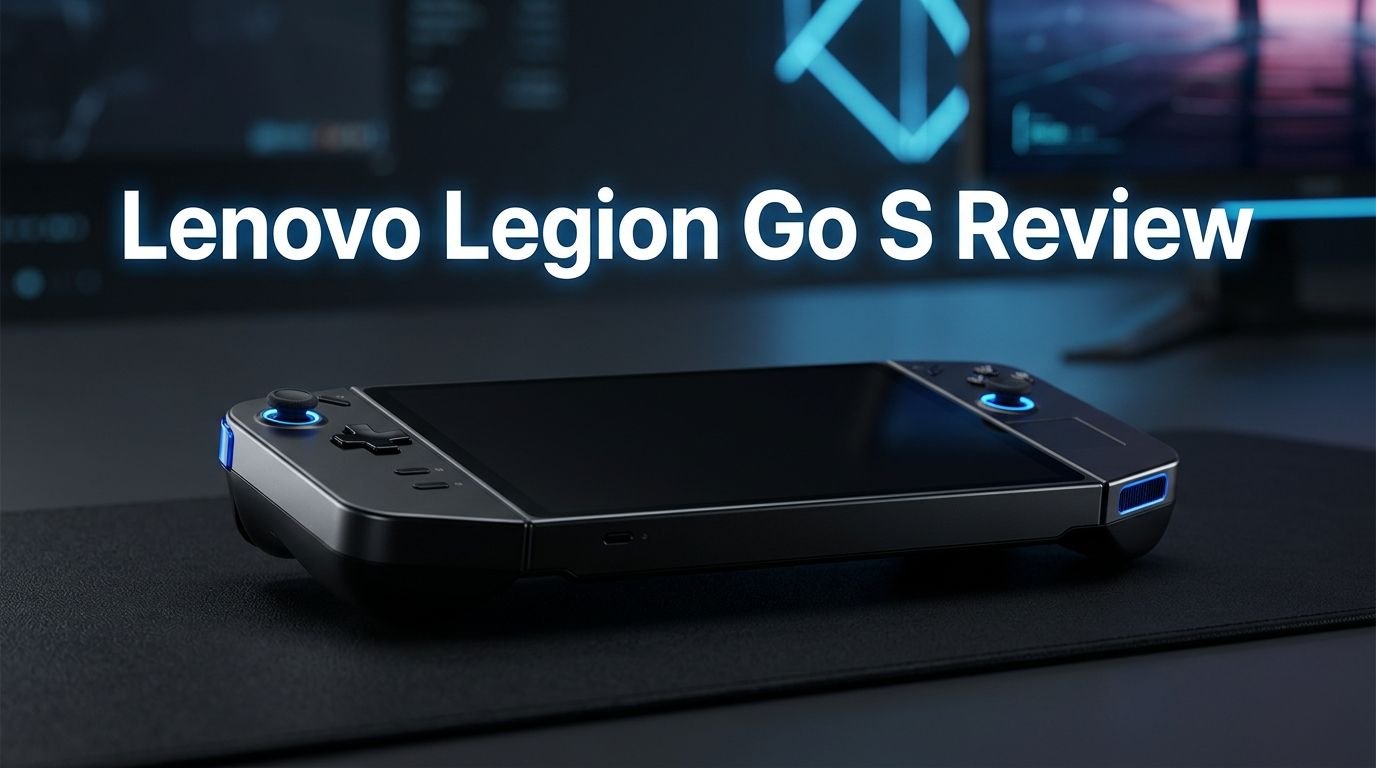
Lenovo Legion Go S Review 2026: Worth the Price Tag?
The handheld gaming PC market has exploded over the past few years. Every major brand wants a piece of the action. The Lenovo Legion Go S sits right in the middle of this battle.
It promises solid gaming performance, a comfortable design, and SteamOS support at a price that undercuts many rivals. But does it actually deliver on those promises?
I spent weeks testing this device across dozens of games. I pushed it through benchmark after benchmark. I carried it on flights, used it on the couch, and gamed at my desk.
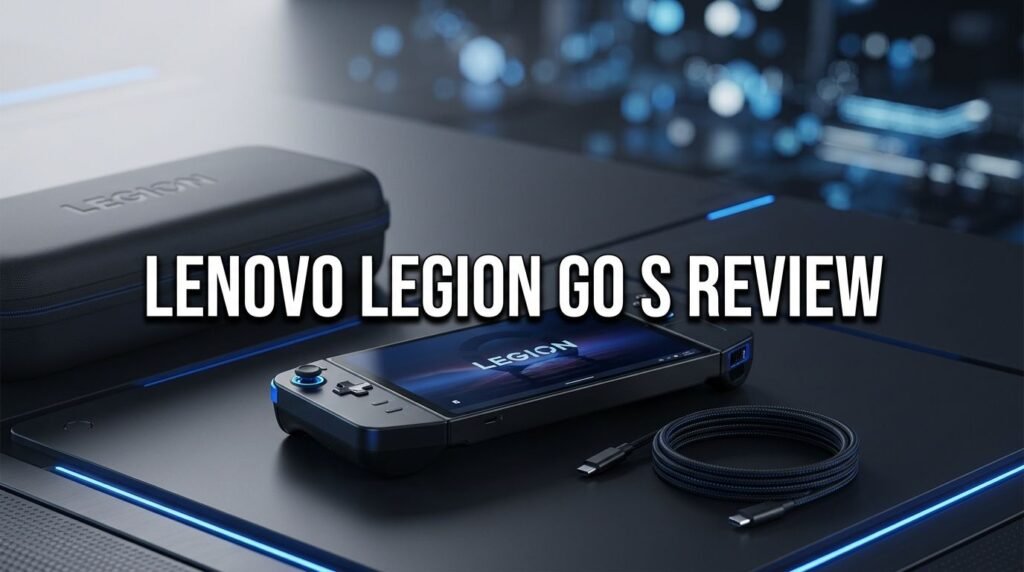
Key Takeaways:
- The Lenovo Legion Go S uses the AMD Ryzen Z2 Go processor with Zen 3+ architecture. It delivers strong battery performance but falls behind the Z1 Extreme in peak plugged-in power. On battery, it matches or slightly beats the original Legion Go in many games.
- The 8-inch 1920 x 1200 IPS display runs at 120Hz. It is bright, colorful, and sharp enough for handheld gaming. The resolution drop from the original Legion Go’s 2560 x 1600 panel is barely noticeable at handheld distances.
- Battery life sits around 1.5 to 2 hours during active gaming sessions. This is standard for this class of device. The 55.5 Wh battery charges quickly with the included 65W adapter.
- The SteamOS version starts at $499 with 16GB RAM and 512GB storage. The Windows 11 version with 32GB RAM and 1TB SSD costs $729.99. The SteamOS model offers the best value in the lineup.
- Build quality is solid but plastic. The all-white design looks clean. The controllers are now fixed (not detachable), and there is no kickstand. Comfort is excellent for long gaming sessions.
- The M.2 SSD slot accepts both 2242 and 2280 drives. This makes storage upgrades easy and affordable. You get more options than most handheld PCs offer.


Last update on 2026-08-08 / Affiliate links / Images from Amazon Product Advertising API Some of the links on this website are affiliate links, which means that at no additional cost to you, I earn a commission if you click through and make a purchase. I only recommend products and services that I believe will add value to my readers. Thank you for your support!
Lenovo Legion Go S Design and Build Quality
The Lenovo Legion Go S takes a different design path from its predecessor. The original Legion Go used detachable controllers similar to the Nintendo Switch. The Legion Go S drops that idea entirely. It uses a fixed, all-in-one design like the Steam Deck and ROG Ally.
The entire chassis is made of white molded plastic. The buttons and triggers are black. This combination looks clean and modern. However, the heavy use of plastic makes it feel less premium than the original Legion Go’s aluminum and plastic mix.
Comfort is where the Legion Go S shines. The curvier body fits your hands better than the angular original. After hours of continuous play, my hands felt less tired compared to the original Legion Go. The device measures 11.77 x 5.02 x 0.89 inches and weighs just 1.61 pounds.
One notable omission is the kickstand. The original Legion Go had a built-in kickstand for tabletop play. Since the controllers no longer detach, Lenovo removed this feature. This limits your options for desktop or tabletop use.
The button layout follows the standard Xbox controller style. You get ABXY buttons, offset joysticks, a D-pad, triggers with adjustable travel distance, and two programmable back buttons. Four additional buttons sit near the top of the display for quick settings and menu access.
Lenovo Legion Go S Display Performance
The display is one area where the Legion Go S took a step back on paper. It uses an 8-inch 1920 x 1200 IPS panel with a 120Hz refresh rate. The original Legion Go featured an 8.8-inch 2560 x 1600 display at 144Hz.
In practice, the difference is smaller than the specs suggest. Most games run best at 1280 x 800 on this hardware. At that resolution, the smaller 8-inch screen actually makes everything look slightly sharper than the larger panel.
Brightness hits around 455 nits, which is enough for indoor gaming and most outdoor situations. Colors cover 84.8% of the DCI-P3 gamut and 119.7% of sRGB. These numbers trail the Steam Deck OLED’s stunning display but beat the ROG Ally.
Games look vivid and detailed on this screen. Racing games like Forza Horizon 5 pop with rich colors. The 120Hz refresh rate makes fast-paced action games smooth and responsive. You will not feel shortchanged by this display during actual gameplay.
Lenovo Legion Go S Gaming Performance
The heart of the Legion Go S is the AMD Ryzen Z2 Go processor. This chip uses Zen 3+ architecture with four cores and eight threads. It boosts up to 4.3 GHz. The integrated GPU is the AMD Radeon 680M with 12 RDNA 2 compute units.
On battery power, performance is impressive. The Legion Go S matches or slightly beats the original Legion Go in most titles. Shadow of the Tomb Raider runs at about 43 fps at 800p. Cyberpunk 2077 on the Steam Deck preset holds steady on battery.
Plugged-in performance tells a different story. With the TDP cranked to 40 watts, the Legion Go S falls 10 to 20 percent behind the original Legion Go. In Forza Horizon 5, it hits 56 fps at 800p while the Legion Go reaches 75 fps. Cyberpunk 2077 manages only 35 fps at 800p compared to 49 fps on the older model.
The device offers four performance profiles: Performance, Efficiency, Custom 1, and Custom 2. You can adjust these through the quick settings button. The Custom profiles let you fine-tune TDP to balance performance and battery life.
For most indie and older AAA games, performance is more than adequate. Newer demanding titles may require lower settings or resolution scaling.
Top 3 Alternatives for Lenovo Legion Go S
If the Legion Go S does not match your needs, here are three strong alternatives worth considering.
1. ASUS ROG Xbox Ally

Last update on 2026-08-08 / Affiliate links / Images from Amazon Product Advertising API Some of the links on this website are affiliate links, which means that at no additional cost to you, I earn a commission if you click through and make a purchase. I only recommend products and services that I believe will add value to my readers. Thank you for your support!
The ASUS ROG Xbox Ally is a direct competitor. It runs on the AMD Ryzen Z2 A processor and features deep Xbox integration. You get a 7-inch 1080p 120Hz touchscreen, 16GB RAM, and 512GB SSD. The Xbox Game Pass support makes it a fantastic option for anyone already in the Microsoft ecosystem.
2. Valve Steam Deck OLED 1TB

Last update on 2026-08-08 / Affiliate links / Images from Amazon Product Advertising API Some of the links on this website are affiliate links, which means that at no additional cost to you, I earn a commission if you click through and make a purchase. I only recommend products and services that I believe will add value to my readers. Thank you for your support!
The Steam Deck OLED remains the gold standard for handheld Linux gaming. Its gorgeous OLED display, excellent battery life, and massive game library make it hard to beat. It also has the most polished software experience of any handheld gaming PC available today.
3. MSI Claw 8 AI+

Last update on 2026-08-08 / Affiliate links / Images from Amazon Product Advertising API Some of the links on this website are affiliate links, which means that at no additional cost to you, I earn a commission if you click through and make a purchase. I only recommend products and services that I believe will add value to my readers. Thank you for your support!
The MSI Claw 8 AI+ uses an Intel Ultra 7-258V processor and features an 8-inch 120Hz display. It offers 32GB RAM and 1TB SSD. It runs Windows 11 and supports Thunderbolt 4. This is a strong option if you prefer the Intel ecosystem.
Lenovo Legion Go S Battery Life
Battery life on handheld gaming PCs is always a concern. The Legion Go S packs a 55.5 Wh battery and ships with a 65W charger.
During real-world gaming at 1280 x 800 resolution and 60Hz, the device lasts about 1 hour and 45 minutes on the Performance profile. Switching to the Power-saving profile stretches that to slightly over 2 hours.
The PCMark 10 Gaming benchmark recorded 1 hour and 42 minutes. This is 17 minutes less than the original Legion Go. Battery life is the trade-off you accept with any handheld gaming PC right now.
At lower TDP settings (around 15W), you can push battery life closer to 2.5 hours. This works well for less demanding games and older titles. The 65W charger fills the battery reasonably fast, so you can top up during breaks.
For extended travel, a portable USB-C power bank that supports Power Delivery is a smart investment. The two USB-C 4.0 ports on top both support charging.
Lenovo Legion Go S SteamOS vs Windows 11

Last update on 2026-08-08 / Affiliate links / Images from Amazon Product Advertising API Some of the links on this website are affiliate links, which means that at no additional cost to you, I earn a commission if you click through and make a purchase. I only recommend products and services that I believe will add value to my readers. Thank you for your support!
The Legion Go S comes in two operating system flavors. The Windows 11 version launched first at $729.99. The SteamOS version followed at a much friendlier $499 starting price.
Windows 11 on a handheld gaming PC is still a mixed experience in 2026. The on-screen keyboard often fails to appear when needed. Touch targets are too small for comfortable finger use. Multi-tasking works but feels clunky on an 8-inch screen.
SteamOS transforms the experience. The interface is built for handheld use. Every menu responds to controller input. Games launch faster. The system uses fewer resources, which leaves more power for actual gaming.
Benchmarks confirm this. Multiple tests show the SteamOS Legion Go S outperforms the Windows 11 version across many AAA games. The leaner operating system gives the Z2 Go processor more room to breathe.
If you plan to use this device primarily for gaming, the SteamOS model is the clear winner. It costs $230 less and performs better in games. The Windows version makes sense only if you need specific Windows apps or game launchers beyond Steam.
Lenovo Legion Go S Audio Quality
The built-in speakers on the Legion Go S are decent for a handheld device. They produce enough volume and clarity for casual gaming sessions. Engine sounds in racing games have good depth. Explosions and gunfire come through with satisfying punch.
Bass is limited, as expected from small speakers. Music and dialogue sound acceptable but lack the richness you would get from headphones. The speakers fire from the front of the device, which helps direct sound toward you during play.
The 3.5mm headphone jack is a welcome inclusion. Many modern devices have dropped this port. Plugging in a good pair of headphones transforms the audio experience completely. You get full spatial audio, deeper bass, and better immersion.
Bluetooth 5.3 support means wireless headphones and earbuds connect quickly and maintain stable connections. Latency with modern Bluetooth audio codecs is low enough for most games. However, competitive multiplayer gaming benefits from a wired connection.
Lenovo Legion Go S Thermal Performance
Heat management is critical in handheld gaming PCs. The Legion Go S handles this well. The chassis pulls cool air through vents on the back and exhausts warm air from the top.
During heavy gaming, the Z2 Go CPU and Radeon 680M GPU run at around 55°C (131°F). This is well within safe limits. The exterior of the device stays comfortable to hold even during extended sessions.
Fan noise is present in Performance mode but not excessive. The speakers at a reasonable volume can easily mask the fan sound. In Efficiency mode, the fans spin slower and produce very little noise.
The curvier chassis design helps spread heat across a larger surface area. No single spot gets uncomfortably hot. This is a clear improvement over some competitors that develop noticeable hot spots near the center of the device.
Thermal throttling was not an issue during my testing. The device maintained consistent frame rates throughout long gaming sessions without sudden performance drops.
Lenovo Legion Go S Legion Space Software
Legion Space is Lenovo’s custom software hub for the Legion Go S. It launches with a dedicated button next to the left joystick. This app serves as your control center for games, settings, and controller customization.
The Library tab displays all installed games as large tiles. It pulls information from Steam, Epic Games Store, Rockstar Games Store, and other platforms. You can launch any game directly from this screen.
The Settings tab shows real-time system data. Three large dials display fan speed, CPU temperature, and GPU utilization. You can adjust performance modes, thermal profiles, display settings, and controller mappings from here.
The Quick Settings overlay is especially useful. Pressing the Options button brings up a floating menu over your current game. You can change power modes, adjust brightness, toggle resolution, and control touchpad settings without leaving your game.
One annoyance is the default touchpad vibration setting. It causes the entire unit to buzz whenever you touch the trackpad. Turn this off immediately in Legion Space settings. The touchpad itself is small and occasionally unreliable, especially during gameplay where clicks often miss their targets.
Lenovo Legion Go S Upgradeability and Storage
The Legion Go S scores points for its upgrade-friendly storage design. The M.2 slot accepts both 2242 and 2280 SSDs. This is a significant advantage. The 2280 form factor offers more choices and better prices in the SSD market.
Opening the device requires removing several screws and carefully prying off panels. You need to remove the top plastic cover, a central screw, trigger retention screws, and then the back panel. A plastic spudger tool is recommended to avoid damaging the clips.
The review unit came with a 1TB Micron 2280 PCIe 4.0 SSD. You can replace this with any compatible drive up to 2TB or beyond. The microSD card slot on the bottom edge provides additional storage expansion for game libraries.
RAM is soldered and not upgradable. The SteamOS model comes with 16GB LPDDR5X-6400MHz. The Windows model includes 32GB. Choose your configuration carefully at purchase since you cannot change this later.
The battery is also accessible during disassembly. This means future battery replacements are possible when the original cell degrades over time.
Lenovo Legion Go S Connectivity and Ports
The Legion Go S offers a solid set of ports and wireless connectivity options. Two USB Type-C 4.0 ports sit on the top edge. Both support 40Gbps data transfers, Power Delivery 3.0, and DisplayPort 1.4.
This means you can connect an external display, dock, or eGPU through either port. A single USB-C hub can turn the Legion Go S into a desktop-like setup. Connect a monitor, keyboard, mouse, and ethernet adapter through one cable.
The 3.5mm headphone jack sits on top alongside the USB-C ports. Having all ports on the top edge keeps cables out of the way during handheld play.
Wi-Fi 6E via the Mediatek MT7922 chipset delivers fast and stable wireless connections. This matters for downloading large game files and online multiplayer. Bluetooth 5.3 supports modern wireless peripherals with low latency.
The microSD card reader on the bottom edge uses the UHS-II standard. This provides fast read speeds for loading games stored on external cards. It is a practical way to expand your game library without replacing the internal SSD.
Who Should Buy the Lenovo Legion Go S in 2026?
The Legion Go S fits a specific type of buyer best. If you want a comfortable handheld gaming PC that runs SteamOS at a reasonable price, this is an excellent choice. The $499 SteamOS model delivers the best value.
Casual and mid-core gamers will enjoy this device the most. It handles indie games, older AAA titles, and current games at lower settings without issues. The ergonomic design makes long sessions comfortable.
Power users who want maximum performance should look elsewhere. The Z1 Extreme in the original Legion Go or the Ryzen Z2 Extreme in newer competitors offers more raw horsepower. If you plan to play demanding games at high settings while plugged in, the Z2 Go will disappoint.
The Windows 11 model at $729.99 is a harder sell. For just $20 more, you could buy the original Legion Go with its Z1 Extreme processor, larger display, and detachable controllers. The SteamOS model at $499 eliminates this value problem entirely.
If you travel frequently and want a portable gaming companion that just works, the Legion Go S with SteamOS delivers a smooth, console-like experience right out of the box.
Final Verdict on the Lenovo Legion Go S
The Lenovo Legion Go S is a mixed bag that becomes a clear recommendation at the right price. The $499 SteamOS version is the model to buy. It offers comfortable ergonomics, a bright 120Hz display, decent gaming performance, and a polished software experience.
The Z2 Go processor handles handheld gaming well on battery power. It matches the original Legion Go in this scenario. The loss of peak plugged-in performance is a real weakness, but most handheld gamers play on battery anyway.
Build quality is good but not premium. The all-plastic construction keeps weight down but lacks the refinement of aluminum. The fixed controllers are more comfortable but less versatile than detachable options.
Battery life of 1.5 to 2 hours during gaming is typical for this product category. The upgradeable M.2 SSD slot and clean thermal performance add practical value.
In the crowded handheld PC market of 2026, the Legion Go S with SteamOS earns its place as a strong mid-range option. It does not try to be the most powerful device on the market. Instead, it focuses on comfort, value, and a streamlined gaming experience.
Frequently Asked Questions
Is the Lenovo Legion Go S worth buying in 2026?
Yes, especially the SteamOS version at $499. It offers excellent value with a comfortable design, solid gaming performance on battery, and a smooth SteamOS experience. The Windows 11 version at $729.99 is a tougher recommendation due to the small price gap with more powerful alternatives.
How long does the Lenovo Legion Go S battery last?
The battery lasts about 1 hour and 45 minutes during active gaming on the Performance profile. Switching to Power-saving mode can extend this to slightly over 2 hours. At lower TDP settings with less demanding games, you may reach 2.5 hours.
Can you upgrade the SSD in the Lenovo Legion Go S?
Yes. The M.2 slot accepts both 2242 and 2280 SSDs. This gives you many affordable upgrade options. The process requires removing several screws and panels but is manageable with basic tools and patience.
Is the Lenovo Legion Go S better than the Steam Deck OLED?
It depends on your priorities. The Legion Go S has a larger screen and more RAM. The Steam Deck OLED has a superior display and longer battery life. Both run SteamOS. The Legion Go S offers better ergonomics for some hand sizes. The Steam Deck OLED has a more mature software ecosystem.
Does the Lenovo Legion Go S run Windows or SteamOS?
Both options are available. The Windows 11 version costs $729.99 with 32GB RAM and 1TB SSD. The SteamOS version starts at $499 with 16GB RAM and 512GB SSD. Multiple reviews confirm that the SteamOS version delivers better gaming performance due to lower system overhead.
What games can the Lenovo Legion Go S run?
The Legion Go S runs most PC games. Indie titles and older AAA games run smoothly at high settings. Current AAA games like Cyberpunk 2077 and Forza Horizon 5 run well at medium to low settings at 800p resolution. Very demanding titles may require resolution scaling or lower graphical presets.

Hello, i’m Ivoria i am the face behind Tech Tracker Blog. I am passionate about my work and love to explore gadgets and share about my experience.