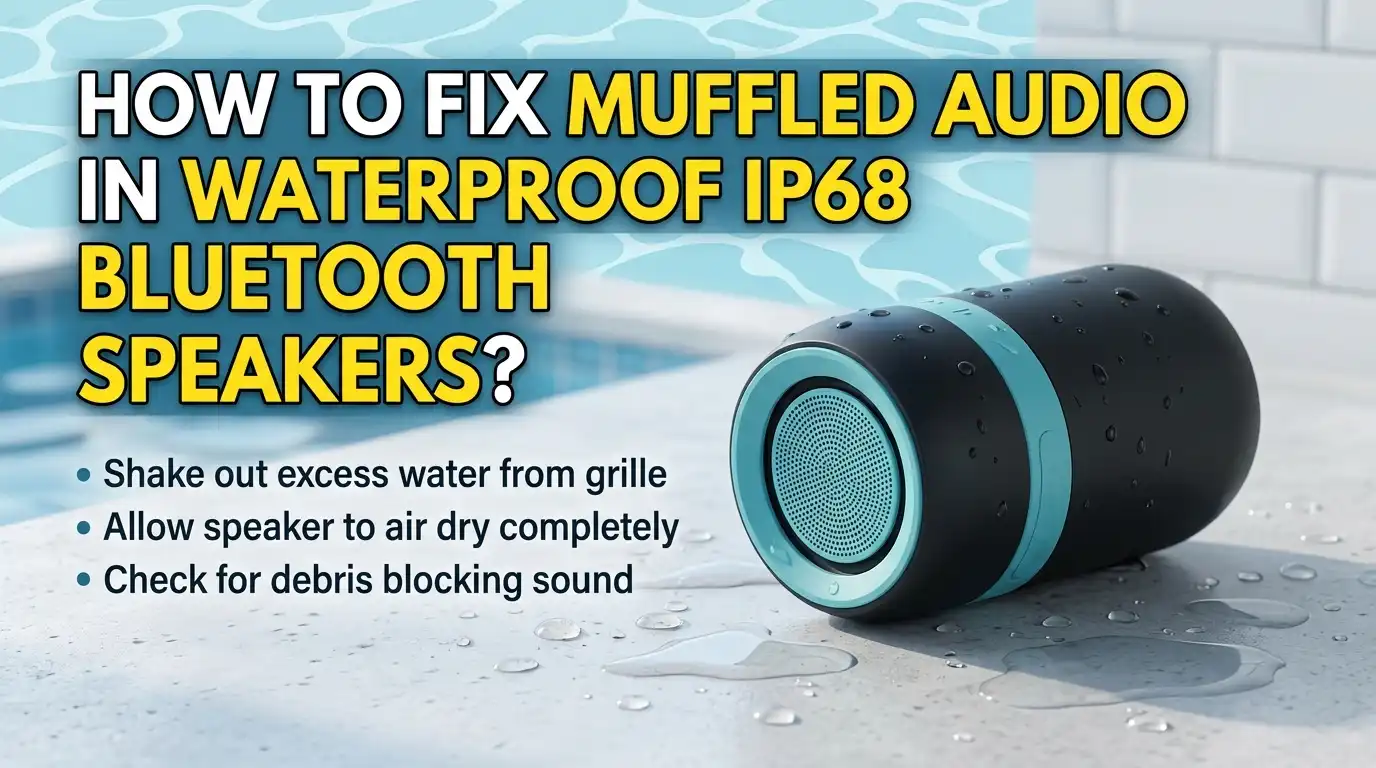
How To Fix Muffled Audio In Waterproof IP68 Bluetooth Speakers?
Your favorite poolside speaker now sounds like it is playing from inside a sock. The bass is gone. The vocals are flat. The crisp highs you once loved have turned into a dull mush.
This is one of the most common problems with IP68 rated Bluetooth speakers, and the good news is that you can usually fix it at home in less than an hour.
In this guide, you will learn simple, step by step methods to bring your speaker back to clear, room filling sound. Each section gives you the pros, the cons, and the exact actions to take.
Key Takeaways
- Water is the top cause of muffled sound in IP68 speakers, even though these speakers are rated for full submersion. Trapped moisture in the grille acts like a low pass filter and kills your treble.
- Sound wave water ejection works fast and safely. Playing a 165Hz tone or using a water eject app pushes droplets out of the driver in minutes.
- Dirt, sand, salt, and sunscreen can clog the mesh grille over time. A soft brush, microfiber cloth, and isopropyl alcohol restore clarity without damaging the seal.
- Bluetooth codec mismatch, low battery, and wrong EQ settings can also create muffled sound that feels like water damage but is not.
- A factory reset or firmware update fixes most software based audio problems in less than five minutes.
- Prevention beats repair every time, so rinsing with fresh water after pool or beach use, drying upside down, and storing in a cool dry place will protect your speaker for years.
Understand Why IP68 Speakers Still Sound Muffled
An IP68 rating means your speaker resists dust and survives underwater submersion. It does not mean the speaker plays perfect audio while wet. Water sitting inside the grille mesh blocks high frequencies and dampens the driver cone.
This is normal physics, not a defect. A thin film of water across the speaker diaphragm absorbs vibration energy. The result is a muddy, underwater style sound that disappears once the speaker dries fully.
You may also face muffled sound from pressure changes, salt crystal buildup, or dust caught between the membrane and grille. Knowing the cause helps you pick the right fix. Always start with the simplest solution and move to deeper repairs only if needed.
Shake And Tap The Speaker Gently
The fastest first step is also the simplest. Hold your speaker with the grille facing down and shake it firmly for thirty seconds. Tap the back of the speaker against your palm to dislodge water droplets stuck in the mesh.
Brands like JBL officially recommend this method as the first response after pool or shower use. Rotate the speaker so all driver ports face downward at some point during the shake.
Pros: Free, instant, and safe for every IP68 speaker on the market. No tools or apps needed.
Cons: Only removes loose surface water. Will not fix deep moisture, dust clogs, or software glitches. If your speaker has been wet for hours, this method alone is not enough.
Use The Water Eject Sound Frequency Method
This is the most popular fix online, and it actually works. A low frequency tone between 100Hz and 200Hz makes the speaker driver vibrate strongly enough to push water out. You can find these tones on YouTube, dedicated websites, or apps called Fix My Speaker or Sonic.
Connect your IP68 speaker over Bluetooth, set the volume to medium high but not maximum, and play the tone for one to three minutes. Place the speaker grille down on a dry towel while it runs.
Pros: Highly effective for water trapped behind the mesh. Free, fast, and requires no disassembly. Works on almost any portable speaker.
Cons: Will not remove sand, dust, or sticky residue. Running the tone at full volume for long periods can stress the driver, so keep sessions short.
Dry The Speaker With Rice Or Silica Gel
If sound waves alone do not work, draw the moisture out passively. Place your speaker inside a sealed container filled with uncooked rice or silica gel packets. Silica gel works much faster than rice because it absorbs humidity more aggressively.
Leave the speaker buried for 24 to 48 hours in a warm, dry room. Position the speaker with the grille facing downward so gravity helps pull water out.
Pros: Removes deep moisture that sound waves cannot reach. Cheap, easy, and gentle on internal electronics. Works well after deep submersion or accidental drops in salt water.
Cons: Rice dust can sneak into ports if you skip the rice and place the speaker directly inside the grains. Always wrap the speaker in a thin cloth first. Slow process that requires patience.
Clean The Speaker Grille And Mesh
Over time, your grille collects sunscreen, salt, sand, lint, and skin oils. This buildup blocks sound just like trapped water does. A clean grille can instantly restore lost treble and clarity.
Use a soft bristle toothbrush to gently brush the grille in small circles. Follow with a microfiber cloth lightly dampened with isopropyl alcohol at 70 percent or higher. Never spray liquid directly onto the speaker. Let it air dry for at least an hour before powering on.
Pros: Removes physical blockages that drying alone cannot fix. Cheap and uses items most people already own. Restores the original speaker shine too.
Cons: Requires care to avoid pushing debris deeper into the mesh. Stiff brushes or paper towels can scratch the finish or damage the waterproof seal.
Rinse With Fresh Water After Saltwater Or Chlorine Exposure
Salt and chlorine are silent killers of IP68 speakers. They crystalize inside the grille and corrode the driver over time, which causes permanent muffling. The fix is simple but often skipped.
After any beach trip or pool day, hold your speaker under a gentle stream of cool tap water for thirty seconds. Make sure all charging ports and rubber flaps are closed tightly first. Shake out the water and let it air dry overnight.
Pros: Prevents long term damage and keeps sound quality sharp for years. Removes corrosive residues that other methods leave behind.
Cons: Adds another step to your routine. If port covers are not fully sealed, fresh water can enter the electronics and cause new problems.
Check And Adjust The Equalizer Settings
Sometimes the speaker is fine and the problem is in your phone or app. Many speaker companion apps include an EQ that may have been changed accidentally. A bass heavy or treble cut preset can make any speaker sound muffled.
Open your speaker app, such as JBL Portable, Bose Connect, Sony Music Center, or Anker Soundcore. Reset the EQ to flat or signature mode. Try other presets like Voice or Outdoor to see which sounds clearest.
Pros: Takes less than a minute. Costs nothing. Often solves the issue when no water is involved.
Cons: Will not help if the real problem is physical. Some budget brands do not offer EQ control at all, leaving you with whatever the factory tuned.
Reset Your Bluetooth Connection And Re Pair
A glitchy Bluetooth pairing can compress audio in strange ways. The wrong codec, such as forced SBC instead of AAC or aptX, sounds noticeably muffled. This is especially common after software updates on your phone.
Forget the speaker in your phone’s Bluetooth settings. Power the speaker off, wait ten seconds, then turn it back on. Pair it fresh and test a high quality audio file like a FLAC track or Spotify Very High setting.
Pros: Fixes invisible software issues in seconds. Useful when the speaker sounds great with one device but bad with another. No tools required.
Cons: Does nothing for hardware or moisture damage. You may need to re enter device names or settings after pairing again.
Update The Speaker Firmware
Manufacturers release firmware updates to fix audio bugs, improve codec support, and tune the driver response. Running outdated firmware can cause muffled sound that no cleaning will solve. This step is often overlooked.
Open your speaker app and look for a Firmware or Device Info section. Connect the speaker to a charger before starting the update so it does not power off mid install. Updates usually take two to ten minutes.
Pros: Free, official, and sometimes adds new features. Solves bugs that even the manufacturer support team cannot fix by phone.
Cons: Not every brand offers updates. Failed updates can brick a speaker, though this is rare. Some apps require account signup before allowing access.
Perform A Factory Reset On The Speaker
When nothing else works, a factory reset clears all stored settings and returns the speaker to its original state. Each brand has its own reset combination, usually involving holding the power and volume buttons together for ten seconds.
Check your speaker manual or the manufacturer website for the exact key combo. The status light usually flashes or changes color when reset is complete. Re pair your phone afterward.
Pros: Fixes deep software issues including audio routing bugs. Takes under a minute. Costs nothing.
Cons: Erases your saved EQ presets, paired device list, and custom names. Will not help if the speaker has water or dust damage inside.
Inspect The Battery And Power Output
A weak battery can cause muffled sound, especially at higher volumes. When the battery dips below 15 percent, many speakers automatically reduce amplifier power to extend playback time. The result is thin, lifeless audio.
Charge your speaker fully and test again. Use the original charging cable and a wall adapter rather than a low power USB port. If the battery no longer holds a charge, replacement is your only long term fix.
Pros: Easy to check. Solves the issue immediately if low power is the cause. No technical skill needed.
Cons: Battery replacement on IP68 speakers is hard because the waterproof seal must be broken and re glued. DIY replacement often voids the warranty and reduces the IP rating.
Open The Speaker Only As A Last Resort
If your speaker is out of warranty and nothing else works, you can try opening it for a deeper clean or driver inspection. This step risks damaging the waterproof seal permanently, so think carefully before starting.
You will need a small Torx or Phillips screwdriver, a plastic pry tool, and waterproof silicone sealant for reassembly. Take photos at every step so you remember how parts fit together.
Pros: Lets you clean corroded contacts, replace blown drivers, or swap a dead battery. Saves money if the alternative is buying a new speaker.
Cons: Voids the IP68 rating in most cases. One wrong move can ruin the speaker. Recommended only for experienced DIY users or those with nothing left to lose.
Prevent Muffled Audio Going Forward
The best repair is the one you never need. A few easy habits will keep your IP68 speaker sounding crisp for years. Make these part of your routine.
Always rinse with fresh water after salt or pool use. Store the speaker upside down in a dry place after exposure to moisture. Keep port covers sealed tightly and check the rubber gaskets every few months for cracks.
Pros: Saves money, time, and frustration. Extends speaker lifespan well beyond the warranty period.
Cons: Requires consistency. One forgotten rinse after a beach trip can undo months of careful care. No prevention plan stops manufacturing defects.
Frequently Asked Questions
Can I put my IP68 Bluetooth speaker in rice?
Yes, but wrap the speaker in a thin cloth first to keep rice dust out of the ports. Leave it inside the sealed container for at least 24 hours. Silica gel packets work even better than rice because they pull moisture out faster.
Does the water eject sound trick really work on Bluetooth speakers?
Yes, it works very well for water trapped behind the mesh grille. Low frequency tones around 165Hz make the driver vibrate hard enough to push droplets out. Keep the volume moderate and limit sessions to two or three minutes to protect the driver.
Why does my IP68 speaker sound muffled even though it never touched water?
Common causes include a clogged grille from sunscreen or dust, wrong EQ settings, low battery power, outdated firmware, or a glitchy Bluetooth pairing. Try cleaning the grille, resetting the EQ, charging fully, and re pairing the speaker before assuming water damage.
How long should I dry my speaker after submerging it?
Air dry for a full 24 to 48 hours before heavy use. Sound waves can push out surface water in minutes, but deeper moisture inside the chamber takes much longer to evaporate fully. Patience here saves your driver from long term damage.
Will opening my IP68 speaker void the warranty?
Yes, almost always. Manufacturers seal these speakers with adhesive and gaskets that cannot be reapplied perfectly at home. Open the speaker only if it is already out of warranty and other fixes have failed.
Can chlorine permanently damage my waterproof speaker?
Yes, over time chlorine corrodes the driver and clogs the grille with crystal residue. Always rinse your speaker with fresh tap water after pool use and let it dry fully. This simple step prevents most chlorine related damage.

Hello, i’m Ivoria i am the face behind Tech Tracker Blog. I am passionate about my work and love to explore gadgets and share about my experience.